Gold Eagle Pro
- Indicators
- Version: 1.2
- Updated: 4 August 2026

Gold Eagle Pro — professional signal indicator for MetaTrader 5
Gold Eagle Pro is a professional signal indicator for MetaTrader 5, built on the same proprietary trading logic used in the fully automated Gold Eagle Pro EA.
Recommended working timeframe: M15.
The indicator is designed to operate on the M15 timeframe, where all market analysis is performed and trading signals are generated in accordance with the proprietary trading strategy.
If you prefer fully automated trading without manual opening and management of trades, you can use Gold Eagle Pro EA, which independently analyzes the market, opens positions, and manages them until closure.
Gold Eagle Pro EA:
https://www.mql5.com/en/market/product/188463?source=Site
Gold Eagle Pro is designed for traders who prefer to make their own trading decisions, using high-quality trading signals while maintaining full control over trade opening and management.
The indicator can be used both for finding new trading opportunities and for confirming existing trading analysis.
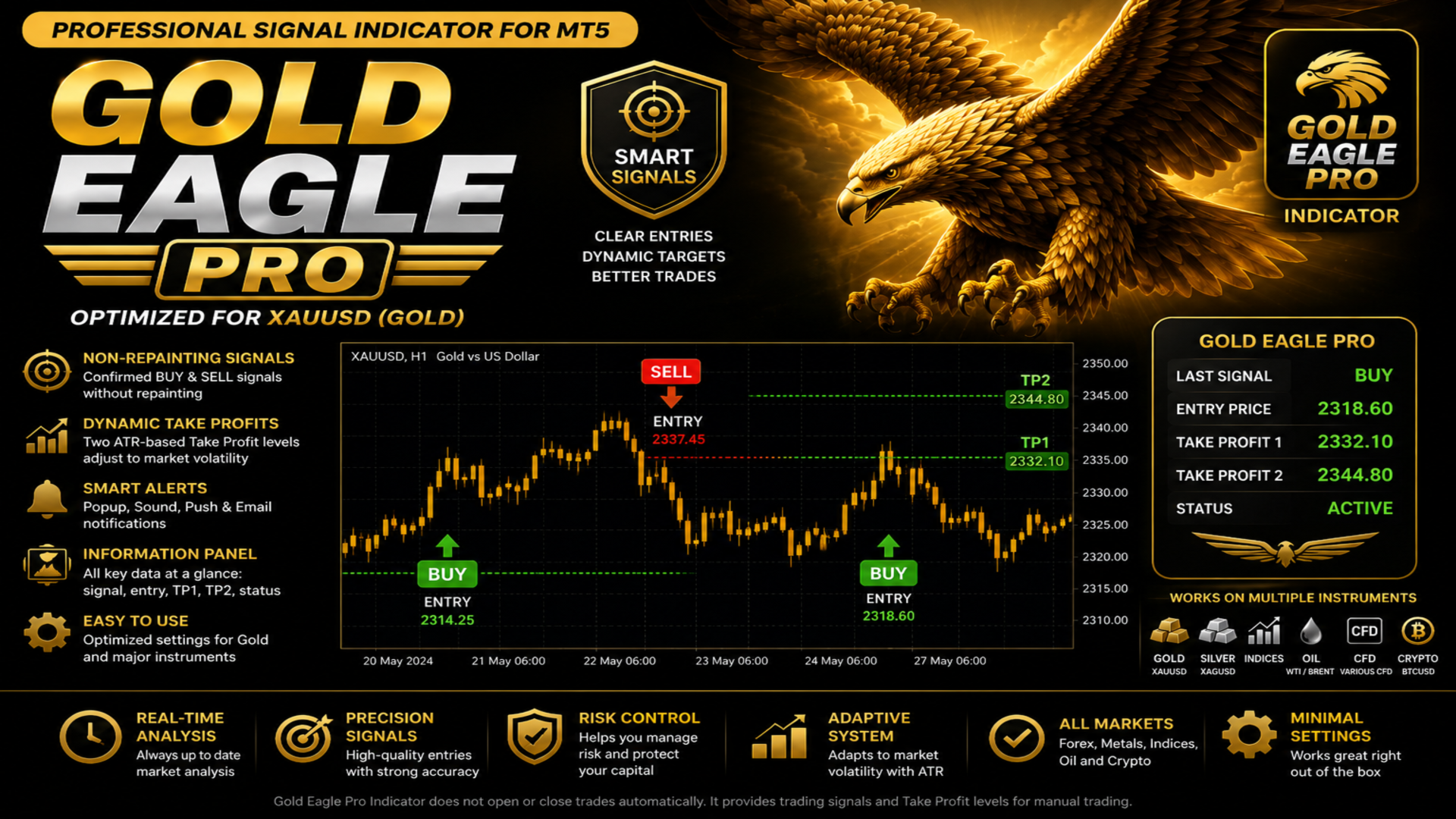
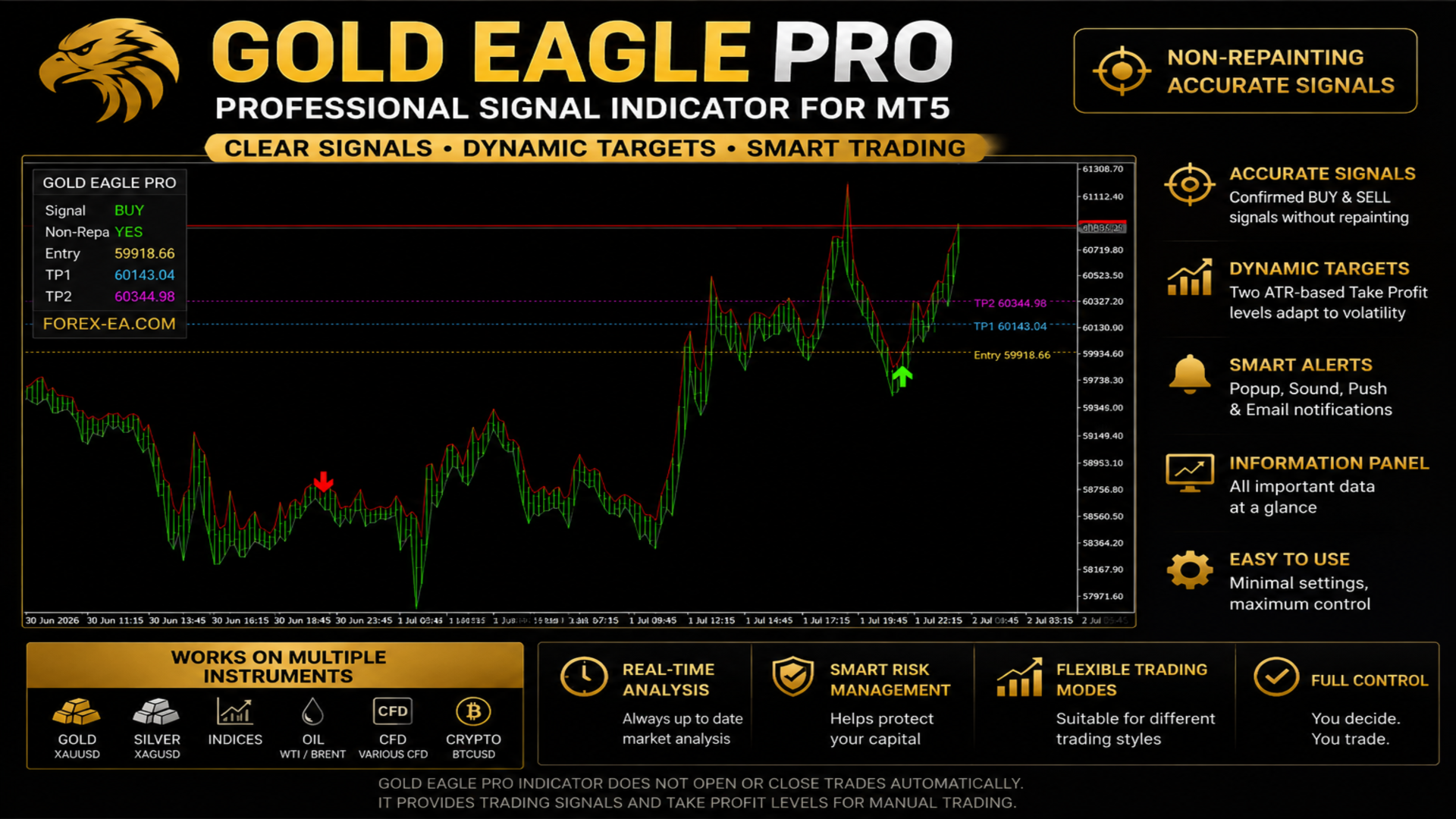
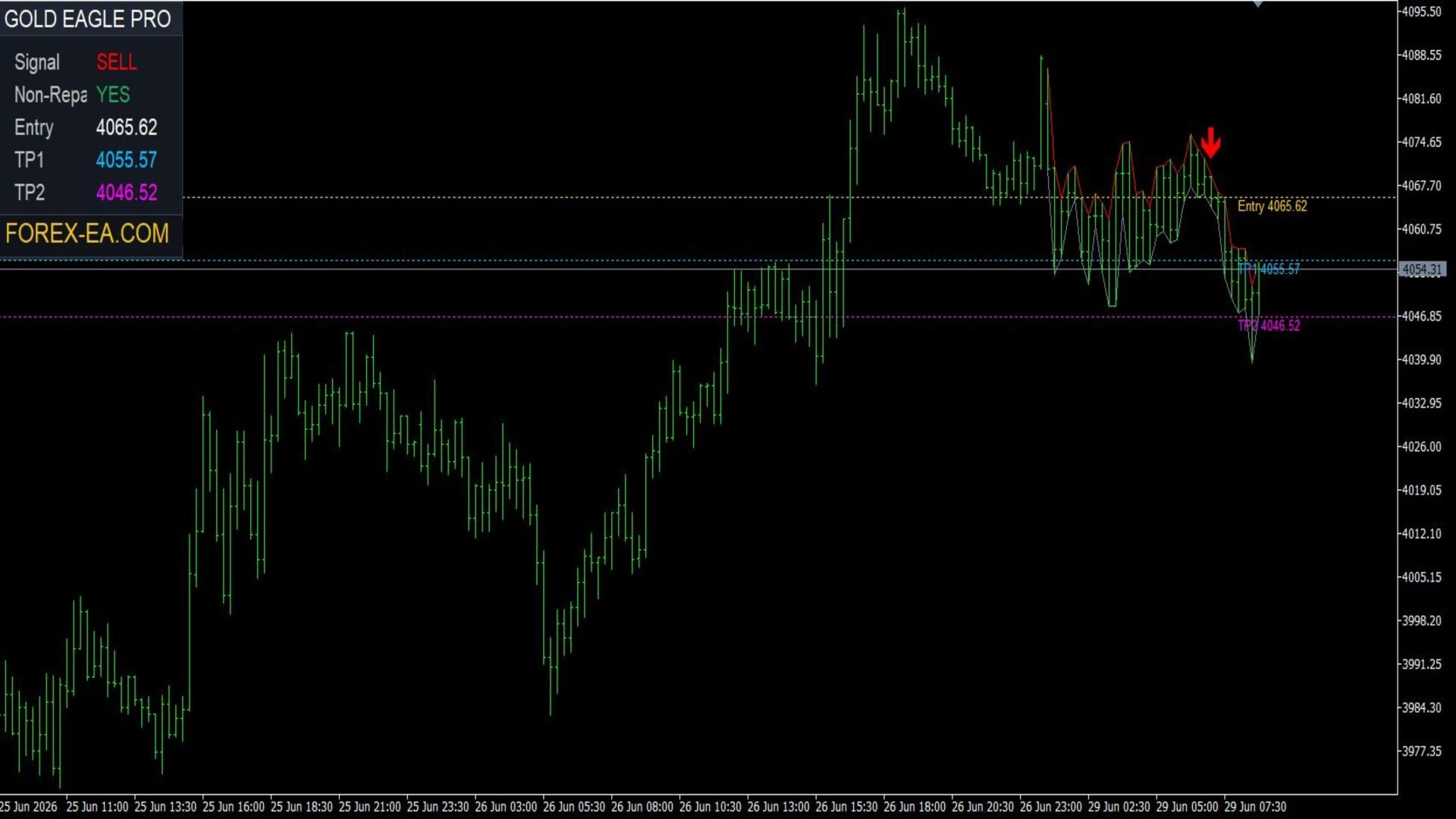
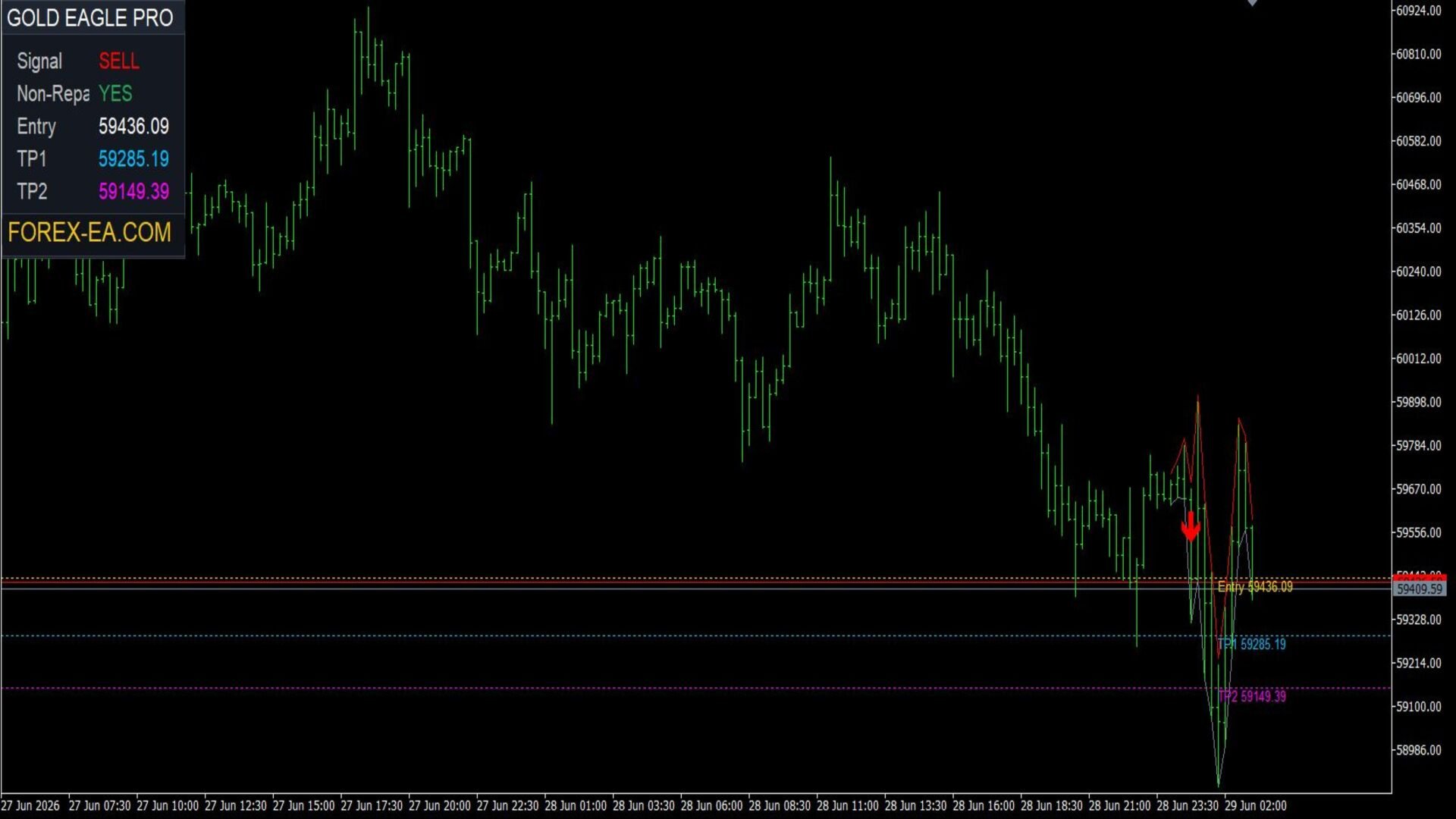
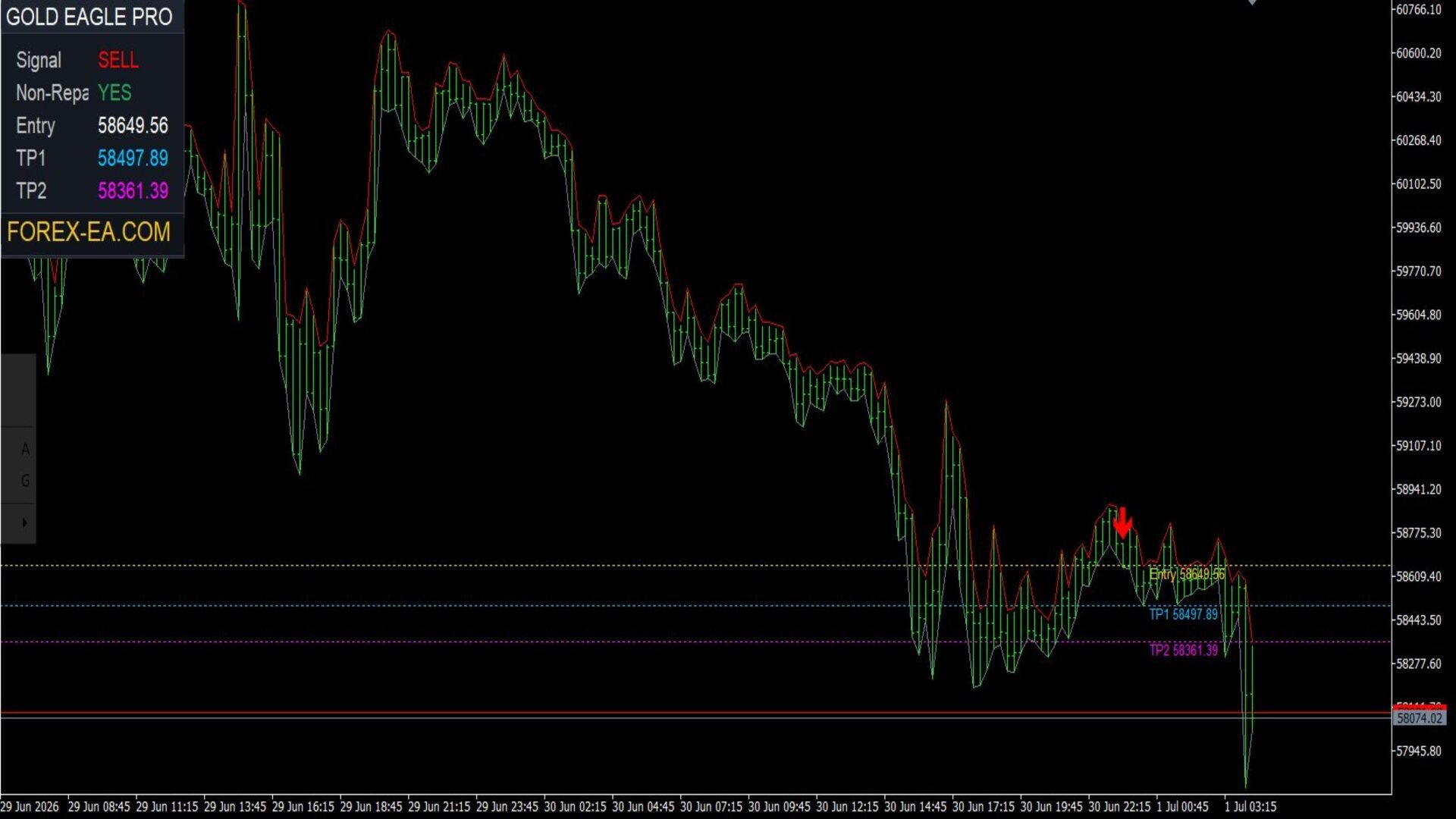
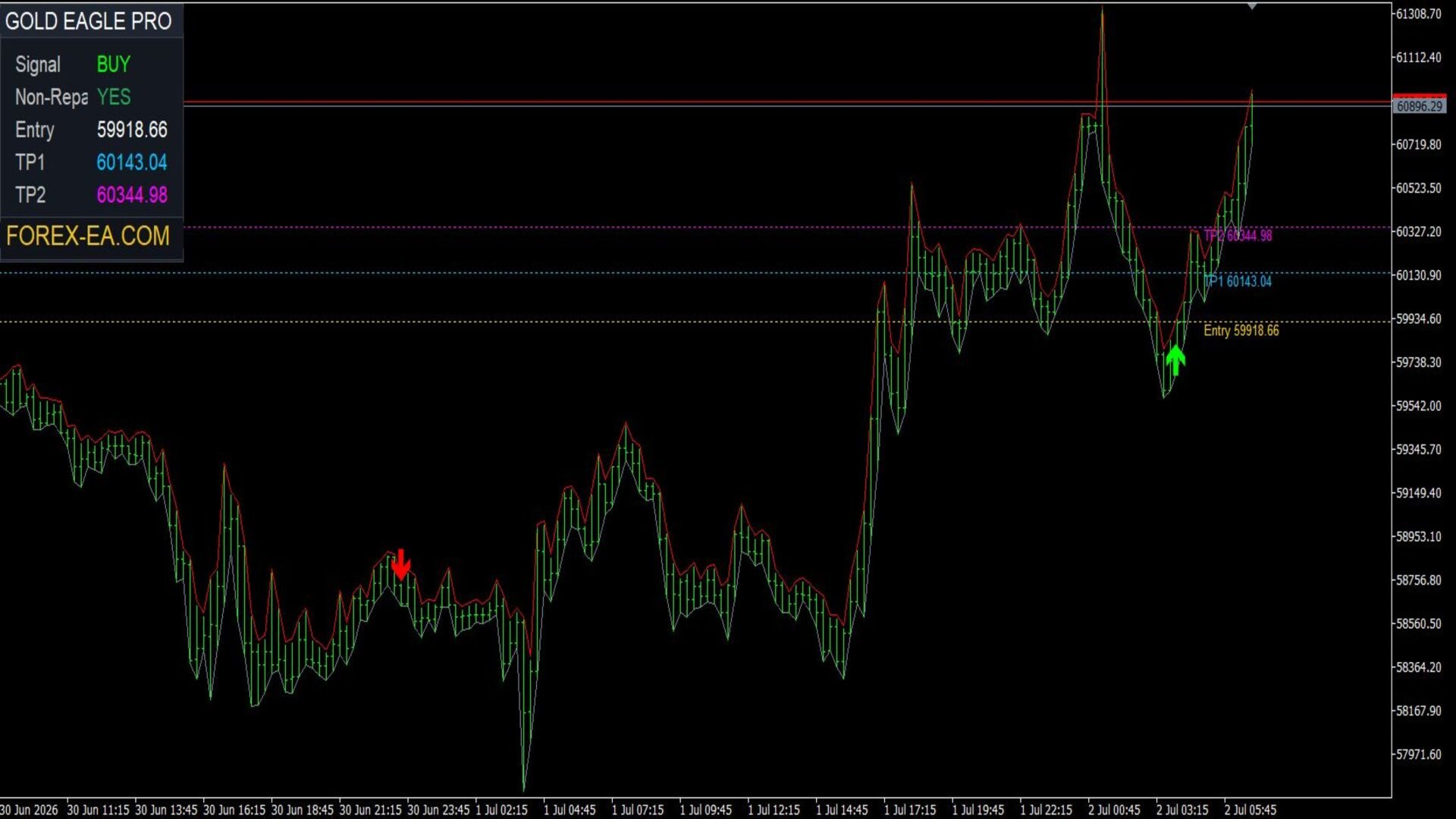
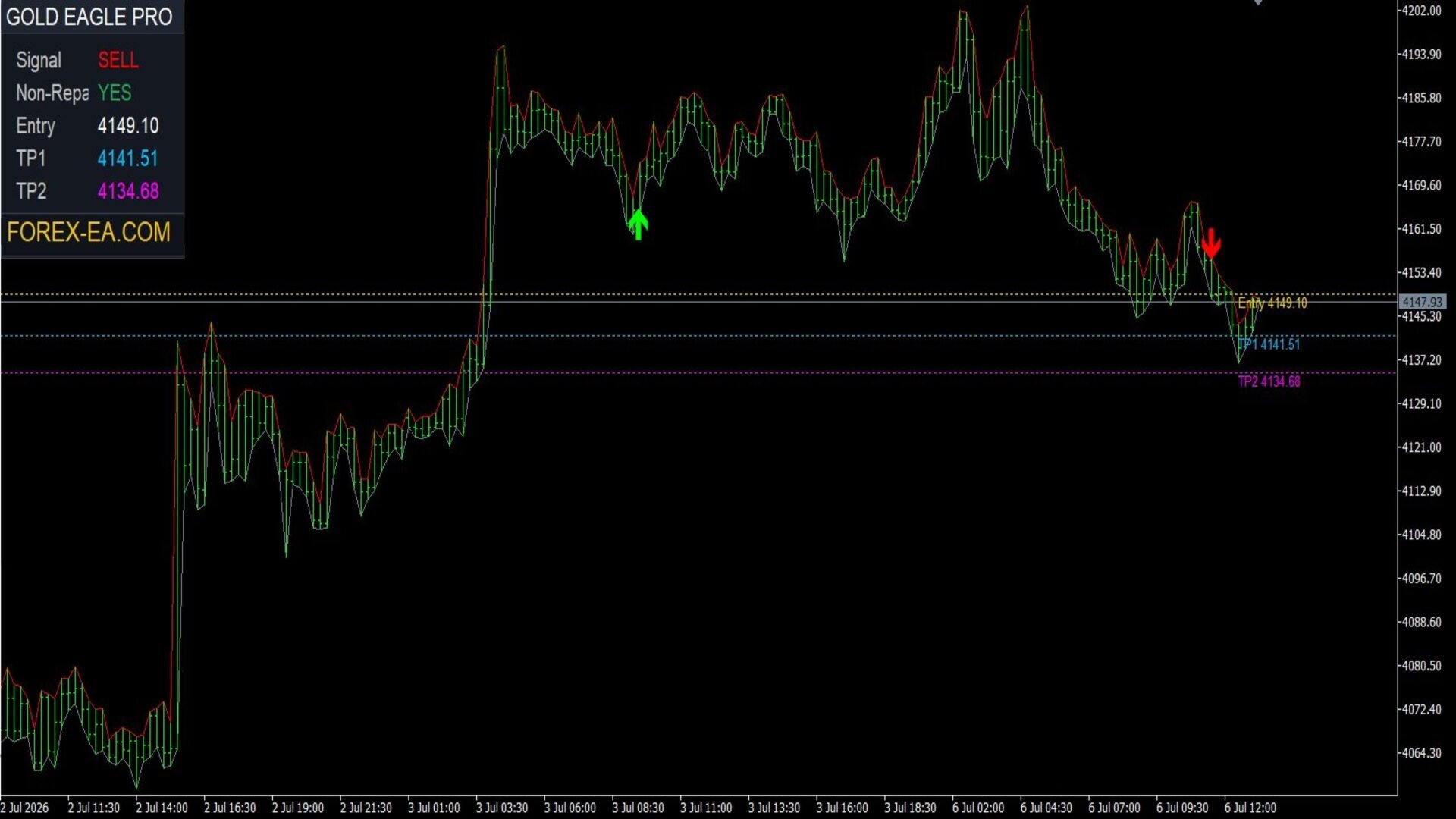
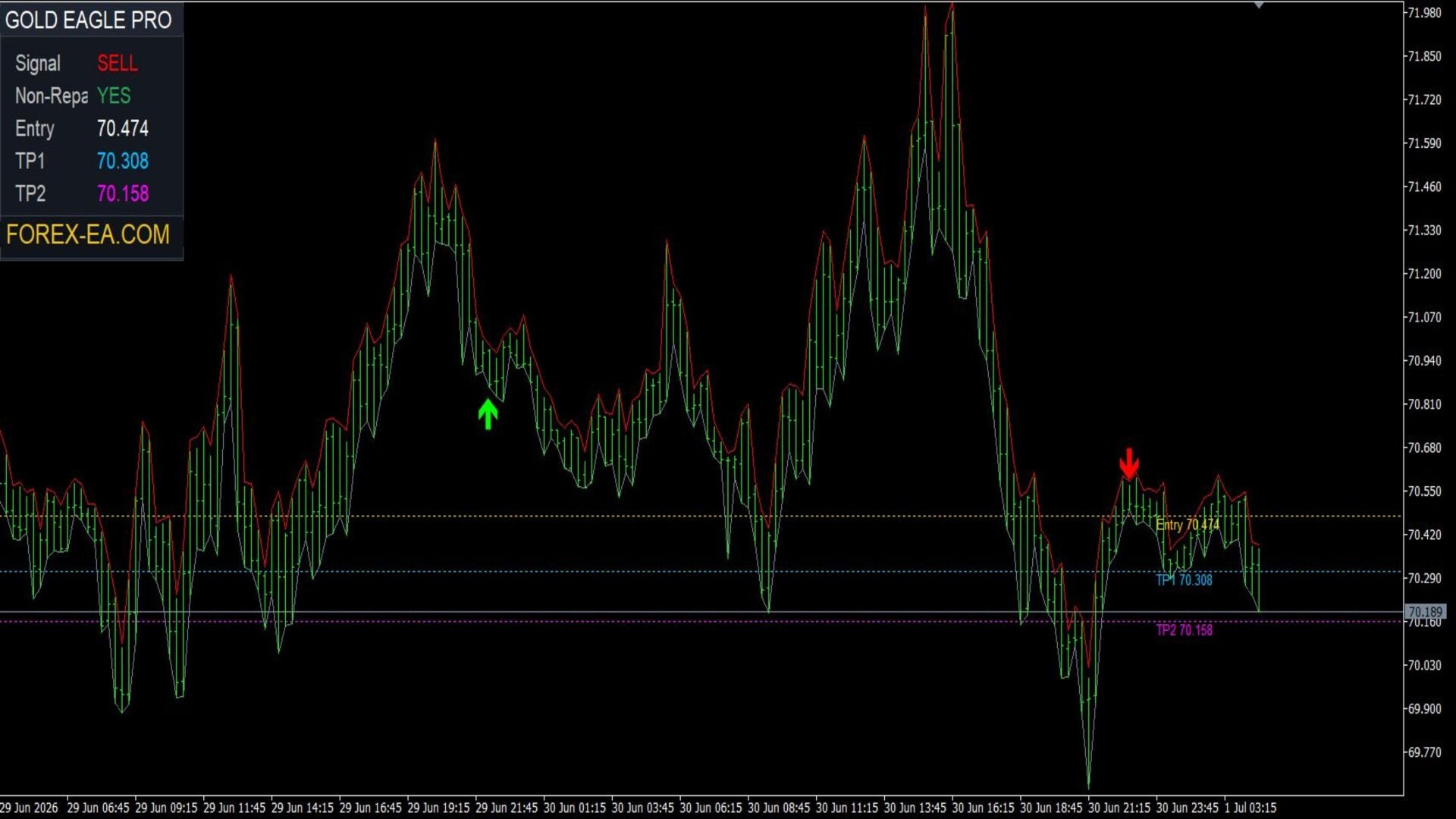
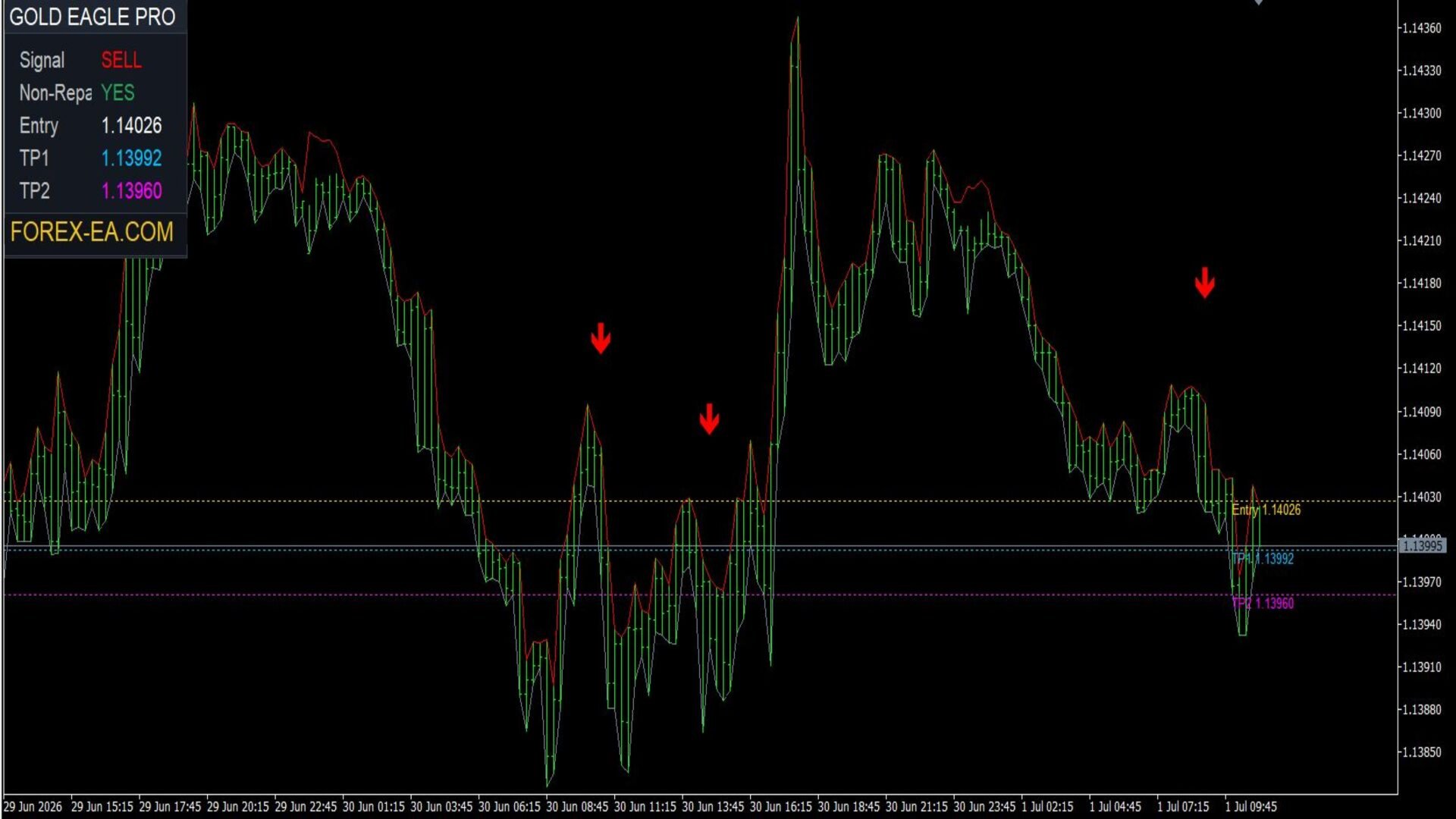
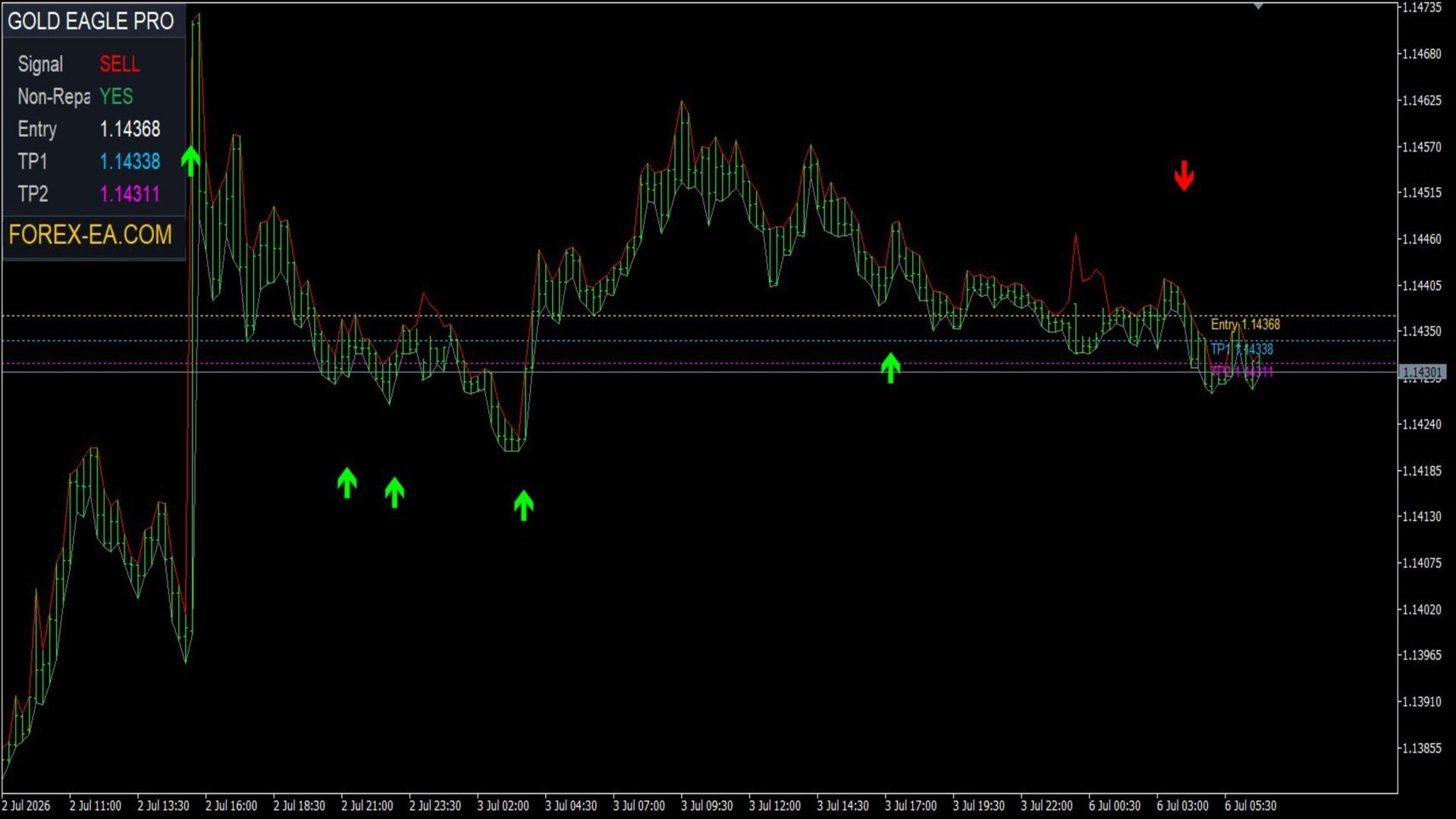
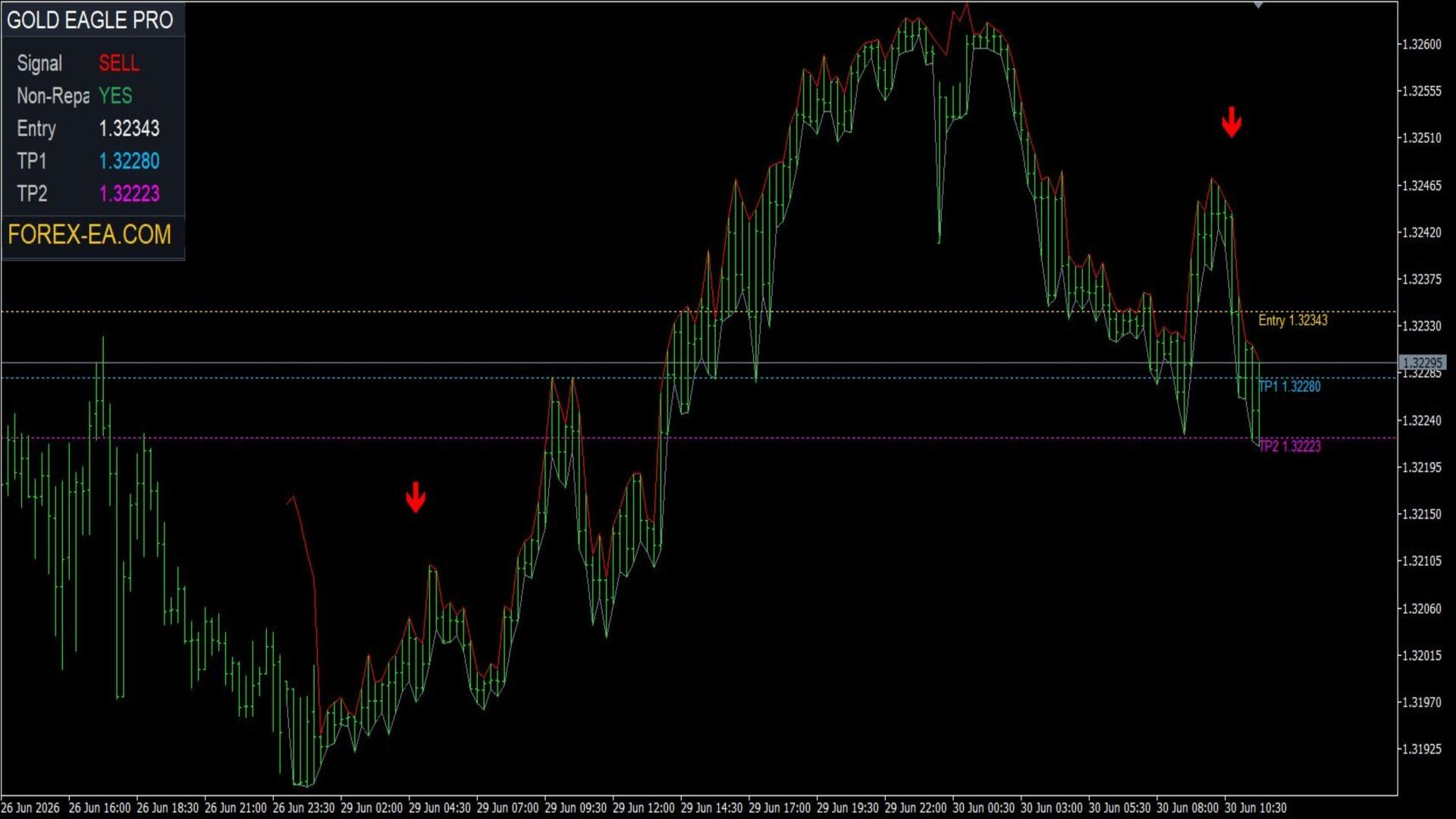
The indicator analyzes the market in real time and displays only confirmed trading signals, without cluttering the chart with unnecessary information. All proprietary trading logic is fully integrated into the indicator and automatically performs the necessary calculations, displaying only trading signals, entry price, and Take Profit levels on the chart.
The indicator is primarily optimized for trading Gold (XAUUSD). Default settings have also been successfully tested on EURUSD, GBPUSD, USDJPY, XAGUSD (Silver), WTI Crude Oil, Brent Crude Oil, and BTCUSD. If necessary, parameters can be additionally optimized for other currency pairs, indices, and CFD instruments.
KEY FEATURES
-
display of confirmed BUY and SELL signals;
-
non-repainting signals;
-
automatic display of entry price;
-
two dynamic Take Profit levels (TP1 and TP2), calculated based on current market volatility (ATR);
-
built-in information panel;
-
display of levels directly on the chart;
-
pop-up alerts (Popup Alerts);
-
sound alerts;
-
Push notifications to mobile device;
-
email notifications;
-
minimal number of user settings.
TAKE PROFIT TARGETS (ATR)
Instead of fixed targets, the indicator automatically calculates two Take Profit levels using the current ATR (Average True Range) value.
Thanks to this, Take Profit levels automatically adapt to current market volatility.
In calm markets, targets are positioned closer to the entry price.
In high volatility, the distance to targets automatically increases.
This approach allows for more flexible and relevant targets without the need for constant manual parameter adjustments.
ATR SETUP RECOMMENDATIONS
By default, the indicator uses parameters optimized for trading Gold (XAUUSD). Default settings have also been successfully tested on EURUSD, GBPUSD, USDJPY, XAGUSD (Silver), WTI Crude Oil, Brent Crude Oil, and BTCUSD, allowing the indicator to be used on a wide range of popular trading instruments. If necessary, parameters can be further optimized for any other market.
If you want to adjust the Take Profit targets to your trading style, the following setting ranges are recommended.
TP1 ATR Multiplier
Recommended range: 0.5 – 1.5
-
0.5–0.75 — the first target is positioned closer to the entry price and is reached more frequently;
-
1.0–1.5 — the first target is positioned further away, increasing the potential profit of the trade.
TP2 ATR Multiplier
Recommended range: 1.5 – 2.5
-
it is recommended to always set the TP2 ATR Multiplier value higher than the TP1 ATR Multiplier value;
-
1.5–1.8 — a balanced distance to the second target;
-
2.0–2.5 — suitable for trading in strong trend movements.
Important: for correct operation, it is recommended that the TP2 ATR Multiplier value is always higher than the TP1 ATR Multiplier value, otherwise the second Take Profit level may appear closer than the first.
INFORMATION PANEL
The built-in information panel displays the most important information about the current signal and the indicator's operation.
The panel displays:
-
direction of the last signal;
-
entry price;
-
TP1 level;
-
TP2 level;
-
current signal status.
The compact design of the panel does not clutter the workspace and provides quick access to the necessary information.
INDICATOR PARAMETERS
Take Profit Targets (ATR)
Show TP1 / TP2 Levels — enables or disables the display of TP1 and TP2 levels directly on the chart.
TP1 ATR Multiplier — the ATR multiplier used to calculate the first Take Profit level.
TP2 ATR Multiplier — the ATR multiplier used to calculate the second Take Profit level.
Alerts, Email & Push
Popup Alert — enables the display of pop-up notifications when a new trading signal appears.
Email Alert — enables sending notifications via email.
Push Notification — enables sending Push notifications to the MetaTrader mobile device.
Sound Alert — enables sound notification when a new trading signal appears.
Buy Sound — selection of the sound file for BUY signals.
Sell Sound — selection of the sound file for SELL signals.
Display Settings
Show Signal Arrows — display of BUY and SELL arrows on the chart.
Arrow Size — size of signal arrows.
Buy Arrow Color — color of BUY arrows.
Sell Arrow Color — color of SELL arrows.
Entry Color — color of the entry price line and label.
TP1 Color — color of the first Take Profit level.
TP2 Color — color of the second Take Profit level.
Show Info Panel — enables or disables the display of the information panel.
Panel Font Size — font size of the information panel.
WHO THIS INDICATOR IS FOR
Gold Eagle Pro is an excellent fit for traders who:
-
prefer to open trades manually;
-
look for high-quality non-repainting signals;
-
want to receive automatically calculated Take Profit levels;
-
use a notification system to monitor the market;
-
trade Gold, Forex currency pairs, Silver, indices, Oil, and other CFD instruments.
CONCLUSION
Gold Eagle Pro combines a proprietary market analysis system, non-repainting signals, dynamic ATR-based Take Profit levels, a built-in information panel, and a notification system in one modern indicator for MetaTrader 5.
By default, the indicator is optimized for trading XAUUSD (Gold), and has also been successfully tested on EURUSD, GBPUSD, USDJPY, XAGUSD (Silver), WTI Crude Oil, Brent Crude Oil, and BTCUSD. If necessary, parameters can be additionally optimized for other financial instruments.
If you need fully automated trading without manual opening and management of trades, we recommend checking out Gold Eagle Pro EA, which uses the same proprietary trading logic and performs all trading operations automatically.
IMPORTANT INFORMATION
Gold Eagle Pro is designed for displaying trading signals and calculating Take Profit target levels. The indicator does not perform trading operations automatically and does not replace the trader's own market analysis.
Before using on a real account, it is recommended to test the indicator on a demo account and, if necessary, select the optimal parameter values for the chosen instrument and your broker's conditions.