Onnyx Indicator
- Indicators
- Version: 1.14
- Activations: 5

Onnyx Indicator is a non-repainting supply and demand analysis indicator for MetaTrader 5. It identifies confirmed swing-based zones, scores their quality, and displays clear BUY and SELL signals directly on the chart.
MAIN FEATURES
• Supply and demand zones based on confirmed price swings
• ATR-adaptive zone width for changing market volatility
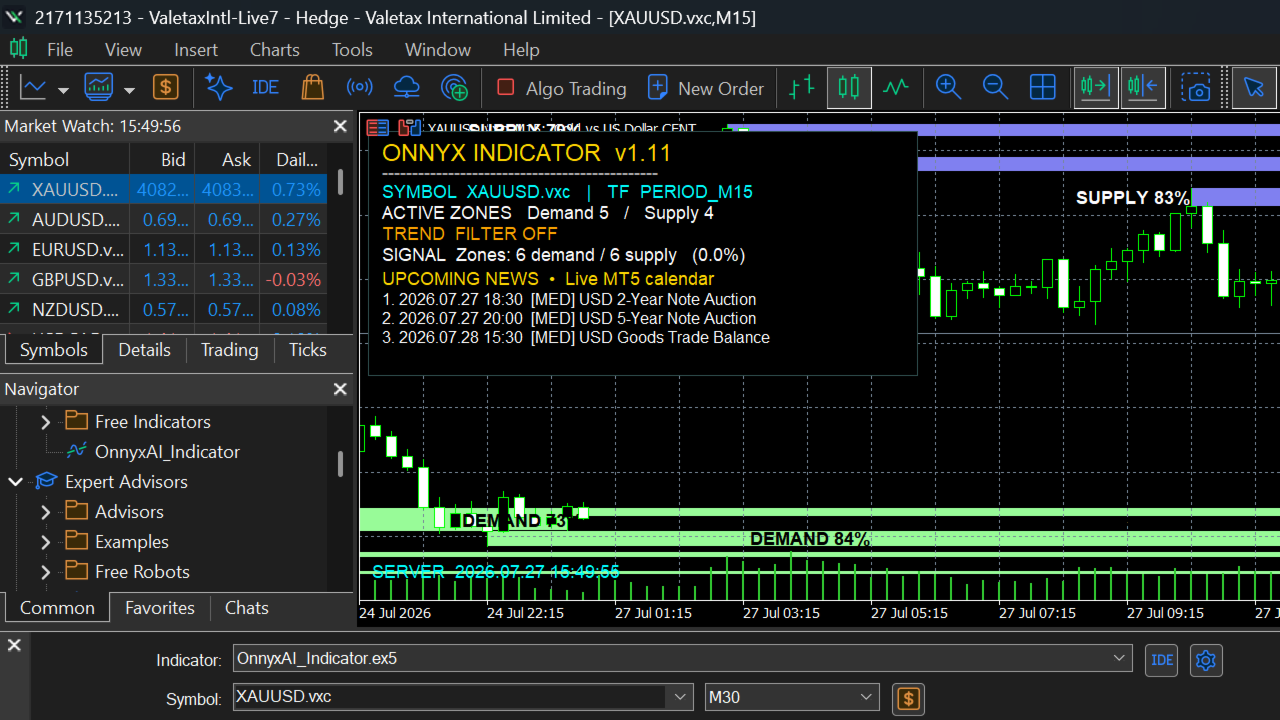
• Zone quality displayed as a percentage inside each zone
• Clear BUY and SELL arrows with enlarged signal markers
• Closed-candle signal logic designed to prevent repainting
• Optional EMA trend filter and candle-rejection confirmation
• Trend, price levels and pattern context in an attractive chart panel
• Economic calendar panel showing up to 5 upcoming related events
• Forecast and Previous values before an event; Actual value after release
• News refresh interval of 60 seconds
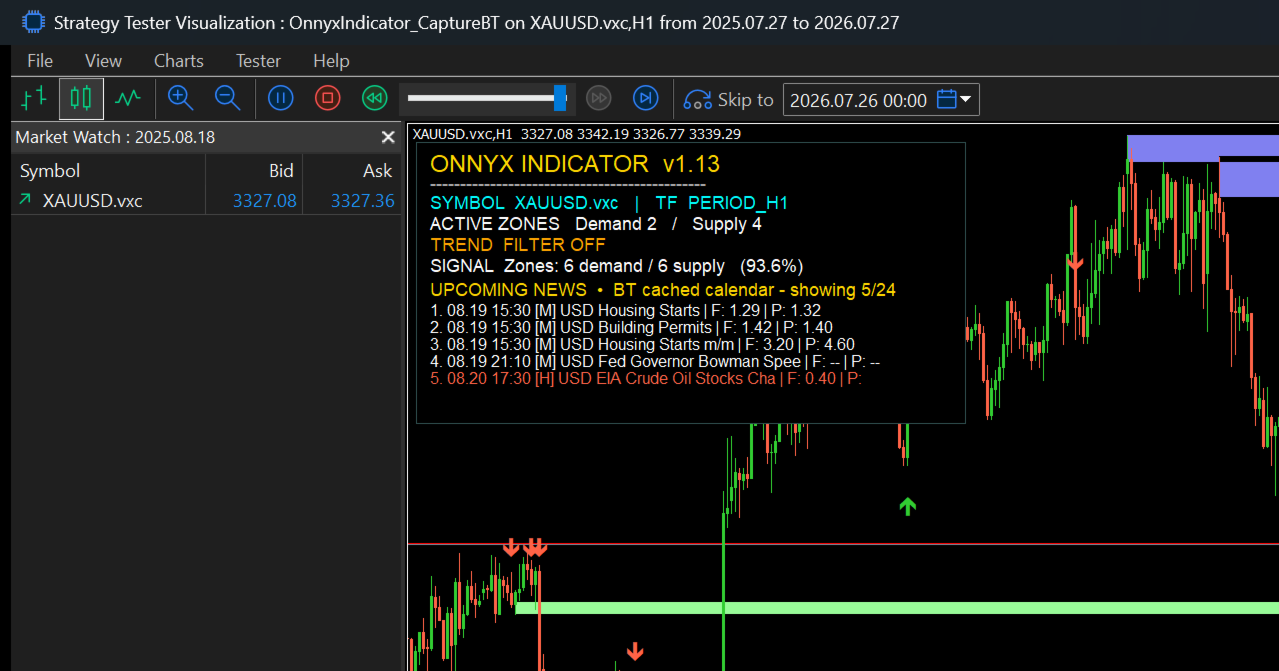
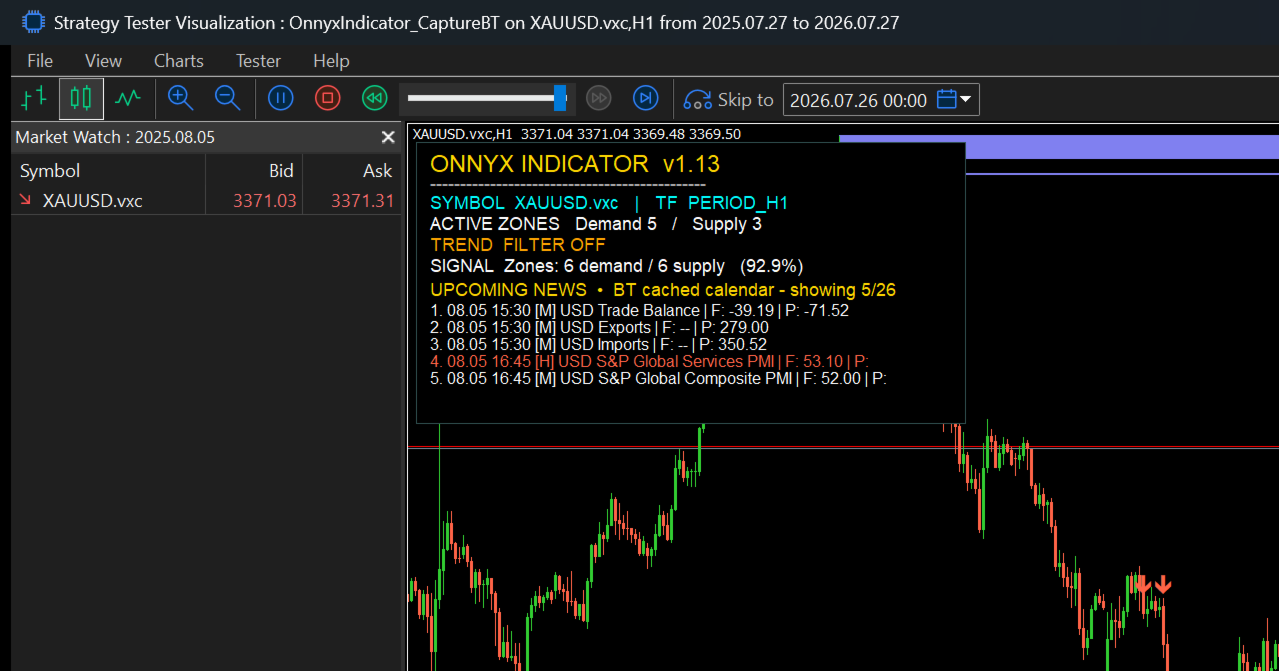
• Economic-news display supported in the Strategy Tester through cached calendar data
• Popup, push and email alert options
• Two indicator buffers for integration with other MQL5 tools: Buffer 0 = BUY signal price, Buffer 1 = SELL signal price
HOW IT WORKS
The indicator scans completed price history for confirmed swing highs and lows. Supply and demand areas are created around qualified swings, with zone width adjusted by ATR. Each zone receives a confluence score based on price-action conditions. Qualified touches can generate BUY or SELL arrows after the selected confirmation and filtering rules are satisfied.
Signals are fixed to completed candles. This closed-bar workflow prevents a confirmed historical arrow from disappearing because of intrabar price changes. A zone can still become invalid when price decisively trades through its boundary.
RECOMMENDED USE
Onnyx Indicator is suitable for XAUUSD and other liquid instruments. H1 offers a cleaner higher-timeframe view, while M15 can be used for more frequent setups. It can also be applied to other symbols and timeframes after testing.
1. Install the product from the MetaTrader 5 Market.
2. Drag Onnyx Indicator onto the desired chart.
3. Allow enough chart history and calendar data to load.
4. Review the trend, active zones and percentage labels.
5. Wait for a completed-candle BUY or SELL arrow.
6. Use the signal together with your own risk management and trade plan.
DEFAULT SIGNAL PROFILE
• Minimum zone score: 80%
• Candle rejection confirmation: enabled
• Minimum signal score: 80
• Maximum upcoming news: 5
• News refresh: 60 seconds
INPUT GROUPS
Zone Engine: lookback bars, swing strength, ATR period, ATR zone factor, maximum zones, maximum touches and minimum zone quality.
Signal Filters: closed-candle rejection, EMA trend filter, fast and slow EMA periods and minimum confluence score.
Display: zone colors and opacity, percentage labels, arrow size, information panel, trend display and broken-zone handling.
News and Alerts: calendar visibility, impact filtering, refresh frequency, popup alerts, push notifications and email alerts.
STRATEGY TESTER
The indicator can be tested visually in the MetaTrader 5 Strategy Tester. Economic news is displayed when cached calendar data is available. Reference testing was performed on XAUUSD H1 for the one-year period from 27 July 2025 to 27 July 2026 using real ticks (107,903,503 ticks and 5,872 bars). Screenshots show examples only and do not represent guaranteed performance.
IMPORTANT
This is an indicator, not an Expert Advisor. It does not open, modify or close orders and it contains no lot sizing, martingale or money-management system. Signals and zones are analytical information only. No indicator can guarantee future price direction or profit. Always test the settings on your broker's symbol and use independent risk management.
SUPPORT
For support, use MQL5 product comments or direct MQL5 messages. Include the symbol, timeframe, MetaTrader 5 build and a screenshot when reporting an issue.