
Golden Eagle Pro EA
- Experts
- Version: 2.3
- Updated: 14 July 2026
- Activations: 10

Golden Eagle Pro EA
Professional automated Expert Advisor for MetaTrader 5 with multi-frame market analysis, Smart Risk capital management system, controlled grid strategy, and flexible risk management tools.
DESCRIPTION
Golden Eagle Pro EA is a professional trading robot (Expert Advisor) for MetaTrader 5, designed for fully automated trading using multi-frame market analysis, flexible position management, and modern risk control tools.
The Expert Advisor independently analyzes the market situation, opens new positions, and manages already open trades according to the selected settings. Built-in protective mechanisms help automate trade management, and a wide range of parameters allows adapting the EA's operation to various trading instruments and individual trading styles.
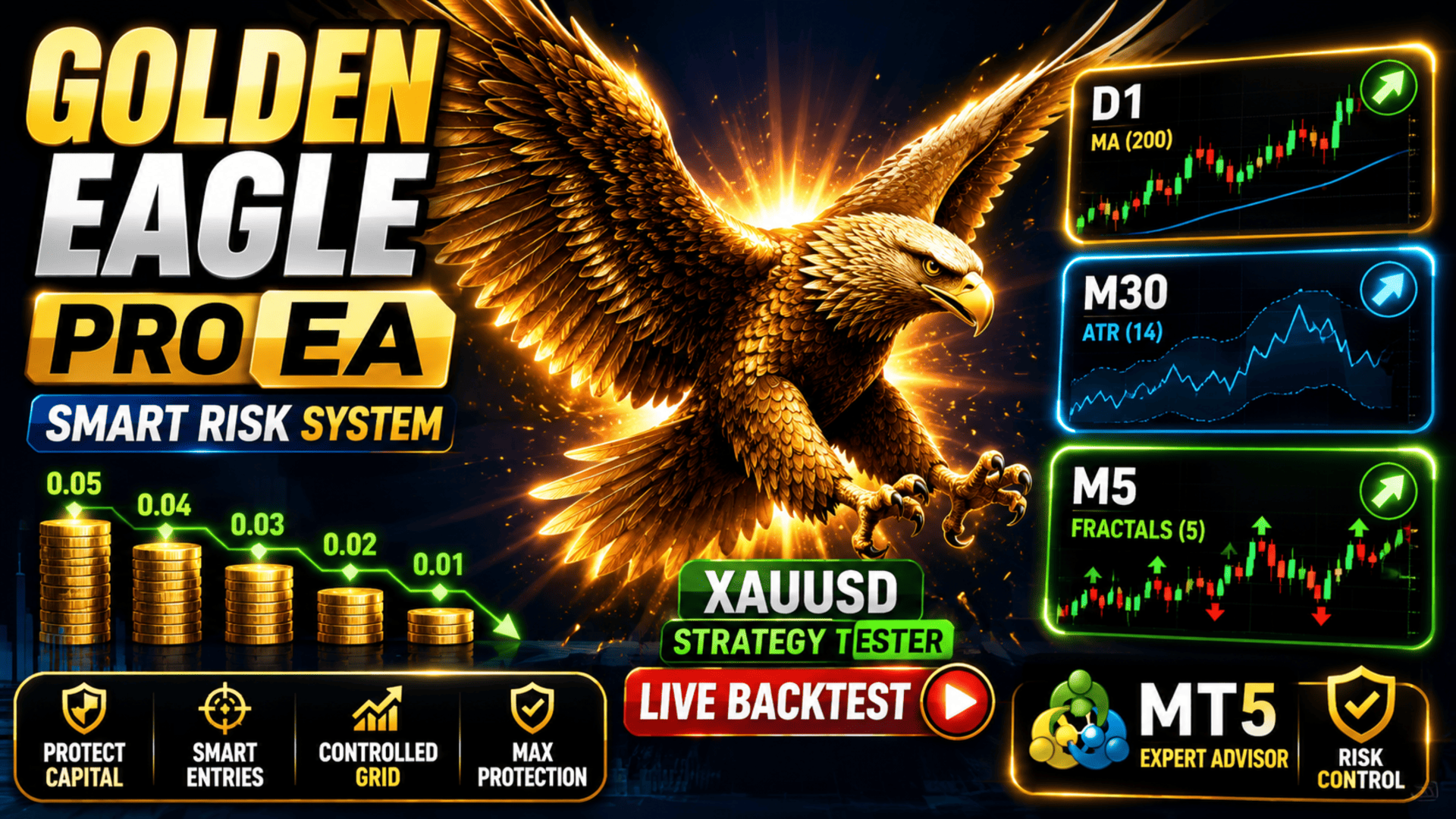
One of the key features of Golden Eagle Pro EA is the Smart Risk capital management system. Unlike classic grid systems that increase the volume of each new position, Smart Risk automatically calculates the initial position volume based on the balance size and gradually reduces the volume of subsequent grid orders. This approach allows using the grid strategy more conservatively and provides more balanced risk management.
For additional flexibility, the Expert Advisor supports trade direction selection (buy only, sell only, or both directions), configurable time filters by days of the week and time of day, daily trade limit, maximum spread control, as well as automatic position management using Stop Loss, Take Profit, Trailing Stop, and Break Even.
Golden Eagle Pro EA is suitable for trading gold (XAUUSD), Forex currency pairs, indices, CFDs, and other MetaTrader 5 instruments. The EA is fully compatible with Netting and Hedging accounts, supports parameter optimization in the Strategy Tester, and can be used both for everyday trading and for long-term selection of optimal settings.
KEY FEATURES
• Multi-frame market analysis
• Smart Risk — automatic position volume management
• Controlled grid trading
• Two lot calculation modes: Fixed Lot and Smart Risk
• Trade direction selection: BUY ONLY, SELL ONLY or BOTH
• Stop Loss and Take Profit
• Trailing Stop and Break Even
• Maximum spread control
• Daily trade count limit
• Combined time and distance between trades filter
• Flexible trading filter by days of the week and time of day
• Information panel with profit statistics
• Display of trade history directly on the chart
• Full support for Netting and Hedging accounts
HOW THE EXPERT ADVISOR WORKS
Golden Eagle Pro EA uses multi-frame market analysis, combining several technical tools to determine the current market situation, assess market activity, and search for potential trading opportunities.
All trading signals go through built-in checks before opening a position. After a trade is opened, the Expert Advisor automatically manages it using built-in capital management and risk control mechanisms. If necessary, a controlled grid strategy with configurable position management parameters can be used.
For additional trade protection, the Expert Advisor supports filtering by time, days of the week, maximum spread, distance between trades, and daily limit of new orders. This allows limiting trading activity during periods of low liquidity, high volatility, or at any other time convenient for the trader.
Built-in Stop Loss, Take Profit, Trailing Stop and Break Even functions help automatically manage open positions, reducing the need for constant monitoring by the trader.
COMPLETE PARAMETER DESCRIPTION
MA ATR Fractals Strategy
MA Period D1 — the period of the moving average used to analyze the long-term market direction on the daily timeframe. Increasing the value allows taking into account a more global market movement, while decreasing it makes the analysis more sensitive to price changes.
MA Method — the method of calculating the moving average. Allows choosing the most suitable way of smoothing price data depending on the specifics of the trading strategy used.
MA PriceApplied — determines which price will be used for calculating the moving average (for example, open, close, high, low, or other options).
ATR Period M30 — the period of the ATR indicator used to assess current market activity and volatility on the M30 timeframe. Changing this parameter affects the sensitivity of the volatility filter.
ATR Multiplier — the sensitivity coefficient of the volatility filter. Higher values make the filter more strict, while lower values allow the EA to operate in a wider range of market conditions.
Fractal Period M5 — defines the period of the Fractals indicator used to search for potential trading opportunities on the M5 timeframe. Changing this parameter affects the sensitivity of identifying local market extremes.
Lot Settings
LotMethod — selection of the position volume calculation method: Fixed Lot (fixed lot) or Smart Risk (automatic volume calculation based on balance size). Smart Risk allows more flexible capital management and automatically adapts trade volume to the size of the trading account.
FixedLotSize — the lot size used when trading with a fixed volume mode. The value of this parameter remains unchanged regardless of changes in the account balance.
Grid Trading Settings
UseGrid — enables or disables the use of the grid strategy when managing open positions. When disabled, the EA opens only initial trades without building a grid.
GridStep — the distance in points between adjacent grid levels. The larger the parameter value, the less frequently additional orders are opened, which allows reducing the intensity of the grid strategy.
MaxGridOrders — the maximum number of orders that the Expert Advisor can open in one direction when using the grid strategy. Allows limiting the total volume of simultaneously open positions and controlling the risk level.
Trading Direction
TradeDirection — determines the allowed trading direction.
BUY ONLY — the EA opens only buy trades.
SELL ONLY — the EA opens only sell trades.
BOTH — the EA can open both buy and sell trades in accordance with its trading strategy.
Stop Loss & Take Profit Settings
StopLoss — the Stop Loss size in points for each new position. Used to automatically limit potential loss. A value of 0 completely disables the use of Stop Loss.
TakeProfit — the Take Profit size in points for automatic profit taking. A value of 0 disables the automatic use of Take Profit.
Trailing Stop & BreakEven Settings
TrailingStop — enables or disables automatic management of profitable positions using Trailing Stop.
TrailingStart — the minimum profit in points after which Trailing Stop is activated.
TrailingDistance — the distance in points between the current price and the Stop Loss level after Trailing Stop activation.
TrailingStep — the minimum price change required for the next movement of the Stop Loss when managing an open position.
BreakEven — enables or disables automatic transfer of an open position to break-even.
BreakEvenStart — the minimum profit in points required to activate the break-even mode.
BreakEvenOffset — additional offset of the Stop Loss relative to the opening price after the position is transferred to break-even. Allows compensating for trading costs or locking in a small profit.
Trading Rules
MaxSpread — the maximum allowable spread size for opening new trades. If the current spread exceeds the set value, the Expert Advisor temporarily suspends opening new positions until market conditions normalize.
MinutesBetweenTrades — the minimum time interval between opening new trades. Allows limiting the frequency of market entries and avoiding too frequent position opening.
FilterMode — determines the operating mode of the trade opening filter.
Time only — only the minimum time interval between trades is taken into account.
Distance only — only the minimum distance between trade opening prices is taken into account.
Time OR Distance — a new trade can be opened if at least one of the conditions is met: the required time has passed or the minimum distance has been reached.
Time AND Distance — a new trade is opened only when both conditions are met simultaneously: the required time has passed and the specified distance has been reached.
MagicNumber — a unique identifier that allows the Expert Advisor to distinguish its own trades from those of other advisors or manually opened positions.
TradeComment — a comment that is automatically added to all trades opened by the Expert Advisor. Helps to quickly identify trades of this EA in the MetaTrader 5 terminal.
DailyLimit — enables or disables the limit on the maximum number of new trades during one trading day.
MaxOrdersPerDay — the maximum number of new trades that the Expert Advisor can open during one trading day. After reaching the set limit, opening new positions will be suspended until the start of the next trading day.
Time Filter
EnableTimeFilter — enables or disables the trading time filter. If the parameter is disabled, the Expert Advisor can open trades at any time in accordance with its trading strategy.
TradeMonday — allows or prohibits opening new trades on Mondays.
TradeTuesday — allows or prohibits opening new trades on Tuesdays.
TradeWednesday — allows or prohibits opening new trades on Wednesdays.
TradeThursday — allows or prohibits opening new trades on Thursdays.
TradeFriday — allows or prohibits opening new trades on Fridays.
TradeSaturday — allows or prohibits opening new trades on Saturdays. Useful when trading instruments available for trading on weekends.
TradeSunday — allows or prohibits opening new trades on Sundays. Especially convenient when trading cryptocurrencies and other instruments with 24/7 operation.
StartHour — determines the hour of the start of the allowed trading period according to the broker's server time.
StartMinute — determines the minute of the start of the allowed trading period and is used together with the StartHour parameter.
EndHour — determines the hour of the end of the allowed trading period according to the broker's server time.
EndMinute — determines the minute of the end of the allowed trading period and is used together with the EndHour parameter.
Display Settings
ShowPanel — enables or disables the display of the information panel on the chart. The panel allows quickly monitoring the main parameters of the EA's operation and current trading information.
ShowProfitStats — displays profit statistics for the day, week, month, and the entire period of the EA's operation, allowing evaluation of trading results without using additional reports.
ShowTradeHistory — enables the display of completed trade history directly on the chart. This helps analyze entry and exit points, as well as evaluate the effectiveness of the trading strategy.
BuyTradeColor — sets the display color for buy trades in the trade history on the chart.
SellTradeColor — sets the display color for sell trades in the trade history on the chart.
TradeFontSize — determines the font size of trade history labels displayed on the chart.
PanelBackColor — sets the background color of the information panel.
PanelTextColor — determines the text color of the information panel for more convenient perception of information.
PanelEditColor — sets the color of value fields inside the information panel.
Smart Risk
Smart Risk is a built-in automatic capital management system that calculates the initial position volume based on the size of the trading account and gradually reduces the volume of subsequent grid orders.
Unlike classic martingale, where the volume of each new position increases, Smart Risk uses a more conservative approach, reducing the size of subsequent orders. This allows reducing the deposit load when managing a grid and provides more balanced risk management.
The Smart Risk mode is especially convenient for traders who prefer automatic adaptation of trade volume without the need to manually recalculate the lot size when the account balance changes.
Grid Trading
Golden Eagle Pro EA supports the use of a controlled grid strategy for managing open positions.
The grid operation is fully configurable by the user using the GridStep and MaxGridOrders parameters, allowing you to choose the optimal balance between the frequency of opening additional orders and the level of risk taken.
If necessary, the use of the grid strategy can be completely disabled, and the EA will operate without opening additional orders.
The grid system is fully compatible with Netting and Hedging accounts and works correctly in both MetaTrader 5 trading modes.
Time Filter
The built-in time filter allows limiting the EA's operation to specific days of the week and time intervals according to the broker's server time.
The user can independently choose on which days of the week new trades are allowed, as well as set the start and end time of trading. This approach helps to exclude periods of low liquidity, limit trading to certain market sessions, or adapt the EA's operation to an individual trading schedule.
When the time filter is disabled, the Expert Advisor operates without time restrictions and independently analyzes the market when trading signals appear.
Information Panel
The built-in information panel displays the main parameters of the EA's operation directly on the chart.
The panel allows you to quickly monitor current profit, trading statistics, the status of open positions, and other important parameters without opening additional terminal windows.
If necessary, the display of the panel can be completely disabled in the EA settings.
Trade History
The Expert Advisor supports displaying completed trade history directly on the chart.
Position opening and closing points, connecting lines, and information about the result of each trade help to conduct visual analysis of trading and evaluate the effectiveness of the selected settings.
If necessary, the display of trade history can be disabled in the EA parameters.
CONCLUSION
Golden Eagle Pro EA combines multi-frame market analysis, flexible trade management system, controlled grid strategy, and modern Smart Risk capital management.
Extensive customization options, automatic position management, and built-in risk control tools allow adapting the EA's operation to various trading instruments, market conditions, and individual trading styles.
The Expert Advisor is suitable for trading gold (XAUUSD), Forex currency pairs, indices, CFDs, and other MetaTrader 5 instruments, providing full compatibility with Netting and Hedging accounts.
The Expert Advisor does not guarantee profit. Trading results depend on market conditions, selected settings, broker conditions, and the trader's approach to risk management. It is recommended to test the Expert Advisor in the Strategy Tester and on a demo account before use.

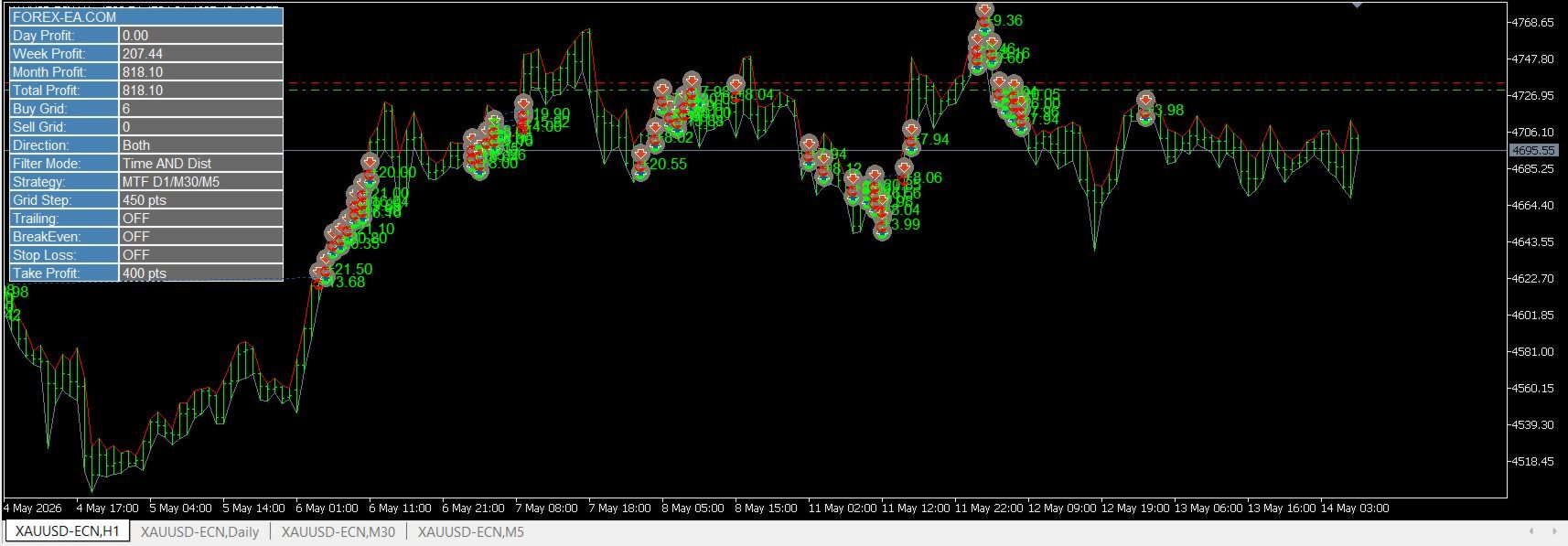
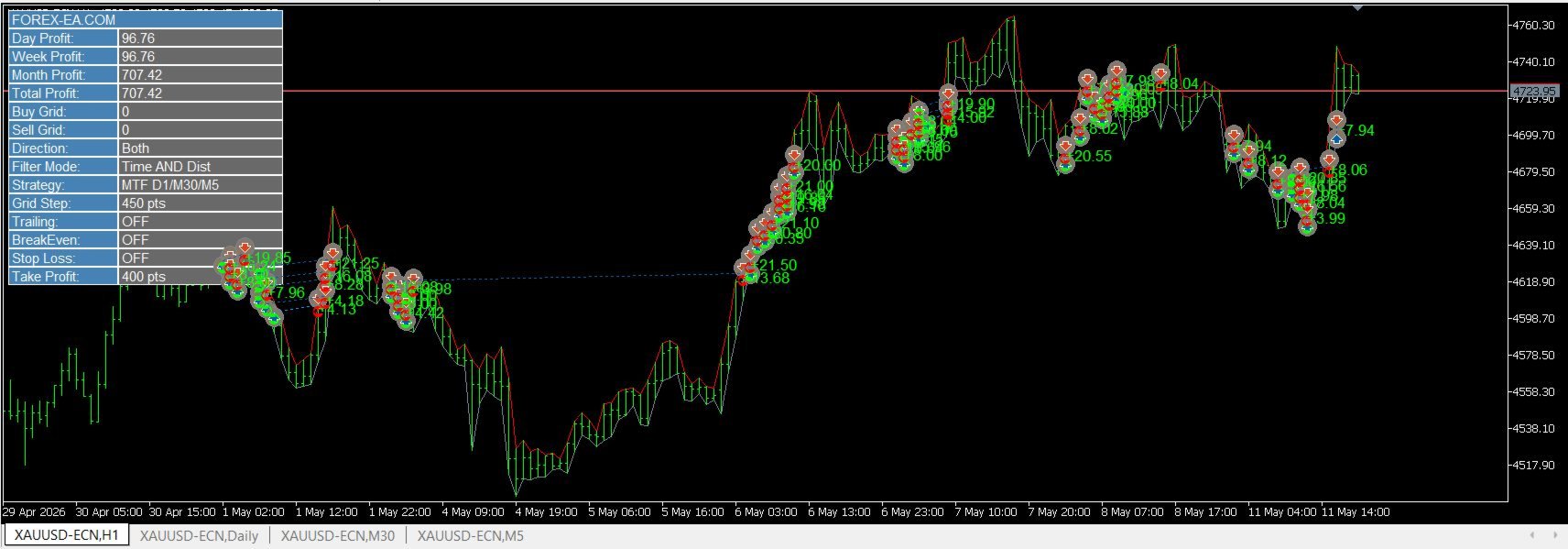
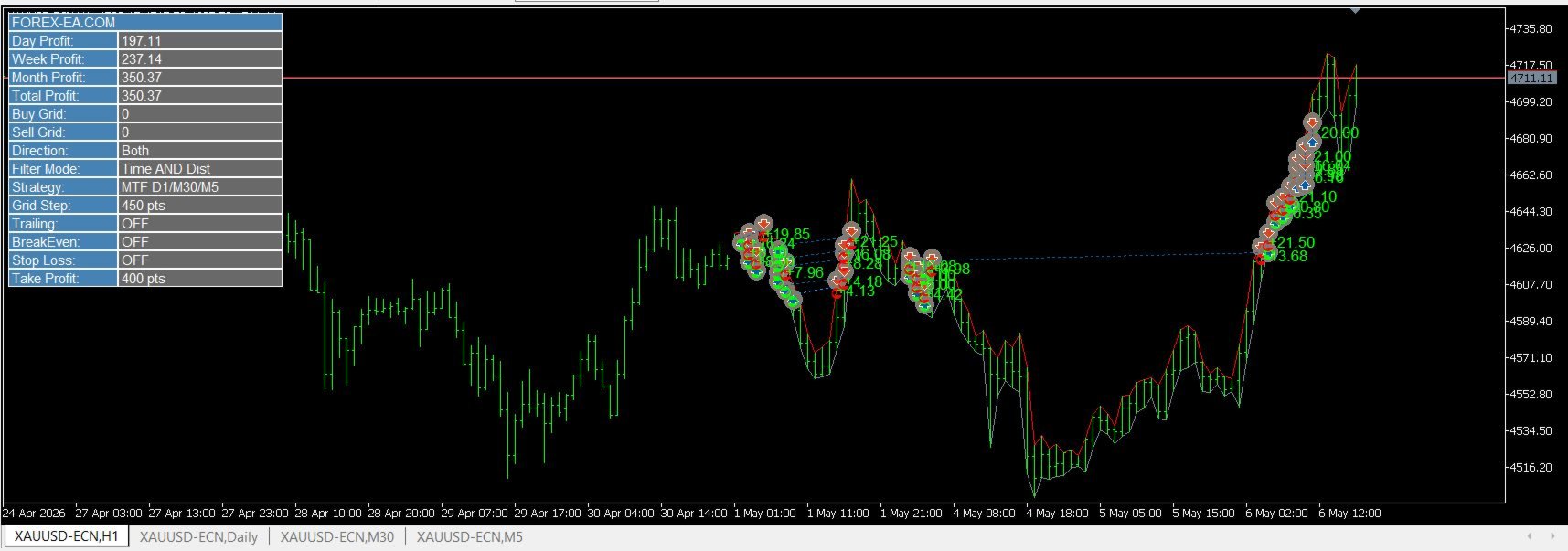



































I bought the Golden Eagle EA a long time ago and tested it extensively in StrategyTester Meta 5. The results really surprised me, as the EA produced very good results in the real demos, and after about two months of real demo testing, I installed the EA on my live account. And believe it or not, the results were amazing! I used the setup file gold-engel.set. So I don't regret buying the EA for a second, and maybe there will be an update soon. I wrote to the developer, and he said maybe, but when is uncertain. My suggestion for an improvement would be to allow users to set the trading hours themselves.