
Gartley Butterfly Pattern EA
- Experts
- Version: 1.1
- Updated: 7 August 2026
- Activations: 10

Gartley Butterfly Pattern EA — professional trading advisor based on harmonic patterns for MetaTrader 5
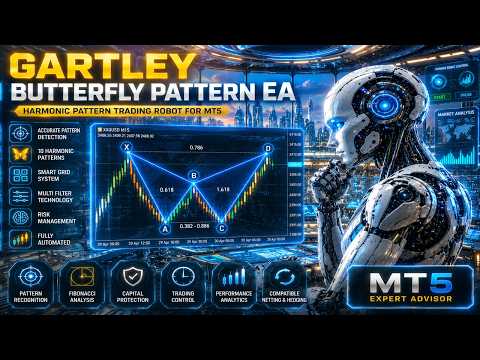
Gartley Butterfly Pattern EA is a professional automated trading advisor (Expert Advisor) for MetaTrader 5, designed for fully automated trading based on harmonic patterns, Fibonacci ratios, algorithmic market analysis, and intelligent capital management.
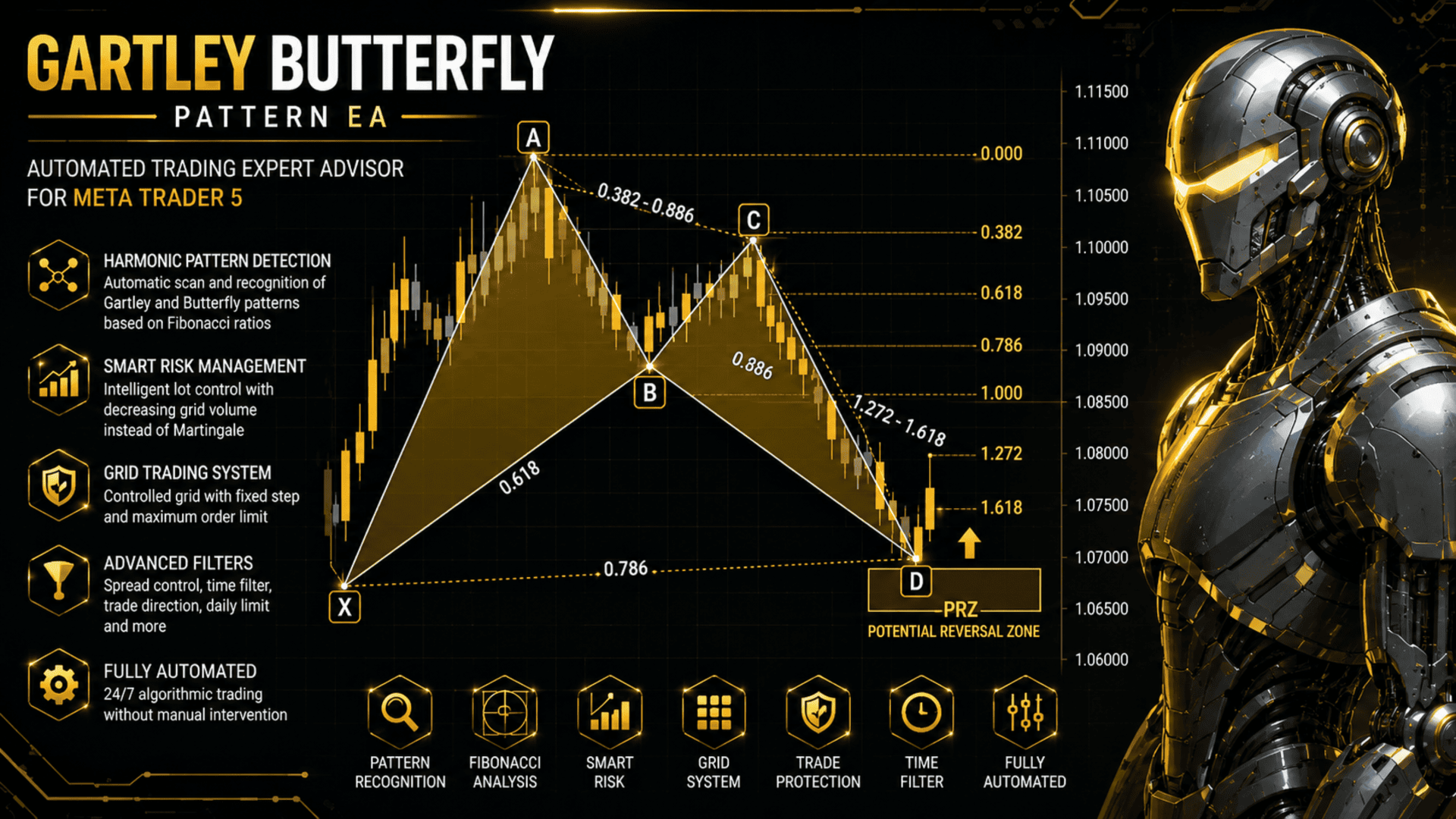
The EA continuously scans the chart, automatically detects formed harmonic X-A-B-C-D patterns, verifies them against classic Fibonacci ratios, and opens trades only after full confirmation of the trading signal and passing all built-in trading filters.
Unlike most harmonic pattern indicators that only display figures on the chart, Gartley Butterfly Pattern EA fully automates the entire trading process: it analyzes the market, detects trading opportunities, opens positions, manages trades, controls risks, and handles orders without manual intervention.
WHY CHOOSE GARTLEY BUTTERFLY PATTERN EA
-
Fully automated trading. The EA independently analyzes the market, detects harmonic patterns, opens, manages, and closes trades without trader participation.
-
10 harmonic patterns in one EA. Gartley, Bat, Butterfly, Crab, Deep Crab, Alt Bat, Shark, Cypher, AB=CD, and Three Drives. Each pattern can be independently enabled or disabled.
-
Smart Risk instead of classic Martingale. Unlike systems that increase the volume of each subsequent trade, Smart Risk gradually reduces the volume of new grid orders, lowering the load on the deposit and making position management more conservative.
-
Automatic selection of the best trading signal. If several harmonic patterns are detected simultaneously, the EA automatically selects the most relevant and high-quality pattern according to its built-in selection algorithm.
-
Accurate Fibonacci ratio analysis. All harmonic patterns are verified using retracement and extension levels with a configurable FibTolerance parameter.
-
Controlled grid strategy. Position management using GridStep and MaxGridOrders parameters.
-
Comprehensive position protection. Stop Loss, Take Profit, Trailing Stop, and Break Even are supported.
-
Flexible trading filters. Control of maximum spread, trading direction, operating hours, days of the week, interval between trades, and daily limit of opened positions.
-
Visualization and information panel. Display of detected patterns, trade history, profit statistics, and the status of key protection functions directly on the chart.
-
Compatibility. Full support for Netting and Hedging accounts.
HOW THE EA WORKS
The EA is based on automatic search for harmonic price patterns. It analyzes local market highs and lows (Swing High / Swing Low), builds X-A-B-C-D point sequences, and compares them against the rules of each selected harmonic pattern.
Each detected pattern goes through several sequential verification stages:
-
compliance with the selected harmonic pattern type;
-
correctness of Fibonacci ratios (considering the FibTolerance parameter);
-
geometric fit of the pattern;
-
minimum pattern size;
-
maximum signal age;
-
quality of the formed pattern.
If several patterns are detected simultaneously, the EA automatically selects the most relevant trading signal.
Before opening a trade, all trading conditions are additionally checked, including the maximum allowable spread, trading direction, time filters, minimum interval between trades, and daily limits. A new position is opened only after successfully passing all checks.
Position management includes Stop Loss, Take Profit, Trailing Stop, Break Even, and a controlled grid strategy. When the grid is used, each new order undergoes the same checks as the initial position.
EA PARAMETERS
Pattern Detection
-
PatternTimeframe — timeframe for searching harmonic patterns (H1 recommended).
-
LookbackBars — history depth for pattern searching.
-
MaxPatternAgeBars — maximum age of the detected pattern.
-
MinPatternSize — minimum harmonic pattern size in points.
-
FibTolerance — allowable deviation of Fibonacci ratios.
Pattern Selection
-
EnableGartley, EnableBat, EnableButterfly, EnableCrab, EnableDeepCrab, EnableAltBat, EnableShark, EnableCypher, EnableABCD, EnableThreeDrives — enable or disable each harmonic pattern.
Lot Settings
-
LotMethod — Fixed Lot or Smart Risk.
-
FixedLotSize — fixed trading volume.
Grid Trading Settings
-
UseGrid — enable or disable the grid strategy.
-
GridStep — distance between grid levels.
-
MaxGridOrders — maximum number of orders in the grid.
Trading Direction
-
TradeDirection — BUY ONLY, SELL ONLY, or BOTH.
Stop Loss & Take Profit Settings
-
StopLoss — Stop Loss in points (0 disables).
-
TakeProfit — Take Profit in points (0 disables).
Trailing Stop & BreakEven Settings
-
TrailingStop, TrailingStart, TrailingDistance, TrailingStep, BreakEven, BreakEvenStart, BreakEvenOffset.
Trading Rules
-
MaxSpread — maximum allowable spread.
-
MinutesBetweenTrades — minimum interval between trades.
-
FilterMode — time and distance filter.
-
DailyLimit, MaxOrdersPerDay — daily trading limit.
Time Filter
-
EnableTimeFilter — enable time filter.
-
TradeMonday – TradeSunday — allowed trading days.
-
StartHour, StartMinute, EndHour, EndMinute — working trading interval.
Display Settings
-
ShowPanel — information panel.
-
ShowProfitStats — display profit statistics.
-
ShowTradeHistory — display trade history.
-
BuyTradeColor, SellTradeColor, TradeFontSize — display parameters.
Pattern Drawing
-
DrawPatterns — display harmonic patterns.
-
PatternMaxAgeBars — automatic removal of outdated patterns.
-
PatternFillDim — fill transparency.
-
ColorBullish, ColorBearish — colors for bullish and bearish patterns.
-
ShowFibonacci — display Fibonacci levels.
-
Individual colors for each harmonic pattern type.
CONCLUSION
Gartley Butterfly Pattern EA combines automatic recognition of ten harmonic patterns, accurate Fibonacci ratio analysis, the Smart Risk intelligent capital management system, a controlled grid strategy, and flexible trading filters into one fully automated trading advisor for MetaTrader 5.
The EA is primarily optimized for trading Gold (XAUUSD), but is also suitable for trading Forex currency pairs, indices, Oil, and other CFD instruments. Thanks to its extensive customization options, its parameters can be adapted to various market conditions and trading instruments. Full support for Netting and Hedging accounts ensures compatibility with most modern MetaTrader 5 brokers.
The EA does not guarantee profit. Trading results depend on market conditions, selected settings, broker conditions, and the trader's approach to risk management. Before use, it is recommended to test the EA in the MetaTrader 5 Strategy Tester and on a demo account.









































Excellent EA and great support !