Apex Trade Assistant
- Utilities
-
Dragan Drenjanin
 🔴 My products on MQL5 → https://www.mql5.com/en/users/drgandra/seller
- Version: 1.0
- Activations: 5
Apex Trade Assistant — Your Manual Trading Workspace in MetaTrader 5
Plan trades, place orders, and manage positions directly from your chart. Apex Trade Assistant brings visual planning, position sizing, protective levels, and trade management commands together in one workspace.
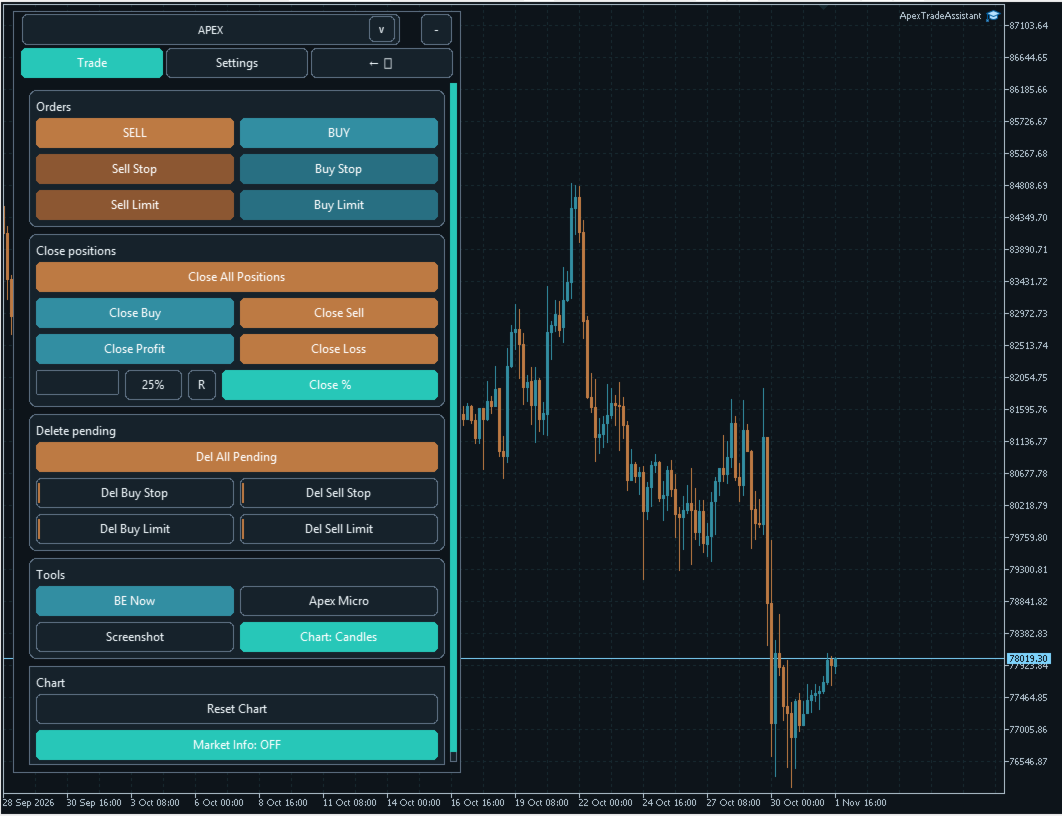
Use the main APEX panel for everyday operations and independent Apex Micro planners to prepare several individual trading plans. Move Entry, SL and TP levels on the chart, review the parameters, and choose the appropriate action. Essential controls remain accessible alongside your trading plan.
Adapt the workspace to the way you trade. The compact vertical toolbar opens the sections you need with a click, while Classic and Modern views provide a consolidated layout of controls. Light and dark themes let you match the panel to your chart, and saved settings help you resume your work.
Enter values manually or use the built-in Assistant to help prepare your parameters. Settings are available directly on the panel, without a long traditional EA Inputs list.
Full illustrated guide: Explore the features, button explanations and practical examples.
A straightforward workflow
Choose your position size, prepare the protective levels, and select the order type. The Assistant can help prepare SL/TP distances and related trailing stop and break-even parameters. Review and adjust the values to match your plan, with optional confirmation before order submission.
Explore the screenshots below
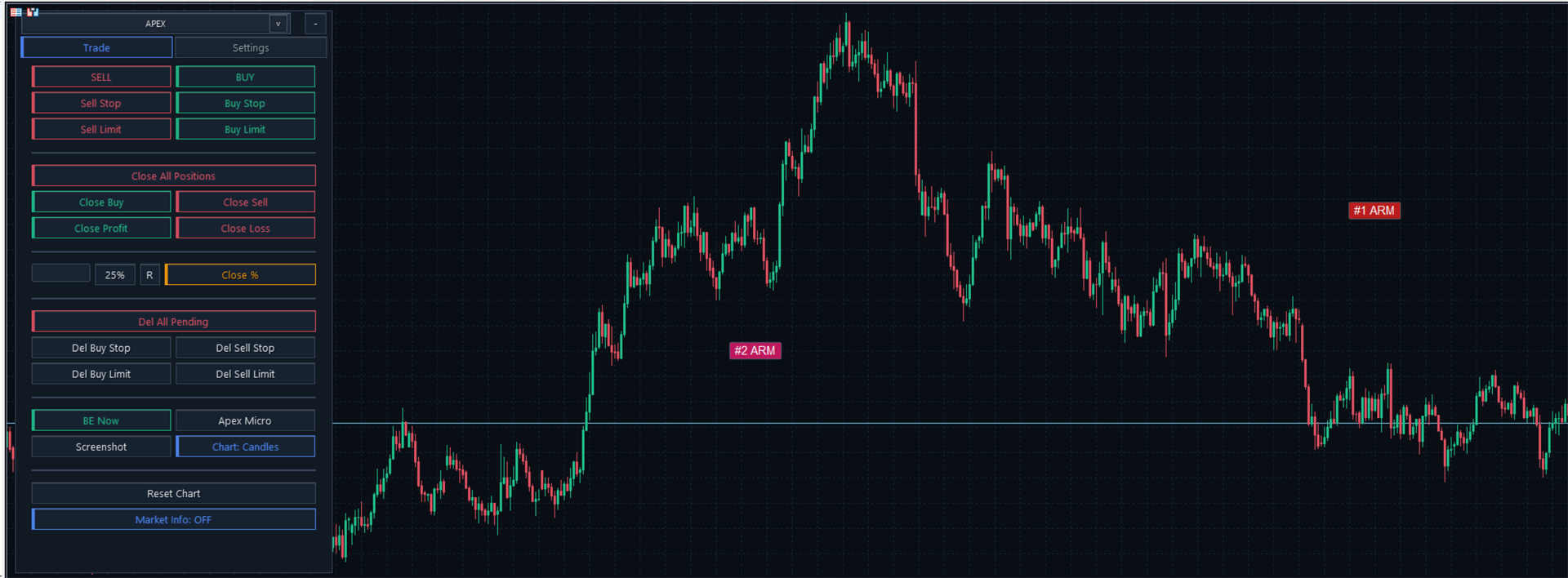
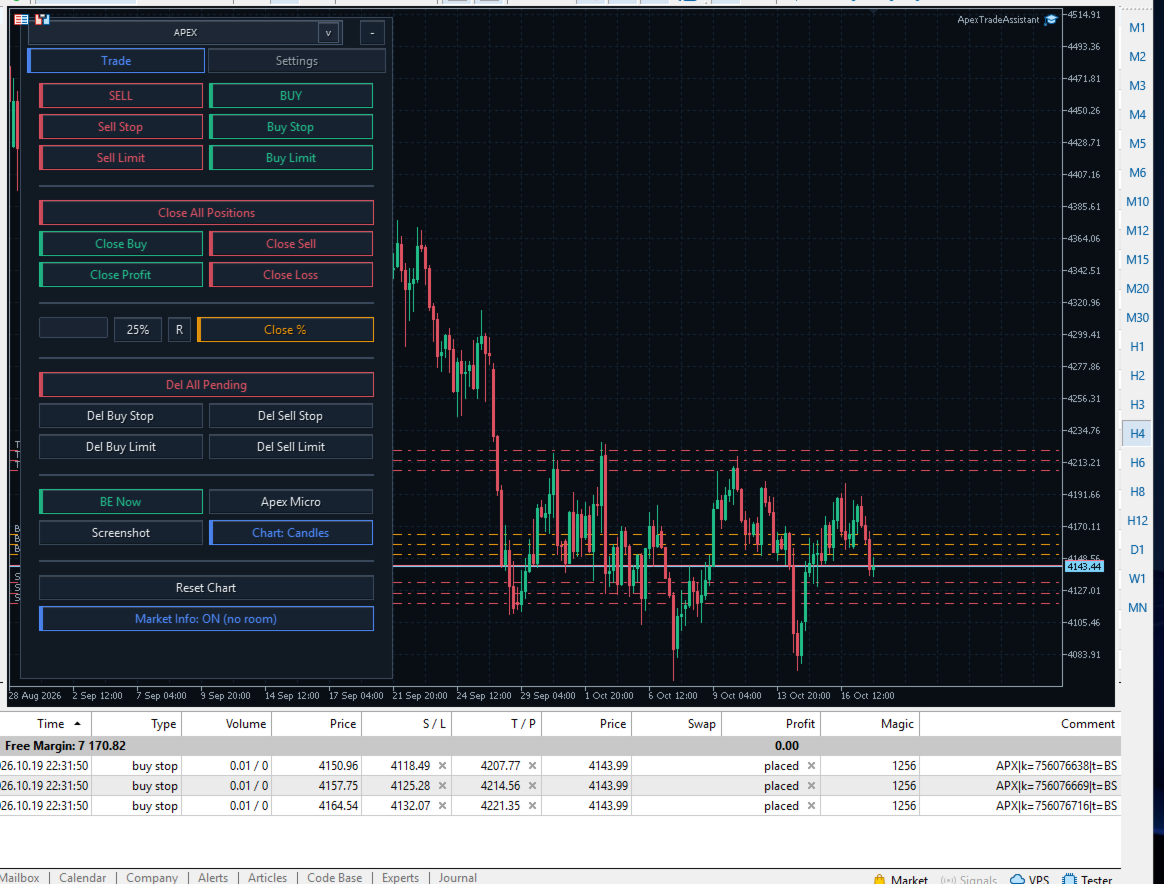
- Your trading workspace: choose the vertical, Classic or Modern view and use the main panel alongside several independent mini planners.
- Settings and visual levels: enter your parameters, move Entry, SL and TP on the chart, and configure position management.
- Apex Micro and Commands: use compact controls or open their full action names. Trade and Virtual modes support different ways of placing and managing your plan.
- ARM chips: keep your chart clear while local entry plans remain accessible through compact markers. Click a chip to reopen its planner.
- Grid orders: prepare groups of pending orders at separate price levels using automatic or manually selected order counts.
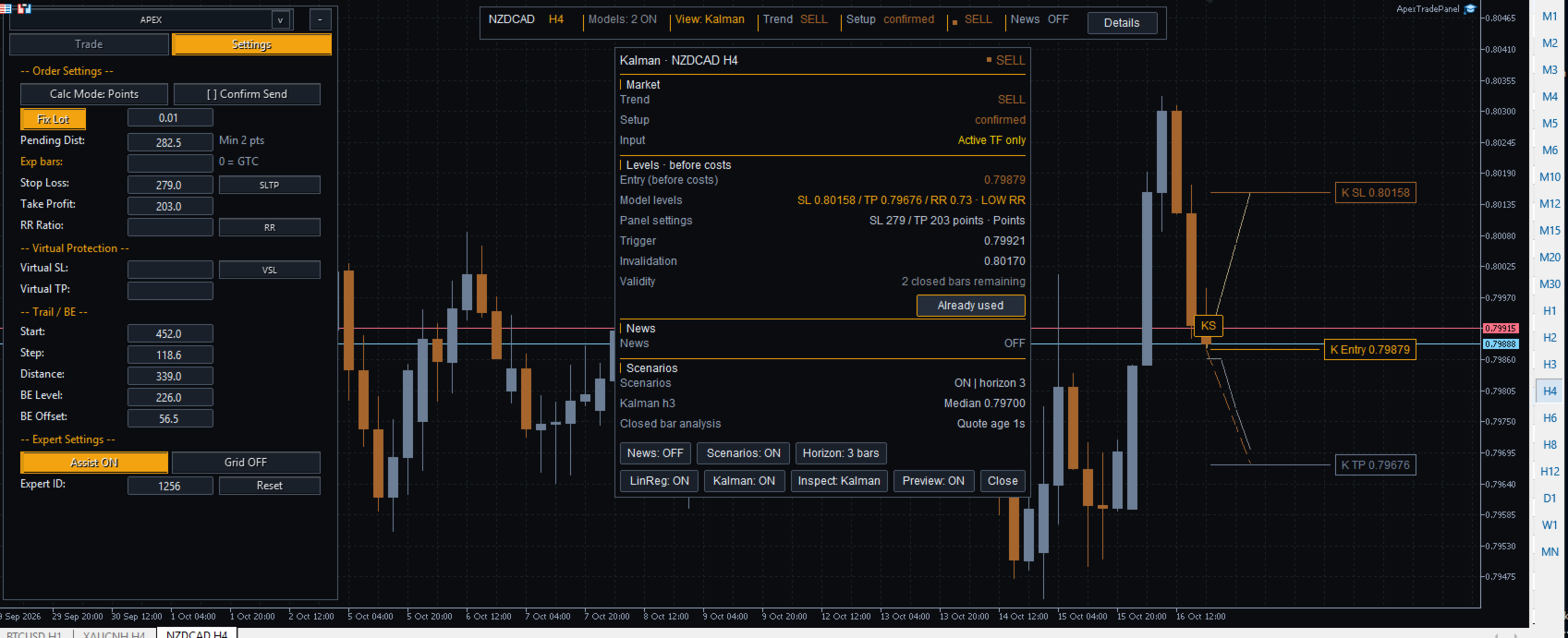
- LinReg and Kalman: inspect separate mathematical analyses, open Details and use Preview to display available Entry, SL and TP levels. The examples also show how model levels can be applied to trade planning.
Manage positions from your chart
For positions and orders within the selected scope, use partial closing, side-based or profit/loss-based closing, and individual or group commands. Configure break-even, trailing stop and virtual protection to suit your workflow.
LinReg and Kalman provide separate mathematical analyses. You decide whether to use their suggestions. Applying model levels does not send an order, and the displayed information is not a guarantee of future price movement.
Start with the tools you need and explore the remaining features at your own pace. You choose the trades and settings; APEX helps you prepare, organize and manage them from your chart.
Local triggers and virtual protection require the terminal and EA to remain running. On initialization, APEX clears existing objects from its chart; use a dedicated chart.
SECURITY WARNING
I am the official author of Apex Trade Assistant and distribute it exclusively through the official MQL5 Market. Third-party offers to sell or distribute this product through other websites, forums, social networks or messaging apps are not authorized. Use the official MQL5 product listing for authentic releases, available updates and author support.
Useful link
Official MQL5 guide to purchasing and installing Market products