Unified Local Copier for MT4

Unified Local Copier (ULC) — Local Trade Copier


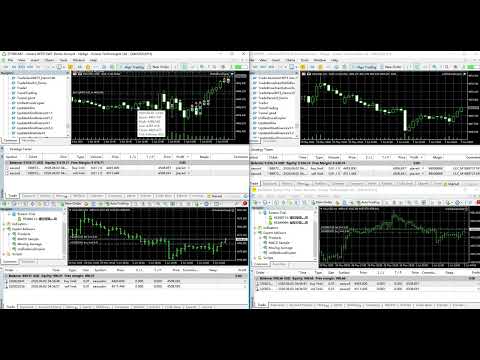
Unified Local Copier is a local trade-copying Expert Advisor for MetaTrader 4 and MetaTrader 5. It does not rely on external DLLs and delivers low-latency, reliable order synchronization between Master and Slave terminals on the same computer. MT4 and MT5 can be combined in cross-platform setups.


Current version: v1.30 (MT5 / MT4)


1. How It Works and Copy Scope


The system uses a Master-Slave architecture. One channel supports one Master and multiple Slaves: a single Master account syncs trade instructions to multiple Slave accounts.


Master

  Monitors all trading activity on the account in real time, including:

  - Pending order placement, modification, and deletion (Buy/Sell Limit, Stop, etc.)

  - Market opens

  - Stop-loss / take-profit changes on open positions

  - Position closes (including partial closes and hedge Close By)


Slave

  Receives instructions from the Master and mirrors them on the local account. The system handles symbol matching, lot normalization, and slippage control automatically, and links each Master order to its Slave counterpart so alignment can continue after reconnects.


Cross-platform support

  Supported combinations:

  - MT5 Master → MT4 Slave

  - MT4 Master → MT5 Slave

  - Same-platform Master → same-platform Slave


Copy scope

  The Slave fully mirrors: pending place / modify / delete, market opens, SL/TP changes, closes, and hedge closes. Orders from manual trading, EAs, and triggered pendings are all supported.


2. Direction Filter (InpSlaveCopySide)


The Slave can filter copied trades by direction. This suits setups where you only want one side of the Master strategy (e.g. long-only or short-only).


Options:

  SLAVE_COPY_BOTH (default) — copy both Buy and Sell

  SLAVE_COPY_BUY          — copy Buy only

  SLAVE_COPY_SELL         — copy Sell only


Filter rules:

  1. Opens and pending placement: only orders matching the selected direction are copied (including Buy/Sell Limit, Stop, and other pending types).

  2. Closes and position changes: only positions on the selected side are processed. With "Buy only", a Master Sell close does not close anything on the Slave; a Master Buy close closes the matching Buy position on the Slave.

  3. Pending modify and delete: if the Slave has already copied a Master pending order, modify and delete still sync to avoid orphaned pendings.


Note: the direction filter applies to the Slave only. Leave the default on the Master.


3. Input Parameters


Common parameters (required on both Master and Slave)


  Parameter             Type / Default         Description

  -------------------------------------------------------------------------

  InpRole               ROLE_MASTER            Role. ROLE_MASTER = send instructions;

                                               ROLE_SLAVE = receive and copy.

  InpChannelID          8888 (int)             Channel ID. Must match exactly on Master and Slave.

                                               When running multiple copiers on one PC, use a

                                               different Channel ID for each (e.g. 8888, 9999).


Slave-only parameters


  Parameter             Type / Default         Description

  -------------------------------------------------------------------------

  InpLotSize            0.01 (double)          Copy lot size. Fixed lot for every copied order

                                               (not scaled to Master volume). Normalized to

                                               broker min/max lot and step automatically.

  InpComment            "ULC" (string)         Comment prefix for copied orders. The system

                                               adds a Master ticket identifier for tracking

                                               and deduplication.

  InpSymbolSuffix       "" (string)            Symbol suffix for cross-broker name differences.

                                               E.g. Master XAUUSD / Slave XAUUSDm — leave empty

                                               for auto-match or enter "m" manually.

  InpSlaveCopySide      SLAVE_COPY_BOTH        Direction filter. See Section 2. Slave only.

  InpReplayHistoryOnStart false (bool)         Catch up on past instructions at startup.

                                               false (recommended): join live sync now and skip

                                               older instructions to avoid bulk catch-up.

                                               true: process all unhandled history in order.


MT5 Slave only


  Parameter             Type / Default         Description

  -------------------------------------------------------------------------

  InpDeviation          30 (points)            Maximum allowed price deviation in points for

                                               market orders. Orders may be rejected if

                                               price moves beyond this tolerance.


MT4 Slave only


  Parameter             Type / Default         Description

  -------------------------------------------------------------------------

  InpSlippage           30 (points)            Allowed slippage in points for market opens

                                               and closes.


Master-only parameters


  Parameter             Type / Default         Description

  -------------------------------------------------------------------------

  InpClearQueueOnStart  false (bool)           Clear sync history on startup.

                                               false (recommended): keep state so Slaves can

                                               resume after timeframe changes or EA reload.

                                               true: start fresh for a new copy session.


MT4 Master only


  Parameter             Type / Default         Description

  -------------------------------------------------------------------------

  InpMasterPollSec      1 (int)                Master check interval in seconds. On low-tick

                                               symbols or H1 charts, use 1 second or more so

                                               order changes are detected promptly.


4. Deployment Guide


1. Deploy Master


  (1) Open the MT4 or MT5 terminal that will send signals and attach the EA to any chart (symbol and timeframe do not matter; an always-open chart is recommended).

  (2) Drag UnifiedLocalCopier onto the chart.

  (3) Set InpRole = ROLE_MASTER and configure InpChannelID.

  (4) Enable the terminal Algo Trading / AutoTrading master switch.


  Important:

  - Only one Master EA per account and Channel ID.

  - Do not run multiple Masters with the same Channel on different charts of the same account, or conflicts and duplicate copies may occur.

  - The Master watches the entire account; one chart is enough.


2. Deploy Slave


  (1) Attach the EA on the receiving MT4 or MT5 terminal (another client or account is fine).

  (2) Set InpRole = ROLE_SLAVE and match InpChannelID to the Master exactly.

  (3) Set Slave parameters as needed: InpLotSize, InpSlaveCopySide, InpSymbolSuffix, etc.

  (4) Enable Algo Trading; the EA enters standby sync mode.


  Important:

  - Run only one Slave EA per copy account and Channel.

  - If symbol names differ, check InpSymbolSuffix or confirm auto-mapping in the Experts log.


5. Product Features


No DLL dependency

  All functionality is built into the EA. No external components to install — simpler setup and broad compatibility.


Accurate deduplication

  The Slave validates before opening to prevent duplicate copies from latency or repeated triggers.


Smart event filtering

  The Master filters redundant updates after market fills, reducing unnecessary modify instructions on the Slave.


Reliable sync under high activity

  Built-in fault tolerance and retry for burst order flow (e.g. grid or martingale), helping reduce missed copies.


Full pending order lifecycle

  Place, modify, and delete all sync. When the Master cancels a copied pending, the Slave removes it too — no leftovers.


One-to-one order linking

  Each copied order is linked to its Master source so closes, modifies, and deletes target the correct Slave order.


Resume after disconnect

  With InpClearQueueOnStart = false (recommended), Slaves can safely resume after EA reload or chart changes without starting over.


6. Supported Operations


  Operation             Slave action

  -------------------------------------------------------------------------

  Pending place         Place matching pending on Slave

  Pending modify        Modify price / SL / TP on Slave pending

  Pending delete        Delete matching Slave pending

  Market open           Market Buy / Sell open on Slave

  Position SL/TP change Modify SL / TP on matching Slave position

  Close                 Close matching Slave position

  Close By (hedge)      Close matching position via Close By logic


7. FAQ


Q: Slave log says it is waiting for the Master?

A: Start the Master EA first and confirm InpChannelID matches on both sides.


Q: Slave symbol mapping failed?

A: Check InpSymbolSuffix or add the symbol to Market Watch on the Slave terminal.


Q: With "Buy only", why are Master Sell pendings not copied?

A: Expected. The direction filter copies only the selected side. Pendings already copied are still modified or deleted when the Master changes them.


Q: Can MT4 and MT5 be mixed?

A: Yes. Use the same Channel ID with Master and Slave on the same computer for cross-platform copying.


Q: Can Master and Slave use different broker accounts?

A: Yes. Use InpSymbolSuffix for symbol name differences and InpLotSize for independent lot sizing on the Slave.


Q: Is copy lot scaled to the Master?

A: No. The Slave uses the fixed InpLotSize. Set it according to your Slave account size and risk.

Recommended products
Rua TrailingStop BreakEven Little
PHAM KIM QUY RuaCoder
4.5 (2)
Rua TrailingStop BreakEven Little The EA not for Real Account. You can EA for Real Account with link:   https://www.mql5.com/en/market/product/47635 Uses of EA - Trailingstop: Move stoploss continuously. - Breakeven: Move the stoploss once. Custom parameters: All OrderOpenTime:     + true: acts on all order     + false: only affect the order opened since EA run All OrderType:     + true: acts on all order.     + false: only the order is running (Buy, Sell) TraillingStop: true (Use), false (do n
FREE
This is a fully functional evaluation version for working on "CADCHF". Full version - Risk Controller If there are active deals on the account when the robot is launched, then all of them except CADCHF will be closed! Risk controller is a tool allowing you to automatically control orders, losses and emotionally motivated actions. Main advantages Limitation of the total account loss. When the MinimalDepo value is reached, any trade will be closed. Limitation of losses per day. Limitation of los
FREE
Macd Martin
Roman Yablonskiy
2.5 (2)
Double Breakout   is an automatic expert advisor with two separate strateges that uses martingale. The MACD indicator with adjustable parameters is used as inputs for each flow of orders. The specified takeprofit and stoploss levels are used to exit the position.  General recommendation The minimum recommended deposit is 1000 cents. Spread is recommended not more than 3 points. It is better to use trend currency pairs. The martingale parameter can be set from 0.1 to any value. When martingale i
FREE
Aurum Trend Scout
David Sanchez Clavero
Aurum Trend Scout — Free LITE Version of Aurum Trend Engine Aurum Trend Scout is the free version of the Aurum Trend Engine Expert Advisor. It trades gold (XAUUSD) on H1 using a trend-following strategy based on Parabolic SAR + Bollinger Band Width Ratio, with BUYSTOP entries on daily high breakouts. This LITE version includes the full strategy logic with ATR-based Stop Loss. It uses a fixed lot size and does not include the dynamic money management available in the FULL version. Verified Perfor
FREE
Please note this is a Free version and will only work on EURUSD pair. If you like this product please buy the full EA (FXA Local Trade Copier Pro). FXA LTC is a trade copier for MT4 terminal. This is a fantastic tool for coping trades from one MT4 terminal to many others running on the same PC/VPS. It is extremely easy to setup with minimal settings you can be coping trades in minutes. FXA LTC also caters for Brokers that use different symbol names. FXA LTC will copy trades in 0.5 seconds or le
FREE
PZ MA Crossover EA
PZ TRADING SLU
3.88 (25)
This EA trades using Moving Averages Crossovers. It offers fully customizable settings, flexible position management settings, plus many useful features like customizable trading sessions and a martingale and inverse martingale mode. [ Installation Guide | Update Guide | Troubleshooting | FAQ | All Products  |  Get Help ] Easy to use and supervise Fully customizable moving average settings It implements two different trading behaviors Customizable break-even, SL, TP and trailing-stop Works for
FREE
Ichimoku Gold Breakout SCOUT — Free LITE Version Ichimoku Gold Breakout LITE is the free version of the Ichimoku Gold Breakout Expert Advisor. It trades gold (XAUUSD) on H1 using Ichimoku Cloud trend confirmation combined with daily high breakout entries. This LITE version includes the full strategy logic with ATR-based Stop Loss and Take Profit. It uses a fixed lot size and does not include the trailing stop or dynamic money management available in the FULL version. Backtest Results (2020-2025,
FREE
PZ Goldfinch Scalper EA
PZ TRADING SLU
2.7 (44)
This is the latest iteration of my famous scalper, Goldfinch EA, published for the first time almost a decade ago. It scalps the market on sudden volatility expansions that take place in short periods of time: it assumes and tries to capitalize of inertia in price movement after a sudden price acceleration. This new version has been simplified to allow the trader use the optimization feature of the tester easily to find the best trading parameters. [ Installation Guide | Update Guide | Troublesh
FREE
Multi Time Trader
Artem Titarenko
3.5 (2)
The EA is meant for opening trades at a certain time. All parameters of trades being opened are adjustable: take profit, stop loss, opening time, opening direction (may be both directions), lot of orders. The EA has 12 settings for different opening time, however the EA can also open trades at the same time if required. Just keep in mind that the EA can perform 12 various operations at different time and with different take profit, stop loss, etc. Settings: Lot_1 = 0.1 - lot for the first setti
FREE
MA EMA Cross Risk EA is a trading Expert Advisor for MetaTrader 4, created for traders who want to trade using a clear, logical, and visually transparent moving average crossover strategy. The EA is based on one of the most well-known concepts in technical analysis: the crossover of fast and slow MA/EMA lines. When the market changes direction, moving averages can help identify this moment without unnecessary noise, emotions, or manual signal searching. The Expert Advisor automatically tracks Mo
FREE
Trend Analizer Bot
Pavel Predein
4.67 (3)
Automatic trading Advisor .This is a free version of the expert Advisor "Trend Analyzer Pro" https://www.mql5.com/ru/market/product/42792.В the robot is based on 2 strategies: at the intersection of moving averages and Bollinger bands indicator .In the paid version, three strategies are available, which increases profitability several times .Designed for the EURUSD H1 currency pair.It is possible to use it on other tools after optimization.Test only on tick data. ** Does not use such dangerous
FREE
GA Moving Average
Osama Echchakery
4 (2)
"GA Moving Average" - Intelligent Moving Average Expert Advisor (01) Initial Trade Settings: Customize your initial trade settings to start your trading journey. By using the spread filter option, you can ensure optimal trade execution. Set the maximum spread limit up to 10 pips to protect your strategy from unfavorable market conditions. (02) Entry Point Settings: Precisely configure your entry points. Configure the fast and slow moving averages to capture market momentum. Choose from multiple
FREE
Proftrader Free
Alexander Nikolaev
4 (3)
This Expert Advisor analyzes the last candles and determines whether there will be a reversal or a large correction. Also, the readings of some indicators are analyzed (their parameters can be adjusted). Is a free version of Proftrader . Unlike the full version, in the free version of the adviser the initial lot cannot be higher than 0.1, trading pair only EURUSD and also it has fewer configurable parameters. Input parameters Lots - lot size (at 0, the lot will be calculated from the percentage
FREE
Smart Squid EA
Abdallah Moustafa Hamdy Ahm Abdelrazek
We sell products only on MQL market , if you have seen somewhere to resell with cheaper price , it must be a    faked version   and 100% sure the performance is not real   . Also will not be supported by us . I am appreciated to join our game and do not risk a cent on   faked version   .  Boosting performance   is allowed , Please contact me after purchase about how to get free version of indicator and daily analysis . Upgraded 4.0 to all pairs also good to use . if you want to improve your   m
FREE
Simple RSI Forex Trading Strategy
Victor Manuel Valderrama Zamora
2.5 (2)
Diversify the risk in your trading account by combining our Expert Advisors. Build your own custom trading system here:   Simple Forex Trading Strategies The expert advisor opens trades when RSI indicator enter in oversold or overbought areas. The Stop Loss, Take Profit, and Trailing Stop are calculated based on the ATR indicator. The recommended currency pair is EURGBP and the recommended timeframe to operate and to do backtests is H4. This Expert Advisor can be profitable in any TimeFrame an
FREE
CommunityPower MT4
Andrey Khatimlianskii
4.88 (40)
CommunityPower EA — is the Expert Advisor for MetaTrader 4/5, created by community and for community. It is free, versatile and very powerful, and allows to trade a wide range of strategies. The idea is simple Your suggestions + my code = a win-win for everyone! Is it a ready-to-use money-making machine? No, it is definitely not. It is a tool, which allows you to create and run your own trading strategy, and it is up to you to find profitable settings and take the responsibility for your tradi
FREE
Free RSI EA
Tonny Obare
3.5 (6)
Free RSI expert advisor is a completely free expert advisor that trades using rsi level crosses. You can set which levels the Ea should use to open and close trades. The various settings are explained below. NOTE: The default settings are just place holders and not necessarily the best. Use the settings that best suites you or your strategy. Lots - This is the lot size of the EAs trades. 0.1 is the default setting. AllowBuy - Set to true to allow buy trades. This setting is true by default. Allo
FREE
NotifyMe Free for MT4
Denis Zyatkevich
5 (5)
Overview The Expert Advisor sends notifications to a mobile phone, via e-mail or activates an audio alarm in case a position is opened or closed on the trading account. The Expert does not trade, it only monitors your account and orders. Launching the Expert Advisor For the Expert Advisor to work, place the file NotifyMe_free.ex4 in terminal_folder/experts (probably it will be placed there automatically). NotifyMe_free should appear in the Expert Advisors section of the Navigator window. If not
FREE
An excellent and fine deal copyist! Copies from one or more source terminals to one or more receiver terminals. Convenient and quick to set up. Settings: 1. Type              Select the type of Master - source or Slave - receiver. 2. Lot                  Sets the lot for the Slave type. Orders will open with the specified lot, if the lot = 0 is the same as in the source. 3.  MasterLot         Allows you to set the lot size transmitted (on the side of the MASTER) by the master. / X - the ma
Flexible Copy Trade MT4
Yudi Sri Warsito
5 (1)
Flexible Copy Trade EA:  The Premier MetaTrader Multi-Account Synchronizer Streamline your trading operations with the most reliable, high-speed trade copier designed for the modern MetaTrader environment. Whether you are managing multiple accounts, coordinating a trading team, or looking to mirror signals across different terminals with near-zero latency, Flexible Copy Trade EA is your enterprise-grade solution. It offers seamless, lightning-fast synchronization regardless of the broker or ac
FREE
THE PLATE EA IC Market or FTMO Recomment Broker. This EA „PLATE“ BUY and SELL in one.  Only DE40 with this Standart Settings (You can Change the Take Profit to 500 for other Endpoints or the Stopp Loss to 60 or higher) M1, M5, M15, M30, H1. Minumum 1000$/€ ...Lot 1 in first Week. The EA work with a small Stop Loss and a good Take Profit Risk Ratio. When you a undecided or have any Question write me a Message.
FREE
Harvest FX
Sayan Vandenhout
4.56 (9)
Harvest FX USES THE TREND WAVE INDICATOR AND IT CAN IDENTIFY THE BEGINNING AND THE END OF A NEW WAVE TREND MOVEMENT. AS AN OSCILLATOR, THE INDICATOR IDENTIFIES THE OVERBOUGHT AND OVERSOLD ZONES. IT WORKS GREAT TO CATCH THE SHORT TERM PRICE REVERSALS AND USES A MARTINGALE STRATEGY TO CLOSE ALL TRADES IN PROFIT. USE DEFAULT SETTINGS ON H1 OR HIGHER TIME FRAME ON ANY PAIR FOR MORE ACCURATE TRADES WHY THIS EA : Smart entries calculated by 3 great strategies The EA can be run on even a $30000 a
FREE
MyGrid Scalper
Ahmad Aan Isnain Shofwan
3.94 (52)
MyGrid Scalper You either lead it — or it leads you. 29,000+ downloads since 2022 — no hype, no noise, no discounts. Just consistent execution in the hands of those who understand Basic Info Symbol: Any (default optimized: XAUUSD) Timeframe: Any (default optimized: M5 ) Type: Grid-based EA with soft martingale (default 1.5) Lot control: Set multiplier to 1.0 for fixed lots Account type: ECN recommended but not required Broker: Any broker, low spread preferred Live & demo ready: Backtested, for
FREE
Rsi Macd EA
Alexander Chertnik
4.25 (4)
Rsi Macd Expert Advisor uses combined signal from 2 indicators (Rsi / Macd). Minimum trading account 500. best pairs: GBPCAD / EURUSD / CADJPY / USDCHF / GBPUSD / GBPJPY / USDJPY best timeframe: 1H Setting can be define by the user: rsi levels / rsi period / macd period / risk / there are no stop loss or take profit and the expert closes orders by the indicator signal. developed, tested and optimized   on "   VantageMarkets   " platform. Recommended broker > Vantage
FREE
RedeeCash Multime XMA
Patrick Odonnell Ingle
About : Crossing Moving Averages on Multiple Timeframes. While a traditional trend strategy would be to choose one time frame like the Daily to estimate trend, this expert advisor will open a trade in the direction of the trend when ALL timeframes from 5M to Monthly, show the same trend.       SINGLE_CURRENCY = true,  permits operations on a single currency, when disabled (FALSE), will trade the currencies selected in the market watch window on metatrader.       CONCURRENT_ORDERS=0, restricts th
FREE
FX365 MA Crossover EA
Gyunay Sali
3.83 (6)
FX365 MA Crossover EA is a completely FREE expert advisors specially developed for users who love to do their own configuration and optimization. The EA comes without optimizations but everything one trader need to configure and adapt the EA to any forex instrument/pair. FX365 MA Crossover EA is based on the popular Moving Average indicator. The idea behind this EA is to use two MA indicators. One FAST and the second one SLOW. When both MA crossed each other the EA trades. When the FAST MA line
FREE
EA Gap Catcher
Mikita Kurnevich
5 (3)
Read more about my products EA Gap Cather - is a fully automated trading algorithm based on the GAP (price gap) trading strategy. This phenomenon does not occur often, but on some currency pairs, such as AUDNZD, it happens more often than others. The strategy is based on the GAP pullback pattern. Recommendations:  AUDNZD  TF M1  leverage 1:100 or higher  minimum deposit 10 USD Parameters:  MinDistancePoints - minimum height of GAP  PercentProfit - percentage of profit relative to GAP level
FREE
Shauns FVG
Shaun Mark Featherstone
Shaun’s FVG EA (Free Edition)   is a rules‑based Fair Value Gap pullback system built for XAUUSD M15. It identifies bullish/bearish imbalance zones, waits for a pullback into the gap, and only then executes a trade — ensuring entries are based on structure rather than impulse. How It Trades Fair Value Gap detection   for institutional imbalance zones Pullback confirmation   before entry Trend alignment   via SMA direction Optional RSI + ATR filters   to avoid weak signals Higher‑timeframe conf
FREE
TerminalBridge Trade Copier MT4 TerminalBridge Trade Copier is a local position copier designed to synchronize trading actions between two MetaTrader terminals running on the same Windows computer or VPS. The product can operate as either MASTER or SLAVE. The MASTER monitors open market positions and publishes position changes. The SLAVE receives these changes and processes the corresponding trading actions. Supported Connections - MetaTrader 4 to MetaTrader 4 - MetaTrader 4 to MetaTrader 5
FREE
100% FREE — full version, no limitations, no registration. Trailing Manager — Universal Trailing Stop & Break-Even for Any Position Trailing Manager is a standalone utility. It does NOT open trades. Attach it to a chart and it manages the stop-loss of positions opened by ANY EA, signal, or by hand — adding break-even and a trailing stop to strategies that don't have one, and protecting manual trades automatically. This is a tool, not investment advice. Stops are sent to your broker and are
FREE
Buyers of this product also purchase
Forex Trade Manager MT4
InvestSoft
4.98 (445)
Trade Manager MT4 is an advanced position size calculator and trade management tool for MetaTrader 4, designed to help traders plan trades faster, control risk more precisely, and manage open positions directly from the chart. It combines order placement, risk based lot calculation, Stop Loss and Take Profit management, Break Even, Trailing Stop, Partial Close, Equity Protection, and external trade management in one panel. Whether you trade forex, indices, metals, commodities, or crypto, Trade M
Exp COPYLOT CLIENT for MT4
Vladislav Andruschenko
4.69 (65)
Professional Trade Copier for MetaTrader 4 Fast, professional, and reliable trade copier for MetaTrader 4 . COPYLOT helps you copy Forex trades between MetaTrader 4 and MetaTrader 5 terminals with flexible synchronization for different account setups. COPYLOT MT4 version supports: MetaTrader 4 to MetaTrader 4 MetaTrader 5 Hedge to MetaTrader 4 MetaTrader 5 Netting to MetaTrader 4   MT5 version Full Description + DEMO + PDF How To Buy How To Install How to get Log Files How To Test and Optimize A
Local Trade Copier EA MT4
Juvenille Emperor Limited
4.96 (111)
Experience exceptionally  fast trade copying with the Local Trade Copier EA MT4 . With its easy 1-minute setup, this trade copier allows you to copy trades between multiple MetaTrader terminals on the same Windows computer or Windows VPS with lightning-fast copying speeds of under 0.5 seconds. Whether you're a beginner or a professional trader, the Local Trade Copier EA MT4 offers a wide range of options to customize it to your specific needs. It's the ultimate solution for anyone looking to inc
Trade Assistant MT4
Evgeniy Kravchenko
4.43 (197)
It helps to calculate the risk per trade, the easy installation of a new order, order management with partial closing functions, trailing stop of 7 types and other useful functions. Additional materials and instructions Installation instructions   -   Application instructions   -   Trial version of the application for a demo account Line function -   shows on the chart the Opening line, Stop Loss, Take Profit. With this function it is easy to set a new order and see its additional characteris
The product will copy all telegram signal to MT4   ( which you are member  ) , also it can work as remote copier.  Easy to set up, copy order instant, can work with almost signal formats, image signal, s upport to translate other language to English Work with all type of channel or group, even channel have "Restrict Saving Content", work with  multi channel, multi MT5 Work as remote copier: with signal have ticket number, it will copy exactly via ticket number. Support to backtest signal. How to
TradePanel MT4
Alfiya Fazylova
4.84 (95)
Trade Panel is a multi-functional trading assistant. The app contains over 50 trading functions for manual trading and allows you to automate most trading tasks. Application instructions + video instructions: https://www.mql5.com/en/blogs/post/756482 Trial version of the application for a demo account: https://www.mql5.com/en/blogs/post/750865 How to install the application: https://www.mql5.com/en/blogs/post/756239 How to test the application in visual mode: https://www.mql5.com/en/blogs/post/7
Telegram to MT4 Coppy
Sergey Batudayev
4.09 (11)
Telegram to MT4: The Ultimate Signal Copying Solution Streamline your trading with Telegram to MT4 , the cutting-edge utility designed to copy trading signals directly from Telegram channels and chats to your MetaTrader 4 platform—without the need for DLLs. This robust solution ensures seamless execution of signals with unparalleled precision and customization options, saving you time and boosting your efficiency. [ Instructions and DEMO ] [ FAQ ] [ How atach logs properly ] [Settings descrition
Trade copier MT4
Alfiya Fazylova
4.6 (35)
Trade Copier is a professional utility designed to copy and synchronize trades between trading accounts. Copying occurs from the account / terminal of the supplier to the account / terminal of the recipient, which are installed on the same computer or VPS . PROMOTION - If you have already purchased the "Trade Copier MT4," you can receive the "Trade Copier MT5" for free (for copying MT4 > MT5 and MT4 < MT5). For more detailed information about the conditions, please contact us via private message
Prop Guardian Risk Manager MT4 – Drawdown, Risk & Hedge Protection for Prop Firm and Managed Accounts Prop Guardian Risk Manager is a professional risk-control utility for MetaTrader 4, designed for prop firm traders, money managers and anyone who wants strict account-level risk protection. It does not generate trading signals, strategy entries or trading decisions. Instead, it runs in the background, monitors your account risk and can automatically block new exposure, close managed trades or ac
News Filter EA MT4
Rashed Samir
5 (10)
News Filter EA: Advanced Algo Trading Assistant News Filter EA is an advanced algo trading assistant designed to enhance your trading experience. By using the   News Filter EA , you can integrate a Forex economic news filter into your existing expert advisor, even if you do not have access to its source code. In addition to the news filter, you can also specify   trading days   and   hours   for your expert. The News Filter EA also includes   risk management   and   equity protection   features
Basket EA MT4
Juvenille Emperor Limited
5 (5)
Basket EA MT4 is a powerful profit-harvesting tool and a comprehensive account protection system, all combined into a simple and easy-to-use solution. Its core purpose is to give you complete control over your trading account’s overall profit and loss by managing all open positions at the basket level, rather than individually. The EA offers a full range of basket-level features, including take profit, stop loss, break even, and trailing stop loss. These can be configured as a percentage of your
Risk Sentinel MT4
R H Blantran De Rozari
ONE DRAG SETS THE LOT SIZE - RISK STAYS WITHIN YOUR LIMIT Risk-first position sizing for traders who protect their capital Introductory offer — first 30 copies at $35, then $45. Early buyers keep the lower price forever! Also available for MT5 :  https://www.mql5.com/en/market/product/185711 Risk Sentinel is a risk-first position sizing and risk management tool for MT4, built for discretionary traders who size every trade to the same disciplined risk limit. Drag your stop-loss and the lot si
Kali FX Trade Manager
Calvin Andile Mahlangu
Kalifx Trade Manager is a smart on-chart trading and risk-management panel for MetaTrader 4. It replaces manual order tickets and spreadsheet risk math with a compact, draggable panel that lets you place, size, and manage trades directly from the chart — including automatic breakeven, trailing stops, and a 3-level partial close (multi-TP) system with draggable on-chart lines. Built for discretionary traders who want the speed of a one-click panel with the discipline of automated risk rules runn
A simple script that closes all current orders. Terminate once close all positions, so please don't worry about constantly closing your order. How to use : Drag the script from the navigator to the chart to activate it. Do remember to enable algo trading to use this script. There are different versions of the script that can choose whether to close all buy/sell posiitons, if you need this, do contact me in MQL5.
Equity Protect Pro: Your Comprehensive Account Protection Expert for Worry-Free Trading If you're looking for features like account protection, equity protection, portfolio protection, multi-strategy protection, profit protection, profit harvesting, trading security, risk control programs, automatic risk control, automatic liquidation, conditional liquidation, scheduled liquidation, dynamic liquidation, trailing stop loss, one-click close, one-click liquidation, and one-click restore, Equity P
The News Filter
Leolouiski Gan
5 (25)
This product filters all expert advisors and manual charts during news time. It is able to remove any of your EA during news and automatically reattach them after news ends. This product also comes with a complete  order management system that can handle your open positions and pending orders before the release of any news. Once you purchase The News Filter , you will no longer need to rely on built-in news filters for future expert advisors, as this product can filter them all from here onwards
Riskless Pyramid
Snapdragon Systems Ltd
5 (1)
Introduction This powerful MT4 trade mangement EA offers a way potentially to aggressively multiply trade profits in a riskfree manner. Once a trade has been entered with a defined stoploss and take profit target then the EA will add three pyramid add-on trades in order to increase the overall level of profit. The user sets the total combined profit target to be gained if everything works out. This can be specified either as a multiple of the original trade profit or as a total dollar amount. Fo
Grid Manual MT4
Alfiya Fazylova
4.71 (17)
Grid Manual is a trading panel for working with grid strategies. The utility is universal, has flexible settings and an intuitive interface. It works with a grid of orders not only in the direction of averaging losses, but also in the direction of increasing profits. The trader does not need to create and maintain a grid of orders, the utility will do it. It is enough to open an order and the Grid manual will automatically create a grid of orders for it and will accompany it until the close. Ful
Unlimited Trade Copier Pro is a tool to copy trade remotely to multiple MT4, MT5 and cTrader accounts at different computers/locations over internet. This is an ideal solution for you if you are a signal provider and want to copy your trades to other receivers globally on your own rules. One provider can copy trades to multiple receivers and one receiver can get trade from multiple providers as well. The provider can even set the subscription expiry for each receiver, so that receiver will not b
Trade Manager 4 Lite is trading panel developed with a goal to make manual trading in some (routine) task easier. Trade Manager 4 Lite also works in Strategy Tester. Version for Meta Trader 5 is here: Trade Manager 5 Lite Main features of Trade Manager 4 Lite Trading for Forex and CFDs Support for 4 and 5 digit brokers 65 combinations to set order Set Take Profit, Stop Loss and entry level for Pending Order with lines positioned on the chart Break Even Trailing Stop Loss Multiple Orders at one
Working Trial Download Copy Cat More Trade Copier MT4 is not just a simple local trade copier; it is a complete risk management and execution framework designed for today’s trading challenges. From prop firm challenges to personal portfolio management, it adapts to every situation with its blend of robust execution, capital protection, flexible configuration, and advanced trade handling. The copier works in both   Master (sender) and Slave (receiver)   modes, with real-time synchronization of
Trend Line Optimizer
Evgenii Aksenov
4.11 (19)
This is an automatic parameter optimizer for the   Trend Line PRO   indicator Easily and quickly you will select the optimal parameters for your favorite Trend Line PRO indicator.  Optimization takes only a few seconds. The optimizer allows you to find the best parameters for each pair and period: Amplitude, TP1-TP3, StopLoss, as well as values for Time Filter and HTF Filter on the selected history section (Days)  To optimize different timeframes, you need a different range of history: M5-M15
Trading History MT4
Siarhei Vashchylka
5 (9)
Trading History - A program for trading and money management on the history of quotes in stratagy tester. It can work with pending and immediate orders, and is equipped with trailing stop, breakeven and take profit functions. Very good for training and testing different strategies. Manual (Be sure to read before purchasing) Advantages 1. Allows you to test any trading strategy in the shortest possible time 2. An excellent simulator for trading training. You can gain months of trading experience
Trade Dashboard MT4
Fatemeh Ameri
4.96 (54)
Trade Dashboard simplifies how you open, manage, and control your trades, with built-in lot size calculation. It allows you to execute trades, manage risk, and control positions directly on the chart, with tools such as partial close, breakeven, and trailing stop. Designed to reduce manual work and help you stay focused on your trading decisions. A demo version is available for testing. Detailed explanations of features are provided within the MQL5 platform. Installation instructions are include
Custom Alerts AIO: All-in-One Market Scanner – No Setup Required Overview Custom Alerts AIO is the fastest and easiest way to monitor multiple markets for real-time trading signals—without any setup or extra licenses. It comes with all required Stein Investments indicators already embedded, making it the perfect plug-and-play solution for traders who value simplicity and performance. Just load it to any chart and start receiving alerts across Forex, Metals, Crypto, and Indices. Shares can be a
Trade Manager MT4 DaneTrades
Levi Dane Benjamin
4.09 (11)
DaneTrades Trade Manager is a professional trade panel for MetaTrader 4, designed for fast, accurate execution with built‑in risk control. Place market or pending orders directly from the chart while the panel automatically calculates position size from your chosen risk, helping you stay consistent and avoid emotional decision‑making. The Trade Manager is built for manual traders who want structure: clear risk/reward planning, automation for repeatable management, and safeguards that help reduc
MT4 to Telegram Signal Provider   turns your trading account into a signal provider. Every trade action, whether manual, by EA or from your phone, is instantly sent as a message to Telegram. You can fully customize the format or use a ready-made template for quick setup. [ Demo ] [ Manual ] [ MT5 Version ] [ Discord Version ]  New: [ Telegram To MT5 ] Setup A step by step user guide is available. Key Features Ability to customize order details sent to subscribers You can create a tiered subs
Trade Reverse Copie4
Chukwuemeka Kingsley Anyanwu
5 (1)
Feel free to contact me for any extra features :) [SEE MT5 VERSION  https://www.mql5.com/en/market/product/128846 The Local Reverse Copier is an Expert Advisor designed to synchronize positions between a Master account and a Slave account with a twist: it reverses the trades. When a buy position is opened on the Master account, the EA opens a sell position on the Slave account, and vice versa. This allows for a unique form of trade copying where positions are mirrored in opposite directions bet
ATTENTION: The Indicator cannot be backtested, as it is generated exclusively from live intraday calculations based on options flow. GEX Level Converter – Gamma Exposure Mapping for CFD Charts NASDAQ-100 edition — for US100 · NDX · NAS100 · USTECH and every Nasdaq-100 CFD equivalent Instantly see professional options-market levels directly on your MetaTrader Nasdaq-100 CFD chart. The GEX Level Converter translates the daily Gamma Exposure (GEX) zones of the NDX options market into precise pri
LMBFWatchlist is an interactive tool for Metatrader 4 that lets you create and manage watch lists directly on your Metatrader charts. ‌Functionality includes: ‌Add an unlimited number of watch lists with names of your choice Add different groups of watchlists for different time frames Add comments for symbols that always appear on the chart when that symbol is selected. Easily identify which symbols have comments against them. See watch lists instantly synchronise across all open charts that hav
More from author
KToM
Ping You Jiang
Backtest: $1,000 → $1,000,000. No grid, no martingale, no magic. Honestly? Most people who read this page won't buy it — because it demands that you truly know how to wait. If you think you're one of the few, keep reading. Starts at $299. Price rises $50 every 10 sales. What is K2M? K2M takes its name from $1K to $1M — the journey it completed in historical backtesting. Not a marketing figure. A verifiable fact: under identical historical prices and timestamps, K2M's live trade records align cl
Backtest Trade Simulator (BTS) — Manual simulation panel for MT4/MT5 Utility for MetaTrader 4 and MetaTrader 5. Use it in the Strategy Tester Visual mode to place and manage simulated market and pending orders on historical data. The product does not open trades automatically, is not investment advice, and does not guarantee any live or future trading results. Intended use - Practice manual trading workflow inside the Strategy Tester - Check pending prices, volume, and optional stop-loss / ta
FREE
Backtest Trade Simulator (BTS) — Manual simulation panel for MT4/MT5 Utility for MetaTrader 4 and MetaTrader 5. Use it in the Strategy Tester Visual mode to place and manage simulated market and pending orders on historical data. The product does not open trades automatically, is not investment advice, and does not guarantee any live or future trading results. Intended use - Practice manual trading workflow inside the Strategy Tester - Check pending prices, volume, and optional stop-loss / ta
FREE
We apologize, but we are unable to provide service due to network issues. If you encounter any problems during installation or use, please contact 9048914@qq.com. Thank you. Binance is a world-renowned cryptocurrency exchange! In order to facilitate real-time data analysis of the encrypted digital currency market, the program can automatically import Binance real-time transaction data to MT5 for analysis. The main functions are: 1. Support the automatic creation of spot trading pairs in the cur
FREE
We apologize, but we are unable to provide service due to network issues. If you encounter any problems during installation or use, please contact 9048914@qq.com. Thank you. Binance is a world-renowned cryptocurrency exchange! In order to facilitate more accurate analysis of the encrypted digital currency market, the program can automatically import Binance’s futures K-line data to MT5 for analysis. The main functions are: 1. Support the automatic creation of all futures trading pairs on Binanc
FREE
We apologize, but we are unable to provide service due to network issues. If you encounter any problems during installation or use, please contact 9048914@qq.com. Thank you. Binance is a world-renowned cryptocurrency exchange! In order to facilitate MT5 users to directly trade Binance Futures, the program provides the following trading functions: 1. Imitate the trading style of Binance Futures and provide a friendly operation panel; 2. Enter api and secret by yourself (you need to open futures
FREE
We apologize, but we are unable to provide service due to network issues. If you encounter any problems during installation or use, please contact 9048914@qq.com. Thank you. Binance is a world-renowned cryptocurrency exchange! In order to facilitate the real-time data analysis of the encrypted digital currency market, the program can automatically import the real-time transaction data of Binance Futures to MT5 for analysis. The main functions are: 1. Support the automatic creation of USD-M futu
FREE
We apologize, but we are unable to provide service due to network issues. If you encounter any problems during installation or use, please contact 9048914@qq.com. Thank you. Binance is a world-renowned cryptocurrency exchange! To facilitate tracking of depth information and Tick changes, the program provides the following functions: 1. Automatically import all trading varieties in the Binance USD-M futures trading zone, with customizable product prefixes (to avoid conflicts with existing produ
FREE
Phantom’s Gift Pure Medium-to-Long Term Swing Frequency-Reduction & Adaptive Risk Management System: A "Dehydrated" Trend Weapon Tailored for High-Net-Worth Capital and Institutional Funds Why We Strongly Recommend Trading Gold (XAUUSD)? In the quantitative trading domain, Gold (XAUUSD) is universally acclaimed as the "King of Trends." The core algorithm of   Phantom’s Gift   is natively engineered with a flawless synergy for Gold due to the following structural dynamics: Explosive Monodirection
Alpha Channel — Professional Adaptive Volatility Corridor Indicator Eliminate Lag. Capture Institutional Edge ( $Alpha$ ). In quantitative trading, traditional channel indicators (like Bollinger Bands or Keltner Channels) severely lag or become "flat" during periods of extreme market volatility or prolonged consolidation.   Alpha Channel   is an adaptive volatility envelope indicator engineered specifically for the MT4 platform. By utilizing deep mathematical matrix calculations, it provides int
Phantom’s Gift Pure Medium-to-Long Term Swing Frequency-Reduction & Adaptive Risk Management System: A "Dehydrated" Trend Weapon Tailored for High-Net-Worth Capital and Institutional Funds Why We Strongly Recommend Trading Gold (XAUUSD)? In the quantitative trading domain, Gold (XAUUSD) is universally acclaimed as the "King of Trends." The core algorithm of Phantom’s Gift is natively engineered with a flawless synergy for Gold due to the following structural dynamics: Explosive Monodirectional V
Alpha Channel — Professional Adaptive Volatility Corridor Indicator Eliminate Lag. Capture Institutional Edge ( $Alpha$ ). In quantitative trading, traditional channel indicators (like Bollinger Bands or Keltner Channels) severely lag or become "flat" during periods of extreme market volatility or prolonged consolidation. Alpha Channel is an adaptive volatility envelope indicator engineered specifically for the MT5 platform. By utilizing deep mathematical matrix calculations, it provides intrada
Unified Local Copier (ULC) — Local Trade Copier Unified Local Copier is a local trade-copying Expert Advisor for MetaTrader 4 and MetaTrader 5. It does not rely on external DLLs and delivers low-latency, reliable order synchronization between Master and Slave terminals on the same computer. MT4 and MT5 can be combined in cross-platform setups. Current version: v1.30 (MT5 / MT4) 1. How It Works and Copy Scope The system uses a Master-Slave architecture. One channel supports one Master and mu
Filter:
No reviews
Reply to review