Unified Local Copier

Unified Local Copier (ULC) — Local Trade Copier


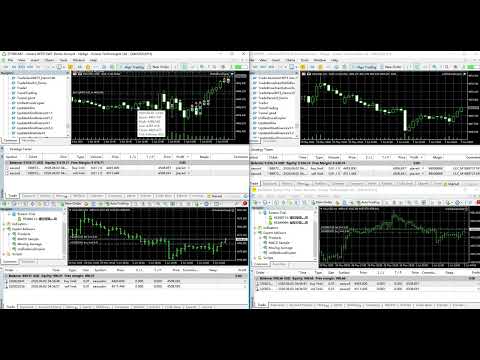
Unified Local Copier is a local trade-copying Expert Advisor for MetaTrader 4 and MetaTrader 5. It does not rely on external DLLs and delivers low-latency, reliable order synchronization between Master and Slave terminals on the same computer. MT4 and MT5 can be combined in cross-platform setups.


Current version: v1.30 (MT5 / MT4)


1. How It Works and Copy Scope


The system uses a Master-Slave architecture. One channel supports one Master and multiple Slaves: a single Master account syncs trade instructions to multiple Slave accounts.


Master

  Monitors all trading activity on the account in real time, including:

  - Pending order placement, modification, and deletion (Buy/Sell Limit, Stop, etc.)

  - Market opens

  - Stop-loss / take-profit changes on open positions

  - Position closes (including partial closes and hedge Close By)


Slave

  Receives instructions from the Master and mirrors them on the local account. The system handles symbol matching, lot normalization, and slippage control automatically, and links each Master order to its Slave counterpart so alignment can continue after reconnects.


Cross-platform support

  Supported combinations:

  - MT5 Master → MT4 Slave

  - MT4 Master → MT5 Slave

  - Same-platform Master → same-platform Slave


Copy scope

  The Slave fully mirrors: pending place / modify / delete, market opens, SL/TP changes, closes, and hedge closes. Orders from manual trading, EAs, and triggered pendings are all supported.


2. Direction Filter (InpSlaveCopySide)


The Slave can filter copied trades by direction. This suits setups where you only want one side of the Master strategy (e.g. long-only or short-only).


Options:

  SLAVE_COPY_BOTH (default) — copy both Buy and Sell

  SLAVE_COPY_BUY          — copy Buy only

  SLAVE_COPY_SELL         — copy Sell only


Filter rules:

  1. Opens and pending placement: only orders matching the selected direction are copied (including Buy/Sell Limit, Stop, and other pending types).

  2. Closes and position changes: only positions on the selected side are processed. With "Buy only", a Master Sell close does not close anything on the Slave; a Master Buy close closes the matching Buy position on the Slave.

  3. Pending modify and delete: if the Slave has already copied a Master pending order, modify and delete still sync to avoid orphaned pendings.


Note: the direction filter applies to the Slave only. Leave the default on the Master.


3. Input Parameters


Common parameters (required on both Master and Slave)


  Parameter             Type / Default         Description

  -------------------------------------------------------------------------

  InpRole               ROLE_MASTER            Role. ROLE_MASTER = send instructions;

                                               ROLE_SLAVE = receive and copy.

  InpChannelID          8888 (int)             Channel ID. Must match exactly on Master and Slave.

                                               When running multiple copiers on one PC, use a

                                               different Channel ID for each (e.g. 8888, 9999).


Slave-only parameters


  Parameter             Type / Default         Description

  -------------------------------------------------------------------------

  InpLotSize            0.01 (double)          Copy lot size. Fixed lot for every copied order

                                               (not scaled to Master volume). Normalized to

                                               broker min/max lot and step automatically.

  InpComment            "ULC" (string)         Comment prefix for copied orders. The system

                                               adds a Master ticket identifier for tracking

                                               and deduplication.

  InpSymbolSuffix       "" (string)            Symbol suffix for cross-broker name differences.

                                               E.g. Master XAUUSD / Slave XAUUSDm — leave empty

                                               for auto-match or enter "m" manually.

  InpSlaveCopySide      SLAVE_COPY_BOTH        Direction filter. See Section 2. Slave only.

  InpReplayHistoryOnStart false (bool)         Catch up on past instructions at startup.

                                               false (recommended): join live sync now and skip

                                               older instructions to avoid bulk catch-up.

                                               true: process all unhandled history in order.


MT5 Slave only


  Parameter             Type / Default         Description

  -------------------------------------------------------------------------

  InpDeviation          30 (points)            Maximum allowed price deviation in points for

                                               market orders. Orders may be rejected if

                                               price moves beyond this tolerance.


MT4 Slave only


  Parameter             Type / Default         Description

  -------------------------------------------------------------------------

  InpSlippage           30 (points)            Allowed slippage in points for market opens

                                               and closes.


Master-only parameters


  Parameter             Type / Default         Description

  -------------------------------------------------------------------------

  InpClearQueueOnStart  false (bool)           Clear sync history on startup.

                                               false (recommended): keep state so Slaves can

                                               resume after timeframe changes or EA reload.

                                               true: start fresh for a new copy session.


MT4 Master only


  Parameter             Type / Default         Description

  -------------------------------------------------------------------------

  InpMasterPollSec      1 (int)                Master check interval in seconds. On low-tick

                                               symbols or H1 charts, use 1 second or more so

                                               order changes are detected promptly.


4. Deployment Guide


1. Deploy Master


  (1) Open the MT4 or MT5 terminal that will send signals and attach the EA to any chart (symbol and timeframe do not matter; an always-open chart is recommended).

  (2) Drag UnifiedLocalCopier onto the chart.

  (3) Set InpRole = ROLE_MASTER and configure InpChannelID.

  (4) Enable the terminal Algo Trading / AutoTrading master switch.


  Important:

  - Only one Master EA per account and Channel ID.

  - Do not run multiple Masters with the same Channel on different charts of the same account, or conflicts and duplicate copies may occur.

  - The Master watches the entire account; one chart is enough.


2. Deploy Slave


  (1) Attach the EA on the receiving MT4 or MT5 terminal (another client or account is fine).

  (2) Set InpRole = ROLE_SLAVE and match InpChannelID to the Master exactly.

  (3) Set Slave parameters as needed: InpLotSize, InpSlaveCopySide, InpSymbolSuffix, etc.

  (4) Enable Algo Trading; the EA enters standby sync mode.


  Important:

  - Run only one Slave EA per copy account and Channel.

  - If symbol names differ, check InpSymbolSuffix or confirm auto-mapping in the Experts log.


5. Product Features


No DLL dependency

  All functionality is built into the EA. No external components to install — simpler setup and broad compatibility.


Accurate deduplication

  The Slave validates before opening to prevent duplicate copies from latency or repeated triggers.


Smart event filtering

  The Master filters redundant updates after market fills, reducing unnecessary modify instructions on the Slave.


Reliable sync under high activity

  Built-in fault tolerance and retry for burst order flow (e.g. grid or martingale), helping reduce missed copies.


Full pending order lifecycle

  Place, modify, and delete all sync. When the Master cancels a copied pending, the Slave removes it too — no leftovers.


One-to-one order linking

  Each copied order is linked to its Master source so closes, modifies, and deletes target the correct Slave order.


Resume after disconnect

  With InpClearQueueOnStart = false (recommended), Slaves can safely resume after EA reload or chart changes without starting over.


6. Supported Operations


  Operation             Slave action

  -------------------------------------------------------------------------

  Pending place         Place matching pending on Slave

  Pending modify        Modify price / SL / TP on Slave pending

  Pending delete        Delete matching Slave pending

  Market open           Market Buy / Sell open on Slave

  Position SL/TP change Modify SL / TP on matching Slave position

  Close                 Close matching Slave position

  Close By (hedge)      Close matching position via Close By logic


7. FAQ


Q: Slave log says it is waiting for the Master?

A: Start the Master EA first and confirm InpChannelID matches on both sides.


Q: Slave symbol mapping failed?

A: Check InpSymbolSuffix or add the symbol to Market Watch on the Slave terminal.


Q: With "Buy only", why are Master Sell pendings not copied?

A: Expected. The direction filter copies only the selected side. Pendings already copied are still modified or deleted when the Master changes them.


Q: Can MT4 and MT5 be mixed?

A: Yes. Use the same Channel ID with Master and Slave on the same computer for cross-platform copying.


Q: Can Master and Slave use different broker accounts?

A: Yes. Use InpSymbolSuffix for symbol name differences and InpLotSize for independent lot sizing on the Slave.


Q: Is copy lot scaled to the Master?

A: No. The Slave uses the fixed InpLotSize. Set it according to your Slave account size and risk.

Recommended products
Order Blocks and Fair Value Gaps Zones
Shanawaz Mohammed Nabi Rasool Pinjori
Order Blocks and Fair Value Gaps marks the two most-used Smart Money zones on your chart automatically, so you can see at a glance where price may react. What it draws Bullish and bearish order blocks: the last opposite candle before a strong impulse candle (body larger than a set multiple of ATR) that closes beyond that candle's range. Bullish and bearish fair value gaps (FVG): the three-candle imbalance, the gap between the first and third candle, with a minimum size in ATR to filter noise. Ev
FREE
Bober Real MT5
Arnold Bobrinskii
4.88 (16)
Bober Real MT5 is a fully automatic Forex trading Expert Advisor. This robot was made in 2014 year and did a lot of profitbale trades during this period. So far over 7000% growth on my personal account. There was many updates but 2019 update is the best one. The robot can run on any instrument, but the results are better with EURGBP, GBPUSD, on the M5 timeframe. Robot doesn't show good results in tester or live account if you run incorrect sets. Set files for Live accounts availible only for cu
SC Copier Starter
Nino Rosano Calabro'
SC-Copier Starter is the operational component of the SC-Copier system: it receives trading operations from the Master and replicates them on the Slave account. It is installed on a second MetaTrader 5 client running on the same computer or VPS as the Master account. Communication takes place locally between the two terminals, without web services, DLLs, or external infrastructure. The Receiver handles position openings, complete and partial closings, and Stop Loss or Take Profit modifications.
Boleta Marota
Renan Tavares Dos Santos Martins
Boleta Marota is a trading tool designed for traders who value speed, clarity, and full control when executing orders on MetaTrader 5. Created by Renan Martins , Boleta Marota offers a clean and intuitive interface that brings the most important trading actions together, allowing you to buy, sell, move to breakeven, and cancel orders with just one click. The interface is built for real trading conditions: Clean and straightforward design Essential information always visible Reduced operati
Golden Route home MT5 calculates the average prices of BUY (LONG) and SELL (SHORT) open positions, taking into account the size of open positions, commissions and swaps. The indicator builds the average line of LONG open positions, after crossing which, from the bottom up, the total profit for all LONG positions for the current instrument becomes greater than 0. The indicator builds the average line of SHORT open positions, after crossing which, from top to bottom, the total profit for all SH
Gold Range Grid Mean Reversion — version 4.20 Current strategy: Gold Regime H1 Pro, an H1 trend-following system. Additional entries are disabled by default. October 2026 update kit: setup notes, executable defaults and matched simulation summary . MT5 Setup Hub . Follow gold trends from one H1 chart, with exposure that adapts to volatility and ATR-based trade management. Designed for traders who want clear rules and a return/drawdown comparison before choosing an automated strategy. Product ide
GOLD/USDT M15 Dynamic ATR Expert Advisor Designed specifically for GOLD/USDT on the M15 timeframe, this Expert Advisor adapts perfectly to non-standard price scales, digits, and tick structures typical of crypto and synthetic gold contracts. By replacing fixed points with dynamic ATR volatility metrics, it delivers robust risk control and precision execution. Key Features Dynamic ATR Risk Management: Stop Loss, Take Profit, and Trailing Stop are calculated using ATR multipliers based on real-tim
Basic working principles of EA will have 2 main systems. 1. Timed order opening means that at the specified time the EA will open 1 Buy order and 1 Sell order. 2. When the graph is strong, the EA will remember the speed of the graph. is the number of points per second which can be determined You can set the number of orders in the function ( Loop Order ). The order closing system uses the trailling moneym Loss system, but I set it as a percentage to make it easier to calculate when the capital
MT5 Drawdown Tracker – Track Your EA’s Performance with Precision! Take your trading analysis to the next level with our MT5 indicator designed to monitor, record, and report the drawdown of any Expert Advisor. Whether you’re fine-tuning your strategies or optimizing risk management, this tool gives you the insights you need. Key Features: Effortless Tracking: Automatically monitors the drawdown levels of your EAs with precision. Comprehensive Data Storage: Accurately logs each drawdown event,
Gold Jesus Blessings AI Neural EA MT5 for XAUUSD Auto Trading - New York Session Recommended - Use Latest Upgrade V22 as of 22 Jan 2026 Use Every tick Mode & 1 Mint OHLC mode for Back-test.  (Note the EA is by default set for 3 Digit Broker, for 2 Digits broker, write to me for set file-I'll share) Launch Offer for 1st 10 Copies Only at $198 - Price will be hiked to $299 after sale of 1st 10 copies. Advanced AI-Driven XAUUSD Trading Expert Advisor Gold Jesus Blessings AI Neural EA MT5 is a fu
Mt5 Classic BBSO
Olivier Nomblot
GUESS WHO'S BACK. THE LEGENDARY BLACK BOX SELF-OPTIMIZING EA — REBORN FOR 2026. Award-winning. Ranked top 20 overall for a DECADE on MT5. No. 1 in the world. Three times. The original self-optimizing multi-module engine traders still talk about today — now rebuilt from the ground up. BBSO – BlackBoxSelfOpt. Plug & Play. Self-Optimizing. Multi-Strategy. Trades currencies, metals, indexes. THE HONEST MACHINE While a generation of "money-printer" robots quietly stacked hidden grids and martingale b
BulkOp Trade Manager
Ahmed Jumaa Saif Ali Almheiri
BulkOp Trade Manager Trade faster. Manage smarter. Close with confidence. BulkOp Trade Manager is a powerful MT5 utility EA built for traders who need speed, control, and clean execution directly from the chart. It is designed for active manual traders, scalpers, gold traders, and anyone who wants to manage multiple positions with less delay and fewer clicks. Why BulkOp? Ultra-fast Buy and Sell execution One-click Bulk Close Profit One-click Bulk Close Loss Keyboard trading control Bulk order e
NAS100 Strategy EA v1
Sergio Millares Raposo
A professional Expert Advisor (EA) for the Nasdaq 100 that operates on a 5-minute timeframe, based on price action and moving average crossovers to detect trends and clean entries on the Nasdaq 100. It is designed to capture fast and solid moves, filtering out false signals and avoiding noise in sideways markets. Ideal for traders seeking automation, consistency, and a clear strategy for the asset. The system adapts to the dynamics of the Nasdaq and can be used on both live and funded accounts,
CopyMaster mt5
Evgenii Aksenov
5 (3)
This utility will allow you to copy any trades from one terminal with the Master setting to other terminals with the Slave setting At the same time, you can choose which pairs to copy, set the size of the copied order by several parameters. Set the limit losses by DrawDown or copy only profitable trades You can copy deals from MT4 or MT5 to MT4 or MT5 other brokers Now it will not be difficult to copy the signals of any Expert Advisor working in MT4 to the MT5 terminal or back Use Copy Master to
Compare Discipline and Loyalty One-month rental is also available through MQL5 Market. Onyx Dual Gold brings Discipline and Loyalty into one MT5 Expert Advisor. Enable either model or evaluate both, and choose how to allocate exposure. The shared panel helps you review their operating state. Compare each model in the Strategy Tester before using a combined configuration. Gallery note: All three screenshots show release 1.03, an earlier version. They do not demonstrate the current fixed-lot behav
Universal System Forex
Ignacio Agustin Mene Franco
Hello community, on this occasion I'm here to introduce you to Universal Professional Trading System MAIN PURPOSE This is an advanced and universal technical indicator designed to work in any market (Forex, Metals, Cryptocurrencies, etc.) and any timeframe. It's not an EA that trades automatically, but rather a comprehensive analysis and signals system. KEY FEATURES 1. AUTOMATIC SYMBOL DETECTION Automatically identifies asset types (Forex, Gold, Silver, Crypto, JPY pairs) Automatically
GoldSpire MT5
Mohamed Gaith Mouzeik
5 (3)
Automated Gold Trading Expert Advisor for MetaTrader 5 GoldSpire MT5 V2 is an automated trading system developed primarily for XAUUSD (Gold). It combines four trading approaches, multi-timeframe market analysis and structured recovery management within a single Expert Advisor. The system analyzes price action, trend direction and market conditions to identify trading opportunities. Integrated position management, trading filters and configurable risk controls support automated execution and bas
Complete SMC/ICT Indicator MT5 — Smart Money Concepts Tool The Complete SMC/ICT Indicator is a standalone Smart Money Concepts analysis tool that runs directly on the chart window. It provides institutional‑grade detection of market structures, imbalances, and liquidity zones, with full customization and alerts. Features The indicator detects ten core SMC elements: swing highs and lows, fair value gaps, order blocks, breaks of structure, changes of character, market structure shifts, equal hig
Indicator Description (based on AVPT EA ): This indicator visualizes a Volume Profile-based liquidity architecture on the chart by analyzing where trading volume is concentrated across price levels over a specified lookback period. It calculates key volume structures such as: Point of Control (POC): the price level with the highest traded volume. Value Area (VA): the range containing a configurable percentage of total volume (typically ~70%). High-Volume Nodes (HVNs): price levels with sign
FREE
SMC Sniper1
Van Trong Tran
MC Sniper — EA Giao Dịch Phá Cấu Trúc Thị Trường Thông Minh. dành cho giao dịch XAUUSD/Vàng trên nền tảng MetaTrader 5. Nó được thiết kế cho các nhà giao dịch thuận lợi như một EA vàng không sử dụng mạng lưới, không sử dụng chiến lược Martingale, có tính năng Cắt cắt và thực tế logic lãi suất và quản lý rủi ro có thể kiểm tra Kiểm soát. **Chỉ giao dịch đột phá tại các mức quan trọng.** SMC Sniper là một hệ thống đột phá M5 hoàn toàn tự động được xây dựng dựa trên cấu trúc thị trường của Sma
TransitBlueOcean
TRANSITBK98
5 (1)
TransitBlueOcean is indicator system that uses ocean wave's pattern, to help one to know when to buy and when to sell. The indicator system is very powerful like the ocean waves. Join the mql5 channel for TransitBlueOcean  https://www.mql5.com/en/channels/transitblueocean   How to use: Zoom in so that the Ocean will appear on your chart. Buy when you see the candles, the candle will be above the ocean wave (buying signal). Sell when you can't see the candles, the candles will be inside the wav
The  Kijun-Sen Envelope  is a powerful trend-following indicator based on the  Kijun-Sen  line from the Ichimoku Kinko Hyo system. This tool creates dynamic upper and lower bands around the Kijun-Sen, forming an envelope that helps traders identify market trends, potential reversals, and overbought/oversold conditions. Key Features: • Trend Confirmation – Helps determine whether the market is in a strong uptrend, downtrend, or ranging phase. • Support & Resistance Zones – The envelope acts as
FREE
PROMO: ONLY 10 LEFT AT $90! Next price:        $199 Price will be kept high to limit number of users for this strategy. This EA starts trading at the open of   London (UK) Session . It is based on analysis of advanced statistical distributions combined with short to medium term reversal patterns which have mean-reversion attributes. The EA includes several smart features and allows you to trade with a fixed or automatic lot size. The EA is not sensitive to spreads but can be backtested on both
ID Trade_Bot BS - an effective tool for automated trading using RSI Trade_Bot BS is an efficient solution for automated trading based on RSI, allowing flexible parameter customization and risk management. Thanks to the ability to choose a trading mode, dynamic Stop-Loss and Take-Profit levels, and trading mode adjustment (buying, selling, or both), it is suitable for various trading strategies. Key Features: Uses the RSI indicator to determine market conditions. Automatically opens an
XAU channel breakout  — Expert Advisor based on price channel breakouts with multi-layer signal filtering. Short Description ChannelTrader v5.5 is a fully automated trading system that builds a price channel around the current price and trades breakouts of its boundaries. Every signal passes through four independent filters (MA, ZigZag, TrendLine, and time filter), which helps to filter out false breakouts and trade only in the direction of the prevailing movement. The EA operates on a "channel
Gold Impulse Scalper M15
Christian Villen Fajardo
️ Gold Impulse Scalper M15 (XAUUSD) Impulse-driven execution engine for Gold on M15 What it does This EA waits for a true momentum burst —a candle where price moves decisively in one direction. When that candle closes, the system deploys a 3-step plan : a market entry at close and two smart retrace orders. It’s built to be transparent, disciplined, and quick , without martingale or grid. How it trades (story of a signal) Spot the impulse The engine evaluates the finished candle: stron
Visual Spread Monitor Indicator
AL MOOSAWI ABDULLAH JAFFER BAQER
• Please test the product in the Strategy Tester before purchasing to understand how it works. • If you face any issues, contact me via private message—I’m always available to help. • After purchase, send me a screenshot of your order to receive a   FREE EA   as a gift. Visual Spread Monitor: Your Essential Tool for Precision Trading Take control of your trading costs and master your market entries with the Visual Spread Monitor, the ultimate indicator for tracking and analyzing one of the mos
ProTrade EA
Jim Ariel Camarce Ignao
Key Features   Automated Candle Pattern Recognition 10 Professional Patterns : Detects Bullish/Bearish Engulfing, Hammer/Shooting Star, Morning/Evening Star, Piercing/Dark Cloud, and 6 additional professional candlestick patterns Smart Filtering : Combine multiple patterns with configurable confirmation logic Volume Confirmation : Optional volume filter to validate pattern strength Multi-Timeframe Analysis : Separate execution and bias timeframes for better timing   Trading Dashboard Int
G Labs Trade Manager Mt5
Garry James Goodchild
5 (1)
G-Labs Trade Manager by G-Labs — on-chart trade panel for MetaTrader 5. Risk-based lot sizing, visual entry stop and take profit lines, position management, news filter, currency strength, statistics, and OCO breakout tools. One panel for planning, executing, and managing manual trades. Set risk before you click buy or sell, drag stop loss and take profit on the chart, manage open positions and pending orders, and track performance — you stay in control of every decision. Trading utility, not a
Trade Copier Professional — Local Copy Solution Trade Copier Professional is a reliable local trade copying system for MetaTrader 4/5. It allows traders to replicate positions instantly across multiple accounts on the same computer, with built‑in safety controls and a professional dashboard. Overview The EA operates in both Master and Slave modes from a single file, with seamless switching. Trades can be copied between MT4 and MT5 terminals without internet dependency, using local file‑based
Buyers of this product also purchase
Trade Assistant MT5
Evgeniy Kravchenko
4.43 (216)
It helps to calculate the risk per trade, the easy installation of a new order, order management with partial closing functions, trailing stop of 7 types and other useful functions. Additional materials and instructions Installation instructions - Application instructions - Trial version of the application for a demo account Line function -   shows on the chart the Opening line, Stop Loss, Take Profit. With this function it is easy to set a new order and see its additional characteristics bef
Forex Trade Manager MT5
InvestSoft
4.98 (687)
Trade Manager MT5 is an advanced position size calculator and trade management tool for MetaTrader 5, designed to help traders plan trades faster, control risk more precisely, and manage open positions directly from the chart. It combines order placement, risk based lot calculation, Stop Loss and Take Profit management, Break Even, Trailing Stop, Partial Close, Equity Protection, and external trade management in one panel. Whether you trade forex, indices, metals, commodities, crypto, or future
Local Trade Copier EA MT5
Juvenille Emperor Limited
4.94 (149)
Local Trade Copier EA MT5 is a fast and flexible trade copier for copying and managing trades between multiple MetaTrader 5 accounts on the same Windows computer or Windows VPS. It combines local trade synchronization with Receiver-side controls for lot sizing, risk management, trade filtering, symbol mapping, trade management and account protection. Set up your Transmitter and Receiver terminals in about 1 minute and copy manual or EA trades between accounts at the same or different brokers. U
================================================================================ POC BREAKOUT - V20.72. Full Professional Grade Toolkit ================================================================================ POC Breakout is a full MetaTrader 5 trading dashboard for discretionary traders who want breakout signals, Point of Control (POC) context, volume profiles, order flow, market structure, news, alerts, and advanced trade planning in one professional workspace. Attached directly to you
Telegram to MT5 MultiChannel Copier
Sergio Marquez Uroz
4.65 (20)
Telegram to MT5 Multi-Channel Copier   automatically copies trading signals from your Telegram and Discord channels straight to MetaTrader 5. No bots, no browser extensions, no manual copying. A signal arrives in Telegram or Discord and the EA opens the trade in your terminal within seconds. And before you copy a channel, the built-in backtester shows you what that channel would have done in your account. The product has two components: a Windows application that listens to your Telegram channel
Strategy Ledger Pro
Abdullah Uygar Tuna
5 (11)
Strategy Ledger Pro is a read-only account analysis panel for MetaTrader 5. It separates account results by Expert Advisor, strategy, symbol, and magic number, so you can see what each one really contributes. The panel is available in 11 languages: English, Français, Deutsch, Español, Italiano, Português, Русский, Türkçe, 中文, 日本語 and 한국어. Before you download the demo. The Market runs the demo of any paid product in the Strategy Tester only. This panel analyses the trades on your own account, and
TradePanel MT5
Alfiya Fazylova
4.88 (170)
Trade Panel is a multi-functional trading assistant. The app contains over 50 trading functions for manual trading and allows you to automate most trading tasks. Application instructions: https://www.mql5.com/en/blogs/post/756482 Trial version of the application for a demo account: https://www.mql5.com/en/blogs/post/750865 How to install the application: https://www.mql5.com/en/blogs/post/756239 How to test the application in visual mode: https://www.mql5.com/en/blogs/post/770277 How to install
Copy Telegram signals with your own trading rules Telegram to MT5 Signal Trader automatically copies text-based trading signals from public and private Telegram channels and groups into MetaTrader 5. Manage multiple providers and MT5 accounts from one desktop app, with individual risk and trade settings for each provider . No Telegram bot or API setup needed for copying. Simply sign in with your own Telegram account by phone or QR code and select the channels or groups you have already joined. Y
FarmedHedge Pair Trading Dashboard
Tanapisit Tepawarapruek
5 (6)
Farmed Hedge Yield Farming | All Markets (Manual - Hybrid - Semi/Automated EA) VERIFIED TRADING RESULTS - Farmed Hedge Yield Axi Copy:  https://www.mql5.com/en/signals/2356376 - Farmed Hedge Yield Exn Copy:   https://www.mql5.com/en/signals/2356404 - Farmed Hedge Yield V Copy:  https://www.mql5.com/en/signals/2357156 IMPORTANT NOTICE: FarmedHedge is a MANUAL-FOCUSED TRADING UTILITY ,not a fully automated EA. Results shown on this Signal include manual trades and overall strategic management.
The product will copy all telegram signal to MT5 ( which you are member) , also it can work as remote copier.  Easy to set up, copy order instant, can work with almost signal formats, image signal,  s upport to translate other language to English Work with all type of channel or group, even channel have "Restrict Saving Content", work with  multi channel, multi MT5 Work as remote copier: with signal have ticket number, it will copy exactly via ticket number. Support to backtest signal. How to s
Power Candles Strategy Scanner - Self-Optimizing Multi-Symbol Setup Finder Self-optimizing settings work one chart at a time, and finding where they pay off right now means opening chart after chart. Power Candles Strategy Scanner runs the same self-optimizing engine as the Power Candles indicator on every symbol in your Market Watch, side by side. One panel ranks where it pays off: the winning strategy per symbol, its optimized Stop Loss and Take Profit. An alert fires the moment a fresh signal
Entry In The Zone with SMC Multi Timeframe is a real-time market analysis tool based on Smart Money Concepts (SMC), designed to analyze market structure, price direction, and key trading zones. It supports both Single-Timeframe and Multi-Timeframe Analysis, providing a clearer view of overall market structure across multiple timeframes, with real-time BUY / SELL signals designed with a strict focus on No-Repaint principles.   The signals are designed to help filter unclear setups and evaluate tr
Quant AI Agents
Ho Tuan Thang
5 (1)
Quant AI Agents are independent trading Expert Advisors. Instead of trading using a fixed strategy like other conventional EAs, Quant AI Agents   is a   multi-agent AI trading framework   that turns natural-language strategy prompts into live.  WANT THE SAME RESULTS AS MY LIVE SIGNAL?   Use the exact same brokers I do:   IC MARKETS , IC TRADING   .  Unlike the centralized stock market, Forex has no single, unified price feed.  Every broker sources liquidity from different providers, creating un
Exp COPYLOT CLIENT for MT5
Vladislav Andruschenko
3.97 (35)
Professional Trade Copier for MetaTrader 5 Fast, professional, and reliable trade copier for MetaTrader . COPYLOT allows you to copy Forex trades between MT4 and MT5 terminals with support for Hedge and Netting accounts. COPYLOT MT5 version supports: - MT5 Hedge to MT5 Hedge - MT5 Hedge to MT5 Netting - MT5 Netting to MT5 Hedge - MT5 Netting to MT5 Netting - MT4 to MT5 Hedge - MT4 to MT5 Netting MT4 version Full Description +DEMO +PDF How To Buy How To Install How to get Log Files H
Grid Manual MT5
Alfiya Fazylova
4.73 (22)
Grid Manual is a trading panel for working with grid strategies. The utility is universal, has flexible settings and an intuitive interface. It works with a grid of orders not only in the direction of averaging losses, but also in the direction of increasing profits. The trader does not need to create and maintain a grid of orders, the utility will do it. It is enough to open an order and the "Grid manual" will automatically create a grid of orders for it and will accompany it until the close. F
Trade Indicator Assistant   is a powerful MT5 utility designed to turn indicators into automated trading systems. Its main feature is the ability to automatically detect an indicator’s   BUY and SELL signal buffers , without requiring you to know the buffer numbers, search through indicator settings, or modify the indicator source code. Bonus Indicator:   After purchasing Trade Indicator Assistant, contact me to receive   Trade Signal Pro   completely free as a bonus indicator. [Download Demo V
Footprint Chart Pro — Professional OrderFlow EA for MetaTrader 5 Version 6.34 | Professional tool for real traders | Institutional-Grade Visualization DEMO USERS - PLEASE SELECT EVERY TICK / REAL TICK WHEN TESTING AND YOU HAVE DOWNLOADED HISTORICAL DATA. IF YOU SEE A WAITING SCREEN AND IT IS NOT DOWNLOADING, IT MEANS YOU HAVE LOW HISTORICAL DATA. TRY 1 MIN AND 5 MIN FIRST ON 1 DAY DATA. ONE DAY DATA SHOULD BE THE NEWEST AND MOST CURRENT DATE. PLEASE WAIT UNTIL THE MARKET HAS ROLLED OVER PERIOD.
Signal Trading View to MT5 Pro
Mirel Daniel Gheonu
4.5 (2)
Signal TradingView to MT5 Pro  Instant professional execution between TradingView and MetaTrader 5 Automate your trading strategy with the most robust communication bridge between TradingView alerts and real execution in MT5. Designed for traders who demand speed, flexibility, and impeccable risk management, this Expert Advisor transforms any alert message into a precise market or limit order.   Install and TEST the TRIAL version HERE STRENGTHS AND ADVANTAGES Universal Parsing Engine (Propriet
Trade Dashboard MT5
Fatemeh Ameri
4.94 (135)
Trade Dashboard simplifies how you open, manage, and control your trades, with built-in lot size calculation. It allows you to execute trades, manage risk, and control positions directly on the chart, with tools such as partial close, breakeven, and trailing stop. Designed to reduce manual work and help you stay focused on your trading decisions. A demo version is available for testing. Detailed explanations of features are provided within the MQL5 platform. Installation instructions are include
Seconds Chart MT5
Boris Sedov
4.61 (18)
Seconds Chart is a unique tool for creating second-based charts in MetaTrader 5 . With Seconds Chart , you can construct charts with timeframes set in seconds, providing unparalleled flexibility and precision in analysis that is unavailable with standard minute or hourly charts. For example, the S15 timeframe indicates a chart with candles lasting 15 seconds. You can use any indicators and Expert Advisors that support custom symbols. Working with them is just as convenient as on standard charts.
Telegram To MT5 Ultra
Mirel Daniel Gheonu
5 (5)
Telegram To MT5 — Signal Copier Turn the trading calls from your Telegram channels into real MT5 orders — automatically, on as many accounts as you like, with risk and rules fully under your control. Telegram To MT5 connects the VIP / signal channels you already follow on Telegram to your MetaTrader 5 terminal. A free companion desktop app reads the messages (even from channels that block bots), and this Expert Advisor executes them on your account — applying your own risk settings, symbol mappi
FUTURES ORDERFLOW FOOTPRINT CHART Professional OrderFlow EA for MetaTrader 5 Version 1.01| Professional tool for real traders | Institutional-Grade Visualization STRATEGY TESTER USERS - PLEASE SELECT EVERY REAL TICK WHEN TESTING AND YOU HAVE DOWNLOADED HISTORICAL DATA. IF YOU SEE A WAITING SCREEN AND IT IS NOT DOWNLOADING, IT MEANS YOU HAVE LOW HISTORICAL DATA. TRY 1 MIN AND 5 MIN FIRST ON 1 DAY DATA. ONE DAY DATA SHOULD BE THE NEWEST AND MOST CURRENT DATE. PLEASE WAIT UNTIL THE MARKET HAS ROL
The Patch
Mian Rameez Ali
The Patch It never opens a trade. It walks behind the ones that did. Every open position, every pending order — checked twice a second for the one thing that's easy to forget: a stop, a target. Found bare, it doesn't ask. It writes the missing number in, measured in points from wherever the position began, and moves on to the next. No strategy, no opinion on direction. Just the quiet assumption that nothing should ever sit on the market unprotected — not because someone decided it shouldn't,


Anchor Trade Manager
Kalinskie Gilliam
5 (9)
Your EAs cannot see each other, but Anchor can. Anchor gives you one place to coordinate your EAs, manage risk, and decide when trading is allowed. It works alongside the trading bots you already use without any changes to them. The Problem One EA opens a trade. Then another starts trading. The next thing you know, you wake up to multiple grids built across your account. Each EA may be doing exactly what it was designed to do, but together they can place far more risk on your account than you in
Trade copier MT5
Alfiya Fazylova
4.61 (57)
Trade Copier is a professional utility designed to copy and synchronize trades between trading accounts. Copying occurs from the account / terminal of the supplier to the account / terminal of the recipient, which are installed on the same computer or VPS . Before buying, you can test the demo version on a demo account. Demo version here . Full instruction here . Main functionality and benefits: Supports copying MT5> MT5, MT4> MT5, MT5> MT4, including MT5 netting accounts. * Supports copying Dem
The News Filter MT5
Leolouiski Gan
4.79 (24)
This product filters   all expert advisors and manual charts   during news time.  It is able to remove any of your EA during news and automatically reattach them after news ends. This product also comes with a complete  order management system   that can handle your open positions and pending orders before the release of any news. Once you purchase   The News Filter , you will no longer need to rely on built-in news filters for future expert advisors, as this product can filter them all from her
Floor Watch
Syed Tauqeer Hussain Shah
Floor Watch One number, watched every thirty seconds: how far equity has fallen since the day began — or since its highest point, if it's told to trail the peak instead of the open. Cross the line and it doesn't argue. Every open position closes, every pending order vanishes, and anything that slips through afterward gets shut the moment it appears. Not asked. Removed. The floor holds until the clock turns 5 AM Pakistan time — then, and only then, does the day start over. One rule. No except
VirtualTradePad One Click Trading Panel
Vladislav Andruschenko
4.59 (74)
Trading Panel for MetaTrader 5 — professional one-click trading from chart and keyboard A powerful trading panel for active manual trading, designed to open, manage, and close trades far faster and more efficiently than the standard MetaTrader interface. This panel is built for traders who want full control over positions, pending orders, profit management, and trading execution inside one professional workspace. This is not just another utility. It is a complete trading cockpit for MetaTrader
YuClusters
Yury Kulikov
4.93 (43)
Attention: You can view the program operation in the free version  YuClusters DEMO .  YuClusters is a professional market analysis system. The trader has unique opportunities to analyze the flow of orders, trade volumes, price movements using various charts, profiles, indicators, and graphical objects. YuClusters operates on data based on Time&Sales or ticks information, depending on what is available in the quotes of a financial instrument. YuClusters allows you to build graphs by combining da
The MT5 to Discord Signal Provider is a user-friendly, fully customizable utility designed for sending trading signals directly to Discord. This tool transforms your trading account into an efficient signal provider. Customize message formats to suit your style! For ease of use, select from pre-designed templates and choose which message elements to include or exclude. [ Demo ] [ Manual ] [ MT4 Version ] [ Telegram Version ]  New: [ Telegram To MT5 ] Setup Follow our detailed user guide for eas
More from author
Backtest Trade Simulator (BTS) — Manual simulation panel for MT4/MT5 Utility for MetaTrader 4 and MetaTrader 5. Use it in the Strategy Tester Visual mode to place and manage simulated market and pending orders on historical data. The product does not open trades automatically, is not investment advice, and does not guarantee any live or future trading results. Intended use - Practice manual trading workflow inside the Strategy Tester - Check pending prices, volume, and optional stop-loss / ta
FREE
KToM
Ping You Jiang
Backtest: $1,000 → $1,000,000. No grid, no martingale, no magic. Honestly? Most people who read this page won't buy it — because it demands that you truly know how to wait. If you think you're one of the few, keep reading. Starts at $299. Price rises $50 every 10 sales. What is K2M? K2M takes its name from $1K to $1M — the journey it completed in historical backtesting. Not a marketing figure. A verifiable fact: under identical historical prices and timestamps, K2M's live trade records align cl
Backtest Trade Simulator (BTS) — Manual simulation panel for MT4/MT5 Utility for MetaTrader 4 and MetaTrader 5. Use it in the Strategy Tester Visual mode to place and manage simulated market and pending orders on historical data. The product does not open trades automatically, is not investment advice, and does not guarantee any live or future trading results. Intended use - Practice manual trading workflow inside the Strategy Tester - Check pending prices, volume, and optional stop-loss / ta
FREE
Unified Local Copier (ULC) — Local Trade Copier Unified Local Copier is a local trade-copying Expert Advisor for MetaTrader 4 and MetaTrader 5. It does not rely on external DLLs and delivers low-latency, reliable order synchronization between Master and Slave terminals on the same computer. MT4 and MT5 can be combined in cross-platform setups. Current version: v1.30 (MT5 / MT4) 1. How It Works and Copy Scope The system uses a Master-Slave architecture. One channel supports one Master and mu
FREE
We apologize, but we are unable to provide service due to network issues. If you encounter any problems during installation or use, please contact 9048914@qq.com. Thank you. Binance is a world-renowned cryptocurrency exchange! In order to facilitate more accurate analysis of the encrypted digital currency market, the program can automatically import Binance’s futures K-line data to MT5 for analysis. The main functions are: 1. Support the automatic creation of all futures trading pairs on Binanc
FREE
We apologize, but we are unable to provide service due to network issues. If you encounter any problems during installation or use, please contact 9048914@qq.com. Thank you. Binance is a world-renowned cryptocurrency exchange! In order to facilitate real-time data analysis of the encrypted digital currency market, the program can automatically import Binance real-time transaction data to MT5 for analysis. The main functions are: 1. Support the automatic creation of spot trading pairs in the cur
FREE
We apologize, but we are unable to provide service due to network issues. If you encounter any problems during installation or use, please contact 9048914@qq.com. Thank you. Binance is a world-renowned cryptocurrency exchange! In order to facilitate the real-time data analysis of the encrypted digital currency market, the program can automatically import the real-time transaction data of Binance Futures to MT5 for analysis. The main functions are: 1. Support the automatic creation of USD-M futu
FREE
We apologize, but we are unable to provide service due to network issues. If you encounter any problems during installation or use, please contact 9048914@qq.com. Thank you. Binance is a world-renowned cryptocurrency exchange! In order to facilitate MT5 users to directly trade Binance Futures, the program provides the following trading functions: 1. Imitate the trading style of Binance Futures and provide a friendly operation panel; 2. Enter api and secret by yourself (you need to open futures
FREE
We apologize, but we are unable to provide service due to network issues. If you encounter any problems during installation or use, please contact 9048914@qq.com. Thank you. Binance is a world-renowned cryptocurrency exchange! To facilitate tracking of depth information and Tick changes, the program provides the following functions: 1. Automatically import all trading varieties in the Binance USD-M futures trading zone, with customizable product prefixes (to avoid conflicts with existing produ
FREE
Phantom’s Gift Pure Medium-to-Long Term Swing Frequency-Reduction & Adaptive Risk Management System: A "Dehydrated" Trend Weapon Tailored for High-Net-Worth Capital and Institutional Funds Why We Strongly Recommend Trading Gold (XAUUSD)? In the quantitative trading domain, Gold (XAUUSD) is universally acclaimed as the "King of Trends." The core algorithm of   Phantom’s Gift   is natively engineered with a flawless synergy for Gold due to the following structural dynamics: Explosive Monodirection
Alpha Channel — Professional Adaptive Volatility Corridor Indicator Eliminate Lag. Capture Institutional Edge ( $Alpha$ ). In quantitative trading, traditional channel indicators (like Bollinger Bands or Keltner Channels) severely lag or become "flat" during periods of extreme market volatility or prolonged consolidation.   Alpha Channel   is an adaptive volatility envelope indicator engineered specifically for the MT4 platform. By utilizing deep mathematical matrix calculations, it provides int
Phantom’s Gift Pure Medium-to-Long Term Swing Frequency-Reduction & Adaptive Risk Management System: A "Dehydrated" Trend Weapon Tailored for High-Net-Worth Capital and Institutional Funds Why We Strongly Recommend Trading Gold (XAUUSD)? In the quantitative trading domain, Gold (XAUUSD) is universally acclaimed as the "King of Trends." The core algorithm of Phantom’s Gift is natively engineered with a flawless synergy for Gold due to the following structural dynamics: Explosive Monodirectional V
Alpha Channel — Professional Adaptive Volatility Corridor Indicator Eliminate Lag. Capture Institutional Edge ( $Alpha$ ). In quantitative trading, traditional channel indicators (like Bollinger Bands or Keltner Channels) severely lag or become "flat" during periods of extreme market volatility or prolonged consolidation. Alpha Channel is an adaptive volatility envelope indicator engineered specifically for the MT5 platform. By utilizing deep mathematical matrix calculations, it provides intrada
Filter:
No reviews
Reply to review