Revden Terminal
- Utilities
- Version: 1.11
- Updated: 3 March 2026
- Activations: 5

REVDEN Terminal – AI-Powered Market Intelligence Directly in Your Chart
Overview
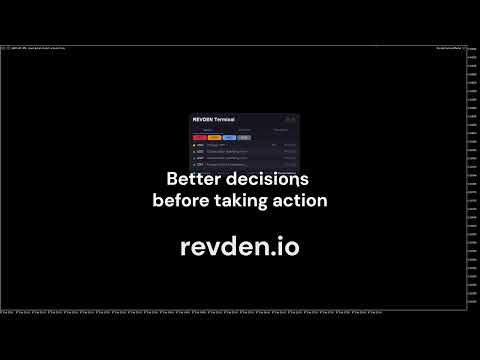
The REVDEN Terminal is a compact information panel that brings real-time market intelligence into your MetaTrader 5 chart. Three tabs - News Calendar, Symbol Analysis, and Market Weather - deliver a structured overview of what matters right now. A built-in alert system monitors your open positions and warns you before high-impact news events affect your trades. Dark Mode and Light Mode included.
Highlights
Empirical News Calendar
• Every economic event is classified using proprietary impact ratings based on years of historical market data. Critical, High, Medium, or Low - rated by actual market impact, with a "REV" marker where our rating differs from standard classifications. Filter by impact level and track live countdowns.Symbol Analysis at a Glance
• See the overall grade, relevance score, market condition, and structure for the symbol on your chart. IX Power and FX Power across three timeframes show whether momentum is aligned or diverging. Long-Term Alignment, Support/Resistance levels, SmartStop, and currency activity complete the picture.Market Weather Overview
• A quick snapshot of current market conditions across asset classes. Activity levels - active, normal, or quiet - help you decide whether conditions are worth trading in, before you even open a chart.News Alert for Open Positions
• The Terminal cross-references your open positions with upcoming high-impact events. When a Critical or High-impact release is approaching and you hold an affected currency, you receive a popup alert and push notification with the event name, currency, and time remaining.Dark Mode and Light Mode
• Full visual theme support. Switch between Dark and Light Mode to match your chart setup and personal preference.Configurable Tab Order
• Arrange the three tabs in any order you prefer. Start with News, Analysis, or Weather - your workflow, your choice.Universal Market Compatibility
• Works on Forex, Gold, Indices, and Crypto symbols.
What You Get - and What Subscribers Unlock
The REVDEN Terminal from the MQL5 Market delivers real value out of the box:
Included (MQL5 Market Edition)
• Full News Calendar with empirical impact ratings and live countdowns
• Symbol Analysis with grade, power states, LTA, Support/Resistance, SmartStop, and market activity
• Market Weather for Forex and Gold (activity levels)
• News Alert system for all open positions
• Dark Mode and Light ModeREVDEN Pro subscribers additionally see
• Complete risk assessment per symbol: volatility analysis, stop pressure, key factors, and risk factors
• Full Market Weather for Forex and Gold with directional trends and actionable breakdownsREVDEN Max subscribers additionally see
• Market Weather across all four asset classes: Forex, Gold, Indices, and Crypto
• Directional trends, activity levels, and actionable symbol counts for every market
Explore the full REVDEN system at revden.io
For Existing REVDEN Subscribers
If you already have a REVDEN Pro or Max subscription, you can download the full Subscriber Edition of the Terminal directly from your account settings at revden.io. Your personal API key is available in the same location. The Subscriber Edition unlocks all features matching your subscription tier.
Setup
After installation, add revden.io to your allowed URLs:
Tools > Options > Expert Advisors > Allow WebRequest for listed URL > add https://revden.io
Attach the Terminal to any chart. Data updates automatically every 60 seconds.
Input Parameters
Data Refresh Interval (seconds)
How often the Terminal fetches updated data from the server. Default: 60 seconds.
First Tab / Second Tab / Third Tab
Arrange the three tabs - News Calendar, Symbol Analysis, Market Weather - in your preferred order.
Color Mode
Choose between Dark Mode and Light Mode.
News Alert for Open Positions
Enable or disable automatic alerts when upcoming high-impact news events affect currencies of your open positions. Alerts are sent as chart popups and push notifications.
Debug Mode
Enables verbose logging in the Experts tab for troubleshooting.
More Resources
Visit the REVDEN platform for the full trading intelligence experience:
revden.io - AI-Powered Trading Intelligence
SEO Keywords
market intelligence mt5, news calendar mt5, economic calendar indicator, news alert open positions, forex news warning, ai trading terminal, symbol analysis mt5, market weather mt5, currency strength mt5, fx power indicator, trading dashboard mt5, stop loss news alert, high impact news mt5