HyperGal Alpha
- Experts
-
Muhammad Abdulrahman Omar Naima Allah Al-rais
 I am an automated trading systems developer with experience in the Forex market since 2004, supported by a strong background in technical analysis and its practical applications.
 - Version: 1.5
- Activations: 5
Overview
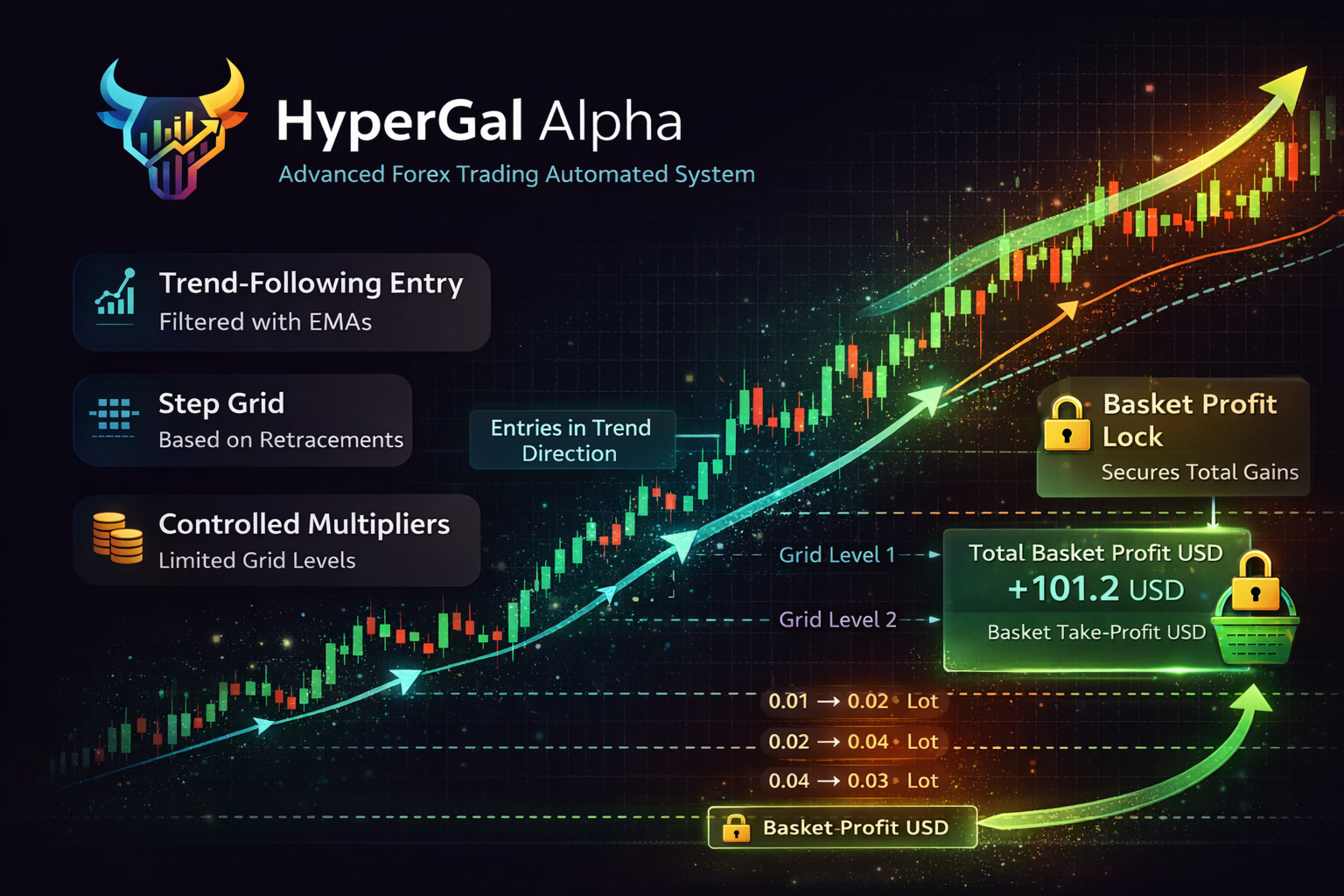
HyperGal Alpha is a professional automated trading system for MetaTrader 4 and MetaTrader 5, built around a controlled basket/grid cycle with multiple layers of risk management and execution safety.
The EA is designed for traders who want:
-
A rule-based basket approach (positions managed as one cycle)
-
Gradual order building (to avoid sudden exposure spikes)
-
Clear profit objectives in USD
-
Optional profit protection (lock) once profits are reached
-
Strong margin safety gates to reduce extreme risk during stressed market conditions
📌 Weekly results screenshots are posted in the product comments for transparency and ongoing monitoring.
Key Features
✅ Basket management
-
Manages all positions as a single basket cycle
-
Basket Take Profit in USD (close the entire cycle when target is reached)
✅ Profit protection
-
Optional Profit Lock mechanism to help protect gains once a profit zone is reached
-
Designed to reduce the chance of giving back accumulated basket profit during reversals
✅ Controlled exposure (grid with limits)
-
Configurable step distance and maximum levels
-
Configurable lot progression with optional caps
✅ Strong safety controls (real market oriented)
-
Hard Free-Margin Gate: blocks adding new risk under low free margin and can remove risky pending orders
-
Emergency Margin Level Gate: prevents new exposure if Margin Level is below a defined threshold (recommended for strict risk control)
-
Proactive Pending Pruning: removes pending orders that may increase risk under margin pressure
-
Optional order-limit guards (total orders / pending orders) with safety buffer
✅ Trading controls
-
Pause option
-
Optional trading time window
✅ Money management options
-
Fixed lot mode
-
Optional risk-based lot sizing (for users who prefer dynamic volume control)
Recommended Usage
This EA is suitable for users who:
-
Understand basket/grid systems and use responsible risk settings
-
Prefer stable execution (ECN accounts and VPS recommended)
-
Want an EA with strict safety gates and transparent weekly updates in comments
⚠️ Important: Like all basket/grid systems, performance depends on symbol volatility, account size, leverage, spread, and market regime. Always start with Demo and conservative settings.
Weekly Results & Transparency
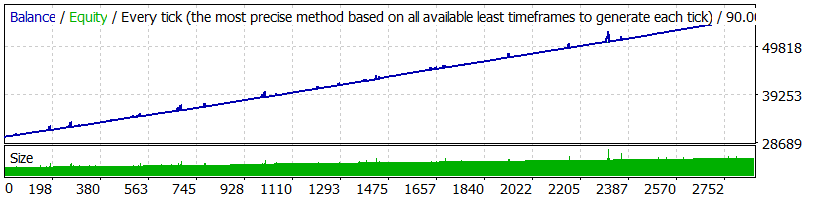
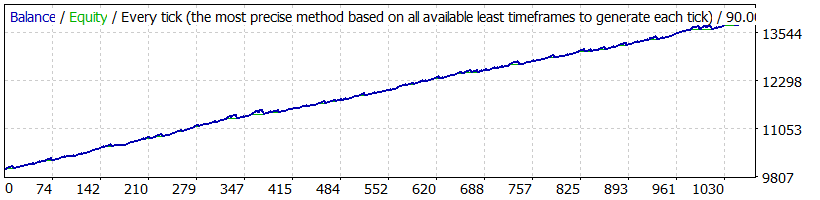
✅ Weekly performance screenshots will be uploaded in the Comments section (weekly updates).
These updates help users follow results over time and compare settings behavior.
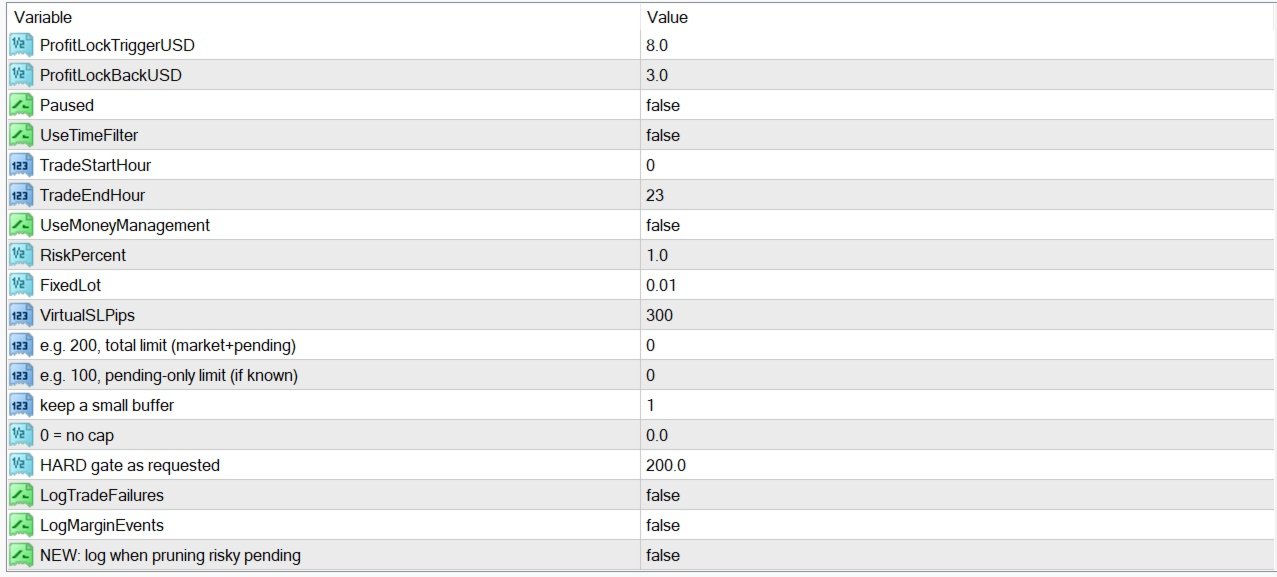
Inputs (User-Friendly Summary)
-
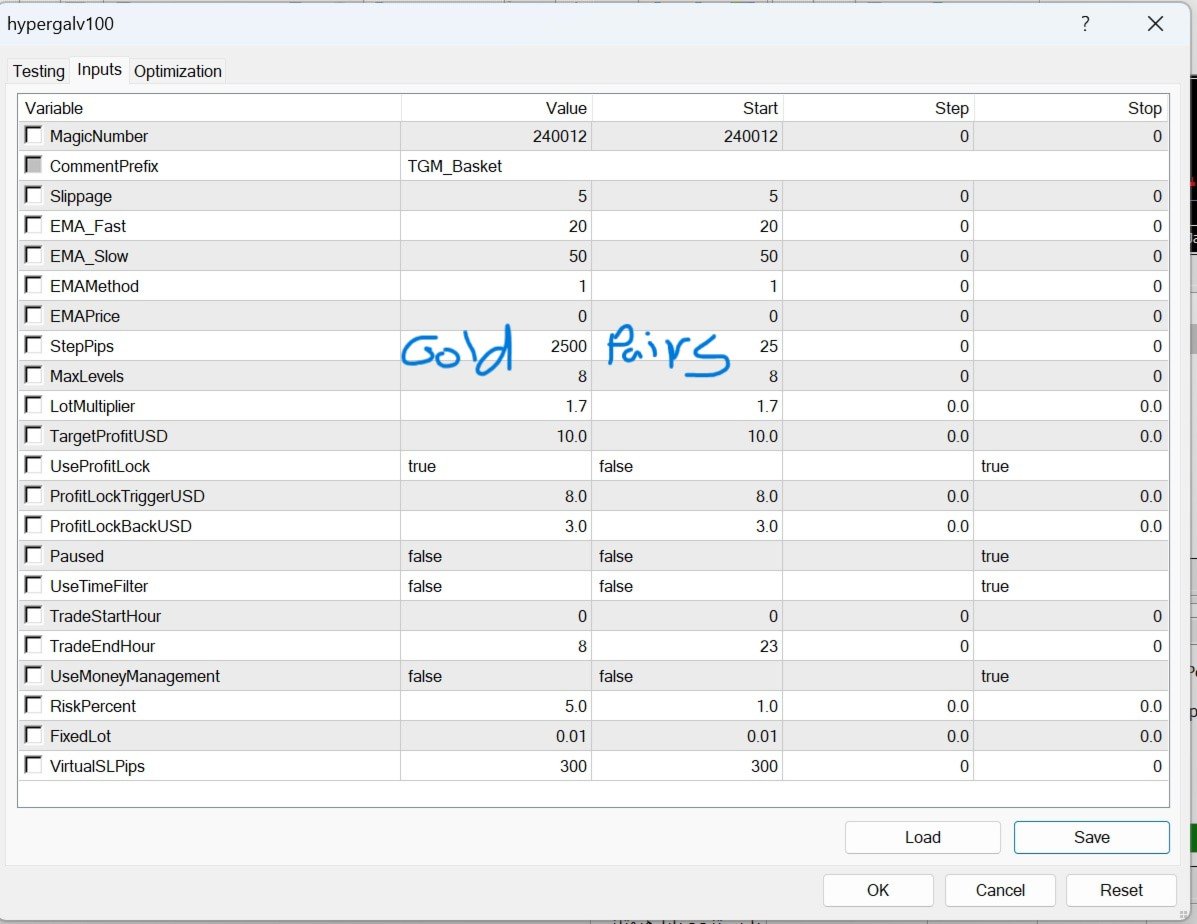
Grid controls: step distance, maximum levels, lot progression
-
Basket controls: target profit in USD, profit lock settings
-
Risk controls: free margin gate, margin level gate, max lot cap
-
Trade controls: pause, optional time filter
-
Money management: fixed lot or optional risk-based sizing
(Exact parameter names are available in the EA inputs panel.)
FAQ (Frequently Asked Questions)1) Does HyperGal Alpha use a martingale/grid approach?
It uses a basket/grid style cycle with configurable levels and volume progression. Risk is controlled through max levels, lot limits, and margin safety gates. Use conservative settings if you want lower exposure.
2) Is this EA “set and forget”?
No trading system is truly set-and-forget. For best results use:
-
conservative exposure settings
-
stable broker conditions
-
VPS
-
periodic monitoring (weekly screenshots are posted in comments for reference)
3) What symbols can I use?
It can be used on many symbols, but results vary significantly depending on spread and volatility. Start with one major instrument, test on Demo, then expand.
4) What timeframe should I use?
The EA is designed to operate reliably across common timeframes. Choose one timeframe and keep it consistent during testing. (Recommended settings can be provided via support if needed.)
5) Does it require VPS?
Not mandatory, but highly recommended for any automated trading system, especially basket/grid cycles, to avoid disconnections and execution issues.
6) Why are my results different from others?
Differences usually come from:
-
broker spreads/commissions
-
execution speed and slippage
-
account leverage and deposit size
-
symbol volatility and trading sessions
-
different settings (levels/lot progression/risk gates)
7) What is the “Profit Lock”?
It’s an optional profit protection logic that can close the basket after a pullback from a profit peak, aiming to protect gains during reversals.
8) What are the margin safety gates?
They are protections that help prevent adding risk under stressed conditions:
-
a Free Margin threshold
-
a Margin Level threshold
If these thresholds are hit, the EA can block new exposure and remove risky pending orders.
9) Can I run multiple charts/symbols at the same time?
Yes, but it increases overall account exposure. If you do this, use:
-
lower lot progression
-
lower max levels
-
stronger margin gates
-
order-limit guards (if needed)
10) Is there any guarantee of profit?
No. Trading involves risk. This EA provides structure and risk controls, but market conditions can still cause drawdown. Always test and use responsible risk settings.
11) Where can I see ongoing results?
📌 Weekly screenshots are posted in the Comments section.
12) Do you provide support and setup guidance?
Yes. If you need help selecting safer settings for your account size/leverage, contact support after purchase/rent.
Risk Disclaimer
Trading is risky. Past performance is not a guarantee of future results. Use appropriate settings, start with Demo, and apply risk/margin controls responsibly.