 MetaTrader 5
 Experts
 Indicators
 Libraries
 Utilities
 Widgets
 Rules
Rules
Watch the Market tutorial videos on YouTube
How to buy а trading robot or an indicator
Run your EA on
virtual hosting
virtual hosting
Test аn indicator/trading robot before buying
Want to earn in the Market?
How to present a product for a sell-through
New trading utilities for MetaTrader 5 - 66
 Below are trading programs simplifying trading in MetaTrader 5. Hover over a utility to read its description and purpose.
MT5 to Telegram Copier MT5 is a specialized utility designed to enhance your trading experience on MetaTrader 5 by seamlessly sending trade notifications and reports directly to your Telegram channel. This tool is perfect for signal providers, trainers, and traders who want to keep their subscribers informed in real-time. With MT5 to Telegram Copier MT5, you can enjoy the convenience of instant trade alerts, customizable settings, and comprehensive performance tracking. Imagine being able to sha

SEREDINA is your all-in-one tool for position assessment and control! This script automatically calculates the average price of open BUY and SELL positions for any trading instrument on the MetaTrader 5 platform, displaying not only precise data but also visual levels on the chart to instantly show you the average entry level for your positions. With SEREDINA , you can: Identify the "average price" point for open BUY and SELL orders on the current asset. Quickly evaluate potential breakeven leve
FREE

This Expert Advisor (EA) utilizes a simple "Three Candle Trend" strategy to determine trading signals based on the consecutive patterns of bullish or bearish candles. When three consecutive bearish candles appear, the EA opens a long position, while three consecutive bullish candles trigger a short position. The EA uses predefined parameters for Lot Size, Slippage, Stop Loss, and Take Profit, with trades executed using an Immediate or Cancel (IOC) order filling mode. Get the source code of this
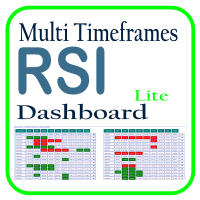
Optimize your trading analysis with the RSI Multitimeframe Dashboard, a powerful tool designed to streamline RSI monitoring across all timeframes and symbols listed in your Market Watch. This dashboard delivers real-time insights and alerts, making it essential for traders who rely on RSI to identify potential market entries and exits. Key features include: Comprehensive RSI Overview : Instantly view RSI values for every timeframe across all Market Watch symbols, making multi-timeframe analysis
FREE

Position Accelerator is an innovative solution for traders that helps maximize profits by capitalizing on trending market movements. The utility automatically increases the size of your trading positions once they reach a predefined profit level, significantly enhancing your profitability. This product is also available for MetaTrader 4 => https://www.mql5.com/en/market/product/126703 How does Position Accelerator work? 1. Acceleration through additional positions: When your open position reac

LogEverything EA
The LogEverything EA is a comprehensive tool designed for logging and recording various trading metrics, account information, and market data. It is a robust solution for traders who want to track the performance of their trades, analyze historical data, and ensure accurate record-keeping.
Key Features: Logs trade executions, including details such as entry price, lot size, stop loss, take profit, and comments.
Tracks closed trades with detailed information on profit or loss.

What is Close Charts Now? Do you have multiple charts open in MetaTrader 5 and need to close them all with a single click? Close Charts Now is the ideal solution for traders looking to save time and keep their workspace clean and organized. This script is designed to automatically close all open charts in your terminal, streamlining your workflow and avoiding tedious manual tasks. Features Simplicity: Just drag and drop. Efficiency: Save time by removing unnecessary charts in seconds. Ease of u
FREE

Master Notify via Telegram can help you perform some management tasks on MT4/MT5 remotely via your Telegram by one click, easy to set up & use. Especially now this tool can work with indicator & send alert to Telegram. Demo here (see more Master Close Master Control ) ************************************************************************************ LIST OF COMMANDS: info_acc - Get account info info_pos - Get positions details price - Get symbol price news - Get economic news noti_pri
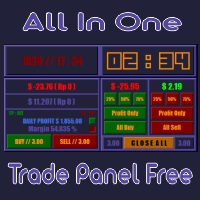
All In One (AIO) A2 Trade Panel EA made for you that like SCALPING, HEDGING, or LONG TIME TRADING. TRIAL VERSION, FOR DEMO ACCOUNT ONLY Features : TRADING INFORMATION Profit / Loss information (Customizable information - See on Attached Pictures) Margin Level information Equity information Total Lots Information Time information (Customizable information - See on Attached Pictures) Daily Profit / Loss Information TRADE MANAGER Close Buy / Sell Trade Close Buy / Sell Profitable Trade Close Parti
FREE

The script analyzes all trading instruments listed in the Market Watch of the MT5 platform to assess their suitability for trading on the timeframes specified in the settings. Based on the analysis, the script displays a table, where trading instruments deemed suitable and recommended for trading are marked in green, based on their compliance with the risk-to-reward ratio coefficient, including the spread (default 1:3). Instruments not recommended for trading are marked in red.
FREE

Script for quick updates (synchronization) up-to-date data in the SQLite database. Saves open positions and orders, current quotes.
Take advantage of SQLite's capabilities for intermediate data storage, analytics, and integrations of the MetaTrader platform. Keep all your data in one place.
Use the saved data in SQL analytical queries, from Python and other languages, to build dashboards
Parameters useDefaults true - use default parameters. Save data to the COMMON hierarchy, to the db/ram/{s
FREE

Script for quick updates (synchronization) trade history in the SQLite database. Saves closed positions and orders, symbols data.
Take advantage of SQLite's capabilities for intermediate data storage, analytics, and integrations of the MetaTrader platform. Keep all your data in one place.
Use the saved data in SQL analytical queries, from Python and other languages, to build dashboards
Parameters useDefaults true - use default parameters. Save data to the COMMON hierarchy, to the db/ram/{s
FREE
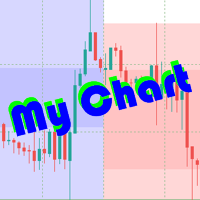
The beautiful design of the trading chart makes trading more convenient and enjoyable. MyChart neatly marks out the time and price grid. Marks up the visual labels of the graph. Displays candlesticks of the older period, spread and stop-level levels. Flexible options allow you to customize the appearance to your taste. It looks good in any color theme of the terminal. Settings
TIME & PRICE grid - the appearance of the time and price grid. You can turn the grids on/off separately. Set fonts and

This program is designed to download economic calendar news events for a specified country over a selected date range, allowing traders to analyze and incorporate important economic data into their trading strategies. By specifying both a start and end date, as well as a country code, the program retrieves relevant news events within the defined period and exports them to a CSV file for easy review and analysis. This tool helps traders stay informed about scheduled economic events that may impac
FREE
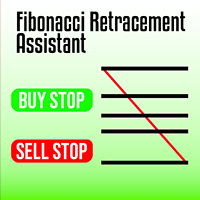
Maximize your trading efficiency with the Fibonacci Retracement Assistant for MetaTrader 5. This powerful tool automates the process of setting Buy Limit and Sell Limit orders as soon as you draw your Fibonacci retracement levels. Designed for traders seeking precision and speed, it eliminates the manual effort of order placement, letting you focus on market analysis. Key Features: Automatic Order Placement : Instantly set Buy Limit and Sell Limit orders when you drag Fibonacci retracement leve
Order Closer Manager for MetaTrader 5 The Order Closer Manager is a powerful and easy-to-use MetaTrader 5 (MT5) Expert Advisor designed to help traders efficiently manage their open orders. This EA is ideal for traders who want precise control over their trades with minimal manual intervention. It features an intuitive dashboard that allows for easy closing of positions, applying breakeven, and other order management functionalities. The EA supports FIFO and LIFO methods for added flexibility, m

Overview:
The WWImportExportGV is a versatile and efficient utility designed for MetaTrader 5 (MT5) users to manage global variables effortlessly. With this tool, traders can easily export all global variables from their terminal to a CSV file or import them into another terminal, ensuring seamless synchronization between trading environments. Features: Export Mode: Automatically extracts all global variables from the current MT5 terminal and saves them to a CSV file. This file can be shared o
FREE

Introducing Trade Stacker: Your Ultimate Trading Force Multiplier
Transform your trading with the power of automated position stacking! The Trade Stacker EA turns single trade opportunities into strategic multi-level positions with just one click.
Attention, the application does not work in the strategy tester. Download demo here: https://kevinafeku8.gumroad.com/l/avmxc Instructions for the demo: https://www.mql5.com/en/blogs/post/759785
Key Features That Set You Apart: Deploy mul
FREE

The Calendar News Indicator is your essential tool for informed trading, offering real-time updates on economic events and financial news. Here’s what it brings to your trading strategy: Real-Time Updates: Stay ahead with immediate notifications of key economic indicators, central bank announcements, and geopolitical events that impact the markets. Global Coverage: Track economic events from markets around the world. Whether you’re trading forex, stocks, or commodities, you’ll get the global
FREE

Volume Flow Binance! Have you ever imagined accessing the times and trades of your favorite cryptocurrency, with detailed insights into volume flow and price movement analysis, even if your broker doesn’t offer complete trading history access? With Volume Flow Binance , that’s now a reality! This MQL5 script is designed for cryptocurrency traders seeking a detailed view of real-time market dynamics. Key Features: Direct access to the times and trades of any cryptocurrency listed i
FREE

The script calculates the rate of price change and its deviation. Displays a typical price movement channel. Transfer the script to the chart and it will automatically mark up the channels through which the price can move in the near future. Place orders according to the channel boundaries.
The script uses statistical methods to determine the rate and amplitude of the price. It calculates and displays channels and limits of further movement based on them. This version is intended for
FREE

Chart Service — improving the charts of the custom symbol. The service shows trading levels on the chart of a custom symbol. For example, it can be used when working on a seconds chart built using the Seconds Chart utility. Unlike Expert Advisors, indicators and scripts, services are not linked to a specific chart. Such applications run in the background and are launched automatically when the terminal is started (if they were previously launched). Use the Navigator to manage services. Services
FREE

This MetaTrader 5 trading robot is designed for traders who want to receive instant notifications about their trades on Telegram. With easy setup, the robot monitors real-time trade openings and closings in your account, immediately notifying you of each important change. Key Features Real-Time Notifications : Receive instant alerts on Telegram for every trade opening and closing. Notifications include key details such as the symbol, trade type (buy or sell), price, volume, and trade outcome, al

注意!!该程序的所有订单创建操作仅在用户点击“下单”按钮后产生,不会自动创建订单。 下载后请先使用模拟账户熟悉操作习惯,验证订单创建是否符合要求再正式使用。 盈亏比自动下单依赖EA自动交易功能, 使用前请先核实你的交易商是否允许使用EA交易。 任何修改建议或bug提交可联系我。
该工具提供: 1. 常用图形绘制功能:包括盈亏比工具,趋势线工具、斐波那契回撤工具、矩形工具、通道工具。绘制时可通过快捷键控制鼠标吸附K线或控制价格相同从而绘制水平线。 2. 快速的图表切换功能:使用快捷键在你的商品列表上快速滚动,让你可以专注于全屏模式。 3. 盈亏比计算及仓位控制功能:根据实时的点差及用户输入的手续费可以计算出计划的实际盈亏比,用户输入风险金额或风险比例后可立即根据该计划建仓。建仓成功后可以缩小止损,扩大止盈,止盈止损同样自动计算点差,无需担心误触止损。如果你是价格行为交易者,或者其他专注于盈亏比的交易者,这个功能将会大大提升你的效率,并且帮助你建立健康的交易习惯。 4.K线收盘倒计时提醒功能:提供K线收盘倒计时功能,并且可以自定义设置倒计时提前几秒发出提醒,帮助日内小周期交易者建立等待

https://www.mql5.com/en/market/product/125319
MT5 The Trend Catcher 101 is a powerful and reliable Expert Advisor that can help you to catch market trend movements after confirmation . This EA is based on the real market power movement method. it suppose to be under expert section but because some tricks causing the boot to avoid some trades when the market unstable so its unable to be validated , anyway the test showing a lot .
The Trend Catcher uses the market power to determine the opti

Principais Características: Interface Amigável e Personalizável: Painel Responsivo: Design adaptável que se ajusta ao tamanho do gráfico, permitindo fácil movimentação e posicionamento conforme sua preferência. Controles Intuitivos: Acesso rápido a informações essenciais da conta, como saldo, lucro atual, lucro diário e posições abertas. Parâmetros Personalizáveis: Ajuste facilmente o volume de lotes, níveis de Stop Loss e Take Profit diretamente no painel. Execução de Ordens Simplificada: Botõe

Clicks is a tool to improve the execution , management and accuracy of your trading.
Features: Allows you to set trading limits and show your statistics right on the chart. Allows you to open, modify, delete/close orders from a panel and makes it easy to set takeprofit and stoploss levels. Helps you trade using the trendlines drawn on your chart. The algo executes your orders when price reaches your trendlines. It has an automatic trailing stops feature so you can milk the market as much as you

Book Data Binance! Ever wanted direct access to the order book of your favorite cryptocurrency, complete with price levels, volumes, and imbalance analysis, even if your exchange doesn’t provide DOM access? With Book Data Binance, that’s now a reality! This MQL5 script was specially developed for crypto traders seeking an in-depth look at market dynamics. Main Features: Direct access to the order book of any cryptocurrency available in the script menu. Real-time data updates from
FREE

The script calculates the rate of price change and its deviation. Displays a typical price movement channel. Transfer the script to the chart and it will automatically mark up the channels through which the price can move in the near future. Place orders according to the channel boundaries.
The script uses statistical methods to determine the rate and amplitude of the price. It calculates and displays channels and limits of further movement based on them.
Parameters
PLACEMENT - channel place

The Expert Advisor "TimeLeft Display" shows the remaining time until the close of the current candle in a digital display. The time is displayed in days, hours, minutes, and seconds. Features: Time Calculation: Calculates the remaining time until the close of the current candle based on the current timeframe of the chart. Digital Display: Shows the remaining time in a digital format. Customizable Font and Size: Allows selection of the font (Arial, Arial Black, Aptos Display, Tahoma,
FREE
THE BEST! yet easy-to-use MT5 to Telegram Trade Copier [MANUAL HERE]
Overview: This powerful tool allows traders to send real-time trade notifications directly to their Telegram channels and group, ensuring they never miss an important market move. TeleBot5 is an innovative MQL5 program designed to seamlessly bridge your MetaTrader 5 trading experience with Telegram.
**Key Features:**
- **Real-Time Trade Alerts:** Instantly receive notifications for every trade executed on your MT5 accoun

Short Description:
FTMO Protector PRO MT5 is an EA designed to protect your funded account by managing risk and ensuring compliance with the Prop Firm's trading rules. This EA automatically monitors equity levels, closes trades when profit targets or drawdown limits are reached, and provides a visual display of key account metrics. EA w orks with all different Prop Firm service providers.
Overview:
FTMO Protector PRO MT5 is an Drawdown Safeguard Expert Advisor meticulously crafted for trade

Overview
This Expert Advisor (EA) for MetaTrader 5 is a robust tool designed to optimize money and risk management. It allows users to calculate position sizes based on account balance, desired risk percentage, and trade parameters like stop loss and entry points. Additionally, it offers a clear view of reward-to-risk ratios and allows for the inclusion of broker commission, recalculating data accordingly.
Key Features
1. Risk-Based Position Sizing
The EA calculates position sizes by taking
FREE
The utility is designed to send a signal from MT5 to Discord. It has a number of unique features, allowing you not only to send trading signals, but also to perform the following functions: Send messages directly from the terminal to Discord Sending emojis along with custom text Send text and images directly from the MT5 terminal to Discord All this allows the user to maintain a channel with signals, focusing on trading and finding quality signals. Instructions for the utility
Fully customizabl

News Stopper MT5 is a specialized utility designed exclusively for MetaTrader 5, aimed at protecting your trades by automatically closing them ahead of significant news events. This tool is ideal for both manual traders and automated trading systems, ensuring that your portfolio remains secure during market volatility triggered by news releases. With News Stopper MT5, you can effectively manage your trades by preemptively responding to economic events, preserving your capital against sudden mark
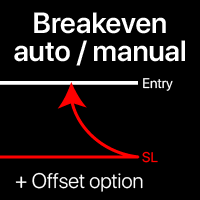
Breakeven levels: manual and automatic Using this utility , you can quickly move trades to breakeven in just 1 click : especially important in short -term trading. You can also set the automatic SL movement when the trade reaches a desired profit. Offset option is also available. Multifunctional utility : 66+ features, including extended operations with a BE levels | Contact me if you have any questions | MT4 version This tool consists of 2 subsections: 1. [Move SL to BE now]: manual
Quick actions: close or modify all the trades in just 1 click Using this utility , you can quickly apply the necessary action to all the trades of the selected category. Especially useful for a short -term traders, when it is necessary to act quickly. Multifunctional utility : 66+ features, including this tool | Contact me if you have any questions | MT4 version 1. Either select [ALL] Symbols , or specify a specific [Symbol] for management . You can also manage a group of differ
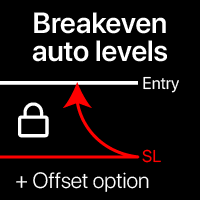
Automatic Breakeven levels Using this utility , y ou can activate the automatic SL movement, when the trade reaches a desired profit. Especially important for a short -term traders. Offset option is also available: some profit may be protected. Multifunctional utility : 66+ features, including this tool | Contact me if you have any questions | MT4 version The process of activating the automatic breakeven function: 1. Select the Symbol or Trade for which the Auto BE fun
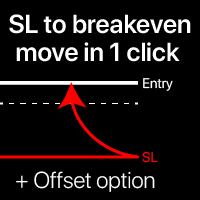
Breakeven levels: move SL in just 1 click. Avoid losing existing profit Using this utility , you can quickly protect your profit in just 1 click. Especially important for a short -term trading. Offset option is also available. Multifunctional utility : 66+ features, including this tool | Contact me if you have any questions | MT4 version How to move SL levels: 1. Specify a specific [Symbol] , or select [ALL] Symbols. 2. Select the trade type for which you
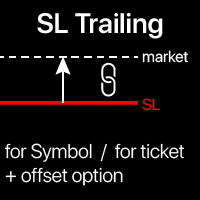
Trailing Stop: automatic SL movement as the market moves. G et the maximum profit from the trade The process of SL movement can be automated according to your strategy , The variety makes this utility useful for any strategy . Especially important for a short -term traders. Multifunctional utility : 66+ features, including this tool | Contact me if you have any questions | MT4 version To activate the SL Trailing, you need to set the main 4

Test Trade Saver Script
Application Type: Script
Application Functions: Saves test results cache file data into text files
About the Application The script extracts trading results from a test system cache file and saves them into text files for further analysis. How to Use Parameters: LOG_LEVEL - Logging level in the Experts terminal section. DEBUG provides the most detailed information, while ERROR gives the minimum. CUSTOM_MAGIC_NUMBER - The system identifier (Magic Number) used to save resu
FREE

Hey, traders! Today, I’m excited to introduce the Trend Reversal Pro , an indicator designed to help you spot trend reversals quickly and efficiently. If you're looking to improve your market entries and exits, stick around to see how this powerful tool works. What is the Trend Reversal Pro? The Trend Reversal Pro analyzes market highs and lows to identify potential reversals. It does this by calculating a percentage average of previous highs and lows and comparing them to the current trend. Thi

G Spikes Trade Assistant G Spikes Trade Assistant is a MetaTrader 5 utility panel designed to help users manage manual trading actions more efficiently. It provides quick access to order execution, stop-loss settings, target-price settings, and position-management controls from the chart. Main features Buy and Sell market order buttons. Pending order options. Stop-loss and target-price management. Close All and selected close options. Customizable display settings and trade comments. Interface t
FREE

This Program will not execute any trades!
Works on any chart and any time frame!
This is the MT5 version.
MT4 version: https://www.mql5.com/en/market/product/125496?source=Site+Market+My+Products+Page#description
This Program will produce a comment box at the top left of the chart and show you your equity % difference throughout the day. Updating constantly in real time.
The daily resets back to zero on open of a new market open day. Using new current equity at start of day as reference for
FREE

This Program will not execute any trades!
Works on any chart and any time frame!
This is the MT5 version.
MT4 version : https://www.mql5.com/en/market/product/125500?source=Site+Market+My+Products+Page#description
This EA will produce a comment box at the top left of the chart and show you your equity % difference throughout the day, week, month and year. Updating constantly in real time.
The daily resets back to zero on open of a new market open day.
The weekly resests back to zero at open

G Trade Broker Check – Instantly Evaluate Broker Performance Across Multiple Accounts and Leverage Settings
Take your trading to the next level by analyzing your broker’s performance in real time! With G Trade Broker Check , traders can effortlessly track their broker’s behavior over the past 24 hours on any symbol added to the Market Watch in MT5. Whether you’re comparing multiple brokers, testing different account types, or analyzing varying leverage setups, this powerful Expert Advisor prov
FREE

This is a service used to create custom symbols from an existing symbol by adding D2, D3, D4, W2 and W3 timeframes. List Symbols (Exp: EURUSD,GBPUSD,XAUUSD) : Declare the list of symbols to create the custom symbols. Example: AUDUSD,EURUSD,EURGPB,XAUUSD. Now the service will create the following custom symbols: AUDUSD_D2, AUDUSD_D3, AUDUSD_D4, AUDUSD_W2, AUDUSD_W3 EURUSD_D2, EURUSD_D3, EURUSD_D4, EURUSD_W2, EURUSD_W3 EURGPB_D2, EURGPB_D3, EURGPB_D4, EURGPB_W2, EURGPB_W3 XAUUSD_D2, XAUUSD_D3, X

The Dfx Position Risk Calculation Tool is an MT5 indicator developed by DefenderFX Ltd. designed to assist traders in assessing risk and reward for their trades. The tool automatically calculates the risk-to-reward ratio based on user-defined parameters, such as lot size and take profit (TP) level. It provides visual lines on the chart for entry (Blue Color), stop loss (SL) – Red Color, and TP levels (Green Color), which traders can adjust by dragging. Key Features: Input Parameters : Traders ca
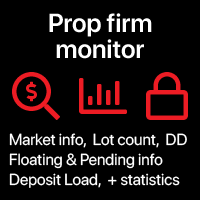
Prop Firm data: the most important information on the chart The indicator will help you to quickly monitor current and closed trades . Especially useful when you are not allowed to go beyond certain limits . The alerts option will help you to prevent unwanted results . Multifunctional utility : includes 66+ features | Contact me if you have any questions | MT4 version 6 categories of information that can be displayed Current market data : Swap, Spread, Average spread. Floating po
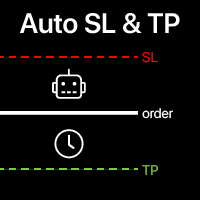
Automatic SL and TP placement Levels will be created automatically for trades that do not yet have SL / TP levels set yet. It may be convenient if you execute trades from your mobile phone. Multifunctional utility : 65+ features, including this tool | Contact me if you have any questions | MT4 version To activate the Auto-Levels, you need to set the main 4 parameters (on the panel): 1. Symbol for which the function will be applied: for a specific [Symbol] / or for [ALL] symbols. 2. T
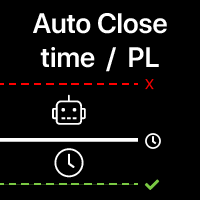
Automatic Trade Closure: at time, or Profit / Loss trigger With this utility, you can automate the trade closure under a given condition. Multifunctional tility : 65+ features, including this tool | Contact me if you have any questions | MT4 version To activate the Auto-Close, you need to set the following parameters (on the panel): 1. Symbol for which the function will be applied: for a specific [Symbol] / or for [ALL] symbols. 2. Condition, when to close: [if total] / [if sin

Trade Saver Service
Application Type: Service
Application Features: Automated search and saving of trading results for multiple systems into text files for further analysis About the Application The service automatically saves the results of closed positions for a list of trading systems into text files, creating a personalized file for each system. How to Use Parameters: LOG_LEVEL - Logging level in the terminal’s Experts section. DEBUG provides the most detailed logs, while ERROR provides m
FREE
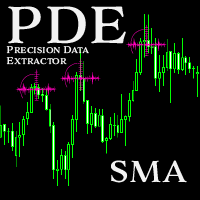
Introducing the Precision Data Extractor: SMA , an MQL5 utility crafted for traders, analysts and quants who need accurate historical data to build robust datasets. This tool lets you selectively pull historical price and indicator data— Simple Moving Average ( SMA )—from multiple applied prices, timeframes, and periods , then stores it in a CSV format, making it easy to feed into machine learning models, trading algorithms, or in-depth market analyses . Compatible with Forex , Stocks , and Comm
Introducing the Precision Data Extractor: EMA , an MQL5 utility crafted for traders, analysts and quants who need accurate historical data to build robust datasets. This tool lets you selectively pull historical price and indicator data— Exponential Moving Average ( EMA )—from multiple applied prices , timeframes , and periods , then stores it in a CSV format, making it easy to feed into machine learning models, trading algorithms, or in-depth market analyses . Compatible with Forex, Stocks, and
Introducing the Precision Data Extractor: LWMA , an MQL5 utility crafted for traders, analysts and quants who need accurate historical data to build robust datasets. This tool lets you selectively pull historical price and indicator data— Linear Weighted Moving Average ( LWMA )—from multiple applied prices, timeframes, and periods, then stores it in a CSV format, making it easy to feed into machine learning models , trading algorithms , or in-depth market analyses . Compatible with Fo
Introducing the Precision Data Extractor: SMMA , an MQL5 utility crafted for traders, analysts and quants who need accurate historical data to build robust datasets. This tool lets you selectively pull historical price and indicator data— Smoothed Moving Average ( SMMA )—from multiple applied prices, timeframes, and periods , then stores it in a CSV format, making it easy to feed into machine learning models, trading algorithms , or in-depth market analyses . Compatible with Forex , S
Introducing the Precision Data Extractor: RSI , an MQL5 utility crafted for traders, analysts and quants who need accurate historical data to build robust datasets. This tool lets you selectively pull historical price and indicator data— Relative Strength Index ( RSI )—from multiple applied prices, timeframes, and periods , then stores it in a CSV format, making it easy to feed into machine learning models, trading algorithms, or in-depth market analyses . Compatible with Forex, Stocks

Introducing the Precision Data Extractor: ATR , an MQL5 utility crafted for traders, analysts and quants who need accurate historical data to build robust datasets. This tool lets you selectively pull historical price and indicator data— Average True Range ( ATR )—from multiple timeframes and periods , then stores it in a CSV format, making it easy to feed into machine learning models , trading algorithms , or in-depth market analyses . Compatible with Forex , Stocks , and Commodit

Maximize or restore the main chart or indicator windows by double-clicking them.
Double-clicking a main chart window will hidden all the indicator windows and expand the main chart to the maximum. Double-clicking again to restore.
Double-clicking an indicator window will hide all the other indicator windows and expand the double-clicked indicator window to the free space. Double-clicking again to restore.
FREE

CoinMarketCap Price Fetcher- Real-Time Cryptocurrency Prices via CoinMarketCap
Overview:
The CoinMarketCap Price Fetcher is a powerful tool designed for traders and developers who want real-time access to cryptocurrency prices directly within the MetaTrader 5 (MT5) platform. It seamlessly integrates with the CoinMarketCap API to retrieve live cryptocurrency price data, including Bitcoin (BTC), Ethereum (ETH), and hundreds of other coins, with automatic updates at your chosen intervals (e.g.,

Custom Alerts: Monitor Multiple Markets and Never Miss a Key Setup Overview
Custom Alerts is a dynamic solution for traders who want a consolidated way to track potential setups across multiple instruments. By integrating data from our flagship tools—such as FX Power, FX Volume, FX Dynamic, FX Levels, and IX Power— Custom Alerts automatically notifies you of crucial market developments without juggling multiple charts or missing prime opportunities. With support for all asset classes your brok

Chart Buddy is an entertainment tool designed to add fun to your trading charts. A character moves along the right side of the chart, giving the impression that it's cheering on the price movement, adding a unique and enjoyable touch to your trading experience. While it doesn't affect your trades directly, the animations provide a lighthearted distraction and make it feel like you have a personal supporter. Key Features: Price Movement Supporter : The character moves in response to price directi
FREE
Automatic trade copier between local terminals A variety of options will allow you to customize the utility according to your needs, while the configuration process is understandable even for a beginner. Multifunctional utility : includes 66+ features | Contact me if you have any questions This version is only for MT5 . To also copy between MT4 - you will need to buy the MT4 version There are 2 modes available : Send trades from the terminal; Receive and copy trades from other terminals
Track the current drawdown and history of closed trades for the selected period A variety of options will allow you to customize the indicator according to your needs Multifunctional utility : includes 66+ features | Contact me if you have any questions | MT4 version 2 values that can be displayed : Current drawdown ( or gain ) of open trades ; The result of all closed trades, for the selected time period ( statistics ) ; Available filters , e ach can optionally be turned
Write notes directly on the chart and use your observations when trading The option to synchronize reminders between S ymbols allows you to remember important information about the current market state Thus , this utility will help you avoid a situation where important information that you noticed earlier was missed when trading . Multifunctional utility : 66+ features, including this tool | Contact me if you have any questions | MT4 version Settings: The method of syncing notes : S

Order trailing: g et the best execution price as the market moves Trailing of pending orders will allow you to maintain the distance to the entry price at the specified distance. T he order will move if the market price moves away from it Multifunctional utility : 66+ features, including this tool | Contact me if you have any questions | MT4 version To activate the Order Trailing, you need to set the main 4 parameters (on the panel): 1. Symbol or Trade for which the trailing will be ap

Trade Panel – The Smart Trading Tool for Every Strategy Elevate your trading experience with Trade Panel , designed for traders of all levels. Whether you are a beginner or a seasoned professional, this platform simplifies trading with powerful features to efficiently manage your portfolio. Key Features Flexible Lot Size Adjustment Manually adjust lot sizes to suit your trading needs. Utilize the automatic lot sizing feature to align your trades with your desired risk percentage (% Risk) for
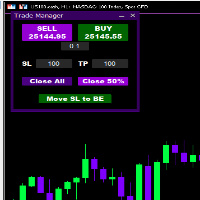
Introducing * *Trader Manager** for MetaTrader 5 - the most efficient tool for managing your trades and it's free! This smart assistant automatically sets **Stop Loss** and **Take Profit** immediately after opening a trade, saving you time and reducing the risk of errors.
With the ability to set a **Maximum Daily Loss** , you'll protect yourself from the dangers of **overtrading** and keep control of your finances.
Plus, you'll get a host of other features for easy position management: -
FREE
XC Trade Manager for MT5 Manage Your Trades with Precision and Ease
Welcome to XC Trade Manager, the ultimate solution for traders seeking efficient and intuitive trade management on the MT5 platform. Developed by xignalcoding.com, our seventh product in the MQL5 Market lineup, the XC Trade Manager is designed to streamline your trading experience, allowing you to focus on what truly matters—making informed trading decisions. Key Features 1. Orders Tab Effortlessly place and manage your trades
ENJOY FREE TESTING FROM OUR WEBSITE
DAILYTARGET_GUARD is a cutting-edge trading expert designed to maximize profits while minimizing risk through intelligent and automated position management. Perfect for traders seeking precision control over their operations, this bot offers advanced and customizable features tailored to fit your trading strategy. Key Features: Automated Position Management: Adjust your Stop Loss , Take Profit , and lot sizes to match your trading preferences. The bot manages
The MetaTrader Market is a simple and convenient site where developers can sell their trading applications.
We will help you post your product and explain you how to prepare your product description for the Market. All applications on the Market are encryption-protected and can only be run on a buyer's computer. Illegal copying is impossible.

You are missing trading opportunities:
- Free trading apps
- Over 8,000 signals for copying
- Economic news for exploring financial markets
Registration
Log in
You agree to website policy and terms of use
If you do not have an account, please register