 MetaTrader 5
 Experts
 Indicatori
 librerie
 Utilità
 Widget
 Regole
Guarda i video tutorial del Market su YouTube
Come acquistare un Robot di Trading o un indicatore
Esegui il tuo EA
hosting virtuale
hosting virtuale
Prova un indicatore/robot di trading prima di acquistarlo
Vuoi guadagnare nel Market?
Come presentare un prodotto per venderlo con successo
Nuove utilità di trading per MetaTrader 5 - 66
 Di seguito sono riportati i programmi di trading che semplificano il trading in MetaTrader 5. Passa il mouse su un'utilità per leggerne la descrizione e la sua funzione.
Lascia una valutazione a 5 stelle se ti piace questo strumento gratuito! Grazie mille :) La collezione di consulenti esperti "Risk Management Assistant" è una suite completa di strumenti progettati per migliorare le strategie di trading gestendo efficacemente il rischio in diverse condizioni di mercato. Questa collezione comprende tre componenti chiave: consulenti esperti di media, switching e hedging, ognuno dei quali offre vantaggi specifici su misura per diversi scenari di trading.
Questo E
FREE

Lascia una valutazione a 5 stelle se ti piace questo strumento gratuito! Grazie mille :) La collezione di consulenti esperti "Risk Management Assistant" è una suite completa di strumenti progettati per migliorare le strategie di trading gestendo efficacemente il rischio in diverse condizioni di mercato. Questa collezione comprende tre componenti chiave: consulenti esperti di media, switching e hedging, ognuno dei quali offre vantaggi specifici su misura per diversi scenari di trading.
Questo E
FREE

Keyboard Trader is a tool designed for ultra-fast trading in MetaTrader 5 (MT5) using keyboard shortcuts . Here’s a concise description of its features: Swift Execution : Keyboard Trader allows you to execute orders rapidly without clicking. You can use keyboard shortcuts to efficiently open and close positions. Ideal for News Trading : Given the need for quick action during news events, this tool is particularly useful for trading during high volatility moments. Customizable Hotkeys : T

The program allows you to quickly apply Elliott Wave markup to the chart and edit it. A wide range of functionality will provide you with comfortable work. Attention! The program does not work in the strategy tester. The demo version of the program works only on the "USDCHF" instrument, you can download it here: https://disk.yandex.ru/d/4HulT3QZQB0X4g Program functions: · Automatic "snapping" to extremes when placing or moving wave labels. · Automatic scaling of wave label grou
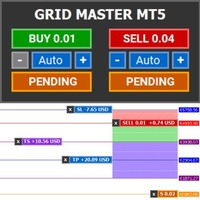
Introducing Grid Master MT5, your ultimate trading utility designed to revolutionize the management of single or multiple orders with unparalleled ease and effectiveness.
Evaluation version of Grid Master MT5 Some limitations are applied: - Maximum of 3 open positions and 1 pending order per side (Buy/Sell) - Trailing Stop feature disabled - Economic calendar and news protection disabled - Trade event push notifications disabled Features: Clean and user friendly UI: With the benefits of fellow
FREE

Unleash the Power of Precision Trading with XScalpGenesis Experience a new era of trading with XScalpGenesis , the ultimate expert advisor designed to revolutionize your trading experience. Navigate markets with unparalleled precision thanks to cutting-edge features and an intuitive interface.
Exclusive Offer Limited time opportunity! Get this cutting-edge plugin for only $45 instead of $79 (Offer ends on October 31, 2025). Boost your trading potential now. This special discount won't last!
P

Introducing the "Automated Stop Loss Placement" Script for MetaTrader 5 The "Automated Stop Loss Placement" script is a powerful tool designed to streamline your trading experience within the MetaTrader 5 platform. By automating the placement of stop loss orders, this script offers efficiency and convenience for traders of all levels. Key Features: Seamless Automation: Stop loss orders are placed automatically, moments after trade execution, saving you time and effort while ensuring consistent r
FREE

A 'Seconds Period' chart, offering enhanced precision for charting and analysis. Especially beneficial during volatile market conditions and intraday trading. This indicator addresses the limitations of MT5's predefined timeframes, allowing for finer granularity down to second intervals.
Since only one EA can run per chart, being an Indicator allows for the additional advantage of running an EA alongside the Seconds Timeframe Candles Indicator on the same chart. Compatible with any intraday tim
FREE
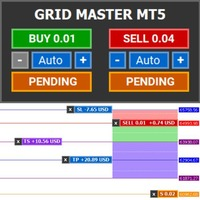
Introducing Grid Master MT5, your ultimate trading utility designed to revolutionize the management of single or multiple orders with unparalleled ease and effectiveness. Features : Clean and user friendly UI : With the benefits of fellow traders in mind, the graphical interface is beautifully designed to allow maximum clarity and effectiveness for managing trades Efficient Bulk Order Handling : Say good bye to having to close/set take profit/set stoploss of every order in a grid one by one be

OneClick Online Account Manager is a powerful utility that helps you to manage all your accounts from a centralized panel. It is suitable for all single account traders and specially for multiple accounts traders.
The utility help you to : Monitor status of all accounts on a private web page. Some information such as account connection status, account profit, DD, Balance, Equity, Margin Level, Number of positions and orders, Daily and Weekly profit/loss and also overall summation of all these p
The Tick Flow Meter, also known as Tick Density Meter or Tick Counter, is an innovative indicator designed to provide deep insights into market dynamics down to the second.
It is a cutting-edge indicator crafted to measure the intensity and frequency of ticks within specific time intervals. By focusing on tick flow, this indicator offers traders a unique perspective on market liquidity, momentum, and volatility, empowering them to make informed trading decisions.
Key Features: Granular Time In
FREE

This utility keeps a watchful eye on your trading terminals and ensures that you are notified if any of them are disconnected. Simply attach the utility to a chart and connect to a monitoring service who can notify you.
We use UptimeRobot for both VPS and terminal monitoring; however, any service supporting heartbeat monitoring can be employed.
Many such services offer free plans and various notification methods, such as Cronitor.io
FREE
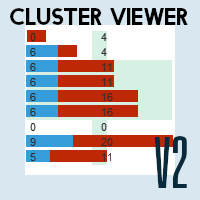
Domina il mercato con informazioni accurate: scopri Cluster Viewer V2 per Metatrader 5! Ti sei mai chiesto come i trader di maggior successo identifichino le migliori opportunità di trading?
Con Cluster Viewer V2, avrai accesso a una serie completa di strumenti analitici progettati per fornire informazioni accurate e approfondite sui mercati finanziari.
Sviluppato per la piattaforma Metatrader 5, il nostro EA porta la tua strategia di trading a un livello superiore.
Funzionalità: Volumi di a
FREE

Keyboard Trading MT5 - Utilità di Trading con Hotkey Questo EA MT5 consente l'esecuzione rapida e la gestione delle operazioni direttamente dalla tastiera utilizzando hotkey personalizzabili. Nota Importante: Affinché gli hotkey funzionino, il grafico su cui è caricato questo EA deve essere il grafico attivo (cioè il grafico su cui hai cliccato più di recente). Funzionalità Chiave e Parametri di Input: Note: Visualizza note personalizzate (Nota 1 e 2) nell'angolo in alto a sinistra del g
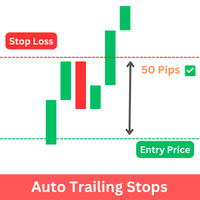
The Expert Advisor (EA) developed is specifically designed for scalping trading strategies . It's functions as a trailing stop manager for any positions opened by the user. The EA continuously monitors open positions and dynamically adjusts the stop-loss level as the price moves in favor of the trade. This trailing stop mechanism helps traders by managing ongoing trades that have taken by the trader by automatically tightening the stop-loss level as the trade progresses, thereby reducing poten
FREE
VATS, short for Volatility-Adjusted Trailing Stop, is a dynamic trailing stop loss system for Manual Traders, engineered to adapt to price movements and market volatility. Its primary objective is to optimize risk management intelligently, setting and adjusting stops as price moves favorably while also recalibrating during periods of changing volatility. This feature allows traders to stay focused on their trading strategies without the need for constant manual intervention. In essence, VATS s

Introducing our simple yet powerful trendline trading expert, designed to open positions upon trendline breaks or touches based on predefined parameters. All you need to do is rename it to buy, sell, buy limit, or sell limit. As the name suggests, this is the basic version with minimal features. However, if you're looking for a truly professional trendline trading expert equipped with various trading management tools, automatic position sizing, trailing stops, breakeven points, partial closures,
FREE

Close Positions on Candle Close This tool allows you to automatically close positions based on the last candle's closing price, helping confirm trade exits and avoiding unpredictable price movements. How It Works: The EA waits for a candle to close above or below the Stop Loss level before executing a position close. It eliminates the need to manually monitor trades and helps automate exit strategies. Settings: Order_Type: Select the types of orders or positions to be managed. CandleTimeFrame:
FREE

Smart Trade Manager for Layering & BE This trading tool automates trade management by handling entry positions, Break-Even (BE), and Take Profit (TP) dynamically. It allows traders to layer trades and protect their profits without manual intervention. Key Features: Secure profits automatically by setting BE once a trade reaches profit. Distribute trade volume across multiple entries to average the price. Set multiple TP targets to scale out of positions efficiently. Use tick

Expert Description: Equity Profits EA ( Mt5 Version )
Overview: Hello everyone, I am back with a new and updated version of " Equity Profits EA ", but this time for MetaTrader 5.
Yes, the same utility Expert Advisor has been created before for MetaTrader 4.
You can find the explanation of how the Expert Advisor works and all the details in the following link: [Link] https://www.mql5.com/en/market/product/105174?source=Site +Market+Product+Page
Inputs Parameter:
input autoEquity_profits =

Description: Dimatis Sniper is a convenient tool designed to simplify order placement and risk evaluation for traders. By displaying the risk amount directly on the screen, this tool allows traders to assess risk in real-time, facilitating informed decision-making before executing transactions. Key Features: Real-Time Risk Assessment: Evaluate the risk associated with each transaction instantly on your screen, facilitating informed decision-making. Visual Representation of Risks: Use intuitive v

This expert basically copies all trades from a prop trading account to a private live account (Master Slave Copier). USP! What it makes unique is the fact, that this EA can revert the trades and calculate orignal lots in way, that you earn money for every lost prop firm challange trade. For example: If you lose a 100K challange and you paid 500$ for it, the EA recovers those losses on your private live account. If you win the challange, sure, you lost around 500$ on your private live account b

COPIATRICE COMMERCIALE - PASSWORD INVESTITORE - COPY TRADE - PIATTAFORMA CROSS MT4 x MT5
Nota: sono necessari sia "Mirror Copier Master" sull'account master che sarà seguito dall'account cliente sia "Mirror Copier Client" sull'account cliente che seguirà l'account master
Blog: https://www.mql5.com/en/blogs/post/756897
COME FUNZIONA :
https://www.youtube.com/watch?v=V7FNpuzrg5M
Versione MT4
Maestro: https://www.mql5.com/en/market/product/114774
Cliente: https://www.mql5.com/en/market/pr

COPIATRICE COMMERCIALE - PASSWORD INVESTITORE - COPY TRADE - PIATTAFORMA CROSS MT4 x MT5
Nota: sono necessari sia "Mirror Copier Master" sull'account master che sarà seguito dall'account cliente sia "Mirror Copier Client" sull'account cliente che seguirà l'account master
Blog: https://www.mql5.com/en/blogs/post/756897
COME FUNZIONA :
https://www.youtube.com/watch?v=V7FNpuzrg5M
Versione MT4
Maestro: https://www.mql5.com/en/market/product/114774
Cliente: https://www.mql5.com/en/market/pr
FREE

Introducing the Candle Countdown - Your Ultimate Trading Companion! Elevate your trading experience with our innovative Candle Countdown . This powerful tool provides a clear, visual representation of the remaining time until the next candle closes, empowering you to make informed decisions and execute your trades with precision. Key Features: Real-time countdown display, seamlessly integrated into your trading charts Sleek, intuitive design that enhances your chart's visual appeal Adaptive view
FREE

The ultimate assistant to help you customize your risk per position, open multiple orders with different distance and sizes, manage and track your positions automatically with 5 types of Trailing Stops, Breakeven and Conditional Close functions, stop overtrading or exceeding various drawdown limits, stay safe from possible broker manipulation and many other easy-to-use functionalities. Suitable for both beginner and professional traders of all financial markets.
NOTICE
Trade Guardian applic
The most friendly interactive interface for ordering, the most abundant easy-to-use functions, and the best ordering plan. \
Remote copying version!!!!! You need to ask the author for the server ID
EASY : Easy to use, just load and select the signal source or receiver to use. FAST: Fast copy of orders, algorithm-optimized order-following mechanism, priority calculation of new signals, priority queue processing for special signals received Multiple: 1. Support multiple signals to be sen

An EA to export trading history for FXer - Journaling and Analytics. fxer.net Register Create an API token Put EA on any chart (any TF is fine) Fill in the API token Follow analytics for better trading At FXer, our mission is clear: to empower traders like you with the tools needed to excel in the ever-changing world of trading. We are committed to providing top-tier, data-driven market analysis and trading intelligence, ensuring you can make well-informed decisions, manage risks effectively, an
FREE

GLX1 Renko Euro Expert Advisor (EA) can create the Renko bar charts on EURUSD or EURAUD symbols only. The Renko charts are generated as real-time custom EURUSD or EURAUD charts which can be further used for technical analysis with any MT5 compatible indicator. If you want to create Renko charts on any symbol, please use GLX1 Renko Builder Expert Advisor from here. https://www.mql5.com/en/market/product/115077
Included Features: Truly responsive Renko Charting on a custom EURUSD or EURA
FREE

GLX1 Renko Builder Expert Advisor (EA) can create the Renko bar charts on any symbol. The Renko charts are generated as real-time custom symbol charts which can be further used for technical analysis with any MT5 compatible indicator.
Find the free GLX1 Renko Euro Expert Advisor from here. https://www.mql5.com/en/market/product/115074
Included Features:
Truly responsive Renko Charting on a custom symbol chart Accurate automatic live chart update Ability to attach any MT5 indicator Abi

This EA offers following features to automatically increase the volume of the lot received from your signal: you can manually set the multiplier using the "multiplier" parameter; Risk control is implemented. You can set the maximum lots-to-account balance ratio using the "ratio" parameter; The "stop loss" an "take profil" levels are synchronized from the corresponding signal tickets; One-to-one replication. Each signal ticket corresponds to a copied ticket; MT4 version: https://www.mql5.com

Утилита работает на основе двух индикаторов Moving Average 100 и Stochastic (10/3/3). Как только сформировался выгодный сигнал, данный утилита пришлет сигнал в телеграм, который будет содержать актуальный скриншот, тип сделки, а так же две кнопки с возможностью войти в сделку или же отклонить сигнал. Утилита анализирует сразу все валютные пары. Помимо всего прочего утилита открывает сделку исходя из основ манименеджмента, устанавливает стоп лосс и тейк профит.
Подробнее смотрите в нашем телегр

DYJ Game Device is an EA , It has a graphical interface operation,It includes manual opening and quick closing buttons or mobile opening buttons. that follows the virtual transaction record of any dyj indicator to actually open and close positions. You can follow orders according to 5 major strategies Trend mode: Accept the profit and loss ratio assigned to each trader by the market at the close of each day. The actual operation is 1 order each time, with a fixed number of lots each time, such

Welcome! We are delighted to introduce our latest expert, which is a semi-automatic trading system that includes all the features you need for position management. Simply draw a line on a significant trend or supply-demand level, and the expert will take care of the rest for you. It comes with a wide range of risk management and position management tools, such as trailing stop, partial closure, break even, determination of stop loss and take profit levels using ATR, as well as automatic lot sizi

"Coding and setting up automated processes can be complex and time-consuming. However, with our tool, you can streamline this process effortlessly. Once set up, it seamlessly integrates with MetaTrader 5, enabling automatic transmission of all your positions to your designated Telegram channel. This means you can focus on your trading strategies without the hassle of manually updating your positions on Telegram. Whether you're managing multiple positions or executing trades frequently, our tool

This system is a semi- automatic trend following system that operates during the days of highest probable market volatility aiming to capitalize on major retracements and reversals that occur midweek. It can operate on full autopilot, act as just a signal generator, or any customized user preference based on the needs of the user and the functionality of the program. It is capable of risk management with an inbuilt lot size calculator with adjustable risk pecentage to suit the user's unique apet
FREE

Name: Trailing Stop EA Version: 1.1 Author: D. Petru Description: This Expert Advisor (EA) for MetaTrader 5 implements a trailing stop functionality. The EA monitors all open positions and, if the price moves in favor of the position by more than the set TrailingStop value, then the EA will move the stop loss to a distance of TrailingStop from the current price. Key Features: Trailing Stop : The user can set the trailing stop distance in points. When the price moves in favor of the
FREE

Open and close Multiple Trades on MT5 in 1 click at one price. Enter the Lot size Specify the number of trades you want to open Choose whether you want TP SL or Trailing Stop Once you are done, click Buy or Sell Create trailing stop for multiple trades PLEASE NOTE: This is not a script, save it in the experts folder What to Always Note Check the minimum stop levels for the symbol you want to trade Cross-Check your parameters 1. Make sure Auto trading is on
2. Make sure the SL and TP are great

Service for broadcasting quotes of selected cryptocurrencies to MT5. Charts with cryptocurrencies are created in the Market Watch window. Most standard and custom indicators are applicable to the charts. Settings : setting description What kind of graphs to broadcast Futures - futures charts c USDT
Spot - spot charts of cryptocurrencies Coins SPOT 1-6 List of cryptocurrencies for creating SPOT charts.
Enter with a space, for example: BTC ETH BNB Coins FUTURES 1-6 List of cryptocurrencies to crea
FREE

Automated Report Generator for the Spanish Treasury
This utility allows you to generate automated reports for the Spanish treasury with several advantages: A detailed report is generated in an HTML file in the MetaTrader 5 base directory. This report includes all operations individually. For accounts nominated in another currency, the report will automatically generate a profit column in euros using the same broker data. Profits in other currencies will be accounted for as indicated by the Spa
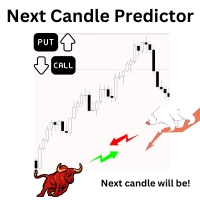
Introduction Our system is more than just a tool—it’s your personal guide in the dynamic trading landscape. Expertly developed and optimized using advanced strategies, this groundbreaking predictor gives traders a powerful edge. It’s not just about the features; it’s about a trading journey that stands out from the crowd. Get ready for an enhanced trading experience like never before! What It Does Next Candle Prediction: Imagine gaining insights into the market’s next move before it happens. Our

Automated Report Generator for the Spanish Treasury. Modelo 720.
This utility allows you to generate a panel report with the information necessary to fill out the Spanish tax form 720 form.
You just have to load this utility on any graph and timeframe, once the report and panel have been generated, the EA will close automatically.
This includes: Current account balance in the reference currency Calculated balance as of December 31, 20XX in the reference currency Total movements between Octob

Easy EA for closing positions with profit or loss. All positions of chart's symbol are counted separately.
Settings: TPforSymbol — set profit amount to indicate when to close every positions for the symbol of the chart. Swap and commission are decreasing your profit. SLforSymbol — set SL amount to indicate SL for every positions for the symbol of the chart. Swap and commission are increasing your loss. SLforSyblol is always below/equal zero.

Rayert - утилита, позволяющая расставлять уведомления на необходимых уровнях. Уведомления происходят как в самом терминале, так и на мобильныйх устройствах путем Push уведомлений. Варианты использования Разметка ликвидности на графике и реагирование при сборе ликвидности. Устанвока уведомлений на уровнях приняти решений. Настройка Можно указать различные цвета линий выше и ниже свечи, до пересечения ценой и после пересечения соответственно. Рисование линий на переднем или заднем фоне. Примагничи

Introducing our advanced MT5 Trade Manager – an indispensable tool tailored for astute traders employing the martingale strategy and executing multiple trades on a single chart. Key Features:
Effortless Lot Size Management: Streamline your trading process with intuitive and rapid lot size adjustments through simple mouse clicks. One-Click Trade Management: Close all trades or selectively close profitable ones with unparalleled ease, enhancing efficiency and saving valuable time. Comprehensive S

The Co-Pilot is a simple trade management system designed to be the quickest way from your strategy to the market. It is optimized for single trade setups that might be short, medium or long term. The program allows you to set your trade setup directly from the chart using graphical objects, set your risk apetite and even provides oppurtunity for partial closes. It also has a built in alert system that keeps you informed on the actions taken by the copilot when youre offline.
It is designed to b

This tool will help you calculate position size based on the lines that you draw on the chart. It will automatically create the trading setup in the background and provide adaptive buttons for market and pending order confirmation. The design is very simple and straightforward, with just a single click you will be able to place the trading setup. Features Set your risk based on your predefined amount or percent of your account balance. Drag the lines to define the entry, take profit target and s
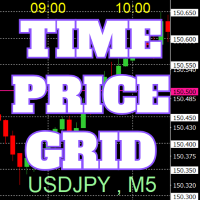
Sul grafico vengono disegnate griglie di prezzi e tempo su numeri interi per facilitare il riferimento.
Dal "Input dei Parametri", è possibile impostare gli intervalli di prezzo per ogni periodo. Le linee della griglia per i numeri significativi (numeri rotondi) sono più spesse e più evidenti rispetto alle altre linee, rendendole facilmente distinguibili. La griglia per i numeri significativi (numeri rotondi) può essere impostata con un colore diverso rispetto alle altre linee. I colori in var
FREE
This utility will help you avoid losing money on your trades when your terminal loses connection to the broker or your VPS / computer goes into an update and doesn't open your MetaTrader client automatically after the update. How is this product different from the other disconnect alerts? This one will email you and/or an SMS even when your MetaTrader client gets disconnected from the Internet or doesn't respond! Your client is monitored externally and doesn't rely on its own Internet con
FREE
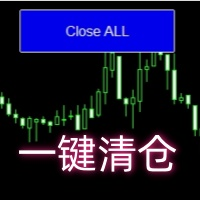
Close all open orders, delete all pending orders, and clear the entire account's orders. Please use caution! After clicking the button, the account order will be 0! Help us quickly clear account orders! As it is a free version, only the function of closing all orders is available. If other functions are needed, customization is required! The paid version has more features!
FREE

Like you when I first started trading, It was overwhelming...learning about indicators, about lotsize, leverage and many more things. Its been almost 3 years. I am more knowledgeable in trading. My trading continues to improve as I work on my strategy, technical analysis, trading psychology and trade management. One thing I am not worried about though is being able to close my trades quicky if a trade goes against me or if the trade has reached my take profit level with the help of my Close Trad
I started of as a complete novice in trading not understanding what a pip was, not understanding leverage or how to factor in risk to manage my trades. Its been almost 3 years. I am more knowledgeable in trading. My trading continues to improve as I work on my strategy, technical analysis, trading psychology and risk management. One thing I am not worried about though is getting the right volume to match the risk for each trade. Not too long after I began trading, I learned how to code to make m
Ultra-short-term trading assistant
One-click quick trading(Preset types orders)
base lot: minimum lot placed
Market buy/sell: base lot * level1 times
Spread free buy/sell: base lot * level2 times
Custom distance buy/sell limit: base lot * level3 times
Shortcut key: Q - Market buy W - Bid price linked to buy limit E - Specify the distance to hang the buy limit R - Close buy order A - Sell at market price S - Ask price linked to sell limit D - Specify the distance to hang the sale F - Cl
功能介绍
本软件利用键盘快捷键来辅助短线操盘、快速刷单和组合下单,是短线操盘手的利器。 本软件支持快捷下单,批量平仓,批量挂单及平仓与开仓的组合交易,实现一键操作多个交易指令执行。 面对行情剧烈行情波动时,操盘手可从容应对,并快速准确的下单和平仓,让交易变的更简单。 适合人群 热爱交易并希望成为一名操盘手的人。 长时间盯盘,操盘风格为短平快的操盘手。 愿意提高短线操盘胜率并训练强大执行力的操盘手。 希望更加高效把握市场机会,并能快速且准确的执行交易指令的操盘手 安装和配置 先软件需要安装在Experts文件夹中。 在导航中刷新可显示本软件,然后双击在到图表。 输入参数中选择语言及界面主题。 主界面分两个标签栏目: 基本交易和组合交易。基本交易执行的是简单命令,组合交易执行多个命令捆绑。 设置要对应的交易参数之后,要选择启动,那么就按下对应的快捷键执行交易了。 修改快捷键和交易参数必须在非启用状态下,双击对应的表格单元填入参数,或者弹出下拉框选择。 快捷键列表
本软件支持的预设快捷键清单,包括买入、卖出、撤单等常见交易操作的快捷键。 双击快捷键弹出下拉框可以选择自定义快捷键,同时用

The M-Flow MFI (Money Flow Index) Scanner for MT5 is like having a super-smart buddy who keeps an eye on the markets for you, flagging up those overbought (>80) and oversold (<20) opportunities in real-time. It can also be used to spot divergences,which warn of a trend change in price.With the M-Flow Scanner, traders can swiftly identify potential trading opportunities.The scanner continuously monitors up to fifteen financial instruments in real-time,on five different timeframes, providing ins
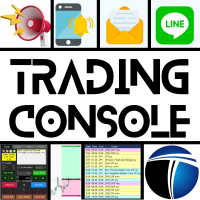
Confortevole trading con la Trading Console! Questa applicazione non può essere testata con lo Strategy Tester.
Scarica la versione DEMO (per account demo) dal link sottostante e prova l'applicazione. Download DEMO ver.
1. Funzionalità utili durante il trading: (1) Visualizzazione e notifiche sugli indicatori economici: Avvisi, notifiche push e e-mail saranno inviati qualche minuto prima dell'annuncio di un indicatore economico. In caso di avviso, una parte dello schermo lampeggia per una maggi

HYT (Help Your Trading) è uno strumento progettato per aiutarti a ridurre la media delle tue posizioni in perdita utilizzando due tecniche principali: Media standard. Copertura con successiva apertura di posizioni nella direzione del trend. Questo strumento consente di gestire più posizioni aperte in direzioni diverse, sia in acquisto che in vendita. HYT calcola automaticamente la dimensione della posizione successiva, il prezzo dell'ordine, la direzione per la media e la chiusura della po

The script opens charts of all trading instruments that are listed in the Market Watch.
Convenient to use for choosing a trading instrument for intraday trading (and not only). MT4-version: https://www.mql5.com/en/market/product/113504 You can attach a pre-created template to each chart you open.
For an example of work, see the video for this post.
There are only two settings: Selection of timeframe; Template name. If you do not need to attach a template, you must leave the Name field empt
MT5 Terminal Copy for Copying MT5 Terminals This Expert Advisor (EA) allows you to copy trading activities between different MT5 terminals. It provides a simple and efficient solution for traders who want to duplicate positions or strategies in real-time across different accounts or devices. The EA can run on a main terminal and automatically replicate trades on other connected accounts. Ideal for copy trading or testing strategies on multiple accounts simultaneously. Main Features: Real-time C
FREE

Complete Trade Manager (MT5)
Manages each open position individually Automate exit strategy (great for prop firm challenges) Use R: R based exit or Fixed Pips exit models Scale out of positions (3 x Targets possible) Breakeven after 1 st 2 nd or 3 rd partial take profit Trail Stop Loss Stop Break Even Fixed Target Exit (Without Partial Profit) Equity Target Based Exit Expect More features in the future Having a plan to exit with trades based on predefined set of rules provides consistency and
FREE

Presentazione di Risk Boss - domina il tuo trading con precisione e facilità! Eleva la tua strategia di trading con Risk Boss, lo strumento più efficiente progettato per rivoluzionare il tuo approccio alla gestione del rischio. Con il suo design intuitivo , è tutto incentrato su configurarti per il successo e dimenticarti dei problemi. Puoi tornare a concentrarti su ciò che conta di più per te.
Caratteristiche in breve:
Creazione Ordini Senza Sforzo: iniziate ordini in sospeso con precisione s

ADAM EA Special Version for FTMO Please use ShowInfo= false for backtesting ! Our 1st EA created using ChatGPT technology
Trade only GOOD and checked PROP FIRMS Default parameters for Challenge $100,000 Tested on EURUSD and GBPUSD only Use 15MIN Time Frame Close all deals and Auto-trading before Weekend at 12:00 GMT+3 Friday For Prop Firms MUST use special Protector https://www.mql5.com/en/market/product/94362 --------------------------------------------------------------------------------
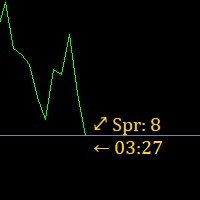
Super simple, convenient, useful tool. Allows displaying the end time of a candle (standard) and expanding the symbol's spread in real time.
The countdown tool is smooth, not jerky or slow like some other tools
Useful tool for professional traders specializing in short-term and long-term trading.
Contact author or user guide: https://www.mql5.com/en/channels/metool_trading
FREE

Exact Time — detailed time on the seconds chart. The utility shows the opening time of the selected candle. This is necessary when working with seconds charts. For example, it can be used on a seconds chart built using the Seconds Chart utility. Inputs Base corner — the chart corner to which an object Is attached. X distance — the horizontal distance from the chart corner. Y distance — the vertical distance from the chart corner. Text font — font name Font size — font size Color — text color
FREE

Session Stat is a utility for tracking the results of a trading session, as well as information about the position for the current instrument.
The panel displays:
Session statistics (for all instruments) Initial trading account balance Current trading account equity Profit during the operation of the utility Profit in % terms during the operation of the utility Session statistics (for the current instrument) Profit of the current position Profit of the current position in % terms Total volume
FREE

The Real Ticks Recording Indicator for MetaTrader 5 backtesting is a powerful tool designed to enable traders to simulate their trading strategies with utmost accuracy and realism. This indicator captures and stores real market ticks, allowing you to replay past market conditions with extreme fidelity, thereby enhancing the precision and reliability of strategy tests. Key Features: Real-Time Tick Capture: The indicator records each market price movement in real-time, ensuring an accurate represe

Rectangle line Trade Execution Assistant Rectangle Line Trade Assistant EA Semi-Automated Trading Assistant IMPORTANT : On the main/purchased program a user can click on the Rectangle line and move/ drag it around the chart, by double clicking on it. Please keep in mind that this option is not available on demo version, due to some restrictions/limitations of Strategy Tester, some Object related operations are not available in the Strategy Tester. But, it will not prevent you from Test
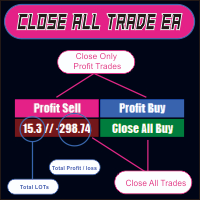
CLOSE ALL TRADE EA is made to make easy the traders instantly close the trades. FEATURES :
- CLOSE ALL TRADES : Traders can close ALL TRADES manually when reaching an AVERAGE PROFIT. Separated button for BUY and SELL trades. - CLOSE PROFIT TRADES : Traders can close PROFITABLE TRADES manually for increase the EQUITY and let the loss trade to reach a PROFIT. Separated button for BUY and SELL trades. - SHOW TOTAL LOSS / PROFIT : Traders will be informed about total LOSS / PROFIT for each BUY /

The utility is designed to send signals from MT4 to Telegram. It has several unique features, allowing not only the sending of trade signals but also the following functionalities: Send messages directly from the terminal to Telegram Send emojis along with custom text Send text and images from Telegram All of these features enable users to manage a signal channel while focusing on trading and finding quality signals. Customizable Signal Messages You can fully customize the signal message: Specif

The utility is useful for those who are looking for an opportunity not to be present in front of the monitor while a pending order is being processed and closed. Using this utility, you can enter a pending order ticket, set a stop loss and calmly leave the terminal until its logical conclusion. If an order is opened, it will have 2 paths to profit or loss, and if the order is not opened and the scenario does not go according to plan, then upon reaching the price level where the stop loss of the
MetaTrader Market - i robot di trading e gli indicatori tecnici per trader sono disponibili nel tuo terminale di trading.
Il sistema di pagamento MQL5.community è disponibile per tutti gli utenti registrati sul sito MQL5.com che effettuano transazioni su MetaTrader Services. Puoi depositare e prelevare denaro usando WebMoney, PayPal o una carta di credito.

Ti stai perdendo delle opportunità di trading:
- App di trading gratuite
- Oltre 8.000 segnali per il copy trading
- Notizie economiche per esplorare i mercati finanziari
Registrazione
Accedi
Accetti la politica del sito e le condizioni d’uso
Se non hai un account, registrati