RSI Alarm Osw MT4
- Indicators
-
William Oswaldo Mayorga Urduy
 MQL4 and MQL5 trader and developer since February 2019, delivering projects in under one day and providing post-delivery technical support.
Optimized code, advanced logic, and high-quality code. - Version: 1.40
- Updated: 18 February 2026
- Activations: 7
RSI ALARM - RSI Indicator with Dynamic Levels and Alerts
RSI ALARM is an enhanced relative strength indicator for MetaTrader, designed for traders looking to capture overbought and oversold extremes. Unlike standard versions, it incorporates dynamic and interactive level lines that you can freely drag over the chart to customize your trigger zones in real-time, offering instant alerts on the platform and your mobile device along with visual signals on the main chart.
Parameters Guide (Inputs Menu)
Period: Sets the number of candles used for momentum calculation. The default value (14) offers an optimal balance between reactivity and noise filtering.
Send Alert Window: Enables or disables the pop-up window with sound notification in MetaTrader 5 when a signal occurs.
Send Alert Mobile: Enables sending push notifications directly to the MetaTrader 5 mobile application on your smartphone or tablet.
Send Alerts Every (Minutes): Defines the minimum time interval (in minutes) between consecutive notifications to avoid alert saturation in high-volatility markets.
Draw Arrows: Automatically shows or hides directional signal arrows over the main chart candles when key levels are reached.
Visual Interpretation
When attaching the indicator to the chart, the RSI line will be displayed in a separate window along with two adjustable horizontal lines:
Dynamic Upper Line (RSI_UP): Marks the overbought level. You can move it by clicking and dragging it to the desired position.
Dynamic Lower Line (RSI_DOWN): Marks the oversold level. Also graphically adjustable in an interactive way.
Directional Arrows:
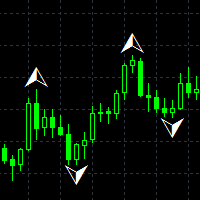
Downward Arrow: Appears above the price when the RSI touches or exceeds the configured overbought level.
Upward Arrow: Appears below the price when the RSI falls below the determined oversold level.
Operation Guide
Live Level Adjustment: Drag the level lines in the sub-window according to market structure (e.g., 80/20 for very volatile markets or 70/30 in normal conditions).
Opportunity Identification:
Sell Setup: RSI reaches the upper line, an upper arrow is generated on the candle, and the overbought alert is triggered.
Buy Setup: RSI touches the lower line, a lower arrow appears on the chart, and the oversold notification is issued.
Execution and Confirmation: Combine alerts with key support, resistance, or price action zones to validate your market entries.
Optimization and Recommendations
Recommended Timeframes: Highly effective in timeframes from M15 to H4.
Markets and Assets: Suitable for Currency Pairs (Forex), Indices, Commodities, and Cryptocurrencies.
Notification Management: In low timeframes (M1 to M5), maintain an alert repetition filter of 5 to 10 minutes in 'Send Alerts Every (Minutes)' for noise-free trading.
Don't forget to visit my other indicators and Experts.