Break Out Signal Osw
- Indicators
-
William Oswaldo Mayorga Urduy
 MQL4 and MQL5 trader and developer since February 2019, delivering projects in under one day and providing post-delivery technical support.
Optimized code, advanced logic, and high-quality code. - Version: 1.40
- Updated: 3 June 2026
- Activations: 7
User Manual: BOS Breakout Signal (OswalTrading)
The BOS Breakout Signal is a high-precision tool for MetaTrader specifically designed for traders who operate on the Break of Structure (BOS). The indicator does not clutter the chart with random signals; instead, it filters market noise using an optimized ZigZag algorithm to identify only the most significant support and resistance levels before confirming a breakout.
1. Purpose and Functioning
This system acts as a structure scanner. Upon starting, the indicator may not show immediate signals as it requires the price to develop a clear oscillation. Once the market establishes a valid reversal pattern, the indicator plots invisible 'activation' levels. When the price breaks these levels with determination, an entry signal is generated.
2. Parameter Guide (Inputs Menu)
ZigZag Algorithm Configuration
Depth: Determines the amplitude of movements. A high value looks for breakouts in major trends, while a low value detects micro-structures.
Deviation: Adjusts the percentage of change needed to mark a new high or low.
Backstep: Controls the minimum candle separation between peaks to avoid signals in overly erratic markets.
History Scan (Bars): Defines how many past candles the indicator will process to show trade history.
Alert Management
Send Alert: Sound notification and pop-up window on the platform.
Send Mail: Sends the signal to your email.
Send Push: Direct notification to the MetaTrader mobile app (iOS/Android).
3. Visual Interpretation and Signals
The indicator uses color coding and clear objects to facilitate fast decision-making:
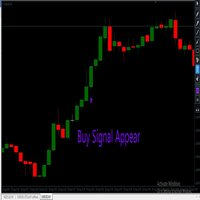
Buy Signal (BULL): A blue arrow (DodgerBlue) appears below the breakout candle. A blue line is drawn connecting the previous high that has been surpassed.
Sell Signal (BEAR): A brown/red arrow (Peru) appears above the breakout candle. A line is drawn connecting the previous low that has been pierced.
Exit Management (Buffers): Each signal automatically calculates three technical levels that you can check in the MetaTrader 'Data Window':
Stop Loss (Gray): Strategically placed at the last opposite swing point to protect capital.
Take Profit 1 and 2 (Gray): Exit targets based on a mathematical risk-reward ratio (1:1 and 1:2).
4. Operation and Strategy Guide
To maximize the effectiveness of the BOS Breakout Signal, follow these steps:
Validation: A signal is valid only when the breakout candle closes or crosses the level drawn by the structure line with strength.
Confluence: Although the indicator is powerful on its own, the best results are obtained on high-liquidity assets (Major Currencies, Gold, or Indices).
Execution: When the arrow and alert appear, execute the trade by placing the Stop Loss and Take Profits at the levels suggested by the indicator buffers.
5. Optimization Recommendations
Timeframes: Works with excellent precision on H1 and H4 for trend traders. If used on short timeframes (M5 or M15), ensure the market is not in a narrow sideways range.
Scenarios: Ideal for trending markets. In high volatility scenarios (fundamental news), it is recommended to wait for the ZigZag to confirm a solid structure before entering.