Telegram Sender Osw MT4

User Manual: Telegram Sender Osw
Telegram Sender Osw is an Expert Assistant (EA) designed to automate the sending of trading signals from MetaTrader to Telegram. Ideal for signal providers and account management, it sends critical data (Price, Stop Loss, Take Profit, Volume) instantly and professionally.

1. Parameter Configuration
General and Connectivity
Enable EA: Activates (true) or pauses (false) the system.

Bot Token: Alphanumeric code obtained from @BotFather.

Chat ID: Identifier of the destination channel, group, or private chat.

Send SubGroup / Thread ID: Activate these options only if your Telegram group uses the "Topics" feature.

Sending Logic (Type Send)
AUTOMATIC: Sends immediately upon detecting any new position or command.

BUTTON: Sends only when the "Send Telegram" button is manually pressed on the chart.

Customization (Telegram TXT)
Use tags that the system will automatically replace: [SYMBOL], [TYPE], [PRICE], [SL], [TP], and [VOLUME].

2. Telegram Setup (Step by Step)
A. Obtain the Bot Token
In Telegram, search for @BotFather and send /newbot.

Assign a name and username (ending in "bot").

Copy the received HTTP API Token into the TelegramBotToken parameter.

B. Obtain the Chat ID
Public Channels/Groups: Add the bot as an administrator and use the username (e.g., @MyChannel).

Private Groups: Add the bot, type /id, or use @userinfobot to obtain the ID number (e.g., -100123456789).

C. Configure the Thread ID (Optional)
If using "Topics," copy the link from any message in the subgroup. The middle number (e.g., .../567/...) is its Thread ID.

3. Critical Authorization in MetaTrader
To allow the Expert Advisor (EA) to send data outside the platform, you must follow these mandatory steps:

Go to Tools > Options > Expert Advisors.

Enable "Allow Web Requests for the listed URLs."

Manually add the URL: https://api.telegram.org and click OK.

4. Operation and Interpretation Guide
Interface: In manual mode, you will see a navy blue button on the screen. Clicking it will open a confirmation box to prevent accidental submissions.

Detection: The system monitors both Open Positions and Pending Orders.

Log: Check the "Experts" tab to confirm successful submissions or identify connection errors.

5. Usage Recommendations
Assets: Compatible with Forex, Cryptocurrencies, Indices, and Commodities. Automatically adjusts decimals based on the symbol.

Stability: A PC or VPS and a stable internet connection are recommended to avoid delays in alerts for internet outages.

Universality: Works in any time of year without affecting terminal performance.

Recommended products
Close at time
Yaotang Liu
5 (2)
Close at time is a very useful EA to close specific positions at specific time. It also provides additional condition to setup. Close specific positions at time. Close specific positions which currently profits. Close specific long positions only. Close specific short positions only. Close specific pending orders. It is useful to support your trading strategies. Parameters description magic : Target magic number to close. close_time_hr: Hour to close. (MetaTrader 4 terminal time) close_time_min
FREE
Virtual Exchange Reserve Equity Monitor In an environment where exchanges offer increasingly high leverage ratios, it is all the more important for traders to tightly regulate their level of equity .  This software is designed to be run in the background on any virtual private server that can run Meta Trader 4/5.  It implements basic equity control functions ahead of the broker---allowing users to set their own equity trailing stop, an equity limit to lock-in a certain profit margin, and a unive
FREE
The indicator shows the operating time of the world exchanges. Help you to see which markets are currently most active Check out my  #1 Pro  Utility : 66+ features, including this tool  |   Contact me  if you have any questions Helps to select the most volatile instruments at the moment; Especially useful for an intraday traders; 1) When using on time frames 1H and below: the lines will correspond to the actual location of the bars on the chart, and when moving the chart, the lines of the tradi
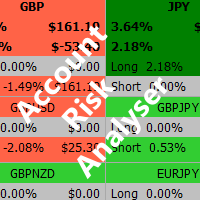
Account Risk Analyser, allows you to keep track of your account risk, risk exposure to individual pairs and risk on base currency pairs. Get notified when your risk on a base currency pair exceed a predetermined risk level. Get notified when your account exceed a predetermined risk level. Risk Analyser based on the NNFX methodology of not over leveraging on any base pairs. Parameter inputs Percentage risk trigger for Trade instruments Percentage risk trigger for Account Alerts Chart Alert Mail A
Download the free, full-featured version for demo accounts here Line Trade Manager is an advanced, high-precision visual utility tool designed for manual traders who demand absolute control over their execution and risk management. Instead of dealing with clunky order windows and manual math, this tool lets you manage complex trade logic directly from the chart using clean, interactive visual lines. Built on a true 'Set & Forget' philosophy, it empowers you to pre-plan every scenario—completely
Waddah Attar Easy Positions Risk Management This EA gives you a full ability to close one position or close all positions . Close buy or sell trades in any position . Close profit or loss position . by clicking on a command button on the chart with confirmation message . Show you  a full information about your positions like : count - lots - average price - points - profit -  profit % - used margin for this position and the risk percent . and also the scrolled table of trades that position has
"Support or Resistance Alert Broken" is a simple and very intuitive tool that allows you to create or eliminate horizontal and trend supports and / or resistances with a simple click. When the support or resistance line is broken by the closing price at the end of the current candle, the "Support or Resistance Alert Broken" tool will send an alert with sound, as well as a notification to the MT4 or MT5 mobile application. This tool can send alerts from multiple pairs at the same time. Utility
EchoTrade Telegram Signal Backtester VALIDATE TELEGRAM SIGNALS IN MINUTES - STOP GUESSING, START BACKTESTING Stop blowing accounts on "VIP" signals that don't deliver. The EchoTrade Telegram Signal Backtester is the professional solution to audit, verify, and optimize any Telegram signal provider's performance on historical data. Most signal providers show you their wins but hide their losses. This tool reveals the naked truth. By combining a powerful Data Manager (included) with an advanced MT4
Fox Scalper
Yaseen Al Hashem
5 (1)
This is a scalper EA based on ZigZag and Moving Average indicators that used martingale strategy for trading. You have full risk management This EA does many trades per day as its method is clear The EA can work with any brokers: STP/ECN The EA can work with any pairs (recommended GBPUSD) The EA can work with any timeframes Inputs Risk – choose your risk between high and low Pip set – d istance between two orders Take Profits - m odify take profit as pips Stop loss - m odify stop loss as pips M
Manager Trade FULL
Miguel Antonio Rojas Martinez
Manager Trade is a tool that will help you manage trades in an easy and simple way. It is a panel that on its first tab contains buttons and inputs, beautiful and intuitive, that allow you to place operations much faster. In its second tab, all the orders of the account are listed, leaving them available to close each one with a single click of a button. Main features Place direct and pending orders with a single click, and in the same screen adjust SL, TP and Lots without having to reload the
The "Set & Forget" Risk Manager for Multi-Asset Trading Never Leave a Trade Unprotected. Auto Stop Loss (MT4 Manager) is the ultimate background utility for traders who prioritize safety. Unlike standard panels, this tool works tirelessly behind the scenes to instantly secure every trade you place. Whether you open trades manually or via another EA, this manager ensures every position has a hard Stop Loss, Take Profit, and dynamic Trailing Stop attached immediately. The Game Changer:  Manage yo
This tool will perform Trailing stop loss and Break even management for orders. Helps you limit or reduce the time spend watching orders on the screen, especially when you need to go to sleep. Just add this EA to 1 chart, you can manage all pairs. You can filter orders by comment, magic number, symbol, and order ticket number. When Breakeven it can add shift/offset pips (to cover the commission...). You can try in strategy tester before purchase. The EA will add Buy and Sell alternately, so yo
Risk Manager Pro MT4
Jhojan Alberto Tobon Monsalve
Risk Manager Pro is a simple utility that calculates the necessary lots with the risk percentage and the pips of stop loss, before opening positions. The web calculators can be useful in some cases but they are not efficient to open operations in real time. In the trading days, there are few opportunities to open positions and when the opportunity arises, the seconds make the difference. This is not possible with conventional web calculators, since to calculate the size of an operation regarding
Trade Builder Pro MT4
Mostafa Saad Saeed Shawara
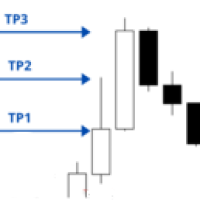
Product Title Trade Builder Pro - Interactive Visual Trade Manager & Risk Assistant on Chart Short Description Simplify your trading with Trade Builder Pro , a highly interactive Trade Assistant and Trade Manager . Set up your entry, stop loss, and multiple take profit targets directly on the chart, with automatic calculation of lot sizes and the risk reward ratio in real-time. Overview Effective Trade Management is essential for long-term trading success. Trade Builder Pro eliminates manual ri
Clock ET
Andrew Tsujiguchi
Simple Eastern Time (ET) clock displayed on your chart, auto-synced with US market hours. Updates every second. Full description: ClockET — Lightweight indicator that displays the current date and time in US Eastern Time (ET) directly on your chart, so you always know exactly where the US session stands — no manual timezone math needed. What You See • Live Clock — Day, month, date and time in ET, updated every second (e.g. "Thu Jul 24  07:36:45 ET") • Centered Label — Displayed at the bottom
FREE
Partial Close MT4
Ahmed Alaoui Chrifi
This is a very simple, and easy-to-use Trade Manager with features like   Auto Partial Close, Auto Stop-loss, Breakeven. EA  closes a profitable position in partial closes when the price moves first in the direction of profits, and then comes back. EA monitors the position. If the price moves in the direction of profits, then ea establish the first level of rollback price at a distance. If the price continues to move in the direction of profits, this level of profit continues modifying this lev
Telegram Ultimate Manager MT4 Use Cases: Manager Order (open, close, modify order) Publish open and close order to Telegram Channel Open trade based on Forex Factory News Requirement: Telegram Chat ID Telegram Bot API Token Telegram Channel ID Please read the guide This tools can not be backtested Free n8n workflow template to : 1. Import Forex Factory news to Google Calendar 2. Send chat to Telegram bot about news release. Is it good or bad for the currency Inputs: Telegram Bot Token : your T
ASTA Trade Manager is a semi-automated trading tool designed to assist professional traders in Exit Strategy Management . This EA will not open trading positions automatically. This version is made to manage manual transactions on 1 chart (pair) only. For the Multipair version, you can check the product at:  ASTA Multipair Trade Manager . FEATURES: 1. Entry and Exit Panel Order Panel: Buy, Sell and Pending Orders Exit Button: Close All Order, Close All Buy, Close All Sell Can be used on strategy
FX-Support Presents the Trading Panel for MT4 The Trading Panel for MT4 is a powerful and versatile tool designed to assist traders in their daily trading activities. It helps traders open positions and identify market signals, such as ENG and STAR patterns. The panel simplifies decision-making and supports efficient trading. Key Features: Automatic Lot Size Calculation Calculates lot sizes accurately, considering market conditions and currency conversions for effective risk management. Accura
The   Close script   is a simple tool that allows traders to close their trades by three methods. Just run the script and choose the close method. Closing methods Symbol  - Allows closing all open trades for a specific symbol. All_Trades  - Allows closing all open trades. Magic_Number  - Allows closing all open trades according to their magic number. Recommendation AutoTrading functions must be activated.  If the AutoTrading function is disabled, the script will not work. EA should be stopped.
FREE
Close_All_Trades_with_TP_SL is a reliable and efficient MQL4 Expert Advisor designed to simplify and automate trade management for all open positions on your MT4 account. This EA is especially useful for traders who open multiple trades quickly or use high-frequency strategies where manual TP/SL placement becomes difficult and time-consuming. The primary purpose of the EA is to ensure that every open trade—whether Buy or Sell—always has a predefined Take Profit (TP) and Stop Loss (SL) applied. M
FREE
PZ Trade Pad EA
PZ TRADING SLU
4.29 (31)
This simple visual expert advisor allows you to trade easily from the chart. It handles risk management for you and can perform several useful tasks with your existing trades, saving time and making risk-management for each individual trade easier.  [ Installation Guide | Update Guide | Troubleshooting | FAQ | All Products   |  Get Help ] Trade easily from the chart Trade with precise risk management, hassle free Trade pending order with drag and drop price selection Set SL and TP levels with
FREE
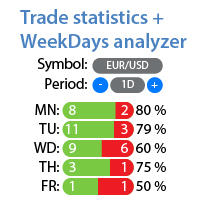
Detailed statistics of your trading for the selected period Check out my  #1 Trade Assistant : 66+ features, including this tool  |   Contact me  if you have any questions The utility includes 2 separate tools: Trade Statistics WeekDays Analyzer Statistics display modes: For the selected  currency pair/trading instrument Statistics for all trades   (" ALL ") You can select the period for which you want to get statistics: 1 day 1 week 1 month 2   months 3   months 6   months 1 year 2 years All tr
This tool works on MT4. The connection to the IQ option box program is established. With this software, IQ Optiona opens orders in selected time periods. The IQ option box program is required. First, the connection to the IQ option box is established. Then you can trade by sending a trading order by adding MT4. IQ O BOX Free Connection Software Download Link. https://drive.google.com/open?id=1xW6ynCwtdbGL4_GFzXU7penZAvTwYaWP
Exp4 Tester PAD for Strategy Tester
Vladislav Andruschenko
4.9 (20)
The utility allows you to manually test your strategies in the strategy tester. One-click trading on the visualization chart. The latest version of the utility offers advanced features for traders to manually test their trading strategies. With the strategy tester, you can now evaluate the effectiveness of your trading strategies in a simulated environment. This functionality allows you to analyze the performance of your trading techniques and refine them to improve your trading skills. Moreover
FREE
Order Blocks Breaker
Suvashish Halder
5 (2)
Introducing Order Blocks Breaker , a brand-new way to identify and leverage order blocks in your trading strategy. After developing multiple order block tools with unique concepts, I’m proud to present this tool that takes things to the next level. Unlike previous tools, Order Blocks Breaker not only identifies order blocks but also highlights Breaker Order Blocks —key areas where the price is likely to retest after a breakout. MT5 -  https://www.mql5.com/en/market/product/124102/ This tool inco
Title : Trade Assistant Manager for MT4 Trade Assistant Manager   — See your risk before you click Trade Assistant Manager is a MetaTrader 4 chart utility for discretionary   traders who want a clear, visual way to size positions . Place your Entry, Stop Loss, and Take Profit directly on the chart. The panel shows the lot size, the money at risk, the profit target in money, and the reward-to-risk ratio — updated as you move the lines. What you gain   Faster decisions   : - Automatically   calcu
FREE
Trade History Exporter automatically exports trade history to a CSV (comma separated values) file. Trade History Exporter: - automatically exports trade history every time a trade is closed - allows you to manually force an export by using the "W" key on your keyboard - can use Order Comments as Magic Numbers - useful for instance when using a Trade Copier - calculates the Net Profit per trade
EasyTradePad
Sergey Batudayev
5 (5)
EasyTradePad – Trading Panel for MetaTrader 4 EasyTradePad is a tool for manual and semi-automated trading. The panel allows quick management of orders and positions, as well as risk management calculations in one click. [ DEMO and Instruction ] Panel Features: Open and close trades with predefined risk (% or deposit currency) Set SL and TP in points, percentages, or monetary values Calculate risk-to-reward ratio automatically Move stop loss to breakeven Partial position closing Trailing stop
Every trader is watching over his account over and over.... trying to anlayse every system he or she has. With this tool you are able to  export your complete history of every account export withdrawls / deposits / rebates to a separate file export account status with balance / equity / current drawdown recalculate micro to standard lots / profits ...  export decimal by "." or ","  combine a series of Magic Numbers to one unique Magic Number   filter to ignore OrderComments.
Buyers of this product also purchase
The product will copy all telegram signal to MT4   ( which you are member  ) , also it can work as remote copier.  Easy to set up, copy order instant, can work with almost signal formats, image signal, s upport to translate other language to English Work with all type of channel or group, even channel have "Restrict Saving Content", work with  multi channel, multi MT5 Work as remote copier: with signal have ticket number, it will copy exactly via ticket number. Support to backtest signal. How to
Riskless Pyramid
Snapdragon Systems Ltd
5 (1)
Introduction This powerful MT4 trade mangement EA offers a way potentially to aggressively multiply trade profits in a riskfree manner. Once a trade has been entered with a defined stoploss and take profit target then the EA will add three pyramid add-on trades in order to increase the overall level of profit. The user sets the total combined profit target to be gained if everything works out. This can be specified either as a multiple of the original trade profit or as a total dollar amount. Fo
Unlimited Trade Copier Pro is a tool to copy trade remotely to multiple MT4, MT5 and cTrader accounts at different computers/locations over internet. This is an ideal solution for you if you are a signal provider and want to copy your trades to other receivers globally on your own rules. One provider can copy trades to multiple receivers and one receiver can get trade from multiple providers as well. The provider can even set the subscription expiry for each receiver, so that receiver will not b
Custom Alerts AIO: All-in-One Market Scanner – No Setup Required Overview Custom Alerts AIO is the fastest and easiest way to monitor multiple markets for real-time trading signals—without any setup or extra licenses. It comes with all required Stein Investments indicators already embedded, making it the perfect plug-and-play solution for traders who value simplicity and performance. Just load it to any chart and start receiving alerts across Forex, Metals, Crypto, and Indices. Shares can be a
Strategy Builder offers an incredible amount of functionality. It combines a trade panel with configurable automation (covert indicators into an EA), real-time statistics (profit & draw down) plus automatic optimization of SL, TP/exit, trading hours, indicator inputs. Multiple indicators can be combined into an single alert/trade signal and can include custom indicators, even if just have ex4 file or purchased from Market. The system is easily configured via a CONFIG button and associated pop-up
VirtualTradePad PRO SE MT4 — advanced trading panel and chart workspace for MetaTrader 4 VirtualTradePad PRO SE is a professional trading panel and trade-management workspace for MetaTrader 4 . It helps traders open, manage, protect, close and analyze trades faster from one chart-based interface. The product was created for active manual traders who need more than a simple set of buttons. PRO SE combines one-click execution, pending orders, position control, partial close, basket profit/loss log
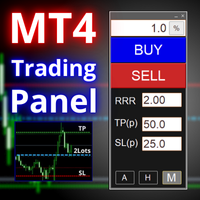
A professional panel for manual trading that keeps the whole trade cycle in one window on the chart, from a precise entry to protecting your account. Size every position strictly to a defined risk, build the trade with lines directly on the chart using the RR Tool, and place market and pending orders, grids and OCO. The panel takes position management off your hands: partial closing across up to five levels, six types of trailing stop, breakeven and Virtual SL/TP. Daily, weekly and monthly limit
ManHedger MT4
Peter Mueller
5 (2)
THIS EA IS A SEMI-AUTO EA, IT NEEDS USER INPUT. Manual & Test Version Please TEST this product before   BUYING  and watch my video about it. Contact me for user support or bug reports, or if you want the MT5 version! MT5 Version I do not guarantee any profits or financial success using this EA. With this Expert Advisor, you can: Implement your own   Zone Recovery   strategy to capitalize on trending markets. Create   Grid   trading strategies, to profit from ranging markets. Place orders easil
The Expert Advisor will help you forward all pop-up alert with screenshot from  MetaTrader 4 to Telegram channel/ group, also forward all notifications to Telegram. Parameters  -  Telegram Bot Token - create bot on Telegram and get token.  -  Telegram Chat ID  - input your Telegram user ID,  group / channel ID  -  Forward Alert - default true, to forward alert.  -  Send message as caption of Screenshot - default false, set true to send message below Screenshot  How to setup and guide  - Telegram
EasyInsight AIO MT4
Alain Verleyen
4 (2)
EASY Insight AIO – All-In-One Power for AI-Driven Trading Want to skip the setup and start scanning the entire market – Forex, Gold, Crypto, Indices, and even Stocks – in seconds? EASY Insight AIO is the complete plug-and-play solution for AI-powered trade analysis. It includes all core Stein Investments indicators built-in and automatically exports clean, structured CSV files – perfect for backtesting, AI prompts, and live market decision-making. No need to install or configure indicators manu
RedFox Copier Pro
Rui Manh Tien
4.7 (10)
Time saving and fast execution Whether you’re traveling or sleeping, always know that Telegram To Mt4 performs the trades for you. In other words, Our   Telegram MT4 Signal Trader  will analyze the trading signals you receive on your selected Telegram channels and execute them to your Telegram to MT4 account. Reduce The Risk Telegram To Mt4   defines the whole experience of copying signals from   Telegram signal copier to mt4 platforms. Users not only can follow all instructions from the signa
The FFx Hidden Manager panel will help you to manage easily your orders directly on the chart. Below all features described: TP, SL and TrailingStop are hidden Each order has its own lines on chart Drag & Drop any line to change the TP/SL as per your need Option to move automatically the SL line at breakeven when TP #1 is reached Option to choose the TP/SL type (by pips or price) Option to choose the TrailingStop type (by pips, MA, Fractals, PSAR or ATR) Define which order(s) you want to manage
FFx Risk Calculator
Eric Venturi-Bloxs
FFx Risk Calculator panel will help you to calculate very easily your trades size, SL or the risk directly on the chart. All features are described below: Option to select which parameter to calculate: Risk, Stop Loss or Lot Size The panel will show if the lot size is allowed according to the current account free margin Button to maximize/minimize the panel Drag and Drop the panel anywhere on the chart How to use it? Select the parameter you want to be calculated. It will be based on the 2 other
Trade Copier Pro
Vu Trung Kien
4.29 (14)
Trade Copier Pro is a tool to copy trade remotely to MT4, MT5 and cTrader accounts at different computers/locations over internet. This is an ideal solution for you if you are a signal provider and want to copy your trades to other receivers globally on your own rules. One provider can copy trades to multiple receivers and one receiver can get trade from multiple providers as well. The provider can even set the subscription expiry for each receiver, so that receiver will not be able to receive t
News Trader Pro
Vu Trung Kien
4.38 (16)
News Trader Pro is a unique robot that allows you to trade the news by your predefined strategy. It loads every piece of news from several popular Forex websites. You can choose any news and preset the strategy to trade it, and then News Trader Pro will trade that news by selected strategy automatically when the news comes. News release gives opportunity to have pips since the price usually has big move at that time. Now, with this tool, trading news becomes easier, more flexible and more exciti
FFx Watcher PRO
Eric Venturi-Bloxs
The FFx Watcher PRO is a dashboard displaying on a single chart the current direction of up to 15 standard indicators and up to 9 timeframes. It has 2 different modes: 1. Watcher mode: Multi Indicators User is able to select up to 15 indicators to be displayed User is able to select up to 9 timeframes to be displayed 2. Watcher mode: Multi Pairs User is able to select any number of pairs/symbols User is able to select up to 9 timeframes to be displayed This mode uses one of the standard indicat
NickZ Tool
Nicolas Zouein
This is a must have tool for a serious trader. It saves your precious time spent for opening/closing trades, creating pending trades and modifying your TP/SL in bulk according to either pips or price. If you need to quickly open several pending orders (Buy Stop, Sell Stop) at a certain distance from each other, this script will do all the routine for you! The first time you use this handy tool, you will realize it has already paid for itself. Instructions: Drag and drop this script onto a chart.
The product combines a manual trade panel with the ability to perform actions automatically in a highly configurable way. Actions include capturing indicator values and then based on those values raising alerts, open/close or partially close trades, scale-in, setting up pending orders, adjusting stop loss, take profit and more. On-chart controls can be configured, such as tick boxes and buttons, so can be fully interactive. The EA also handles money management, news events, hidden stop loss, tak
Binary Options Copier Remote is an EA that allows to copy binary options trades between MT4 accounts at different computers. This is an ideal solution for signal provider, who want to share his trade with the others globally on his own rules. Provider can give free bonus license to 10 receivers. That means those 10 receivers can copy from provider by using Binary Options Receiver Free (no cost). From 11th one, receiver have to buy Binary Options Receiver Pro (paid version) in order to copy from
One Click FX Panel
Chantal Sala
5 (2)
This panel is very simple to use and it is a very ally to manage your positions and orders. Also you can modify your risk, writing in fields directly on Panel. One click on buttons and the operation on market is done! Operations possible: BUY/SELL Break Even Split (close 50% all orders) Close All positions Hedging (opens reverse positions to cover) Close only BUY positions Close only SELL positions Close All pending orders Reverse all positions Please watch the video to verify the very simple u
Slow Pips OCO Trade Panel is an advanced trading panel for placing pending orders. Traders can use this panel to place two pending orders at once. One pending order would be of buy entry type and the other one would be of sell entry type. Both orders will have Stop Loss and Take Profit parameters. Since two pending orders are placed at the same time, the pending order for which the price hits first gets converted into a market order and the other pending order gets deleted (one order cancels the
This indicator changes the timeframe and chart profile for multiple charts. If you dispatched many charts (10~20 or more) in single MetaTrader terminal, it is very boring and difficult work to manage the timeframe and chart profile individually. If the indicators you use in a chart are numerous and the setting values are different from the default one, you might give up adding all the indicators to all charts. The changing of timeframes on multiple charts has the same problem, too. Whenever you
Price Action DashBoard
Chantal Sala
4.17 (6)
The Price Action Dashboard is an innovative tool to help the trader to control a large number of financial instruments. This tool is designed to automatically suggest signals and price conditions. The Dashboard analyzes all major Time Frame suggesting price action conditions with graphic elements. The Dashboard can suggest you the strength of the trend identifying directional movement, it is an indispensable tool for those who want to open position themselves using market trends identifiers. The
Elliott Wave Counter is a panel for rapid and user-friendly manual markup of Elliott waves. One can select a color and a level of marks. There are also functions for removing the last markup and the entire markup made by the tool. Markup is made in one click. Click five times - have five waves! Elliott Wave Counter will be a great instrument both for beginners and professional analysts of Elliott waves. Elliott Wave Counter Installation & Inputs Guide if you want to get   notifications  about th
If you wish to draw Support and Resistance lines, view: daily market opening, classical pivot levels, Fibonacci pivot levels, trend lines, Fibonacci levels, the remaining time to candle closing, and current spread. If you seek to place your orders with the exact lot that meets your desired stop loss risk. If you wish to do all this and more with just one click, then this is the perfect tool to use. This tool will allow you to feel more relaxed when deciding to open orders, as well as predicting
One Click Analysis Tool is a   keyboard shortcut-based object creation   and copying tool for MetaTrader. It makes it easy to use analysis tools in MetaTrader with just a click. With our tool, you can quickly draw support and resistance levels, Fibonacci levels, shapes, channels, trend lines, and all other objects on your chart. Simply click the button, move the mouse, and One Click Analysis Tool will do the rest for you. This can save you time and make your chart analysis more efficient, allowi
Partial Close Expert
Omar Alkassar
5 (1)
Partial Close Expert is tool combines many functions into one automated system. This EA can help traders manage their positions more effectively by offeringmultiple options for managing risk and maximizing potential gains. With Partial Close Expert, traders can set a   partial close   level to lock in profits, a   trailing stop   level to protect profits and limit losses, a   break-even   level to ensure that the trade will break even if the price moves against them, and several other functions
Master Trend Dashboard
Chantal Sala
4.67 (3)
Master Trend Dashboard is a new generation indicator, compact, light and efficient. Each element of this Dashboard is designed to return specific signals as: Price Action, Breakout, Net Change (performance of the instrument), algorithmic studies, correlations and statistical calculations. This tool will change your way of trading allowing you to receive important information. See the Graphic Signals to understand every single signal below: Graphic Signals Symbol name and arrow color Green = Cur
Trade Copier Agent is designed to copy trades between multi MetaTrader(4/5) accounts/terminals. With this tool, you can act as either a provider (source) or a receiver (destination). All trading actions will be copied from the provider to the receiver with no delay. This tool allows you to copy trades between multiple MetaTrader terminals on the same computer with lightning-fast copying speeds of under 0.5 seconds. Trade Copier Agent Installation & Inputs Guide Please Apply the settings on the
Unlimited Binary Options Copier Remote is a powerful tool to copy binary options trades remotely between multiple accounts at different locations over internet. This is an ideal solution for signal provider, who want to share his binary options trades with the others globally on his own rules. One provider can copy trades to unlimited receivers and one receiver can get trade from unlimited providers as well. The provider can set the subscription expiry for each receiver, so that receiver will no
More from author
RSI Alarm Osw MT4
William Oswaldo Mayorga Urduy
RSI ALARM (For Metatrader 4) This indicator works like a normal RSI with all its settings (Periodicity, colors, levels, etc), but additionally, alarms can be set in the upper and lower level (Example 70 and 30), with the possibility of adjusting these levels by moving the upper and lower lines found on the indicator. You can also activate and deactivate an additional function that puts an arrow on the chart when the expected upper or lower RSI is met.
RSI Alarm Osw
William Oswaldo Mayorga Urduy
RSI ALARM (For Metatrader 5) This indicator works like a normal RSI with all its settings (Periodicity, colors, levels, etc), but additionally, alarms can be set at the upper and lower level (Example 70 and 30), with the possibility of adjusting these levels by moving the blue and red lines to establish the upper and lower levels. You can also turn on and off an additional function that creates an arrow on the chart when the expected upper or lower RSI is met.
Whatch and Candle Alarm Osw MT5
William Oswaldo Mayorga Urduy
Watch Osw: Simple and Effective Candle Stopwatch Lightweight indicator for MetaTrader that shows the remaining time for the current candle's close directly on the chart. It is a basic and functional utility tool designed for traders to always visualize how much time is left for a new bar to form without additional complications in their technical analysis. Parameter Guide (Input Menu) Watch Color: Color assigned to the stopwatch text on the chart. Text size: Font size of the time digits on the
FREE
Whatch and Candle Alarm Osw MT4
William Oswaldo Mayorga Urduy
Watch Osw: Simple and Effective Candle Stopwatch Lightweight indicator for MetaTrader that shows the remaining time for the current candle's close directly on the chart. It is a basic and functional utility tool designed for traders to always visualize how much time is left for a new bar to form without additional complications in their technical analysis. Parameter Guide (Input Menu) Watch Color: Color assigned to the stopwatch text on the chart. Text size: Font size of the time digits on the
FREE
Points Candles Osw
William Oswaldo Mayorga Urduy
Points Candles Osw It is a professional volatility indicator designed to quantify the exact path of candles in points. Through a dynamic histogram in an independent window, it allows traders to visualize momentum and price strength, identifying volatility spikes and critical movement levels immediately. Parameters Guide (Inputs Menu) Show Points Candles Bullish: Activates the display of data corresponding to bullish candles. Show Points Candles Bearish: Activates the display of data correspon
FREE
SORS Osw MT4
William Oswaldo Mayorga Urduy
User Manual: SORS Dynamic Levels System The SORS Indicator is a high-precision tool designed to project key support and resistance levels in real time. It uses Standard Deviation (Endogenous Volatility) to calculate expansion ranges based on the opening price of critical time cycles. Its objective is to identify areas of exhaustion or acceleration, allowing the trader to operate with a mathematical roadmap. Parameter Guide (Entry Menu) The menu allows you to customize the visibility and appeara
Divergence Osw Metatrader 4
William Oswaldo Mayorga Urduy
DIVERGENCE OSW  (For Metatrader 4) This indicator works on divergences and has the following functions: Generate an alert when a divergence occurs. Create lines by calculating the Stoploss and Takeprofit according to projection waves of inverse waves. Create an arrow indicating the possible direction of the market. The signals sent by the indicator are given when the candle ends. The Trader must evaluate each divergence to take entries. Settings: Activation and deactivation of alerts. Alert inte
Trading Sesions MT4
William Oswaldo Mayorga Urduy
COMMERCIAL SESSIONS This indicator shows in the selected graph divided by tables each of the sessions ASIA, JAPAN, LONDON, NEW YORK: Allows you to configure: Session Color  ASIA, JAPON, LONDRES, NEW YORK Hide and show each session It works in the lowest timeframes on the market, among which H4, H1, M15, M5 and M1 are recommended. (Don't forget to check out our other indicators)
Automatic Support and Resistance Osw MT4 This Indicator graphs lines at the possible support and resistance points of the selected asset. it works in multiple temporalities. allows you to configure: Color of the lines. Width of the lines. Type of lines. When the indicator begins its operation, it analyzes the supports and resistances of higher levels for the temporality in which it is working.
Round Numbers Osw MT4
William Oswaldo Mayorga Urduy
ROUND NUMBERS (For Metatrader 4) This indicator allows you to add horizontal lines according to the round numbers that the asset contains. Unlike other indicators, this one calculates the closest levels dynamically and automatically as the price moves. works on currency pairs, indices, metals, stocks, etc. Round with 5 digits, 3 digits and integers of 10 100 or 1000. lines can be adjusted in parameters like: Hide the line or round number that you do not want to display. line color. line
User Manual: SRO Intelligent Marking System 1. Introduction The SRO indicator is a dynamic drawing tool for MetaTrader 5 designed for Price Action and SMC traders. Its competitive advantage is its visual clarity: it allows you to draw critical levels that project only into the future, preventing lines from crossing the entire chart history. It also automatically labels each object with the timeframe in which it was created. 2. Quick Execution Commands The system operates using hotkeys. Simply
Alert Up Down MT4
William Oswaldo Mayorga Urduy
ALERT UP - DOWN FOR METATRADER 5 This indicator generates an alert when the price leaves the zone between the UP and DOWN lines. You can generate alerts of various types such as: > Sound > Message box > Message in the expert box > Mail (previously configured) > PUSH notifications (previously configured) The lines must be configured from the indicator properties and not from the lines properties, since if it is done from the lines properties, the finonacci may be affected. Among the s
Break Out Signal Osw
William Oswaldo Mayorga Urduy
User Manual: BOS Breakout Signal (OswalTrading) The BOS Breakout Signal is a high-precision tool for MetaTrader specifically designed for traders who operate on the Break of Structure (BOS). The indicator does not clutter the chart with random signals; instead, it filters market noise using an optimized ZigZag algorithm to identify only the most significant support and resistance levels before confirming a breakout. 1. Purpose and Functioning This system acts as a structure scanner. Upon start
Automatic OrderBlocks Osw MT4
William Oswaldo Mayorga Urduy
AUTOMATICS ORDERBLOCKS OSW (METATRADER 5) This indicator is responsible for showing the Order Blocks under some pre-established rules, among which are: >that there is an impulse that breaks the previous impulse. >When it is found, it is in charge of finding the candlestick pattern formed, to calculate in the most efficient way the high and low of the place, to create the high and low of the Order Block. >After the Order Block is created, the Indicator is constantly checking if any candlest
Signal Indicator to Expert MT4
William Oswaldo Mayorga Urduy
User Manual: Expert Advisor "Universal Indicator Connector" This system is a high-performance automation bridge designed to execute signals from any custom indicator (.ex5) without reprogramming. The expert acts as an intelligent order manager, allowing you to apply exit rules, money risk management, and time control to strategies that were originally only visual. 1. Indicator Link Configuration For the expert to function, you must correctly "map" the external indicator: IndicatorName: The ex
Local Copy Trading Osw MT4
William Oswaldo Mayorga Urduy
User Manual: Multi-Connect Trade Copier (MT4/MT5) This system allows for the automatic replication of trades between MetaTrader terminals, acting as a communication bridge to synchronize portfolios with minimal latency. 1. Introduction and Purpose Multi-Connect Trade Copier is an infrastructure tool designed for managing mirror accounts. Its function is to extract signals from a Master account and execute them in a Slave account, enabling exchange between MT4 and MT5, independent risk adjustme
Martingale Osw MT4
William Oswaldo Mayorga Urduy
User Manual: Advanced Martingale Management and Risk Control System This professional manual describes the operation, configuration, and visual interface of the Advanced Martingale order management system, designed to automate position recovery and risk management in MetaTrader. 1. Introduction and Purpose This tool acts as a high-precision order manager whose main logic is cost averaging. Its purpose is to protect and recover trades that move against the initial direction by deploying a netwo
Market Profile Osw MT4
William Oswaldo Mayorga Urduy
User Manual: Market Profile Osw Market Profile Osw is an advanced auction analysis tool that allows you to visualize volume and price distribution over a specific period. Unlike conventional candlestick charts, this system reveals where the most trading activity occurred, identifying psychological support and resistance zones based on real market participation. 1. Parameters Guide (Inputs Menu) General Settings Show Market Profile: Enables or disables the profile visualization on the chart. Vo
VWap Osw MT4
William Oswaldo Mayorga Urduy
VWAP Institutional Pro: The Real Value Map VWAP Institutional Pro is the ultimate tool for identifying fair market price, allowing you to trade with the same reference as major investment funds and high-frequency algorithms. This indicator calculates the volume-weighted average in real-time, revealing invisible levels of dynamic support and resistance where institutional order flow typically reacts with pinpoint accuracy. Configuration Parameters Guide Adjust your strategy using the same names
Fibo Alerts MT4
William Oswaldo Mayorga Urduy
Professional Fibonacci Alerts Indicator Boost your Trading with Precise Retracement Alerts This advanced indicator automates the monitoring of your key levels by detecting exact price crosses on any Fibonacci retracement tool drawn on your chart. Designed for demanding traders who operate with golden ratios, it ensures you never miss an entry opportunity in probable reversal or continuation zones, sending instant notifications directly to your terminal, mobile, or email. Parameter Guide (Input
FVG Indicator Osw MT4
William Oswaldo Mayorga Urduy
FVG Pro Institutional Scanner Advanced Fair Value Gap (FVG) detector for Smart Money traders. Automatically scans and highlights critical liquidity imbalances on the chart, allowing for the anticipation of price reactions, trading of high-probability continuations, and refinement of institutional entries. Parameter Guide CandlesScan: Historical candle limit analyzed to optimize platform performance. FVGPointsMin: Minimum gap size (in points) required to filter out noise and minor market moveme

Multi Indicators Osw MT4
William Oswaldo Mayorga Urduy
Multi Indicators Osw Commercial Description Multi Indicators Osw is a definitive technical workstation that consolidates 8 of the most powerful classic trading strategies into a single tool for MetaTrader 5. Designed to simplify visual analysis, this indicator allows filtering and visualizing confluences of RSI, MACD, Moving Averages, Bollinger Bands, Stochastic, CCI, Parabolic SAR, and Envelopes without cluttering your chart. It is the ideal solution for traders seeking precise technical confi
Stocastic Alarm Osw MT4
William Oswaldo Mayorga Urduy
**STOCHASTIC ALARM** This indicator works like a normal Stochastic, maintaining all its usual settings, such as K, D, Slowing, colors, levels, and other options available to customize its operation and visualization. It also has additional features that allow you to set alarms at the upper and lower levels, for example 80 and 20. These levels can be easily adjusted by moving the blue and red lines directly on the chart to set the desired upper and lower levels. It also allows you to choose w
EA Range Osw MT4
William Oswaldo Mayorga Urduy
EA Range Osw EA Range Osw is an expert advisor designed to trade breakouts or reversals in time-bound price ranges. It identifies highs and lows during a custom schedule, places pending orders, and manages risk professionally. Parameter Guide (Inputs Menu) Range Start / End Time (hh:mm): Defines the period to calculate the range. Open / Close Orders Time (hh:mm): Schedule for managing pending orders. Cancel / Close Orders: Cancels pending orders and closes operations at the end of the day. Col
SORS Osw
William Oswaldo Mayorga Urduy
User Manual: SORS Dynamic Levels System The SORS Indicator is a high-precision tool designed to project key support and resistance levels in real time. It uses Standard Deviation (Endogenous Volatility) to calculate expansion ranges based on the opening price of critical time cycles. Its objective is to identify areas of exhaustion or acceleration, allowing the trader to operate with a mathematical roadmap. Parameter Guide (Entry Menu) The menu allows you to customize the visibility and appear
Automatic Support and Resistance Osw MT5 This Indicator graphs lines at the possible support and resistance points of the selected asset. it works in multiple temporalities. allows you to configure: Color of the lines. Width of the lines. Type of lines. When the indicator begins its operation, it analyzes the supports and resistances of higher levels for the temporality in which it is working.
Round Number Osw MT5
William Oswaldo Mayorga Urduy
ROUND NUMBERS (For Metatrader 5) This indicator allows you to add horizontal lines according to the round numbers that the asset contains. Unlike other indicators, this one calculates the closest levels dynamically and automatically as the price moves. works on currency pairs, indices, metals, stocks, etc. Round with 5 digits, 3 digits and integers of 10 100 or 1000. lines can be adjusted in parameters like: Hide the line or round number that you do not want to display. line color. line
User Manual: SRO Intelligent Marking System 1. Introduction The SRO indicator is a dynamic drawing tool for MetaTrader 5 designed for Price Action and SMC traders. Its competitive advantage is its visual clarity: it allows you to draw critical levels that project only into the future, preventing lines from crossing the entire chart history. It also automatically labels each object with the timeframe in which it was created. 2. Quick Execution Commands The system operates using hotkeys. Simply
Multi Temporalities Osw MT5
William Oswaldo Mayorga Urduy
MULTI-TIMES FOR METATRADER 5 This indicator, in a lower window, shows the current chart in different timeframes, this can help you better decipher the market, taking into account the higher timeframes. Among the settings that you can modify are: view of prices in charts view of the temporalities in the graphs enable each of the graphics in the different temporalities (M1, M5, M15, H1, H4, D1, W1, MN1).
Alert Up Down MT5
William Oswaldo Mayorga Urduy
ALERT UP - DOWN FOR METATRADER 5 This indicator generates an alert when the price leaves the zone between the UP and DOWN lines. You can generate alerts of various types such as: > Sound > Message box > Message in the expert box > Mail (previously configured) > PUSH notifications (previously configured) The lines must be configured from the indicator properties and not from the lines properties, since if it is done from the lines properties, the finonacci may be affected. Among the s
Filter:
No reviews
Reply to review