Risk Pilot
- Utilities
- Version: 3.0

Overview
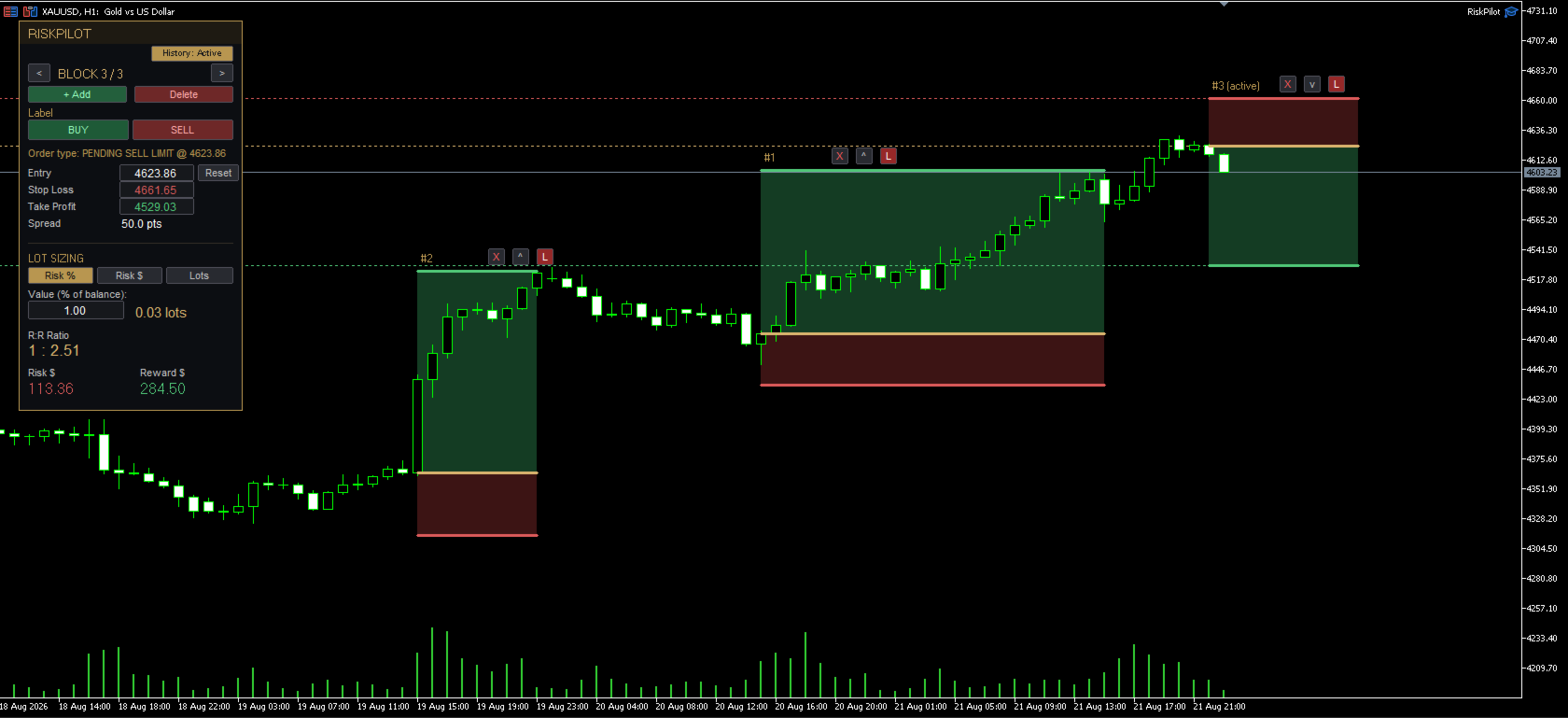
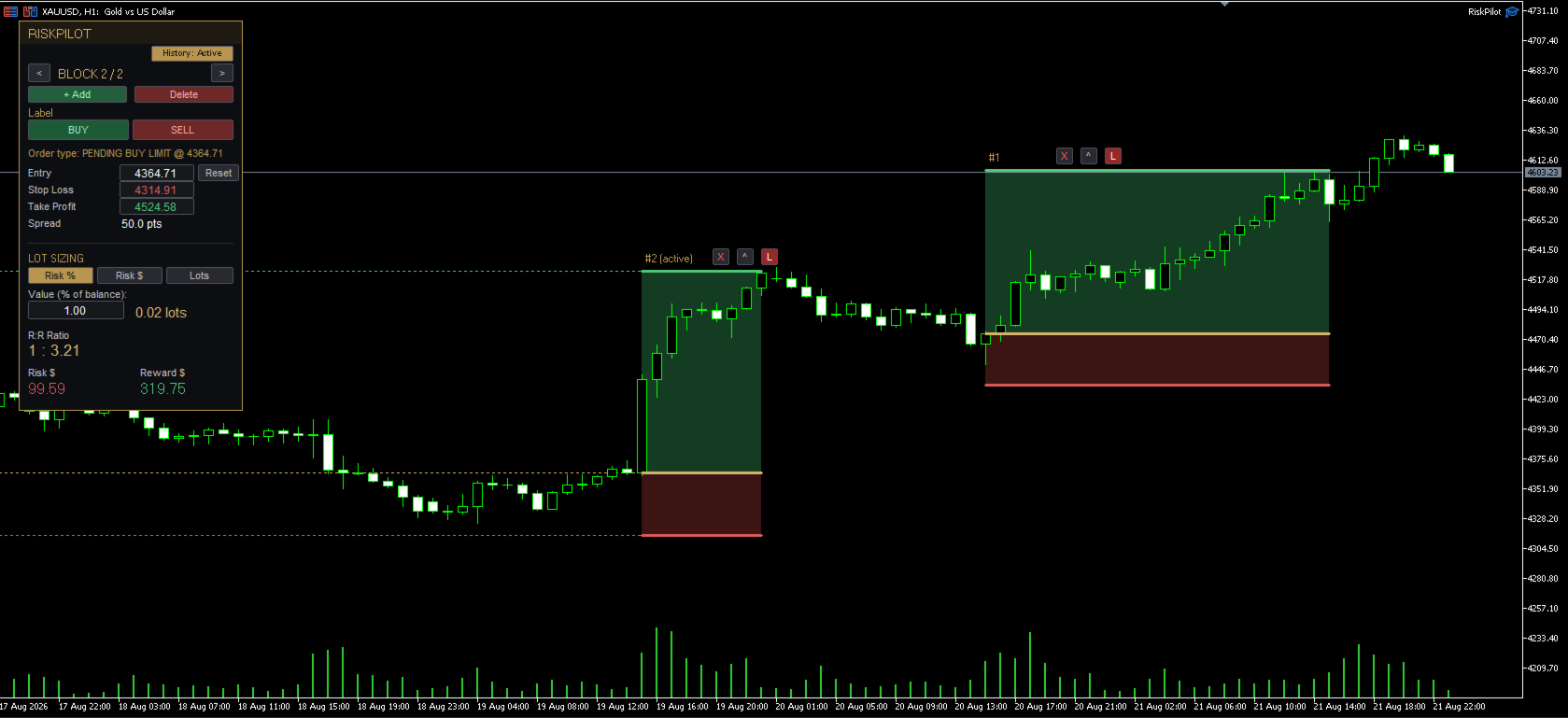
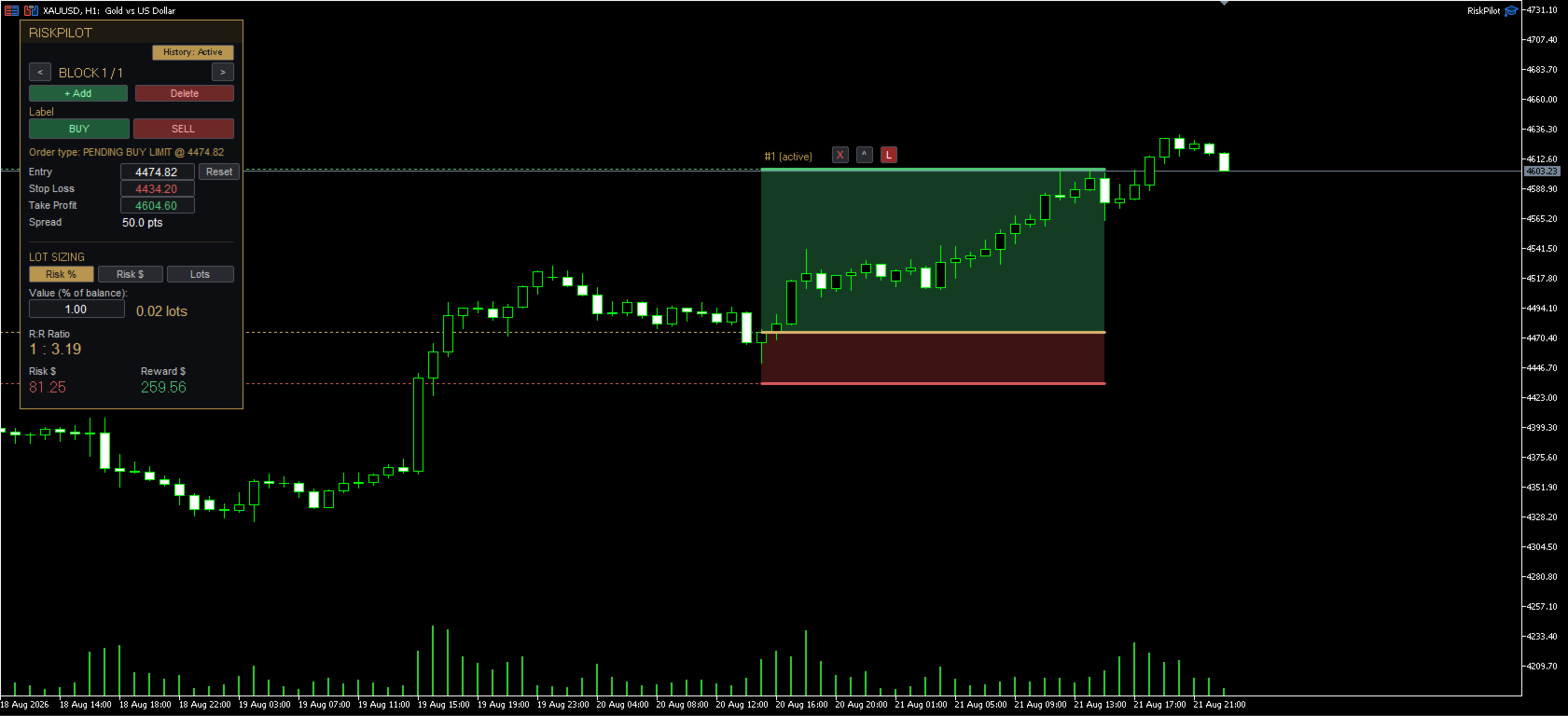
RiskPilot is a visual Risk/Reward execution panel for MetaTrader 5. It lets you place Entry, Stop Loss, and Take Profit levels directly on the chart by dragging colored lines and zones, see your position size, risk in dollars, and reward in dollars update live, and execute the trade with one click — no manual lot-size math, no separate order dialog.
You can run several independent Risk/Reward setups on the same chart at once, each with its own Entry/SL/TP, its own direction (Buy or Sell), and its own on-chart controls to delete, flip, or lock it.
Important — this is a manual trading tool, not an automated strategy. RiskPilot never opens or closes a trade by itself. Every single trade is sent only when you press Buy or Sell. Because MetaTrader 5 runs every program of this type — including simple visual tools like this one — from the "Expert Advisors" section of the Navigator, RiskPilot will appear in your EA folder. That is a technical requirement of the platform, not a sign that it trades automatically.
How it works
- Drag the Entry line to set your entry price. While untouched, it follows the live market price (Market order); once dragged, it locks in place and becomes a Pending order (Stop or Limit, detected automatically).
- Drag the Stop Loss and Take Profit lines, or type exact prices directly into the panel.
- Position size is calculated automatically from your chosen risk mode: percentage of account balance, a fixed dollar amount, or a manual lot size.
- Press BUY or SELL to send the order with the exact levels shown.
- Add more Risk/Reward blocks on the same chart with the "+ Add" button — useful for planning several setups at different levels before the market reaches them. Each block has its own small on-chart buttons: an X to delete it, an arrow to flip it from Buy to Sell (or back), and a lock to freeze it so it can't be dragged by accident.
Inputs
- Default risk % of account balance per trade
- Default SL distance (% of price) on first placement
- Default TP distance (% of price) on first placement
- Entry line color
- Stop Loss line color
- Take Profit line color
- Profit zone color
- Loss zone color
- Magic number for orders placed by this panel
- Max slippage in points
Recommended setup
Works on any symbol and any timeframe — Forex, Gold/Silver, indices, and crypto (BTCUSD, etc.), since default distances are percentage-based rather than fixed points. A VPS is not required, since RiskPilot is a manual tool with no automated logic running between your actions.
Screenshots
.set files with recommended input values are provided in the comments section below.
Disclaimer
Trading involves risk of loss. Test on a demo account first. RiskPilot is an execution and planning tool; it does not predict market direction and does not guarantee profit.