RiskCalc Panel
- Indicators
- Version: 5.0

RiskCalc Panel — Position Size & Risk Calculator
Overview
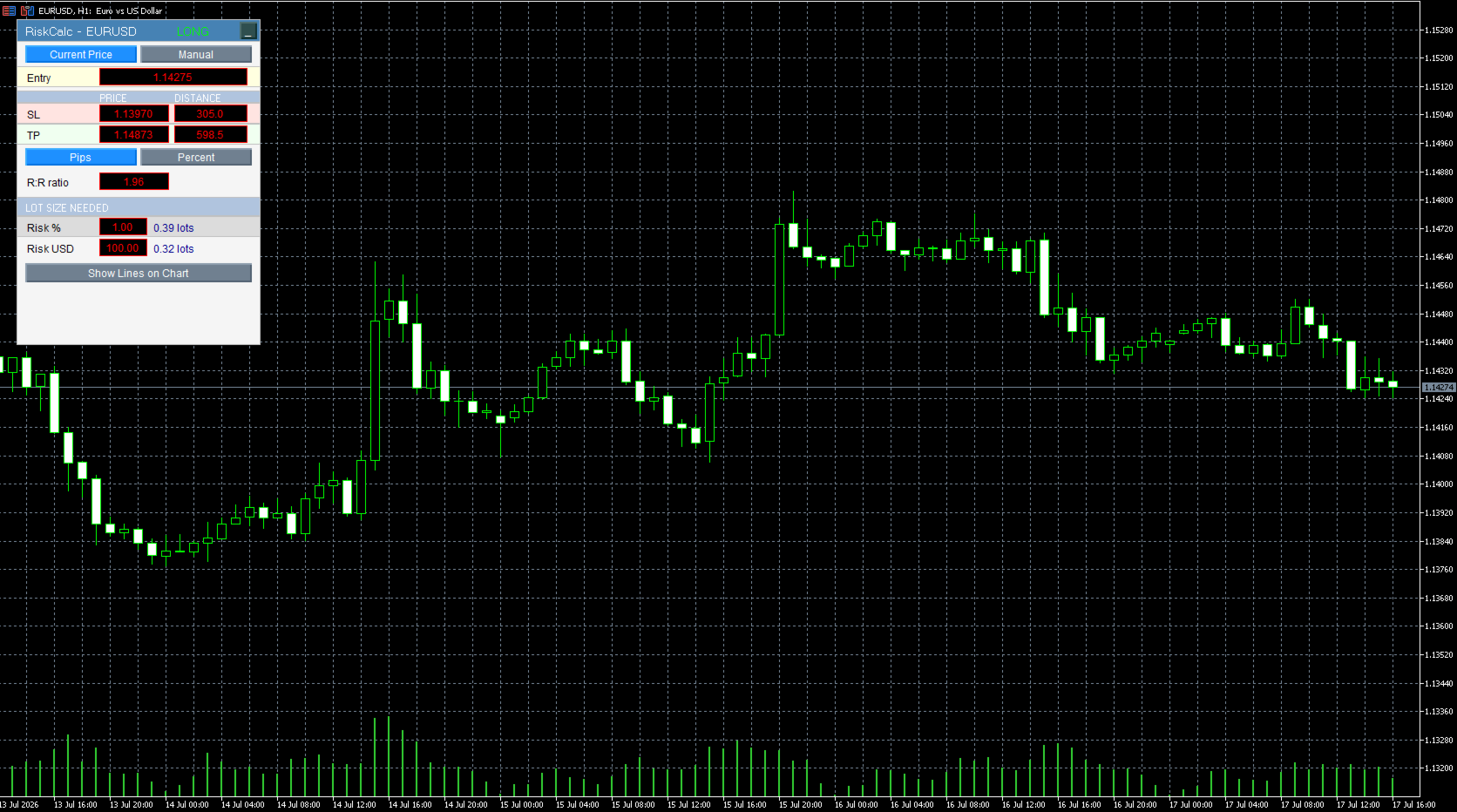
RiskCalc Panel is a lightweight on-chart calculator that removes the guesswork from position sizing. Set an entry, stop loss, and take profit either from the live market price or a manual price you choose, and the panel instantly shows the exact lot size needed to risk a fixed percentage of your equity or a fixed amount in your account currency. No trading operations: this tool does not open, close, or manage any position. It is a decision-support panel to standardize your money management and eliminate sizing errors before you place a trade manually.
How It Works
- Choose your entry mode: Current Price follows the live bid/ask automatically, or Manual lets you type any price you want to plan around.
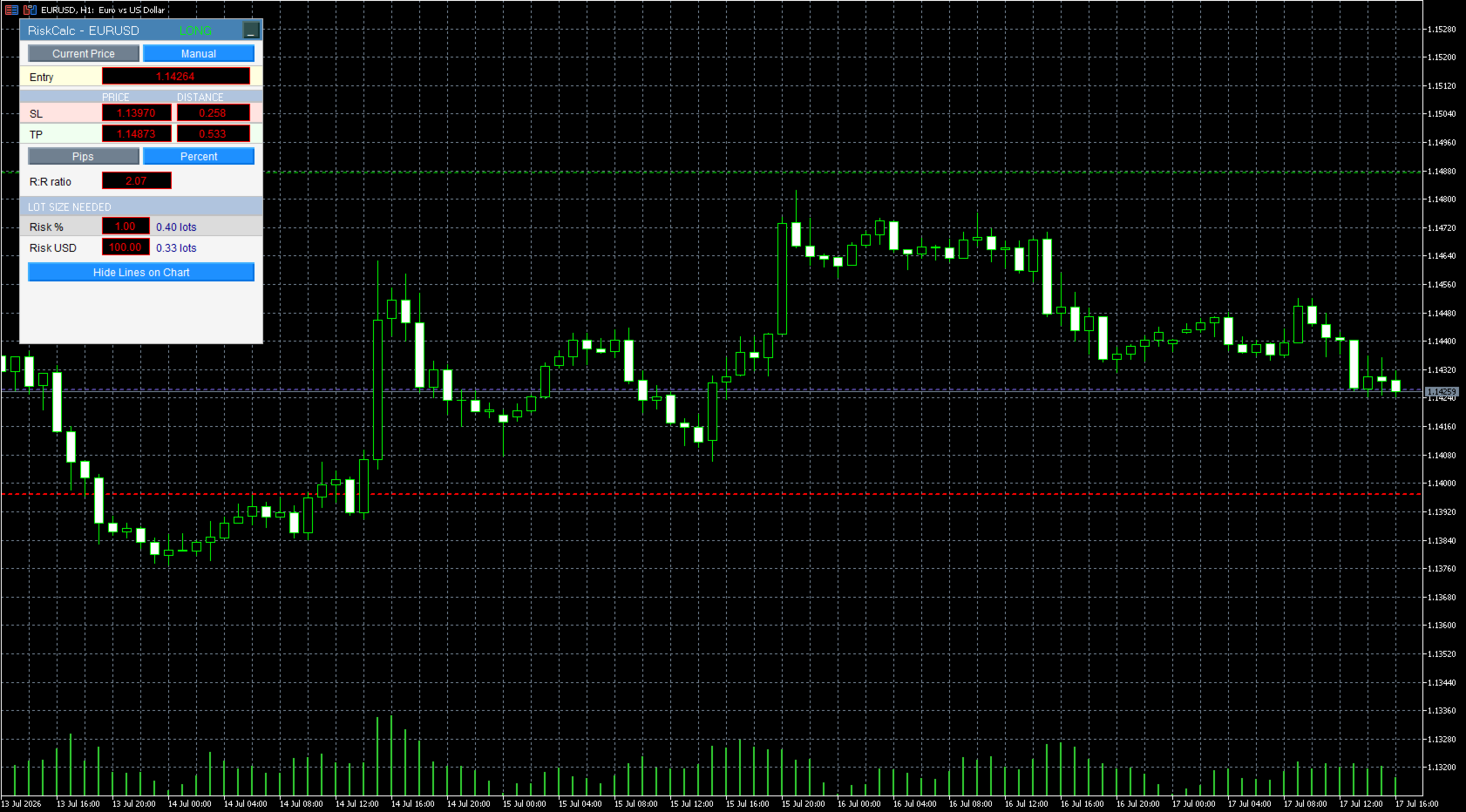
- Set your Stop Loss and Take Profit either by exact price or by distance from entry, switchable between pips and percent.
- Adjust the Risk:Reward ratio directly and the Take Profit recalculates automatically to match.
- The panel reads your account equity and the current symbol's tick value and tick size to compute the precise lot size for two risk targets at once: a percentage of your equity and a fixed money amount.
- A LONG or SHORT tag confirms your setup direction at a glance based on where your Stop Loss sits relative to entry.
- An optional Show Lines on Chart button draws draggable Entry, SL, and TP lines directly on the price chart, fully synced with the panel in both directions.
- The panel can be collapsed to a single title bar with one click, keeping your chart clean when not in use.
Key Features
- Works on any symbol and timeframe, recalculating automatically for the instrument's tick value, tick size, and volume constraints
- Dual risk targets shown side by side, no need to switch modes to compare
- Distance entry in pips or percent of price, switchable at any time
- Draggable on-chart lines are optional, not forced, keeping the chart uncluttered by default
- Minimizable panel that stays out of the way until needed
- Zero impact on your account: pure calculation, no order sending
Inputs
Panel
- Panel_Corner — chart corner the panel is anchored to
- Panel_X — horizontal offset of the panel from the anchor corner
- Panel_Y — vertical offset of the panel from the anchor corner
- Panel_BgColor — background color of the panel
- Panel_TextColor — text color used for labels
Defaults
- Risk_DefaultPercent — default percent-of-equity risk target shown on load
- Risk_DefaultMoney — default fixed money risk target, in account currency, shown on load
- Default_SL_Points — initial Stop Loss distance from entry when the panel first loads
- Default_TP_Points — initial Take Profit distance from entry when the panel first loads
Recommended Setup
Works on any symbol and any timeframe since all calculations are pulled live from the current chart's symbol specification. Attach it once per chart; the panel position and size are fully adjustable through the inputs above to fit your existing layout of indicators and EAs.
Disclaimer
This tool performs calculations only and does not execute, modify, or close trades. Always verify the calculated lot size against your broker's symbol specifications before placing a trade. Trading involves risk of loss.