Pivot Monster EA
- Experts
- Version: 2.33
- Updated: 16 September 2026

PIVOT MONSTER EA
Overview
PIVOT MONSTER trades daily pivot levels (Classic, Camarilla, or Woodie) combined with previous day High/Low breakouts. It runs three interchangeable strategies — Bounce, Breakout, or Combo confluence — with pending orders placed once per day and unified SL/TP sizing in either ATR multiples or percent of price. Built for traders who want a rules-based, fully optimizable pivot system rather than a fixed indicator overlay.
How it works
- At the start of each trading day, the EA calculates pivot levels (PP, R1-R3, S1-S3) from the previous day's High/Low/Close, plus the previous day's High and Low.
- Depending on the selected strategy, it places Buy Limit/Sell Limit orders near S1/R1 (Bounce), Buy Stop/Sell Stop orders beyond the previous High/Low (Breakout), or both with a confluence filter requiring the pivot level and the previous High/Low to sit close together (Combo).
- An optional trend filter (EMA or price-vs-pivot) restricts orders to the dominant market direction.
- An optional session window restricts placement to a chosen hour range.
- SL and TP are computed either as ATR multiples or as a percent of price, selected with a single input.
- Orders that go unfilled expire automatically after a configurable number of hours, and unfilled orders are cleared at the start of the next trading day.
- Position sizing is risk-based, computed from account balance, stop distance, and tick value, with full validation against the broker's minimum, maximum, step, and aggregate volume limit.
Inputs
Strategy
- Strategy: selects Bounce, Breakout, or Combo confluence mode
- Pivot Method: selects Classic, Camarilla, or Woodie pivot formula
- Use Pivot R2/S2: uses the second pivot level instead of the first for entries
SL / TP
- SL/TP Mode: selects ATR-based or Percent-based distance calculation
- ATR Period: lookback period for the ATR used in level and distance calculations
- SL ATR Multiple: stop loss distance as a multiple of ATR (used in ATR mode)
- TP ATR Multiple: take profit distance as a multiple of ATR (used in ATR mode)
- SL Percent: stop loss distance as a percent of price (used in Percent mode)
- TP Percent: take profit distance as a percent of price (used in Percent mode)
Order Placement
- Entry Buffer (ATR): buffer added beyond the pivot/high/low level before placing the entry
- Order Expiry (hours): pending order lifetime before automatic cancellation
Confluence (Combo)
- Confluence Range: maximum distance in pips between a pivot level and the previous High/Low for Combo mode to trigger
Trend Filter
- Trend Filter: disables the filter, or restricts entries by EMA direction or price vs pivot point
- EMA Period: period of the trend filter EMA
- EMA Timeframe: timeframe used for the trend filter EMA
Session
- Use Session: enables restricting order placement to a specific hour window
- Session Start Hour: start hour of the allowed trading window
- Session End Hour: end hour of the allowed trading window
Money Management
- Risk Percent: percent of account balance risked per trade, used to size the position
- Max Spread (pips): maximum allowed spread before order placement is paused
- Magic Number: unique identifier for orders placed by this EA
Debug
- Debug: enables diagnostic log messages (throttled to one message per bar)
Optimizer Score
- Min Profit Factor: disqualifies optimization passes below this profit factor
- Max Drawdown Percent: disqualifies passes above this relative drawdown
- Min Trades: disqualifies passes with fewer trades than this count
- R2 Weight: weight of equity curve smoothness in the final score
- Slope Weight: weight of normalized equity growth speed in the final score
- Split Penalty: penalty for divergence in R2 between the first and second half of the test (temporal stability)
- Skew Penalty: penalty for profit concentrated in a single trade
- Ulcer Penalty: penalty for the depth and duration of drawdowns
- MAR Weight: weight of the MAR ratio (net profit percent divided by max drawdown percent)
- Trade Bonus Weight: weight of a diminishing-returns bonus for higher trade counts
Optimizer scoring system
This EA includes a built-in custom scoring function accessed through the MT5 Strategy Tester. It ranks optimization passes not just by raw profit, but by equity curve smoothness, consistency across the full test period, drawdown depth and duration, and resistance to a single lucky trade skewing the result. This is designed to surface parameter sets that generalize well instead of overfitting to a narrow historical pattern.
To use it: set the Optimizer Criterion to Custom max before running an optimization. Passes that fail minimum profit factor, maximum drawdown, or minimum trade count thresholds are automatically disqualified and scored zero.
Recommended setup
Symbol: XAUUSD
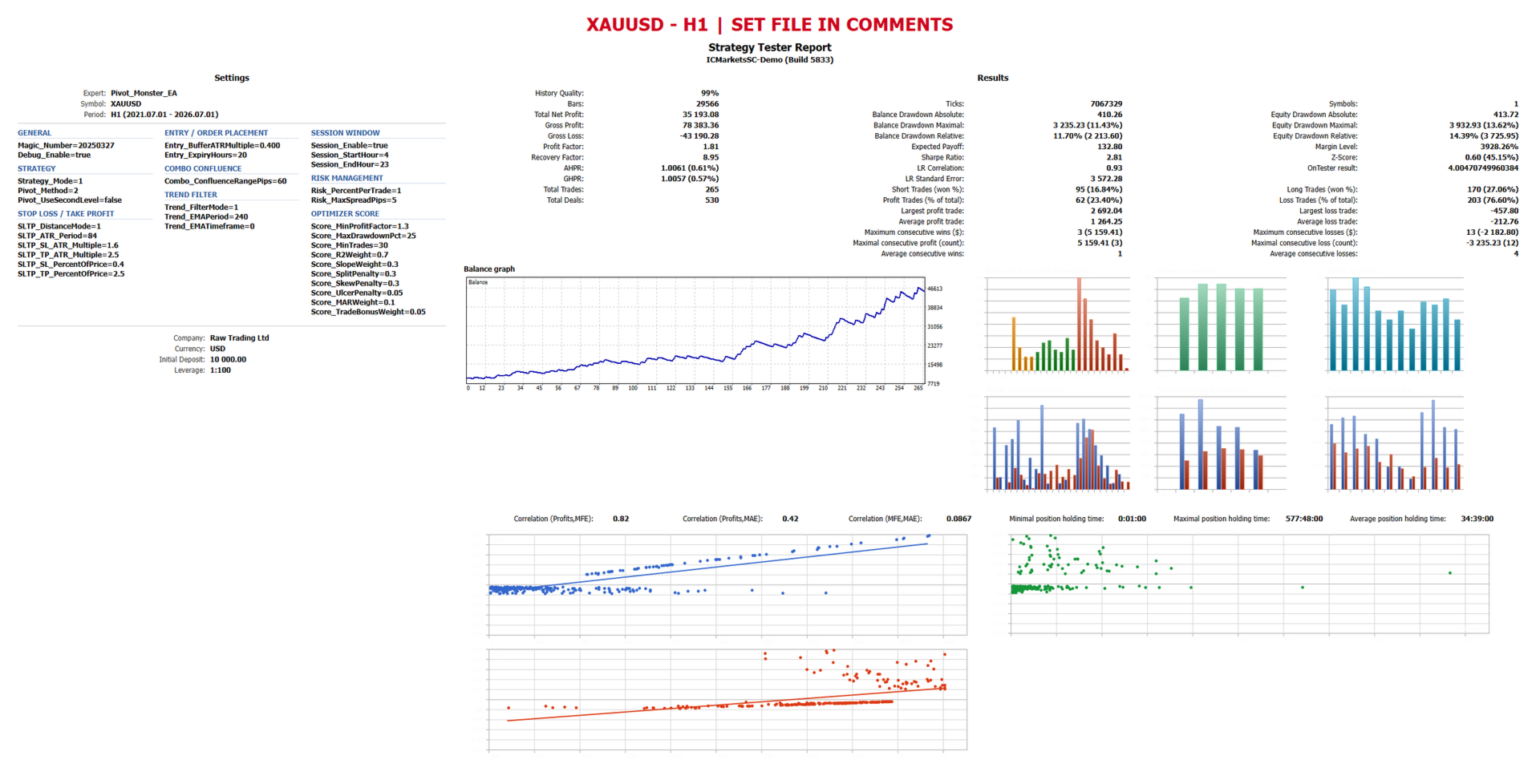
Timeframe: H1
Modeling mode: 1 Minute OHLC
VPS or broker with low-latency execution recommended for live use, since the EA relies on pending orders placed near pivot levels.
Screenshots
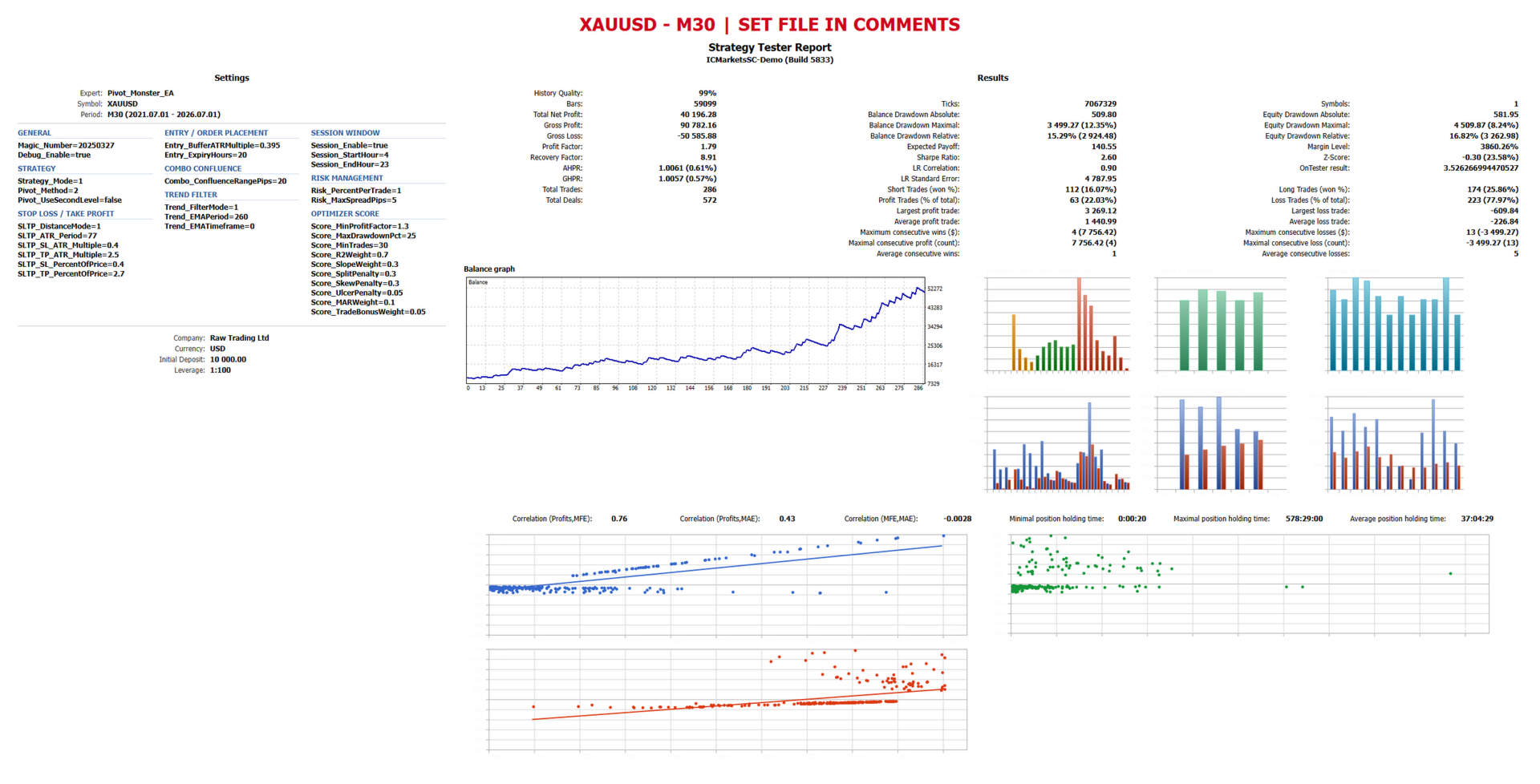
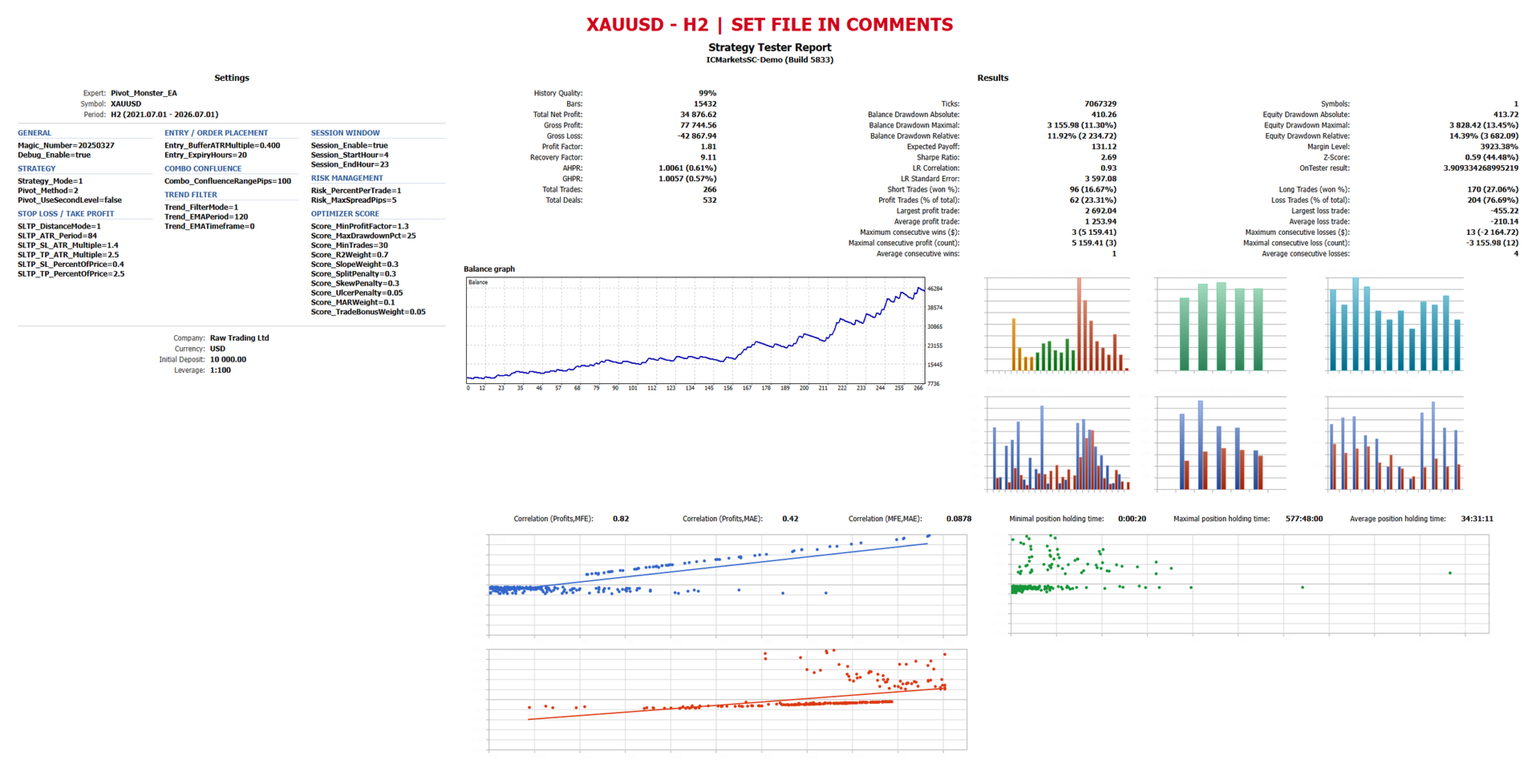
Backtest results on XAUUSD H1 (1 Minute OHLC modeling), showing the equity curve and performance summary, plus the recommended optimizer settings panel (Custom max criterion, 1 Minute OHLC modeling).
Disclaimer
Past performance shown in backtests or screenshots does not guarantee future results. Test thoroughly on a demo account before live deployment. Trading involves risk of loss, and no strategy or scoring system eliminates that risk.