Clock ET
- Utilities
- Version: 1.0

Simple Eastern Time (ET) clock displayed on your chart, auto-synced with US market hours. Updates every second.
Full description:
ClockET — Lightweight indicator that displays the current date and time in US Eastern Time (ET) directly on your chart, so you always know exactly where the US session stands — no manual timezone math needed.
What You See
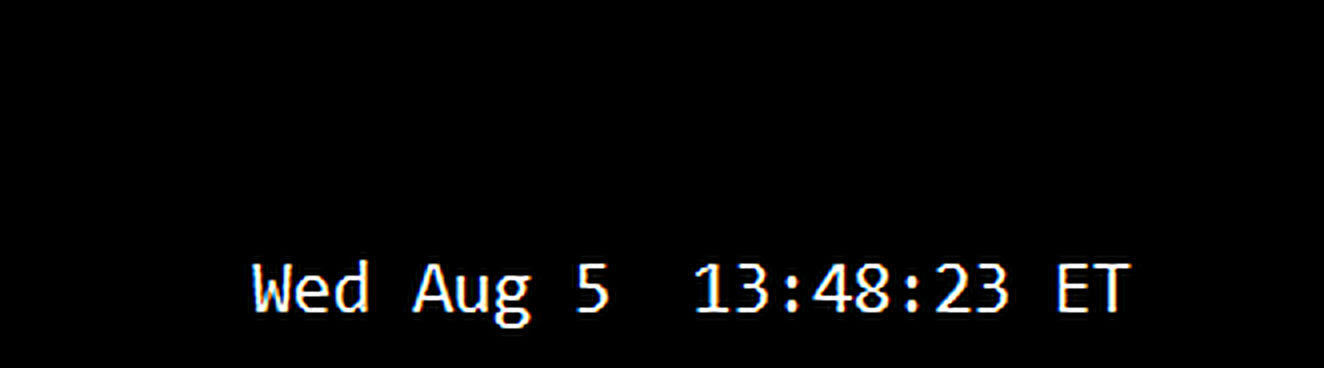
• Live Clock — Day, month, date and time in ET, updated every second (e.g. "Thu Jul 24 07:36:45 ET")
• Centered Label — Displayed at the bottom of the chart, auto-recenters if the chart is resized
• Auto DST Detection — Automatically switches between EDT (UTC-4) and EST (UTC-5) based on the official US daylight saving schedule (2nd Sunday of March to 1st Sunday of November) — no manual adjustment needed twice a year
Settings
• Font Size, Font Color, Font Name — Customize the look of the clock
• Y Offset — Vertical position from the bottom of the chart
• Auto DST — Enable/disable automatic EDT/EST detection
• Manual ET Offset — Optional fixed UTC offset, used only when Auto DST is disabled
Supported Platforms
• MetaTrader 5 (ClockET.mq5)
• MetaTrader 4 (ClockET.mq4)
Data Updates
• Every second, based on your broker's server time (TimeGMT)
• No email, no license, no subscription — just attach to any chart
Setup
1. Attach the indicator to any chart
2. Leave "Auto DST" enabled (default) for automatic, always-correct ET time
3. Adjust font size/color/position if desired
Why It Matters
US market opens, closes and key economic releases are all scheduled in Eastern Time. Having an always-accurate ET clock on your chart — automatically adjusted for daylight saving — removes the guesswork and prevents missed sessions caused by timezone or DST mistakes.