Telegram Sender Osw MT4

Manuel d'utilisation : Telegram Sender Osw

Telegram Sender Osw est un assistant expert (EA) conçu pour automatiser l'envoi de signaux de trading de MetaTrader vers Telegram. Idéal pour les fournisseurs de signaux et la gestion de comptes, il transmet instantanément et de manière professionnelle les données essentielles (prix, stop loss, take profit, volume).

1. Configuration des paramètres

Général et connectivité

Activer l'EA : Active (vrai) ou désactive (faux) le système.

Jeton du bot : Code alphanumérique obtenu auprès de @BotFather.

ID de chat : Identifiant du canal, du groupe ou de la conversation privée de destination.

ID du sous-groupe/sujet d'envoi : Activez ces options uniquement si votre groupe Telegram utilise la fonctionnalité « Sujets ».

Logique d'envoi (Type d'envoi)

AUTOMATIQUE : Envoi immédiat dès la détection d'une nouvelle position ou commande.

BOUTON : Envoi uniquement lorsque le bouton « Envoyer Telegram » est cliqué manuellement sur le graphique.

Personnalisation (Telegram TXT)

Utilisez les balises suivantes, que le système remplacera automatiquement : [SYMBOL], [TYPE], [PRICE], [SL], [TP] et [VOLUME].

2. Configuration Telegram (étape par étape)

A. Obtenir le jeton du bot

Dans Telegram, recherchez @BotFather et envoyez /newbot.

Attribuez un nom et un nom d'utilisateur (se terminant par « bot »).

Copiez le jeton d'API HTTP reçu dans le paramètre TelegramBotToken.

B. Obtenir l'ID de conversation

Chaînes/Groupes publics : ajoutez le bot en tant qu'administrateur et utilisez le nom d'utilisateur (par exemple, @MyChannel).

Groupes privés : ajoutez le bot, tapez /id ou utilisez @userinfobot pour obtenir l'ID (par exemple, -100123456789).

C. Configurer l'ID du sujet (facultatif)

Si vous utilisez les « Sujets », copiez le lien depuis n'importe quel message du sous-groupe. Le nombre du milieu (par exemple, .../567/...) correspond à l'identifiant du thread.

3. Autorisation critique dans MetaTrader

Pour autoriser le conseiller expert (EA) à envoyer des données en dehors de la plateforme, vous devez impérativement suivre les étapes suivantes :

Accédez à Outils > Options > Conseillers experts.

Activez l'option « Autoriser les requêtes Web pour les URL listées ».

Ajoutez manuellement l'URL : https://api.telegram.org et cliquez sur OK.

4. Guide d'utilisation et d'interprétation
Interface : En mode manuel, un bouton bleu marine s'affiche à l'écran. Cliquez dessus pour ouvrir une fenêtre de confirmation afin d'éviter les envois accidentels.

Détection : Le système surveille les positions ouvertes et les ordres en attente.

Journal : Consultez l'onglet « Experts » pour confirmer les envois réussis ou identifier les erreurs de connexion.

5. Recommandations d'utilisation
Actifs : Compatible avec le Forex, les cryptomonnaies, les indices et les matières premières. Ajustement automatique des décimales en fonction du symbole.

Stabilité : Un PC ou un VPS et une connexion Internet stable sont recommandés afin d’éviter les retards dans la réception des alertes en cas de coupure Internet.

Universalité : Fonctionne en toutes saisons sans incidence sur les performances du terminal.

Produits recommandés
Close at time
Yaotang Liu
5 (2)
Close at time is a very useful EA to close specific positions at specific time. It also provides additional condition to setup. Close specific positions at time. Close specific positions which currently profits. Close specific long positions only. Close specific short positions only. Close specific pending orders. It is useful to support your trading strategies. Parameters description magic : Target magic number to close. close_time_hr: Hour to close. (MetaTrader 4 terminal time) close_time_min
FREE
L'indicateur montre les heures d'ouverture des bourses mondiales. Vous aide à voir quels marchés sont actuellement les plus actifs Découvrez mon  #1 Pro  Utility : 66+ fonctionnalités, incluant cet outil  |   Contactez-moi  si vous avez des questions Aide à sélectionner les instruments les plus volatils en ce moment; Particulièrement utile pour les traders intraday; 1) Lors de l'utilisation sur des délais 1H et inférieurs: les lignes correspondront à la position réelle des barres sur le graphiq
Fox Scalper
Yaseen Al Hashem
5 (1)
This is a scalper EA based on ZigZag and Moving Average indicators that used martingale strategy for trading. You have full risk management This EA does many trades per day as its method is clear The EA can work with any brokers: STP/ECN The EA can work with any pairs (recommended GBPUSD) The EA can work with any timeframes Inputs Risk – choose your risk between high and low Pip set – d istance between two orders Take Profits - m odify take profit as pips Stop loss - m odify stop loss as pips M
Virtual Exchange Reserve Equity Monitor In an environment where exchanges offer increasingly high leverage ratios, it is all the more important for traders to tightly regulate their level of equity .  This software is designed to be run in the background on any virtual private server that can run Meta Trader 4/5.  It implements basic equity control functions ahead of the broker---allowing users to set their own equity trailing stop, an equity limit to lock-in a certain profit margin, and a unive
FREE
Telegram Ultimate Manager MT4 Use Cases: Manager Order (open, close, modify order) Publish open and close order to Telegram Channel Open trade based on Forex Factory News Requirement: Telegram Chat ID Telegram Bot API Token Telegram Channel ID Please read the guide This tools can not be backtested Free n8n workflow template to : 1. Import Forex Factory news to Google Calendar 2. Send chat to Telegram bot about news release. Is it good or bad for the currency Inputs: Telegram Bot Token : your T
EchoTrade Telegram Signal Backtester VALIDATE TELEGRAM SIGNALS IN MINUTES - STOP GUESSING, START BACKTESTING Stop blowing accounts on "VIP" signals that don't deliver. The EchoTrade Telegram Signal Backtester is the professional solution to audit, verify, and optimize any Telegram signal provider's performance on historical data. Most signal providers show you their wins but hide their losses. This tool reveals the naked truth. By combining a powerful Data Manager (included) with an advanced MT4
"Support or Resistance Alert Broken" is a simple and very intuitive tool that allows you to create or eliminate horizontal and trend supports and / or resistances with a simple click. When the support or resistance line is broken by the closing price at the end of the current candle, the "Support or Resistance Alert Broken" tool will send an alert with sound, as well as a notification to the MT4 or MT5 mobile application. This tool can send alerts from multiple pairs at the same time. Utility
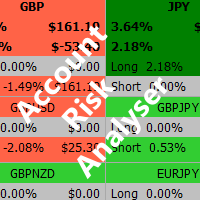
Account Risk Analyser, allows you to keep track of your account risk, risk exposure to individual pairs and risk on base currency pairs. Get notified when your risk on a base currency pair exceed a predetermined risk level. Get notified when your account exceed a predetermined risk level. Risk Analyser based on the NNFX methodology of not over leveraging on any base pairs. Parameter inputs Percentage risk trigger for Trade instruments Percentage risk trigger for Account Alerts Chart Alert Mail A
This tool will perform Trailing stop loss and Break even management for orders. Helps you limit or reduce the time spend watching orders on the screen, especially when you need to go to sleep. Just add this EA to 1 chart, you can manage all pairs. You can filter orders by comment, magic number, symbol, and order ticket number. When Breakeven it can add shift/offset pips (to cover the commission...). You can try in strategy tester before purchase. The EA will add Buy and Sell alternately, so yo
Trade Builder Pro MT4
Mostafa Saad Saeed Shawara
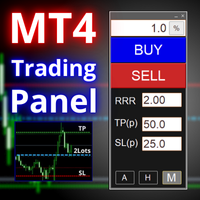
Nom du Produit Trade Builder Pro - Gestionnaire de transactions visuel et assistant de risque interactif sur graphique Description Courte Simplifiez votre trading avec Trade Builder Pro , un assistant de trading ( Trade Assistant ) et gestionnaire de transactions ( Trade Manager ) intuitif. Configurez vos entrées, stop-loss et take-profit directement sur le graphique, avec calcul automatique du lot et du ratio risque/rendement ( risk reward ratio ) en temps réel. Présentation Une bonne gestion d
Partial Close MT4
Ahmed Alaoui Chrifi
This is a very simple, and easy-to-use Trade Manager with features like   Auto Partial Close, Auto Stop-loss, Breakeven. EA  closes a profitable position in partial closes when the price moves first in the direction of profits, and then comes back. EA monitors the position. If the price moves in the direction of profits, then ea establish the first level of rollback price at a distance. If the price continues to move in the direction of profits, this level of profit continues modifying this lev
Manager Trade FULL
Miguel Antonio Rojas Martinez
Manager Trade is a tool that will help you manage trades in an easy and simple way. It is a panel that on its first tab contains buttons and inputs, beautiful and intuitive, that allow you to place operations much faster. In its second tab, all the orders of the account are listed, leaving them available to close each one with a single click of a button. Main features Place direct and pending orders with a single click, and in the same screen adjust SL, TP and Lots without having to reload the
Overview Happy Shiba Inu is a precision scheduling utility designed to restrict a MT4 account's trading activity to specific day or time windows. It manages both live execution logic and the automatic cleanup of pending orders during "Off-Hours." Operational Logic Pending Orders: The moment the timer hits a "Restricted" zone, the EA will scan all open orders. Any Limit or Stop orders will be deleted immediately to prevent accidental fills during high-volatility off-hours. Execution Block: Any c
This tool works on MT4. The connection to the IQ option box program is established. With this software, IQ Optiona opens orders in selected time periods. The IQ option box program is required. First, the connection to the IQ option box is established. Then you can trade by sending a trading order by adding MT4. IQ O BOX Free Connection Software Download Link. https://drive.google.com/open?id=1xW6ynCwtdbGL4_GFzXU7penZAvTwYaWP
Every trader is watching over his account over and over.... trying to anlayse every system he or she has. With this tool you are able to  export your complete history of every account export withdrawls / deposits / rebates to a separate file export account status with balance / equity / current drawdown recalculate micro to standard lots / profits ...  export decimal by "." or ","  combine a series of Magic Numbers to one unique Magic Number   filter to ignore OrderComments.
Hedge 120
Hassane Zibara
HEDGE   120   is an EA that opens an order if the market moves an adverse will make a safe zone . Hedging with Forex is a strategy used to protect one's position in a currency pair from an adverse move. It is typically a form of short-term protection when a trader is concerned about news or an event triggering volatility in currency markets. The main reason that you want to use hedging on your trades is to limit risk. Hedging can be a bigger part of your trading plan if done carefully. I
ASTA Trade Manager is a semi-automated trading tool designed to assist professional traders in Exit Strategy Management . This EA will not open trading positions automatically. This version is made to manage manual transactions on 1 chart (pair) only. For the Multipair version, you can check the product at:  ASTA Multipair Trade Manager . FEATURES: 1. Entry and Exit Panel Order Panel: Buy, Sell and Pending Orders Exit Button: Close All Order, Close All Buy, Close All Sell Can be used on strategy
Trade History Exporter automatically exports trade history to a CSV (comma separated values) file. Trade History Exporter: - automatically exports trade history every time a trade is closed - allows you to manually force an export by using the "W" key on your keyboard - can use Order Comments as Magic Numbers - useful for instance when using a Trade Copier - calculates the Net Profit per trade
Signal Indicator to Expert MT4
William Oswaldo Mayorga Urduy
Manuel d'utilisation : Expert Advisor « Connecteur d'indicateur universel » Ce système est une passerelle d'automatisation haute performance conçue pour exécuter les signaux de n'importe quel indicateur personnalisé (.ex5) sans reprogrammation. L'Expert Advisor agit comme un gestionnaire d'ordres intelligent, vous permettant d'appliquer des règles de sortie, une gestion des risques et un contrôle du temps à des stratégies initialement visuelles. 1. Configuration de la liaison de l'indicateur
Waddah Attar Easy Positions Risk Management This EA gives you a full ability to close one position or close all positions . Close buy or sell trades in any position . Close profit or loss position . by clicking on a command button on the chart with confirmation message . Show you  a full information about your positions like : count - lots - average price - points - profit -  profit % - used margin for this position and the risk percent . and also the scrolled table of trades that position has
Risk Manager Pro MT4
Jhojan Alberto Tobon Monsalve
Risk Manager Pro is a simple utility that calculates the necessary lots with the risk percentage and the pips of stop loss, before opening positions. The web calculators can be useful in some cases but they are not efficient to open operations in real time. In the trading days, there are few opportunities to open positions and when the opportunity arises, the seconds make the difference. This is not possible with conventional web calculators, since to calculate the size of an operation regarding
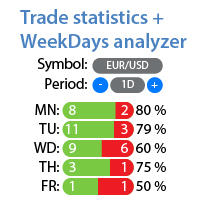
Statistiques détaillées de votre trading pour la période sélectionnée Découvrez mon #1 Assistant de Trading : 66+ fonctionnalités, incluant cet outil | Contactez-moi si vous avez des questions L'utilitaire comprend 2 outils séparés: Statistiques de Trading Analyseur de Jours de la Semaine Modes d'affichage des statistiques: Pour la paire de devises/instrument de trading sélectionné(e) Statistiques pour tous les trades (" ALL ") Vous pouvez sélectionner la période pour laquelle vous souhaitez obt
FX-Support Presents the Trading Panel for MT4 The Trading Panel for MT4 is a powerful and versatile tool designed to assist traders in their daily trading activities. It helps traders open positions and identify market signals, such as ENG and STAR patterns. The panel simplifies decision-making and supports efficient trading. Key Features: Automatic Lot Size Calculation Calculates lot sizes accurately, considering market conditions and currency conversions for effective risk management. Accura
The   Close script   is a simple tool that allows traders to close their trades by three methods. Just run the script and choose the close method. Closing methods Symbol  - Allows closing all open trades for a specific symbol. All_Trades  - Allows closing all open trades. Magic_Number  - Allows closing all open trades according to their magic number. Recommendation AutoTrading functions must be activated.  If the AutoTrading function is disabled, the script will not work. EA should be stopped.
FREE
Trade Auto Close
Makarii Gubaydullin
Fermeture automatique des trades : à un moment donné, ou déclenchement de Profit / Perte Avec cet utilitaire, vous pouvez automatiser la fermeture des trades selon une condition donnée. Utilitaire multifonction : 66+ fonctionnalités, incluant cet outil  |   Contactez-moi  si vous avez des questions  |   Version MT5 Pour activer la Fermeture Auto, vous devez définir les paramètres suivants (sur le panneau) : 1. Symbole   auquel la fonction sera appliquée : pour un   [Symbol]   spécifique / ou po
Revolutionize Your Trading with   Auto SLTPTS + Close All Expert Advisor . Take your trading to the next level with this powerful, professional-grade Expert Advisor designed for serious traders who demand excellence in risk management and profit optimization.   Key Features : ️   Advanced Risk Management Suite : - Customizable Stop Loss protection - Smart Take Profit targeting - Dynamic Trailing Stop technology - Innovative Break Even system   Professional Trading Tools : - Intell
Automate Risk Management with Smart Trailing Stop Manager for MetaTrader 4 Looking for MetaTrader 5 version? I t is available separately in the Market:   Smart Trailing Stop Manager MT5 Full User Guide    –  Public channel:   CLICK HERE Struggling with manually adjusting stops and securing profits? Smart Trailing Stop Manager MT4 is an intelligent utility for MetaTrader 4 that automates trailing stops, break-even management, partial closes, and auto SL. Optimized specifically for MT4 users, it e
Equity Safe V1
Luis Carlos Lucero Hernandez
EquitySafe V1.0   is a   powerful risk management tool   designed for   MetaTrader 4 . It enables traders to effectively manage their risk by setting   maximum loss limits   based on custom time frames. With this tool, you have the flexibility to   define your own time   intervals and   allocate specific risk   thresholds accordingly. This helps you   maintain control   over your trading account and   minimize potential losses.   By utilizing EquitySafe, you can ensure that your trading strategy
Telegram to Discord
Yassine El Maamouni Rahali
Streamline your trading communication with our Telegram to Discord Trade Forwarder, a powerful Python-based tool designed for traders who want to effortlessly share trade information from Telegram to Discord. No more tedious copy-pasting—our software automates the process, ensuring that every crucial message, image, or video is seamlessly forwarded to your Discord community. Key Features: Effortless Trade Sharing: Instantly share trade updates, images, and videos from your Telegram channels to
Title : Trade Assistant Manager for MT4 Trade Assistant Manager   — See your risk before you click Trade Assistant Manager is a MetaTrader 4 chart utility for discretionary   traders who want a clear, visual way to size positions . Place your Entry, Stop Loss, and Take Profit directly on the chart. The panel shows the lot size, the money at risk, the profit target in money, and the reward-to-risk ratio — updated as you move the lines. What you gain   Faster decisions   : - Automatically   calcu
FREE
Les acheteurs de ce produit ont également acheté
Strategy Builder offers an incredible amount of functionality. It combines a trade panel with configurable automation (covert indicators into an EA), real-time statistics (profit & draw down) plus automatic optimization of SL, TP/exit, trading hours, indicator inputs. Multiple indicators can be combined into an single alert/trade signal and can include custom indicators, even if just have ex4 file or purchased from Market. The system is easily configured via a CONFIG button and associated pop-up
The product will copy all telegram signal to MT4   ( which you are member  ) , also it can work as remote copier.  Easy to set up, copy order instant, can work with almost signal formats, image signal, s upport to translate other language to English Work with all type of channel or group, even channel have "Restrict Saving Content", work with  multi channel, multi MT5 Work as remote copier: with signal have ticket number, it will copy exactly via ticket number. Support to backtest signal. How to
Custom Alerts AIO : Surveillez tous les marchés à la fois — sans aucune configuration Présentation Custom Alerts AIO est une solution de surveillance du marché prête à l’emploi, sans configuration nécessaire. Tous les indicateurs requis — FX Power, FX Volume, FX Dynamic, FX Levels, IX Power — sont directement intégrés. Aucun graphique n’est affiché, ce qui rend cet outil idéal pour la génération d’alertes en temps réel. Il prend en charge toutes les classes d’actifs proposées par votre courtie
EasyInsight AIO MT4
Alain Verleyen
4 (2)
EASY Insight AIO – La solution tout-en-un pour un trading intelligent et sans effort Présentation Imaginez pouvoir analyser l’ensemble du marché — Forex, Or, Crypto, Indices et même Actions — en quelques secondes, sans aucune analyse manuelle de graphiques, sans installation complexe ni configuration d’indicateurs. EASY Insight AIO est votre outil d’exportation ultime, prêt à l’emploi, pour un trading alimenté par l’IA. Il fournit une vue d’ensemble du marché dans un fichier CSV propre — prêt
Unlimited Trade Copier Pro is a tool to copy trade remotely to multiple MT4, MT5 and cTrader accounts at different computers/locations over internet. This is an ideal solution for you if you are a signal provider and want to copy your trades to other receivers globally on your own rules. One provider can copy trades to multiple receivers and one receiver can get trade from multiple providers as well. The provider can even set the subscription expiry for each receiver, so that receiver will not b
ManHedger MT4
Peter Mueller
5 (2)
THIS EA IS A SEMI-AUTO EA, IT NEEDS USER INPUT. Manual & Test Version Please TEST this product before   BUYING  and watch my video about it. Contact me for user support or bug reports, or if you want the MT5 version! MT5 Version I do not guarantee any profits or financial success using this EA. With this Expert Advisor, you can: Implement your own   Zone Recovery   strategy to capitalize on trending markets. Create   Grid   trading strategies, to profit from ranging markets. Place orders easil
Crystal Trade Manager PRO – Système Avancé de Gestion du Risque et de Contrôle des Positions pour MT4 Version gratuite : https://www.mql5.com/en/market/product/150632 Présentation Générale Crystal Trade Manager PRO (CTM) est un utilitaire professionnel pour MetaTrader 4 dédié à la gestion du risque, au contrôle des opérations et à l’automatisation intelligente du trading. Il a été conçu pour les traders qui exigent une exécution disciplinée, une protection solide du capital et un contrôle avancé
The product will copy all  Discord  signal   to MT4   ( which you are member  ) , also it can work as remote copier.  Easy to set up. Work with almost signal formats, support to translate other language to English Work with multi channel, multi MT4. Work with Image signal. Copy order instant, auto detect symbol. Work as remote copier: with signal have ticket number, it will copy exactly via ticket number. How to setup and guide: Let read all details about setup and download Discord To MetaTrader
Dashboard Trade Manager
Moegamat Luqmaan Titus
Dashboard.mq4 - Gestionnaire de Trading Simple Conçu pour ceux qui apprécient le trading manuel et souhaitent quelque chose pour rendre la gestion des trades plus simple, cet utilitaire MQL4 robuste améliore l'efficacité du trading en fournissant un tableau de bord en temps réel pour gérer vos trades. Il s'intègre parfaitement dans MetaTrader, calcule la taille des lots et suit les métriques de risque sans effort. Principales fonctionnalités : Affichage du Risque et de la Marge : Calcul en temps
The FFx Hidden Manager panel will help you to manage easily your orders directly on the chart. Below all features described: TP, SL and TrailingStop are hidden Each order has its own lines on chart Drag & Drop any line to change the TP/SL as per your need Option to move automatically the SL line at breakeven when TP #1 is reached Option to choose the TP/SL type (by pips or price) Option to choose the TrailingStop type (by pips, MA, Fractals, PSAR or ATR) Define which order(s) you want to manage
FFx Risk Calculator panel will help you to calculate very easily your trades size, SL or the risk directly on the chart. All features are described below: Option to select which parameter to calculate: Risk, Stop Loss or Lot Size The panel will show if the lot size is allowed according to the current account free margin Button to maximize/minimize the panel Drag and Drop the panel anywhere on the chart How to use it? Select the parameter you want to be calculated. It will be based on the 2 other
News Trader Pro
Vu Trung Kien
4.38 (16)
News Trader Pro is a unique robot that allows you to trade the news by your predefined strategy. It loads every piece of news from several popular Forex websites. You can choose any news and preset the strategy to trade it, and then News Trader Pro will trade that news by selected strategy automatically when the news comes. News release gives opportunity to have pips since the price usually has big move at that time. Now, with this tool, trading news becomes easier, more flexible and more exciti
FFx Watcher PRO
Eric Venturi-Bloxs
The FFx Watcher PRO is a dashboard displaying on a single chart the current direction of up to 15 standard indicators and up to 9 timeframes. It has 2 different modes: 1. Watcher mode: Multi Indicators User is able to select up to 15 indicators to be displayed User is able to select up to 9 timeframes to be displayed 2. Watcher mode: Multi Pairs User is able to select any number of pairs/symbols User is able to select up to 9 timeframes to be displayed This mode uses one of the standard indicat
Transaction Repeater Full
Alexandr Bryzgalov
5 (4)
Copies transactions between MT4 terminals. Possibilities: quick copy start minimum processor load direct and reverse (reverse) copying. copying Take Profit and Stop Loss levels copying deferred and their changes copy transactions one to many copy trades many to one local copy only Attention: The product is designed for copying trades only within a single computer or VPS with access to the desktop. The product will not work on the built-in Virtual Hosting of the terminal. We will help you set up
The product combines a manual trade panel with the ability to perform actions automatically in a highly configurable way. Actions include capturing indicator values and then based on those values raising alerts, open/close or partially close trades, scale-in, setting up pending orders, adjusting stop loss, take profit and more. On-chart controls can be configured, such as tick boxes and buttons, so can be fully interactive. The EA also handles money management, news events, hidden stop loss, tak
Elliott Wave Counter est un panneau pour le balisage manuel rapide et convivial des vagues d'Elliott. On peut sélectionner une couleur et un niveau de marques. Il existe également des fonctions pour supprimer le dernier balisage et tout le balisage effectué par l'outil. Le balisage se fait en un clic. Cliquez cinq fois - ayez cinq vagues ! Elliott Wave Counter sera un excellent instrument à la fois pour les débutants et les analystes professionnels des vagues d'Elliott. Guide d'installation et d
If you wish to draw Support and Resistance lines, view: daily market opening, classical pivot levels, Fibonacci pivot levels, trend lines, Fibonacci levels, the remaining time to candle closing, and current spread. If you seek to place your orders with the exact lot that meets your desired stop loss risk. If you wish to do all this and more with just one click, then this is the perfect tool to use. This tool will allow you to feel more relaxed when deciding to open orders, as well as predicting
Unlimited Binary Options Copier Remote is a powerful tool to copy binary options trades remotely between multiple accounts at different locations over internet. This is an ideal solution for signal provider, who want to share his binary options trades with the others globally on his own rules. One provider can copy trades to unlimited receivers and one receiver can get trade from unlimited providers as well. The provider can set the subscription expiry for each receiver, so that receiver will no
This is an Expert Adviser use for manual trading as a background EA or combine with external EA to open orders. Loss Recovery Trading is one of your options to handle the lose positions instead of using stop loss by setting a zone recovery area and target to exit the turn rounds sequence. How It Work? If the market goes against your first positions direction at the specific of losing points, the EA will open an opposite direction position with calculated larger lot size and also keep the first
Telegram Publisher Agent   est un module complémentaire qui permet aux commerçants d'envoyer des signaux à leurs canaux et groupes Telegram en temps réel. Avec des messages personnalisables, des captures d'écran de graphiques et d'autres fonctionnalités, l'outil aide les traders à partager leurs idées et stratégies de trading avec leurs abonnés. L'outil présente également un beau design avec un commutateur de thème clair et sombre, offrant aux utilisateurs une expérience de trading esthétique et
如果产品有任何问题或者您需要在此产品上添加功能,请联系我 Contact/message me if you encounter any issue using the product or need extra feature to add on the base version. There is Demo version of this panel Dashboard Babon Scalping System Demo in my product list, please try it out to get familiar with all functionalities for free, LINK . This system basically utilizes TDI, Heiken Ashi Trend, Price Trend on H1 time-frame and TMA on H1&H4 time-frame to generate the trend (big picture). Then the system will zoom in to genera
Pairs Trade
Oleg Pechenezhskiy
The Pairs Trade indicator is a utility for semi-automatic pair trading. It allows combining the charts of two arbitrary instruments, even if the schedules of their trading sessions are different. It displays a spread chart in the form of a histogram with an overlaying moving average. It calculates the swap that will be charged for the synthetic position (in the deposit currency). It is possible to set a level for automatic opening of a synthetic position on the spread chart (analogous to the 'se
Corporate Report
Pavel Verveyko
5 (1)
The script displays info about the share's corporate reports and dividends. The data is downloaded from   investing.com : Report date Profit per share (EPS) Revenue Market capitalization Amount of dividends Date of payment of dividends Dividend income The product cannot be tested in the tester (since it is not possible to receive data from the Internet). Before launching:  Add 2   URL   https://ru.investing.com/earnings-calendar/Service/getCalendarFilteredData  and   https://ru.investing.com/di
This Stacker EA will: Automatically set Stop loss on a new order Automatically set Take profit on a new order Stack (or open up to 4 additional orders at the same time) when a new order is placed, the SL/TP can be preset individually for each order. Provides a transparent replacement for the standard 1-click trading buttons in MetaTrader 4 (1 click still works and SL/TP will automatically be set as well as Stacking). Automatically calculate lot order size according to preset risk management perc
This small tool takes over the manually opened positions and treats them according to the predefined settings with the dynamic stop loss and Money Management, which predicts which position size should be used for the trade. The program dynamically tracks the stop loss as soon as the position comes into the plus. Possible commissions and swaps are taken into calculation. It should only be installed on one chart window per symbol. Settings LotRiskPercent = 25 - Percentage of the item size. Calcul
Currencies Cleaner panel will give you an overview of all the most traded market's currencies in a single click. First of all the panel will refresh all your charts, opening them four times in all timeframes needed. 1 - CURRENCIES It uses a complex algorithm to study the movement of 17 different indicators. It means that the algorithm not only "reads" the actual value of an indicator, but also creates a probability of success using the position of this value on the indicator and the last moveme
Buy or rent it and request a copy of the Antimartingale EA for free  Trendline based utility, you design your trendlines or horizontal lines, the EA opens trades for you Possibility to trade on break and/or bounce events Indipendent break and bounce settings Configurable market, stop and limit orders T1T2 Logic to lock profits and minimize losses Trailing Stop Loss Max Spread check Notifies you when your trendlines are crossed No strange trendline name or syntax, you decide the color of tr
FXFledgling Exit Tool is a complete risk management tool that analyzes both the open trades and the direction of the pair of open trades. As long as the suggested entry and lotsizing management presented here is followed strictly, you will have a high chance (but no guarantee) of surviving the trade. What It Does It is used as an exit tool. It helps the trader to manage any manual trade that he transacted. It does the following: Trail Stop Dynamic Stop Loss - a calculated stop-loss that changes
This utility records the swap, which allows you to monitor and analyze the changes in the swap. The program writes a file with the swap data for every pair selected in the Market Watch. The data are recorded to a csv file at the specified time, the file is located in <terminal root directory>/MQL4/Files. File format: Date Day Time Currency pair Long-swap Short-swap 16.01.2018 Mon 23:30 EURNOK -34.81 27.14 16.01.2018 Mon 23:30 EURDKK -0.022 -0.032 16.01.2018 Mon 23:30 EURGBP -2.38 0.15 To start r
Crypto Market Pro
Daniil Kurmyshev
5 (1)
New opportunities for analyzing cryptocurrency in the usual MetaTrader 4. For example : We select the symbol of the cryptocurrency and attach any indicators, Expert Advisors or scripts. Startup Mode View cryptocurrency; Data collection. Capabilities Work as with a standard currency chart; Automatic update of open charts; Selection of individual cryptocurrency for updating; Selection of individual timeframes for updating; Work on the desired timeframes; Open charts do not affect the work of Cry
Plus de l'auteur
RSI Alarm Osw MT4
William Oswaldo Mayorga Urduy
RSI ALARM (For Metatrader 4) This indicator works like a normal RSI with all its settings (Periodicity, colors, levels, etc), but additionally, alarms can be set in the upper and lower level (Example 70 and 30), with the possibility of adjusting these levels by moving the upper and lower lines found on the indicator. You can also activate and deactivate an additional function that puts an arrow on the chart when the expected upper or lower RSI is met.
Whatch and Candle Alarm Osw MT5
William Oswaldo Mayorga Urduy
Watch Osw : Chronomètre de bougies simple et efficace Indicateur léger pour MetaTrader qui affiche le temps restant avant la clôture de la bougie actuelle directement sur le graphique. C'est un outil utilitaire basique et fonctionnel, conçu pour que le trader puisse toujours visualiser le temps restant avant la formation d'une nouvelle barre sans complications supplémentaires dans son analyse technique. Guide des Paramètres (Menu des Entrées) Watch Color : Couleur assignée au texte du chronomè
FREE
Points Candles Osw
William Oswaldo Mayorga Urduy
Points Candles Osw Il s'agit d'un indicateur de volatilité professionnel conçu pour quantifier le parcours exact des bougies en points. Grâce à un histogramme dynamique dans une fenêtre indépendante, il permet aux traders de visualiser le momentum et la force du prix, identifiant immédiatement les pics de volatilité et les niveaux de mouvement critiques. Guide des paramètres (Menu des entrées) Show Points Candles Bullish : Active l'affichage des données correspondant aux bougies haussières. S
FREE
Whatch and Candle Alarm Osw MT4
William Oswaldo Mayorga Urduy
Watch Osw : Chronomètre de bougies simple et efficace Indicateur léger pour MetaTrader qui affiche le temps restant avant la clôture de la bougie actuelle directement sur le graphique. C'est un outil utilitaire basique et fonctionnel, conçu pour que le trader puisse toujours visualiser le temps restant avant la formation d'une nouvelle barre sans complications supplémentaires dans son analyse technique. Guide des Paramètres (Menu des Entrées) Watch Color : Couleur assignée au texte du chronomè
FREE
SORS Osw MT4
William Oswaldo Mayorga Urduy
Manuel d'utilisation : Système de niveaux dynamiques SORS L'indicateur SORS est un outil de haute précision conçu pour projeter en temps réel les niveaux clés de support et de résistance. Il utilise l'écart type (volatilité endogène) pour calculer les plages d'expansion en fonction du prix d'ouverture des cycles temporels critiques. Son objectif est d'identifier les zones d'essoufflement ou d'accélération, permettant ainsi au trader de naviguer avec une feuille de route mathématique. Guide de
Divergence Osw Metatrader 4
William Oswaldo Mayorga Urduy
DIVERGENCE OSW  (For Metatrader 4) This indicator works on divergences and has the following functions: Generate an alert when a divergence occurs. Create lines by calculating the Stoploss and Takeprofit according to projection waves of inverse waves. Create an arrow indicating the possible direction of the market. The signals sent by the indicator are given when the candle ends. The Trader must evaluate each divergence to take entries. Settings: Activation and deactivation of alerts. Alert inte
Trading Sesions MT4
William Oswaldo Mayorga Urduy
COMMERCIAL SESSIONS This indicator shows in the selected graph divided by tables each of the sessions ASIA, JAPAN, LONDON, NEW YORK: Allows you to configure: Session Color  ASIA, JAPON, LONDRES, NEW YORK Hide and show each session It works in the lowest timeframes on the market, among which H4, H1, M15, M5 and M1 are recommended. (Don't forget to check out our other indicators)
Automatic Support and Resistance Osw MT4 This Indicator graphs lines at the possible support and resistance points of the selected asset. it works in multiple temporalities. allows you to configure: Color of the lines. Width of the lines. Type of lines. When the indicator begins its operation, it analyzes the supports and resistances of higher levels for the temporality in which it is working.
Round Numbers Osw MT4
William Oswaldo Mayorga Urduy
ROUND NUMBERS (For Metatrader 4) This indicator allows you to add horizontal lines according to the round numbers that the asset contains. Unlike other indicators, this one calculates the closest levels dynamically and automatically as the price moves. works on currency pairs, indices, metals, stocks, etc. Round with 5 digits, 3 digits and integers of 10 100 or 1000. lines can be adjusted in parameters like: Hide the line or round number that you do not want to display. line color. line
Manuel d'utilisation : Système de marquage intelligent SRO 1. Introduction L'indicateur SRO est un outil de dessin dynamique pour MetaTrader 5, conçu pour les traders utilisant l'analyse de l'action des prix (Price Action) et le SMC (Single-Metal Control). Son principal atout réside dans sa clarté visuelle : il permet de tracer des niveaux critiques qui se projettent uniquement dans le futur, évitant ainsi que les lignes ne traversent l'historique complet du graphique. Il étiquette également a
Alert Up Down MT4
William Oswaldo Mayorga Urduy
ALERT UP - DOWN FOR METATRADER 5 This indicator generates an alert when the price leaves the zone between the UP and DOWN lines. You can generate alerts of various types such as: > Sound > Message box > Message in the expert box > Mail (previously configured) > PUSH notifications (previously configured) The lines must be configured from the indicator properties and not from the lines properties, since if it is done from the lines properties, the finonacci may be affected. Among the s
Break Out Signal Osw
William Oswaldo Mayorga Urduy
Manuel de l'utilisateur : BOS Breakout Signal (OswalTrading) Le BOS Breakout Signal est un outil de haute précision pour MetaTrader conçu spécifiquement pour les traders qui opèrent sur la cassure de structure (Break of Structure). L'indicateur ne sature pas le graphique avec des signaux aléatoires ; au lieu de cela, il filtre le bruit du marché via un algorithme ZigZag optimisé pour identifier uniquement les niveaux de support et de résistance les plus significatifs avant de confirmer une cass
Automatic OrderBlocks Osw MT4
William Oswaldo Mayorga Urduy
BLOCS DE COMMANDE AUTOMATIQUES OSW (METATRADER 5) Cet indicateur est chargé de montrer les blocs de commande selon certaines règles préétablies, parmi lesquelles : > qu'il y a une impulsion qui brise l'impulsion précédente. >Lorsqu'il est trouvé, il se charge de trouver le modèle de chandelier formé, de calculer de la manière la plus efficace le haut et le bas de la place, de créer le haut et le bas du bloc d'ordre. > Une fois le bloc d'ordres créé, l'indicateur vérifie en permanence si un
Signal Indicator to Expert MT4
William Oswaldo Mayorga Urduy
Manuel d'utilisation : Expert Advisor « Connecteur d'indicateur universel » Ce système est une passerelle d'automatisation haute performance conçue pour exécuter les signaux de n'importe quel indicateur personnalisé (.ex5) sans reprogrammation. L'Expert Advisor agit comme un gestionnaire d'ordres intelligent, vous permettant d'appliquer des règles de sortie, une gestion des risques et un contrôle du temps à des stratégies initialement visuelles. 1. Configuration de la liaison de l'indicateur
Local Copy Trading Osw MT4
William Oswaldo Mayorga Urduy
Manuel d'utilisation : Copieur de transactions Multi-Connect (MT4/MT5) Ce système permet la réplication automatique des transactions entre les terminaux MetaTrader, servant de pont de communication pour synchroniser les portefeuilles avec une latence minimale. 1. Introduction et objectif Multi-Connect Trade Copier est un outil d'infrastructure conçu pour la gestion des comptes miroirs. Sa fonction est d'extraire les signaux d'un compte maître et de les exécuter sur un compte esclave, permetta
Martingale Osw MT4
William Oswaldo Mayorga Urduy
Manuel d'utilisation : Système avancé de gestion des martingales et de contrôle des risques Ce manuel professionnel décrit le fonctionnement, la configuration et l'interface visuelle du système de gestion des ordres martingales avancé, conçu pour automatiser la reprise de position et la gestion des risques dans MetaTrader. 1. Introduction et objectif Cet outil agit comme un gestionnaire d'ordres de haute précision dont la logique principale repose sur le lissage des coûts. Son objectif est d
Market Profile Osw MT4
William Oswaldo Mayorga Urduy
Manuel d'utilisation : Market Profile Osw Le Market Profile Osw est un outil d'analyse d'enchères avancé qui permet de visualiser la distribution du volume et du prix sur une période donnée. Contrairement aux graphiques en bougies conventionnels, ce système révèle où l'activité commerciale a été la plus forte, permettant d'identifier des zones de support et de résistance psychologiques basées sur la participation réelle du marché. 1. Guide des paramètres (Menu des entrées) Configuration généra
VWap Osw MT4
William Oswaldo Mayorga Urduy
VWAP Institutional Pro : La Carte de la Valeur Réelle Le VWAP Institutional Pro est l'outil ultime pour identifier le juste prix du marché, vous permettant de trader avec la même référence que les grands fonds d'investissement et les algorithmes à haute fréquence. Cet indicateur calcule la moyenne pondérée par le volume en temps réel, révélant des niveaux invisibles de support et de résistance dynamique où le flux d'ordres institutionnel réagit généralement avec une précision millimétrée. Guid
Fibo Alerts MT4
William Oswaldo Mayorga Urduy
Indicateur professionnel d'alertes Fibonacci Boostez votre Trading avec des alertes précises de retracement Cet indicateur avancé automatise la surveillance de vos niveaux clés en détectant les croisements de prix exacts sur n'importe quel outil de retracement de Fibonacci dessiné sur votre graphique. Conçu pour les traders exigeants qui opèrent avec les ratios d'or, il garantit que vous ne manquerez plus jamais une opportunité d'entrée dans les zones probables de retournement ou de continuatio
FVG Indicator Osw MT4
William Oswaldo Mayorga Urduy
Scanner Institutionnel FVG Pro Détecteur avancé de Fair Value Gap (FVG) pour les traders Smart Money. Scanne et met en évidence automatiquement les déséquilibres critiques de liquidité sur le graphique, permettant d'anticiper les réactions de prix, de trader des continuations à haute probabilité et d'affiner les entrées institutionnelles. Guide des Paramètres CandlesScan : Limite de bougies historiques analysées pour optimiser les performances de la plateforme. FVGPointsMin : Taille minimale (
Multi Indicators Osw MT4
William Oswaldo Mayorga Urduy
Multi Indicators Osw Description Commerciale Multi Indicators Osw est une station de travail technique définitive qui regroupe 8 des stratégies de trading classiques les plus puissantes dans un seul outil pour MetaTrader 5. Conçu pour simplifier l'analyse visuelle, cet indicateur permet de filtrer et de visualiser les confluences du RSI, du MACD, des moyennes mobiles, des bandes de Bollinger, du stochastique, du CCI, du Parabolic SAR et des Envelopes sans encombrer votre graphique. C'est la sol
SORS Osw
William Oswaldo Mayorga Urduy
Manuel d'utilisation : Système de niveaux dynamiques SORS L'indicateur SORS est un outil de haute précision conçu pour projeter en temps réel les niveaux clés de support et de résistance. Il utilise l'écart type (volatilité endogène) pour calculer les plages d'expansion en fonction du prix d'ouverture des cycles temporels critiques. Son objectif est d'identifier les zones d'essoufflement ou d'accélération, permettant ainsi au trader de naviguer avec une feuille de route mathématique. Guide de
RSI Alarm Osw
William Oswaldo Mayorga Urduy
RSI ALARM (For Metatrader 5) This indicator works like a normal RSI with all its settings (Periodicity, colors, levels, etc), but additionally, alarms can be set at the upper and lower level (Example 70 and 30), with the possibility of adjusting these levels by moving the blue and red lines to establish the upper and lower levels. You can also turn on and off an additional function that creates an arrow on the chart when the expected upper or lower RSI is met.
Automatic Support and Resistance Osw MT5 This Indicator graphs lines at the possible support and resistance points of the selected asset. it works in multiple temporalities. allows you to configure: Color of the lines. Width of the lines. Type of lines. When the indicator begins its operation, it analyzes the supports and resistances of higher levels for the temporality in which it is working.
Round Number Osw MT5
William Oswaldo Mayorga Urduy
ROUND NUMBERS (For Metatrader 5) This indicator allows you to add horizontal lines according to the round numbers that the asset contains. Unlike other indicators, this one calculates the closest levels dynamically and automatically as the price moves. works on currency pairs, indices, metals, stocks, etc. Round with 5 digits, 3 digits and integers of 10 100 or 1000. lines can be adjusted in parameters like: Hide the line or round number that you do not want to display. line color. line
Manuel d'utilisation : Système de marquage intelligent SRO 1. Introduction L'indicateur SRO est un outil de dessin dynamique pour MetaTrader 5, conçu pour les traders utilisant l'analyse de l'action des prix (Price Action) et le SMC (Single-Metal Control). Son principal atout réside dans sa clarté visuelle : il permet de tracer des niveaux critiques qui se projettent uniquement dans le futur, évitant ainsi que les lignes ne traversent l'historique complet du graphique. Il étiquette également a
Multi Temporalities Osw MT5
William Oswaldo Mayorga Urduy
MULTI-TIMES FOR METATRADER 5 This indicator, in a lower window, shows the current chart in different timeframes, this can help you better decipher the market, taking into account the higher timeframes. Among the settings that you can modify are: view of prices in charts view of the temporalities in the graphs enable each of the graphics in the different temporalities (M1, M5, M15, H1, H4, D1, W1, MN1).
Alert Up Down MT5
William Oswaldo Mayorga Urduy
ALERT UP - DOWN FOR METATRADER 5 This indicator generates an alert when the price leaves the zone between the UP and DOWN lines. You can generate alerts of various types such as: > Sound > Message box > Message in the expert box > Mail (previously configured) > PUSH notifications (previously configured) The lines must be configured from the indicator properties and not from the lines properties, since if it is done from the lines properties, the finonacci may be affected. Among the s
Master Calendar Osw
William Oswaldo Mayorga Urduy
Manuel d'utilisation professionnel : Master Calendar OSW Ce manuel est conçu pour vous aider à comprendre pleinement le fonctionnement de Master Calendar OSW. Il s'agit d'une console d'analyse fondamentale haute performance qui intègre le calendrier économique directement à votre plateforme MetaTrader. Le système affiche non seulement les données, mais interprète également la santé des devises et les cycles de liquidité institutionnelle. 1. Introduction et objectif du système Master Calendar
Volumes Direction MT5
William Oswaldo Mayorga Urduy
VOLUMES DIRECTION MT5 Normalement, l'indicateur de volume a un changement de couleur par défaut lorsque le volume actuel est plus élevé que le précédent, c'est important mais pas très utile. Pour cette raison, cet indicateur a été créé pour qu'en plus du volume normal, lorsque la bougie est haussière ou baissière, il les peint d'une couleur différente, par défaut bleu pour haussier et rouge pour baissier, mais ces couleurs peuvent être personnalisées selon le Le goût du commerçant. N'oubli
Filtrer:
Aucun avis
Répondre à l'avis