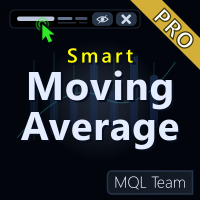
Smart Moving Average Pro MT4
- Indicators
- Version: 2.0
- Activations: 5

Product Title
Smart MA PRO (MT4) – part of the SmartView series
Short Description
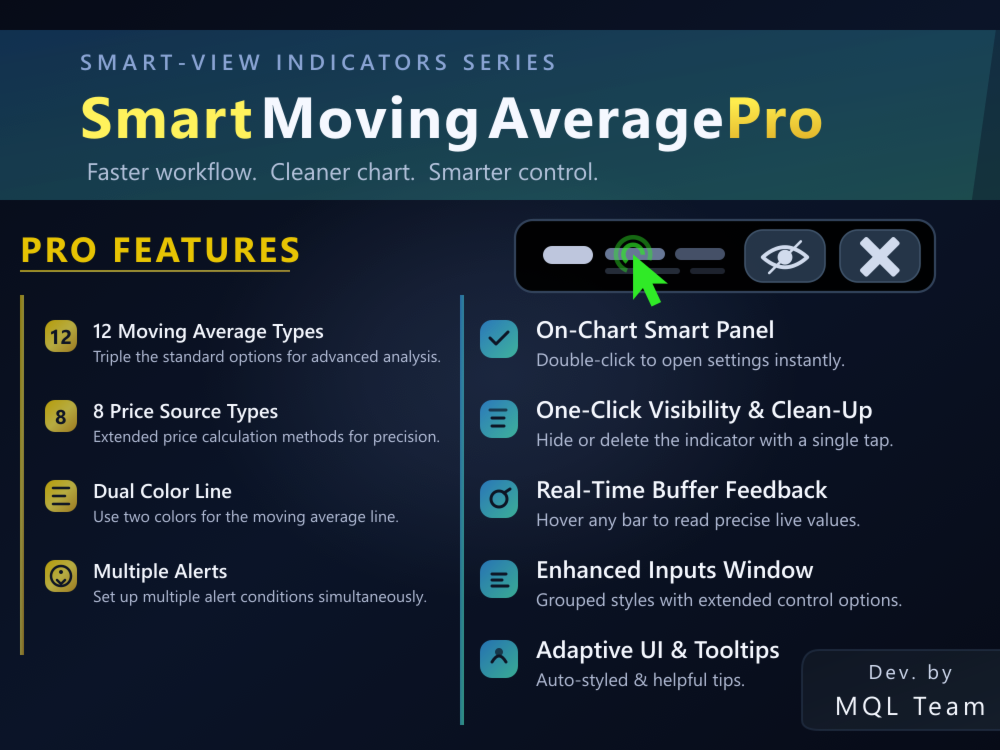
Professional advanced edition of Smart Moving Average with 12 custom MA types, smart alert system, two-color trend line, and integrated SmartView control panel on chart. Combines professional power and high performance with ease of use and smart interface.
Overview
Smart Moving Average PRO is a comprehensive upgrade from the free version, providing 8 additional advanced moving average types (HMA, KAMA, DEMA, TEMA, VWMA, RMA, McGinley, JMA) in addition to the four standard types. Features a professional alert system supporting instant and close-based notifications, a two-color line that automatically changes based on MA slope, and 8 price source options. All combined with the SmartView panel that provides quick management and direct value display on the chart.
Key Features
- 12 Moving Average types: 4 standard (SMA, EMA, SMMA, LWMA) + 8 advanced (HMA, KAMA, DEMA, TEMA, VWMA, RMA, McGinley, JMA)
- On-chart Smart Control Panel with live value display
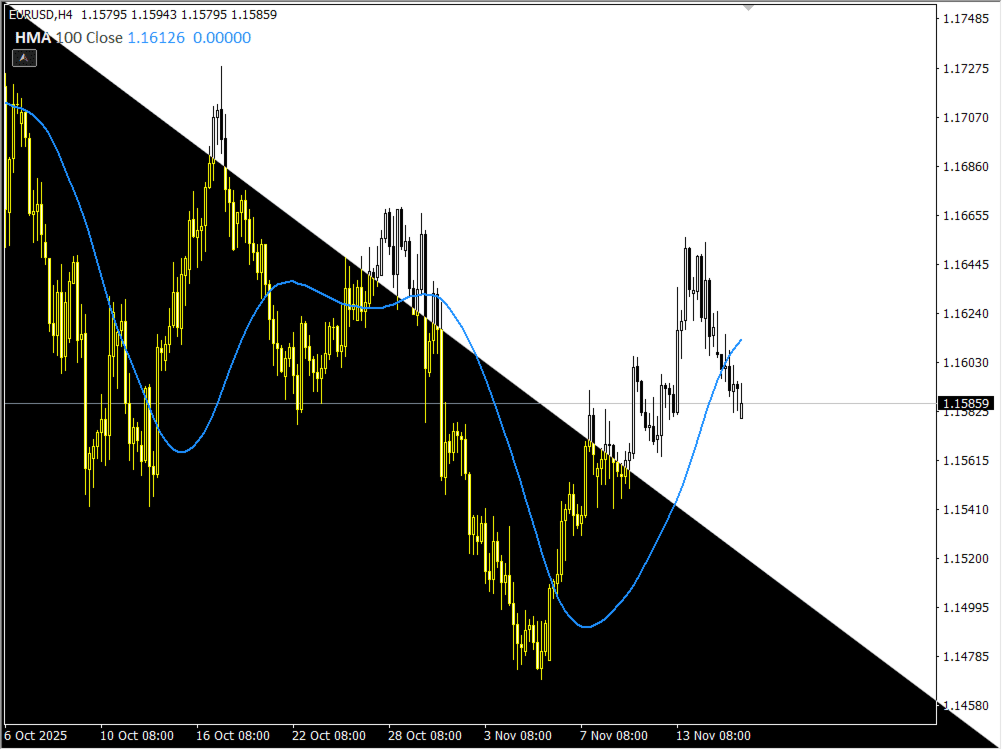
- Two-color line that automatically changes: Green/Lime when trending up, Red when trending down
- Professional alert system: Price Cross (instant or on close), Slope Change (instant or on close)
- 8 Price source options: Close, Open, High, Low, Median, Typical, Weighted, OHLC/4
- Advanced adjustable parameters: HMA Speed, KAMA Fast/Slow, McGinley Constant, JMA Phase/Power
- Shift capability for moving average (forward or backward)
- Double-click to open native inputs window directly from indicator name
- Quick button to hide/show indicator
- Button to instantly delete current instance
- Collapsible/expandable panel to maintain clean workspace
- Automatic adaptive design for light and dark backgrounds
- Interface specifically designed to work with multiple Smart indicators on the same chart without clutter
Advanced Moving Average Types
- HMA (Hull Moving Average): Ultra-fast response with minimal lag, perfect for scalping, with adjustable Speed parameter (2.0 = classic, 3.0 = smoother, 1.5 = faster)
- KAMA (Kaufman Adaptive): Automatically adapts to market volatility, fast in trends, slow in ranging markets
- DEMA (Double Exponential): 50% less lag than standard EMA, excellent for swing trading
- TEMA (Triple Exponential): Minimal lag with maximum responsiveness, very sensitive to price changes
- VWMA (Volume Weighted): Weighted by trading volume, follows institutional money flow
- RMA (Wilder's Smoothing): Same smoothing used in RSI/ATR, very smooth and slow to react
- McGinley Dynamic: Self-adjusting smoothness, works in all market conditions without parameter tweaking
- JMA (Jurik Moving Average): Best combination of smoothness and speed, professional-grade performance with adjustable Phase and Power parameters
Smart Alert System
- Price Cross: Instant alert when price crosses MA (during bar formation)
- Price Cross + Close: Alert only after bar closes (confirmed signals, fewer false alerts)
- Slope Change: Instant alert when MA direction changes (up to down or down to up)
- Slope Change + Close: Alert only after bar closes (confirmed trend reversal)
- Notification methods: Popup window, custom sound, email
- Deduplication: Maximum one alert per bar
- False alert protection: No alerts when indicator first loads
Buffer Value Display
The Smart panel displays current indicator values in colors that exactly match the line colors drawn on the chart, making value reading much easier, especially when comparing multiple indicators or multiple settings of the same indicator like Smart Moving Average PRO with different periods, prices, and types.
Chart Interaction (Mouse and Price Movement)
When hovering the mouse over any candle, the indicator immediately updates the Smart panel to display the indicator value for that specific candle, and when the mouse is released, the display returns to live real-time values, giving traders a quick way to review recent indicator history without opening additional windows.
Enhanced Settings Window
All line properties (color, width, and line style) are grouped in one main tab within the settings window for easy and quick editing, with support for line widths beyond the traditional MT limit, and modern, clear dropdown lists for selecting line patterns. Additionally, organized tabs for basic settings, advanced parameters, and alerts.
Easy Multiple Instance Recognition
When using more than one instance of the same indicator (such as multiple Smart Moving Average PRO with different periods, prices, and types), each Smart panel clearly displays the indicator name + period + price type + MA type + color used, solving the problem of distinguishing instances in the indicator list and helping to instantly select the instance to modify.
Use Cases
- Suitable for traders working with multiple indicators simultaneously who need a clean and organized interface
- Excellent for quickly monitoring indicator values during strategy testing
- Makes it easier for new users to understand settings through helpful tooltips
- Gives advanced users quick control over hiding/showing indicators and managing their settings in moments
- Ideal for traders who need advanced MA types not available in MetaTrader
- Suitable for traders looking for a professional and flexible alert system
- Useful for traders who prefer to see MA direction visually through colors
Helpful Tooltips
When hovering the mouse over any element within the Smart panel, small tooltips appear explaining the meaning of that element (such as "Period", "Price price type", "MA Type moving average type", or alert type), helping users understand indicator settings confidently, without needing to read long documents or search within the platform.
Free Version
A free Lite version is available with SmartView panel and basic MA types. You can view it at: https://www.mql5.com/en/market/product/155473
Compatibility
Designed to work smoothly on all financial pairs and assets, and most common timeframes; dedicated to MetaTrader 4 platforms with focus on comfortable and fast user experience in daily trading environment. Works efficiently on all timeframes from M1 to Monthly.
Notes
- You can view other available SmartView indicators at: https://www.mql5.com/en/users/totsh/seller
- Please rate the product and share your comments after using it so future updates and new Smart tools match what you really need
- Get in touch if you want your own indicators converted to the SmartView style or need custom coding around your trading ideas
---------------------------------------------------------- Arabic Description (الوصف باللغة العربية) ----------------------------------------------------------
عنوان المنتج
Smart Moving Average PRO (جزء من سلسلة SmartView Indicators)
وصف قصير
نسخة احترافية متقدمة من المتوسط المتحرك الذكي مع 12 نوعاً من المتوسطات المخصصة، نظام تنبيهات ذكي، خط ثنائي الألوان، ولوحة تحكم SmartView مدمجة على الشارت. يجمع بين القوة الاحترافية والأداء العالي مع سهولة الاستخدام والواجهة الذكية.
نظرة عامة
Smart Moving Average PRO هو ترقية شاملة للنسخة المجانية، يوفر 8 أنواع إضافية من المتوسطات المتحركة المتقدمة (HMA، KAMA، DEMA، TEMA، VWMA، RMA، McGinley، JMA) بالإضافة إلى الأنواع الأساسية الأربعة. يتميز بنظام تنبيهات احترافي يدعم التنبيهات الفورية والتنبيهات عند إغلاق الشمعة، خط ثنائي الألوان يتغير تلقائياً حسب اتجاه المتوسط، و8 خيارات لمصدر السعر. كل ذلك مع لوحة SmartView الذكية التي توفر إدارة سريعة وإظهار القيم مباشرة على الشارت.
الميزات الرئيسية
- 12 نوعاً من المتوسطات المتحركة: 4 أساسية (SMA، EMA, SMMA، LWMA) + 8 متقدمة (HMA، KAMA، DEMA، TEMA، VWMA، RMA، McGinley، JMA)
- لوحة تحكم ذكية على الشارت (Smart Control Panel) مع عرض مباشر للقيم
- خط ثنائي الألوان يتغير تلقائياً: أخضر/ليموني عند الصعود، أحمر عند الهبوط
- نظام تنبيهات احترافي: Price Cross (فوري أو عند الإغلاق)، Slope Change (فوري أو عند الإغلاق)
- 8 خيارات لمصدر السعر: Close، Open، High، Low، Median، Typical، Weighted، OHLC/4
- معاملات متقدمة قابلة للتعديل: HMA Speed، KAMA Fast/Slow، McGinley Constant، JMA Phase/Power
- إمكانية Shift للمتوسط (تحريك للأمام أو الخلف)
- فتح نافذة الإعدادات الأصلية مباشرة عبر النقر المزدوج على اسم المؤشر
- زر سريع لإخفاء/إظهار المؤشر
- زر لحذف النسخة الحالية فوراً
- إمكانية طي/توسيع اللوحة للحفاظ على شاشة عمل نظيفة
- تصميم متكيف تلقائياً مع الخلفيات الفاتحة والداكنة
- واجهة معدّة خصيصاً للعمل مع عدة مؤشرات Smart على نفس الرسم البياني بدون فوضى
أنواع المتوسطات المتقدمة
- HMA (Hull Moving Average): استجابة فائقة السرعة مع تأخير أدنى، مثالي للسكالبينج، مع معامل Speed قابل للتعديل (2.0 = كلاسيكي، 3.0 = أنعم، 1.5 = أسرع)
- KAMA (Kaufman Adaptive): يتكيف تلقائياً مع تقلبات السوق، سريع في الاتجاهات، بطيء في الأسواق المتذبذبة
- DEMA (Double Exponential): تأخير أقل بنسبة 50% من EMA العادي، ممتاز للتداول المتأرجح
- TEMA (Triple Exponential): تأخير أدنى مع استجابة قصوى، حساس جداً لتغيرات السعر
- VWMA (Volume Weighted): مرجح بحجم التداول، يتبع تدفق الأموال المؤسسية
- RMA (Wilder's Smoothing): نفس التنعيم المستخدم في RSI/ATR، ناعم جداً وبطيء التفاعل
- McGinley Dynamic: تنعيم ذاتي التكيف، يعمل في جميع ظروف السوق بدون حاجة لضبط المعاملات
- JMA (Jurik Moving Average): أفضل مزيج بين النعومة والسرعة، أداء احترافي مع معاملات Phase و Power قابلة للتعديل
نظام التنبيهات الذكي
- Price Cross: تنبيه فوري عند عبور السعر للمتوسط (أثناء تكوين الشمعة)
- Price Cross + Close: تنبيه فقط بعد إغلاق الشمعة (إشارات مؤكدة، أقل إشارات خاطئة)
- Slope Change: تنبيه فوري عند تغيير اتجاه المتوسط (من صاعد لهابط أو العكس)
- Slope Change + Close: تنبيه فقط بعد إغلاق الشمعة (تأكيد انعكاس الاتجاه)
- طرق الإشعار: نافذة منبثقة، صوت مخصص، بريد إلكتروني
- منع التكرار: تنبيه واحد كحد أقصى لكل شمعة
- حماية من التنبيهات الخاطئة: لا تنبيهات عند تحميل المؤشر لأول مرة
عرض القيم من المخازن (Buffers)
تعرض لوحة Smart القيم الحالية للمؤشر بألوان مطابقة تماماً لألوان الخطوط المرسومة على الشارت، مما يجعل قراءة القيم أسهل بكثير، خاصة عند مقارنة عدة مؤشرات أو عدة إعدادات لنفس المؤشر مثل Smart Moving Average PRO بفترات وأسعار وأنواع مختلفة.
التفاعل مع الشارت (الماوس وحركة السعر)
عند تمرير مؤشر الماوس فوق أي شمعة يقوم المؤشر بتحديث لوحة Smart فوراً لعرض قيمة المؤشر على هذه الشمعة بالتحديد، وعند ترك الماوس يعود العرض إلى القيم الحية في الوقت الفعلي، مما يمنح المتداول طريقة سريعة لمراجعة التاريخ الحديث للمؤشر بدون فتح نوافذ إضافية.
نافذة إعدادات محسّنة
تُجمع جميع خصائص الخطوط (اللون، السمك، ونوع الخط) في تبويب رئيسي واحد داخل نافذة الإعدادات لسهولة وسرعة التعديل، مع دعم سماكات خطوط أعلى من الحد التقليدي في MetaTrader، وقوائم منسدلة حديثة وواضحة لاختيار نمط الخطوط. بالإضافة إلى تبويبات منظمة للإعدادات الأساسية، المعاملات المتقدمة، والتنبيهات.
التعرّف على النسخ المتعددة بسهولة
عند استخدام أكثر من نسخة من نفس المؤشر (مثل عدة Smart Moving Average PRO بفترات وأسعار وأنواع مختلفة)، تُظهر كل لوحة Smart اسم المؤشر + الفترة + نوع السعر + نوع المتوسط + اللون المستخدم بشكل واضح، مما يحل مشكلة تمييز النسخ في قائمة المؤشرات ويساعد على اختيار النسخة المطلوب تعديلها بشكل فوري.
حالات الاستخدام
- مناسبة للمتداول الذي يعمل بعدة مؤشرات في نفس الوقت ويحتاج إلى واجهة نظيفة ومنظمة
- ممتازة لمتابعة قيم المؤشر بسرعة أثناء اختبار الاستراتيجيات
- تسهّل على المستخدم الجديد فهم الإعدادات عبر التلميحات المساعدة
- تمنح المستخدم المتقدم تحكماً سريعاً في إخفاء/إظهار المؤشرات وإدارة إعداداتها في لحظات
- مثالية للمتداولين الذين يحتاجون أنواع متقدمة من المتوسطات غير المتوفرة في MetaTrader
- مناسبة للمتداولين الذين يبحثون عن نظام تنبيهات احترافي ومرن
- مفيدة للمتداولين الذين يفضلون رؤية اتجاه المتوسط بصرياً عبر الألوان
التلميحات المساعدة (Tooltips)
عند تمرير الماوس فوق أي عنصر داخل لوحة Smart تظهر تلميحات صغيرة تشرح معنى هذا العنصر (مثل "Period"، "Price نوع السعر"، "MA Type نوع المتوسط"، أو نوع التنبيه)، مما يساعد المستخدم على فهم إعدادات المؤشر بثقة، بدون الحاجة لقراءة مستندات طويلة أو البحث داخل المنصة.
النسخة المجانية
تتوفر نسخة مجانية Lite مع لوحة SmartView الذكية والأنواع الأساسية من المتوسطات. يمكنك الاطلاع عليها عبر: https://www.mql5.com/en/market/product/155473
التوافق
مصمم للعمل بسلاسة على جميع الأزواج المالية والأصول، ومعظم الأطر الزمنية الشائعة؛ ومخصص لمنصات MetaTrader 4 مع التركيز على تجربة استخدام مريحة وسريعة في بيئة التداول اليومية. يعمل بكفاءة على جميع الأطر الزمنية من M1 إلى Monthly.
ملاحظات
- يمكنك الاطلاع على باقي مؤشرات SmartView المتوفرة عبر: https://www.mql5.com/en/users/totsh/seller
- نرجو تقييم المنتج ومشاركة تعليقاتك بعد استخدامه حتى تتمكن التحديثات المستقبلية والأدوات الجديدة من تلبية احتياجاتك الحقيقية
- إذا كنت ترغب في تحويل مؤشراتك الخاصة إلى أسلوب SmartView أو تحتاج برمجة مخصصة حول أفكارك التداولية، يمكنك التواصل معنا