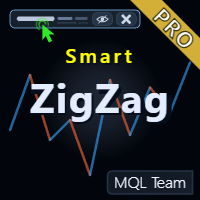
Smart ZigZag Pro MT4
- Indicators
- Version: 1.0
- Activations: 5

Product Title
Smart ZigZag Pro (MT4) – part of the SmartView Indicators series
Short Description
The professional edition of the ZigZag indicator with an on-chart Smart Control Panel, advanced analytical tools, dynamic support/resistance levels, automatic trading signals, pattern recognition, wave statistics, and comprehensive customization for all elements. The Free version shares the SmartView Panel feature with the Pro version.
Overview
Smart ZigZag Pro is the professional edition of the Smart ZigZag indicator, offering advanced analytical tools and enhanced visualization capabilities for serious traders who need deeper market insights. The indicator includes a smart control panel embedded on the chart displaying current values and key information, with 20 data buffers providing comprehensive data for advanced analysis and Expert Advisor integration.
Key Features
- On-chart Smart Control Panel (available in Free version too).
- Advanced Support/Resistance Levels – display confirmed levels and breakable levels.
- Channel Analysis – display upper and lower ZigZag channel bands.
- Automatic Trading Signals – buy/sell arrows at key breakout points.
- Automatic Pattern Recognition – detect consecutive high/low patterns.
- Wave Statistics – points, bars, and percentage measurements.
- Enhanced Text Information – flexible price and percentage display.
- Comprehensive Customization – independent customization for each element.
- Data Window Integration – 20 data buffers for advanced analysis.
- Expert Advisor Compatible – all data available for automated integration.
Advanced Levels
The indicator displays two types of levels: Last Confirmed Levels which show confirmed pivot points and represent key visual references for support/resistance areas, and Breakable Levels which are dynamic levels showing potential breakout points and automatically update when price breaks through them, providing an early warning system for trend changes.
Channel Analysis
The indicator provides upper and lower bands representing ZigZag channel boundaries, helping to clearly identify trend strength and direction. Channel colors and styles can be customized independently, with the option to show or hide them as needed.
Automatic Trading Signals
The indicator generates automatic trading signals at key breakouts in the form of buy and sell arrows placed at optimal entry points. These signals are based on breakable level transitions, providing clear and well-timed signals. Arrow colors and sizes can be fully customized.
Pattern Recognition & Analysis
The indicator automatically recognizes consecutive high/low patterns: Higher High (HH), Lower High (LH), Higher Low (HL), and Lower Low (LL). Each pattern is marked with a different color making recognition quick and clear. Pattern colors, font size, and display can be customized or hidden according to preferences.
Wave Statistics
The indicator measures wave length in multiple ways: points display (price distance), bars display (time distance), with multiple display options including numbers only, with short labels, or full text. Wave statistics are also available in the Data Window via dedicated buffers, providing advanced analysis capabilities.
Enhanced Text Information
Additional information can be displayed at pivot points: price level display, percentage change between points, or a flexible combination of all text elements. Patterns, price, percentage, points, and bars can be combined together for a comprehensive and informative display without cluttering the chart.
Comprehensive Customization
The indicator provides independent customization for each element: separate colors for up/down segments, adjustable widths, multiple line styles, and independent colors for each advanced element. All features can be independently controlled for display and hiding, with optimized default settings for a clean professional appearance.
SmartView Panel (Shared with Free Version)
The SmartView panel embedded in the top-left of the chart displays current indicator values with colors exactly matching the drawn lines, with the ability to open the original settings window with two clicks, quickly hide or show the indicator, and delete the current instance with one click. When hovering over any candle, the panel updates instantly to display the indicator value on that specific candle.
Technical Advantages
The indicator provides 20 data buffers versus 3 in standard ZigZag, with advanced calculation algorithms and real-time pattern recognition, improved rendering performance, and full customization without the need for programming.
Use Cases
Suitable for advanced trend analysis, support/resistance identification, pattern trading strategies, wave analysis such as Elliott Wave, breakout/breakdown detection, trade entry/exit optimization, market structure analysis, and automated trading system development.
Upgrade Benefits from Free Version
When upgrading from the Free version to Pro, you gain 10+ additional analytical features, professional-grade customization, enhanced visual clarity, more trading opportunities, advanced pattern recognition, and comprehensive market insights.
Compatibility
Designed to work smoothly on all financial pairs and assets, and most common timeframes, tailored for MetaTrader platforms with focus on comfortable and fast user experience in daily trading environment. Fully compatible with Expert Advisors with full programmatic access to all data, patterns, and metrics.
Notes
- You can try the Free version of Smart ZigZag to experience the SmartView panel and basic functions before upgrading to the Pro version for all advanced features.
- We recommend downloading the available free Smart indicators package for a comprehensive and smooth trading experience from here.
- Rate the product after trying it and leave your comments, as every rating and opinion contributes to improving the quality of the series and developing new features that better serve traders.
- If you like this display style and have an idea for a custom indicator or need specialized development for your current indicators, we are here to discuss your needs and turn your ideas into practical tools within your trading environment.
عنوان المنتج
سمارت زيجزاج برو (جزء من سلسلة المؤشرات السمارت)
وصف قصير
الإصدار الاحترافي من مؤشر زيجزاج مع لوحة تحكم ذكية على الشارت، وأدوات تحليل متقدمة، ومستويات دعم ومقاومة ديناميكية، وإشارات تداول تلقائية، وتعرّف تلقائي على الأنماط، وإحصائيات الموجات، وتخصيص شامل لجميع العناصر. النسخة المجانية تشترك مع النسخة البرو في لوحة السمارت.
نظرة عامة
سمارت زيجزاج برو هو الإصدار الاحترافي من مؤشر زيجزاج، يوفر أدوات تحليل متقدمة وإمكانيات تصور محسّنة للمتداولين الجادين الذين يحتاجون إلى رؤى أعمق للسوق. يتضمن المؤشر لوحة تحكم ذكية مدمجة على الشارت تعرض القيم الحالية والمعلومات الأساسية، مع عشرين مخزن بيانات يوفرون بيانات شاملة للتحليل المتقدم والتكامل مع المستشارين الخبراء.
الميزات الرئيسية
- لوحة تحكم ذكية على الشارت (متوفرة في النسخة المجانية أيضًا).
- مستويات الدعم والمقاومة المتقدمة - عرض المستويات المؤكدة والمستويات القابلة للكسر.
- تحليل القنوات - عرض النطاقات العلوية والسفلية للزيجزاج.
- إشارات تداول تلقائية - أسهم شراء وبيع عند نقاط الاختراق الرئيسية.
- تعرّف تلقائي على الأنماط - اكتشاف أنماط القمم والقيعان المتتالية.
- إحصائيات الموجات - قياسات النقاط والأعمدة والنسب المئوية.
- معلومات نصية محسّنة - عرض السعر والنسبة المئوية بشكل مرن.
- تخصيص شامل - تخصيص مستقل لكل عنصر.
- تكامل مع نافذة البيانات - عشرين مخزن بيانات للتحليل المتقدم.
- متوافق مع المستشارين الخبراء - جميع البيانات متاحة للتكامل الآلي.
المستويات المتقدمة
يعرض المؤشر نوعين من المستويات: المستويات المؤكدة السابقة والتي تُظهر نقاط التحول المؤكدة وتمثل مراجع بصرية رئيسية لمناطق الدعم والمقاومة، والمستويات القابلة للكسر وهي مستويات ديناميكية تُظهر نقاط الاختراق المحتملة وتحدّث تلقائيًا عند اختراق السعر لها، مما يوفر نظام إنذار مبكر لتغييرات الاتجاه.
تحليل القنوات
يوفر المؤشر نطاقات علوية وسفلية تمثل حدود قناة الزيجزاج، مما يساعد على تحديد قوة الاتجاه واتجاهه بشكل واضح. يمكن تخصيص ألوان وأنماط القنوات بشكل مستقل، مع إمكانية إظهارها أو إخفائها حسب الحاجة.
إشارات التداول التلقائية
يولّد المؤشر إشارات تداول تلقائية عند الاختراقات الرئيسية في شكل أسهم شراء وبيع توضع عند نقاط الدخول المثلى. تعتمد هذه الإشارات على انتقالات المستويات القابلة للكسر، مما يوفر إشارات واضحة ومؤقتة بشكل مناسب. يمكن تخصيص ألوان وأحجام الأسهم بشكل كامل.
تعرّف الأنماط وتحليلها
يتعرّف المؤشر تلقائيًا على أنماط القمم والقيعان المتتالية: القمة الأعلى، القمة الأقل، القاع الأعلى، والقاع الأدنى. يتم تمييز كل نمط بلون مختلف مما يجعل التعرّف سريعًا وواضحًا. يمكن تخصيص ألوان الأنماط وحجم الخط وعرضها أو إخفاؤها حسب التفضيلات.
إحصائيات الموجات
يقيس المؤشر طول الموجات بعدة طرق: عرض النقاط (المسافة السعرية)، وعرض الأعمدة (المسافة الزمنية)، مع خيارات عرض متعددة تشمل الأرقام فقط، أو مع تسميات مختصرة، أو نص كامل. تتوفر إحصائيات الموجات أيضًا في نافذة البيانات عبر المخازن المخصصة، مما يوفر إمكانيات تحليل متقدمة.
المعلومات النصية المحسّنة
يمكن عرض معلومات إضافية عند نقاط التحول: عرض مستوى السعر، أو النسبة المئوية للتغيير بين النقاط، أو مزيج مرن من جميع العناصر النصية. يمكن دمج الأنماط والسعر والنسبة والنقاط والأعمدة معًا لعرض شامل ومعلوماتي دون إرهاق الشارت.
التخصيص الشامل
يوفر المؤشر تخصيصًا مستقلاً لكل عنصر: ألوان منفصلة للشرائح الصاعدة والهابطة، سماكات قابلة للتعديل، أنماط خطوط متعددة، وألوان مستقلة لكل عنصر من العناصر المتقدمة. يمكن التحكم بشكل مستقل في عرض وإخفاء جميع الميزات، مع إعدادات افتراضية محسّنة للحصول على مظهر احترافي نظيف.
لوحة السمارت (المشتركة مع النسخة المجانية)
تعرض لوحة السمارت المدمجة في أعلى يسار الشارت القيم الحالية للمؤشر بألوان مطابقة تمامًا لألوان الخطوط المرسومة، مع إمكانية فتح نافذة الإعدادات الأصلية بنقرتين، وإخفاء أو إظهار المؤشر بسرعة، وحذف النسخة الحالية بضغطة واحدة. عند تمرير الماوس فوق أي شمعة يتم تحديث اللوحة فورًا لعرض قيمة المؤشر على هذه الشمعة بالتحديد.
المزايا التقنية
يوفر المؤشر عشرين مخزن بيانات مقابل ثلاثة في الزيجزاج العادي، مع خوارزميات حساب متقدمة وتعرّف على الأنماط في الوقت الفعلي، وأداء محسّن في التصيير، وتخصيص كامل بدون الحاجة للبرمجة.
حالات الاستخدام
مناسب لتحليل الاتجاهات المتقدم وتحديد الدعم والمقاومة واستراتيجيات تداول الأنماط وتحليل الموجات مثل موجات إليوت والكشف عن الاختراقات والانهيارات وتحسين نقاط الدخول والخروج وتحليل هيكل السوق وتطوير أنظمة التداول الآلي.
فوائد الترقية من النسخة المجانية
عند الترقية من النسخة المجانية إلى البرو، تحصل على أكثر من عشر ميزات تحليلية إضافية، وتخصيص على مستوى احترافي، ووضوح بصري محسّن، ومزيد من فرص التداول، وتعرّف متقدم على الأنماط، ورؤى شاملة للسوق.
التوافق
مصمم للعمل بسلاسة على جميع الأزواج المالية والأصول، ومعظم الأطر الزمنية الشائعة، ومخصص لمنصات ميتاتريدر مع التركيز على تجربة استخدام مريحة وسريعة في بيئة التداول اليومية. متوافق بشكل كامل مع المستشارين الخبراء مع إمكانية الوصول البرمجي الكامل لجميع البيانات والأنماط والمقاييس.
ملاحظات
لتحقيق أقصى استفادة من سلسلة السمارت فيو، ننصح بما يلي:
- يمكنك تجربة النسخة المجانية من سمارت زيجزاج لتجربة لوحة السمارت والوظائف الأساسية قبل الترقية إلى النسخة البرو للحصول على جميع الميزات المتقدمة.
- ننصح بتحميل باقة المؤشرات السمارت المجانية المتاحة لتجربة تداول شمولية وسلسة من هنا.
- تقييم المنتج بعد تجربته وترك ملاحظاتك وتعليقاتك، فكل تقييم ورأي يساهم في تحسين جودة السلسلة وتطوير مزايا جديدة تخدم المتداولين بشكل أفضل.
- إذا أعجبك أسلوب العرض هذا ولديك فكرة لمؤشر مخصص أو تحتاج تطوير خاص لمؤشراتك الحالية، نحن هنا لنناقش احتياجاتك ونحول أفكارك إلى أدوات عملية ضمن بيئة التداول الخاصة بك.