 MetaTrader 5
 Experts
 Indicators
 Libraries
 Utilities
 Widgets
 Rules
Rules
Watch the Market tutorial videos on YouTube
How to buy а trading robot or an indicator
Run your EA on
virtual hosting
virtual hosting
Test аn indicator/trading robot before buying
Want to earn in the Market?
How to present a product for a sell-through
New trading utilities for MetaTrader 4 - 38
 Below are trading programs simplifying Forex trading in MetaTrader 4. Hover over a utility in the list below to read its description and purpose.
The script opens 5 sell orders with 1 stop loss and 5 different take profits. And places 4 limit orders (sell). The following parameters are set by default: Stop loss for all open orders - 120 pips Take profit for 1 order (lot 0.1) - 30 pips take profit for other 4 orders (lot 0.04) - 50, 90, 140, 200 pips.
Stop loss for limit orders is 135-140 pips from the current price (at the time of placing orders). The distance of each limit order is 20 pips. Lot size with micro-martingale - 0.04, 0.05,
FREE

The script opens 5 orders (buy) with 1 stop loss and 5 different take profits. And places 4 limit orders (buy). The following parameters are set by default: Stop loss for all open orders - 120 pips Take profit for 1 order (lot 0.1) - 30 pips take profit for other 4 orders (lot 0.04) - 50, 90, 140, 200 pips.
Stop loss for limit orders is 135-140 pips from the current price (at the time of placing orders). The distance of each limit order is 20 pips. Lot size with micro-martingale - 0.04, 0.05,
FREE

The script closes all positions for which the profit is more than 5 pips. Checks all open positions for all pairs (you can run it on any chart). The terminal must have the "Algo trading" mode enabled.
It is effective if there are many open positions that need to be closed quickly.
The script does not replace a trailing stop or an advisor. The script checks all open deals and closes those that meet the condition (profit is more than 5 pips) once at the time of launch.
For the subsequent closi
FREE

You can finally leave a trade running without any worry!
What is Auto Trade Manager MT4 ? It is an EA that does not take trades (unless on 'Strategy Tester Mode') but manages an active trade; this is done by automatically moving the stop loss by the user's specifications.
Features! - Automatically places stop loss at break-even (Settings: Pips in profit, % of TP, % of SL) - Automatically trails your stop loss (Settings: Pips in profit, Money in profit, Stop loss on Moving Average)
Can I tes

The EA monitors positions for selected pairs, sets a break-even level and moves a trailing stop. When the trade is "n" points of profit (parameter dist_BEP), the stop loss is moved to the break-even point (the level of the trade opening price) plus the specified distance in points (parameter BEP) The EA checks all available (or filtered) trades for break-even and moves stop-loss levels if necessary. The EA also checks all available (or filtered) trades for trailing stop conditions and, if neces
FREE

The script closes all positions for which the profit is more than 5 pips. Works only on an open pair (on an open chart).
The terminal must have the "Algo trading" mode enabled.
Effective if there are many open positions that need to be closed quickly.
The script does not replace trailing stop or advisor. The script checks all open deals and closes those that meet the condition (profit is more than 5 pips) once at the time of launch.
For the subsequent closing of new profitable positions, y
FREE

For the trader, trading sessions represent a clear time frame for increasing market volatility. The Trend Session indicator of trading sessions is a tool that will undoubtedly be useful not only for novice traders, but also for experienced traders. If you're looking for a simple indicator of Forex trading sessions, you've come to the right place. This indicator draws vertical bars that indicate the start and end times of the main trading sessions.

MagicExcel will allow you to extrapolate, from your trades, reports split down by Expert Advisor. The generated reports allow you to quickly compare statistics of trades data from different Expert Advisors, different symbols and also the behavior of an Expert Advisor against different symbols. Additionally, if selected, a report will be created that shows the behavior of the Expert Advisor over time. This is a very useful tool for a trader who works with many Expert Advisors at the same time. R

This utility sends notification to trader’s MT4 (for MT5 version, checkout this link ) mobile app, to remind traders about their open positions. Super useful for part time traders to keep track and not forget any positions. To turn on notification, please visit this link (https://www.metatrader4.com/en/trading-platform/help/setup/settings_notifications) Features Keep track on open orders (pending orders, running orders) Customize time to send notification Customize notification interval (send ev

Universal trading advisor "WOz" with a built-in trading panel
The EA's capabilities can be easily tested in the strategy tester in visual mode.
The EA can simulate real trading with the ability to move the SL and TP levels.
The EA has 5 modes of operation:
1. AUTOTRADING automatic trading mode on a set signal
2. ONLY SIGNAL mode of tracking the set signal without auto trading
3. RANGE MODUS mode of automatic placement of equidistant orders on Bayi Sell at a specified time
4. HAND MODUS
FREE

Protect your EA from unauthorized use. With EA Locker you can generate individual licenses for your EA to your customers.
Product blog page You can download MT5 version here
Protection consists of three parts: 1. Your Unique EA identifier 2. User Identifier 3. Expiration date
Description of parts: 1. EA ID is your internal EA identifier. Itcan be the short name of the EA. (MyGridEA, TradeCopierEA...) 2. User identifier can be anything user specific data (Mt4 account number, Account number + U

Recommended Broker and Utility Capabilities For optimal use of this utility, it is advisable to choose a broker like RoboForex or a similar one that offers fast order execution and low spreads. Utility Description: The purpose of this utility is to manage market orders, including opening new trades and optimizing losing positions using an internal algorithm. The utility incorporates trend filtering and various types of trailing stops and take profits, making it versatile for trading any instrum
FREE
This utility allows you to easily close positions.
You can close buy or sell positions by clicking each buttons. And also you can close whole positions by clicking one buttons.
This is advanced tool of "ClosePanelA". This panel would be placed left bottom corner of the chart. To get upgraded version, please visit https://github.com/johanfriso87/profile
Important: -Check allow live trading. -Enable Auto Trade trading.

This is an Ea to help trader to fix his objectif in a day before trade. The Idea behind this EA is: This ea is for the postion management The trader should provide the number of trade he would like to take in a day As soon as his take a trade , this number dicrement when taking a trade the ea use this number and the number of volume to calculate tp and sl and place it on the market When the number come to 0 , the ea provide a message to the trader to stop trade for this day
FREE
This utility allows you to easily close positions.
You can close buy or sell positions by clicking each buttons. And also you can close whole positions by clicking one buttons.
This panel would be placed left bottom corner of the chart.
If the users want to change the placement and functions contact me.
Important: -Check allow live trading. -Enable Auto Trade trading.
This is a semi-automatic expert advisor that trades the grid system. The idea is to gradually take different positions in the market, then to calculate the break-even level for them. When the prices pass this break-even by a predetermined distance all opened orders are closed.
Important Information
Here is the user's guide: https://www.mql5.com/en/blogs/post/730567
You can try this EA with any of my other products, here: https://www.mql5.com/en/users/bermaui314/seller
Important Features T

Time Closer can help you closing all the open position at the specified time "Everyday". Mainly for Day trader that don't want to hold position overnight, or over different session, or over a specific time. Simple Parameter to use. Usage Download and drag Time Closer on the chart (Chart Symbol should be the same Chart Symbol as you want the position close) Check Allow AutoTrading is "On" Set parameters
Input Parameters Turnon True - Turnon the utility
False - Turnoff the utility Close All Open
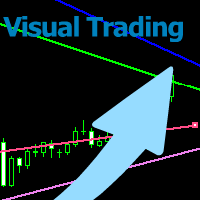
With this tool you can easily draw lines on the chart and the trade is done easily. The steps are as follows: First: Draw the buy and sell lines on the chart. Second: Draw the profit and loss lines on the chart. Third: Specify the volume of the transaction you want to trade. Fourth: Activate the lines. Warning When moving lines, be careful not to make a wrong trade.
Expert easily trades you.

This utility allows you to easily close profit or loss positions.
You can close profit or loss positions by clicking each buttons. If profit or loss positions reaches or exceed value specified as pips, they would be closed.
This panel would be placed left bottom corner of the chart. If the users want to change the placement and functions contact me.
Important : -Check allow live trading. -Enable Auto Trade trading.

MultiStopOrder Tis Script will help us to put multiple stop order with single one click. This is a script not an EA Will place BUYSTOP and SELLSTOP with single click
Main Feature 1. Put Multiple Stop Order 2. Specify how much stop orders will make 3. Set distance from current price 4. Set distance for each stop order 5. Set Take Profit dan Stop Loss 6. Use it on MT4 7. Set lot size with minmum 0.01 lots 8. Use with single one clicks

The arkdc module derives its name from the Ark data collector statement. The main purpose of this module is to instantly save incoming tick data to a csv file. How does this csv file differ from any ready-made csv file found in metatrader or imported from other sites? The data obtained with this module is each tick data that comes to the metatrader program. A lot of tick data can come in per second.But does the module only record tick data raw? The arkdc module saves not only incoming tick data,

Using hotkeys, you can create graphic objects of different drawing styles and different colors on the active chart. You can change the formatting styles for graphics. You can choose default drawing styles, or set them in the advisor properties selection window. Going to the graph, when creating graphic objects, the color, line type and line thickness are selected automatically. Drawing styles for graphical objects will depend on the current timeframe where drawing will be performed. Please watch
FREE

Using hotkeys, you can create graphic objects of different drawing styles and different colors on the active chart. You can change the formatting styles for graphics. You can choose default drawing styles, or set them in the advisor properties selection window. Going to the graph, when creating graphic objects, the color, line type and line thickness are selected automatically. Drawing styles for graphical objects will depend on the current timeframe where drawing will be performed. Please watch
FREE

Excellent dashboard for analytics. The panel helps to analyze the values of the Momentum indicator and its signals.
With this panel you can: watch the current signal from Momentum on all timeframes; watch the current signal from Momentum for different symbols; watch the current Momentum value; several types of signals for analytics.
Values in a table cell: value of Momentum
Signal type: Momentum crosses "100" line Momentum upper/lower "100" line Momentum direction
Work option: all

Alerts to Telegram The utility sends Alerts of all your indicators or advisers to a telegram channel (group or personal message). Benefits:
1. There is no need to be at the terminal waiting for an alert from your indicator or advisor; 2. Simple setup.
Currently works with terminal languages:
1.Russian; 2.English. If it is necessary to add your language please let me know. The utility works together with the AlertToFile indicator (put the indicator in the Indicators folder) Indicator: Alert

The Visual Order Tracking (VOT) indicator makes trade history and performance metrics visible on the chart in three ways: 1) Draw History of closed and open trades with arrows, lines and trade result numbers (pips, $ profit, % profit, % change); 2) Summary Trade Panel to show open and closed trade summaries by symbol, lots, pips, profit and advanced stats; and 3) Open Trades Panel to show open trades by Symbol Ticket, Type, Lots, Profit, pips, SL pips, StopLoss, TakeProfit, Spread, Magic, Comme

The Visual Order Tracking (VOT) EA makes trade history and performance metrics visible on the chart in four ways: 1) Draw History of closed and open trades with arrows, lines and trade result numbers (pips, $ profit, % profit, % change); 2) Trade Manager to show Open, SL and TP levels as vivid horizontal lines with dynamic specs and partial closing options; 3) Summary Trade Panel to show sortable table of open and closed trade summaries by symbol, lots, pips, profit and advanced stats; and 4)

This Expert Advisor is to assist you on Impulse's Titan method.
The expert : * Placement of SL/PE and TP in automatic mode * Automatic order taking * Automatic calculation of the Lots according to your Money management * Automatic calculation of Fibonacci levels * Tracking and closing of orders automatically * Detection of signal cancellations * Manual customisation of the PE is possible * Manual pause possible in case of event
To make the best use of the Expert you should : * follow the Impu
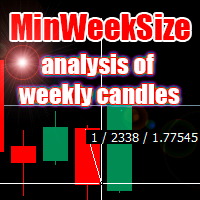
The script analyzes the size of the extreme closed candles of the selected timeframe (by default - W1).
If the candlestick size is higher than in the settings, the script opens the chart of this trading instrument.
In addition, the script calculates the average candle size for the number of candles specified in the settings.
An example of using the script: On Monday morning, activate the script on any trading instrument; Determine which instrument's weekly candle is above average; This week,

Hello Guys! I want to share with you a very useful tools. Anyone of us who has used MT4 for some time knows how impractical this platform can be for discretionary trading. That's why I created this graphical interface! Interface is very simple, all the info that you need are in the video and in the screenshot.
NB: Before to run the EA Interface, remember to copy the file in the comment in your MT4 folder "Controls". PATH: .../MQL4/INCLUDE/CONTROLS
NB: unfortunately the interface can't be test

Note: This is EA only panel for manage Orders ------------------------- EA input inclde
- EA_Comment
------------------------
The panel include - Lot size input for BUY and SELL button
- Close ALL SELL orders (same symbol)
- Close ALL BUY orders (same symbol)
- Close ALL orders (same symbol)
-------------------------
You can use on any pair and any time frame
Thanks
FREE

Open trades knowing what your risk will be. The calculator returns the lot size for the MT4 desktop terminal and the units for mobile terminals.
It works on every instrument that your broker offers (forex, gold, commodities, etc.)
It can also be used to open market and pending orders with just one click.
This system adds an improvement to MT4's user interface.

This experts helps you with increasing your signal volume. Everytime the signal opens a trade, the experts creats a specific amount of copies of this trade. Evertime the signal closes a trade, the expert closes all the copies of the singal trade.
Input parameters: - amount_of_copies: The amount of copies the expert should create - interval_in_seconds: How often the expert should look for new orders to copy or closed orders, to close copies - lot_size_of_copies: The lot size of the new copies
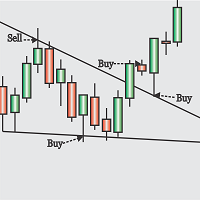
Obaforex TrendLine Trader is a tool developed to improve trading with trend lines. This tool is highly functional and yet extremely simple and safe to use. Simply draw trendlines and make them active for trading by renaming them based on what purpose you want them to serve. buy (to open a long trade based on the named line) sell (to open a short trade based on the named line) buytp (to close a buy trade at a price higher than current market price) buysl (to close a buy trade at a price lower t

LMBFWatchlist is an interactive tool for Metatrader 4 that lets you create and manage watch lists directly on your Metatrader charts. Functionality includes: Add an unlimited number of watch lists with names of your choice Add different groups of watchlists for different time frames Add comments for symbols that always appear on the chart when that symbol is selected. Easily identify which symbols have comments against them. See watch lists instantly synchronise across all open charts that hav
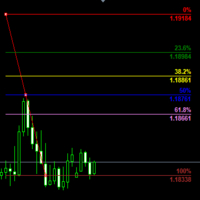
Customizable Fibonacci Lines Up to 9 Fibonacci levels Customize line color, line style and line width for each Fibonacci line Easily adjustable Fibo object is created in background so you can use with indicators and EAs How to use: Load the indicator to the chart and press "f" on keyboard and click anywhere on the chart to start drawing You can customize each line after its drawn as well as input window of the indicator

This application is now replaced by Ofir Notify Light Edition (Free) or Ofir Notify (paid).
Thank all for your positive feedbacks.
Ofir Notify is a tool which send alerts on trades to Telegram Alert on any event concerning a position : Opening, Closing, modification (SL, TP) Send alerts to Chats, Groups and Channel Alert on Equity change Display Risk, Reward and progress of profit/lost for each position Customization of alerts ( only in full edition ) Sending charts screenshots with alerts
FREE

Introduction Utility informer 'Know Your Symbols' quickly and easy let you know important information about your symbol. This utility covers any symbol i guess, attach it to one chart (time frame and symbol does not matter) and select what symbols you need information about and voila...Equipped with inputs for symbol prefix/suffix if they have such. Informs about; Current price Day high price Day low price Spread points Point size Money required for 1 lot Pip value in quote currency Swap for a b
FREE

DataGrabber The database creator
DataGrabber store selected instrument history to .csv files. It's purpose is to automatically create extensive history database.
DataGrabber is added to the selected instrument chart window as an indicator. It periodically check presence of bar data on the server and presence of .csv files on client PC (local database). If missing files detected in local database, it's created, filled with data and added to the database.
Range of bar history in days beeing ch

非常好用的工具8888888888888888888888888888888888888888888888888888888888888888888888888888888888888888888888888888888888888888888888888888888888888888888888888888888888888888888888888888888888888888888888888888888888888888888888888888888888888888888888888888888888888888888888888888888888888888888888888888888888888888
FREE

MT4 Alert to Telegram MT4 Alert to Telegram is tool, which sends selected trades to telegram channel. Tool sends trades when open and close with chart to telegram channel. Tool can send multiple charts and pairs from a single chart. Send information of all type of orders: Opened (including Pending Orders), and closed triggered.
functions - user can custom self-sending message text even in their native language - user can send own advertisement text periodically - attach expert in one chart an

What this tool does Assistant AutoClose monitors open trades and closes them when selected conditions are met. You can automatically close trades by: Profit in points Loss in points Profit in deposit currency Loss in deposit currency
It can work: On Buy and Sell trades Only Buy trades Only Sell trades
You can also: Limit by number of deals Control total profit per symbol Close trades per-trade or based on overall result Typical use cases Closing trades after fixed profit without using br

This application exports all finished operations to a text file delimited by <TAB>, comma, semicolon or any character defined by the user, also including the comments and magic number of the operations, which can be easily exported to EXCEL or Google Spreadsheets.
The files are generated in the "files" folder, individually separated by month with the name in the format: 999999-AAAA BBBB- [9-9999] where:
999999 = MT4 Trading Account Number
AAAA BBBB = Trading Account User Name
[9-9999] - Mon

Features: fast opening / closing deals the number of deals and the total profit for the Symbol
Fast open deals: set the Lot volume set StopLoss / TakeProfit in points (if you set "0", then it is not used) set slippage set Magic (if necessary) set comment (if necessary)
Fast open features: fast open Buy fast open Sell fast close ALL open orders for the current Symbol
Attention: this utility works only on the current instrument this utility works on a VPS must enable Algo trading in the termi
FREE

It is a truly useful multifunctional tool. I did it thinking about my needs as a trader some years ago although I have been modifying it for my partners to use it.
This tool allows: Directly send buy or sell orders with one click and shows where you should place the stop loss based on an algorithm using ATR and comparison with previous significant levels.
Close all profits by clicking a button.
Close all losses by clicking a button.
Close all operations by clicking a button.
Shows the

A bot for trading in binary options for mql4.
He can do send message in mobile of phone.
He can do work in several long time-frame.
He can modify main analize.
He do displey panel of the bot and modify her you can.
He have do display of tick grafic in 15 min and more(time of timeframe).
He can modify a small main analize.
He can modify a dimension of smal main analize.
He can modify the advanced analize.
He can modify a small advanced analize.
He can modify a dimension of smal advanc

Features: fast opening / closing deals automatic closing of trades by profit / loss the number of deals and the total profit for the Symbol
Fast open deals: set the Lot volume set StopLoss / TakeProfit in points (if you set "0", then it is not used) set slippage set Magic (if necessary) set comment (if necessary)
Fast open features: fast open Buy fast open Sell fast close ALL open orders for the current Symbol
Auto close deals by profit / loss (analogue of virtual StopLoss / TakeProfit): mo
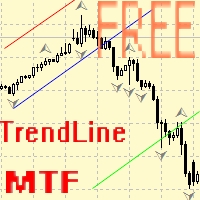
Советник для ручного построения трендовых линий и сопутствующих им стоплоссам и тейкпрофитам. После построения, советник запоминает уровни, направление и лот. При касании текущей цены с расчетной ценой, открывается ордер с заранее выбранными параметрами. Возможно построение и запоминание до 10 разнонаправленных уровней с разных таймфреймов. Можно использовать на любом торговом инструменте. Корректно работает с 4 и 5-значными ценами.
FREE

Dear Traders,
With this order system you can place Pending Orders amazingly quick. Quick Pending Order has the following features: The system automatically recognizes the type of order (sell stop, sell limit, buy stop, buy limit), by detecting the current price and your stop loss position. You can use its build in Money management. So you do not need to calculate the lot size. 2 Take profit targets Break even (with different pip amount) Custom button assignment Comission per Lot (default set t

Let the robot scan the whole market for you and spot best trading opportunities while you live your normal life. Market Deviation Scanner measures deviation of prices from a given average in percent. Reccommended setting for all averages is a 200 DAILY SIMPLE MOVING AVERAGE , however any parameter can be modified at will - Scanner is fully customizable .
There is a possibility to set an e mail , MQL push or alert notification if a certain price deviation level has been breached. On one chart a

Excellent dashboard for analytics. The panel helps to analyze the values of the Parabolic SAR indicator and its signals.
With this panel you can: watch the current signal from Parabolic SAR on all timeframes; watch the current signal from Parabolic SAR for different symbols; watch the current Parabolic SAR value; several types of signals for analytics.
Values in a table cell: value of Parabolic SAR
Signal type: Parabolic SAR crosses Price Parabolic SAR upper/lower Price
Work opti

Screen logger with telegram - takes screenshots of all open MetaTrader 4 charts.
Why do you need
Recording incoming quotations from a broker. In case of any corrections, this moment will be fixed. Check the data of the indicator and notice cases of signal redrawing or overwriting Maintaining own accounting for changes in trading indicators on the account Creation of real trading video from the obtained snapshots
Advantages It consumes significantly less resources than any screen recording
FREE

MULTI TRADER TOOL - SUPPORT / RESISTANCE, ONE CLICK CLOSE / OPEN, AUTO CLOSE, GRID ORDERS, ALERTS.
You should use this Panel on FULL SCREEN MODE (F11).
HotKeys: B - Open Market Buy Order with OneClickOpen Settings. S - Open Market Sell Order with OneClickOpen Settings. G - Open Grid Orders with Grid Panel Settings. R - Add Support/Resistance Settings to selected trend and horizontal lines. If you have any questions, ask in a private message or in the comments section.
FREE
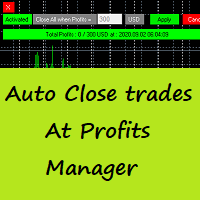
Auto Close Trades At Profits Manager is a tool that closes orders at a defined profit, very simple to use ( Panel with buttons...).
You can enable or disable the tool using buttons and edit the profit amount from the panel too.
INPUTS:
You can customize Panel graphics, Font and colors.
You can check also the The Grid Manager, closing trades Manager https://www.mql5.com/en/market/product/46365

This script allows traders to easily close positions if their profit/loss reaches or exceeds a value specified in pips.
The script allows users to easily close positions if their profit/loss reaches or exceeds a value specified in pips.
Please set slippage value first. Sometimes some positions do not close due to high volatility of the market. Please set larger slippage or restart the script.
...................................................................................................

Telegram Signals Copier is a fully automated software that reads messages from Telegram and inserts them as orders on your MT4 terminal.
It comes with an advanced risk management tool, that can risk based on a % of your balance, fixed loss, and many other options.
You can fully customize how you take the signals, change the TP and SL level.
With an advanced analytics tool, you can see where your favorite signal providers are doing the most profit, and improve the profits even more.
Contact
FREE

Hello Traders, This is a new Upgraded version. Money management is the key! The multiplier tells you the position of the stop loss. Additionaly do not forget to use exit indicators!
Based on this and your risk in percent (max 2%) you get the position size Calculated. You can drag the Panel on your chart by pressing the off button than press it again and hold+drag.
Enjoy=)
FREE
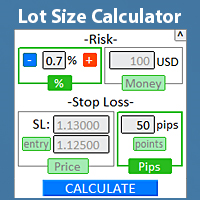
Quickly find the lot size directly in the terminal , to comply with risk management. Check out my #1 Trade Manager : 66+ features, including PRO risk management | Contact me if you have any questions it works on any trading instruments: Forex, Stocks, Futures, Indices, CFD, Bonds, Cryptocurrencies; interface minimization function; flexibility of use; money management; It is especially useful for short-term traders, when they need to act quickly . For calculation it is necessary to specify

The indicator shows the operating time of the world exchanges. Help you to see which markets are currently most active Check out my #1 Pro Utility : 66+ features, including this tool | Contact me if you have any questions Helps to select the most volatile instruments at the moment; Especially useful for an intraday traders; 1) When using on time frames 1H and below: the lines will correspond to the actual location of the bars on the chart, and when moving the chart, the lines of the tradi
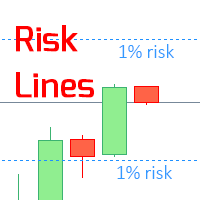
The indicator displays the specified Risk Level on the chart, for long and short positions. Check out my #1 Trade Manager : 66+ features, including this tool | Contact me if you have any questions It may be useful when setting the Stop Loss level, the value of which is visible on the right price axis. To calculate the level of risk, a Fixed / or Last used lot size is used. Imput Settings: Last traded lot: set " true " to make the calculation for your last used trading lot; Lo

Informer for calculating the results of open trades Check out my #1 Trade Manager : 66+ features, including this tool | Contact me if you have any questions The information panel groups open orders into 2 categories: Buys Sells For each category, the symbol and the current number of pips are displayed. The total result for all open trades is shown below. Notifications can be enabled or disabled by simply clicking on the button: When the notification is enabled, you will know when the profi

Informer for tracking your daily trading results Check out my #1 Trade Assistant : 66+ features, including this tool | Contact me if you have any questions In the upper part of the panel, you set the daily profit target (in pips): Manually entering a value; Using the + and - buttons (the change step can be configured in the settings); The dashboard then groups trades into 2 categories: Current floating result; Summing up closed trades; The final result is displayed at the bottom: achieveme

Excellent dashboard for analytics. The panel helps to analyze the values of the Alligator indicator and its signals.
With this panel you can: watch the current signal from Alligator on all timeframes; watch the current signal from Alligator for different symbols; watch the current Alligator value; several types of signals for analytics.
Values in a table cell: Jaw Teeths Lips Jaw - Teeth Jaw - Lips Teeth - Lips
Signal type: Lips - Teeth - green line (lips) crosses red line (tee

Excellent dashboard for market analytics. The panel helps to analyze the values of the Stochastic indicator and its signals.
With this panel you can: watch the current signal from Stochastic on all timeframes; watch the current signal from Stochastic for different symbols; watch the current Stochastic value; several types of signals for analytics.
Values in a table cell: Stochastic - Main line Stochastic - SIgnal line Stochastic - Main line minus signal line
Signal type: Stochast

Use this indicator to ensure all your open charts are constantly displaying the same time frame. Change the time frame in any one chart and watch the others instantly change to the same time frame. Also allows scrolling of candles in one chart to be replicated in all other synchronized charts. Analyze correlation between different symbols by linking charts together on the same time frame Display a vertical marker move across all your open charts, so you can quickly compare price action at the sa
FREE

The trading panel is designed to limit the risks of working advisors on one account, it is also possible to limit the risks of manually opened transactions.
The panel provides an opportunity for each advisor to select a part of the deposit in percentage or in the account currency that you can risk. When the specified values are reached, the trading panel will close the positions of this EA or deals opened manually.
You can set full account protection in percentage or account currency, under
FREE

The LMBFPositionSize indicator is a simple way to quickly determine the position size appropriate for your prospective trade interactively on your Metatrader 4 charts. When you first add the indicator to your chart, you will be given the option to set parameters including: the account balance to use in the calculation and a percentage of the balance you are prepared to risk. Once attached to your chart, the indicator is available for you to use whenever you want and will continue to use these p

Completely change the way you use Metatrader 4 forever and give new meaning to using profiles and templates. Just attach the indicator to your open charts (e.g. include in your default template) and customised templates so you can do the following: Switch between different templates effortlessly without fear of losing any of the graphical objects (horizontal S&R, areas of supply and demand, text annotations) drawn on your charts Close a chart and then watch it remember all the graphical objects

If you like to see different time frames for the same symbol side by side on your terminal, then this is the indicator for you. Attach the indicator to all chart instances for the symbol of interest. Then see any additions, edits or deletions made on graphical objects instantly replicated to all other open charts for the same symbol. Object types replicated include: trend lines, horizontal lines, vertical lines, rectangles, triangles, ellipses, arrows, text boxes and labels.

Pro MT4 To Telegram sends text messages to a Telegram group or channel of your choice immediately when (No DLL files Needed):
+ new order + closed order + placing pending order + modified order + Delete Pending order and more in the next update... I have tested this EA with forex symbols but it should work fine with any MT4 symbol (e.g. indexes, commodities, stocks, cryptocurrencies)
How To get your Bot Token or Api Token : Before running the Telegram EA you must create your own Telegram bot
Do you know why the MetaTrader Market is the best place to sell trading strategies and technical indicators? No need for advertising or software protection, no payment troubles. Everything is provided in the MetaTrader Market.

You are missing trading opportunities:
- Free trading apps
- Over 8,000 signals for copying
- Economic news for exploring financial markets
Registration
Log in
You agree to website policy and terms of use
If you do not have an account, please register