 MetaTrader 5
 Experts
 Indicators
 Libraries
 Utilities
 Widgets
 Rules
Rules
Watch the Market tutorial videos on YouTube
How to buy а trading robot or an indicator
Run your EA on
virtual hosting
virtual hosting
Test аn indicator/trading robot before buying
Want to earn in the Market?
How to present a product for a sell-through
New Expert Advisors and Indicators for MetaTrader 4 - 206
 Trading robots perform market transactions automatically, while indicators allow you to better analyze quotes and predict the price behavior.
With these applications, you will be able to perform deals in MetaTrader 4 in a more informed manner, while capturing more opportunities.
Trading robots perform market transactions automatically, while indicators allow you to better analyze quotes and predict the price behavior.
With these applications, you will be able to perform deals in MetaTrader 4 in a more informed manner, while capturing more opportunities. 
The Judge indicator shows potential market reversal points. The indicator shows favorable moments for entering the market. The indicator's smart algorithm detects the trend, filters out market noise and generates input signals. The indicator can be used as the main one for determining the trend. The indicator can work both for entry points and as a filter. Uses two parameters for settings. The indicator uses color signaling: blue - when changing from descending to ascending, and red - on the con

Situational bot, built for clean work. Without any unnecessary operations. The bot works without trailing stops, breakevens or anything like that. The principle of operation - there is a signal, then there is an entry into the market, there is an opposite signal, then the closing of a reverse position and entry in a new direction. Situational works on a safe principle - there is only one position that you can protect with stops. Situational is always in operation - after the first position, p

It is extremely important for any trader to correctly determine the direction and strength of the trend movement. Unfortunately, the only true solution to this problem is missing. Many traders trade at various time intervals. For this reason, the received signals are perceived subjectively.
Trend indicators provide an opportunity to classify the direction of price movement, determining its strength. Solving this problem helps investors to enter the market on time and get a good return.
The Ch

The modern Transition bot works using sharp tick movements. It goes through the entire history and all currency pairs with one single setting. Unique trading system! You can work on any hourly period, on any currency pair and on the server of any broker. It is recommended to work on liquid Forex pairs with a low spread. The lower the commission and the spread, the greater the profit. You can start using it with $ 100 and 0.01 lot.
Recommendations for working with a scalpel:
The MaxSpread

An expert of a new type Assessment was created - it works using sharp tick movements. The uniqueness of the expert is that it can be launched on any hour period, any currency pair, and on the server of any broker. What makes the expert attractive enough to use for trading. It is recommended to work on liquid forex pairs with a low spread. The lower the commission and the spread, the greater the profit. You can start using it with $ 100 and a lot of 0.01. A small initial deposit also contribu

Investment Castle Chances — Clear Buy & Sell Signals
The Investment Castle Chances indicator marks buy and sell opportunities right on your chart, with two strengths of signal so you can weigh each setup at a glance.
What it does for you Two signal strengths: Buy / Sell on orange candles, and Strong Buy (green) / Strong Sell (red) for higher-conviction setups. On-chart and obvious: act when you see the signal — no scanning or second-guessing. Flexible: trade the signals directly, or use them t
FREE

Ultimate MT4 to Telegram Public Channel sends controlled trades (via symbol, magic, comment) to a public telegram channel. It sends open and closed trades, including pending orders and TP/SL modifications, along with chart screenshots, to this public telegram channel. Additionally, you can send trade reports of open trades and summary profit/pip reports for day, week, or month. You can customize the design of the trade actions or reports with variables and emoticons.
A beautiful panel allows
FREE

The CandleStick Factory is a tool that allow you to perform a market scan and search any candlestick pattern that you already created. The lite version can be downloaded here : https://www.mql5.com/en/market/product/75622 You can perform a quick search in the current chart (500 bars will be scanned), or save your custom candlestick patterns, and search in different Symbols/Timeframes that you can select in the settings tab, the scan can be scheduled every 1, 5 or 10 minutes by updating t
FREE

This is a professional trading robot, which implements the modified strategy of trading on average price values. When two moving averages cross each other, a buy or a sell signal is generated. Following which the signal delay algorithm is activated. This algorithm can also cancel a signal. The entry is performed via pending orders. The EA uses such basic concepts as trailing stop, stop loss and take profit, and correctly processes errors and works reliably with the deposit from 100 USD. Basic Pa

HighSpeed is a scalping expert system. It is enough to optimize the bot once, for example, a month. After that, it shows excellent results in the forward period (several times longer), which can be seen in the screenshots.
Be attentive to your broker's spread indicators! The higher the spread, the less frequent market entries. If the spread is above 20 pips, then the number of entries drops by two orders of magnitude. Pending orders will be inserted but will be deleted due to a bad spread. O
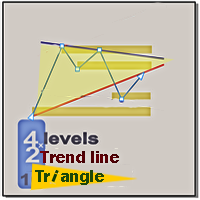
To download the one-month demo version of the indicator, refer to the following link https://s21.picofile.com/file/8445191876/L_TL_T_exp_2022_02_02.ex4 Supply and demand In all indicators that have the task of drawing support and resistance, the number of levels is so high that it causes a trader to make a mistake. We draw the last 4 important and valid levels for you using the Price Action method These surfaces are not easily broken and their breaking is done with long and powerful candlest

The principle of operation of the Channel Intellect indicator is to work inside the channel. But the parameters and width of the channel are selected in such a way that when the channel is broken and the trend moves, there will be a close in the red and these disadvantages are balanced enough, which is shown on the chart by the inscriptions near the arrows. You can see that the arrow signal does not appear every time the channel is broken. Because the indicator has a volatility filter that has
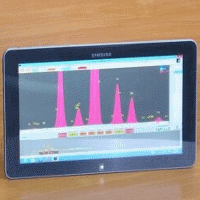
AnalizatorMTF is an oscillator indicator, a more progressive version of the indicator, with easy customization and ease of use. The following levels are used to identify signals: 0; 0.75 / -0.75; 0.9 / -0.9, as well as the configuration of the indicator curve itself. The difference from other similar indicators is in the pointers of entry points in the form of arrows of the corresponding direction and color and the possibility of displaying higher timeframes on lower ones.
The indicator can be

AnalizatorSSRC is an oscillator indicator that is easy to set up and easy to use. The following levels are used to identify signals: 0; 0.75 / -0.75; 0.9 / -0.9, as well as the configuration of the indicator curve itself.
Its main difference is the absence of a signal line and signals associated with its intersections. The indicator can be used as part of various strategies. Like other oscillators, it shows trend and flat zones, as well as oversold and overbought areas.

It is no secret that the movements of currency pairs for a certain part of the time occur in a certain price corridor, which is called a channel. The lower border is considered the support level, the upper one is the resistance level. Not to be confused with horizontal support and resistance levels! The distance between the support and resistance levels of the channel is called the range or channel width. The key difference between the Mirosh Channel indicator and other channel indicators (for e

The Wonderful trend technical indicator is used to analyze price movements in the Forex market. It is very practical in that it forms arrows in places where buy signals appear, or, conversely, sell signals. The indicator helps to analyze the market at a selected time interval. He defines the mainstream. The Driver trend indicator makes it possible to classify the direction of price movement by determining its strength. Solving this problem helps investors enter the market on time and get a good

Contact me after payment to send you the User-Manual PDF File. This indicator gives a signal when the probability of starting a trend is high. To calculate entry points, it uses a combination of some indicators like "Moving Average", "ADX", RSI with support and resistance points. This indicator is a trend follower and it doesn't determine that TP because it is not necessary, it uses the stop-loss trailing system (Of course, the indicator determines the SL, but you have to move it yourself becau

Go Here for MetaTrader 5 Version I'm a professional trader, and Algorithm developer. For several years I have only used my algorithms privately, and made available only sometimes to a select small group of traders. I will make my algorithms available for a limited time basis on the MQL store. What we have here is a very specific algorithm tuned specifically to scalp the Gold Markets. The default settings are for EURUSD as the MQL store validates against EURUSD. With certain aggressive sett

This EA is the advanced system which utilizes smart entry/exit algorithms with sophisticated filtering methods to identify only the safest entry points during calm periods of the market. This system is focused on a long-term stable growth . It is a professional tool developed by me years ago that is constantly updated, incorporating all the latest innovations in the trading area. Nothing fancy here, no testing Holy Grails, no "risk-free martingale", only strict rule-based approach to trading, a
FREE
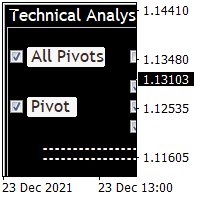
Technical Analysis 4 in 1 give you Pivot points, Resistances, Supports, Fibo, OHCL all together with any timeframe and you can back as you want in candles Pivot points have been a trading strategy for a long time. Using this method, you can understand where the market is going in a day through a few simple calculations. you can switch on/off any line you want. please check the pictures to understand more about this indicator.
FREE

The CandleStick Scanner is a tool that allow you to perform a market scan and search any candlestick pattern that you already created in the current chart, You can perform a quick search in the current chart (500 bars will be scanned), This is a lite version of CandleStick Factory for MT4 . The full version video can be found here : https://www.youtube.com/watch?v=fq7pLXqVO94 The full version can be purchased here: https://www.mql5.com/en/market/product/75628
How it works Yo
FREE

Pro Price Trade indicator is designed for signal trading. This indicator generates trend signals. It uses many algorithms and indicators to generate this signal. It tries to generate a signal from the points with the highest trend potential. This indicator is a complete trading product. This indicator does not need any additional indicators. The indicator certainly does not repaint. The point at which the signal is given does not change. Thanks to the alert features you can get the signals
Fx Perfect Signal indicator is designed for signal trading. This indicator generates trend signals. It uses many algorithms and indicators to generate this signal. It tries to generate a signal from the points with the highest trend potential. This indicator is a complete trading product. This indicator does not need any additional indicators. The indicator certainly does not repaint. The point at which the signal is given does not change. Thanks to the alert features you can get the signals
Pro Magic Signal indicator is designed for signal trading. This indicator generates trend signals. It uses many algorithms and indicators to generate this signal. It tries to generate a signal from the points with the highest trend potential. This indicator is a complete trading product. This indicator does not need any additional indicators. The indicator certainly does not repaint. The point at which the signal is given does not change. Thanks to the alert features you can get the signals
Entry Signal Arrows indicator is designed for signal trading. This indicator generates trend signals. It uses many algorithms and indicators to generate this signal. It tries to generate a signal from the points with the highest trend potential. This indicator is a complete trading product. This indicator does not need any additional indicators. The indicator certainly does not repaint. The point at which the signal is given does not change. Thanks to the alert features you can get the sign
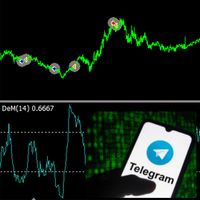
Советник основан на идее нахождения перекупленности\перепроданности цены с помощью значений DeMarker'а. Может работать как по 1 таймфрейму так и двумя более старшими ТФ. Стопы не предусмотрены. Отправляет в Телеграм отчеты в режиме тестирования. Описание полей: Lot Type: фиксированный либо % от баланса Fix Lot: размер лота Risk %: стартовый лот в %% от баланса Lot Coefficient: коэф. мартингейл Open step: шаг между ордерами Open delay: задержка между сделками Profit %: процент закрытия сделок
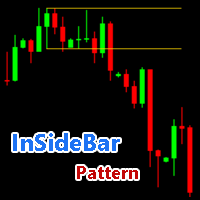
An “inside bar pattern” is a two-bar price action trading strategy in which the inside bar is smaller and within the high to low range of the prior bar, i.e. the high is lower than the previous bar’s high, and the low is higher than the previous bar’s low. Its relative position can be at the top, the middle or the bottom of the prior bar. - Find Insidebar Patterns - Support all time frames - Returns parameters ( 0 = Upper Line , 1 = Lower Line )

EA Calmed Allay
We have tried to optimise Calmed-Allay Expert Advisor for Gold but works with any other forex pairs and stocks. This expert advisor uses martingale (optionally) for recovery. Please, backtest for at least 10 years and run a demo for at least one whole month before going live; that way, you will know how the Calmed Allay Expert Advisor behaves across the various markets. Please, do not completely rely on Backtest results as the News Filter cannot work for backtesting yet us

EA Calmed Hush
We have tried to optimise Calmed-Hush Expert Advisor for Gold but works with any other forex pairs and stocks. This expert uses martingale (optionally) for recovery. Please, backtest for at least 10 years and run a demo for at least one whole month before going live; that way, you will know how the Calmed- Hush Expert Advisor behaves across the various markets. Please do not just purchase and start using the EA, as past performance cannot guarantee future results. Backtes

EA Calmed Lull
We have tried to optimise EA Calmed-Lull Expert Advisor for Gold but works with any other forex pairs and stocks. This expert uses martingale (optionally) for recovery. Please, backtest for at least 10 years and run a demo for at least one whole month before going live; that way, you will know how the Calmed Lull Expert Advisor behaves across the various markets. Please do not just purchase and start using the EA, as past performance cannot guarantee future results. Backt
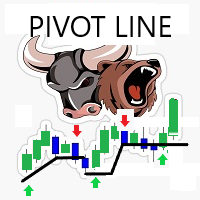
Simple smart strategy... Strategy Built on Candle patterns ... Used on any Time frame M1, M5, M30, H1, H4, D1 I prefer Higher ones like M30 and higher Used on any currencies Symbol chart and Stocks chart too No input required except the numbers of bars for drawings and the arrows UP / DOWN colors Alerts available - Can be enabled or disabled - it occur when a pivot line is crossed up / down

Advanced Entry Points indicator is designed for signal trading. This indicator generates trend signals. It uses many algorithms and indicators to generate this signal. It tries to generate a signal from the points with the highest trend potential. This indicator is a complete trading product. This indicator does not need any additional indicators. The indicator certainly does not repaint. The point at which the signal is given does not change. Thanks to the alert features you can get the s
Magic Super Signal indicator is designed for signal trading. This indicator generates trend signals. It uses many algorithms and indicators to generate this signal. It tries to generate a signal from the points with the highest trend potential. This indicator is a complete trading product. This indicator does not need any additional indicators. The indicator certainly does not repaint. The point at which the signal is given does not change. Thanks to the alert features you can get the sign
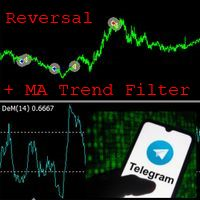
EA ENGLISH VERSION Советник основан на идее нахождения перекупленности\перепроданности цены с помощью значений DeMarker'а. Скользящая средняя старшего ТФ дает более эффективный результат. Очень гибкий советник для настроек на различных парах. Советник может работать по сигналам ДеМаркера как по 1 таймфрейму так и двумя более старшими ТФ. Стопы не предусмотрены. Отправляет в Телеграм отчеты в режиме тестирования. Иконка диаграммы в начале строки говорит о том что использовалась Moving Average. Оп

Epic Gold is a fully automated trading strategy. It has been developed and improved over the years for stable performance with low risk. The EA uses smart strategies to trade and manage positions efficiently. This Expert is specially developed for Gold (XAUUSD). EA is optimized and very easy to use, if you have no experience with EA then you just need to set the default. Feature: + Fully automated trading 24/5 with time filter. + Position trailing stop is used. + Winrate > 80%.
Recommend

I decided to fill the dry numbers with a little game scenario, let it be some kind of funny text in the comments, imagine yourself as a bank robber. The Expert Advisor is waiting for an impulse price surge and exit from the flat, after which it makes a decision with pending breakout orders. Test the demo results with different TFs. In the settings, everything is quite simple, you can change the length of the candle, the percentage of profit, the entry lot, the life time of pending orders, this i

Auto Fibonacci Button The Fibonacci retracement is a popular and reliable technical analysis tool for traders to determine support and resistance areas. It employs the "Golden Ratio," a mathematical pattern seen throughout nature and even the universe, to forecast particular levels of support level and resistance level. This tool is generated in technical analysis by dividing the vertical distance between two extreme points on the chart (typically a peak and a low) by the important Fibonacci
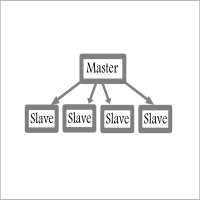
Fast / Reliable / Multi Functions / Simple To use local MT4 to MT4 | MT4 to MT5 platform copier , it will copy all your Master account orders into any Slave accounts very fast , no delay, Also it supports any kind of orders/ExpertAdvisors such as Buy / Sell / BuyStop / SellStop / BuyLimit / SellLimit / Smart Partial Closing / opened in Hedge mode / opened in Martingale mode / Modifying Pending orders / Modifying StopLoss-TakeProfit .using it is simple , Just drop the EA on Master account which y

Super Gold Scaper In the Forex market, gold is a form of currency. It is known to be a “Safe – haven” asset, expected to increase its value in times of volatility and economic uncertainty. My EA works well by using live signals to increase accuracy. Sometimes ea takes trades in sideways, but Super Gold Scalper can overcome this by opening new positions when there is a market correction, to recover the minus floating and comes out with good profit. The EA works with small balance like $200 and

Golden Goose version 1.1 is released with great improvement of profit-taking.
Please refer to Comments for more details.
Description: Yet another EA for trading GOLD, the yellow precious metal! This EA is named GOLDEN GOOSE which is implemented on price action and trend-following algorithm. No indicators are used as they all are well-known lagging. Only the price and momentum are taken into account in order to place orders and taking profit. GOLDEN GOOSE is designed to run 24/5 without any hu
Support and Resistance technical indicator for mt4 that identifies the Strong support and resistance levels based on Zigzag indicator with full control of Zigzag indicator setting , selectable Timeframes as well as SRL lines formats .
Inputs: - Time frame. ----------------- Zigzag setting: ------------------ - Depth. - Deviation. - Backstep. -------------------- Peaks and valleys setting: - Min peaks gap in Points. // to be considered as a new level. - Peak sensitivity. // min no. of peaks t

The price channel is a trader's main tool for analyzing the current market situation. With its help, you can successfully predict the future price behavior, but the main factor in making a profit is timely decisions. This is often a problem, because it is simply impossible to constantly look at the monitor.
This indicator builds and updates automatically two trend channels with different periods (fast and slow). The trend is determined using linear regression. It is also possible to use 1 cust

This indicator builds a projection of the higher timeframe on the current timeframe. Visualization in the form of candles. Helps to better understand the processes within the market and its scale. Makes it easier to find candlestick patterns. It is possible to enable several indicators with different parameters and see many timeframes at the same time. In the settings, you can change the color of the candles in each direction and their thickness. Important! If the indicator does not draw anyth
Because style matters I know how annoying it is to click properties every time to change the candle’s color, the background to light or dark, and put or remove the grid. Here is the solution with one click: Three customizable buttons to choose the candle style that traders want. One button to switch between Day and Night mode. One button to show or hide the Grid on the charts. *****On the settings, you can choose where the buttons should be displayed on the screen***** Please consider checking
FREE

untuk strategi satu tembakan, BT tidak mewakili keuntungan apa pun. menggunakan multi-pasangan Saya bangga meluncurkan perdagangan profesional FXXPRO, adalah sistem perdagangan yang sepenuhnya otomatis. Sistem ini menggunakan hukum dasar pasar Forex dalam perdagangan - harga kembali setelah pergerakan tajam ke segala arah. sistem yang andal dan teruji, jangan khawatir. Sengaja saya tidak sertaka

USA Rules TradeBot is an online trading robot or expert advisor for automated trading on any market including currencies, indices, metals, commodities, stocks and cryptocurrencies. The trading algorithm complies with USA trading rules including those of the NFA and the CFTC so it can be used for automated trading on USA broker accounts as well as broker accounts outside the USA. It was back tested on GBPJPY on 4-hour chart from January 2015 to October 2021 and result showed very good performance

Assistant that helps your to accompany open orders using a built-in algorithm. Allows you to open buy or sell orders by clicking the button in the information panel on the main chart window.
The desired position volume in a trade is calculated in three ways : Automatically, depending on the volume of the balance. Specified manually. Depending on the level of risk per trade and the Stop Loss value.
Stop Loss can be specified in three ways : The maximum or minimum price for a certain number of

Robin Hood EA is an automatic forex scalping robot for the GBPUSD pair, period M5. This robot opens an average of 15 to 30 trades every day. It depends on market activity. The robot can work with almost all well-known brokers whose GBPUSD pair has quotes with 5 digits after the dot. After adding the robot to the chart of a currency pair, it automatically analyzes the market, automatically opens and closes transactions. Transactions are supported using Take Profit, Stop Loss and Trailing Stop.

The Stream indicator is based on the process of identifying the rate of change in price growth based on the intersection of two lines created according to a special algorithm and allows you to find points of entry and exit from the market. A fundamental technical indicator is used, which allows you to assess the current market situation in order to enter the market of the selected currency pair in the trend and with minimal risk. The indicator is well suited for detecting a reversal or a large s

Towers - Trend indicator, shows signals, can be used with optimal risk ratio. It uses reliable algorithms in its calculations. Shows favorable moments for entering the market with arrows, that is, using the indicator is quite simple. It combines several filters to display market entry arrows on the chart. Given this circumstance, a speculator can study the history of the instrument's signals and evaluate its effectiveness. As you can see, trading with such an indicator is easy. I waited for an a

Batman is a trend indicator, a technical analysis tool that helps to determine the exact direction of the trend: either the upward or downward movement of the price of a trading currency pair. Although these indicators are a little late, they are still the most reliable signal that a trader can safely rely on. Determining the market trend is an important task for traders.
Using the Batman Forex indicator algorithm, you can quickly understand what kind of trend is currently developing in the ma

The Catchs indicator analyzes the price behavior and if there is a temporary weakness in the trend, you can see this from the indicator readings, as in the case of a pronounced trend change. The advantage of working with the Catchs signal indicator is that the trader does not need to conduct technical analysis of the chart on his own. The tool generates ready-made signals in the form of directional arrows. It is not difficult to enter the market, but it is much more difficult to stay in it. Wit

Chinatown is one of the most interesting trend indicators. On the highs, you can get several hundred pips in one trade with the trend. The indicator shows the direction of the trend. This is an arrow tool that provides ready-made signals. If an upward trend begins, the indicator draws a blue upward arrow. At the beginning of a downtrend, the instrument shows a red down arrow.
One of the secrets of short-term trading is knowing when to enter a trade. At the same time, having the potential to ea

Tired of adjusting the indicator settings, wasting precious time? Tired of the lack of confidence in their optimality? Frightened by the unknown in their profitability? Shawshank - Unique indicator for identifying trends. The new system adapts to the market, eliminates additional conditions and copes with its task. A revolutionary new way to identify the start of a trend early. The Shawshank indicator is just for you. It will save you a lot of time that can be spent on more useful activities, fo

Customized Copy is a Multi-Terminal visual trade copying utility that supports Metatrader4 and Metatrader5 for Trade Copying.
You can activate EA on 10 different PCs/VPS. On each PC/VPS can install on Unlimited Terminals.
Specifications :
Real Time, Multi Terminal - Multi Account - MT4/MT5 trade copying (support over 50 accounts at same time) All settings are input visually. Visual display and modify of copy map and network Each copy path can be used with different settings

Black Night is more than just another night scalper. It is focused on safety first for a long-term stable growth: It does not open trades in the difficult rollover hour when the spreads widen and liquidity is low. If a trade is open it does not open trades in correlating currency pairs. It starts trading one hour before the 'usual' night scalping time to take profit without swap and before spreads widen - if possible . It needs no set files and works fully automatically with the d

This indicator recognizes all support and resistance levels. A number of unique high-performance techniques have been applied, which made the existence of this indicator possible.
All formed channels are naturally visible: horizontal linear linear parabolic cubic (Polynomial 3 degrees - Wave) This is due to a bundle of approximating channels. The formed channels form "standing waves" in a hierarchical sequence. Thus, all support and resistance levels are visible.
All parameter management is i

The Before indicator predicts the most likely short-term price movement based on complex mathematical calculations.
Most of the standard indicators commonly used in trading strategies are based on fairly simple calculations. This does not mean that there were no outstanding mathematicians in the world at the time of their creation. It is just that computers did not yet exist in those days, or their power was not enough for the sequential implementation of complex mathematical operations. Nowad
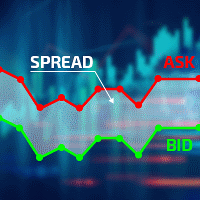
Excellent spread indicator. Reflects the spread on each bar as it is. It should be remembered that the spread is displayed at the time of the bar opening. Therefore, the most correct information will be on the minute bars. Spread is one of the basic forex concepts that any trader should know. If explained clearly, you can describe such an example. The trader buys the EUR / USD pair at the rate of 1.1000. However, he immediately goes into negative territory, for example, by 10 points, as if he bo
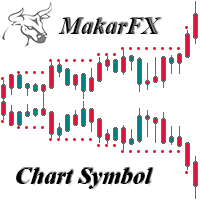
The indicator creates a subwindow with the chart of the symbol selected in the settings.
Currency pair
Shows the high and low levels of the specified number of bars.
Period resistance & support
Resizable available
Width resistance & support
Available history limitation for display
Month limiting history / false-all available
Color customization available
Bullish candle & resistance color
Bearish candle & support color
Bars & Bid line color
Displays pop-up windows with informatio
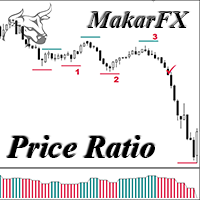
Oscillator MTF & NRP
The indicator calculates the price ratio between two timeframes
Selecting timeframes in the settings First timeframe for analysis
Second timeframe for analysis
The oscillator shows the change in the price ratio
Calculates support and resistance levels and shows them on the chart
Displays pop-up windows with the price of the current level
I found a bearish pattern for myself (fig. 1)
and a bullish pattern (fig. 2)
You can find patterns to your liking
Can be used to de
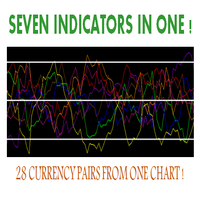
Hello, This indicator is a unique high reliability 7-in-1 multicurrency indicator comprising these sub-indicator’s: A Trend Power Crossover Indicator. A Percent Change Crossover Indicator. A Currency Overbought/Oversold Indicator. A Currency Deviation Indicator. A Currency Impulse Signal Indicator. A Trend Power Indicator. A Currency Volatility Indicator. The main advantage of this indicator is that it's reasoning by currency and not by currency pair. The values of each sub-indicator are calcul
FREE
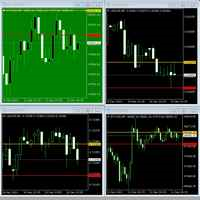
Especially if you watch a lot of charts at once, you can easily miss the start of the price movement. This indicator helps you change the color of the chart if depending on whether the exchange rate is within a range or leaving it. Just imagine: you have 30 black charts, 1 of which turns green, for example. You must notice!
Usage: Drag the indicator to the chart, set the desired background colors, define the desired band by setting the "down" and "up" lines. Ready!
Follow me. I post new stuff

The utility is convenient for closing trade operations when trade with two instruments.
Should be Installed to Experts folder and launched as an Expert Advisor.
After starting, Metatrader will indicate the device ID that is trying to connect.
In Telegram, start/create the channel with the standard command /start
Next, you need to enter a password that is assigned in the Expert Advisor field. If the password is correct, the Metatrader's comment will indicate that the password was successful,

Live Signal : Click here | Group : Click here | Channel : Click here | Pair : XAUUSD | Time Frame : M30 Gladius EA Advanced is designed for Gold (XAUUSD) on the M30 timeframe and aims to capture trend continuation moves with reduced false entries. It combines a multi-indicator decision score with Support/Resistance breakout gating , higher timeframe confirmation, and strong trade-safety controls.
Frequently Ask Questions (FAQ)
1) General / Compatibility Q1: What platform does Gladius EA Adv

Hello, boys and girls!
Script allows you either to quickly save opened charts and then close all charts opened by visual tester mode or just faster close all charts. Feel free to take a look at video manual about how to use this script on my YouTube channel. Also, feel free to join my telegram channel , where time to time I publish some exclusive stuffs. Feel free to leave feedback and thoughts how to improve this script - I'd highly appreciate that. All the best.

Rediscover trading. The future of Forex is intuitive hybrids. Hello, my name is Szymon, I am a professional algorithm developer for trading on financial markets forex. Working experience in finance and programming for more than 10 years. I specialize in grid systems and martingale. Black Horse EA is an automated forex robot (this is not your usual grid or martingale). This EA trades based on the breakout of price levels (according to the mathematical algorithm, it determines the area of a ran

1. What is this Rising volatility and falling volatility are not the same, whether it is academic research or actual testing has shown this point. The original ATR indicator is calculated by putting up and down fluctuations together. This indicator is to calculate separately the upward volatility and the downward volatility, which can better help you study the market.
2. Indicator description There are two modes for the calculation of this indicator, as shown in the fo
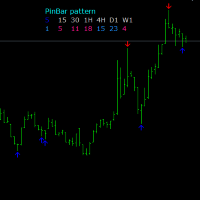
One of the Price Action patterns called PinBar is implemented in a custom indicator. Usually means a large candle with a small body and a large tail. Such candles appear at the end of a movement or candles that indicate a continuation of the trend. The peculiarity of this PinBar indicator is that it determines the pattern on all timeframes. Information output by arrows is organized for the active timeframe and additionally for timeframes H1, H4, D1.
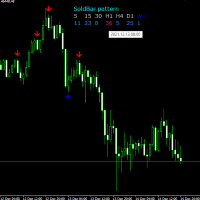
The Soldbar indicator is a price action candlestick pattern indicator. It indicates the begin or end of a trend. The information panel shows the last Soldbar of the found pattern on all time frames. When you hover the mouse arrow over an information bar, the pop-up menu shows the time of that bar. The signal of the active window is displayed by arrows, it is separately possible to turn on additional information timeframes H1, H4, D1.
The MetaTrader Market is a unique store of trading robots and technical indicators.
Read the MQL5.community User Memo to learn more about the unique services that we offer to traders: copying trading signals, custom applications developed by freelancers, automatic payments via the Payment System and the MQL5 Cloud Network.

You are missing trading opportunities:
- Free trading apps
- Over 8,000 signals for copying
- Economic news for exploring financial markets
Registration
Log in
You agree to website policy and terms of use
If you do not have an account, please register