Find us on Facebook!
Join our fan page

Use new possibilities of MetaTrader 5

History of MQL5.community development

The most popular trading robots and technical indicators, news signals, regular incoming ready-made MQL5 programs in CodeBase and the most discussed Forum topics.

There are more than 10,930 codes published in Codebase

The most downloaded free products:

Bestsellers in the Market:

Most downloaded source codes this month

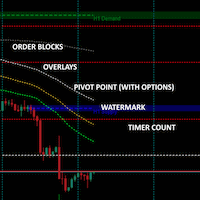
  • Candle Time End and Spread The indicator displays the current spread and the time till closing the bar (candlestick) at the same time.
  • Simple timer next candle A non-invasive candle time that can be positioned next to price or near a corner.
  • PivotPoint This indicator draws pivot points, resistances and supports.

Most read articles this month

How to purchase a trading robot from the MetaTrader Market and to install it?

How to purchase a trading robot from the MetaTrader Market and to install it?

A product from the MetaTrader Market can be purchased on the MQL5.com website or straight from the MetaTrader 4 and MetaTrader 5 trading platforms. Choose a desired product that suits your trading style, pay for it using your preferred payment method, and activate the product.

How to Test a Trading Robot Before Buying

How to Test a Trading Robot Before Buying

Buying a trading robot on MQL5 Market has a distinct benefit over all other similar options - an automated system offered can be thoroughly tested directly in the MetaTrader 5 terminal. Before buying, an Expert Advisor can and should be carefully run in all unfavorable modes in the built-in Strategy Tester to get a complete grasp of the system.

MetaTrader 5 on Linux

MetaTrader 5 on Linux

In this article, we demonstrate an easy way to install MetaTrader 5 on popular Linux versions — Ubuntu and Debian. These systems are widely used on server hardware as well as on traders’ personal computers.

There are more than 18,240 products available in Market

19 new topics on forum:

and 16 more...

New publications in CodeBase

  • Group transfer Stop loss The script (not an Expert Advisor) sets and moves the Stop Loss for all positions on the current symbol to the specified price
  • Candles Ask The indicator displays the 'Ask' line -> a spread is added to the 'Close' price
There are more than 1,120 articles published on site

Published article "DoEasy. Controls (Part 1): First steps".

DoEasy. Controls (Part 1): First steps

This article starts an extensive topic of creating controls in Windows Forms style using MQL5. My first object of interest is creating the panel class. It is already becoming difficult to manage things without controls. Therefore, I will create all possible controls in Windows Forms style.

1 new signal now available for subscription:

Hiace0403
73% 2710 trades
Growth:73.21%
Equity:1,694,323.00JPY
Balance:7,835,868.00JPY

Bestsellers in the Market:

More than 50 new charts published:

Gráfico USDJPY, H4, 2022.05.23 10:14 UTC, MetaQuotes Software Corp., MetaTrader 5, Demo
USDJPY, H4
График WDOM22, M1, 2022.05.27 22:23 UTC, XP Investimentos CCTVM S/A, MetaTrader 5, Real
WDOM22, M1
График XAUUSD, H4, 2022.05.25 21:14 UTC, IG Group Limited, MetaTrader 4, Real
XAUUSD, H4
There are more than 131,110 topics available on forum

20 new topics on forum:

and 17 more...

Bestsellers in the Market:

The most downloaded free products:

Most downloaded source codes this week

Most read articles this week

How to purchase a trading robot from the MetaTrader Market and to install it?

How to purchase a trading robot from the MetaTrader Market and to install it?

A product from the MetaTrader Market can be purchased on the MQL5.com website or straight from the MetaTrader 4 and MetaTrader 5 trading platforms. Choose a desired product that suits your trading style, pay for it using your preferred payment method, and activate the product.

Multiple indicators on one chart (Part 06): Turning MetaTrader 5 into a RAD system (II)

Multiple indicators on one chart (Part 06): Turning MetaTrader 5 into a RAD system (II)

In my previous article, I showed you how to create a Chart Trade using MetaTrader 5 objects and thus to turn the platform into a RAD system. The system works very well, and for sure many of the readers might have thought about creating a library, which would allow having extended functionality in the proposed system. Based on this, it would be possible to develop a more intuitive Expert Advisor with a nicer and easier to use interface.

Video: Simple automated trading – How to create a simple Expert Advisor with MQL5

Video: Simple automated trading – How to create a simple Expert Advisor with MQL5

The majority of students in my courses felt that MQL5 was really difficult to understand. In addition to this, they were searching for a straightforward method to automate a few processes. Find out how to begin working with MQL5 right now by reading the information contained in this article. Even if you have never done any form of programming before. And even in the event that you are unable to comprehend the previous illustrations that you have observed.

11 new topics on forum:

and 8 more...

The most popular forum topics:

Bestsellers in the Market:

10 new topics on forum:

and 7 more...

New publications in CodeBase

  • Two Stochastic Custom Filling Alert Two 'Main' lines from two iStochastic (Stochastic Oscillator, STO) indicators with filled areas between the lines. Line crossing notifications (Sound, Alert, mail, push)
  • ScalpX ScalpX is an indicator that uses Kalman filters to identify buy and sell opportunities whenever is indicated by the graph.

The most downloaded free products:

Bestsellers in the Market:

22 new topics on forum:

and 19 more...
There are more than 18,190 products available in Market

There are more than 131,040 topics available on forum

25 new topics on forum:

and 22 more...

Bestsellers in the Market:

The most popular forum topics:

1 new signal now available for subscription:

R Factor Breakout
96% 2005 trades
Growth:96.40%
Equity:356.84AUD
Balance:356.84AUD

New publications in CodeBase

  • RSI Dual Cloud EA Strategy based on custom indicator 'RSI Dual Cloud'. Four types of signals
  • Market High and Lows This indicator shows market highs and lows for any timeframe with period separators. You can see daily/weekly/monthly highs/lows on lower timeframes like H1/M30/M40. This is good for trading breakouts.

17 new topics on forum:

and 14 more...

The most downloaded free products:

Bestsellers in the Market:

New publications in CodeBase

  • RSI Dual Cloud Two RSI (Relative Strength Index, RSI) lines - 'Fast' and 'Slow'. Filling areas from the window borders to these lines
  • Kalman Speed oscillator Kalman Speed oscillator... Just an experiment

Published article "Developing a trading Expert Advisor from scratch (Part 7): Adding Volume at Price (I)".

Developing a trading Expert Advisor from scratch (Part 7): Adding Volume at Price (I)

This is one of the most powerful indicators currently existing. Anyone who trades trying to have a certain degree of confidence must have this indicator on their chart. Most often the indicator is used by those who prefer “tape reading” while trading. Also, this indicator can be utilized by those who use only Price Action while trading.

Bestsellers in the Market:

Most downloaded source codes this month

  • Candle Time End and Spread The indicator displays the current spread and the time till closing the bar (candlestick) at the same time.
  • PivotPoint This indicator draws pivot points, resistances and supports.
  • Simple timer next candle A non-invasive candle time that can be positioned next to price or near a corner.

Most read articles this month

How to purchase a trading robot from the MetaTrader Market and to install it?

How to purchase a trading robot from the MetaTrader Market and to install it?

A product from the MetaTrader Market can be purchased on the MQL5.com website or straight from the MetaTrader 4 and MetaTrader 5 trading platforms. Choose a desired product that suits your trading style, pay for it using your preferred payment method, and activate the product.

How to Test a Trading Robot Before Buying

How to Test a Trading Robot Before Buying

Buying a trading robot on MQL5 Market has a distinct benefit over all other similar options - an automated system offered can be thoroughly tested directly in the MetaTrader 5 terminal. Before buying, an Expert Advisor can and should be carefully run in all unfavorable modes in the built-in Strategy Tester to get a complete grasp of the system.

MetaTrader 5 on Linux

MetaTrader 5 on Linux

In this article, we demonstrate an easy way to install MetaTrader 5 on popular Linux versions — Ubuntu and Debian. These systems are widely used on server hardware as well as on traders’ personal computers.

18 new topics on forum:

and 15 more...

New publications in CodeBase

  • Lotsizer Shows the optimal position size through a comment from a symbol chart based on a risk percentage on daily ATR, you can use either balance or equity.
  • Cumulative candle subwindow Cumulative candle, taking into account High and Low

Published article "Learn how to design a trading system by OBV".

Learn how to design a trading system by OBV

This is a new article to continue our series for beginners about how to design a trading system based on some of the popular indicators. We will learn a new indicator that is On Balance Volume (OBV), and we will learn how we can use it and design a trading system based on it.

New publications in CodeBase

There are more than 130,970 topics available on forum

The most downloaded free products:

Bestsellers in the Market:

30 new topics on forum:

and 27 more...
1...180181182183184185186187188189190191192193194...646