
Exp4 The xCustomEA for MT4
- Experts
-
Vladislav Andruschenko
 👋 Welcome to Expforex
I’m Vladislav, a professional MQL4/MQL5 developer creating MetaTrader tools since 2007.
Expforex develops practical trading solutions for MetaTrader 4 and MetaTrader 5: - Version: 26.921
- Updated: 21 September 2026
- Activations: 10
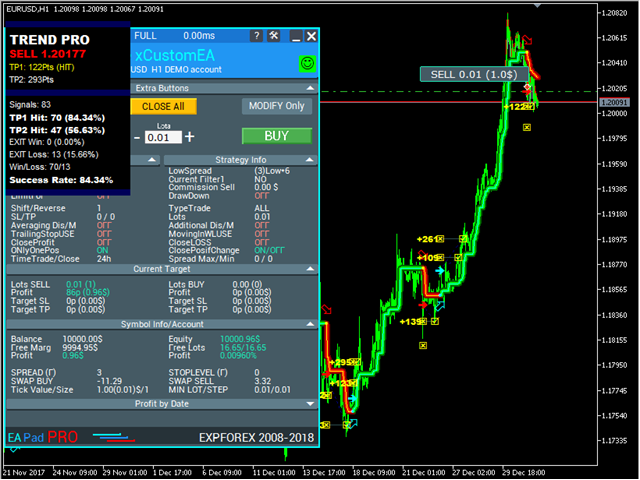
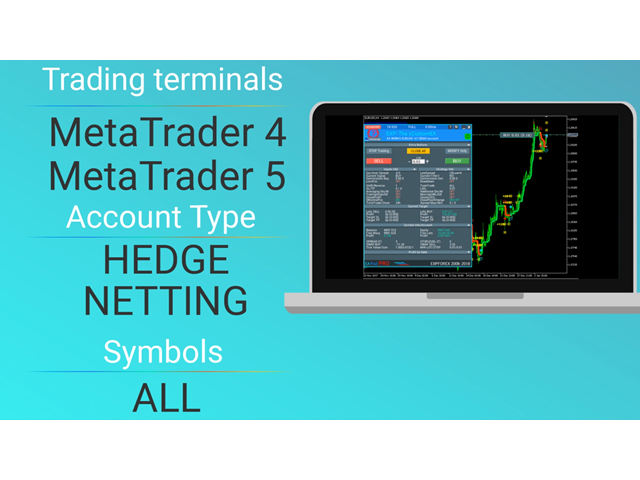
The xCustomEA for MetaTrader 4 — Universal Trading Expert Advisor for Custom Indicators
Build your own trading system around almost any custom indicator. The xCustomEA for MetaTrader 4 is a universal Expert Advisor designed to receive signals from your custom indicators and execute trades according to your configured logic.
You define the indicator name, signal buffers, and core parameters, and the EA uses this data to automate trading. It is a practical solution for traders and developers who need a flexible execution engine for custom strategies without creating a new robot from scratch every time.
The xCustomEA combines external custom-indicator integration with the powerful internal trading framework of The X product line. As a result, you get far more than a simple signal bridge — you get a complete strategy automation platform.
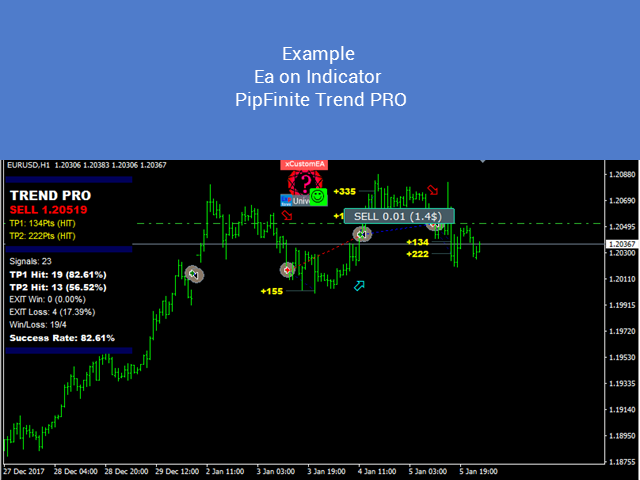
The xCustomEA version for MetaTrader 5 | Complete Instructions + DEMO + PDF | Settings and Input Parameters | Example Strategy with PIPFINITE TREND PRO
What The xCustomEA Is Built For
This Expert Advisor is designed for traders who want to connect their own indicator logic to automated execution and use a ready-made infrastructure for entries, exits, filters, protection, and position management.
- custom indicator integration for entry and exit signals
- BUY and SELL signal buffer support without building a new EA from zero
- direct work with arrow-based indicators and custom signal logic
- access to the extended trading architecture of The X, including a large set of advanced functions and parameters
Key Advantages
- universal trading engine for MetaTrader 4
- support for external custom indicators from terminal folders, the internet, and the MQL5 Market
- ability to build your own trading strategies around indicator signals
- separate programmable signals for open, close, filter, Stop Loss, and Take Profit
- more than 20 built-in strategies from The X EA in addition to custom-indicator support
- full access to the broader The X trading framework with a large range of advanced settings
How The xCustomEA Differs from The X
The xCustomEA inherits the broader functional base of The X, but adds the most important extension: support for custom indicators and the ability to build your own trading strategy around their signals.
That makes The xCustomEA especially valuable for traders who want to automate non-standard indicators without losing access to a mature and feature-rich Expert Advisor framework.
Supported Working Modes
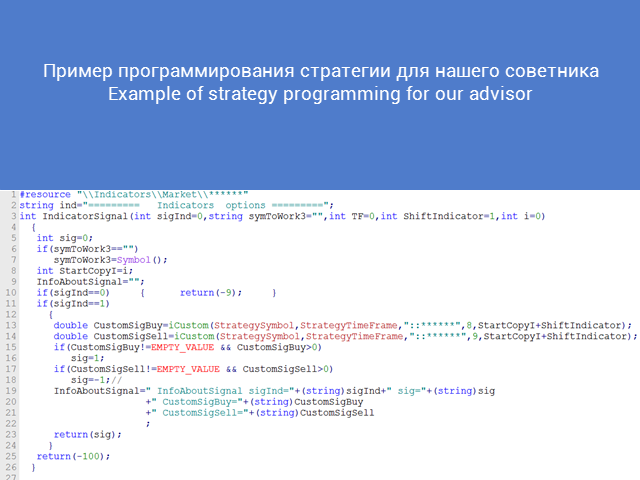
xCustomEA — a mode designed to work with our own indicator format, where you personally define and program your strategy logic.
xArrow — a direct mode for working with arrow-based custom indicators that provide BUY and SELL signals through indicator buffers.
Main Settings
The xCustomEA allows you to connect custom signal sources and combine them with advanced trade-management logic. The most important parameters can be grouped as follows:
Indicator connection: custom indicator name, signal type, timeframe, and external indicator inputs.
Signal and bar control: signal bar selection, closed-bar or current-bar reading, and BUY / SELL buffer assignment.
Trading and management logic: filters, exit signals, Stop Loss, Take Profit, and all additional trade-management features inherited from The X.
Advanced framework: more than 200 settings shared with The X, allowing you to adapt the trading engine to a wide range of strategy models.
Core Parameters for Custom Indicator Integration
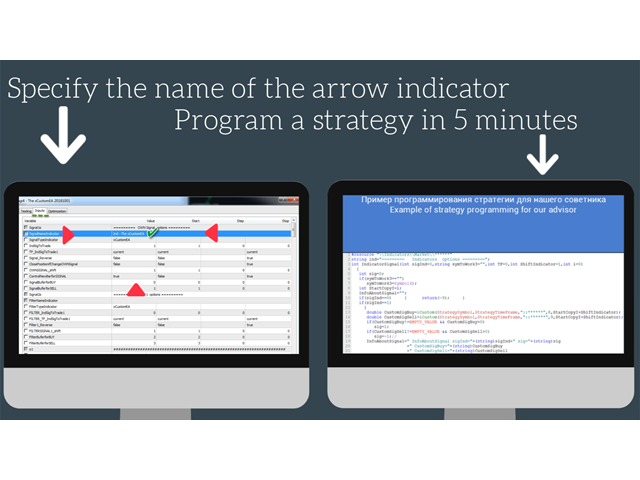
- SignalNameIndicator — the name of the custom indicator that provides the main entry signals
- SignalTypeIndicator — the signal indicator type
- TF_IndSigToTrade1 — timeframe for the main indicator
- OWNSIGNAL_shift — the bar number used for reading the signal
- SignalBuferforBUY and SignalBuferforSELL — BUY and SELL signal buffer numbers
- SIGNALStrategyInputs — external custom indicator parameters written in one string, separated by commas
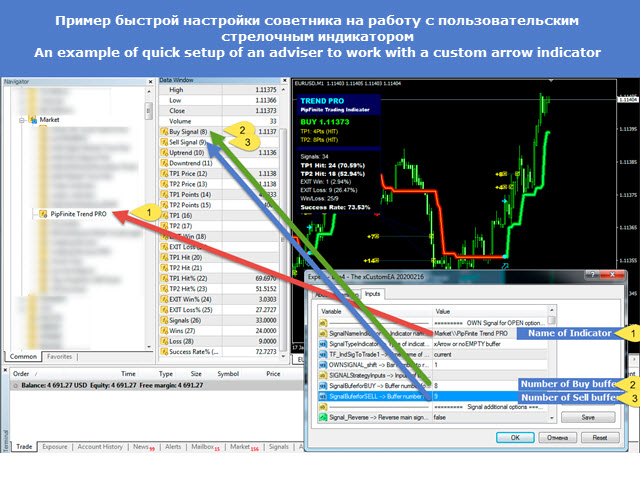
How to Launch Without Additional Programming
- Set the custom indicator name in SignalNameIndicator
- If the indicator was installed from the MQL5 Market, use the path format Market\\IndicatorName
- Set SignalTypeIndicator = xArrow
- Enter the BUY signal buffer number in SignalBuferforBUY
- Enter the SELL signal buffer number in SignalBuferforSELL
In this mode, you can connect a ready-made arrow indicator and use it for automated execution without separately programming the Expert Advisor itself.
Important: by default, The xCustomEA does not contain a built-in entry strategy and cannot open trades on its own. To start trading, you must connect a signal indicator or configure the required strategy logic.
Practical Use Cases
The xCustomEA is suitable for building semi-automatic and fully automatic systems around custom indicators. It is a strong tool for traders who test new ideas, develop proprietary signal modules, or want to turn an indicator-based concept into a complete trading Expert Advisor.
Instead of ordering or coding a new robot for every new idea, you get a ready-made trading platform that can be reused with different indicators and different signal models.
Tags: The xCustomEA, xCustomEA, MetaTrader 4, MT4 Expert Advisor, custom indicator EA, arrow indicator, automated trading, indicator-based trading, The X, Expforex, Vladon


























































I rent this EA for one month for testing.
I give 5 stars in begin for Suport.
After month I will update info about EA but now I can tell.
It have many interesting settings.
I tried work with many custom indicator (not build).
Works very impresive.