Trade Autopilot MT4
- Utilities
-
Sergio Marquez Uroz
 I'm an algorithmic trader and MQL5 developer. I build the tools I wanted for my own trading and the trading bots I run myself. If you have a question before or after buying, send me a private message: you'll get an answer from the developer, not from a bot.
- Version: 1.0
- Activations: 5
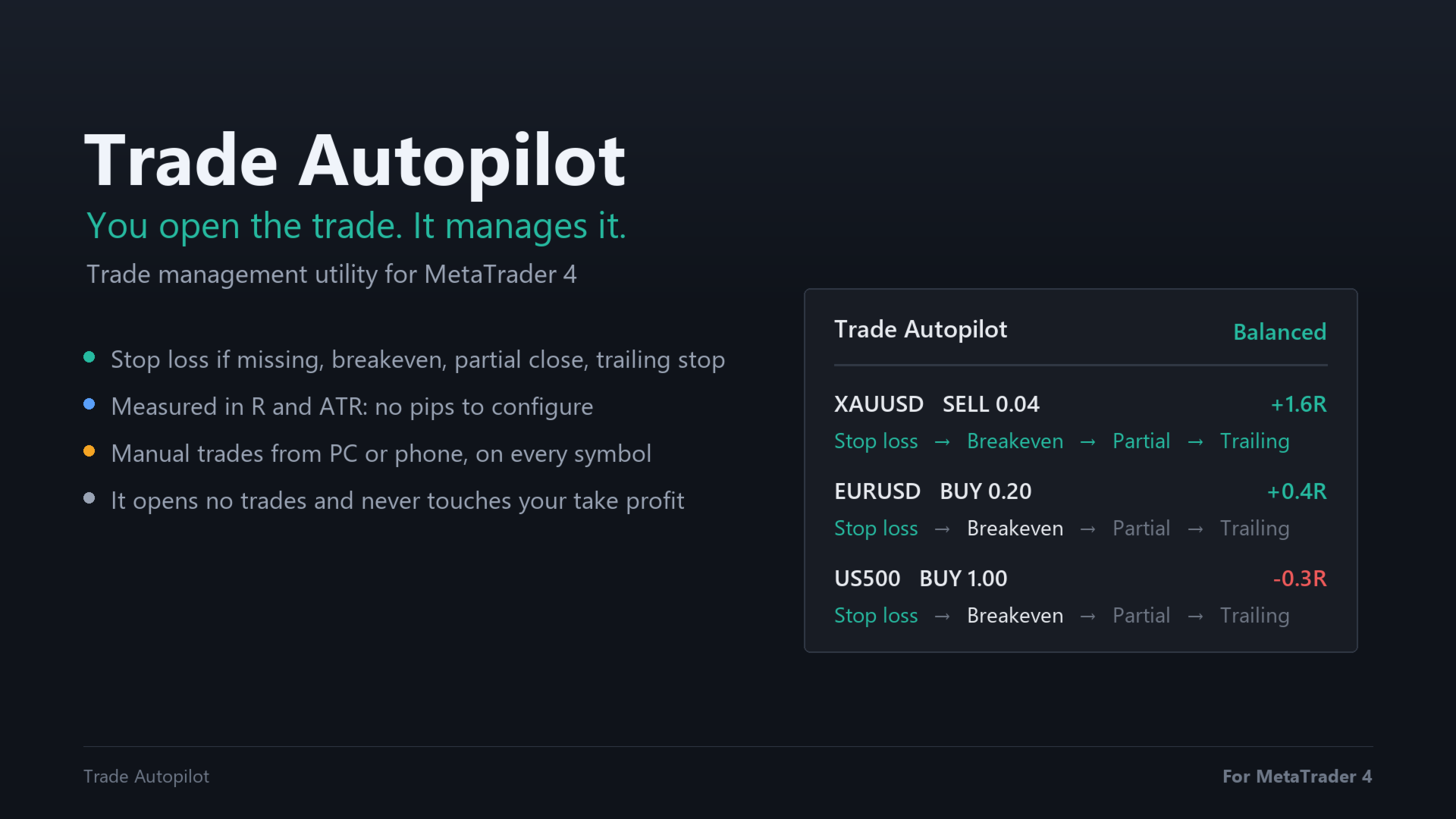
Trade Autopilot manages the trades you open by hand, on PC or phone. It adds a stop loss if there is none, moves it to breakeven, closes part of the trade and trails the rest. Everything is measured in R, your initial risk, and in ATR, so the same setting works on gold, indices and forex.
Launch price: 30 USD, 50% off the regular price of 60 USD.
You decide when to enter. Trade Autopilot takes care of the trade from there. It opens no trades and gives no signals. Put it on one chart and it manages the trades of every symbol in the account.
Four steps for every trade
- Stop loss: if you open a trade without a stop loss, it places one at 2 ATR from the entry. That distance becomes 1R.
- Breakeven: at +1R the stop loss moves to the entry price plus the spread and a small margin.
- Partial: at +1.5R it closes 50% of the trade and keeps the profit.
- Trailing: after the partial close, the stop loss follows the price at 1.5 ATR and only moves in your favor.
These are the values of the Balanced style. Your take profit, if you set one, is never touched.
One setting: the management style
- Conservative: stop loss at 1.5 ATR, breakeven at +0.8R, 50% closed at +1R, trailing at 1 ATR.
- Balanced: stop loss at 2 ATR, breakeven at +1R, 50% closed at +1.5R, trailing at 1.5 ATR.
- Let it run: stop loss at 2 ATR, breakeven at +1R, 30% closed at +2R, trailing at 2.5 ATR.
No pips or points to configure. R and ATR adapt to each symbol and to its current volatility.
The plan on the chart
A small panel shows each managed trade with its symbol, direction, lots and current result in R, and the four steps: Stop loss → Breakeven → Partial → Trailing. Completed steps turn green and the next one is shown in white. Dotted lines mark where the breakeven and the partial close will happen, on the chart of the same symbol.
Built for trading from the phone
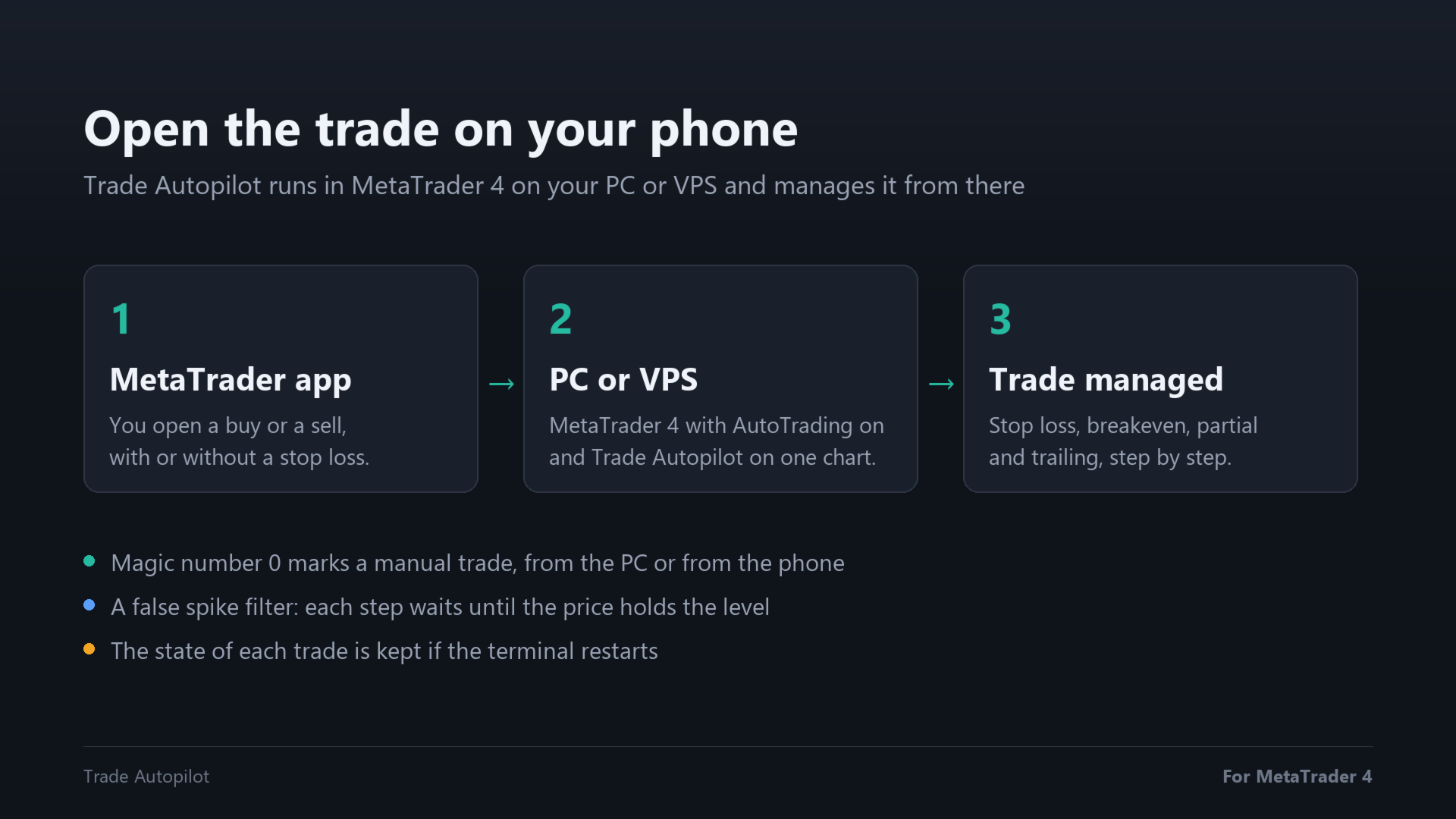
Open the trade in the MetaTrader app on your phone. Trade Autopilot runs in the terminal on your PC or VPS and manages it from there. Magic number 0 is how MetaTrader marks a manual trade, from the PC or from the phone.
False spike filter
A single wrong tick in the price feed should not trigger a partial close or move the stop loss. Each step waits until the price holds the level for 2 seconds, and a price that jumps more than 4 ATR away from the last 1-minute close is ignored until the next 1-minute candle confirms it.
Inputs
- Management style: Conservative, Balanced or Let it run.
- Which trades to manage: manual trades only (magic number 0), or every trade of the account, including those of other Expert Advisors.
- Add a stop loss if the trade has none: turn it off if you always set your own stop loss. A trade without a stop loss is then left alone, because without it there is no R to measure.
- Show the plan on the chart: the dotted lines for breakeven and partial close.
- Strategy Tester: open demo trades to watch it work: only used in the Strategy Tester.
Good to know
- The terminal must be running with AutoTrading on. To manage trades opened from the phone, a VPS is the usual choice.
- The ATR is the 14-period ATR of the timeframe of the chart where Trade Autopilot runs.
- If the lot is too small to be split, the partial close is skipped and the trailing stop starts at that point.
- The state of each trade is kept if the terminal restarts.
- The Strategy Tester runs one Expert Advisor at a time and has no manual trades. To show how it works, in the tester it opens sample trades without a stop loss and manages them.
FAQ
Does it open trades? No. Only sample trades in the Strategy Tester.
Does it change my take profit? No. It only moves the stop loss and closes part of the volume.
Can I move the stop loss myself? Yes. Trade Autopilot only moves it in your favor and continues from where you left it.
Which symbols? Any symbol of your broker: forex, gold, indices, crypto, stocks. One chart is enough for all of them.
Does it work with prop firm accounts? Yes. It works on any MetaTrader 4 account where Expert Advisors are allowed.
More products: https://www.mql5.com/en/users/oner/seller
trade manager, manual trade manager, breakeven, trailing stop, partial close, auto stop loss, risk reward, R multiple, ATR stop loss, trade management, mobile trading, utility, MT4