Breakout Lab MT5
- Experts
-
Sergio Marquez Uroz
 I'm an algorithmic trader and MQL5 developer. I build the tools I wanted for my own trading and the trading bots I run myself. If you have a question before or after buying, send me a private message: you'll get an answer from the developer, not from a bot.
 - Version: 1.0
- Activations: 5
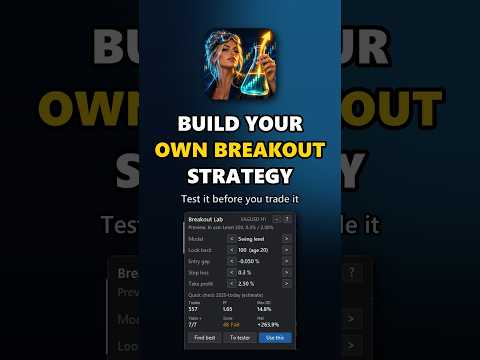
A breakout strategy builder with an on-chart panel, a quick check of every idea and a robustness score for the Strategy Tester.
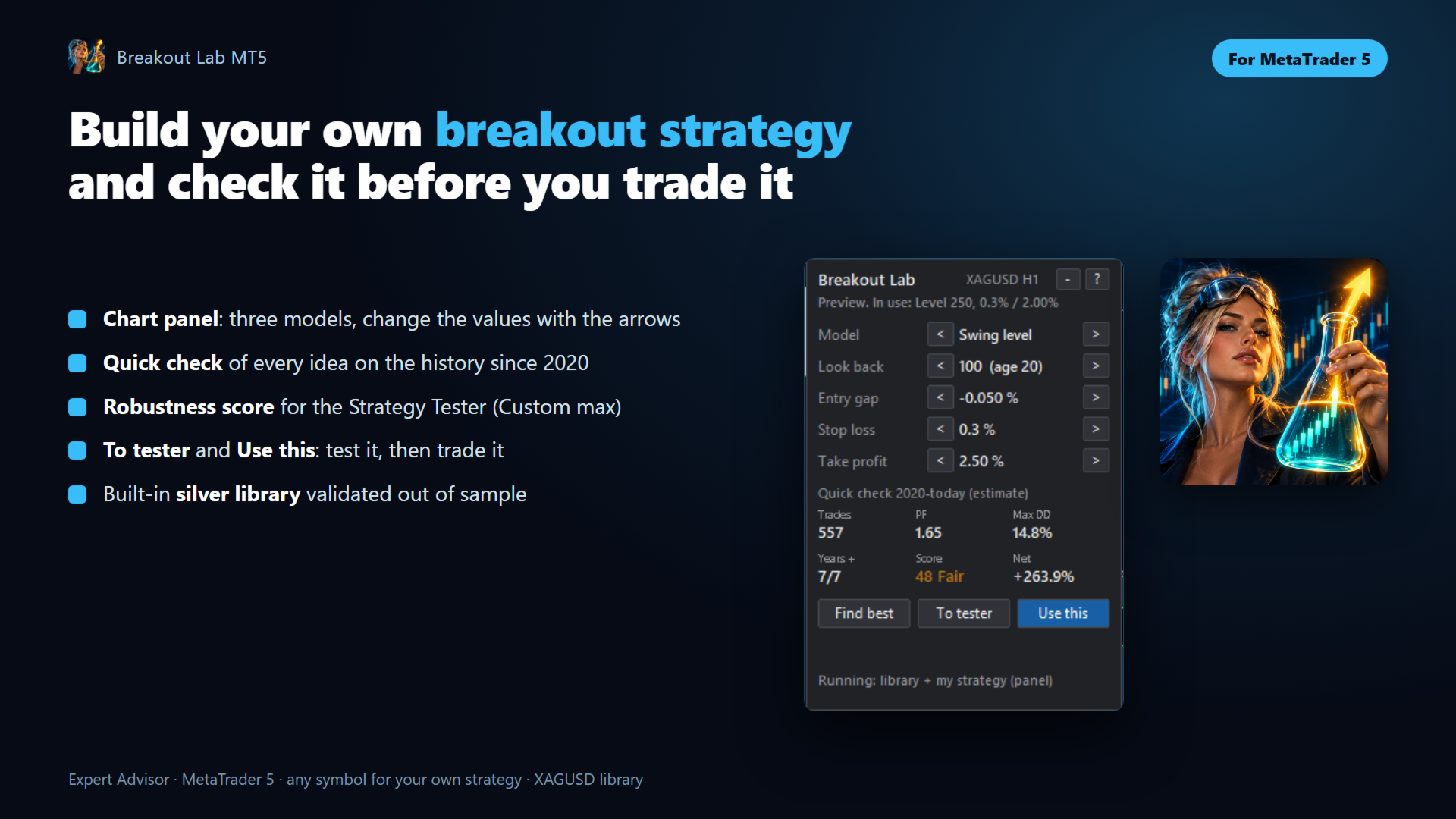
Breakout Lab MT5 lets you design your own breakout strategy and see how it would have done before you trade it. Pick a model, change the values with the arrows on the chart panel and the quick check shows the trades, profit factor, drawdown and a robustness score at once. When you like a strategy, save it for the Strategy Tester with one click, confirm it with real ticks and press Use this to trade it. It also comes with a built-in library of two silver strategies that were validated on data the optimizer never saw.
All my EAs are listed in my MQL5 profile.
Three ways to use it
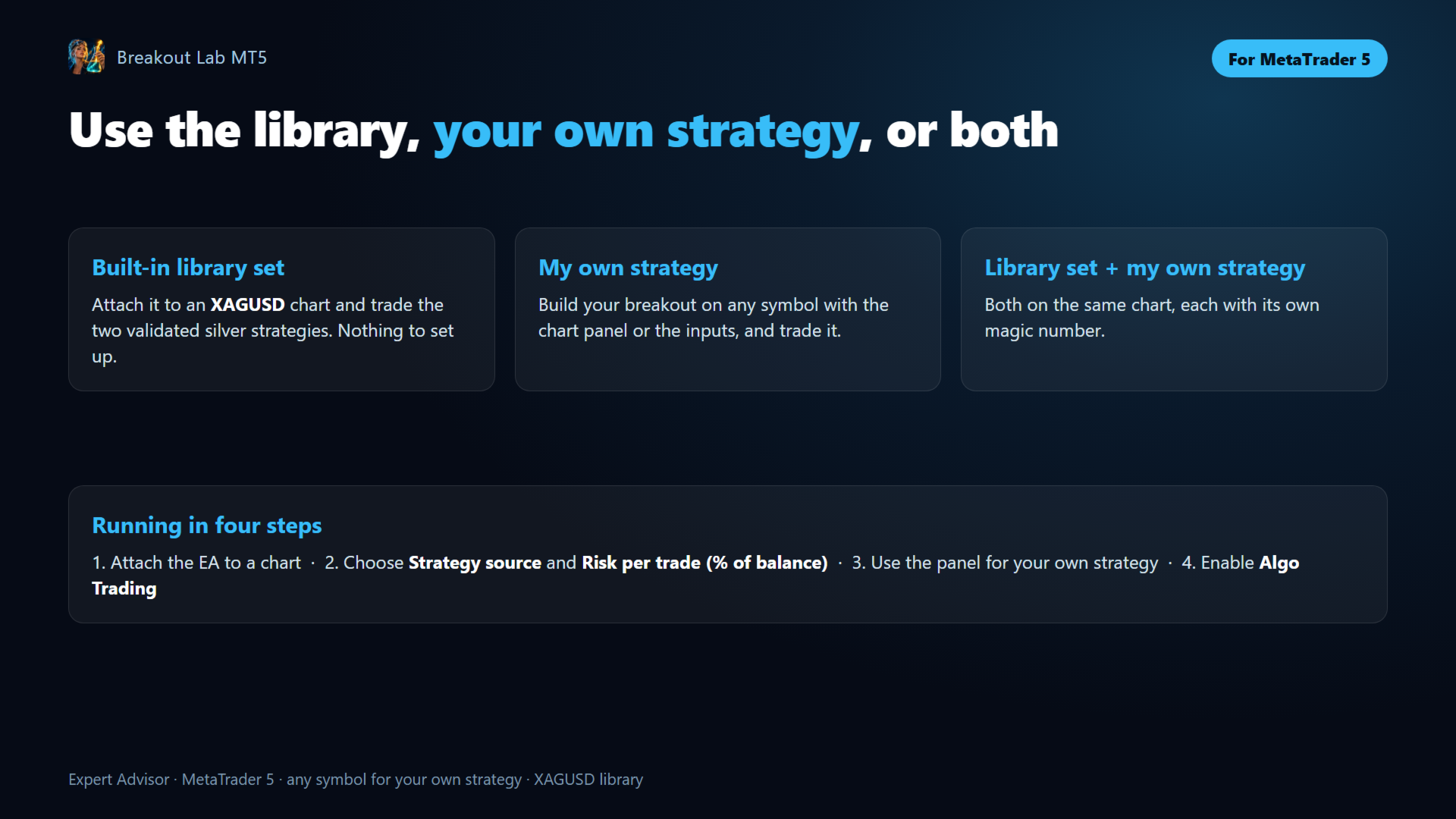
- Built-in library set — attach it to an XAGUSD chart and trade the two validated silver strategies, nothing to set up.
- My own strategy — build your breakout on any symbol with the chart panel or the inputs, and trade it.
- Library set + my own strategy — both on the same chart, each with its own magic number.
The chart panel
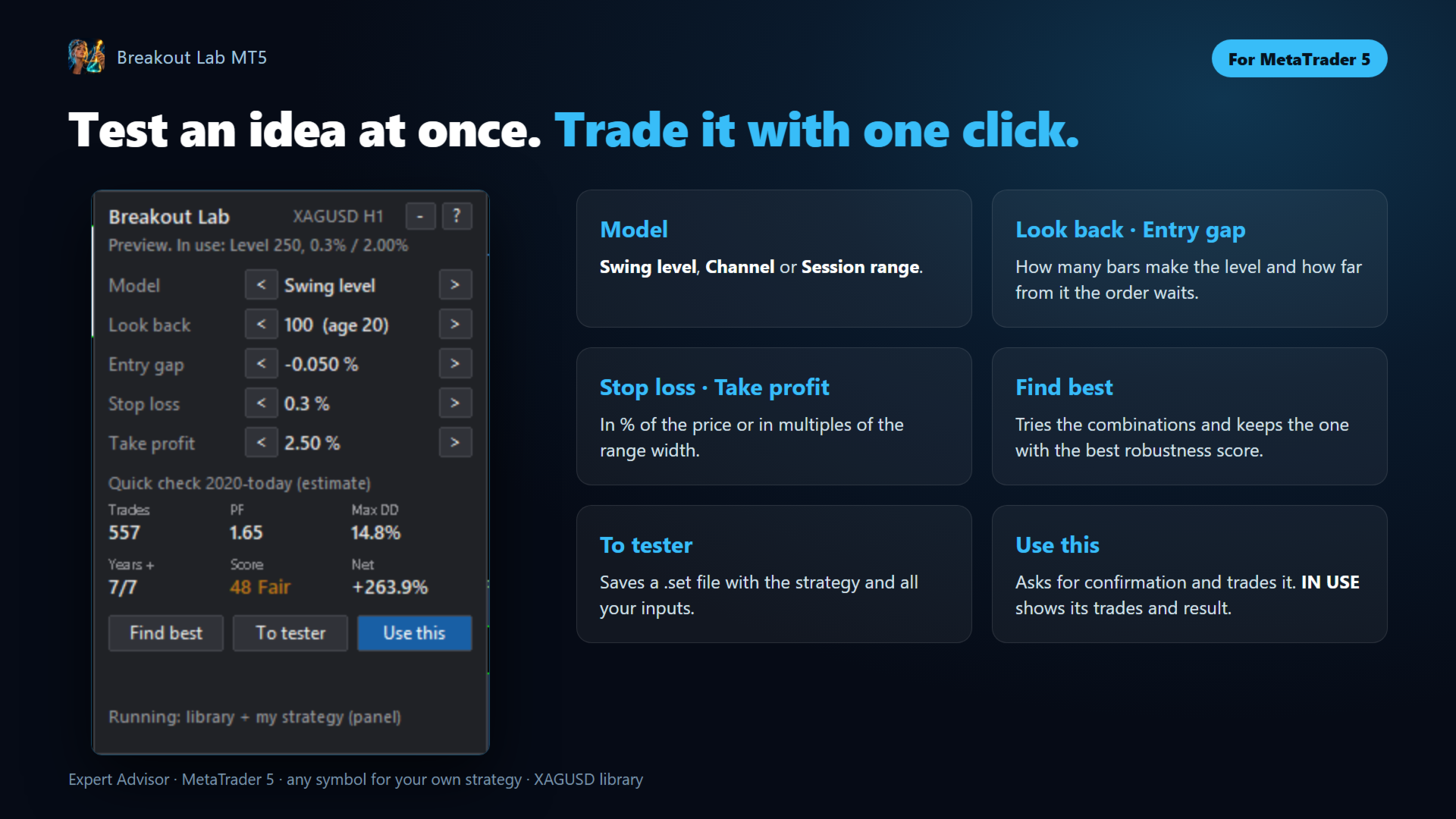
- Model — Swing level (the break of the highest high or lowest low of the last bars, only if it is old enough), Channel (the same without the age rule) or Session range (the high and low between two hours of the day).
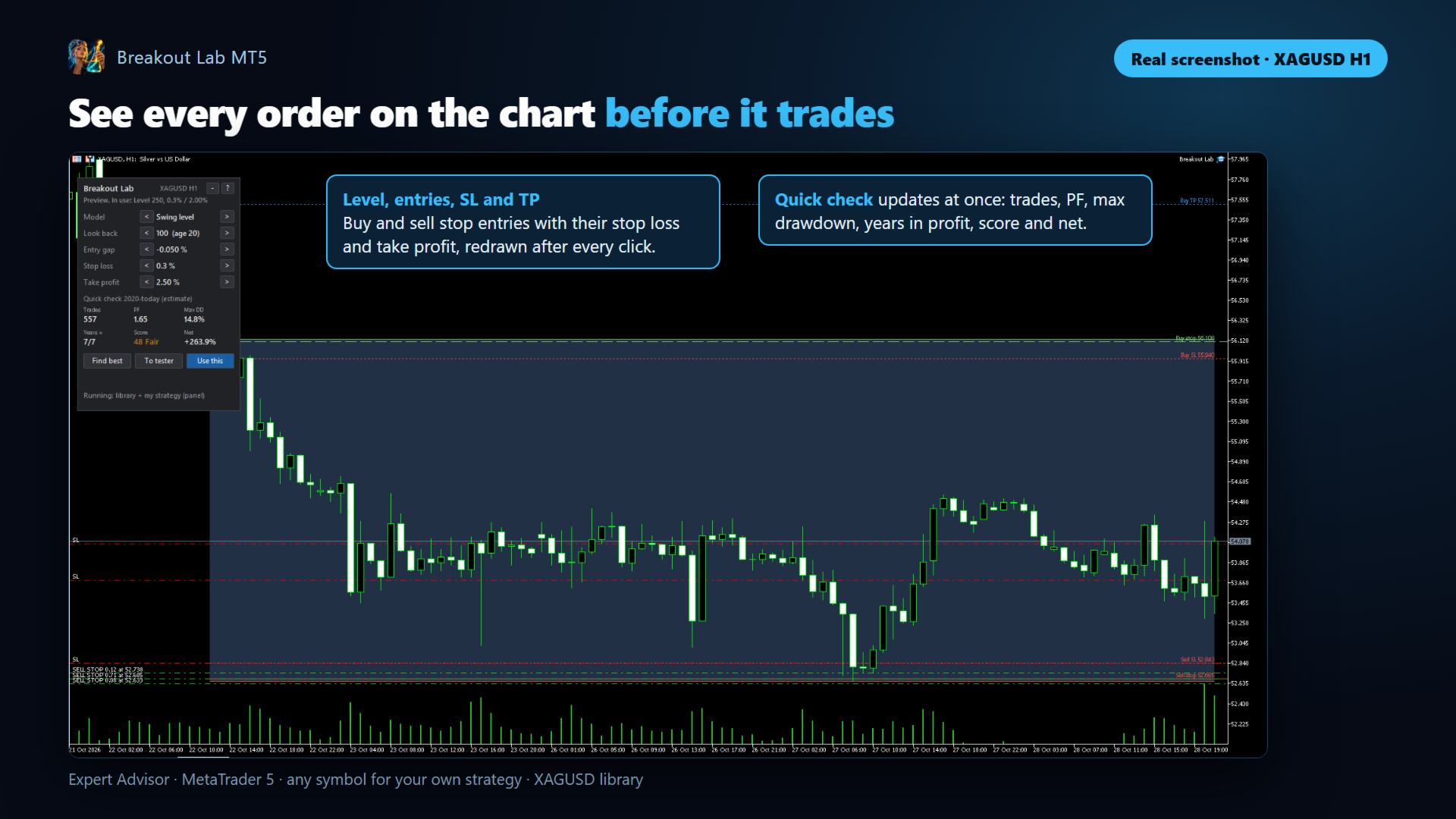
- Look back (or Session), Entry gap, Stop loss and Take profit — change them with the arrows. The chart shows where the orders would go: the level, the buy and sell stop entries, their stop loss and take profit.
- Quick check — trades, profit factor, maximum drawdown, years in profit, robustness score and net result on the chart's price history since 2020, updated after every click. It is an estimate made with 15-minute bars: confirm the strategy in the Strategy Tester before trading it.
- Find best — tries every look back, stop loss and take profit and keeps the combination with the best robustness score.
- To tester — saves a .set file with the strategy and all your inputs. In the Strategy Tester: Inputs, right click, Load.
- Use this — asks for confirmation and starts trading the strategy on that chart. The status line shows IN USE with its open trades and result; press Stop using to stop it.
- Hover over any field to see what it means, and press ? for the five steps. The panel can be minimized to a small bar.
The robustness score
Choose Optimization score (Custom max) = "Robustness score (recommended)" and run the optimizer with the criterion Custom max. Instead of the highest profit, the optimizer then looks for strategies that hold up:
- the most recent part of the test period (the last 30%, or from Out-of-sample starts (empty = last 30%)) weighs more, and the score is 0 if the strategy breaks down there;
- steady growth of the balance and a low drawdown for the profit;
- years and half-years in profit;
- how much profit is left without the best 5% of the trades;
- enough trades for the timeframe and the years tested.
In a single test, the Journal shows the score with its reasons. The same score appears in the panel's quick check.
The built-in library: silver (XAGUSD)
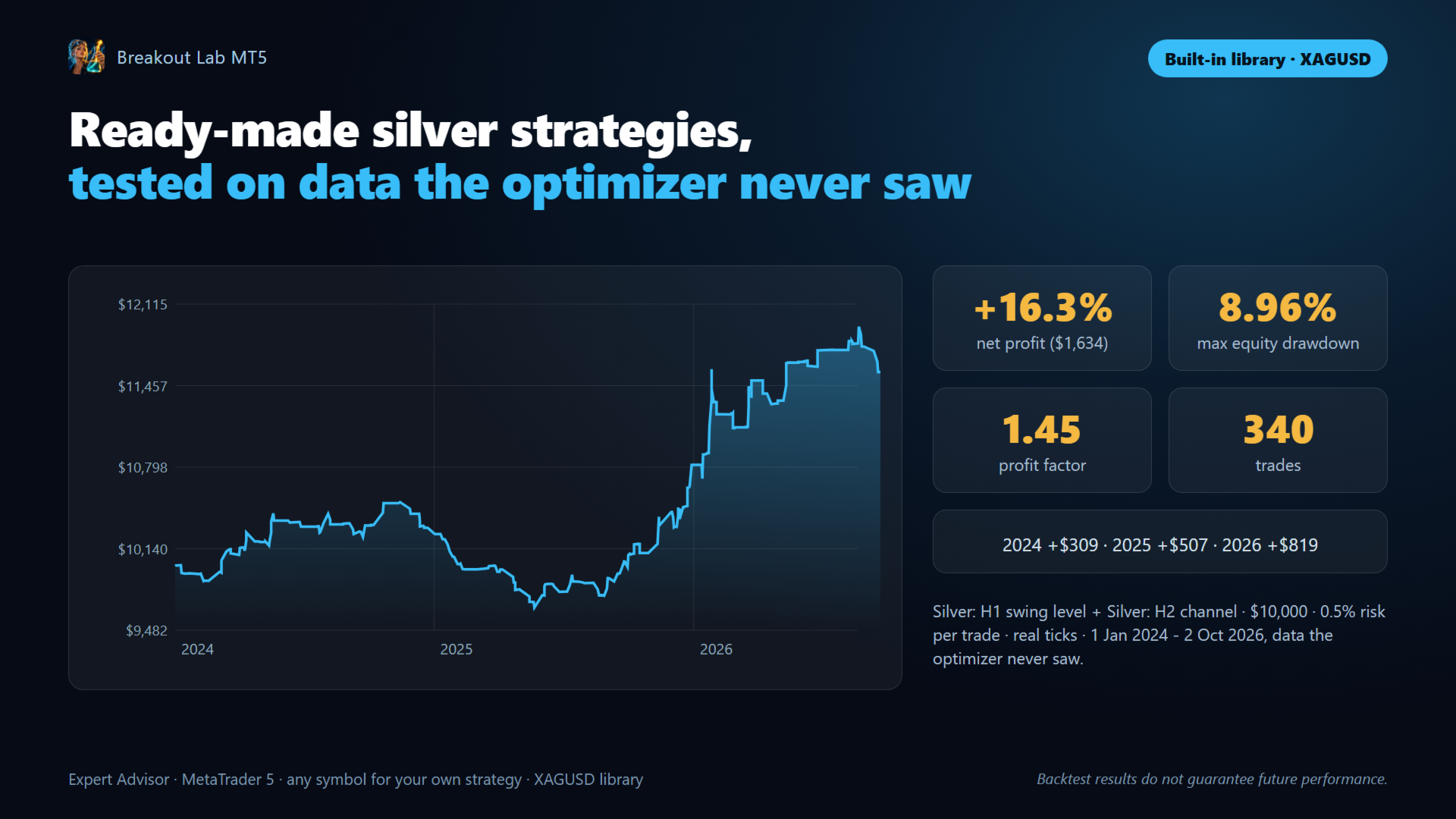
Two strategies found with the robustness score on 2020-2023 and then tested on 2024-2026, data the optimizer never saw. Many other candidates on silver, DAX, Nasdaq and S&P 500 were tested the same way and did not pass: only the two that held up are in the library.
- Silver: H1 swing level — trades the break of the H1 highs and lows of the last 250 bars, in the direction of the daily trend.
- Silver: H2 channel — trades the break of the H2 channel of the last 140 bars, with a long target.
Backtest of the two strategies together on 2024-2026 (the validation period): $10,000 initial deposit, 0.5% risk per trade, real ticks, from 1 January 2024 to 2 October 2026.
- Total net profit: +16.3% ($1,634)
- Maximum equity drawdown: 8.96%
- Profit Factor: 1.45 · 340 trades
- Each year in profit: 2024 +$309, 2025 +$507, 2026 (to October) +$819
Backtest results are not real trading results and do not guarantee future performance.
My strategy inputs
- Breakout model, Level timeframe, Level: bars to look back (closed bars) and Swing level: minimum age of the high/low (bars).
- Session range starts (broker hour), Session range ends, orders placed (broker hour) and Session: close trades at (broker hour) for the Session range model.
- Trade direction, Daily trend filter (50-day average) and Entry offset from the level (% of price).
- Stop loss and take profit measured in % of the entry price or multiples of the range width, Stop loss and Take profit.
- Break even, trailing stop, a rescue that moves the take profit closer after a set floating loss, Max open trades of this strategy, Trade each level only once and Close if the entry candle closes against it.
Lot size and risk
- Lot size calculation — "Risk % per trade (from each stop loss)" (default) or "Fixed lot size".
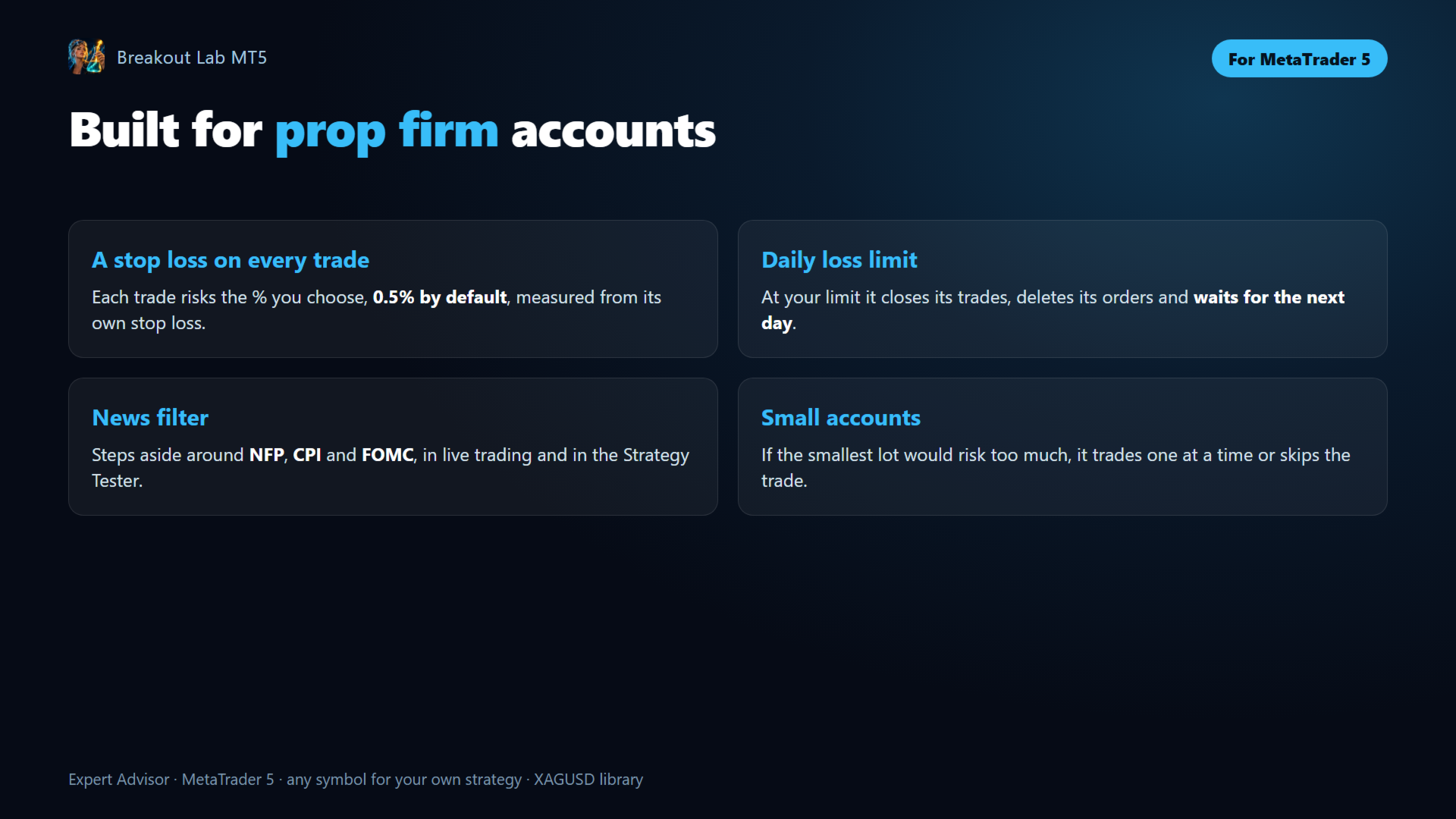
- Risk per trade (% of balance) — 0.5% by default: what each trade loses if its stop loss is hit. Several strategies can have trades open at once.
- Max lot size per trade (0 = no cap), Mode (round to the nearest lot or down), and the free margin is checked before every order.
- If the smallest lot risks too much for the balance — on small accounts the minimum lot can risk more than you asked for: trade normally, only one trade at a time (default) or skip the trade.
Prop firm protection and news filter
- Max daily loss in % (0 = off) — when the account loses this much in the day, the EA closes its trades, deletes its orders and waits for the next day. Leave a margin below your firm's limit.
- Pauses around the US jobs report (NFP), inflation data (CPI) and Fed rate decisions (FOMC): before each release it deletes its pending orders and closes its trades. The dates are built in, so they also work in the Strategy Tester; on a live account the MT5 economic calendar is checked as well.
Installation and use
- Attach the EA to a chart: XAGUSD for the library, or the symbol of your own strategy.
- Choose Strategy source and Risk per trade (% of balance).
- For your own strategy, use the panel: try values, check them in the Strategy Tester with To tester, then press Use this.
- Enable Algo Trading.
Recommendations
- A Hedging account: the EA does not run on Netting accounts.
- For the library: a broker with low spreads on silver, from about $2,000 with 0.5% risk. Test first on a demo account.
- A VPS for 24/5 operation.
Frequently asked questions (FAQ)
I do not see the panel in the free demo.
The Market demo only runs in the Strategy Tester, and MetaTrader does not allow buttons there. The panel works on a normal chart. In the demo you can test the library and your own strategy with the inputs.
Is the quick check the same as the Strategy Tester?
No. It is an estimate with 15-minute bars, without the news filter and the candle confirmation. Use it to compare ideas fast, and confirm the one you choose in the Strategy Tester with real ticks.
Can I trade several strategies of my own?
Yes, one per chart: attach the EA to another chart and give it a different Magic number (base).
Can I use the library on other symbols?
The two library strategies were built and validated on silver (XAGUSD). On other symbols they are untested; build your own strategy for them.
The EA has not opened a trade today.
That is normal: it only trades when the price breaks a level. The chart shows the pending orders it is waiting with.
Trading involves risk and can result in the loss of your capital. Test the EA on a demo account before using it live. Backtest results are not real trading results and do not guarantee future performance.
Compatibility
MetaTrader 5 · any symbol for your own strategy, XAGUSD for the library · Hedging accounts · one chart per strategy.
Support
I answer every message. For any question about the panel, the settings or your broker, contact me through my MQL5 profile — typical response time under 24 hours.
If Breakout Lab MT5 works well for you, please leave a review — your feedback helps other traders decide.
breakout strategy builder, breakout EA, range breakout, session breakout, channel breakout, support and resistance EA, strategy tester, robustness score, out-of-sample validation, optimization, silver EA, XAGUSD EA, prop firm EA, daily loss limit, news filter, MT5 expert advisor