Cynex Telegram MT5
- Utilities
-
Issam Kassas
 https://issamalgo.com/
I’m Issam Kassas, creator of Issam Algo. I develop MetaTrader indicators, Expert Advisors, and trading tools that connect analysis with execution. - Version: 1.0
- Activations: 5
Cynex Telegram MT5
Contact me after your purchase to claim your complete package
After your purchase, send me a private message on MQL5 to receive your PDF user guide, access to the online course and MQL5 channel, setup assistance, and Smart Universal Expert Advisor FREE as your gift.
Get Cynex Telegram MT5 for US$30 with a lifetime licence, plus your free Smart Universal Expert Advisor.
Publish signals. Receive supported messages. Control your managed trades.
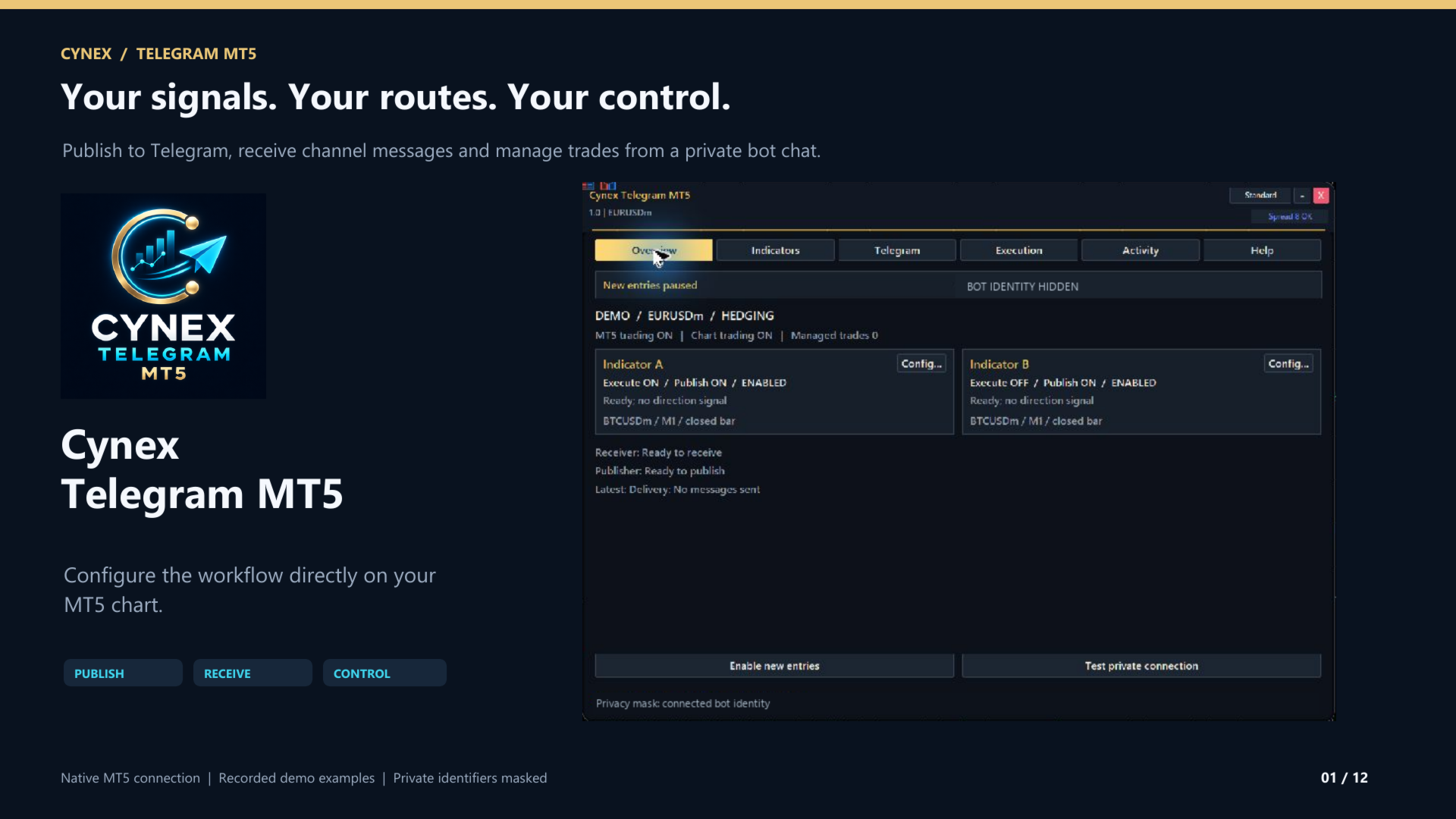
Cynex Telegram MT5 connects MetaTrader 5 with a dedicated Telegram bot through an on-chart dashboard. Use compatible custom indicators, an authorized source channel and your private bot chat to build the workflow you need.
Three ways to work
Publish: Send signals from custom indicator A or B to your Telegram channel. Choose whether to publish signals only, execute them privately, or use both routes. Confirmed trade activity is a separate option.
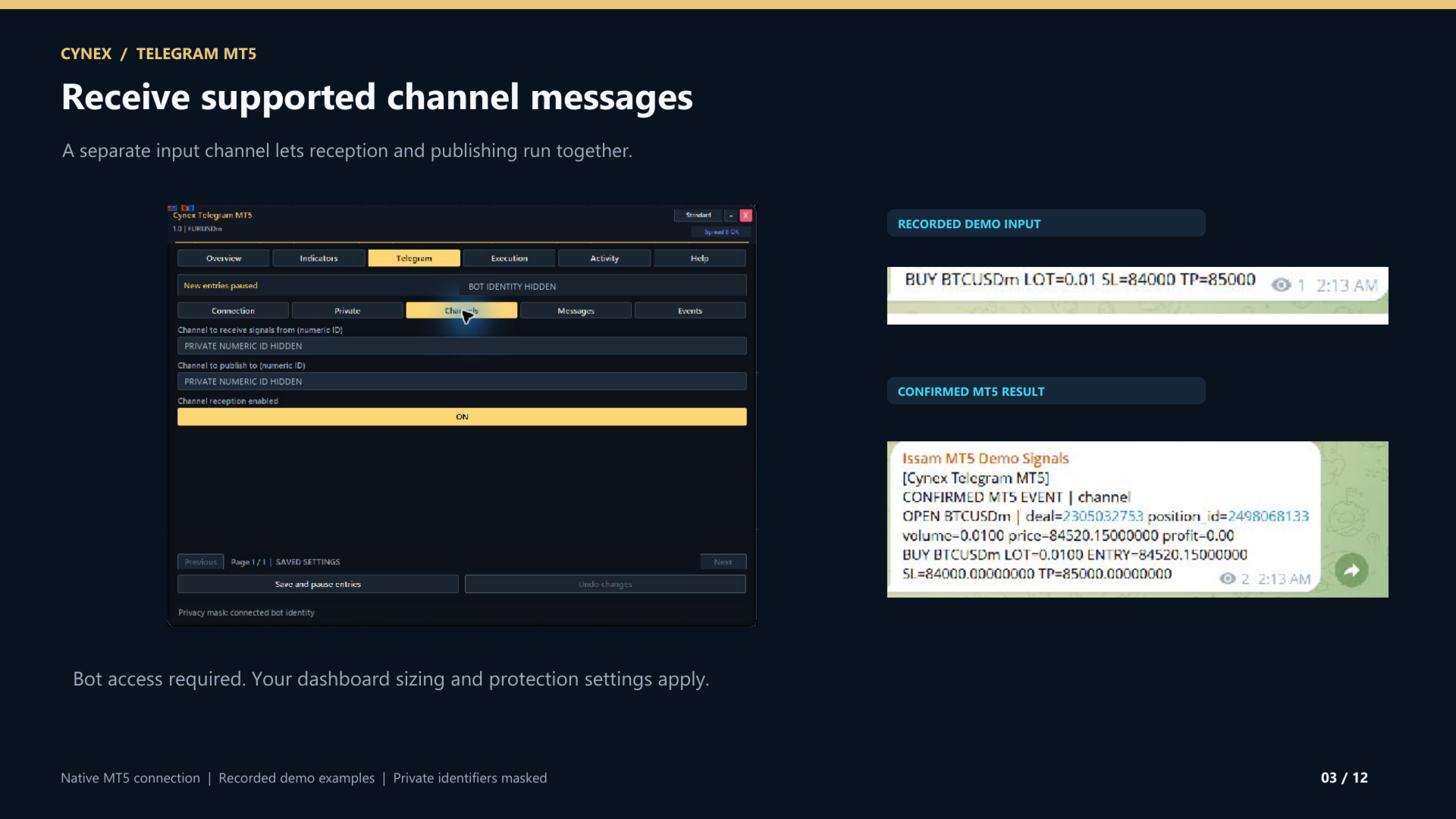
Receive: Read supported BUY and SELL posts from one authorized Telegram channel. Use your own fixed lots, symbol mapping, protection checks and execution limits. The bot must have access granted by the source channel owner.
Control: Use your authorized private bot chat to check status, list managed positions, pause entries, place supported orders, adjust protection and close or cancel managed trades. Closing all managed positions requires a fresh confirmation code.
Configure it on the chart
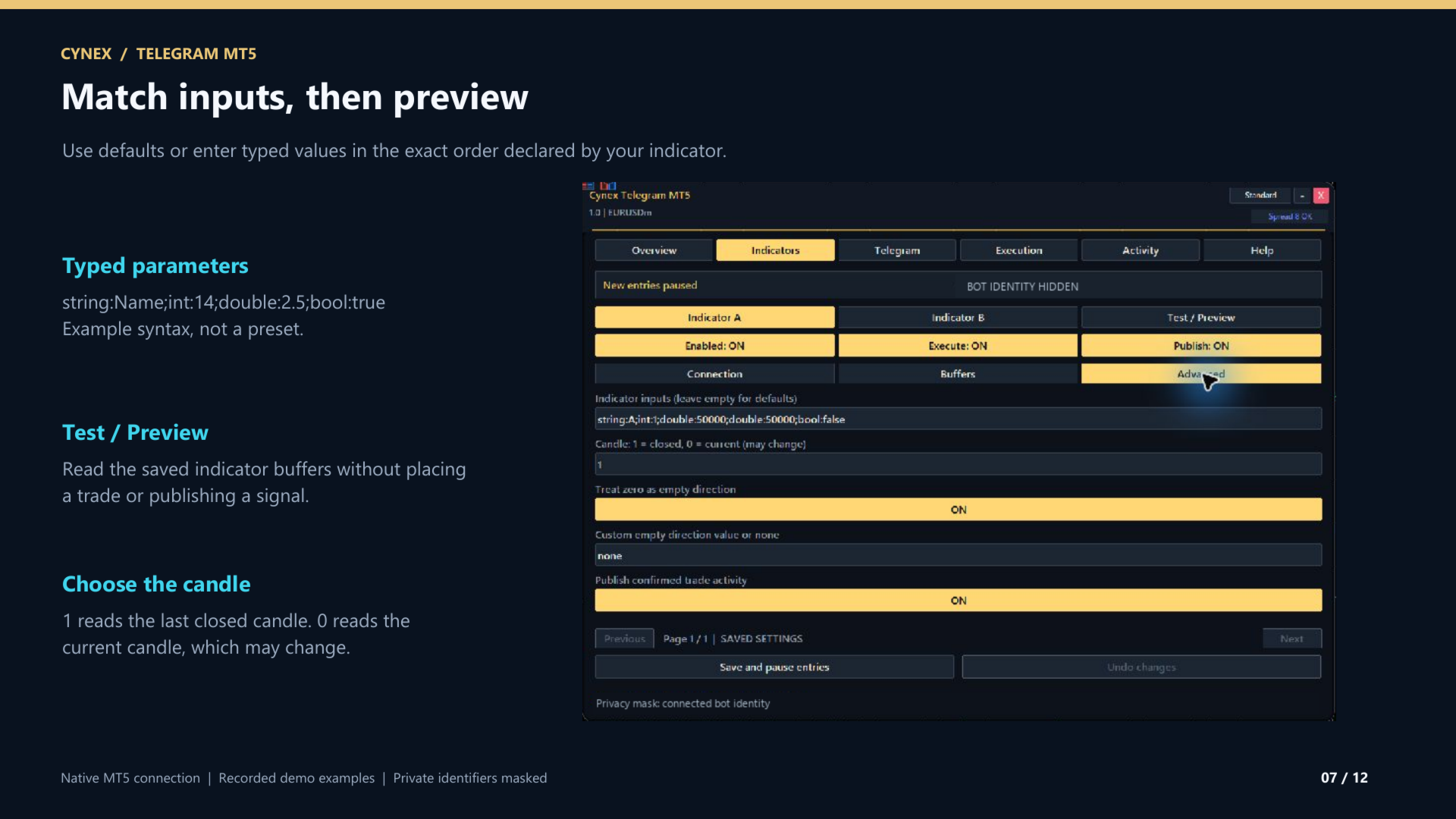
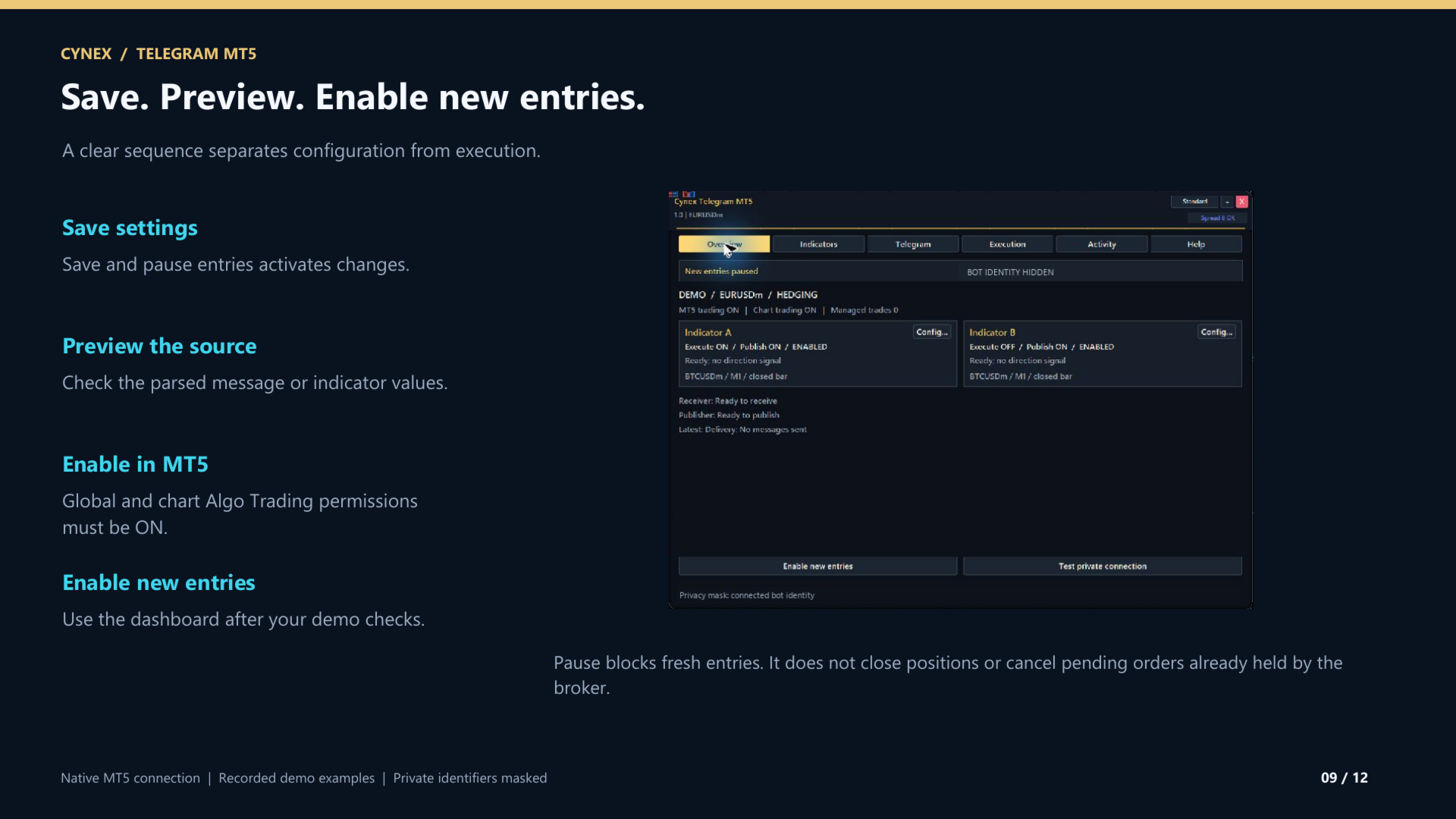
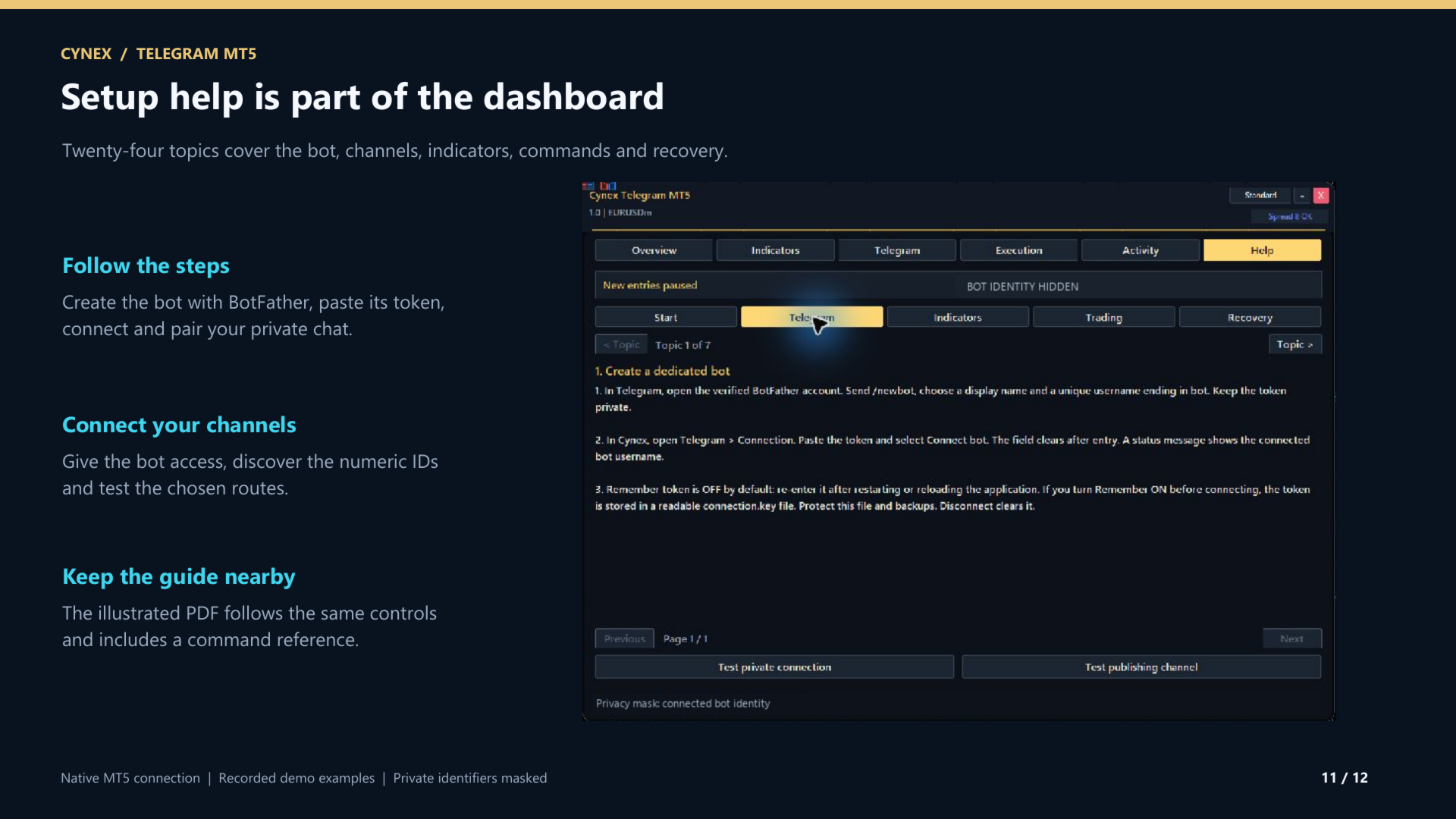
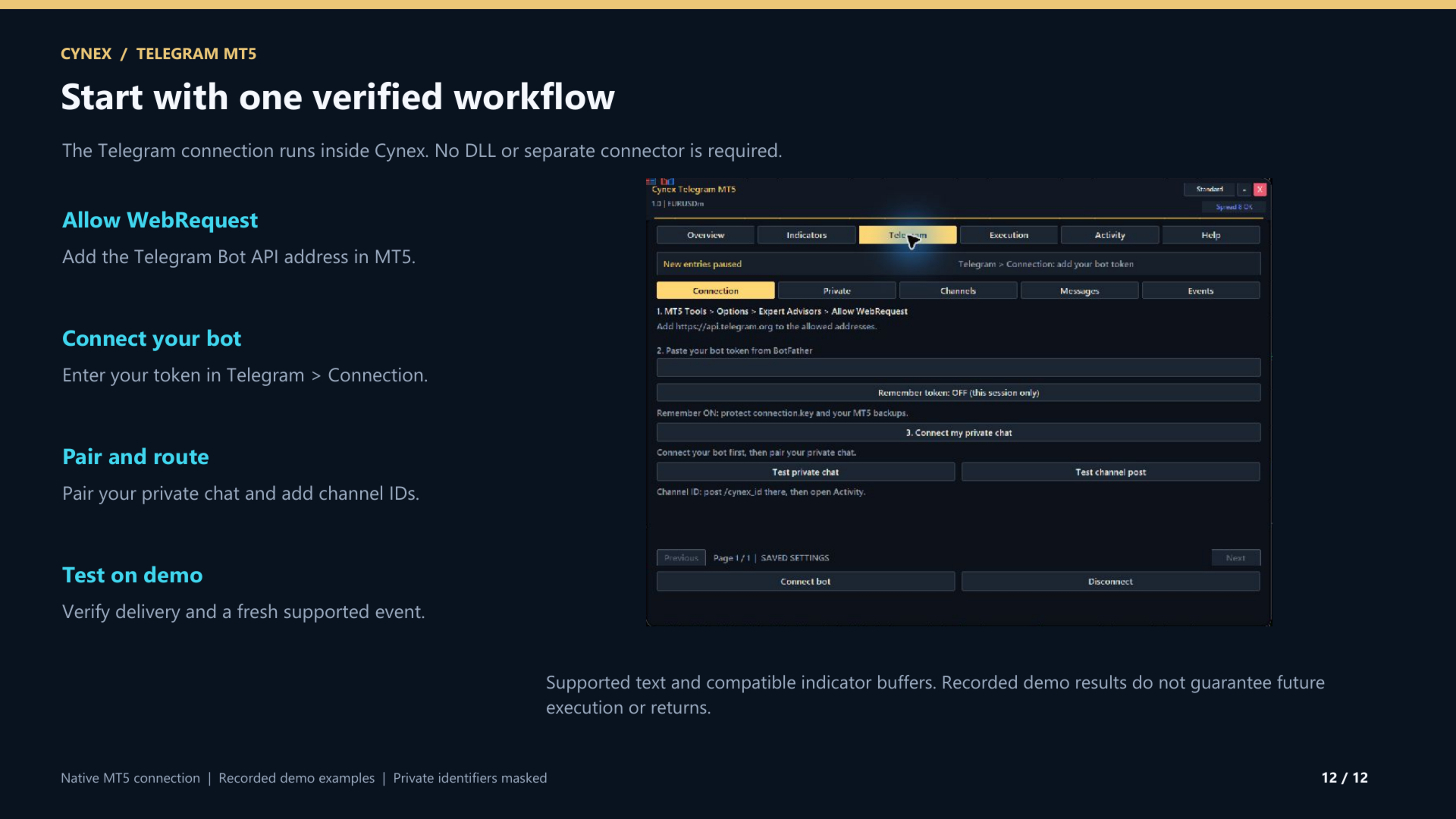
The dashboard brings together Overview, Indicators, Telegram, Execution, Activity and Help. Set independent A/B routes, indicator paths, input parameters, buffer mappings, symbols, timeframes and execution limits. Changes remain drafts until Save and pause entries. Test / Preview reads active indicator buffers without trading or publishing.
Execution controls
Choose order size, optional lot and trade caps, estimated stop-loss risk, spread and entry tolerance. Set extra caps to zero to turn them off. Choose protection requirements and trade-control scope. Saving settings or restarting pauses new entries; publishing and authorized management remain separate.
Requirements and scope
The Telegram connection runs directly inside MT5. No DLL or separate connector is required. Allow the Telegram Bot API address in MT5 WebRequest settings; in-panel Help explains each step. Use your own bot and numeric chat/channel IDs. Source and destination channels must differ. Publishing requires posting permission.
Custom indicators need readable numeric buffers. Incoming channel signals support clear BUY/SELL text with a symbol and optional LOT, SL, TP and ENTRY fields; dashboard sizing and protection settings apply. Forwarded messages are optional. Images, voice, entry ranges, multiple targets and free-form prose are not parsed. Indicators and signal subscriptions are not included.
This is an execution and communication utility, not a trading strategy. Test your own configuration on a demo account. Signal publication does not mean an order was filled, and results are not guaranteed.
Your guide, course, setup and bonus
The PDF guide, online course and setup assistance help you get started. In-panel Help covers bot creation, channel setup, indicator A/B connections, commands, settings and troubleshooting. After your purchase, contact Issam through MQL5 private messages to receive your resources, MQL5 channel access and FREE Smart Universal Expert Advisor gift.