Artemis ORB Scanner MT5
- Indicators
- Version: 1.10
- Updated: 20 May 2026
- Activations: 20

Artemis ORB Scanner MT5
Artemis ORB Scanner MT5 is a multi-symbol Opening Range Breakout dashboard indicator for MetaTrader 5.
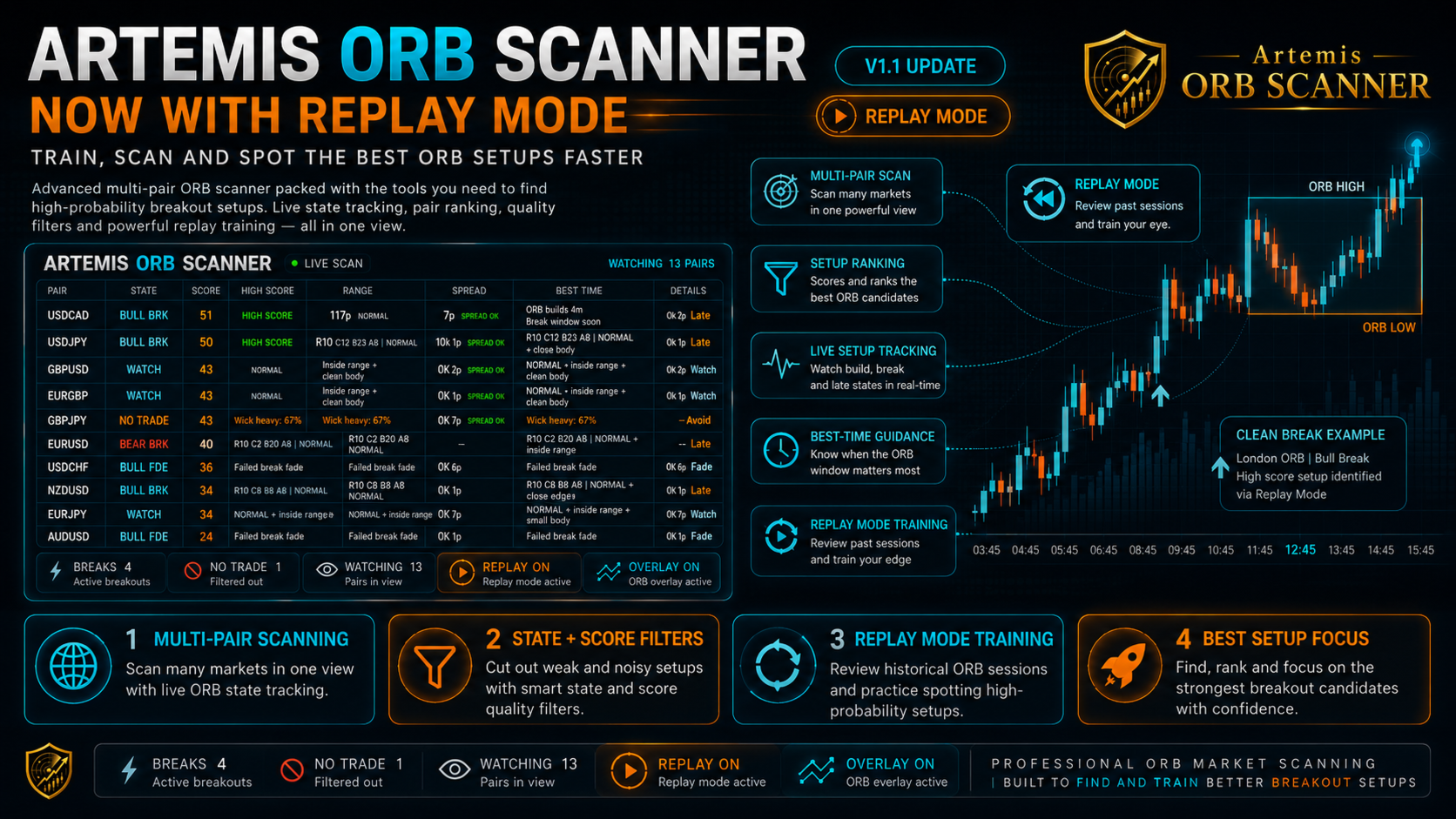
It helps traders monitor ORB conditions across selected instruments from one chart. The scanner tracks session-based opening ranges, displays current ORB states, and provides dashboard information such as breakout direction, range quality, spread status, alerts, and optional chart overlays.
The indicator is designed to help organise market information during active sessions. It does not place trades or make trading decisions.
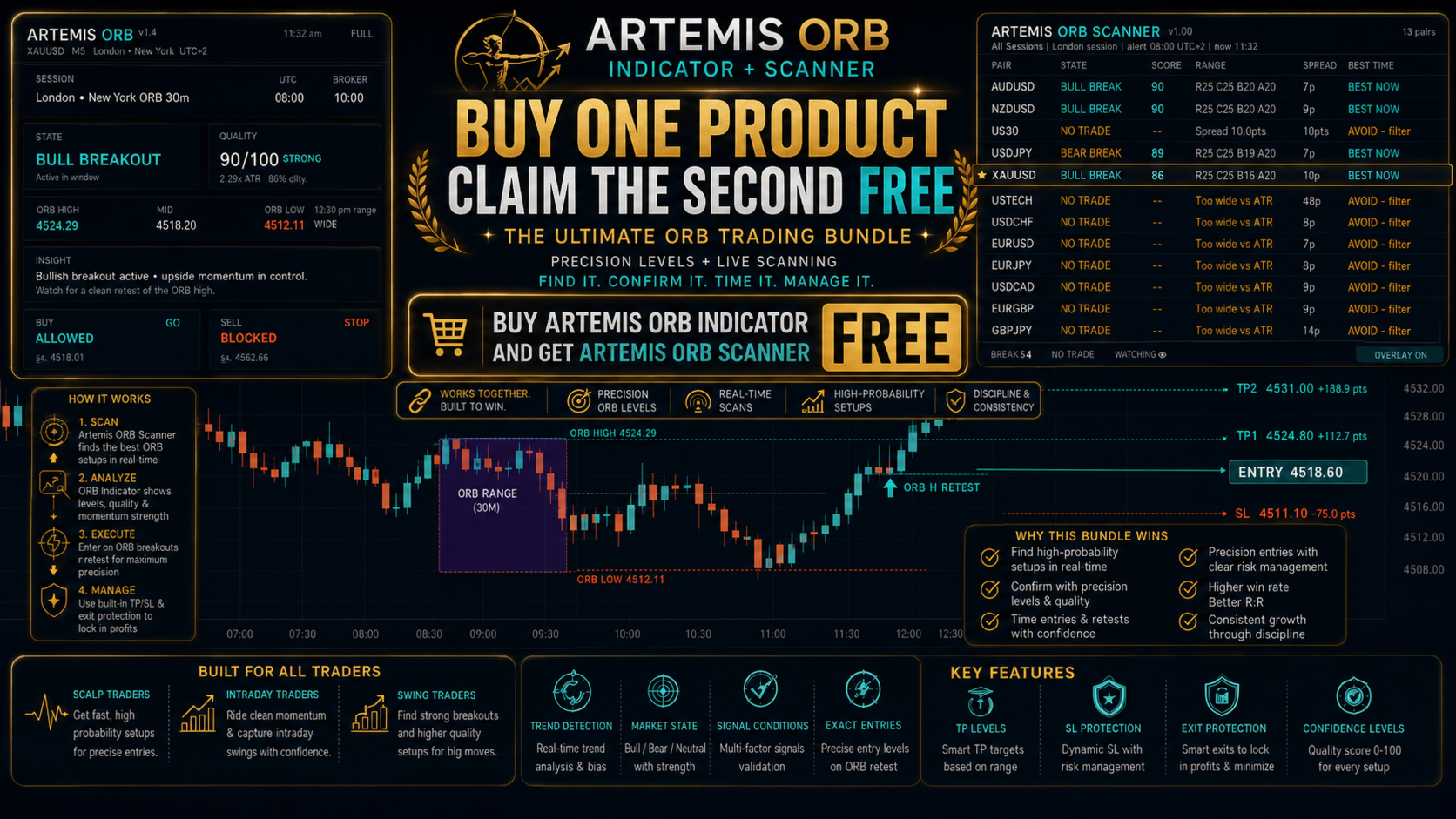
The Artemis ORB Scanner works as a standalone product OR in combination with Artemis ORB Indicator (Buy one and then claim the other item for FREE - send a DM following purchase)
New in V1.1
- Layout Fix - We noticed the layout appeared quite compressed - this is now resolved.
- Added replay mode button - lets traders review previous session breakout, trap, fade and no-follow-through behaviour directly on the chart.
Why use Artemis ORB Scanner MT5?
ORB trading can become difficult when several symbols are moving at the same time. Artemis ORB Scanner MT5 helps organise that information into one dashboard, so you can see which instruments are building a range, watching for a breakout, or showing a possible breakout, trap, fade, no-trade, or data issue.
Instead of switching between many charts, you can monitor your selected symbols from one place, review the current ORB context, and open the relevant chart only when further analysis is needed.
The scanner is designed to support a faster and more structured workflow during active sessions while keeping final trading decisions fully under your control.
Main features
- Multi-symbol ORB dashboard
- Manual watchlist for up to 20 symbols
- Optional Market Watch auto-scan mode
- Asia, London, New York, London + New York, All Sessions, and Custom session modes
- Opening range high and low tracking
- Bullish and bearish breakout states
- Possible trap and fade condition states
- ATR-based range quality filter
- Spread status labels
- Candle body and breakout quality checks
- Custom, Balanced, Strict, and Aggressive scan profiles
- Top setup display based on internal scoring
- OPEN buttons for quick chart switching
- Optional ORB chart overlay
- Popup, push, email, and sound alerts
- Broker symbol prefix and suffix support
- Data status footer for symbol and history checks
Dashboard states
The scanner can display states such as:
WAITING, BUILDING, WATCHING, BULL BREAK, BEAR BREAK, BULL TRAP, BEAR TRAP, BULL FADE, BEAR FADE, NO TRADE, CLOSED, and NO DATA.
These states summarise the current ORB context for each symbol. They are informational only and should not be treated as trade instructions.
Suggested use
Attach the indicator to one MT5 chart, choose your symbols or enable Market Watch scanning, select the session mode, and monitor the dashboard as the opening range forms.
When a symbol needs further review, use the OPEN button and optional chart overlay to inspect the chart.
Important information
Artemis ORB Scanner MT5 is an analytical indicator only.
It does not open, manage, or close trades. It does not guarantee profitable results or predict future price movement. All trading decisions, risk management, and execution remain the responsibility of the user.
Always test settings on a demo account before using them on a live account.