Candle Timer Countdown Pro
- Indicators
-
Kun Ming Xie
 With over 10 years of software development experience and more than 5 years in quantitative trading, I have extensive knowledge of Forex and commodities such as gold. Passionate about trading, I specialize in developing software tools and systems that enhance trading efficiency and improve strategy
 - Version: 1.30
- Activations: 5
Overview
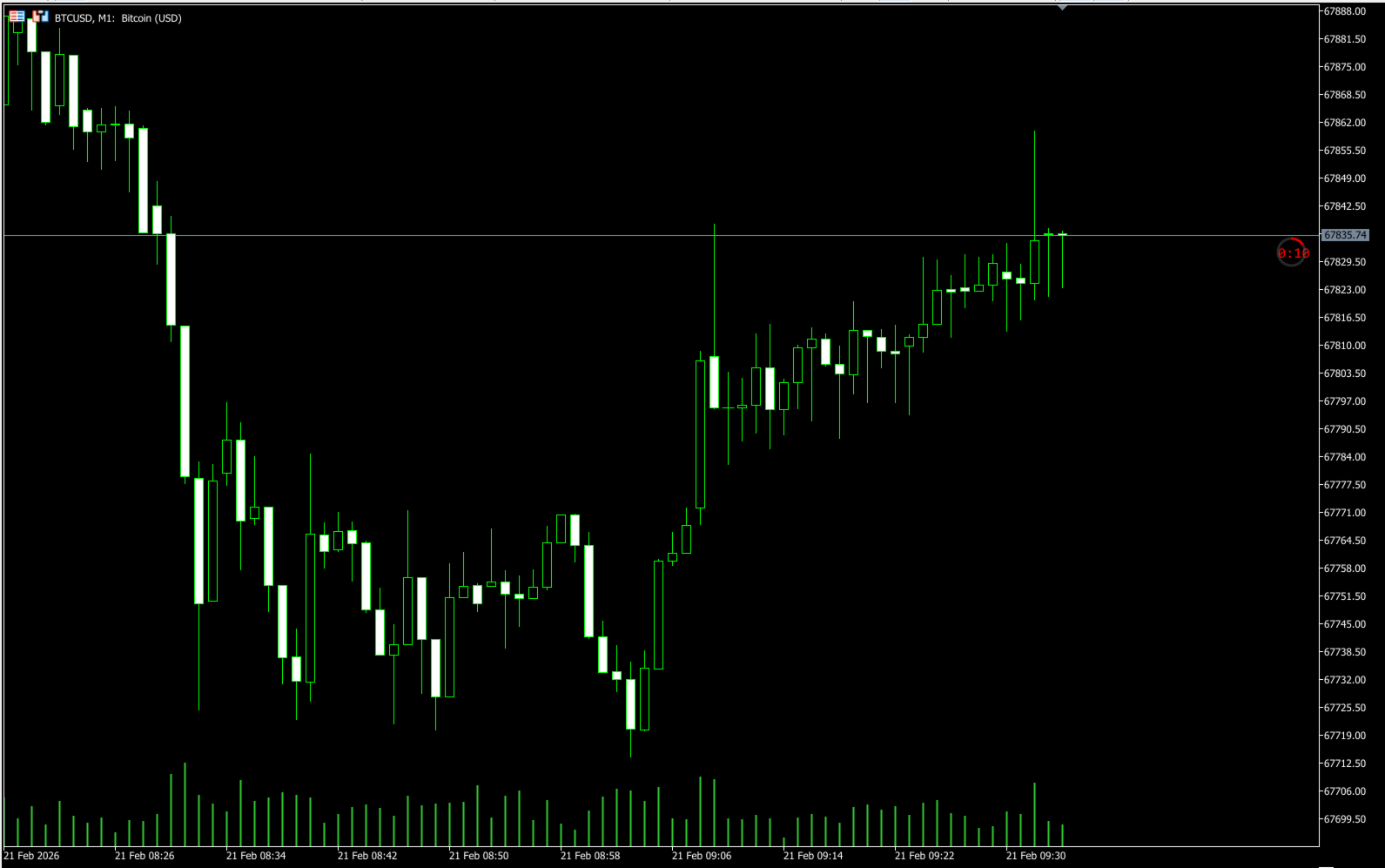
Candle Timer Countdown Pro displays a smooth, accurate countdown to the close of the current candle, accompanied by a circular progress arc that gives you an instant visual sense of time remaining. Unlike other timers that freeze between ticks or drift out of sync, this indicator uses server time interpolation to deliver a stutter-free countdown on every timeframe from M1 to MN.
Whether you trade scalping setups on the 1-minute chart or swing positions on H4, knowing exactly when the current candle closes helps you time your entries, confirm candle patterns, and avoid premature decisions.
Why This Timer Is Different
Most candle timers on MT5 rely solely on TimeCurrent(), which only updates when a new tick arrives. During low-volatility periods or on higher timeframes, ticks can be seconds apart, causing the timer to freeze and then jump. This indicator solves the problem by anchoring server time at each tick and interpolating with the local millisecond clock between ticks. The result is a countdown that ticks down smoothly every half second with no stutter and no lag. On top of that, a real-time circular progress arc provides a glanceable visual indicator that no other candle timer offers.
Key Features
Accurate Countdown Server time interpolation ensures the timer counts down smoothly even when ticks are infrequent. No freezing, no jumping, no drift.
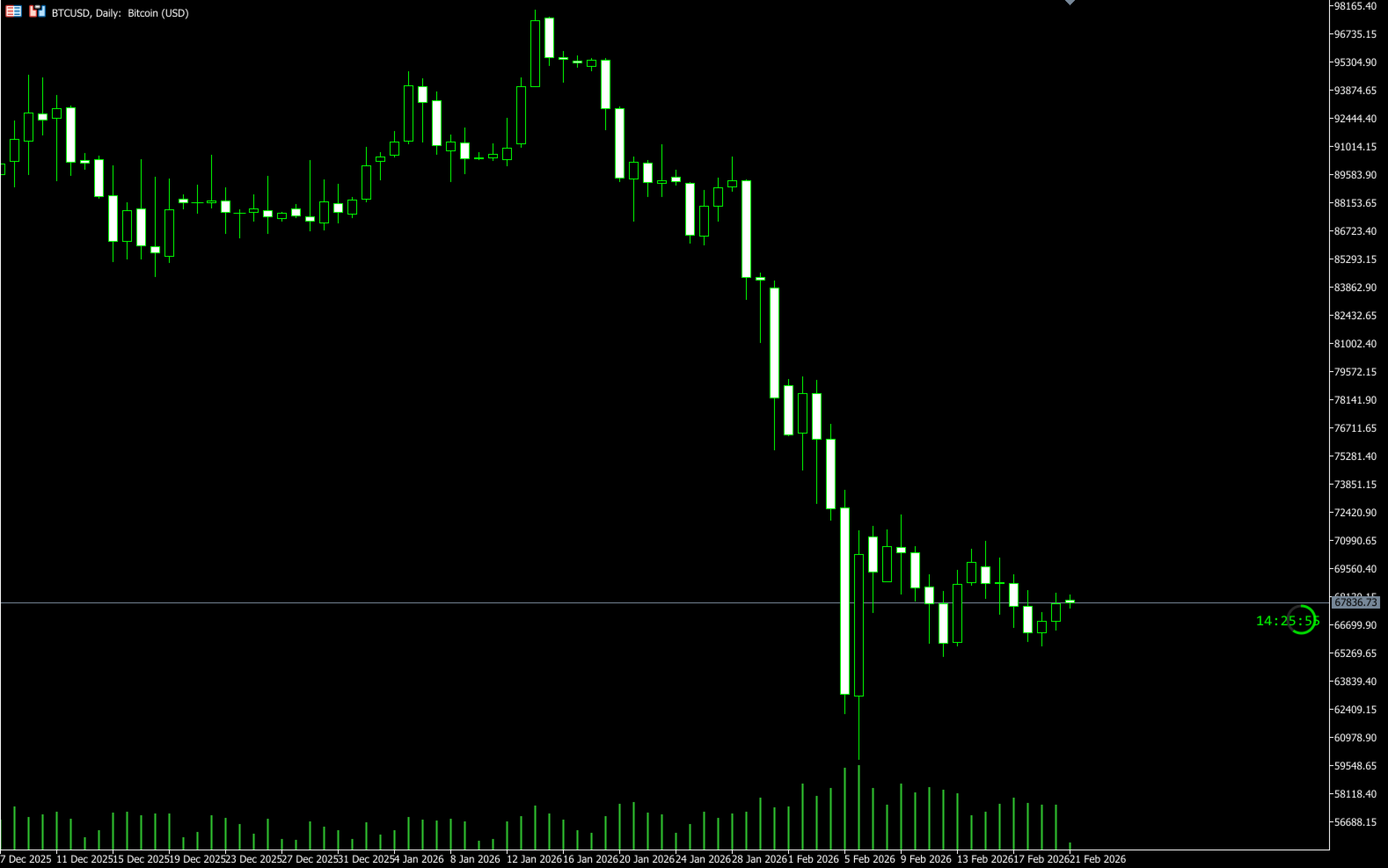
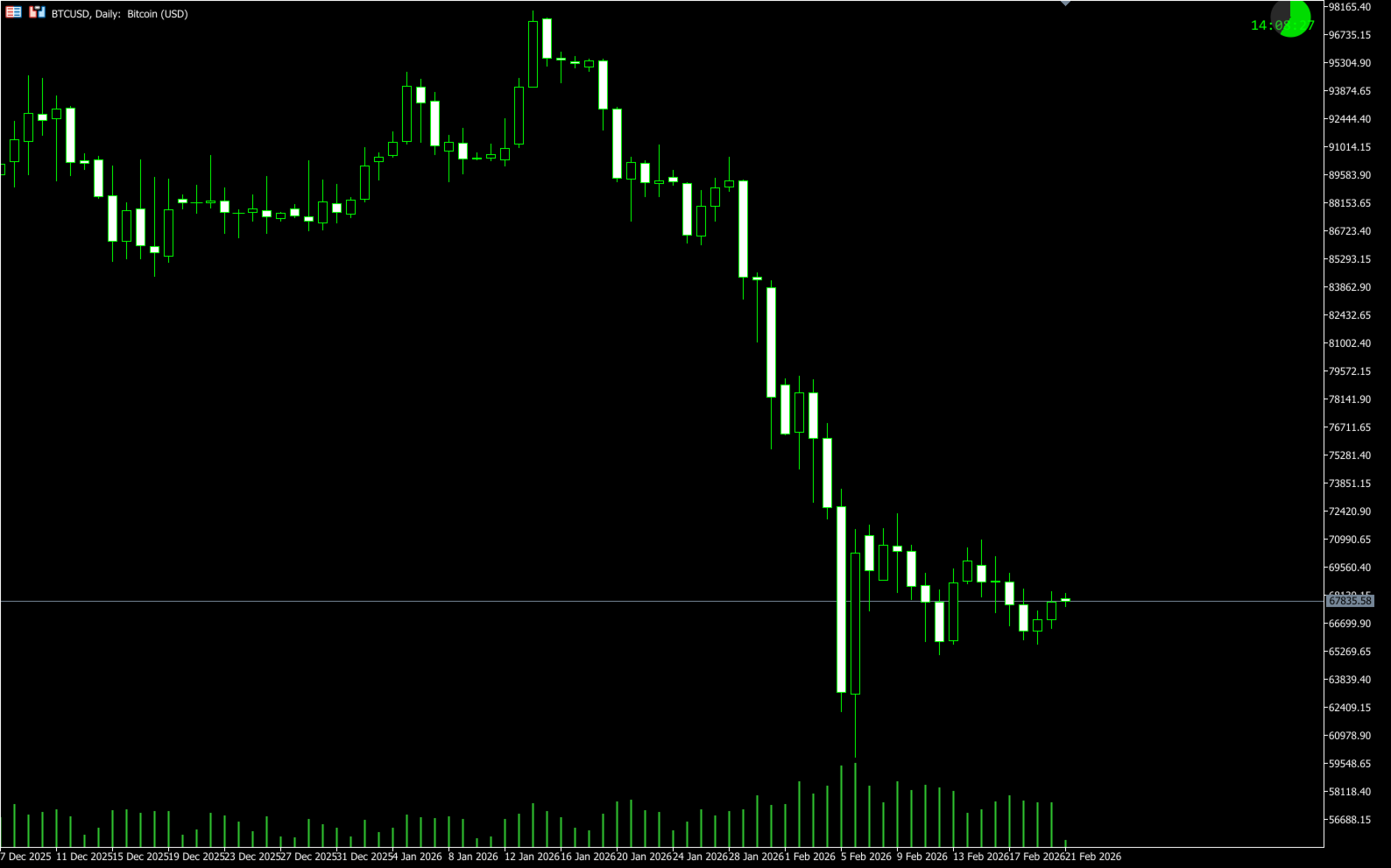
Circular Progress Arc A real-time circular progress ring drawn next to the countdown text gives you an instant visual sense of how much time remains in the current candle. Choose between a hollow ring style or a filled pie style. The arc colour follows the timer colour, automatically shifting with bull/bear direction and countdown highlight. Fully adjustable diameter, thickness, and position offset. Set to None to disable if you prefer text only.
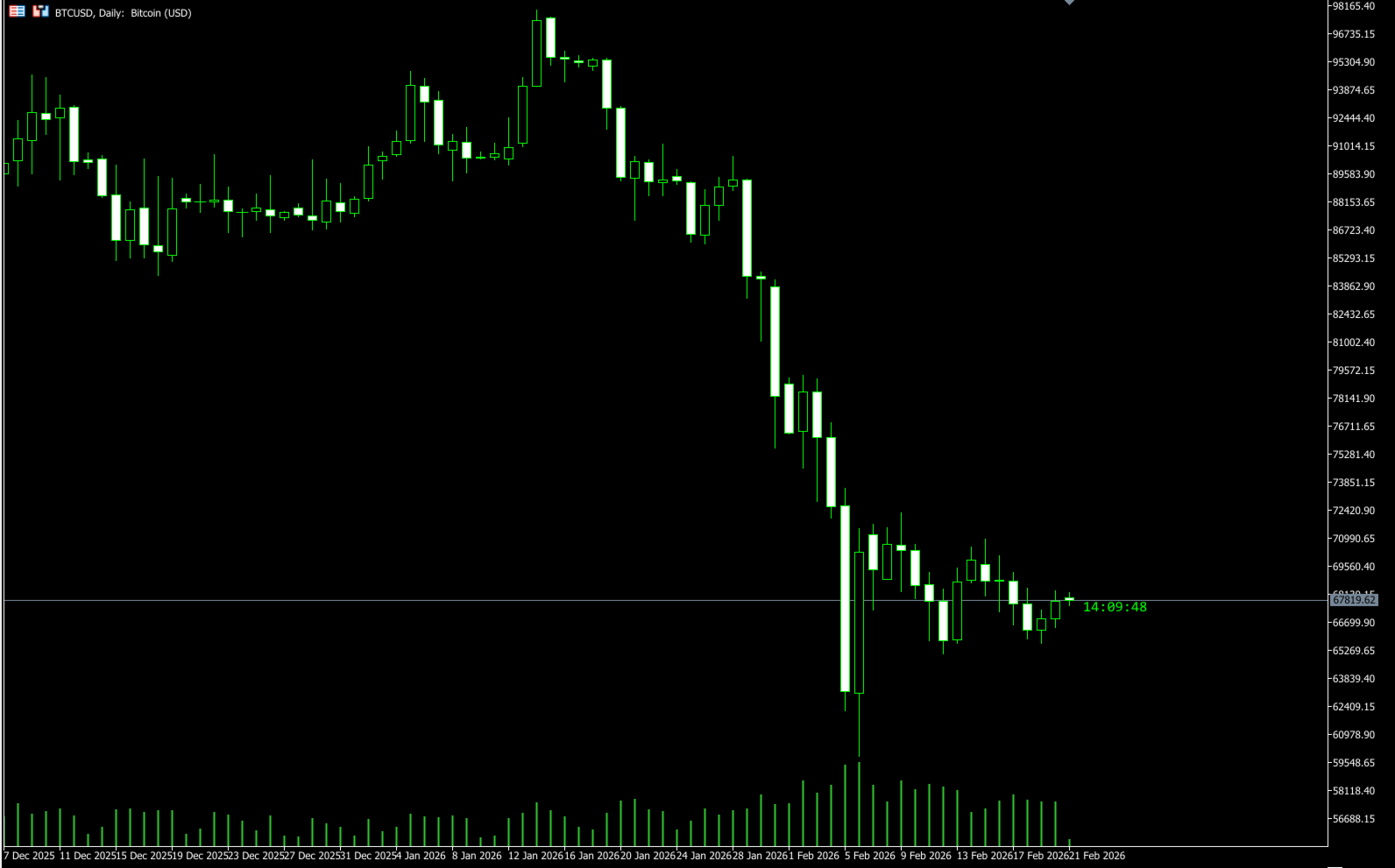
Flexible Display Locations Place the timer where it works best for your setup. Choose from six positions: beside the current candle, on the right price scale (next to the bid price label), or in any of the four chart corners. Each location has independent offset controls for pixel-perfect placement.
Smart Colour Schemes Three colour modes let the timer blend with any chart theme. Manual mode uses your chosen bull/bear colours. Candle Outline mode reads your chart's up/down line colours. Candle Body mode matches your bull/bear candle fill colours. The timer automatically switches colour based on the current candle direction.
Final Countdown Highlight A configurable countdown window (default 10 seconds) changes the timer colour to alert you that the candle is about to close. You can adjust the number of seconds or disable this feature entirely.
Connection Awareness The timer detects three states: active (ticks flowing normally), inactive (no ticks for a configurable period), and disconnected. Each state displays a different suffix so you always know the status at a glance.
New Candle Alerts Get notified when a new candle forms via popup, email, or push notification. Alert messages support macros (%SYMBOL%, %PERIOD%, %TIME%) for dynamic content. An early alert option lets you trigger notifications before the candle closes so you have time to prepare.
Works on All Timeframes From 1-minute scalping charts to monthly position charts, the timer automatically adapts to the current period. A custom period option supports non-standard chart intervals.
Low CPU Usage The timer uses a 500ms event timer instead of continuous polling. Display updates are lightweight and efficient, with no unnecessary chart redraws.
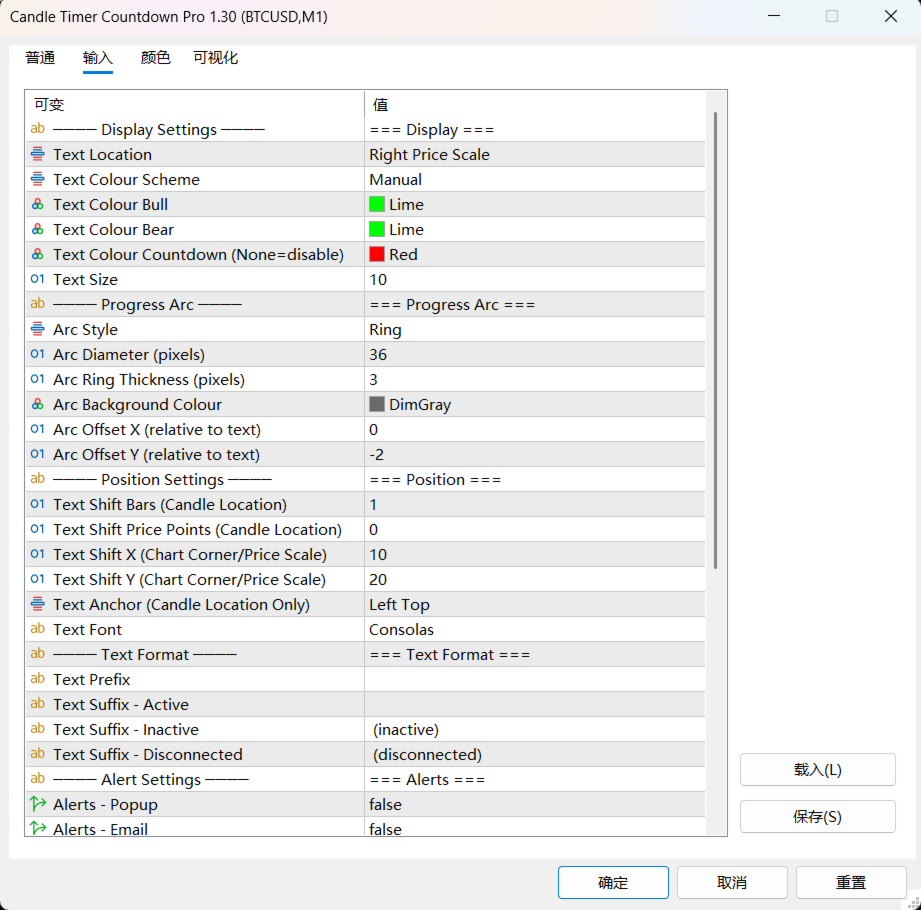
Input Parameters
Display Settings
- Text Location: Beside Candle / Right Price Scale / Upper Left / Upper Right / Lower Left / Lower Right
- Colour Scheme: Manual / Candle Outline / Candle Body
- Bull and Bear colours for manual mode
- Countdown highlight colour (set to None to disable)
- Font size
Progress Arc
- Arc Style: None / Ring (hollow) / Filled Pie (solid)
- Arc Diameter: size in pixels (default 36)
- Arc Ring Thickness: width of the ring stroke (default 3)
- Arc Background Colour: colour for the unfilled portion
- Arc Offset X / Y: fine-tune position relative to the timer text
Position Settings
- Bar shift and price offset for candle-relative placement
- X and Y pixel offsets for corner and price scale placement
- Text anchor point for candle location
- Font selection
Text Format
- Custom prefix text before the timer
- Separate suffix text for active, inactive, and disconnected states
Alert Settings
- Popup, email, and push notification toggles
- Custom sound file
- Customisable message text with %SYMBOL%, %PERIOD%, %TIME% macros
- Early alert trigger (seconds before candle close)
- Startup delay to prevent false alerts on indicator load
Advanced Settings
- Countdown seconds threshold for colour change
- Inactive detection timeout
- Custom period seconds for non-standard charts
- Candle time offset for shifted candle schedules
- Local/server GMT offset correction
- Instance ID for running multiple timers on one chart
Recommended Settings
For most traders, the default settings work well out of the box. The circular progress arc is enabled by default in Ring style, giving you a quick visual reference alongside the countdown text. If you prefer the timer next to the price label on the right axis, select "Right Price Scale" as the location. For a cleaner look on dark charts, try the Candle Body colour scheme, which automatically matches your chart's candle colours. If you find the arc distracting, simply set Arc Style to None for a minimal text-only display.
How to Install
- Download from MQL5 Market
- The indicator appears in Navigator under Indicators
- Drag onto any chart
- Adjust location and colours to your preference
Compatibility
- MetaTrader 5 (Build 2500+)
- All symbols (Forex, Crypto, Indices, Commodities, Stocks)
- All timeframes (M1 to MN, including custom periods)
- All account types