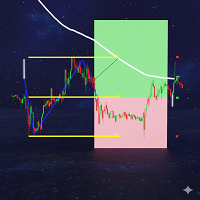
Artemis Tradedeck Trade Panel
- Experts
- Version: 1.10
- Updated: 5 June 2026
- Activations: 20

Artemis TradeDeck for MT5
Artemis TradeDeck is a professional manual trading panel for MetaTrader 5, built for traders who want fast execution, clear risk control, structured trade management, and account protection from one clean on-chart
TradeDeck is not a trading strategy and does not predict market direction. You decide when and where to trade. TradeDeck helps you place, manage, protect, and review your trades with more structure.
A cleaner way to manage manual trading
Most trade panels focus on simple Buy, Sell, and Close buttons. TradeDeck is designed as a complete execution and management workspace. It combines manual order placement, risk preview, visual trade planning, OCO orders, grid tools, protection rules, alerts, reporting, and profile saving inside a compact Artemis Graphite UI.
The aim is to help traders reduce execution mistakes, understand planned risk before entry, and manage trades with consistent rules.
Artemis Risk Preview
Before placing a trade, TradeDeck shows key planning information such as lot size, estimated risk, reward-to-risk ratio, margin estimate, spread status, broker stop-level information, Guard status, OCO status, and Smart Action mode.
The panel supports both fixed-lot trading and risk-based lot sizing. TradeDeck uses broker points for SL, TP, distance, breakeven, trailing, and grid spacing because points are native to MT5 and work consistently across forex, gold, indices, crypto CFDs, and broker-specific symbols.
Execution and order control
TradeDeck supports market orders, pending orders, and OCO bracket orders. You can place Buy, Sell, Buy Limit, Buy Stop, Sell Limit, and Sell Stop orders from the panel. You can also close buy positions, close sell positions, close profitable or losing positions, delete pending orders, reverse the current position, or lock symbol exposure.
The Artemis OCO Bracket function is useful for structured breakout planning. It can place a Buy Stop and Sell Stop pair around price, then remove the remaining pending order after one side is triggered, while the panel is active.
Smart Action
The feature you requested the most!
The Smart Action button gives you one clear management shortcut. The active mode is shown directly on the button:
Smart Action: Protect moves eligible trades to breakeven and performs a partial close.
Smart Action: Secure moves eligible trades to breakeven only.
Smart Action: Emergency closes managed positions on the current symbol and deletes managed pending orders.
This gives the trader a fast way to apply a chosen management rule without searching through multiple controls.
Artemis Risk Guard protection
The built-in Artemis Guard system helps users apply trading discipline. It can monitor daily loss, daily profit target, equity drawdown, floating loss, session rules, max risk per trade, max open positions, and max symbol exposure.
When a Guard condition is active, TradeDeck can block new trades. Depending on the user’s settings, it can also close managed trades or delete pending orders. Guard tasks can also be configured for actions such as closing at a selected broker time, closing at an equity level, or closing at a floating P/L threshold.
Visual planning, grid tools, and management
TradeDeck includes visual Entry, Stop Loss, and Take Profit guide lines. These lines can help plan trades on the chart, and the Place Lines function can place a pending order using the line positions.
The Artemis Grid Builder allows structured pending order placement with grid spacing and optional split-risk behaviour. TradeDeck also includes grid management actions such as grid breakeven, grid trailing, close grid, and delete grid pending orders.
For open trades, TradeDeck includes breakeven, partial close, trailing stop, ATR-based SL/TP options, ATR trailing, multi-stage auto breakeven, multi-stage auto partial close, reverse position, and symbol lock.
Artemis profiles, alerts, and reporting
TradeDeck can display panel messages and can optionally use popup alerts, push notifications, and email alerts. It can also write activity to a CSV journal for later review.
Profiles can be saved and loaded using terminal storage, allowing users to keep preferred settings for different trading styles. Preset profiles include Manual, Scalper, Gold, and Prop Firm.
The panel also includes a basic 30 Day Report for the current symbol, helping users review recent closed trade activity.
Built-in Help
A Help tab is included inside the panel to explain the main controls, including fixed lot versus risk lot, SL/TP and distance values, OCO, Smart Action, Guard, visual lines, virtual SL/TP, presets, reports, and profiles.
Important notes
Artemis TradeDeck is a manual execution and trade-management utility. It does not guarantee trading results and does not replace the user’s trading decisions.
Broker conditions can vary, including minimum lot size, lot step, stop level, freeze level, filling mode, pending-order support, symbol specifications, spread, execution, and margin requirements.
Virtual SL/TP and OCO management require MetaTrader 5, the chart, the EA, Algo Trading, and the connection or VPS to remain active. Session labels are based on broker server time and are intended as practical guidance only.
Users should test settings on a demo account before live use.