Advanced Sniper EA mt
- Experts
- DMITRII GRIDASOV
- Version: 25.16
- Activations: 15
ADVANCED SNIPER EA is a precise automatic trading system around 90% win rate for professional traders.
This EA is one of the most stable, consistent and profitable scalping robots around the globe.
It is original product which is offered only on this MQL5 website.
This Robot is an Advanced version of brilliant MULTI SNIPER EA.
So, in comparison with basic MULTI SNIPER EA advanced version is for people with engineering mind who likes to play with plenty of different parameters and adjust system according to their own needs. Basic version is for people who would like to install system one time and just let it go.
Additional features of ADVANCED SNIPER EA in comparison with basic MULTI SNIPER EA:
- Additional spread settings.
- Adjustable Volatility-Adaptive Stop Loss.
- Adjustable Exit filters.
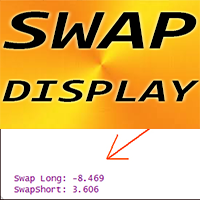
- SWAP display for Long/Short.
- Fixed_SL and Fixed_TP options.
Common for both versions:
- EA sets dynamic SL automatically depending on market volatility.
- Robot has automatic risk management by default and fixed lot options.
- Adjustable Trade Entry Sensitivity parameter.
- No keeping orders from Fri to Mon to avoid gaps.
- Precise operating time filter with 1 minute accuracy.
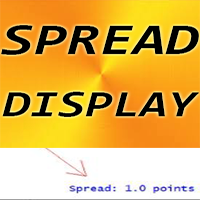
- Built-in SPREAD display.
- Robot has BreakEven function.
- Leverage of account: from 1:30 to 1:2000.
- Most recommended pairs are GBPCAD, GBPAUD.
- No any dangerous martingale/grid trading. Each order has own SL for account protection.
- Operating time: EA is looking for entry opportunities from the end of US trading session till the middle of Asia session according to time filter in settings. If system did not open orders during operating time - it means there were no entry signals available on chart - do not forget that this EA is sniping trading system.
- Timeframe: only M15.
How to install:
- System requires MT4 trading account with narrow spreads (Raw spread or ECN).
- Open GBPCAD, GBPAUD charts.
- Select M15 timeframe on each chart.
- Attach Robot to each chart, and Apply corresponding "Set_file" to EA on each chart. Make sure parameter Trading_Flag = true.
- Set Auto-Risk value for each pair in EA settings according to your needs (or just use default value).
- Robot is doing everything automatically - all you need is to install it to MT4 and leave PC run (or just use VPS).
IMPORTANT!!! For best performance of trading system follow recommendations below:
- WORKING HOURS: It is highly recommended to use MT4 where Market_watch = GMT+2 (in Standard time period) and GMT+3 (in Daylight Saving time period). If your broker's server has different GMT time zone - it will be necessary to shift EA time settings - simply send me message about that (to check your broker time zone) - I will help to check that and provide related Set_files if necessary.
- SPREAD and BROKER: It is very important to select account with tight spreads (Raw spread or ECN) for best performance.
- EA UPDATES: It is necessary to use the latest version of EA.