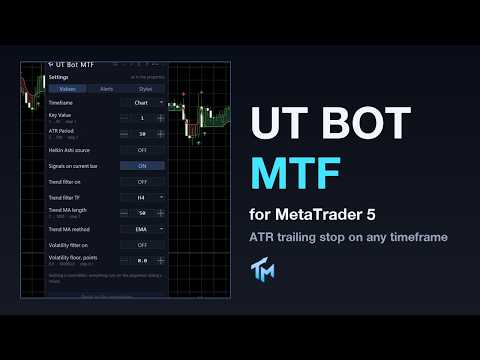
UT Bot MTF
- Indicators
-
Evgenii Sutulov
 Premium components
1. https://www.mql5.com/en/market/product/201632 - Rotation Manager Console - Version: 1.3
UT Bot MTF is an ATR trailing stop and the flip signals it produces. The stop follows price at a distance of a chosen multiple of ATR, ratchets in the direction of the move and never gives ground back. When price closes through it, the stop flips to the other side and the indicator marks a BUY or a SELL.
That is the whole engine, and it is deliberately simple. What this product adds around it is the part that decides whether you can actually use it: four independent filters, an honest account of what each one threw away, and a panel that never pretends the signal on the current bar is finished.
Optionally the whole calculation measures from the Heikin Ashi close instead of the real close, which makes the flips fewer and later.
The four filters
Every filter ships switched off. Each one is a separate hypothesis about the market and each can be turned on alone. The trend filter keeps only the signals that agree with the direction of a moving average on a higher timeframe, and the timeframe, the period and the method are all yours to choose. A signal that predates the filter's own data is left alone rather than judged, and the panel says how many those were.
The session filter keeps only the signals inside a time window given as HH:MM in GMT. The broker's GMT offset can be given by hand or detected from the server clock. The volatility filter drops signals taken while ATR is under a floor given in points; a floor of zero never rejects anything, and the panel says so rather than pretending the filter is working. The news filter drops signals within a chosen number of minutes before and after an economic calendar event of at least a chosen importance, read from the terminal's own calendar. If the calendar is unavailable, the panel names the error rather than silently passing everything.
The panel prints, permanently, which filters are on and with what settings, and one line saying how many signals were kept of how many raw signals there were, broken down by which filter rejected the rest. A filter that is switched on but cannot do its job says so in its own line.
What is on the chart
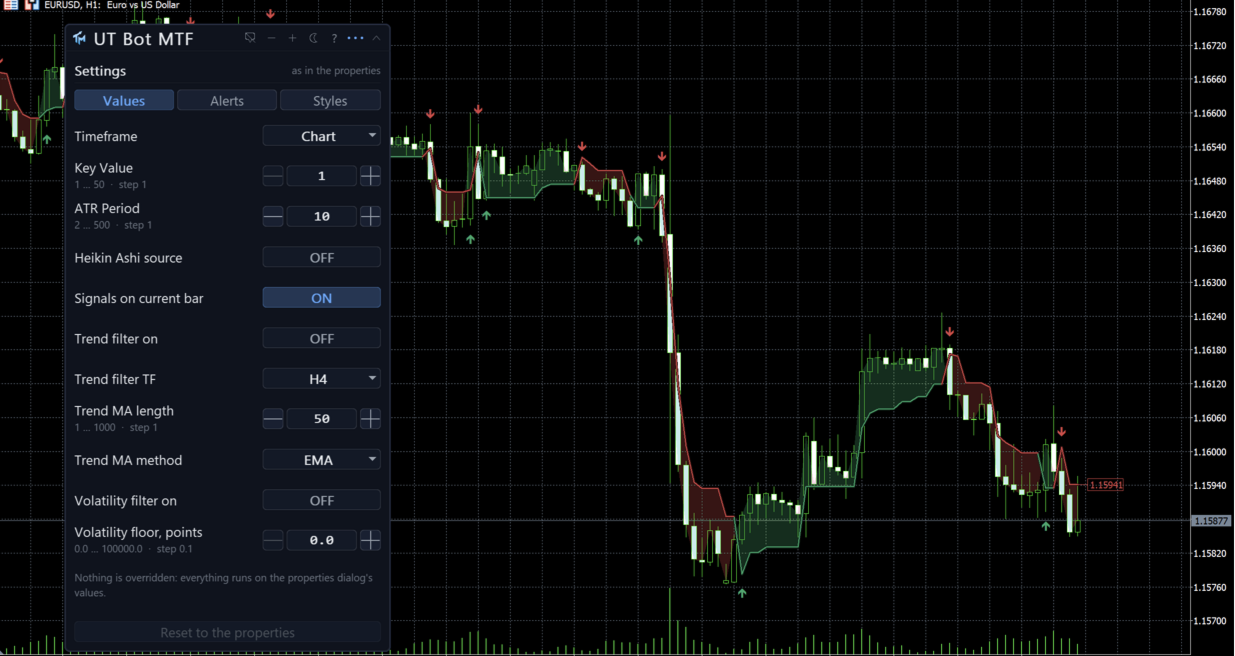
The trailing stop line, coloured by the side it is currently on. Under it, optionally, a wider and dimmer copy of the same line, so it reads at a glance on a busy chart. Optionally a shaded fill between the stop and price. BUY and SELL arrows on the flips. And optionally the active stop level shown as a tag on the price scale, so you can see where the stop is without measuring. Everything draws in the price window.
The panel
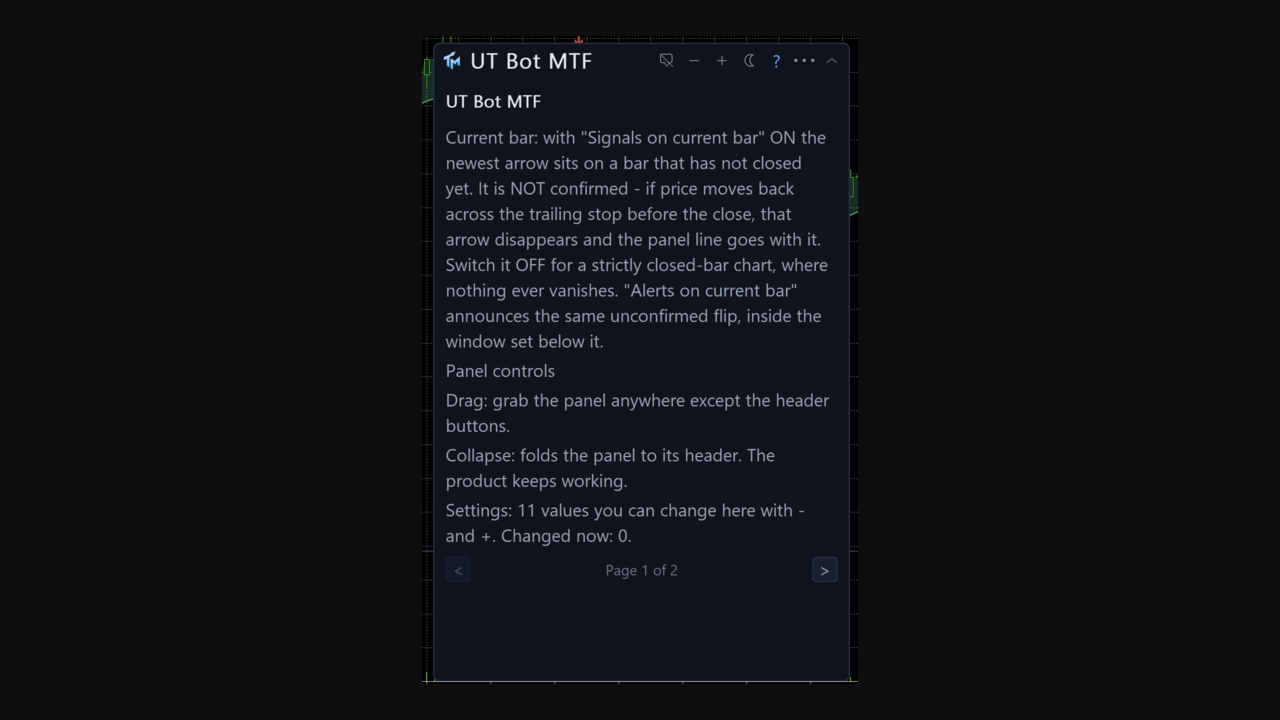
A canvas panel on the price chart, draggable, collapsible, closeable. It shows the timeframe in force, the key value and ATR period actually being used, and whether Heikin Ashi is on. It says what the last closed bar was: a BUY flip, a SELL flip, or no flip. It shows the current bar's status in the warning colour while that status applies: either that a BUY is forming on the current bar and can still disappear, or the same line for a SELL, or that closed bars only are in use and a signal will appear at the close. It says whether early alerts are on and how many seconds before the close they speak. It carries the filter block described above, silent when no filter is on. And it says whether the numbers came from the properties dialog or from the panel, and how many were changed.
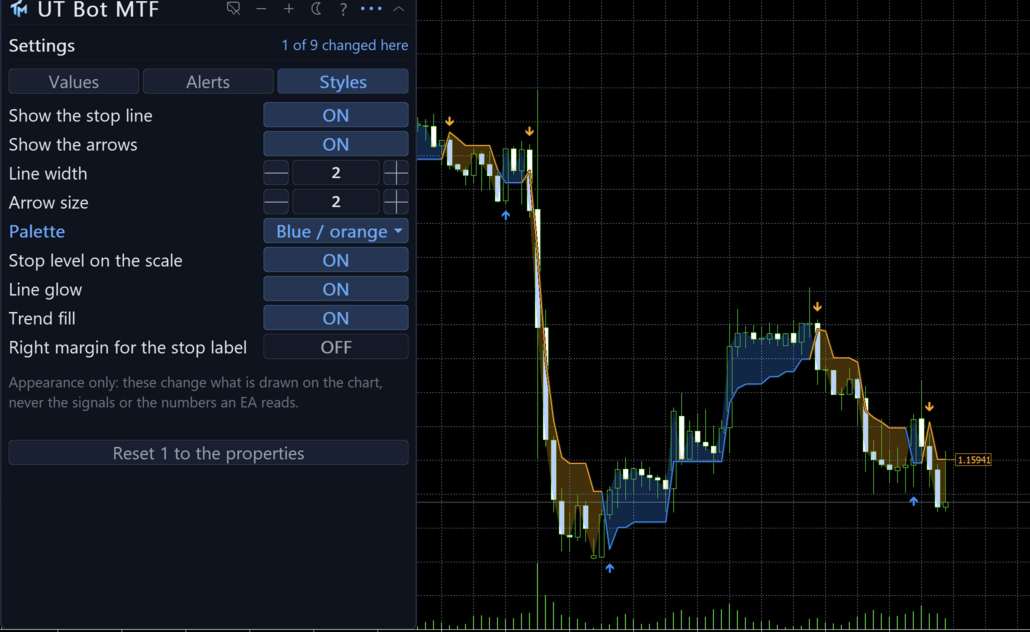
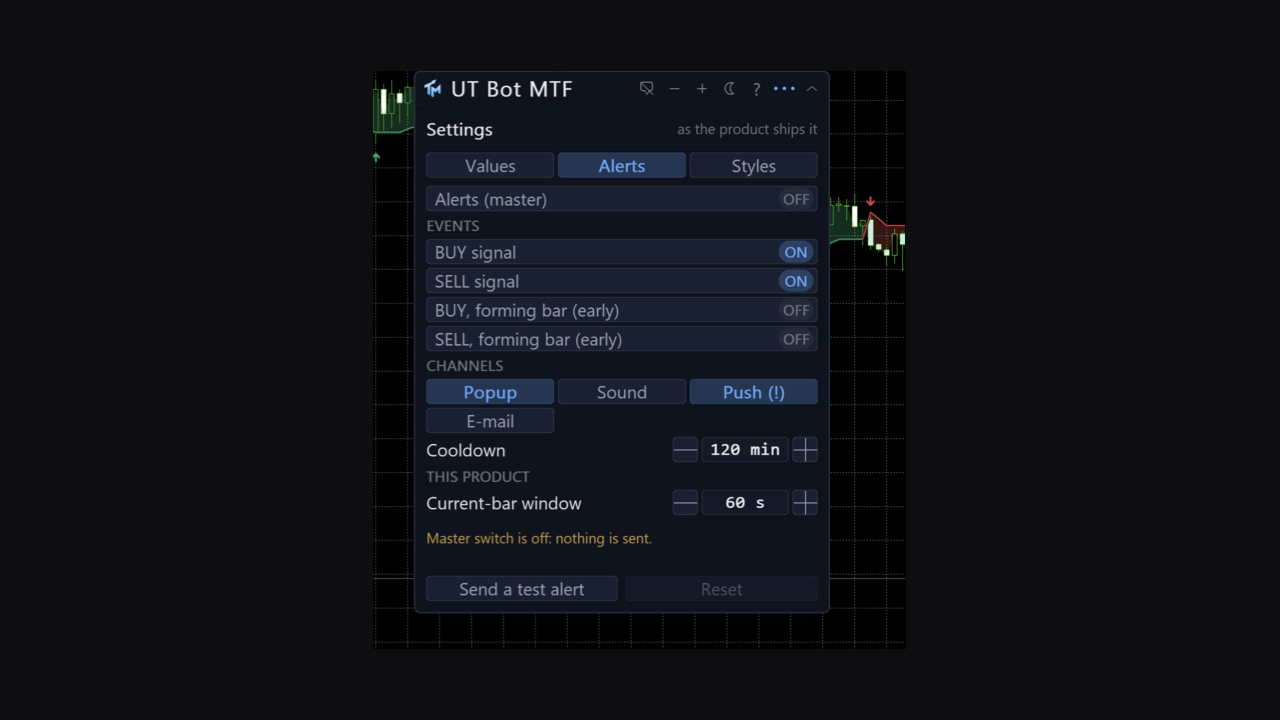
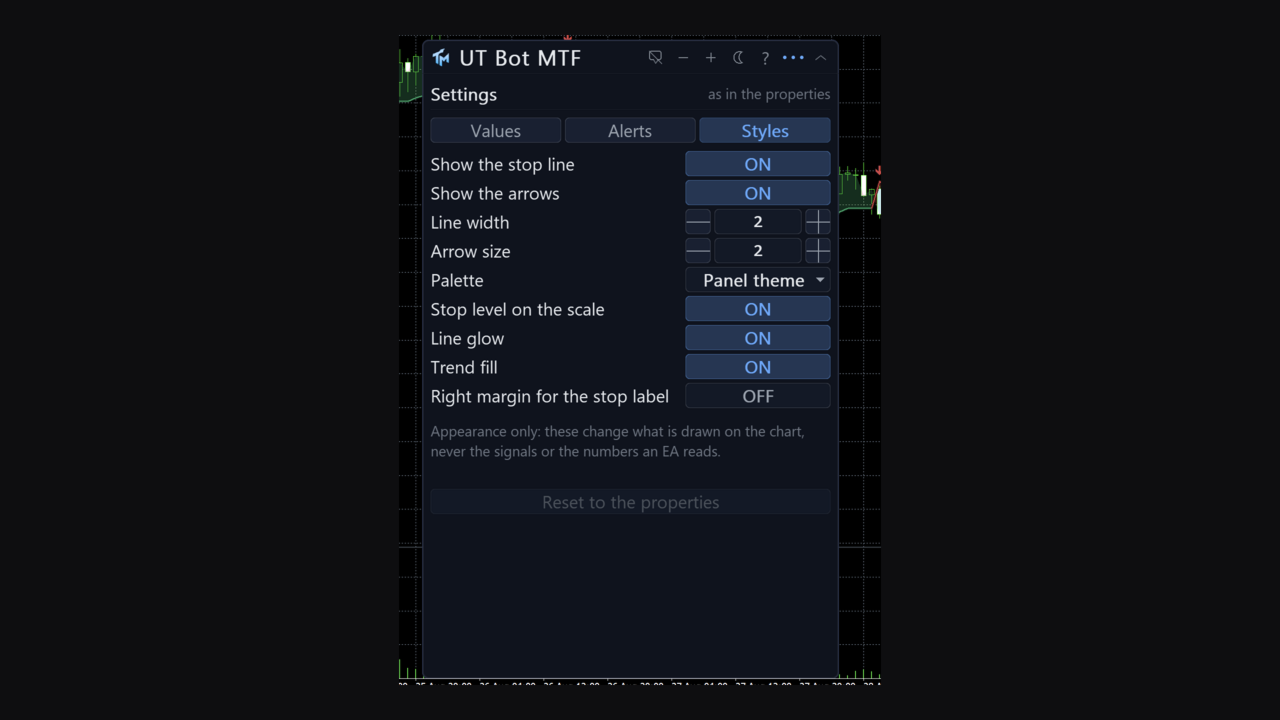
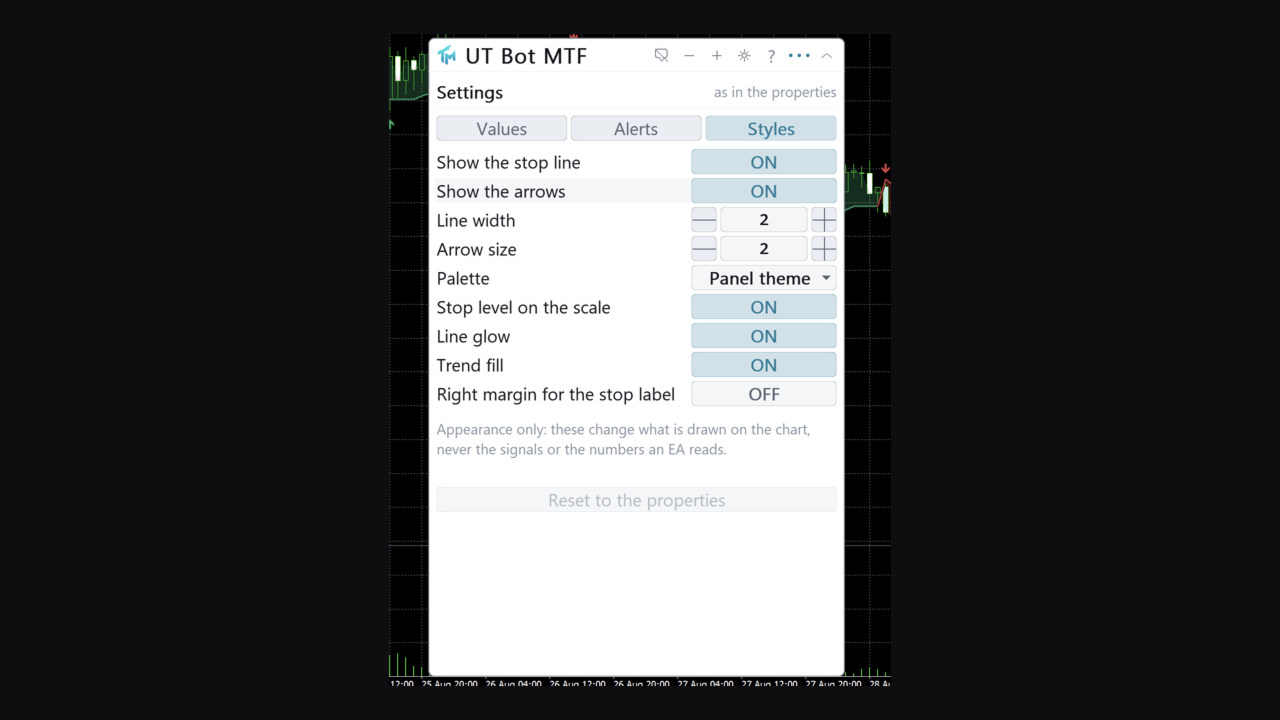
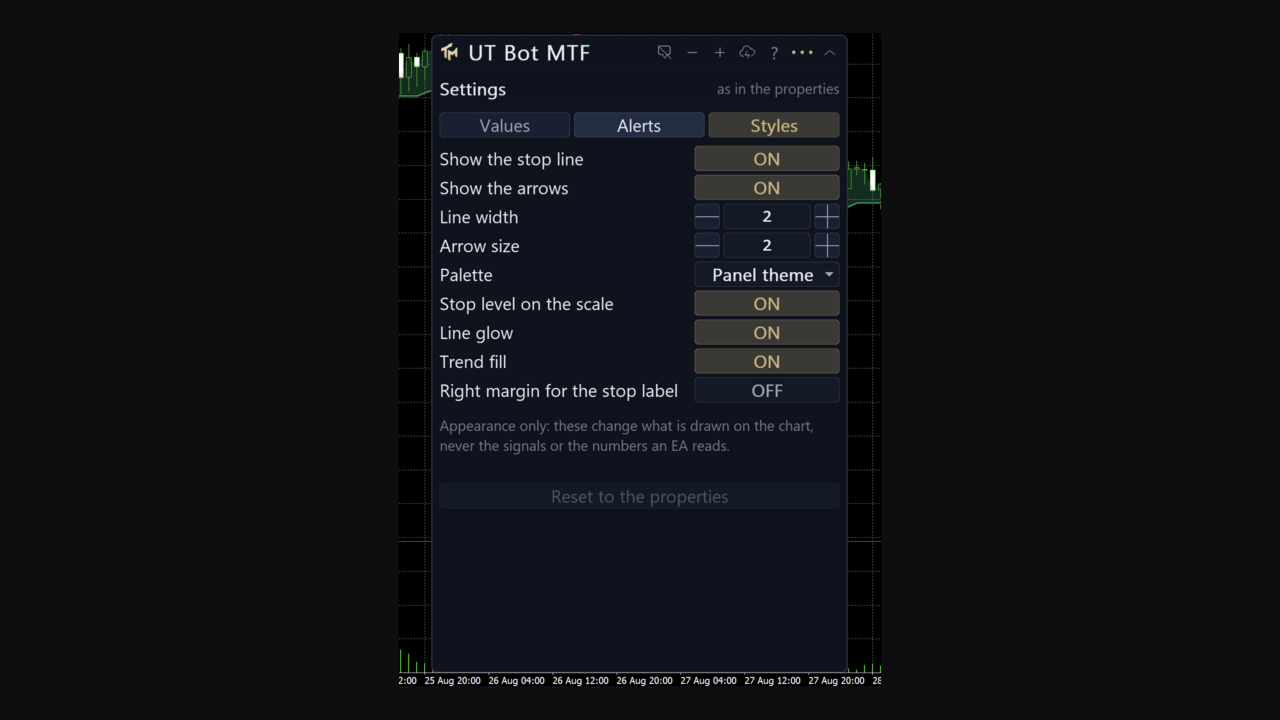
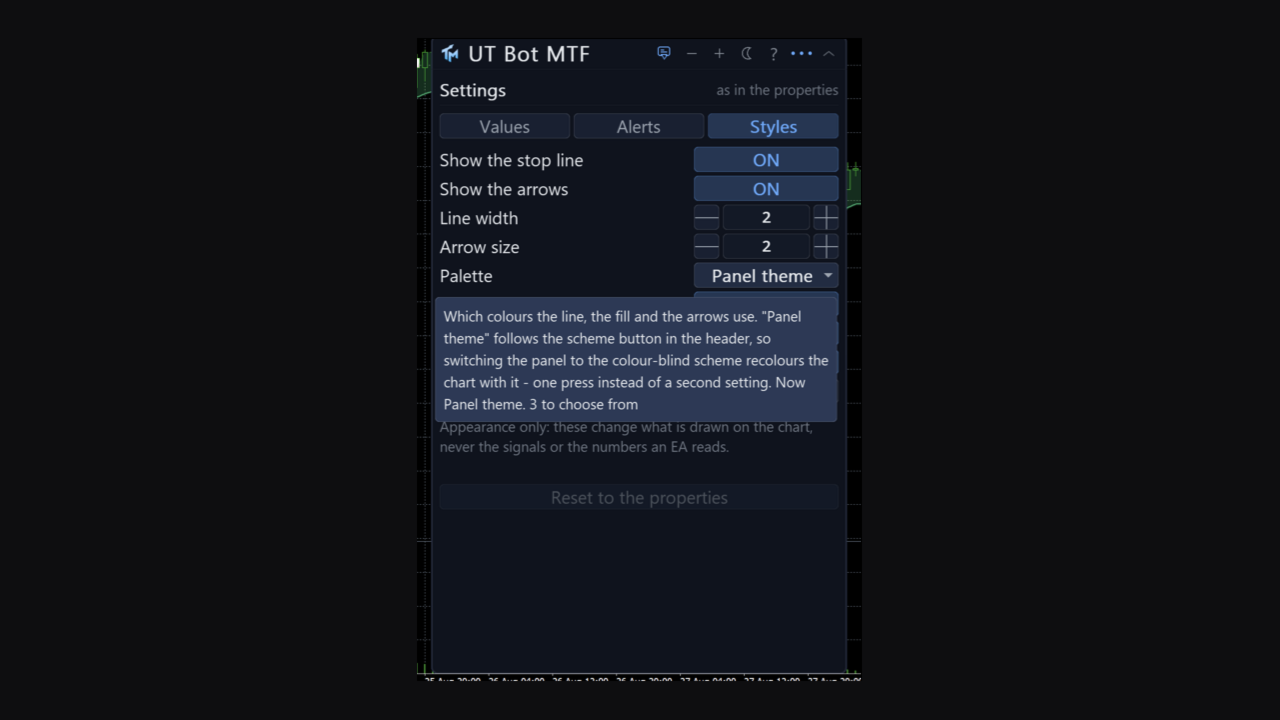
Below that sit the settings the panel can move, with their current values. The gear opens a three-tab sheet. Values covers the timeframe, key value, ATR period, Heikin Ashi source, signals on the current bar, the trend filter with its timeframe, MA length and MA method, and the volatility filter with its ATR floor; every row has steppers, a range and a sentence of help. Alerts covers the master switch, the per-event switches, the four channels, the cooldown in minutes and a test alert. Styles covers the palette, the fill, the glow, the line, the arrows, line width, arrow size and the price-scale tag, and changes appearance only.
Three colour schemes: dark, light, and a colour-blind safe one that uses blue and orange and never puts red against green. Panel state and every sheet change persist per chart across a timeframe change and a terminal restart. The interface is English.
Signals on the forming bar
There is a switch, in the inputs and in the Values tab, deciding whether buffers and arrows may be written on the bar that is still forming. It ships on, and the panel says so in the warning colour whenever it is on. With it on, you see a flip the moment the market makes it, and sometimes that flip is undone before the bar closes and the arrow goes away. With it off, nothing at all is written on the forming bar: nothing repaints, and every signal arrives one bar late by construction. The product does not choose for you and does not hide which mode it is in.
Alerts
Off out of the box. The events are a BUY signal and a SELL signal. The channels are a popup window, a sound, a push to the mobile terminal and e-mail, with per-event and per-channel switches and a cooldown that defaults to two hours.
Alerts fire on the last closed bar. Two further alerts, off by default, speak on the forming bar and only within a chosen number of seconds of its close, and the panel states which mode you are in rather than leaving you to work it out. Telegram is not part of this product.
Multi-timeframe
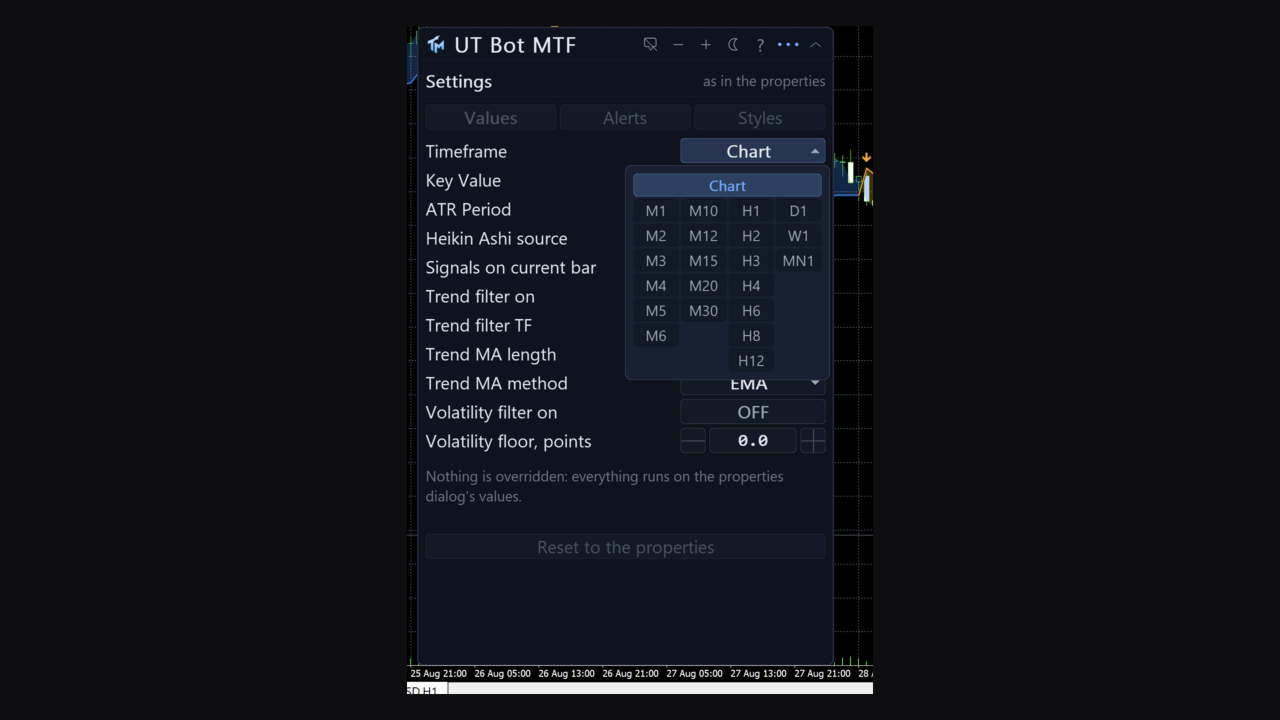
The Timeframe setting computes on a higher timeframe and draws the result here. Only closed senior bars are read, so a chart bar shows the newest senior bar that had already closed by its own time. This is separate from the trend filter's timeframe, which is a filter and not a display setting.
A foreign series is built in the background. The first read of it can come back empty; the indicator retries, and the panel says whether it is waiting for a download or short of history. It never fails initialisation over missing bars.
Reading it from an EA
Fifteen buffers, all readable through iCustom and CopyBuffer. Buffer 0, Buy, carries the arrow price on a BUY flip bar and EMPTY_VALUE otherwise, and is not drawn. Buffer 1, Sell, is the same for a SELL flip. Buffers 2 and 3 are the two edges of the trend fill, and buffers 4 and 5 the two edges of the line glow. Buffers 6 and 7 are the drawn trailing stop line, up and down. Buffer 8, BuyMark, and buffer 9, SellMark, are the drawn copies of buffers 0 and 1. Buffer 10, Stop, is the trailing stop level and buffer 11 is its colour index. Buffer 12, Signal, is +1 on a BUY flip, -1 on a SELL flip and 0 when there is no flip. Buffer 13, Override, counts how many settings were changed from the panel. Buffer 14, Atr, is the ATR behind the stop.
Buffers 0 and 1 are the contract: never painted, filled on every pass regardless of what the Styles tab shows, and present in the Data Window. Hiding the arrows, the fill or the line cannot starve a strategy of the signal. The contract already has the filters applied to it, so an EA reading buffer 0 sees the same signals a person sees on the chart.
An instance created by iCustom is read-only and always uses the parameters you passed. Buffer 13 lets a strategy detect that a chart instance is running on hand-changed numbers.
Provenance
This is a port of "UT Bot Alerts" from TradingView, an idea by HPotter with the alert variant published by QuantNomad and Yo_adriiiiaan. The script is openly published, which makes a port by formula admissible, and this implementation was reconstructed from the formulas as a working specification rather than translated line by line.
The product carries the method's name because that is what it implements. The original work belongs to its authors and no authorship of it is claimed here.
Honest limits
With forming-bar signals on, which is the shipped default, the arrow on the current bar can disappear before that bar closes. The panel says so in the warning colour every time it applies. Turn the setting off and nothing is written on the forming bar at all. Closed bars never change either way.
The trailing stop is a trailing stop. In a range it will be taken out repeatedly, and each of those is a real flip and a poor trade. The filters exist because of this, and none of them removes the problem; they only reduce how often you meet it.
The news filter depends on the terminal's economic calendar. If the calendar is not available on your account or your broker, the filter is idle and the panel names the error. It does not silently pass everything as if it were working. A session window given in anything other than HH:MM leaves the session filter idle, and the panel says so rather than dropping signals for a reason you cannot see. The trend filter cannot judge signals older than the higher-timeframe data it has; those are left alone rather than removed, and the panel counts them.
No profit figure, win rate or backtest result is claimed here.