Exhaustion Count MTF
- Indicators
-
Evgenii Sutulov
 Premium components
1. https://www.mql5.com/en/market/product/201632 - Rotation Manager Console - Version: 1.3
Exhaustion Count MTF counts. It does not predict direction and it does not tell you which way to trade. It answers one question: has this move been going on long enough that it is running out of participants.
Two independent phases run on the chart, a setup and a countdown, each with its own rules, its own cancellation conditions and its own place in the buffers an Expert Advisor can read.
The setup
Nine consecutive closes on one side of the close four bars back, started by a price flip. A bar that fails the condition resets the count to zero, it does not pause it. Bar eight or nine may perfect the setup by taking out the extremes of bars six and seven, which the product marks with a dot after the number. When a setup finishes it leaves a horizontal level behind it, called here the Setup Barrier.
The countdown
Thirteen bars, not necessarily consecutive, each closing beyond the extreme two bars back. The bar that would carry count thirteen must additionally close beyond the extreme of the bar that carried count eight. If it does not, the count stays at twelve and waits, which is the deferred thirteen.
Cancellation and recycling
The countdown is cancelled by an opposing setup, or by a close through the Setup Barrier, and it is recycled when another setup the same way completes.
The cancellation and recycling rules are the part cheap implementations drop, which is why their thirteens arrive early and in places the method never called for one. They are implemented here, each behind its own switch, and every reset records why it happened.
What is on the chart
The setup and countdown numbers are printed bar by bar, in one colour for the buy side and another for the sell side, with a dot after a nine that was perfected. The Setup Barrier levels currently in force are drawn as horizontal lines, optionally built from true highs and lows so a gap is closed rather than ignored. Arrows mark completed signals.
It draws in the price window. The numbers are printed for a chosen number of recent bars, so a long chart does not fill with text; older bars keep their buffer values and simply carry no label.
The panel
A canvas panel on the price chart, draggable, collapsible, closeable. It carries three live lines: the timeframe in force together with the setup and countdown lengths actually being used; what the last closed bar is, either a completed setup, a completed countdown, or the two running counts as numbers; and whether the numbers come from the properties dialog or from the panel, and how many were changed.
Under that sits every setting the panel can move, with its value, changed ones highlighted.
The settings sheet
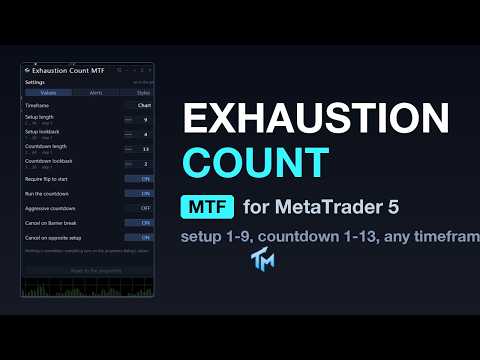
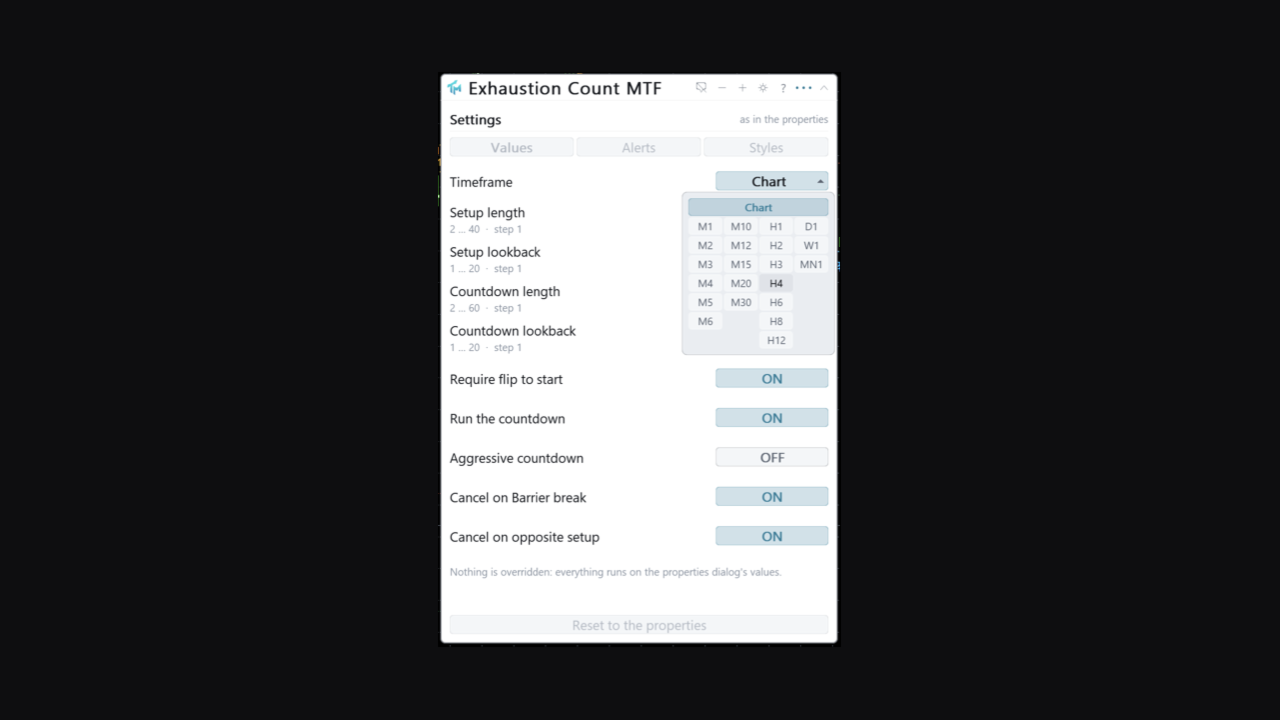
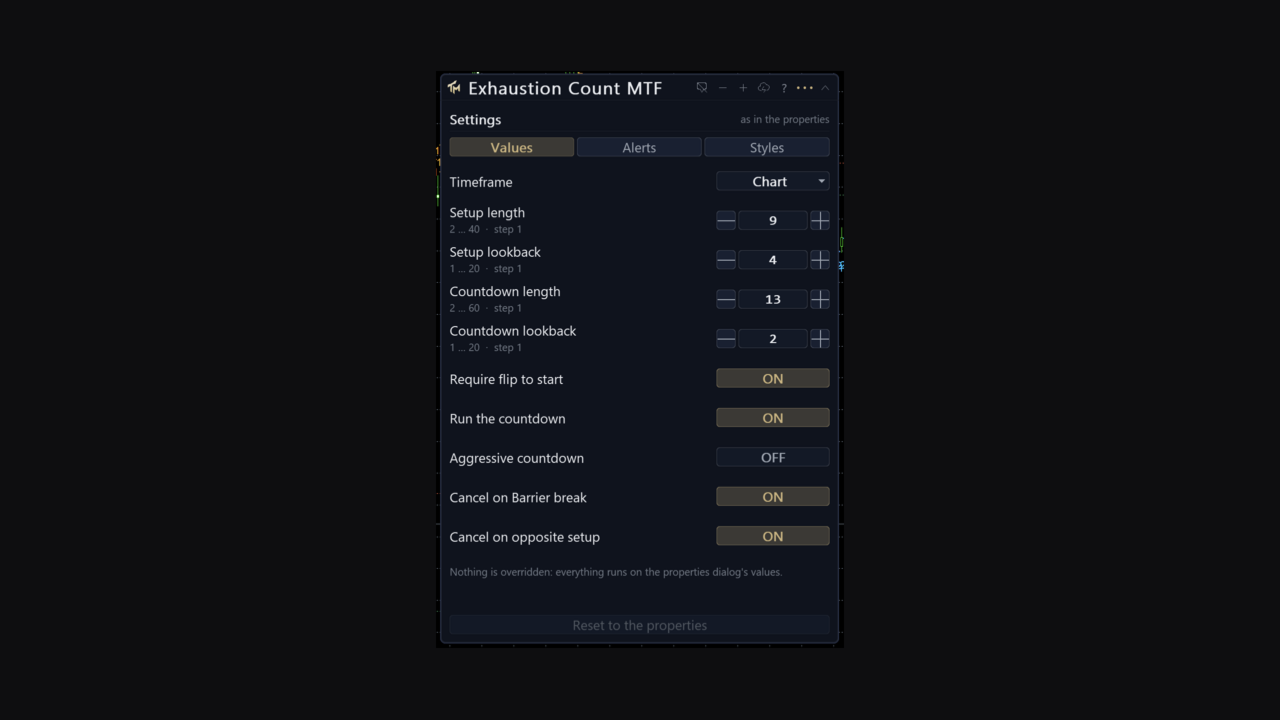
The gear opens the settings sheet. The Values tab holds the timeframe, setup length, setup lookback, countdown length, countdown lookback, require a flip to start, run the countdown at all, aggressive countdown, cancel on a Barrier break and cancel on an opposing setup. Each row has steppers, a range and a sentence of help.
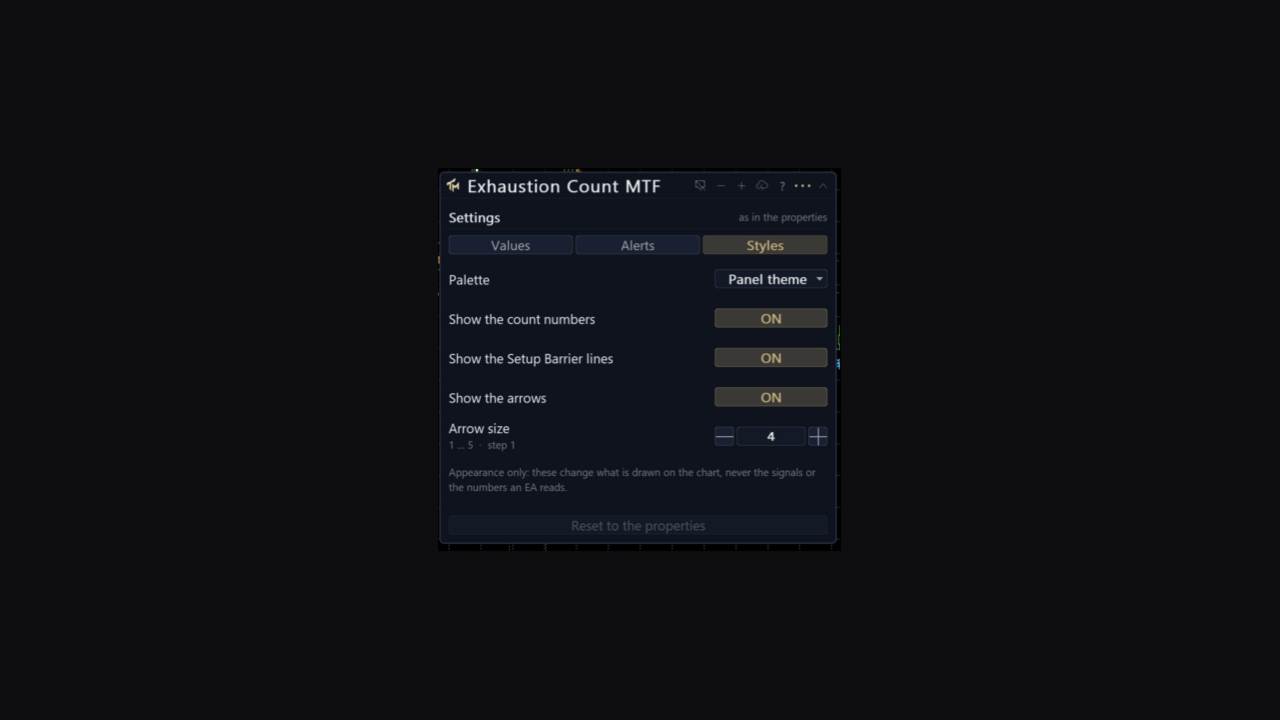
The Alerts tab holds the master switch, the per-event switches, the channels, the cooldown and a test button. The Styles tab is appearance only, with no recomputation behind it.
Three colour schemes are available, including a colour-blind safe one that never puts red against green. Panel position, scheme and every change made on the sheet persist per chart across a timeframe change and a terminal restart. The interface is English.
Alerts
Off out of the box. The events are a setup completed at nine, a countdown completed at thirteen, and a close through a Setup Barrier level. There is a separate switch to alert on setup completion only when the setup was perfected.
Channels: popup window, sound, push to the mobile terminal, e-mail. Cooldown per event, two hours by default. Telegram is not part of this product.
Multi-timeframe
The Timeframe setting computes the counts on a higher timeframe and shows them on the chart you are looking at. Only closed senior bars are read: a chart bar shows the newest senior bar that had already closed by its own time.
Completion signals and the perfection flag land on the first chart bar of the senior bar they belong to, because a completion is an event and belongs to one bar. The running setup and countdown numbers and the Setup Barrier levels are held across the whole span of the senior bar, which is what a correct multi-timeframe staircase looks like.
A foreign series is built in the background and the first read of it can return nothing. The indicator retries and reports on the panel whether it is waiting or short of history.
Reading it from an EA
Eleven buffers, all readable through iCustom and CopyBuffer, and every one of them appears in the Data Window.
Buffer 0, Buy, carries the arrow price on a buy signal bar and EMPTY_VALUE otherwise, and it is not drawn; buffer 1, Sell, is the same for the sell side. Buffer 2, Setup, runs from -1 to -9 for a buy setup and from +1 to +9 for a sell setup, and a count that runs past nine means the pressure has not stopped. Buffer 3, Countdown, runs from -1 to -13 for a buy countdown and from +1 to +13 for a sell countdown.
Buffer 4, BarrierRes, holds the Setup Barrier resistance left by the last buy setup, and buffer 5, BarrierSup, the support left by the last sell setup. Buffer 6, Signal, reads -1 for a buy setup nine, -2 for a buy countdown thirteen, +1 and +2 for the same two events on the sell side, and 0 for none. Buffer 7, Perfection, is -1 when a buy setup was perfected and +1 when a sell setup was. Buffers 8 and 9, BuyMark and SellMark, are the drawn copies of buffers 0 and 1. Buffer 10, Override, reports how many settings were changed from the panel.
Buffers 0 and 1 are the EA contract. They are never painted and are filled on every pass regardless of what the Styles tab shows, so hiding the arrows cannot starve a strategy.
Honest limits
The count on a forming bar changes inside the bar, so it is never drawn. Buffers on the newest bar stay empty until that bar closes. This is why nothing here repaints and also why you will not see a nine until the bar that makes it is finished.
A nine or a thirteen is a statement about exhaustion, not an entry. Price can complete a countdown and continue in the same direction. The method itself calls for confirmation and this product does not supply one.
Setup counts can run past nine. That is not an error and the buffer reports it, because a count that keeps going says the pressure has not stopped.
The cancellation and recycling rules change the answer materially. Two people running this with different switches will see different thirteens, and both readings are legitimate. There is no single correct configuration and none is claimed.
No profit figure, win rate or backtest result is claimed here.