Chart Navigator MT5 Base
- Indicators
-
Ivan Butko
 Greetings, friends!
I write in mql4 and mql5. In my market you will find a variety of products, every day I develop something new, I research something. New indicators and advisors will appear in the near future. - Version: 1.0
Chart Navigator MT5 Base is a mini-map for fast navigation across the price chart and quick jumps to your own marks on it.
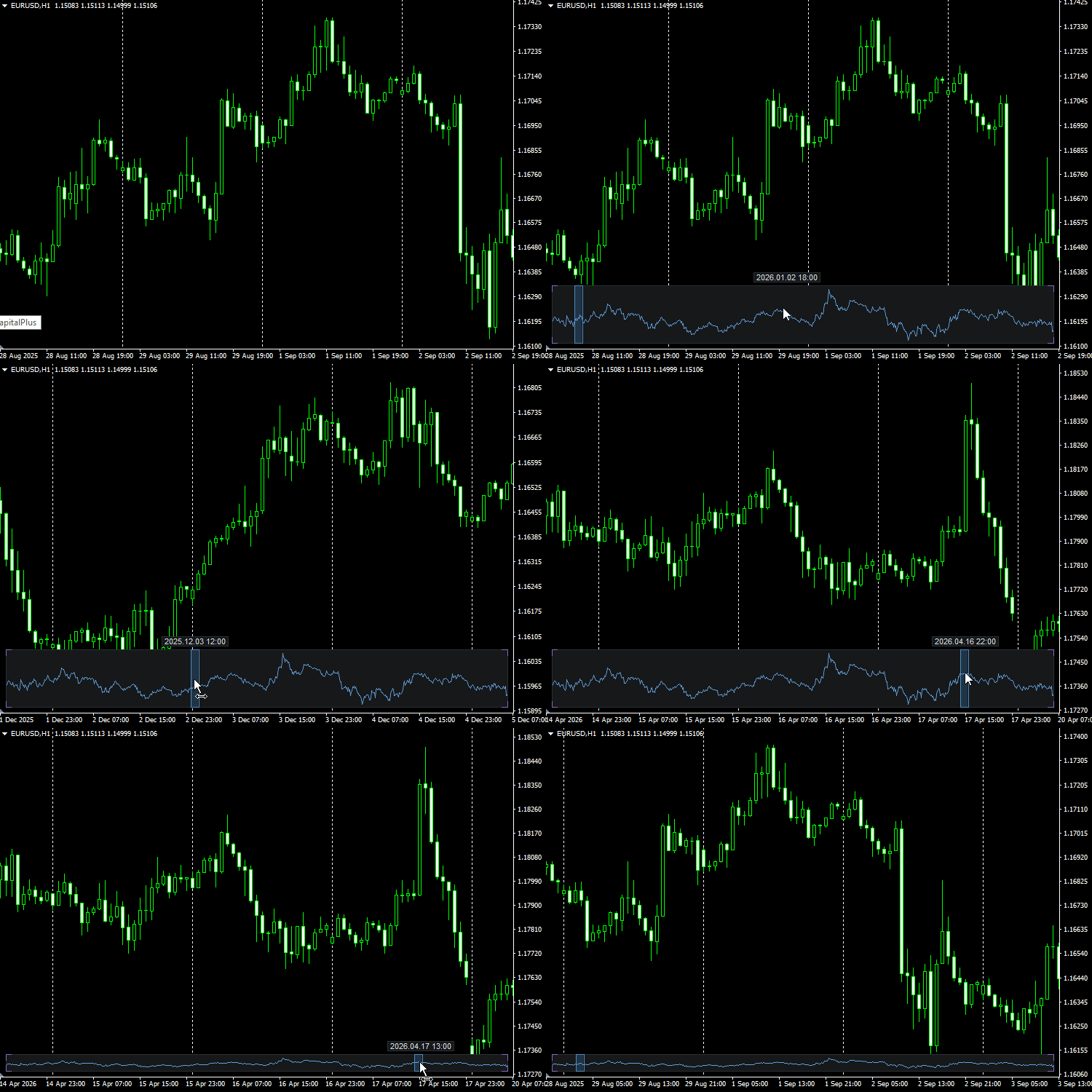
This indicator adds a compact mini-map of the entire price chart to the chart. The map helps you move quickly through history and return to important places marked with vertical lines.
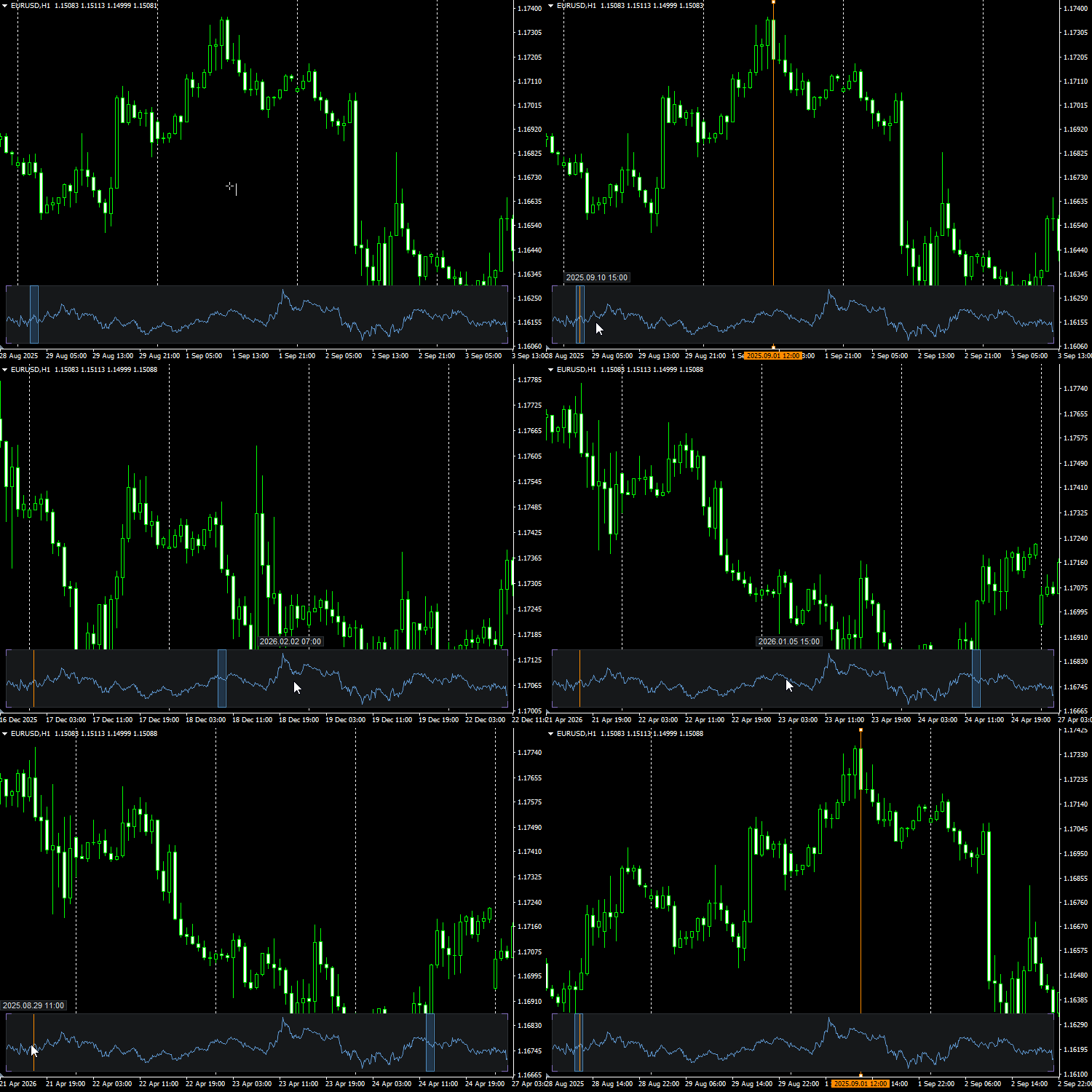
The main benefit of this simple navigator is not just chart scrolling, but a fast jump to the required area without painful manual scrolling. If you place a vertical line on the chart as a mark of an important event, this line will also be shown on the mini-map. After that, you can move far forward or backward through history, find the mark on the mini-map and return to the required place with one click. This is convenient when you need to mark important dates, signals, trades, news, analysis zones or any other points you want to return to quickly.
How it works
The mini-map shows the selected part of history as a compact price line. The current visible area of the main chart is highlighted with a frame. A click on the mini-map moves the chart to the selected place, and dragging the frame allows you to move quickly through history.
Vertical lines from the main chart are displayed on the mini-map as time marks. This allows you to use the map not only for general navigation, but also as a quick pointer to important places on the chart.
Example scenario
-
Place a vertical line on an important point of the chart.
-
Move far to another area of history, for example several months or a year forward.
-
Find this vertical line on the mini-map.
-
Click the mark on the mini-map.
-
The main chart will immediately move to the marked place.
The mini-map can also be reduced in height and kept at the bottom of the chart as a thin navigation strip. In this form, it takes almost no space while remaining useful for fast movement and jumps to marks.
Main features
-
fast navigation through chart history;
-
jump to the selected area by clicking the mini-map;
-
dragging the frame of the current visible area;
-
displaying vertical lines on the mini-map;
-
quick return to important marks on the chart;
-
dynamic date when hovering the cursor over the mini-map;
-
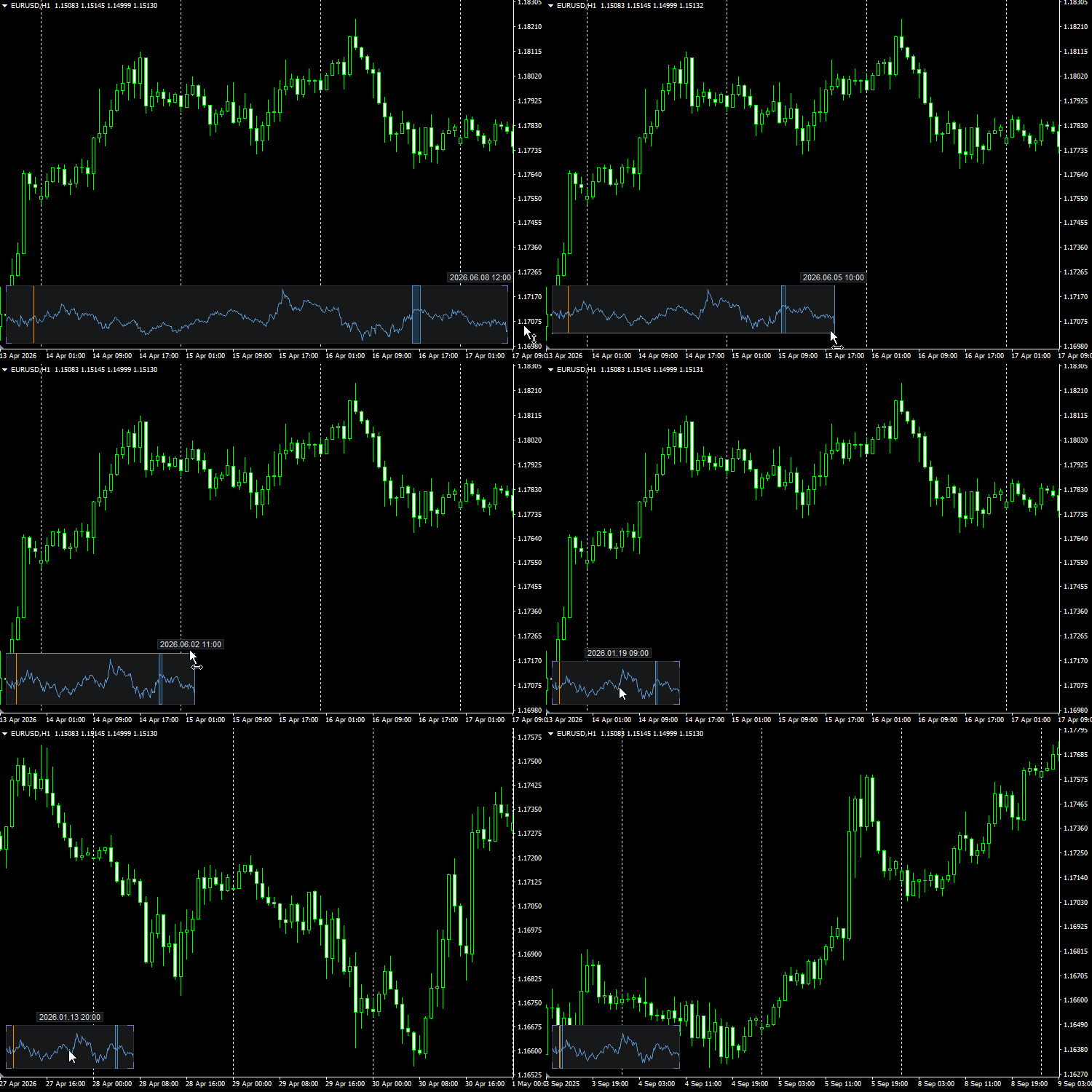
resizing the mini-map with the mouse;
-
ability to use the map as a compact bottom navigation panel.
Date settings
The indicator allows you to set the start date of the mini-map. This is useful if you do not need to display the entire available history of the instrument and only want to work with a relevant period. You can also enable the end date of the range. It is disabled by default, but the date value remains in the settings so that it can be quickly enabled when needed.
The dynamic date above the mini-map, which follows the cursor position on it, helps you understand more precisely which part of history a specific area of the mini-map refers to.
Technical details
The mini-map is drawn through canvas. The indicator does not trade, does not send trading requests, does not use DLL, does not access external services and does not save data to files.
Note
Chart Navigator MT5 Base is not a trading signal, does not analyze the market and does not make trading decisions. Its purpose is to speed up work with long history and help you quickly find marked places on the chart.
There is also a professional version of this indicator with advanced functionality: Chart Navigator MT5