RSI Divergence Pulse
- Indicators
- Version: 1.0
- Activations: 20

RSI Divergence Pulse is a comprehensive RSI indicator that combines divergence detection, multi-timeframe analysis, and visual tools in a single lightweight application. It automatically identifies Regular and Hidden divergences, displays a live Multi-Timeframe RSI panel, fills OB/OS zones for visual recognition, draws divergence lines on both the price chart and RSI subwindow, places Buy/Sell arrows, and provides real-time alerts.
Features
Color-Coded RSI Line
The RSI line changes color based on its current zone. Blue indicates the neutral zone (between 30 and 70). Green marks the overbought zone (above 70). Red marks the oversold zone (below 30).
RSI Signal Line
An SMA of RSI (default period 9) acts as a signal line. Crossovers between RSI and Signal provide additional timing information. The difference (Diff) is shown in the dashboard.
Automatic Divergence Detection
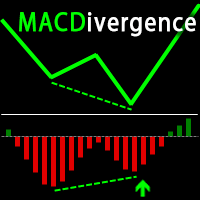
A fractal-based pivot algorithm scans up to 500 bars for two types of divergences. Regular (Actual) Divergence identifies classic reversal signals where the price makes a new extreme while RSI disagrees. Hidden Divergence identifies trend continuation signals during pullbacks.
Dual Divergence Lines
Solid lines represent Regular divergences, dashed lines represent Hidden divergences. Lines are drawn simultaneously on the price chart and the RSI subwindow for visual confirmation. Four independent colors allow customization for Bull Regular, Bear Regular, Bull Hidden, and Bear Hidden divergences.
Multi-Timeframe RSI Panel
RSI values from M5, M15, H1, H4, and D1 are displayed in one compact panel inside the indicator window. Each timeframe is color-coded by zone: green for bullish, red for overbought, blue for oversold. This allows checking multiple timeframes without opening extra charts.
OB/OS Zone Fills
Overbought (above 70) and Oversold (below 30) zones are filled with subtle background colors: a red tint above 70 and a blue tint below 30.
Buy/Sell Arrows
Entry signals are placed on the price chart at each divergence point. Colors match the divergence type.
Signal Labels
Labels such as "ACTUAL" for reversal setups and "Hidden" for continuation setups are placed on the chart to clarify divergence type.
Real-Time Dashboard
A dark-theme info panel displays the following information:
- Live RSI value
- Diff: RSI minus Signal value
- Signal line value
- Current zone label (Overbought, Bullish, Bearish, or Oversold)
- Trend assessment based on RSI position and momentum
Multi-Channel Alerts
Popup, Sound, Email, and Push Notification support. Alerts fire on confirmed divergence. Each alert fires once per signal to avoid repeated notifications.
How It Works
The indicator calculates the standard RSI (default period 14) and adds a Signal line (SMA of RSI, default period 9). It uses a fractal-based pivot detection algorithm to identify significant RSI highs and lows. By comparing consecutive pivots against corresponding price action, the indicator identifies divergences:
- Price Lower-Low + RSI Higher-Low: Regular Bullish Divergence (potential reversal up)
- Price Higher-High + RSI Lower-High: Regular Bearish Divergence (potential reversal down)
- Price Higher-Low + RSI Lower-Low: Hidden Bullish Divergence (potential trend continuation up)
- Price Lower-High + RSI Higher-High: Hidden Bearish Divergence (potential trend continuation down)
The RSI line color changes automatically by zone, so the current market condition is visible at a glance. The Multi-Timeframe panel reads RSI from five timeframes simultaneously, each color-coded by zone. The dashboard provides a real-time summary including RSI value, Signal value, their difference, zone assessment, and trend direction.
Input Parameters
RSI Settings
- RSI Period (default: 14)
- Signal MA Period (default: 9) for SMA smoothing of the signal line
- Applied Price (default: Close)
Levels
- Overbought Level (default: 70)
- Middle Level (default: 50)
- Oversold Level (default: 30)
Divergence Detection
- Pivot Strength: bars on each side for pivot confirmation (default: 5)
- Max Lookback Bars: scanning range (default: 500)
- Show Regular Divergence (default: true)
- Show Hidden Divergence (default: true)
Visual Settings
- Four independent colors for each divergence type
- Divergence line width (1-5)
- Toggles for Arrows, Labels, Dashboard, OB/OS Zone Fill, and MTF Panel
Alerts
- Popup Alert (default: off)
- Sound Alert (default: off)
- Email Notification (default: off)
- Push Notification (default: off)
Usage Notes
Regular divergence tends to produce clearer signals when RSI is in the OB/OS zones (above 70 or below 30). Hidden divergence is designed for trend environments and can be used to identify pullback entries. RSI color changes from green to blue (leaving OB) or from red to blue (leaving OS) may serve as early indications of a shift.
The MTF panel allows checking whether multiple timeframes are aligned before making decisions. For example, if H4 RSI is in the oversold zone and H1 shows a bullish divergence, this may indicate alignment across timeframes. Combining divergence signals with support and resistance levels can help filter signals.
The RSI/Signal crossover (Diff turning positive or negative) can serve as secondary confirmation. Larger timeframes (H1 and above) generally produce fewer but more stable divergence signals. Consider adjusting levels to 80/20 in trending markets and 70/30 in range-bound conditions.
Recommended parameter adjustments by timeframe:
M1 to M15: Pivot Strength 2-3, Max Lookback 300 (faster signals, more frequent)
M30 to H1: Pivot Strength 4-5, Max Lookback 500 (balanced, default settings)
H4 to Daily: Pivot Strength 5-8, Max Lookback 500 (more stable, fewer signals)
Weekly and above: Pivot Strength 8-10, Max Lookback 300 (large moves only)
Alerts Setup
Any combination of alert types can be enabled:
- MetaTrader Popup Dialog
- Sound Alert (alert2.wav)
- Email (requires SMTP configuration in MetaTrader settings)
- Push Notification (requires MetaTrader mobile app and MetaQuotes ID)
Each alert fires once per confirmed divergence signal.
Compatibility
- MetaTrader 5 (MT5) version included
- MetaTrader 4 (MT4) version available separately
- Works with any broker, symbol, and timeframe
- No DLLs required
- Non-repainting confirmed signals
- All objects are auto-cleaned on removal