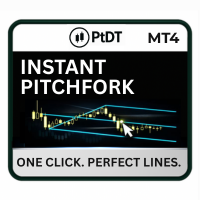
Instant Pitchfork for MT5
- Indicators
- Part-time Day Trader
- Version: 1.1
- Updated: 16 December 2025
- Activations: 15
Most traders want to use Andrews’ Pitchfork, but manually plotting the three anchor points is slow, inconsistent, and easy to get wrong. This is one of the main reasons pitchforks are underused, despite being one of the most effective tools for defining structure, channels, and reaction zones.
Instant Pitchfork solves this.
With one anchor point and a single click, it draws a perfectly aligned Andrews’, Schiff, or Modified Schiff pitchfork — following the correct rules from swing to swing to swing. Every line is placed accurately, consistently, and without manual adjustment.
No guesswork.
No alignment mistakes.
Just clean, accurate pitchforks every time.
Notice: Instant Pitchfork is now offered as an upgraded paid version and can be used in the Strategy Tester.
Feedback and bug reports can be submitted in the comments section.
Instant Pitchfork is designed for traders who want structure, precision, and speed.
- Beginners who want to learn pitchforks without plotting errors or confusing anchor selection.
- Intermediate and advanced traders who already use pitchforks but want faster, more precise alignment and instant access to Schiff and Modified Schiff variations.
- Mechanical and rule-based traders who value consistency, clarity, and a repeatable visual framework.
If your trading style depends on accuracy and a clean workflow, Instant Pitchfork fits immediately.
What Is a Pitchfork? (Quick Summary)
A Pitchfork (Andrews’ Pitchfork) is built from three pivot points:
- Uptrends: low > high > low
- Downtrends: high > low > high
It creates a median line, two parallel outer lines, quartile lines, and optional warning lines. These reveal structure, trend direction, and reaction zones.
Schiff and Modified Schiff versions shift the anchor point to better fit shallow or uneven trends.
In simple terms, a pitchfork provides a clear, rule-based view of market direction.
Key Features
One-Click Drawing. Draw a complete pitchfork instantly from a single anchor.
Built-In Schiff and Modified Schiff Modes. Toggle between pitchfork types instantly.
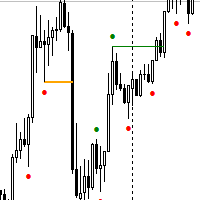
Automatic Anchor Detection. Only valid swing anchors are marked on the chart. No anchor on chart means no pitchfork, ensuring clarity and accuracy.
Multi-Timeframe Display. Forks remain visible across all timeframes and are labeled with the originating timeframe.
How It Works
5. Click a different anchor to draw a new fork, or use the “Clr PF” button to reset.
Recommended Workflow
1. Choose Direction
- For bullish pitchforks: click a green anchor.
- For bearish pitchforks: click a red anchor.
2. Select the Base Anchor
Start at the major swing where the move begins.
3. Refine the Fit
- Begin with the standard fork.
- If alignment isn’t ideal, try the Schiff or Modified Schiff version.
- If still off, test another anchor or timeframe.
4. Multi-Timeframe Display
Pitchforks remain visible across all timeframes without repainting.
Forks from other timeframes are labeled (e.g., M5, M15, H1).