Three Majors Scalper
- Experts
- Version: 1.19
- Updated: 23 September 2025
- Activations: 5

Important Product Status
This is an older Expert Advisor that was developed for market conditions that have since changed significantly.
The product remains available for existing users and for traders who may still wish to evaluate the original strategy, but it is no longer part of my actively recommended product range.
I do not currently recommend purchasing this EA for live trading without conducting your own extensive testing under present market conditions.
My newer products reflect my more recent development work and current approach to market behaviour, execution and risk management.
I prefer to keep this notice visible so that potential buyers can make an informed decision before purchasing.
Three Majors Scalper (EURUSD · USDJPY · GBPUSD) — M5
Overview
Three Majors Scalper is a breakout-style M5 scalping Expert Advisor for EURUSD, USDJPY, and GBPUSD. It looks for short-term momentum when price breaks recent highs or lows, placing trades with tight risk controls.
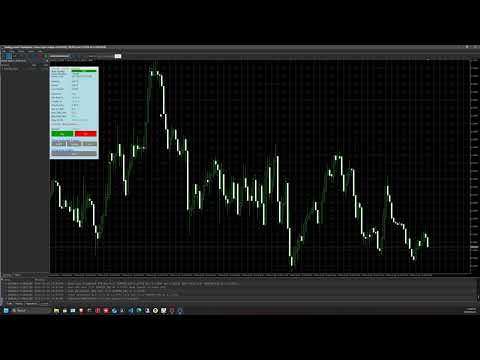
The system combines session/day scheduling, spread gating, trailing management, and equity-based position sizing, with a compact control panel for live telemetry.
Designed to be broker-safe (respects volume steps, min/max lot, freeze/stop levels) and prop-firm friendly (risk caps, trade limiter, daily drawdown guard).
Auto-trading can also be disabled while still allowing manual Buy/Sell trading directly from the panel.
What’s New in v1.18
Panel Enhancements
-
Close buttons auto-disable (greyed out) if no active trades or pending orders exist
-
Buy/Sell buttons auto-disable (greyed out) when daily drawdown % is hit
Risk & Compliance
-
Daily drawdown guard now visualized directly on panel with color-coded status
Execution & Usability
-
Cleaner button layout (activated vs. pending trade controls separated)
-
More consistent updates across broker/session environments
Currently offered at an introductory launch price. Price may increase with future updates.
Instruments & Timeframe
-
Pairs: EURUSD, USDJPY, GBPUSD
-
Timeframe: M5
-
Accounts: 5-digit (or 3-digit JPY) recommended
-
Works best with low spread & fast execution
Core Logic (high level)
-
Breakout entries using recent high/low structure with configurable lookback ( BarsN ) and order distance ( InpOrderDistPoints )
-
Pending orders validated against freeze/stop levels and margin before placement
-
SL/TP in points; optional trigger-based trailing stop
-
Trading window by hour/minute and day-of-week; positions/orders closed outside window
-
Spread filter: skips new entries when spread > InpMaxSpreadPips
-
Risk: equity-based % per trade (or fixed lots), with broker clamps and user max lot
-
Frequency control: optional max trades per hour
-
Balance guard: optionally stop trading when protection trips
Key Features
Risk Management
-
Equity-based risk %
-
User max-lot cap & broker-aware lot clamps
-
Balance guard
-
Daily drawdown guard with automatic panel integration
Execution Hygiene
-
Validates margin, freeze/stop levels, spread, history readiness
-
Normalizes price/volume before sending orders
Trailing & Management
-
Trigger-based trailing stop
-
Position/order counting per symbol/magic
Live Panel (optional)
-
Server time, balance, equity, margin
-
Open P/L, growth %, win rate %, Risk %/trade, last lot size used
-
Spread display (color-coded vs. your max)
-
Daily drawdown % tracker (with auto-button disabling)
-
Session status (within/outside)
Quick Start
-
Attach to EURUSD, USDJPY, GBPUSD M5 charts (one chart per pair recommended).
-
Set risk mode (start conservative, e.g., 1–2%).
-
Set InpMaxSpreadPips to match your broker (e.g., 1.0–1.5 on tight EURUSD).
-
Configure trading window & days; enable trade limiter if needed.
-
(Optional) Enable panel on live/demo; disable in Strategy Tester for faster backtests.
Notes & Recommendations
-
EA respects broker constraints (min/max lot, step, freeze/stop levels). If an input is outside allowed ranges, it is clamped and reported in the Experts log.
-
Spread, execution speed, and stop levels vary by broker. Tune InpOrderDistPoints , InpMaxSpreadPips , and session hours to your environment.
-
Backtesting: use tick-accurate data where possible; results vary by data quality and broker model.
-
Avoid running multiple EAs on the same symbol/magic number to prevent conflicts.
Disclaimers
-
No guarantees of profitability. Market conditions change and can impact results.
-
Use on demo first; never risk money you cannot afford to lose.