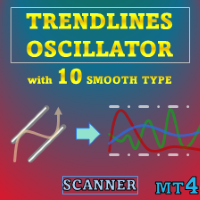
Trendlines Oscillator MT4 Scanner
- Indicators
-
Duc Hoan Nguyen
 I develop practical trading tools for MetaTrader 4/5, with a focus on indicator integration, Multi-Timeframe analysis, market scanning, and automated trading solutions.
My work mainly includes:
• Indicator-to-EA Solutions - Version: 1.0
- Activations: 10
New tools will be $30 for the first week or the first 3 purchases!
Trading Tools Channel on MQL5: Join my MQL5 channel to update the latest news from me
See more MT5 version at: Trendlines Oscillator MT5 Scanner
See more MT4 version at: Trendlines Oscillator MT4 Scanner
See more products at: All Products
-
Separate bullish and bearish momentum lines
-
One signal line with crossing markers
-
Optional smoothing for data and for the signal line
Usage
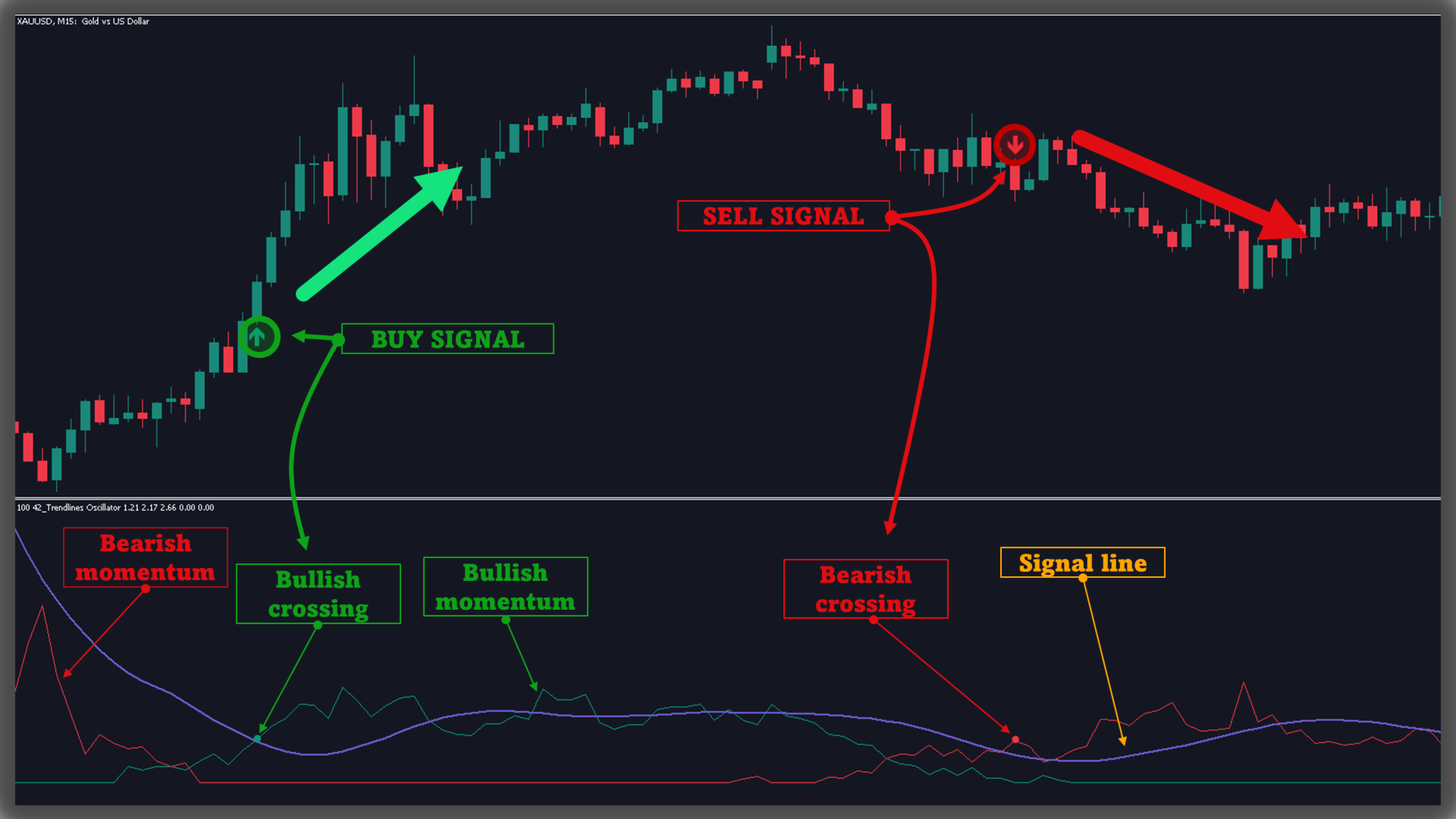
The indicator plots three lines: two momentum lines (bullish and bearish) and one signal line. When either momentum line crosses the signal line, a dot marks the crossing to indicate which side is gaining strength.
As a general guide, when the bullish momentum line (green) is above the bearish momentum line (red), buying pressure is indicated; in this case, price stands farther from support trend lines than from resistance trend lines. The opposite suggests selling pressure.
Bullish momentum is derived by locating support trend lines below price, measuring the distance (delta) from price to these lines, and normalizing the result into the displayed momentum values.
Bearish momentum is computed in the same manner using resistance trend lines above price.
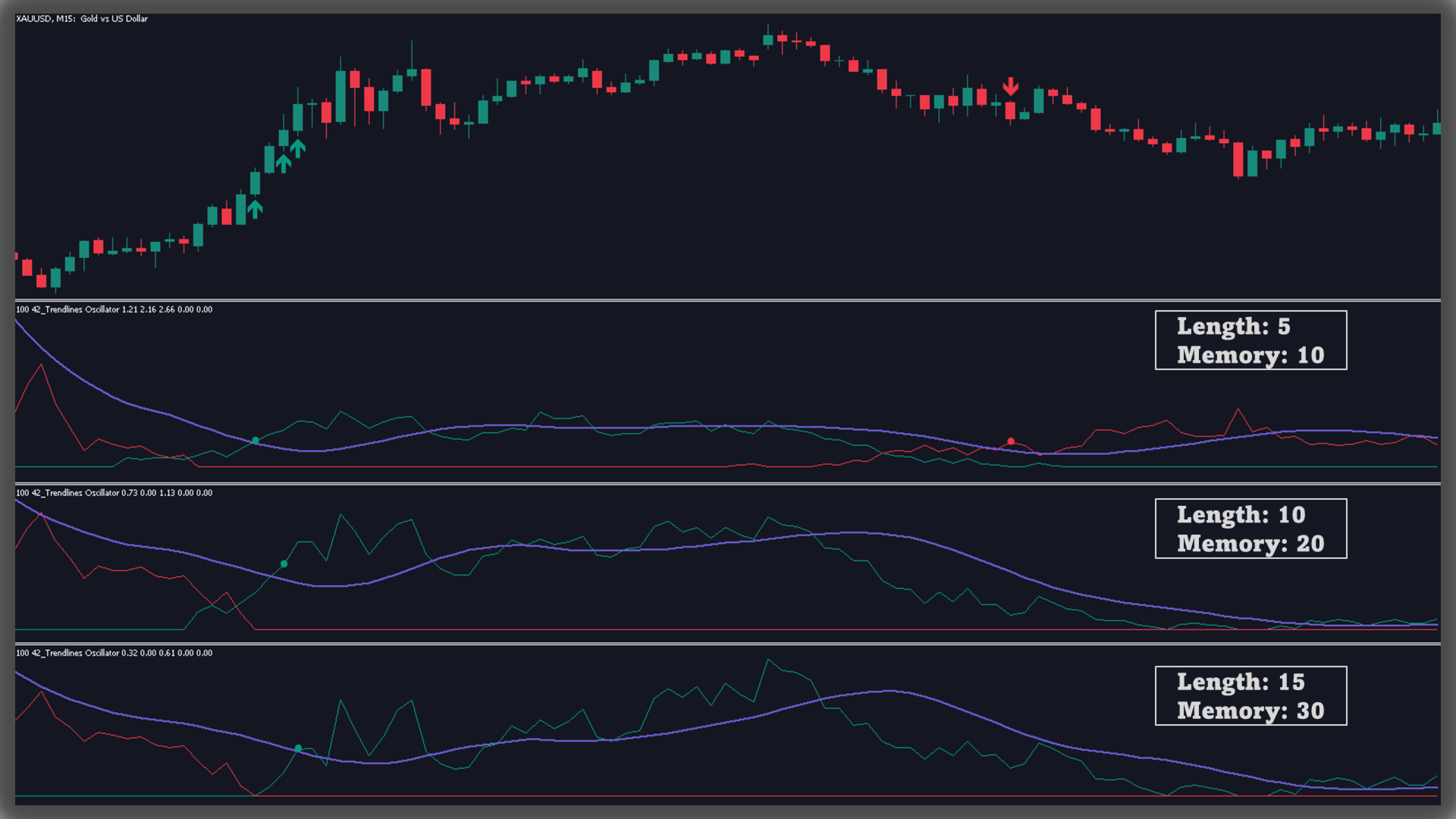
Length & Memory
Changing Length and Memory alters the momentum readings:
-
Length sets the market structure scale used to detect larger or smaller trend lines.
-
Memory sets how many detected trend lines are included in the calculations.
Smaller values increase responsiveness; larger values help emphasize broader trends.
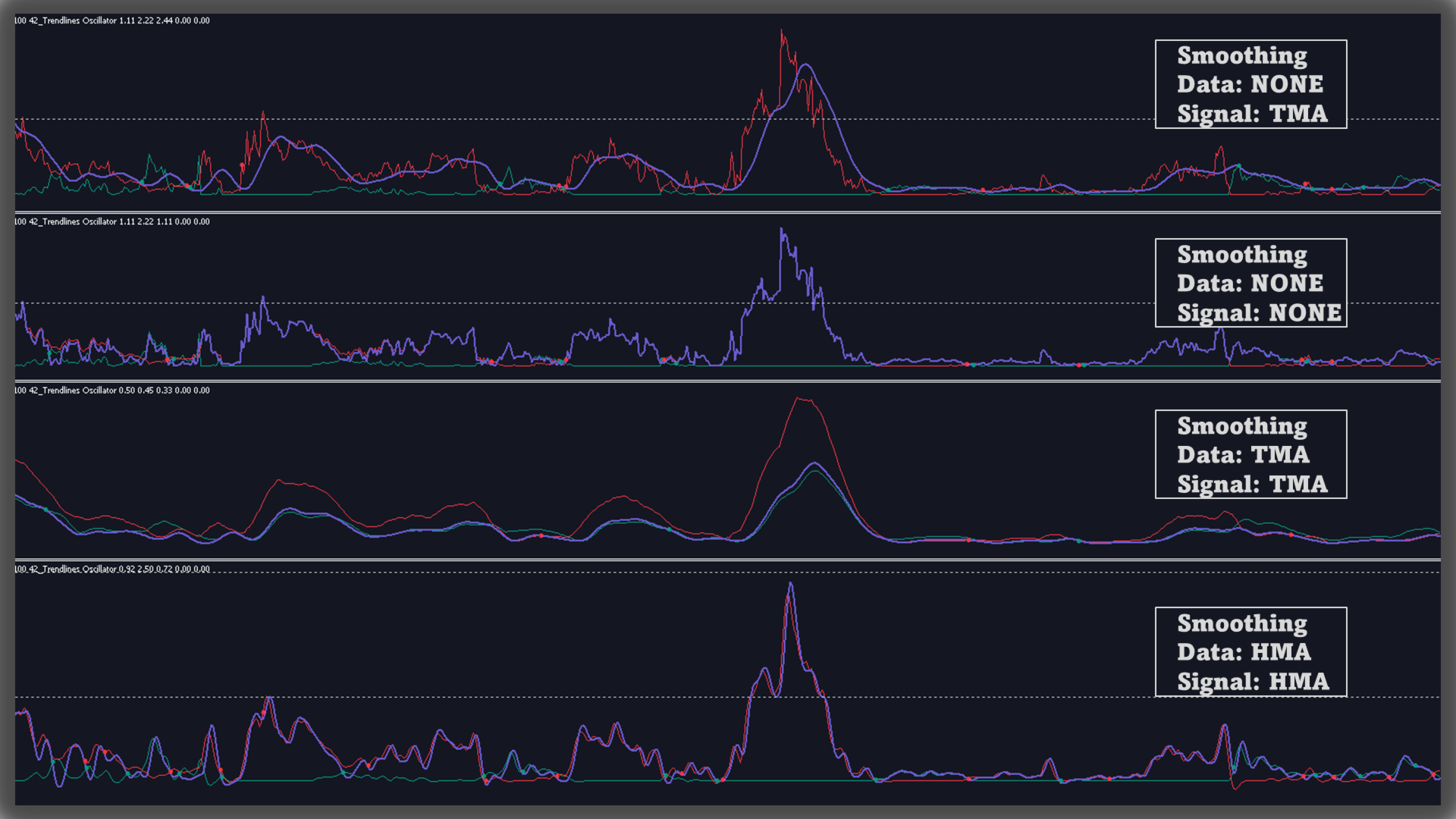
Smoothing
By default, raw data is not smoothed. The signal line uses a Triangular Moving Average (TMA) with length 10. Both the momentum data and the signal line can be smoothed.
The indicator supports up to 10 smoothing methods: RMA, SMA, TMA, EMA, DEMA, TEMA, HMA, WMA, SWMA, VWMA (or no smoothing).
-
Collect pivot highs and lows.
-
Form trend lines by computing slope and intercept between contiguous lower highs (resistance) and higher lows (support).
-
For the current bar, evaluate each trend line’s value and compute the delta versus price. For relative sums, use only support lines below price and resistance lines above price.
-
Normalize to a 0–100 scale by dividing the sum of relative deltas by the sum of absolute deltas.
-
Smooth the bullish and bearish values as configured, then compute the signal line from their difference (and smooth it if selected).
-
Generate crossing signals by comparing momentum to the signal line, using only the first signal in each series of bullish or bearish crossings.
-
Length: Market structure size for trend line detection.
-
Memory: Number of trend lines included in the calculations.
-
Source: Input price (default: close).
-
Data Smoothing: Method and length (RMA, SMA, TMA, EMA, DEMA, TEMA, HMA, WMA, SWMA, VWMA, or None).
-
Signal Smoothing: Method and length (same options as above).
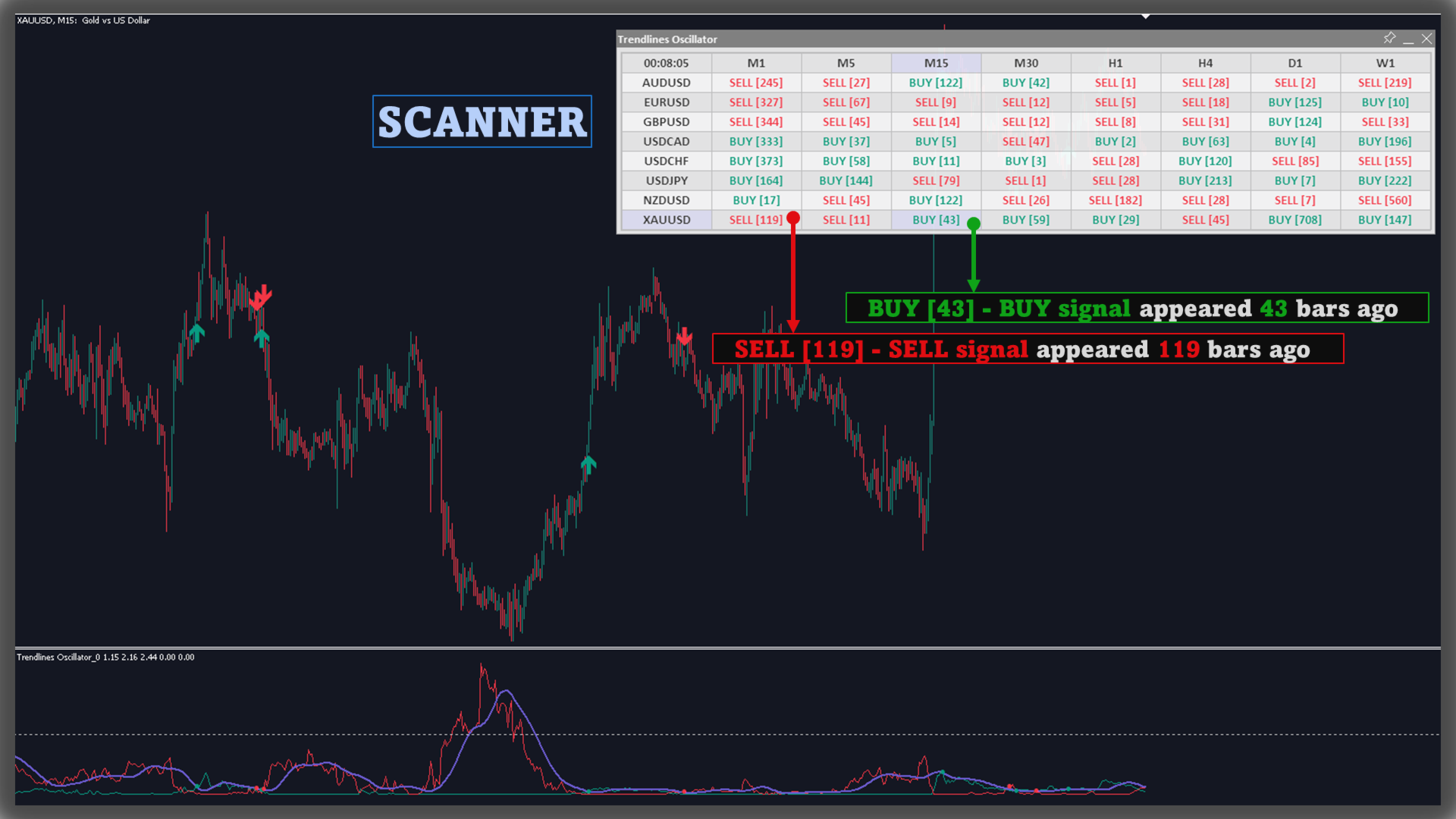
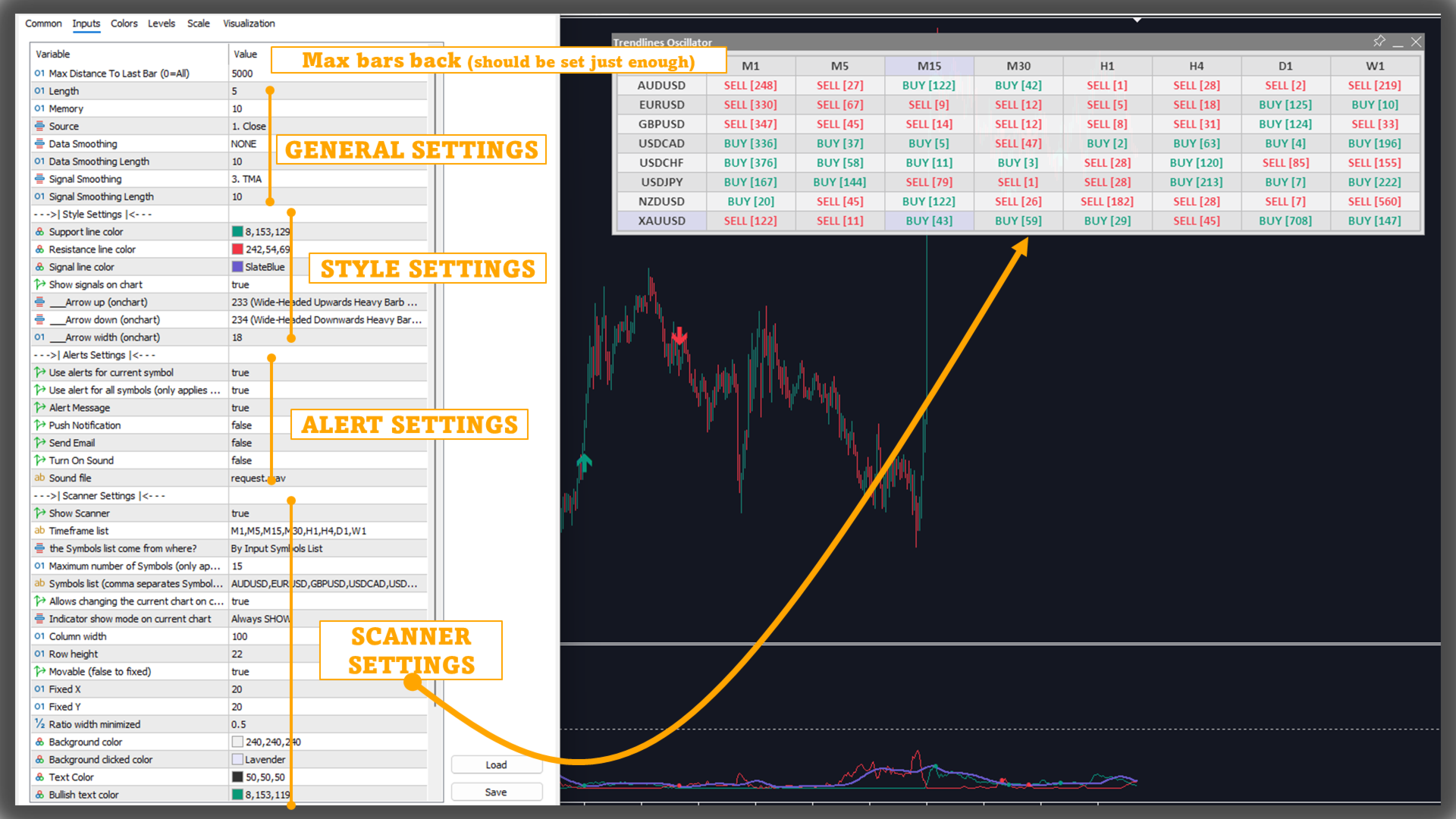
Scanner and Alerts
- Users can turn on/off the scanner to monitor other charts quickly.
- The indicator has signal alerts when Buy/Sell appear, users can easily grasp market information with these alerts (especially when using Scanner)