Aroon Classic
- Indicators
- Version: 1.0

Overview of the Aroon Classic Indicator
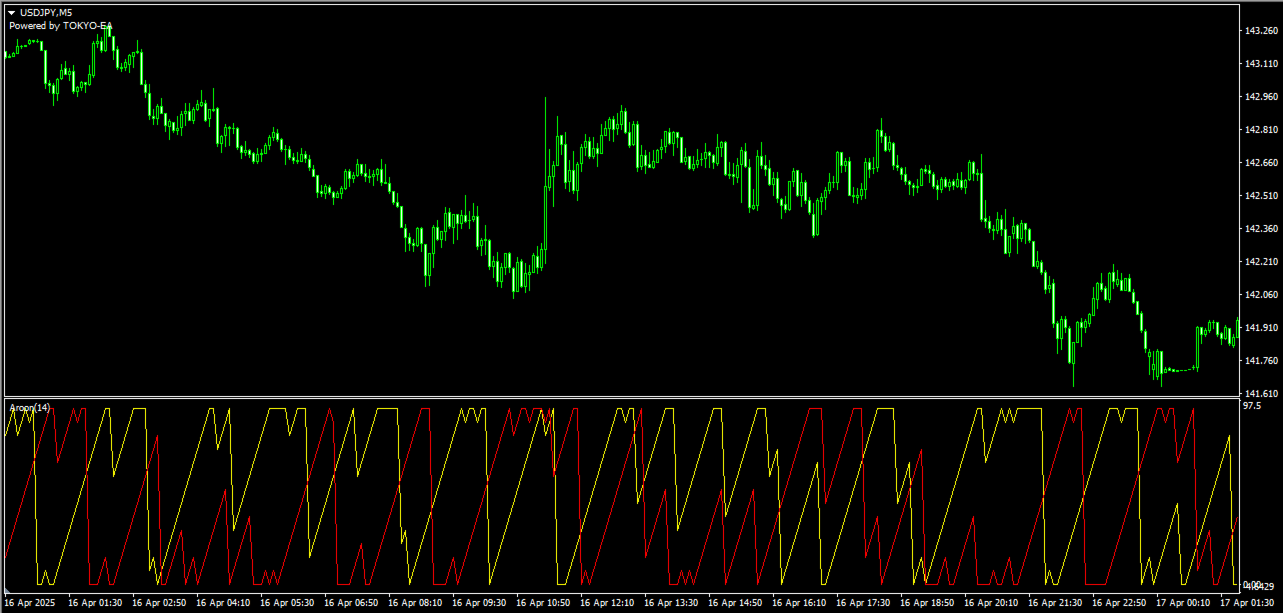
The Aroon Classic indicator is a technical tool that quantitatively identifies the emergence and persistence of trends on a chart. It uses two lines—“Aroon Up” and “Aroon Down”—to display trend strength and turning points within a range of 0–100. A higher Aroon Up value indicates a stronger uptrend, while a higher Aroon Down value indicates a stronger downtrend.
Key Features
- Visually distinguishes trend initiation and reversal
- Customizable calculation period (default: 14)
- Flexible line color, width, and style settings
Indicator Parameters
| Parameter | Description | Default |
|---|---|---|
| Period | Number of bars used in Aroon calculation | 14 |
| Aroon Up Color | Color of the Aroon Up line | DodgerBlue |
| Aroon Down Color | Color of the Aroon Down line | Tomato |
| Line Width | Thickness of the lines (pixels) | 2 |
Calculation Method
Aroon Up is calculated using the number of bars since the most recent high within the period, as follows:
Aroon Up = ((Period – BarsSinceHighestHigh) / Period) × 100
Similarly, Aroon Down is calculated using the number of bars since the most recent low:
Aroon Down = ((Period – BarsSinceLowestLow) / Period) × 100
How to Use & Practical Tips
- Trend Strength Assessment: Consider an uptrend strong when Aroon Up ≥ 80, and a downtrend strong when Aroon Down ≥ 80.
- Trend Reversal Signals: Use the crossover of Aroon Up and Aroon Down as buy/sell signals.
- Divergence Detection: Identify divergences between price action and Aroon lines to anticipate trend weakening or reversal.
- Multi-Timeframe Analysis: Check Aroon values on higher and lower timeframes to pinpoint high-probability trade setups.
Installation Instructions (MT4/MT5)
- In MetaTrader, select “File” → “Open Data Folder.”
- Copy the AroonClassic.ex4 (or .ex5) file into the “Indicators” folder under MQL4 or MQL5.
- Restart MetaTrader and confirm that “Aroon Classic” appears under “Custom Indicators” in the Navigator.
- Drag and drop the indicator onto a chart and configure the parameters.
Precautions
- Setting the Period too low may increase noise and false signals.
- Using the indicator on higher timeframes provides a broader trend view but may delay entry timing.
- Combine with other oscillators or moving averages for comprehensive market analysis.
TOKYO‑EA provides free, high-quality custom indicators and Expert Advisors (EAs) to support traders of all levels, from beginners to professionals.