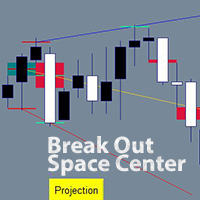
A B fractals and voids projection lines

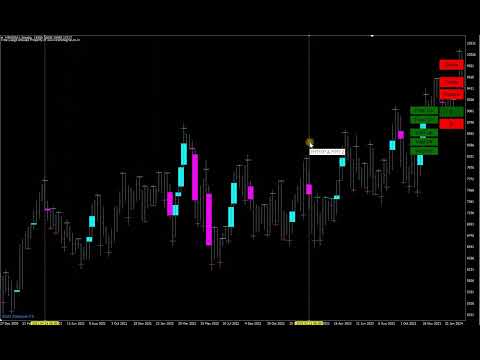
An indicator of independent technical analysis by fractals and breakouts. Semi-automatic drawing of lines along points "A and B" in a matter of clicks.

The classic version is available for free in my store under the name "BreakOut Space Center Projection" You can use it for your pleasure, the results of the indicators will be the same, but I wanted so much to simplify the process of technical analysis and created a quite comfortable indicator. My feeling is how to change from an old car to a new and comfortable one or change an old computer.

I don't know if you need this indicator. It is exciting and with it you can immerse yourself in technical analysis along well-known paths or derive your calculations and strategies. Also a good question. My plan is to do analysis on stocks, since their chart is active only for about 8 hours a day, and if you do an analysis on H4, you can return to the chart only 2-4 times during these 8 hours for a couple of minutes with a clear strategy.

The third version may be released not much later, there are already blanks, and it will be able to analyze itself under specified conditions, as well as give entry and exit signals.

Technical analysis by fractals has long been known among traders and analysts of price direction forecasts.

This indicator differs from the standard method of drawing lines along points "A and B".
In the standard way, the line is drawn along the low price of the candlestick for the lower fractal and the high price candlestick for the upper fractal. In my indicator, the lines are drawn in the center of the fractal, relative to the overlapping neighboring bars. I have repeatedly made sure that the forecast is more clear. When the price goes out of the average range of the price movement by dozens of times, touches the forecast line without crossing it even by 1 point, and a rollback from the line begins!! I had no doubts about the effectiveness of this type of analysis.

An additional calculation is carried out according to the centers of the void fresh, relative to the two neighboring bars. The middle of the void of the candlestick can be used for points "A and B".My favorite strategy is to start all the lines from one of the highest or lowest breakouts in the trend, and then with the appearance of new bars, plot the "B" points along the fractals, so the trend becomes visible, and if the price starts to exit it, then you can trade in the direction of the exit of the trend.

Apart from the standard strategy of searching for the trend by the upper and lower trend lines, you are not limited in other strategies. Which you can try out according to my recommendations or withdraw yourself.


* The version has been brought to the moment of comfort and saving time of analysis in which you can:

--- draw lines from several points A to several points B. Each point "A or B" can be marked with one click on each point or draw a range for points "A or B" in which all the desired points "A or B" will be marked.

--- to moveEach point "A or B" has its own group, and all lines linked to points "A or B" can be moved to another point/points "A or B" in a few clicks.

--- to delete lines in whole groupsAll lines linked to the same point A or B can be deleted in 2 clicks.

--- Highlight/hide fractals and breakout voids, which are separated by colors for top and bottom.

--- Change the colors of lines, markups, and even buttons to suit your style and to separate lines or groups of lines.

--- Lines can be drawn from " upper fractals / lower fractals / mid-void candle with breakout up / middle void candle with breakout down " along " upper fractals / lower fractals / void middle candle with breakout up / void middle candle with breakout down ".That is, the line can start from one type and go through the same or another type.


How to use the indicator.

## To remove all lines from the chart, press any key of the keyboard ##

1. Put the indicator on the chart and set up the parameters.

It is worth returning to this step when you have already learned how to work with lines and then customize the template to your style. If everything is well set up by default:)

Author chart - If you leave it "true", the chart will be in the author's style of chart colors and bars, matching the colors of the lines and marks. Zoom is also configured for a broad view of the situation; it will be more convenient to increase zoom for laying lines.

The following 3 parameters are responsible for the history on the chart. The old lines will begin to disappear if you choose to calculate in bars. If you are testing, for example, from 2020, then it is worth setting the calculation from the date, 1.1.2020

Voids also on gaps - Disabled by default, if you enable voids, voids will be shown not only on bars, but the indicator will also start recognizing gaps as voids.

You can then change the void colors of the rising and falling bars.

Number of bars to fix from fractal - if left as default, all possible fractals will be highlighted. If, for example, it is 3, then to the left and right by 3 bars, the fractals will not be highlighted and active. It is better to draw 2 lines from neighboring fractals and get 2 lines almost one on top of the other, for more accurate results.

Then there are the highlighting colors of the upper and lower fractals.

Level line Width is the width of the label by fractals and voids.
Mouse hover marker - Changes color when hovering over fractals and voids.
Width of the mouse hover marker - the thickness of the mark when hovering the mouse.

Then there are 3 colors of rays. Relative to point "A", the beginning of the beam.
And the width of the rays.

Marked level is the color of the mark on the "A" or "B" point when they are already marked.

In the "First Buttons" section, you can change the appearance of the permanent buttons on the chart. For a wide 4k screen extension, I set the "Button size coefficient" to "2", otherwise the buttons are cut off.

For a wide 4k screen extension, I set the "Button size coefficient" to "2.3", otherwise the buttons are cut off.

In the "Ray Button" section there is a parameter "Selecting an additional line for editing", if you change it to "true", then the laid parallel lines from the finished lines will be immediately selected and so you can immediately move them with the mouse or go to the color and style options.

The "Diapason" section of the style changes the style of the vertical lines to mark "A" or "B" points between the lines.


2. Illumination of fractals and voids.

Initially, fractals and voids are not shown. Click "Voids" to show voids.Click "Fractals" to show fractals.At any time you can click on them again to hide them from the chart. Optimal after the analysis is completed, for a cleaner chart.

3. Build new lines.

3.1 Single points "A" and "B" - mark points "A" and "B" with the mouse, clicking on each desired point for analysis.

Click on "A" then "Mouse", now you can mark the "A" points by clicking on fractals or voids.

When all the "A" points are fixed, the marked points are red by default, now mark the "B" points, click on the "B" button, then also on "Mouse".Mark all the desired "B" points by clicking on the fractals or voids.

Points "A" and "B" are specified. Press the "B" button and you're done. The lines have been laid. From all points "A" to all point's "B".

Practice several times to consolidate the lesson. You can use the uppermost "Delete" button to quickly remove all lines from the chart.

Colors help remind you of which points you are drawing, the button changes the color to the active one.

3.2 Automatically mark points in the range between two lines. We can draw two lines, and all possible points will be marked between them. Instead of marking each point yourself.Used for both "A" and "B" points. You can mark only "A" points in the range, and mark "B" points manually.  that only one type of points can be selected in one range, along the lower or upper fractals, voids up, down, or all voids. However, this still simplifies manual point labeling and can be re-analyzed for a different type of point in just a few seconds.

And the way we draw points in a range.

Click on "A" then "Range", two vertical lines will immediately appear on the screen. Pull them with the mouse, for example, put the first line on the very bottom of the trend up, and the second line on the very top of the trend. Click on the desired type of points. A fractal up or down. Emptiness up or down or any emptiness. Click and see that the horizontal lines have disappeared and the clicked type of dots has red marks on the bars.

Now we need to draw points "B".Click on the "B" button and if you want to draw single points "B", then click on "Mouse", mark the points manually and press "B" again. If you want to draw points "B" in the range, click "Range". Two vertical lines will appear, pull them with the mouse, in the menu on the right, click on the type of points through which points "B" will pass and press the "B" button. The lines have been drawn.


4. Removing lines.

Delete one line. Click on the line you want to delete, click "Delete ray" in the drop-down menu.

Remove a group of lines from a single point "A". Click on any of the lines that come from point "A". Click "Group A", then the "A" button on the right. All lines originating from the same bar have been removed.

Delete a group of lines that pass through a single point "B". Click on any of the lines that pass through the same point "B". Click "Group B", then the "B" button on the right. All lines running on the same point "B" are deleted.

5. Moving already laid lines.

Any line drawn by the indicators can be changed to its beginning, point A and its continuation, point B. This is also possible for a whole group of lines.

Change point A for a single line:
Click on the line. Click on A from the menu. The line has disappeared and now the mouse cursor highlights the options for fixing points A.Now fix a new point A or even several points A with the mouse and then you will have several lines passing through the same point B.When the new point(s) are marked. On the right menu of the indicator, click A again. If you press B, the result may confuse you.

Change point B:
Same as point A.

Change the start or continuation of lines for a group.
Line Group - Whenever you draw more than one line in a single session. A group of lines is created and you can change its points A or B. This helps if you have drawn points and accidentally hooked the wrong point and want to change it, or if the graph develops, you can shift the analysis. one of the lines, then Group A if you want to change points A, mark the new points A and in the right menu on the graph click A. The same to change points B. With the buttons Group B, mark the new points B and press B.

6. Parallel line objects.

The indicator allows you to draw a parallel line from any line of the indicator. At a distance of 1 point or more. Such lines are plotted as an object and can be used with the EA for automated trading or alerts from the lines. The color of the parallel line will be the same color as the line from which it was taken, to change the color you need to click 1 or 2 times on the parallel line, then with the right mouse and "Trend line properties" where you can also change the style and width of the line. That is, the parallel line meets all the rules of the MetaTrader terminal, as you would draw it from the terminal menu.

To draw a parallel line, click on the line from the indicator, then "Ray add". An input field will appear, enter the distance of points from the line in it. (50) - 50 points above the line. (-50) - 50 points below the line.


Recommended products
| Fully-automated Smart Money Concept (ICT) inspired trading solution with multi-strategy capabilities | Built by a grid trader >> for grid traders.  This is MT4 version, click  here  for  Blue CARA MT5  (settings and logics are same in both versions)     Real monitoring signal  -->  Cara Gold Intro Blue CARA EA   ('CARA') - short for  C omprehensive  A lgorithmic R esponsive A dvisor is a next-gen  multi-currency    multi-timeframe  EA base on the widely known (and perhapse most popular) Inn
The Infinity Expert Advisor is a scalper. When the resistance and support levels are broken, trades are opened in the direction of the price movement. Open positions are managed by several algorithms based on the current market situation (fixed stop loss and take profit, trailing stop, holding positions in case of trend indication, etc.). Requirements for the broker The EA is sensitive to spread, slippages and execution quality. It is strongly recommended not to use the EA for currencies with s
Smart Funded Hft
Barbaros Bulent Kortarla
4.7 (67)
Smart Funded EA is an expert advisor designed to pass the HFT challenges of prop firms that allow its use. You can check my blog post about HFT Prop firms before buying a challenge. Do I need to back-test? You do not need to backtest, and demo servers that you backtest will not give the real results since HFT prop firms servers and symbols are specially designed friendly with HFT bots. Samart Funded HFT has a hundred percent success rate so do not waste your time back testing. You can test the
Santa Scalping
Morten Kruse
2.84 (19)
Santa Scalping is a fully automated Expert Advisor with no use of martingale. Night scalping strategy. The SMA indicator filter are used for entries. This EA can be run from very small accounts. As small as 50 EUR. General Recommendations The minimum deposit is 50 USD,  default settings reccomend for eurusd m5 gmt +2 . Please use max spread 10 if you will not have orders change it to -1. Use a broker with good execution and with a spread of 2-5 points. A very fast VPS is required, preferably w
Goal Time
Mourad Ezzaki
GOAL TIME is an expert advisor based on the notion of time, it studies the change of price according to time, and it finally detects the best time to execute a good order. The EA is based on an indicator that draws a price curve in relation to time, this curve is deduced by an algorithm that analyzes old data. Then, the EA exploits the generated curve and executes the correct order. In case of incorrect choice, the EA has the mission to limit the losses. After a thorough study of this strategy o
Gold Label
Tran Thanh Tuyen
Gold Label  is an Expert Advisor designed specifically for trading gold.  This EA is specifically designed for   XAUUSD  with low risk and can grow your account from small capital. It is based on machine learning cluster analysis and genetic algorithms. EA contains self-adaptive market algorithm, which uses price action patterns and standard trading indicators. Expert showed stable results on XAU in 2011-2020 period. No dangerous methods of money managment used. Suitable for any broker conditi
Magic EA MT4
Kyra Nickaline Watson-gordon
3 (1)
Magic EA is an Expert Advisor based on Scalping, Elliot Waves and with filters such as RSI, Stochastic and 3 other strategies managed and decided with the robot smartly. Large number of inputs and settings are tested and optimized and embedded in the program thus inputs are limited and very simple. Using EA doesn't need any professional information or Forex Trading Knowledge. EA can trade on all symbols and all time frames, using special and unique strategies developed by the author. The EA wo
Night Trader EURUSD
Ugur Oezcan
4.21 (29)
The EA can trade multiple currencies. Please check our signals ( https://www.mql5.com/en/users/ugur-edin/seller ) for detailed information. No grid or martingale! No manual configuration or adjustment needed! Every trade is protected by stop loss. This Expert Advisor only trades for a short time frame at night, during the ending of the New York session. It uses low volatility moments and enters trades based on indicators. It then manages those trades with dynamic stop losses and take profits als
Black Out EA
Jason Thato Hartley
Thank you for visiting us. We would like to introduce our new BLACK OUT EA which comes along with a moving average indicator for better trading This EA open and closes trades for you, no need to stress yourself. You can trade on any broker using any time frame . there are no restrictions!! You can easily increase your Lot size on the EA settings Backtest was done for two months. stay tuned for more !!!
Elevate your trading experience with   Dynamic Trader EA MT4 , a cutting-edge trading robot designed to optimize your investment strategy. This advanced algorithm harnesses the power of four key indicators:   RSI   ( Relative Strength Index ),   Stochastic Oscillator ,   MACD   ( Moving Average Convergence Divergence ) and   ATR   ( Average True Range ) to make informed and precise trading decisions. ATR is used to dynamically set stop-loss and take-profit levels based on market volatility. IMP
Magic Grid
Aliaksandr Charkes
4.54 (28)
Magic Grid is an indicator-free advisor that uses a grid strategy. The strategy is based on automatic reopening of grid pending orders, after closing their market positions (by Take-Profit, Stop-Loss or manually). Pending orders are placed with a specified step from the initial prices, which can be entered manually or generated automatically ( one time at the beginning of the trade ). The robot can trade on any time frame, on any currency pair, on several currency pairs, and on any number of di
FREE
Reef Scalper
Charles Crete
Reef Scalper   is an aggressive scalping EA. It primarily uses the   Bollinger Bands and the Parabolic SAR indicator , which quickly detects small trend changes over short timeframes. The bot places pending orders to react swiftly when taking profits. Its recovery method relies on a grid system with an optional martingale , and it can open up to 15 recovery positions with a lot size multiplier . Using a tick counter , the bot is not sensitive to spread . It aims for quick profits , preferably se
H4 GBPUSD Trend Scalper is a trend signal scalper The EA trades according to the trend strategy using original built-in indicator for opening and closing orders. The external inputs for limiting trading on Fridays and Mondays are available. The purpose of the strategy is to use the current trend with the most benefit. According to the results of testing and working on demo and real accounts, the best results achieved by using the Н4 timeframe on the GBP/USD pair Works on MetaTrader 4 Build 971+
Royal Dutch Skunk
Sayan Vandenhout
ROYAL DUTCH SKUNK USES THE TREND WAVE INDICATOR AND IT CAN IDENTIFY THE BEGINNING AND THE END OF A NEW WAVE TREND MOVEMENT. AS AN OSCILLATOR, THE INDICATOR IDENTIFIES THE OVERBOUGHT AND OVERSOLD ZONES. IT WORKS GREAT TO CATCH THE SHORT TERM PRICE REVERSALS AND USES A MARTINGALE STRATEGY TO CLOSE ALL TRADES IN PROFIT. USE DEFAULT SETTINGS ON H1 OR HIGHER TIME FRAME ON ANY PAIR FOR MORE ACCURATE TRADES WHY THIS EA : Smart entries calculated by 6 great strategies The EA can be run on even a $20000
Harvest GOLD
Sayan Vandenhout
Harvest GOLD USES THE TREND WAVE INDICATOR AND IT CAN IDENTIFY THE BEGINNING AND THE END OF A NEW WAVE TREND MOVEMENT. AS AN OSCILLATOR, THE INDICATOR IDENTIFIES THE OVERBOUGHT AND OVERSOLD ZONES. IT WORKS GREAT TO CATCH THE SHORT TERM PRICE REVERSALS AND USES A MARTINGALE STRATEGY TO CLOSE ALL TRADES IN PROFIT. USE DEFAULT SETTINGS ON H1 OR HIGHER TIME FRAME ON ANY PAIR FOR MORE ACCURATE TRADES WHY THIS EA : Smart entries calculated by 3 great strategies The EA can be run on even a $30000
How the EA works (simple explanation) Trades on   M5   timeframe Uses   H1 timeframe   to analyze global market context Analyzes   2 or 3 timeframes simultaneously On each timeframe: Checks price position relative to one or two Moving Averages Evaluates MA angle and distance between price and MA Entry logic is based on   trend + volatility conditions , not on random signals The full algorithm is illustrated in the screenshots. Recommended usage Symbol:   EURUSD Timeframe:   M5 Trading
Vizzion
Joel Protusada
Vizzion is a fully automated scalping Expert Advisor that can be run successfully using GBPJPY currency pair at H1 timeframe. Very Important This Expert Advisor can not run with any EAs in the same account. As part of the money management plan, it calculates and monitors the Margin Level % and assumes that all open trades are created by it. If you want an Expert Advisor that trades in a daily basis, this EA is not for you because using this requires a patience to wait for a few days or weeks on
The Arrow Scalper
Fawwaz Abdulmantaser Salim Albaker
1 (2)
Dear Friend..  I share with you this simple Expert Adviser .. it is full automatic  this Expert Adviser following the trend of the pair you install on or any stocks or indices , it is works like that: - when the trend on H4 chart show a start of up trend the expert will wait till the 15M & 1H charts show an up trend the EA will open a buy order directly , and do the same for down trend and open a sell order the buy or sell  order lot size and take profit and stop loss will measured manually  by
FREE
Karman
Vladislav Filippov
Karman is a fully automated trading advisor working on a М30 timeframe. The settings of the advisor are based on the safe trading, the essence of which is to close the transaction, while achieving a positive profitability dynamism of several points, which allows the user to reduce the costs of opening losing trades. The Expert Advisor is multi-functional and does not require a specific type of account for the normal operation of all functions embedded in it. The advisor’s manual involves encapsu
EA KOGORO TREND PROFITABLE HIGHER, FLEXIBLE AND SAFER EA KOGORO is a robot that operates on the most basic principle of the market: "Trend is Friend" combined with the improved Martingale principle with many times more safety than conventional Martingale. - EA KOGORO is a fully automatic EA robot for established pairs. - The principle of order balancing, low DD protects accounts better for high profits. - Opening and closing orders is really flexible. - Safer, high profit. - Manage b
Owl smart levels
Sergey Ermolov
4.26 (38)
MT5 version  |  FAQ The Owl Smart Levels Indicator  is a complete trading system within the one indicator that includes such popular market analysis tools as  Bill Williams' advanced fractals , Valable ZigZag which builds  the correct wave structure  of the market, and  Fibonacci levels  which mark the exact levels of entry into the market and places to take profits. Detailed description of the strategy Instructions for working with the indicator Advisor-assistant in trading Owl Helper Private
Ppm manager
Samuel Asrat Nadew
Whether you’re a scalper, day trader, or swing trader, this tool gives you total control   directly from your chart. you can get all this features right on your trading chart .   Everything   is   color   coded.   equity and live P&L display in  Green   if   trades in profit   and   red   if   trades in drawdown.   Moveable panel -   double click on clock label and move panel anywhere on screen with it . Displays local time + candle countdown on the chart. Shows Balance, Equity & Daily Profit/
Matrix Arrow EA MT4
Juvenille Emperor Limited
5 (8)
Matrix Arrow EA MT4 is a unique expert advisor that can trade the Matrix Arrow Indicator's MT4 signals with a trade panel on the chart, manually or 100% automatically.  Matrix Arrow Indicator MT4 will determine the current trend at its early stages, gathering information and data from up to 10 standard indicators, which are: Average Directional Movement Index (ADX), Commodity Channel Index (CCI), Classic Heiken Ashi candles, Moving Average, Moving Average Convergence Divergence (MACD), Relative
HMA Trend Expert
Alexander Fedosov
5 (1)
HMA Trend robot for professional traders works with a set of Hull moving averages( HMA ). Advisor Parameters Use Trade Panel  — Use the visual panel to configure and trade robot. Lot  — Lot size for a market entry. Take Profit(points)  — Take Profit for an open order. Stop Loss(points)  — Stol Loss for an open order. Max Spread(0 - disabled)  — Maximum allowable spread at which you can enter the market. 0 - disabled. Magic number  — The magic number of the robot. EA Comment  — Comments of robot.
RiskGuardian Pro (MT4 Edition) - The Ultimate Prop Firm Account Saver Are you tired of failing your Prop Firm challenges (FTMO, MFF, etc.) due to a single emotional trade or a momentary lapse in risk management? RiskGuardian Pro is your Mandatory Discipline System designed to help you pass evaluations and protect your funded account. Core Pain Points Solved: * Anti-Tilt Hard Lock: Instantly closes all trades and locks the terminal the moment your defined maximum daily drawdown (e.g., 4%)
Auto Fibo Pro m
DMITRII GRIDASOV
"Auto FIBO Pro"   Crypto_Forex  indicator  - is great auxiliary tool in trading! Indicator automatically calculate and place on chart Fibo levels and local trend lines (red color). Fibonacci levels indicate key areas where price can reverse. Most important levels are 23.6%, 38.2%, 50% and 61.8%. You can use it   for reversal scalping  or for zone grid trading. There are plenty of opportunities to  improve your current system using Auto FIBO Pro indicator as well. It has Info Spread Swap Displa
Reversal PRO EA
Nguyen Tran Ha
Reversal PRO EA  is developed base on the PipFinite Reversal PRO  Indicator, one of the best indicator on the market so far. Reversal PRO effectively combines price action, ideal location and reliable statistics in one smart algorithm.  This EA open order when the indicator has buy/sell signals and set SL/TP follow the indicator rules. You can read more information about PipFinite   Reversal PRO  indicator  here . Important Information   This EA will only work if you purchased  PipFinte Revers
Noize Absorption Index MT4
Ekaterina Saltykova
5 (1)
Noize Absorption Index - is the manual trading system that measures the difference of pressure between bears forces and bulls forces. Green line - is a noize free index that showing curent situation. Zero value of index shows totally choppy/flat market.Values above zero level shows how powerfull bullish wave is and values below zero measures bearish forces.Up arrow appears on bearish market when it's ready to reverse, dn arrow appears on weak bullish market, as a result of reverse expectation. S
Precision Scalper Pro
Stephen Robert Powell
Precision Scalper Pro Precision Scalper Pro is a cutting-edge trading algorithm designed to streamline trading with pinpoint accuracy and efficiency. No Fancy buttons and displays, just straight-up trading with the best logic and profit in mind. It does the work so you don't have to! Minimum Equity requirements to start with the ability to adjust your risk management settings. You have settings to customize your trading,  Contains robust risk management tools. Uses Bollinger, MACD, RSI, MFI, A/
VR Cub
Vladimir Pastushak
VR Cub is an indicator for getting high-quality entry points. The indicator was developed to facilitate mathematical calculations and simplify the search for entry points into a position. The trading strategy for which the indicator was written has been proving its effectiveness for many years. The simplicity of the trading strategy is its great advantage, which allows even novice traders to successfully trade with it. VR Cub calculates position opening points and Take Profit and Stop Loss targe
Buyers of this product also purchase
Gann Made Easy
Oleg Rodin
4.83 (157)
Gann Made Easy is a professional and easy to use Forex trading system which is based on the best principles of trading using the theory of W.D. Gann. The indicator provides accurate BUY and SELL signals including Stop Loss and Take Profit levels. You can trade even on the go using PUSH notifications. PLEASE CONTACT ME AFTER PURCHASE TO GET TRADING  INSTRUCTIONS AND GREAT EXTRA INDICATORS   FOR FREE! Probably you already heard about the Gann trading methods before. Usually the Gann theory is a ve
M1 Sniper
Oleg Rodin
5 (19)
M1 SNIPER is an easy to use trading indicator system. It is an arrow indicator which is designed for M1 time frame. The indicator can be used as a standalone system for scalping on M1 time frame and it can be used as a part of your existing trading system. Though this trading system was designed specifically for trading on M1, it still can be used with other time frames too. Originally I designed this method for trading XAUUSD and BTCUSD. But I find this method helpful in trading other markets a
Scalper Inside PRO
Alexey Minkov
4.74 (69)
An exclusive indicator that utilizes an innovative algorithm to swiftly and accurately determine the market trend. The indicator automatically calculates opening, closing, and profit levels, providing detailed trading statistics. With these features, you can choose the most appropriate trading instrument for the current market conditions. Additionally, you can easily integrate your own arrow indicators into Scalper Inside Pro to quickly evaluate their statistics and profitability. Scalper Inside
Atomic Analyst
Issam Kassas
5 (3)
First of all Its worth emphasizing here that this Trading Indicator is   Non-Repainting , Non Redrawing and Non Lagging Indicator   Indicator, Which makes it ideal from both manual and robot trading.  User manual: settings, inputs and strategy . The Atomic Analyst  is a PA Price Action Indicator that uses Strength and Momentum of the price to find a better edge in the market. Equipped with Advanced filters which help remove noises and false signals, and Increase Trading Potential. Using Multiple
Trading Special – 40% OFF Best Solution for any Newbie or Expert Trader! This dashboard software is working on 28 currency pairs plus one. It is based on 2 of our main indicators (Advanced Currency Strength 28 and Advanced Currency Impulse). It gives a great overview of the entire Forex market plus Gold or 1 indices. It shows Advanced Currency Strength values, currency speed of movement and signals for 28 Forex pairs in all (9) timeframes. Imagine how your trading will improve when you can watch

GOLD Impulse with Alert
Bernhard Schweigert
4.64 (11)
This indicator is a super combination of our 2 products  Advanced Currency IMPULSE with ALERT  and  Currency Strength Exotics . It works for all time frames and shows graphically impulse of strength or weakness for the 8 main currencies plus one Symbol! This Indicator is specialized to show currency strength acceleration for any symbols like Gold, Exotic Pairs, Commodities, Indexes or Futures. Is first of its kind, any symbol can be added to the 9th line to show  true currency strength accelerat
RFI levels PRO
Roman Podpora
5 (1)
The indicator accurately shows the reversal points and price return zones where the   Major players . You see where new trends are forming and make decisions with maximum precision, maintaining control over every trade. VERSION MT5     -     Reveals its maximum potential when combined with the   TREND LINES PRO   indicator What the indicator shows: Reversal structures and reversal levels with activation at the beginning of a new trend. Display of   TAKE PROFIT   and   STOP LOSS   levels with mi
Dynamic Forex28 Navigator
Bernhard Schweigert
4.43 (7)
Specials Discount now. The Next Generation Forex Trading Tool. Dynamic Forex28 Navigator is the evolution of our long-time, popular indicators, combining the power of three into one: Advanced Currency Strength28 Indicator (695 reviews) + Advanced Currency IMPULSE with ALERT (520 reviews) + CS28 Combo Signals (recent Bonus) Details about the indicator  https://www.mql5.com/en/blogs/post/758844 What Does The Next-Generation Strength Indicator Offer? Everything you loved about the originals, now
Trend Lines PRO
Roman Podpora
5 (1)
TREND LINES PRO    helps understand where the market is truly changing direction. The indicator shows real trend reversals and points where major players re-enter. You see   BOS lines   Trend changes and key levels on higher timeframes — without complex settings or unnecessary noise. Signals don't repaint and remain on the chart after the bar closes. VERSION MT 5     -     Reveals its maximum potential when paired with the   RFI LEVELS PRO  indicator What the indicator shows: Real shifts   tren
The Nihilist 5.0 Indicator includes Forexalien and Nihilist Easy Trend trading strategies and systems. It is composed of an MTF Dashboard where you can analyze the different input possibilities of each strategy at a glance. It has an alert system with different types of configurable filters. You can also configure which TF you want to be notified on your Metatrader 4 platform and Mobile application The indicator has the option to view how could be a TP and SL by using ATR or fixed points, even w
PRO Renko System
Oleg Rodin
5 (30)
PRO Renko System is a highly accurate trading system specially designed for trading RENKO charts. The ARROWS and Trend Indicators DO NOT REPAINT! The system effectively neutralizes so called market noise giving you access to accurate reversal signals. The indicator is very easy to use and has only one parameter responsible for signal generation. You can easily adapt the tool to any trading instrument of your choice and the size of the renko bar. I am always ready to provide extra support to help
Trend Screener
STE S.S.COMPANY
4.79 (95)
Trend Screener Indicator --Professional Trend Trading & Market Scanning System for MetaTrader Unlock the true power of trend trading with Trend Screener Indicator — a complete multi-currency, multi-timeframe trend analysis solution   powered by Fuzzy Logic,Trend Pulse Technology  and advanced market structure algorithms.   Trend Screener transforms your MetaTrader platform into a professional-grade Trend Analyzer and Market Scanner, helping you identify high-probability trend opportunities, ear
FX Power MT4 NG
Daniel Stein
4.95 (21)
FX Power: Analyze Currency Strength for Smarter Trading Decisions Overview FX Power is your go-to tool for understanding the real strength of currencies and Gold in any market condition. By identifying strong currencies to buy and weak ones to sell, FX Power simplifies trading decisions and uncovers high-probability opportunities. Whether you’re looking to follow trends or anticipate reversals using extreme delta values, this tool adapts seamlessly to your trading style. Don’t just trade—trade
El indicador "MR BEAST ALERTAS DE LIQUIDEZ" es una herramienta avanzada diseñada para proporcionar señales y alertas sobre la liquidez del mercado basándose en una serie de indicadores técnicos y análisis de tendencias. Ideal para traders que buscan oportunidades de trading en función de la dinámica de precios y los niveles de volatilidad, este indicador ofrece una visualización clara y detallada en la ventana del gráfico de MetaTrader. Características Principales: Canal ATR Adaptativo: Calcula
Scalper Vault
Oleg Rodin
5 (36)
Scalper Vault is a professional scalping system which provides you with everything you need for successful scalping. This indicator is a complete trading system which can be used by forex and binary options traders. The recommended time frame is M5. The system provides you with accurate arrow signals in the direction of the trend. It also provides you with top and bottom signals and Gann market levels. The indicator provides all types of alerts including PUSH notifications. PLEASE CONTACT ME AFT
Weis Wave with Alert
Trade The Volume Waves Single Member P.C.
4.82 (22)
Rental/Lifetime Package Options and Privileges' Rent Monthly Six Months   Yearly/Lifetime Weis Wave with Speed with Alert+Speed Index x x x Manual  x x x Quick Set up Video x x x Blog x x x Lifetime Updates x x x Setup and Training Material x x Rectangle Break Alert Tool      x Discord Access Channel "The SI traders" x   How to trade info visit:    http://www.tradethevolumewaves.com   ** If you purchase please contact me to setup your  : training Room and  complete manual access.  This is
Volatility Trend System - a trading system that gives signals for entries. The volatility system gives linear and point signals in the direction of the trend, as well as signals to exit it, without redrawing and delays. The trend indicator monitors the direction of the medium-term trend, shows the direction and its change. The signal indicator is based on changes in volatility and shows market entries. The indicator is equipped with several types of alerts. Can be applied to various trading ins
TPA True Price Action indicator reveals the true price action of the market makers through 100% non-repainting signals (except early signals mode) strictly at the close of a candle! TPA shows entries and re-entries, every time the bulls are definitely stronger than the bears and vice versa. Not to confuse with red/green candles. The shift of power gets confirmed at the earliest stage and is ONE exit strategy of several. There are available now two free parts of the TPA User Guide for our custom
Advanced Supply Demand
Bernhard Schweigert
4.91 (299)
Trading Special – 40% OFF Best Solution for any Newbie or Expert Trader! This indicator is a unique, high quality and affordable trading tool because we have incorporated a number of proprietary features and a new formula. With this update, you will be able to show double timeframe zones. You will not only be able to show a higher TF but to show both, the chart TF, PLUS the higher TF: SHOWING NESTED ZONES. All Supply Demand traders will love it. :) Important Information Revealed Maximize the pot
Adaptive Volatility Range [AVR] is a powerful tool for identifying key trend reversal points. AVR accurately reflects the Average True Range (ATR) of volatility, taking into account the Volume-Weighted Average Price (VWAP). The indicator adapts to any market volatility by calculating the average volatility over a specific period, ensuring a stable rate of profitable trades. You receive not just an indicator but a professional automated trading system , AVR-EA . Advantages: Automated Trading Sys
Currency Strength Wizard is a very powerful indicator that provides you with all-in-one solution for successful trading. The indicator calculates the power of this or that forex pair using the data of all currencies on multiple time frames. This data is represented in a form of easy to use currency index and currency power lines which you can use to see the power of this or that currency. All you need is attach the indicator to the chart you want to trade and the indicator will show you real str
Gold Scalper Super
Aleksandr Makarov
5 (2)
Gold Scalper Super is an easy-to-use trading system. The indicator can be used as a standalone scalping system on the M1 time frame, as well as part of your existing trading system. Bonus: when purchasing an indicator, Trend Arrow Super is provided free of charge, write to us after purchase. The indicator 100% does not repaint!!! If a signal appears, it does not disappear! Unlike indicators with redrawing, which lead to the loss of a deposit, because they can show a signal and then remove it.
Technical indicator that structures charts and identifies cyclical price movements. Can work on any charts. Several types of alerts. There are additional arrows on the chart itself. Without redrawing on history, works on closing a candle. Recommended TF from M5 and higher. Easy to use and configure parameters. When using 2 indicators with different parameters, you can use without other indicators. Has 2 input parameters Cyclicality and Signal duration These 2 parameters work with the processin
Currency Strength Exotics
Bernhard Schweigert
4.88 (33)
CURRENTLY 20% OFF ! Best Solution for any Newbie or Expert Trader! This Indicator is specialized to show currency strength for any symbols like Exotic Pairs Commodities, Indexes or Futures. Is first of its kind, any symbol can be added to the 9th line to show true currency strength of Gold, Silver, Oil, DAX, US30, MXN, TRY, CNH etc. This is a unique, high quality and affordable trading tool because we have incorporated a number of proprietary features and a new formula. Imagine how your trading
No Repaint Bext
Andrey Kozak
1 (1)
No Repaint Bext is a ready-made trading system. Shows when to open and when to close trades, as well as in which direction. Every time a green arrow appears, you need to open a buy trade. Close all buy trades when a red arrow appears. The same goes for the opposite direction, every time a red arrow appears, open sell trades and close them all when a green arrow appears. We use the M5 timeframe for trading. You can trade on any cozy pair. This indicator does not repaint and practically does not
Matrix Arrow Indicator MT4
Juvenille Emperor Limited
5 (3)
Matrix Arrow Indicator MT4  is a unique 10 in 1 trend following 100% non-repainting  multi-timeframe indicator that can be used on all symbols/instruments: forex, commodities, cryptocurrencies, indices, stocks.  Matrix Arrow Indicator MT4 will determine the current trend at its early stages, gathering information and data from up to 10 standard indicators, which are: Average Directional Movement Index (ADX) Commodity Channel Index (CCI) Classic Heiken Ashi candles Moving Average Moving Avera
Trend indicator AI
Ramil Minniakhmetov
4.49 (84)
Trend Ai indicator is great tool that will enhance a trader’s market analysis by combining trend identification with actionable entry points and reversal alerts.  This indicator empowers users to navigate the complexities of the forex market with confidence and precision Beyond the primary signals, Trend Ai indicator identifies secondary entry points that arise during pullbacks or retracements, enabling traders to capitalize on price corrections within the established trend. Important Advantage
Are you looking for a simple and reliable indicator that can help you spot market swing points easily? Do you want clear buy and sell signals that work on any timeframe and any trading instrument? Buy Sell Signal Pro is designed to do exactly that. It helps traders identify important market turning points and understand the current market structure in a clear and easy way. This indicator detects Higher Highs (HH), Higher Lows (HL), Lower Highs (LH), and Lower Lows (LL) so you can quickly see wh
TrendLine PRO MT4
Evgenii Aksenov
4.83 (167)
The Trend Line PRO indicator is an independent trading strategy. It shows the trend change, the entry point to the transaction, as well as automatically calculates three levels of Take Profit and Stop Loss protection. Trend Line PRO is perfect for all Meta Trader symbols: currencies, metals, cryptocurrencies, stocks and indices. The indicator is used in trading on real accounts, which confirms the reliability of the strategy. Robots using   Trend Line PRO   and real Signals can be found here:   
New Update of Smart Trend Trading System MT5 For  2026 Market: If You Buy this Indicator you will Get my Professional   Trade Manager + EA  for   FREE . First of all Its worth emphasizing here that this Trading System is   Non-Repainting   , Non Redrawing and Non Lagging Indicator   Which makes it ideal from both manual and robot trading .  [Online course] ,   [manual]   and   [download presets] . The Smart Trend Trading System MT5 is a comprehensive trading solution tailored for   new   and   e
More from author
One King Stocks and Crypto
Dimitri Nepomniachtchi
What we are talking about: This assistant can serve you for a long trading career. Optimized for those cases when you work on forecasts and want to buy a stock or crypto coin cheaper and sell it more expensive. Do you have an estimated closing price for profit: - If yes, then we will set up the robot to reach the price with greater profit and less risk. - If not, if you do not know exactly how much a stock or coin can grow, then you can maximize profit even with a small increase, due to a tempor
FREE
BreakOut Space Center Projection
Dimitri Nepomniachtchi
5 (2)
Using the indicator you can 1 Identify the trend and follow the large and small trends by drawing lines. When the price leaves the corridor of the lines, then with a high probability the price will go to the next line and reverse on it. 2 Long-line - Lay lines along the centers of fractals, the indicator can detect the fractal of the second point (Number bars analysis). Often the price can approach the line even after a week or a month and you can open a reversal trade. If the wave has passed w
FREE
BreakOut Space Fixation
Dimitri Nepomniachtchi
4.5 (2)
An EA version is being prepared. You can send a private message "notify about EA version". EA will be versatile with many settings for trading on various indicators. The new EA will also allow trading on this indicator. For example, allowing signals after X signals/bars to X signals/bars in one direction, before changing direction. If Break Out happened before/after the signal of another indicator. Collect profit on each next signal above/below the previous one. Send a private message "notify
FREE
Magics Scanner Flip addon
Dimitri Nepomniachtchi
This addon will pick up opened orders of experts by magic number and transfer to EA`s HOLDER inverted. If your trading bot opens a Buy order, then EA`s HOLDER will open a Sell order. If your trading bot opens a Sell order, then EA`s HOLDER will open a Buy order. Then EA`s HOLDER works with the orders opened by it according to your settings: - Copy, do not copy exit. - Change the stops to your own. SL TP. Original or Real or leave the original. - Set trailing, there are two of them. This can work
FREE
Magics Scanner addon
Dimitri Nepomniachtchi
EA   scans trades by magic numbers from trading robots in mt4 terminals. Then it passes the data on trades to   EA`S HOLDER     which filters the entry and exit signals by applying its own filters for opening and closing orders. Thus   EA`S HOLDER    conducts its trading based on the signals of running robots. Opening your own orders. Your trading robots transmit signals to this scanner.   The scanner transmits signals to the senior EA and you have a lot of opportunities.   Such as: - Maintain
FREE
Min Max spread study
Dimitri Nepomniachtchi
Do you know the spreads on which your trades are / will be opened. How well do you know about the spreads on which your trades are / will be opened. The main task of the indicator. Help the user / trader to study the spreads in the trading terminal. Get information about the minimum and maximum spread on each candle, from M1 and above. This information will help in the following cases: - Maximum trading spread EA    --- If your broker has smaller spreads or average statistically higher and th
Live Go
Dimitri Nepomniachtchi
Set your favorite indicator and start trading. Found your favorite indicator by virtual tests. - Virtual trading - Without opening trades on a live or demo account. ---- All transactions are saved only for you and trading statistics will be displayed on the chart. ---- Live Go conducts a full trading test in real time, showing clear test reports. ---- Live Go opens and closes trades without a spread / with spread, which allows you to check your trading strategy regardless of the broker’s condi
EAs Holder
Dimitri Nepomniachtchi
EA's HOLDER - Manage multiple trading robots under full control EA's HOLDER is an advanced system for traders that helps to effectively manage multiple trading robots (EA). With the program, you can distribute your robots across separate virtual accounts and customize each one with individual risks and trading parameters. The price is temporarily reduced. This is an expensive technical assistant that has gone through many versions, ideas, time and money. In my personal use as a moderator of lim
Fast flat
Dimitri Nepomniachtchi
The Fast flat indicator can recognize and notify you of short flats after the price rises or falls. Where the price can rush further or reverse. ++ The indicator is open to arbitrary flat settings. You will probably have to conduct quite a few tests, approaching the best results. I will be very grateful if you share in the comments your tests, parameters and advice to other users, who may also be able to improve your results. Should I use it for entry signals, order stops, hedging...? - The indi
ECNture Raging Gold
Dimitri Nepomniachtchi
Gold is a popular trading instrument for traders. It offers accessible conditions for long-term trading and scalping for quick profits. Read it, don't look between the lines, only then will you understand what kind of monster this is, this is the word I screamed when my keys opened the lock to the world of trade, which shook me up completely and opened many more doors, both in trade and in my career. The stars of fate led me to create a trading robot for gold. Specifically, gold. It's not just c
Fixer
Dimitri Nepomniachtchi
Track your orders, build a unified equity across selected symbols, magic numbers, terminals, and trading accounts. Closes orders when specified conditions are met. Creates new portfolios and adapts to already running portfolios according to your conditions. In short, take a look — it is worth it. If you have questions, write. If you are not sure about the settings, ask, I will help. Virtual SL, TP, Trailing.  * * * * It may seem like nothing special, but in practice they often help more than
ECNture Piranha Bar
Dimitri Nepomniachtchi
A flock of piranhas devours trading bars on the chart, collecting profits. They hunt, receive signals to act, and enter the market. They don't wait long for distant prey, resting until it's nearby or switching to a new bar and ravaging it as it rises or falls. This happens so quickly and imperceptibly on the chart, as the number of closed orders increases in the statistics window and the profit line curves upward. Your terminal may freeze, but underneath, the piranhas are actively fighting to co
Instant converter of MT4 strategy tester report files to CSV files. For traders or developers. Test a trading EA in the strategy tester. Save the report (Results -> right-click -> Save as report) and move the StrategyTester.HTM file (you can rename it) to the common/files folder, which is the shared file folder for all terminals. Apply the script to any live chart where no EA is running. The script won't disrupt anything and will disappear from the chart after conversion. Set the strategy te
Filter:
No reviews
Reply to review