Find us on Facebook!
Join our fan page

Use new possibilities of MetaTrader 5

History of MQL5.community development

The most popular trading robots and technical indicators, news signals, regular incoming ready-made MQL5 programs in CodeBase and the most discussed Forum topics.

There are more than 26,160 products available in Market

New publications in CodeBase

  • SymbolSyncEA Syncs all chart symbols to symbol of the chart the EA is attached to
  • wd.Multi_ClockPrice lite! The 'wd.Multi_ClockPrice lite!' is the lite version of 'wd.Multi_ClockPrice', providing a visual representation of server time and bid prices on the chart. It synchronizes with PC clock every seconds, allowing seamless updates even when MT5 is offline. Real-time bid prices are displayed, efficiently meeting the need for price information. Place informational labels in the specified sub-window, adjusting positions as needed.

The most popular forum topics:

There are more than 1,470 articles published on site

Published article "Neural networks made easy (Part 56): Using nuclear norm to drive research".

Neural networks made easy (Part 56): Using nuclear norm to drive research

The study of the environment in reinforcement learning is a pressing problem. We have already looked at some approaches previously. In this article, we will have a look at yet another method based on maximizing the nuclear norm. It allows agents to identify environmental states with a high degree of novelty and diversity.

1 new signal now available for subscription:

Waka EA1
82% 924 trades
Growth:81.59%
Equity:1,220.85USD
Balance:1,507.58USD

Bestsellers in the Market:

The most downloaded free products:

There are more than 142,920 topics available on forum

17 new topics on forum:

and 14 more...

Most downloaded source codes this week

  • Trade Sessions Indicator This indicator is based on DRAW_FILLING buffers. The input parameters are absent, the TimeTradeServer(), TimeGMT() functions are used.
  • Volume Profile This is an indicator for showing volume profile on the chart, using simple calculations and very fast execution.
  • Candle Time End and Spread The indicator displays the current spread and the time till closing the bar (candlestick) at the same time.

Most read articles this week

How to purchase a trading robot from the MetaTrader Market and to install it?

How to purchase a trading robot from the MetaTrader Market and to install it?

A product from the MetaTrader Market can be purchased on the MQL5.com website or straight from the MetaTrader 4 and MetaTrader 5 trading platforms. Choose a desired product that suits your trading style, pay for it using your preferred payment method, and activate the product.

Design Patterns in software development and MQL5 (Part 4): Behavioral Patterns 2

Design Patterns in software development and MQL5 (Part 4): Behavioral Patterns 2

In this article, we will complete our series about the Design Patterns topic, we mentioned that there are three types of design patterns creational, structural, and behavioral. We will complete the remaining patterns of the behavioral type which can help set the method of interaction between objects in a way that makes our code clean.

How to Test a Trading Robot Before Buying

How to Test a Trading Robot Before Buying

Buying a trading robot on MQL5 Market has a distinct benefit over all other similar options - an automated system offered can be thoroughly tested directly in the MetaTrader 5 terminal. Before buying, an Expert Advisor can and should be carefully run in all unfavorable modes in the built-in Strategy Tester to get a complete grasp of the system.

New publications in CodeBase

  • Connect Disconnect Sound Alert This utility is simple example to add sound alert on connect / disconnect
  • Cosine distance and cosine similarity Calculate the cosine distance and similarity between 2 vectors . The cosine distance is 1-cosine_similarity and the cosine similarity is the dot product of two vectors by their magnitudes multiplied.

The most downloaded free products:

Bestsellers in the Market:

16 new topics on forum:

and 13 more...

The most popular forum topics:

The most downloaded free products:
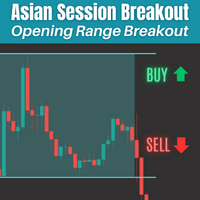
There are more than 26,100 products available in Market

Bestsellers in the Market:

22 new topics on forum:

and 19 more...

1 new signal now available for subscription:

JazzAccount
-28% 626 trades
Growth:-28.30%
Equity:1,027.20NZD
Balance:1,027.20NZD

The most downloaded free products:
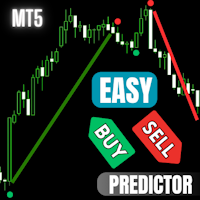
There are more than 142,860 topics available on forum

26 new topics on forum:

and 23 more...

Bestsellers in the Market:

The most popular forum topics:

More than 100 new charts published:

Gráfico NZDCAD, D1, 2024.01.03 17:11 UTC, RoboForex Ltd, MetaTrader 5, Real
NZDCAD, D1
График XAUUSD, H1, 2024.01.03 13:47 UTC, LiteFinance Global LLC, MetaTrader 4, Demo
XAUUSD, H1
График AUDUSD, M30, 2024.01.04 18:32 UTC, OANDA DIVISION1, MetaTrader 4, Real
AUDUSD, M30

The most downloaded free products:

Bestsellers in the Market:

23 new topics on forum:

and 20 more...

1 new signal now available for subscription:

TwoHundredPercentAnnually
503% 2683 trades
Growth:502.84%
Equity:3,379.10EUR
Balance:3,641.72EUR

The most downloaded free products:

Bestsellers in the Market:

Most downloaded source codes this month

  • MACD on Chart Show MACD directly on chart
  • PA RSI The Oscillator Indicator for MetaTrader 4 is a powerful tool that accurately identifies the perfect signal on the completion of trends.
  • Trade Sessions Indicator This indicator is based on DRAW_FILLING buffers. The input parameters are absent, the TimeTradeServer(), TimeGMT() functions are used.

Most read articles this month

How to purchase a trading robot from the MetaTrader Market and to install it?

How to purchase a trading robot from the MetaTrader Market and to install it?

A product from the MetaTrader Market can be purchased on the MQL5.com website or straight from the MetaTrader 4 and MetaTrader 5 trading platforms. Choose a desired product that suits your trading style, pay for it using your preferred payment method, and activate the product.

How to Test a Trading Robot Before Buying

How to Test a Trading Robot Before Buying

Buying a trading robot on MQL5 Market has a distinct benefit over all other similar options - an automated system offered can be thoroughly tested directly in the MetaTrader 5 terminal. Before buying, an Expert Advisor can and should be carefully run in all unfavorable modes in the built-in Strategy Tester to get a complete grasp of the system.

MetaTrader 5 on Linux

MetaTrader 5 on Linux

In this article, we demonstrate an easy way to install MetaTrader 5 on popular Linux versions — Ubuntu and Debian. These systems are widely used on server hardware as well as on traders’ personal computers.

The most popular forum topics:

11 new topics on forum:

and 8 more...

8 new topics on forum:

and 5 more...

Bestsellers in the Market:

There are more than 11,230 codes published in Codebase

The most downloaded free products:

Bestsellers in the Market:

Most downloaded source codes this week

  • MQL5 Programming for Traders – Source Codes from the Book. Part 7 The final seventh part of the book discusses the advanced capabilities of the MQL5 API, which will be useful when developing programs for MetaTrader 5. These include custom financial symbols, built-in economic calendar events, and general-purpose technologies such as networking, databases, and cryptography.
  • Heikin Ashi Lines A simpler way to display Heikin Ashi
  • Trade Sessions Indicator This indicator is based on DRAW_FILLING buffers. The input parameters are absent, the TimeTradeServer(), TimeGMT() functions are used.

Most read articles this week

How to purchase a trading robot from the MetaTrader Market and to install it?

How to purchase a trading robot from the MetaTrader Market and to install it?

A product from the MetaTrader Market can be purchased on the MQL5.com website or straight from the MetaTrader 4 and MetaTrader 5 trading platforms. Choose a desired product that suits your trading style, pay for it using your preferred payment method, and activate the product.

How to Test a Trading Robot Before Buying

How to Test a Trading Robot Before Buying

Buying a trading robot on MQL5 Market has a distinct benefit over all other similar options - an automated system offered can be thoroughly tested directly in the MetaTrader 5 terminal. Before buying, an Expert Advisor can and should be carefully run in all unfavorable modes in the built-in Strategy Tester to get a complete grasp of the system.


MetaTrader 5 on Linux

MetaTrader 5 on Linux

In this article, we demonstrate an easy way to install MetaTrader 5 on popular Linux versions — Ubuntu and Debian. These systems are widely used on server hardware as well as on traders’ personal computers.

There are more than 142,790 topics available on forum

8 new topics on forum:

and 5 more...

New publications in CodeBase

  • Volume Profile This is an indicator for showing volume profile on the chart, using simple calculations and very fast execution.
  • Closing all open trades if all one symbol and one trade direction All open trades must be of same symbol and type, e.g. all GBPUSD and all BUY. This script will close out your position using one large trade to hedge your position then using CloseBy() function to close all trades against the one large trade until all trades are closed. There can be a maximum of 500 open trades.

Bestsellers in the Market:

11 new topics on forum:

and 8 more...
1...112113114115116117118119120121122123124125126...643