SuperTrend MT4
- Indicators
-
KEENBASE SOFTWARE SOLUTIONS
 Keenbase Trading develops professional MetaTrader 4 and MetaTrader 5 indicators and Expert Advisors designed to help traders make more informed trading decisions.
 - Version: 1.0
- Activations: 10
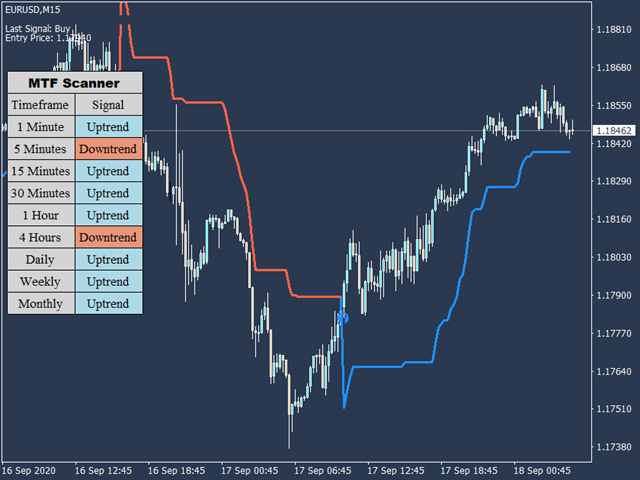
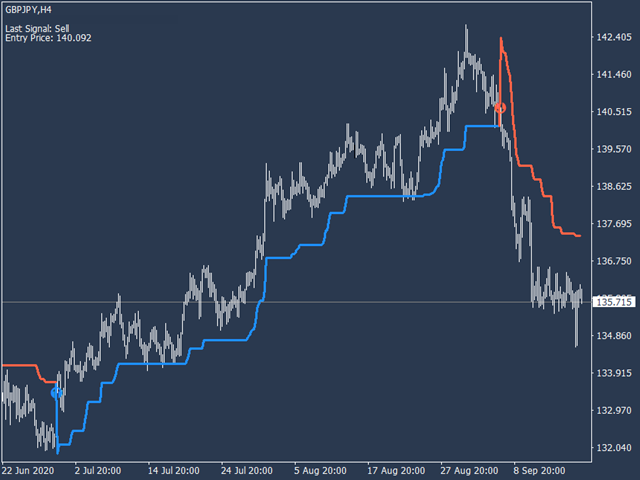
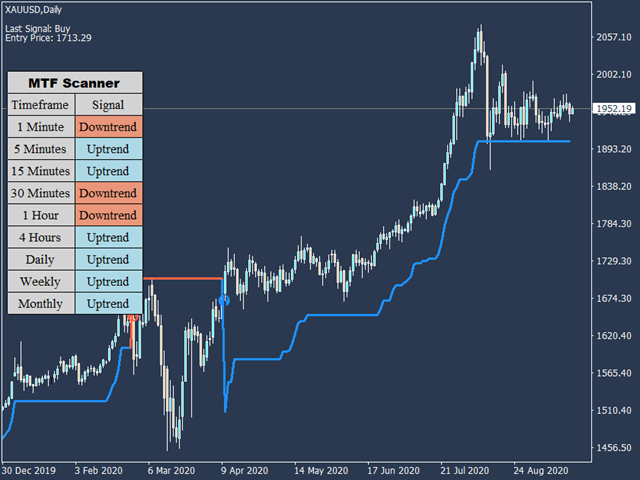
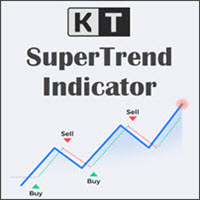
KT SuperTrend gives you one clear directional line on the price chart. During an uptrend, the line steps below price and can act as a trailing reference. During a downtrend, it moves above price and follows the market lower. Because the distance is based on Average True Range, the line adapts as volatility expands or contracts.
The direction changes after a candle closes across the SuperTrend line. A close above the line marks an uptrend signal, while a close below it marks a downtrend signal. The chart also keeps the latest signal direction and its entry price visible, so you can understand the current state without searching through older candles.
Read the chart in three passes
- Check the current line: a line below price supports an upward view, while a line above price supports a downward view.
- Compare the timeframes: the built-in scanner shows the SuperTrend direction from M1 through Monthly. Agreement across the timeframes you trade can make the broader picture easier to read.
- Review the latest change: use the last signal and entry price on the chart to see when the current direction began and how far price has travelled since then.
Control how quickly the line responds
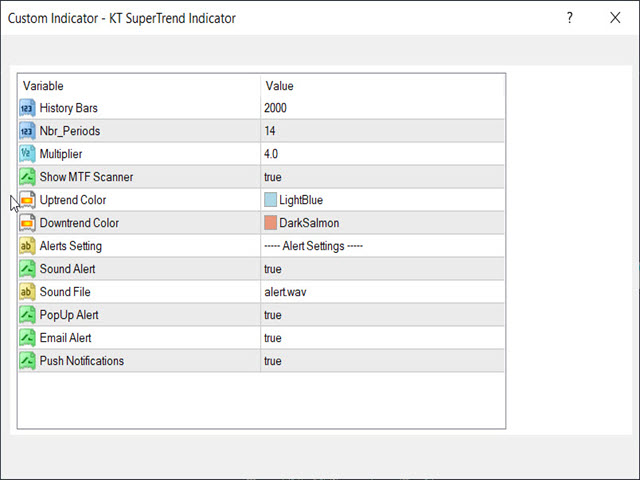
The period controls how much price history is used in the volatility reading, while the multiplier controls the distance between price and the line. A tighter setup reacts sooner and changes direction more often. A wider setup gives price more room and focuses on larger moves. These controls let you match the indicator to the symbol and timeframe you actually trade without dealing with raw equations.
In a directional market, the line can help you stay with the move and judge pullbacks from the active side. In a sideways market, price can cross the line more frequently. The scanner, recent market structure, and your normal entry method can help you decide whether a fresh change has enough context to matter.
Keep the chart practical
Uptrend and downtrend colors can be adjusted to suit your chart, and the multi-timeframe scanner can be shown when you need the wider view. The history setting lets you control how much past data is displayed.
Sound, popup, email, and push alerts are available for new direction changes. You can follow several charts without watching every candle, then return to the setup and make the final trading decision from the price action in front of you.