
ACB Trade Filter MT4
- Indicators
-
KEENBASE SOFTWARE SOLUTIONS
 Keenbase Trading develops professional MetaTrader 4 and MetaTrader 5 indicators and Expert Advisors designed to help traders make more informed trading decisions.
 - Version: 2.1
- Updated: 31 October 2018
- Activations: 10
ACB Trade Filter answers one practical question before you place an order: is the market supporting this trade, or are you trying to force a signal through mixed conditions?
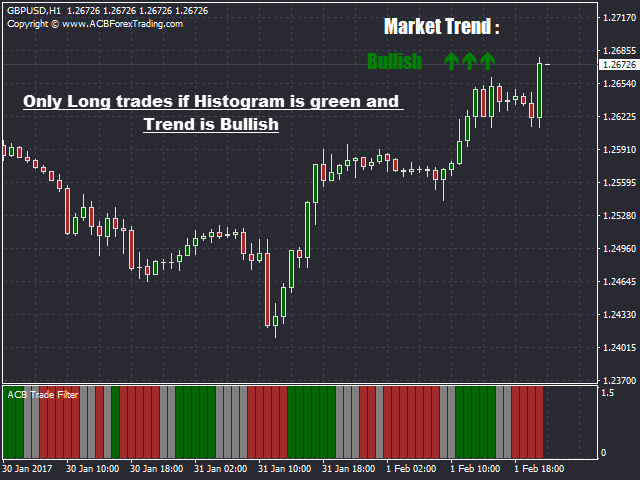
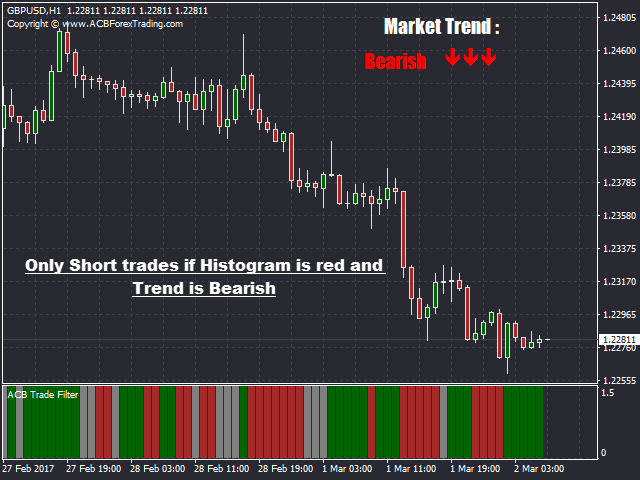
The indicator reads market sentiment and trend, then presents the result through a color histogram and trend direction. Use it after your normal entry signal, not instead of one.
Three market states at a glance
- Green histogram with bullish trend: conditions support looking for long setups from your strategy.
- Red histogram with bearish trend: conditions support looking for short setups from your strategy.
- Gray histogram or sideways trend: direction is unclear, so the setup may be better skipped.
Where it earns its place in a strategy
When your entry indicator produces a signal, check ACB Trade Filter before acting. If the histogram and trend agree with the trade, continue with your normal analysis. If they conflict, you have a clear reason to pause instead of accepting every signal.
It works naturally with ACB Breakout Arrows, but it is not limited to one companion indicator. You can place it beside momentum setups, pullback entries, breakout methods, or any manual strategy that benefits from a second view of market direction.
The aim is not to create more trades. It is to help remove lower-quality decisions, reduce entries against the broader direction, and keep you selective when price becomes choppy.
Choose how selective you want to be
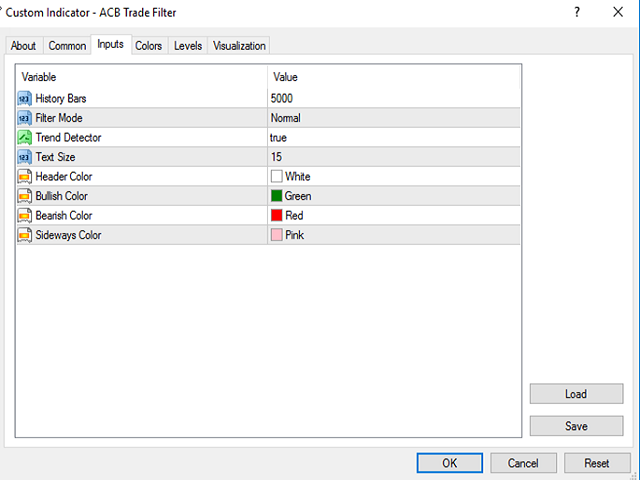
Normal mode provides balanced filtering for traders who want more opportunities. Hard mode applies stricter conditions when you prefer fewer but more selective confirmations. The trend display can be shown or hidden on the chart, and the history setting controls how much chart data is used in the calculation.
From chart confirmation to automation
For manual trading, the histogram and trend reading provide a quick check without adding another complicated decision panel. For automated strategies, an Expert Advisor can read the indicator data directly.
The workflow stays simple: your strategy finds the opportunity, ACB Trade Filter checks whether sentiment and trend support it, and you keep control of the final trading decision.


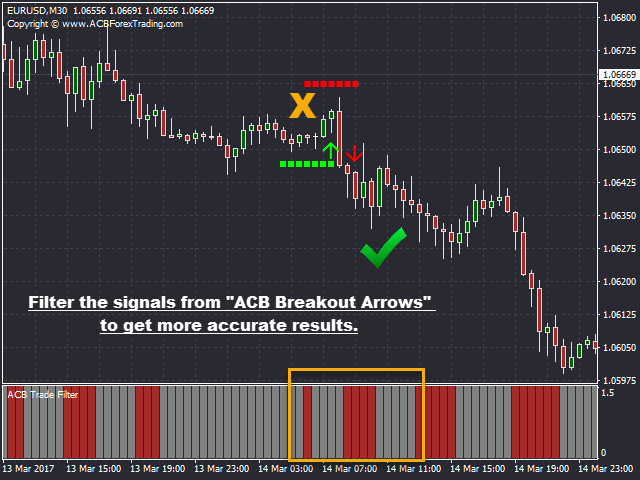














































































A must have indicator to filter out bad signals from any entry indicator specially the ACB Breakout Arrows.