KT RSI Divergence Robot MT4
- Experts
-
KEENBASE SOFTWARE SOLUTIONS
 Keenbase Trading develops professional MetaTrader 4 and MetaTrader 5 indicators and Expert Advisors designed to help traders make more informed trading decisions.
 - Version: 1.0
- Activations: 10
Trade Confirmed RSI Divergence
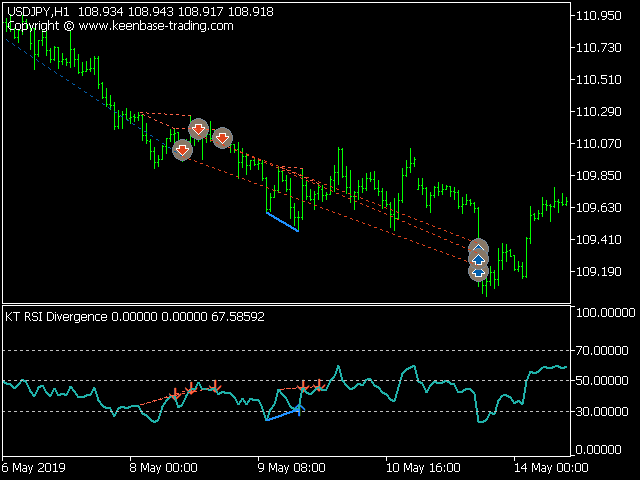
KT RSI Divergence Robot monitors regular and hidden divergence between price and the Relative Strength Index on the symbol and timeframe of the chart. It evaluates new signals after a bar is complete. A bullish divergence can open a buy position, while a bearish divergence can open a sell position. When an opposite signal appears, the EA can close positions in the other direction before evaluating a new entry.
Choose the Entry Conditions
The strategy can be adjusted without changing its core divergence logic:
- Regular Divergence and Hidden Divergence: enable either signal type or use both together.
- Overbought and Oversold limitation: require divergence to form beyond the RSI levels you specify.
- Trading Session and Day Filter: limit new entries to selected GMT sessions and weekdays.
- Trend, Volatility, Vortex and MMI filters: add optional confirmation before a signal can open a trade.
Control Position Size and Exits
Max Active Positions limits how many positions the EA can hold in one direction. Position size can use a fixed lot or automatic sizing from Risk Per Trade. Stop Loss, Take Profit and trailing can each be disabled or calculated from a fixed pip distance or market volatility.
- Stop Loss: none, pips or volatility.
- Take Profit: none, pips or volatility.
- SL Trailing: none, pips or volatility, with a separate trailing step.
- Max Loss Protection: prevents new entries when account equity falls below the configured percentage of Capital Dedicated to this EA. It does not replace the Stop Loss selected for individual positions.
Set Up and Test the Robot
The RSI divergence and Vortex components are embedded, so no separate indicator installation is required. Attach the EA to the symbol and timeframe you want it to evaluate. Use a distinct Magic Number when several copies manage the same symbol, and enable Logging when you need entry or execution details in the platform journal.
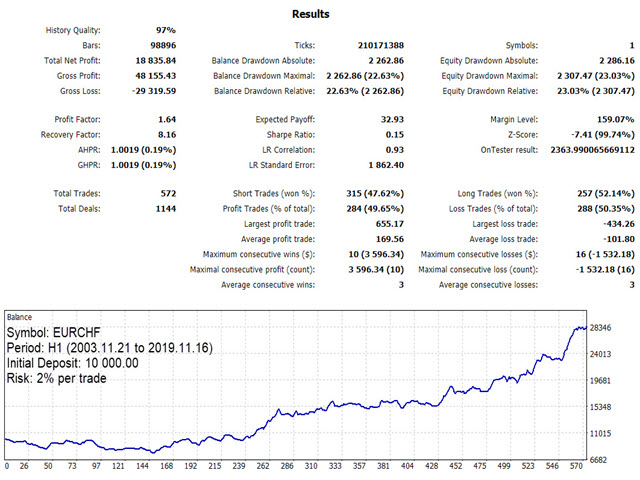
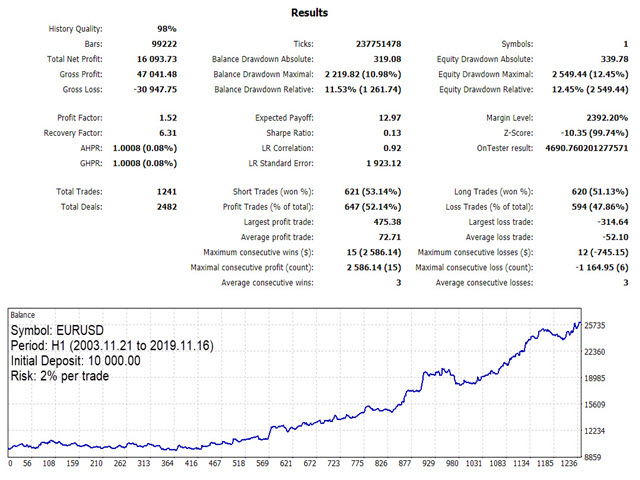
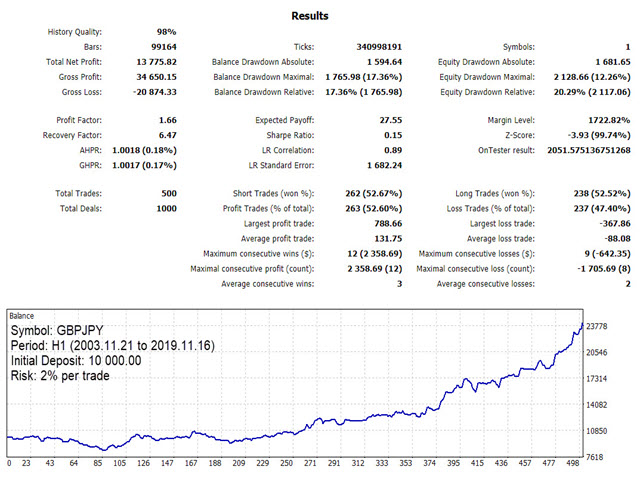
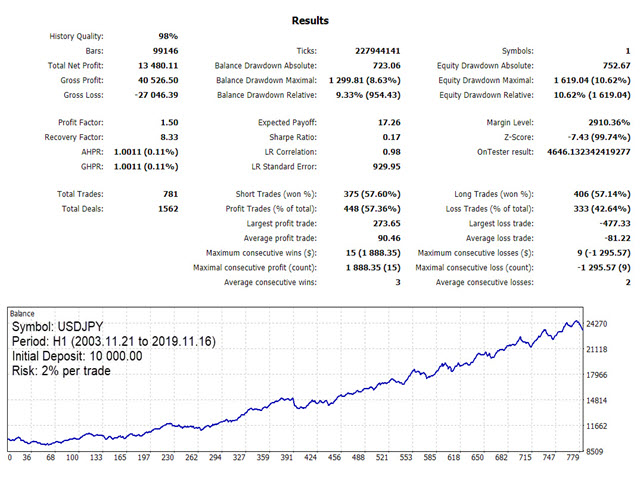
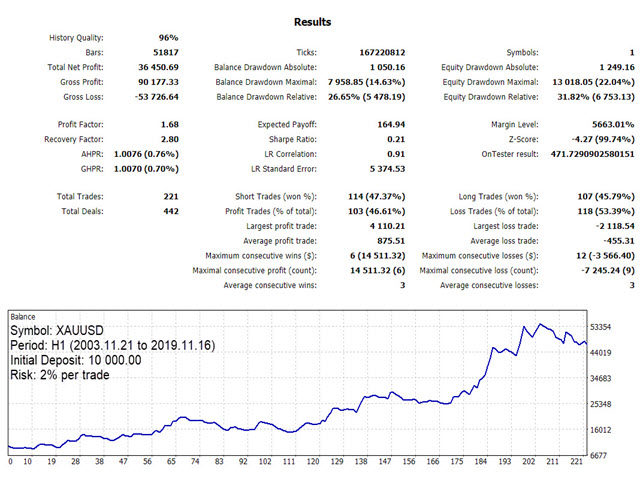
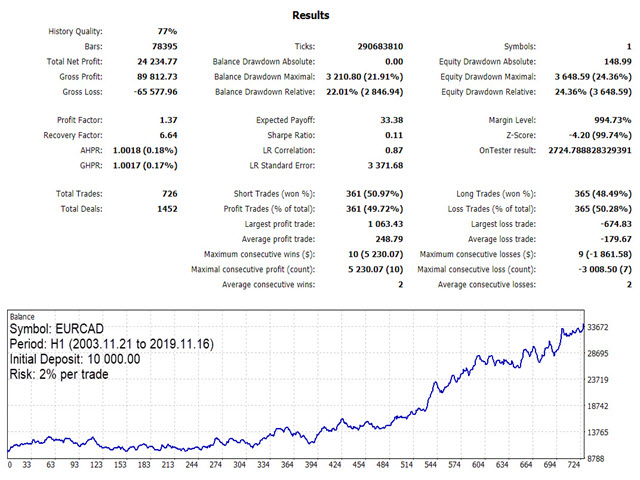
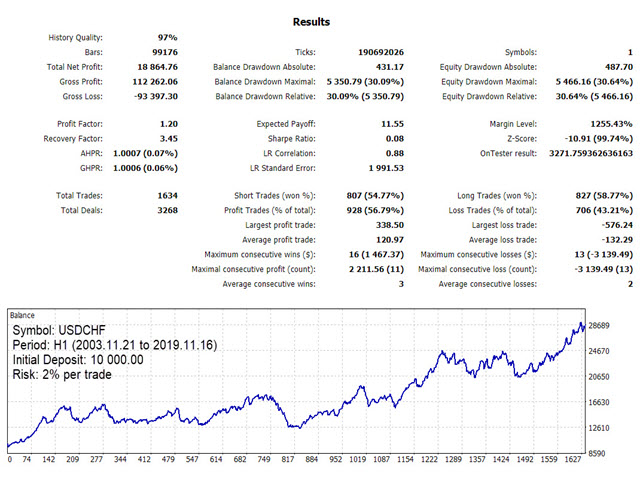
The EA does not enforce a fixed symbol list or timeframe. Test the settings with your broker data in the Strategy Tester or on a demo account before using them in live trading.