Trend Confluence PRO
- Indicators
-
JETINVEST
 Roberto Junqueira, is Trader for over 20 years and has been developing indicators and trading experts for more than 10 years for the Forex, Cryptocurrencies and Stock Exchanges markets.
 - Version: 1.0
- Activations: 10
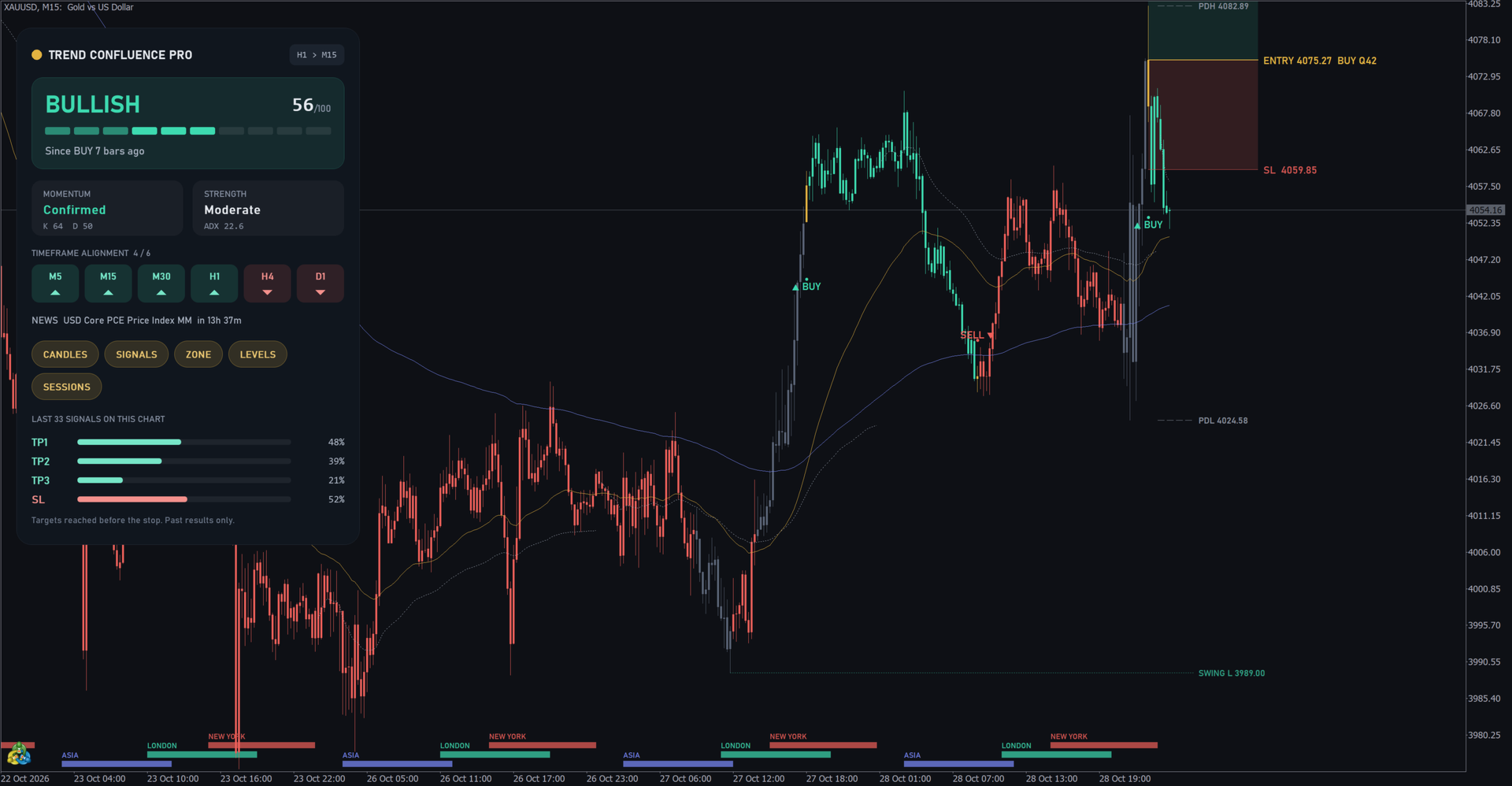
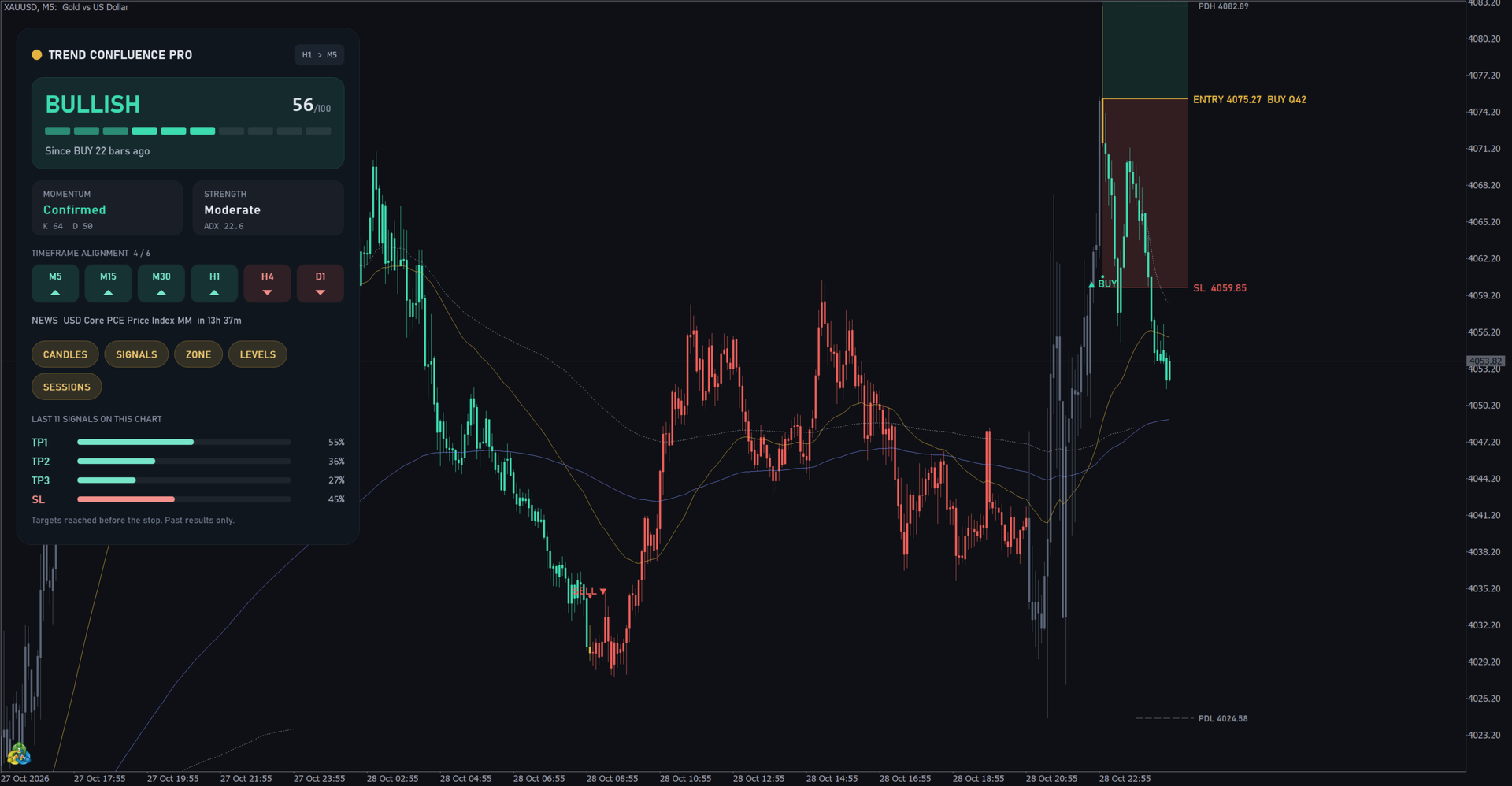
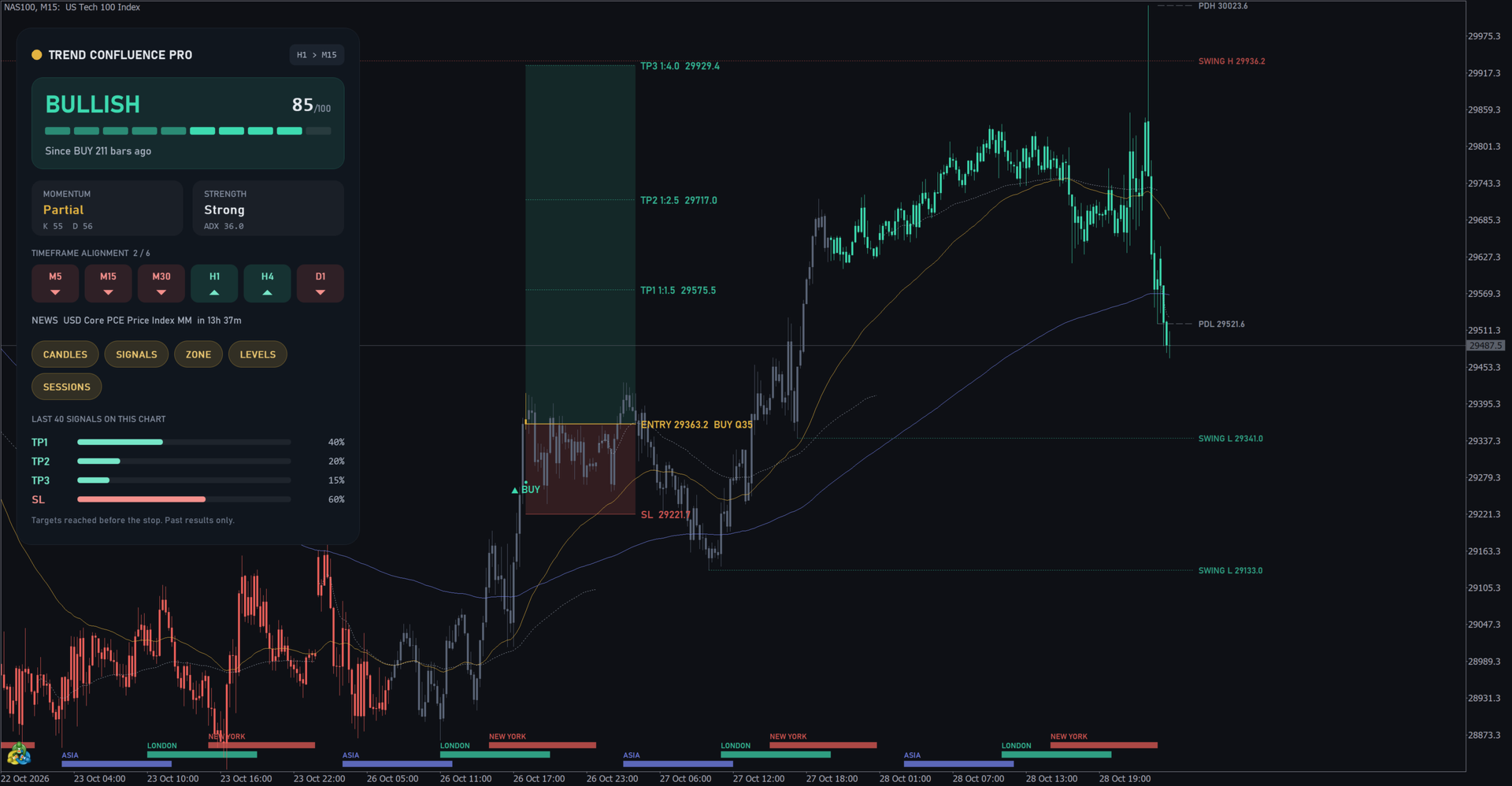
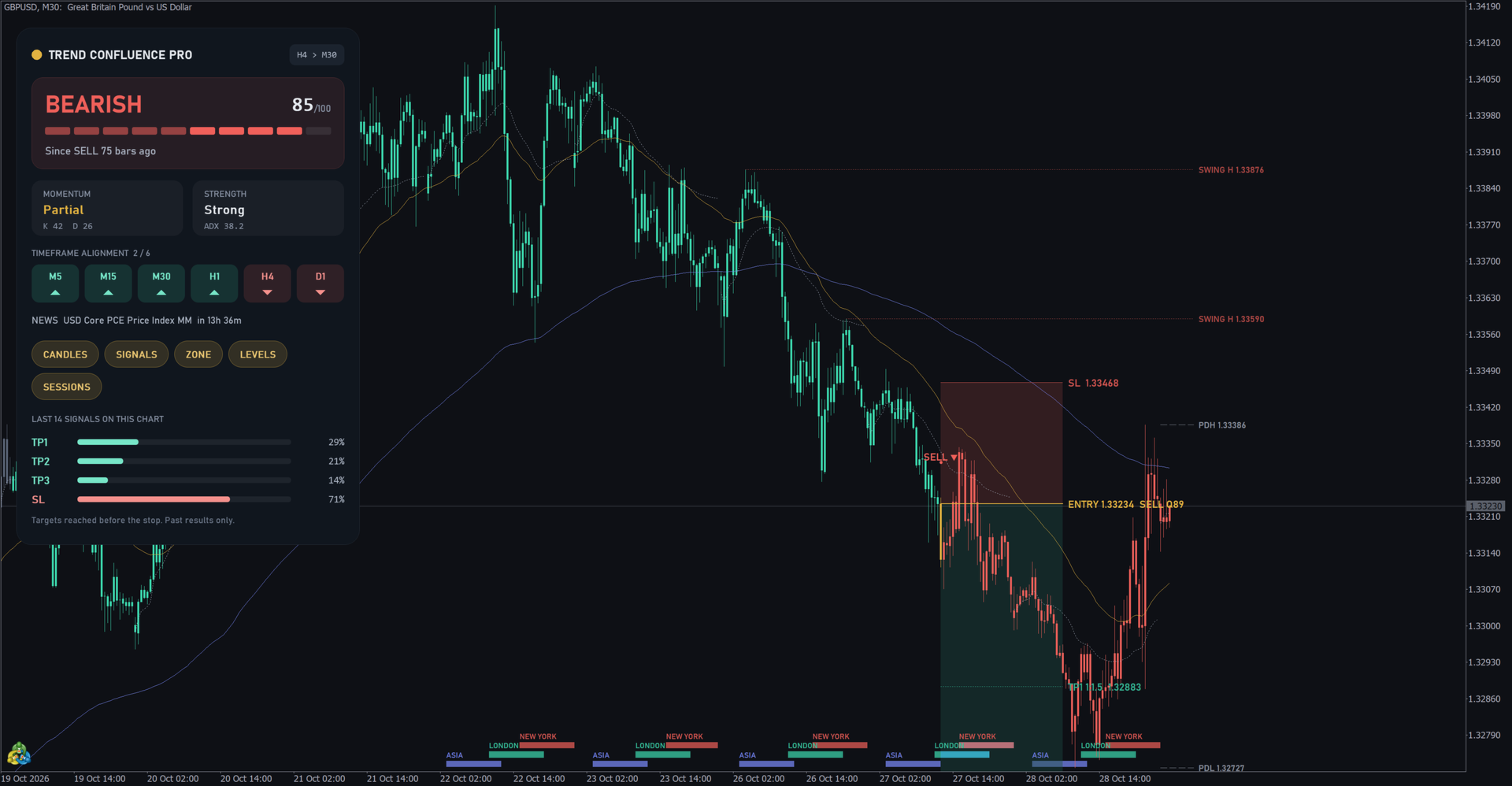
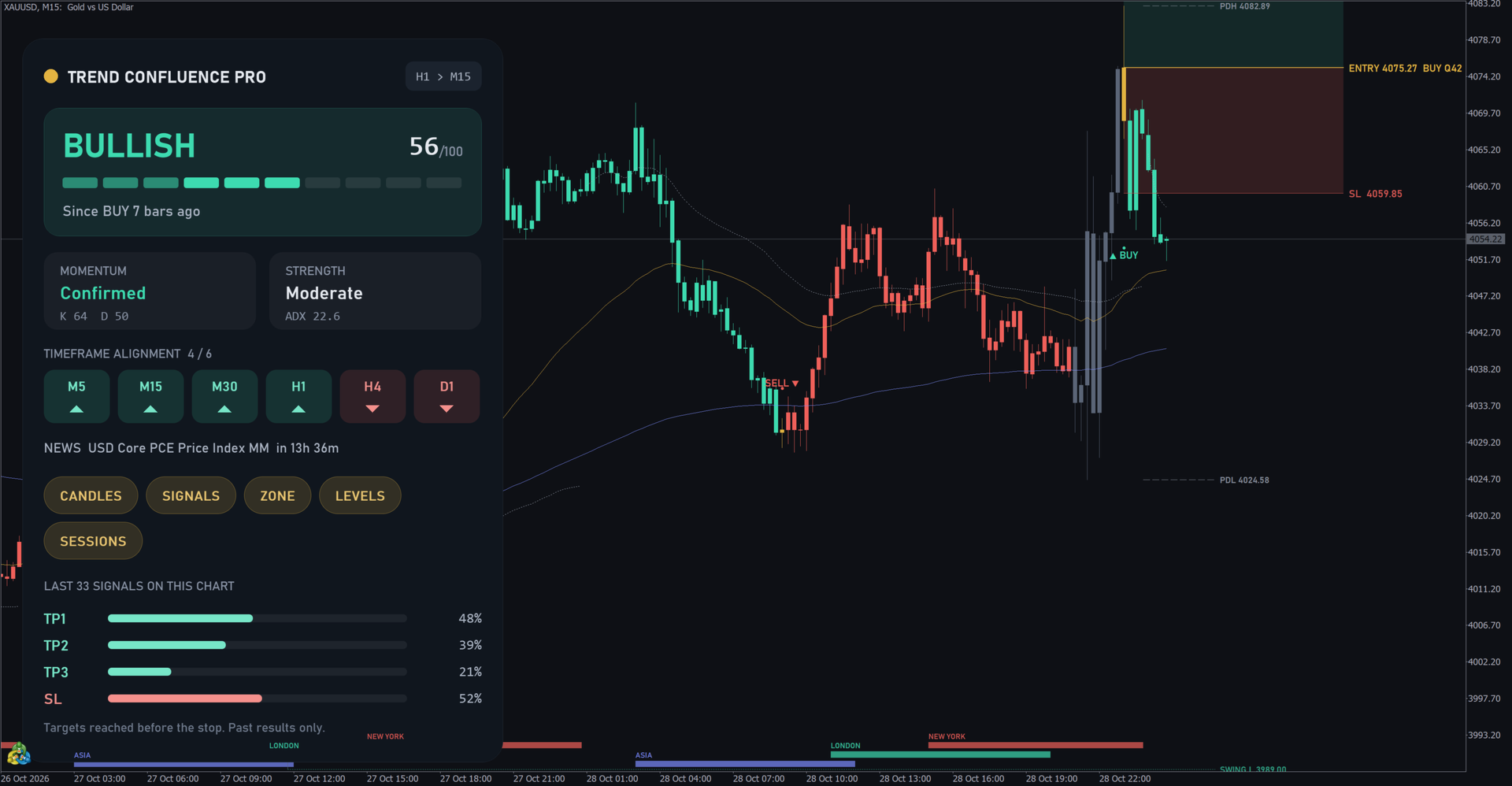
Trend Confluence PRO reads the trend on a higher timeframe and shows it on your chart: colored candles, BUY and SELL marks, an entry zone with stop loss and three targets, and the levels where price often reacts. Every bar uses only closed higher-timeframe bars, so nothing repaints.
Launch price 59 USD. The price goes up 10 USD every 10 sales, up to 99 USD.
WHAT IT SHOWS
- Trend candles: bull, bear, weak trend (grey) and trend change (gold), from the trend timeframe you choose (H1 by default).
- BUY and SELL marks on the first bar after a trend change, with a quality score from 0 to 100 (trend strength, distance from the average, momentum and news).
- Entry zone of the latest signal: entry, stop loss in ATR and targets TP1, TP2 and TP3 in R multiples (1.5, 2.5 and 4 by default). Entry at the signal bar or on a pullback.
- Confluence levels: fast and slow EMA (50 and 200), daily VWAP, previous day high and low, and the untouched swing highs and lows.
- Session strip for Asia, London and New York, with daylight saving time handled automatically.
- High-impact news from the MQL5 economic calendar: signals near news are flagged and the panel shows the next event.
THE PANEL
- Trend state (BULLISH, BEARISH or WAIT), score, momentum and strength.
- Trend alignment on M5, M15, M30, H1, H4 and D1.
- One-click switches for candles, signals, zone, levels and sessions, saved per chart.
- Statistics card: on the bars of your own chart, how often TP1, TP2 and TP3 were reached before the stop loss. It shows the past results of your symbol and timeframe, good or bad.
- Sized from the screen scale, so it keeps its proportions on Full HD and 4K monitors.
HOW TO USE
- Choose a trend timeframe higher than the chart, for example an H1 trend on an M5 or M15 chart, or an H4 trend on M30 or H1.
- Use the trend and the levels together: a signal near an EMA, the VWAP or a swing level gives a clearer reference for the stop.
- Check the statistics card before trading a new symbol or timeframe. Trend following works better on some markets than on others.
- Alerts: pop-up, sound, push and e-mail, with a minimum quality filter.
FOR EXPERT ADVISORS
Buffers 13 to 18 hold direction, entry, stop loss, TP1, TP2 and TP3 on the signal bar. Buffer 11 holds the trend state and buffer 12 the quality score. Values are written once and never change.
RISK PER TRADE
To size each trade from your risk and manage break-even, partial close and trailing, see Trade Panel and Risk Manager PRO.
FAQ
Does it repaint? No. The color, mark and levels of a bar come from trend bars that closed before it opened, and they never change afterwards.
Does it work in the Strategy Tester? Yes. The economic calendar is not available in the tester, so the news filter works only on a live chart.
Does it guarantee profits? No. It shows trend, levels and the past results of the signals on your chart. Use your own risk management.