Ultimate MTF Fibonacci Trend with Dashboard
- Indicators
- Version: 1.20
- Activations: 5

Combined Fibonacci & Dashboards MT5
Combined Fibonacci and Dashboards is a multi-timeframe analytical suite for MetaTrader 5 that combines dynamic, volatility-based Fibonacci retracement levels with automated price-rejection signal detection and interactive chart management dashboards.
Rather than drawing manual Fibonacci grids that require continuous adjustments, this indicator dynamically computes Fibonacci trend continuation zones using moving midlines and volatility bands across two timeframes simultaneously. Coupled with built-in multi-timeframe trend monitoring and a single-click symbol switcher, it provides a unified hub for multi-timeframe price action analysis.
Key Feature Breakdown
1. Dual-Engine Dynamic Fibonacci Levels
-
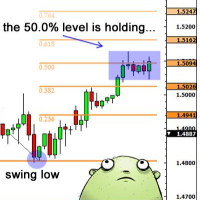
Base Timeframe Engine: Plots dynamic midline and Fibonacci extension/retracement levels ($0.236, 0.382, 0.500, 0.618, 0.786$) based on recent price range volatility on your current chart.
-
Higher Timeframe (MTF) Engine: Overlay levels from a secondary, higher timeframe (e.g., H1 levels on an M5 chart) to identify confluent support and resistance zones where lower and higher timeframe levels align.
-
Level Customization: Enable or disable individual Fibonacci ratios ($23.6\%, 38.2\%, 50.0\%, 61.8\%, 78.6\%$) depending on your strategy preferences.
2. Algorithmic Rejection Signals & Alerts
-
Wick Rejection Detection: Automatically identifies candle rejection patterns (pin bars / long wicks) touching active Fibonacci levels in the direction of the dominant trend.
-
Cooldown Protection: Built-in bar cooldown ( InpCooldownBars ) prevents signal spamming during prolonged consolidation at a Fibonacci level.
-
Wick Ratio Filter: Adjust InpMinWickRatio to filter out weak candles and ensure signals trigger only on strong rejection wicks relative to the total candle range.
-
Confluence Alignment Alerts: Triggers native MT5 alerts when higher timeframe and lower timeframe Fibonacci lines align within a user-defined price tolerance percentage ( InpAlignTolerance ).
3. Interactive Mini MTF Dashboard
-
Real-Time Trend Matrix: Monitors trend direction (BULLISH / BEARISH) across M15, M30, H1, H4, and D1 timeframes using a customizable Moving Average.
-
Instant Chart Switcher: Click any timeframe label directly on the panel to instantly change your chart's period without opening MT5 menus or losing chart settings.
4. Interactive Pair Watchlist Dashboard
-
Live Price Monitoring: Tracks live Bid prices for up to 10 customizable trading instruments (Forex pairs, Gold/XAUUSD, Indices, or Crypto).
-
One-Click Symbol Switching: Click any symbol in the watchlist panel to instantly switch the active chart to that symbol while retaining all indicator configurations.
How It Works in Trading
-
Identify the Higher Timeframe Trend: Check the Mini MTF Dashboard to ensure alignment across multiple timeframes (e.g., H1, H4, D1 all showing BULLISH).
-
Locate Key Fibonacci Zones: Look for overlap between lower-timeframe Fibonacci levels and higher-timeframe MTF lines.
-
Wait for Rejection: Watch for buy/sell arrows generated when price touches a key Fibonacci level, forms a rejection wick, and closes back in the direction of the trend.
-
Execute & Manage: Use the rejection candle low/high for tight stop-loss placement and target the opposing midline or outer Fibonacci bands.
Complete Input Parameter Reference
Fibonacci Base Settings (Current Timeframe)
-
InpMidlineLength (default: 200 ): Period length for the base trend midline calculation.
-
InpPivotLength (default: 7 ): Lookback period for calculating volatility range bands.
-
InpBandWidth (default: 3.0 ): Volatility multiplier controlling band distance from the midline.
Fibonacci Engine 2 (Multi-Timeframe)
-
InpUseMTF (default: true ): Enable or disable higher timeframe line calculations.
-
InpMTFTimeframe (default: PERIOD_H1 ): Target timeframe for Engine 2 levels.
-
InpMTFMidlineLength (default: 200 ): Midline calculation period for Engine 2.
-
InpMTFPivotLength (default: 7 ): Volatility lookback period for Engine 2.
-
InpMTFBandWidth (default: 3.0 ): Volatility band width multiplier for Engine 2.
Fibonacci Levels Visibility
-
InpShow786 , InpShow618 , InpShow500 , InpShow382 , InpShow236 : Toggle individual Fibonacci levels ON or OFF.
Signal Filters & Alerts
-
InpCooldownBars (default: 8 ): Minimum number of bars required between consecutive signals.
-
InpMinWickRatio (default: 0.35 ): Minimum wick length as a percentage of total bar range (0.35 = 35% wick).
-
InpEnableAlerts (default: true ): Enable pop-up alerts for line confluence and price rejection setups.
-
InpAlignTolerance (default: 0.0005 ): Price percentage difference threshold to trigger MTF alignment alerts.
Dashboard Settings
-
InpMTFCorner & InpPairCorner : Screen corner anchor for the MTF and Pair panels.
-
InpMTFXOffset , InpMTFYOffset , InpPairXOffset , InpPairYOffset : On-screen pixel offsets for dashboard positioning.
-
InpMALength (default: 50 ): Moving Average period used for MTF trend determination.
-
InpTfM15 through InpTfD1 : Toggle display for specific timeframes in the MTF panel.
-
InpSym1 through InpSym10 : Custom symbol names for the Pair Watchlist panel.
Recommended Usage Tips
-
Best Instruments: Major Forex pairs (EURUSD, GBPUSD, USDJPY), Gold (XAUUSD), and major stock indices.
-
Optimal Timeframes: Set your main chart to M5 or M15 for execution, with the MTF Engine set to H1 or H4 for macro direction.
-
Testing: Use the Strategy Tester visual mode to observe how dynamic Fibonacci levels expand and contract during high-volatility moves.