Gold Session Range Signals
- Indicators
- Version: 1.0
- Activations: 10

CALCULATED VALUES, NOT RECOMMENDATIONS
The prices drawn here are calculated values, not recommendations, and the panel says so at all times. When nothing is drawn, the panel says why.
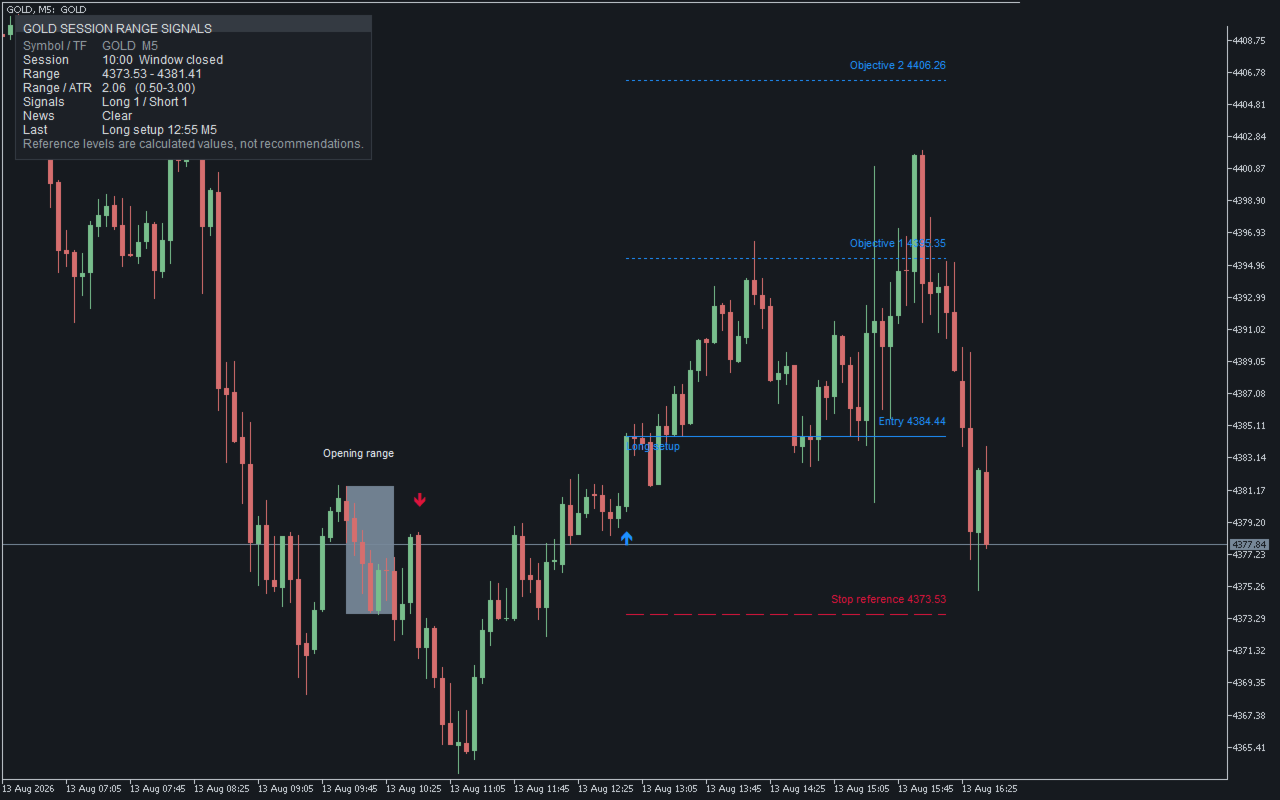
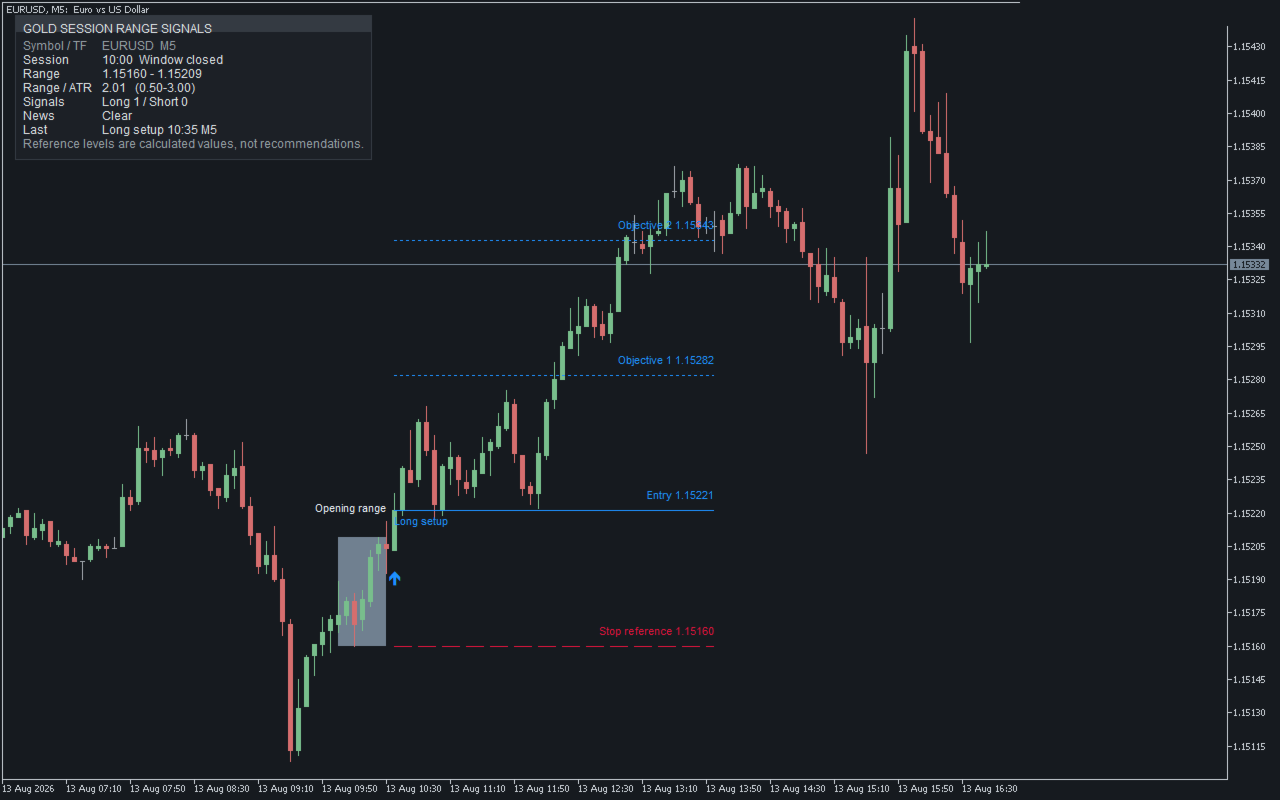
You set one session start time. The high and low of the minutes that follow are the opening range, drawn as a box labelled Opening range. The indicator then waits for a bar closing beyond it by a margin taken from ATR. The first such bar in each direction gets an arrow and four reference prices. No orders are placed, and your account is never touched.
READING THE PANEL
GOLD SESSION RANGE SIGNALS
Symbol / TF GOLD M5
Session 10:00 Window closed
Range 4373.53 - 4381.41
Range / ATR 2.06 (0.50-3.00)
Signals Long 1 / Short 1
News Clear
Last Long setup 12:55 M5
Reference levels are calculated values, not recommendations.
- Session shows the start time you set, on your broker's server clock. Window closed means the opening range period has finished, not that something is happening now.
- Range prints the low first and the high second: 4381.41 - 4373.53 = 7.88.
- Range / ATR divides that width by ATR; the pair in brackets is the band you set in the inputs. The figure sits inside it, so this session was accepted and its box stayed on the chart.
- Signals counts at most one per direction, so the pair shown here is as high as this line can go for a single session.
- On Last, the time is the bar the arrow printed on, not now, and the item after it is that arrow's timeframe. On the chart it carries four reference lines with their prices.
- Clear means the calendar filter is running and this bar is outside any quiet period. A filter you switched off, and a calendar the terminal cannot supply, each put a different word here.
THE RULE, IN FULL
ATR = iATR(InpAtrPeriod)
Margin = InpBreakAtr * ATR
RangeW = RangeHigh - RangeLow
InpMinRangeAtr * ATR <= RangeW <= InpMaxRangeAtr * ATR
Long setup Close[i] >= RangeHigh + Margin
Short setup Close[i] <= RangeLow - Margin
Entry = Close[i]
Stop reference = min(RangeLow, Entry - InpStopAtr * ATR)
Risk = Entry - Stop reference
Objective 1 = Entry + InpR1 * Risk
Objective 2 = Entry + InpR2 * Risk
i is the last closed bar, never the one still forming. RangeHigh and RangeLow are the high and low of the opening range, RangeW the distance between them, Margin the room a close must clear. Only bars falling entirely inside the opening range period build it, and the close decides: a wick through the level is not a break. The min keeps whichever candidate is further from Entry.
A short is the same picture upside down: Stop reference becomes max(RangeHigh, Entry + InpStopAtr * ATR), Risk becomes Stop reference - Entry, and both objectives are subtracted from Entry.
The width inequality is applied once, when the opening range is fixed, using the ATR of the last bar completed inside it. Applying it on every bar would let a drifting ATR move one session in and out of acceptance, and the panel would give two answers about it.
AROUND NEWS RELEASES
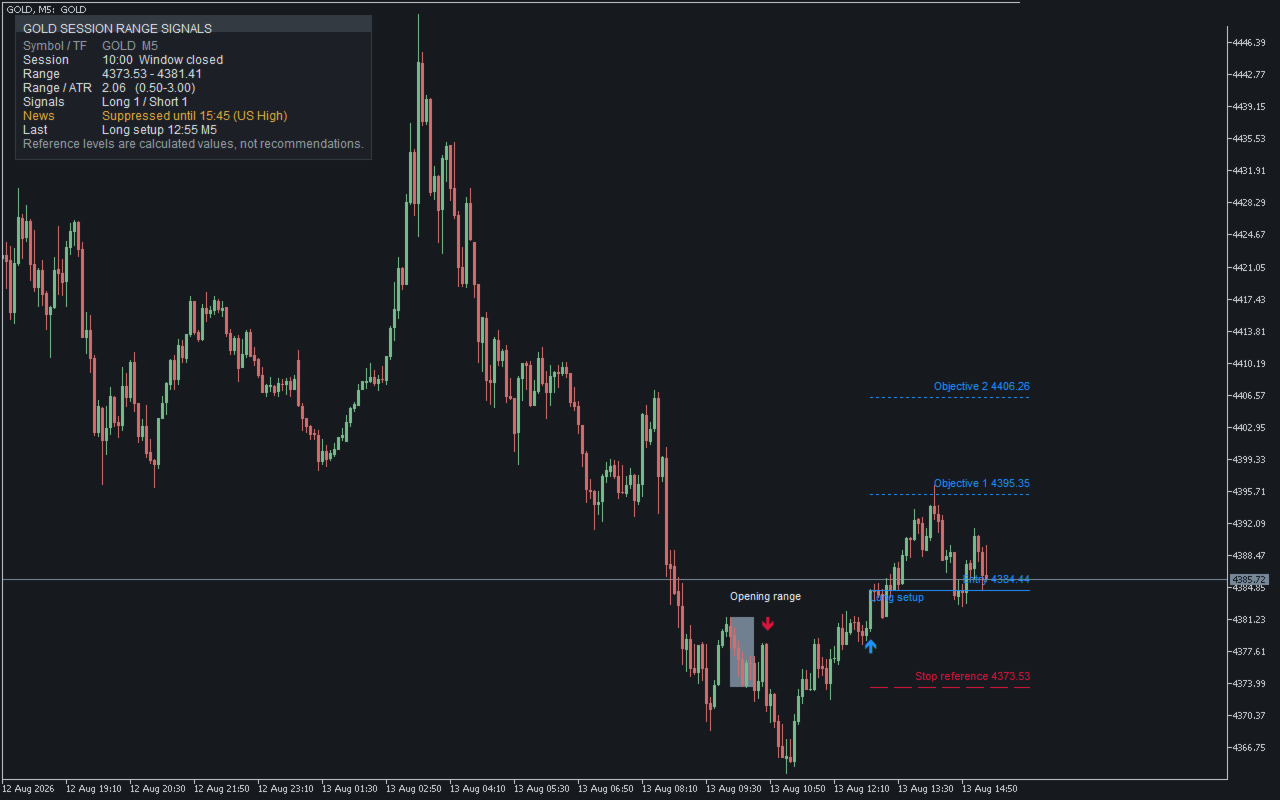
News Suppressed until 15:45 (US High)
No arrow prints around a scheduled release, by default for 15 minutes each side, filtered by importance and by country: four countries have their own switches, the rest under All other countries. Suppression delays an arrow, it does not cancel it: a stopped bar keeps the session's allowance, so if price is still beyond the opening range when the period ends, the arrow appears then. Overlapping releases fold into one, so the time on the Suppressed until line is when the indicator truly resumes. In one live scan, 58 releases matched the default filters and 212 closed bars fell inside the quiet periods; none carried an arrow.
IT DOES NOT REPAINT
Nothing is drawn on the forming bar; every decision comes from the sequence of closed bars alone. History gets the same suppression as the live chart, so changing timeframe does not add or remove arrows. The series was rebuilt from 26 cut-off points and compared bar by bar: no arrow differed.
IT ALWAYS SAYS WHY
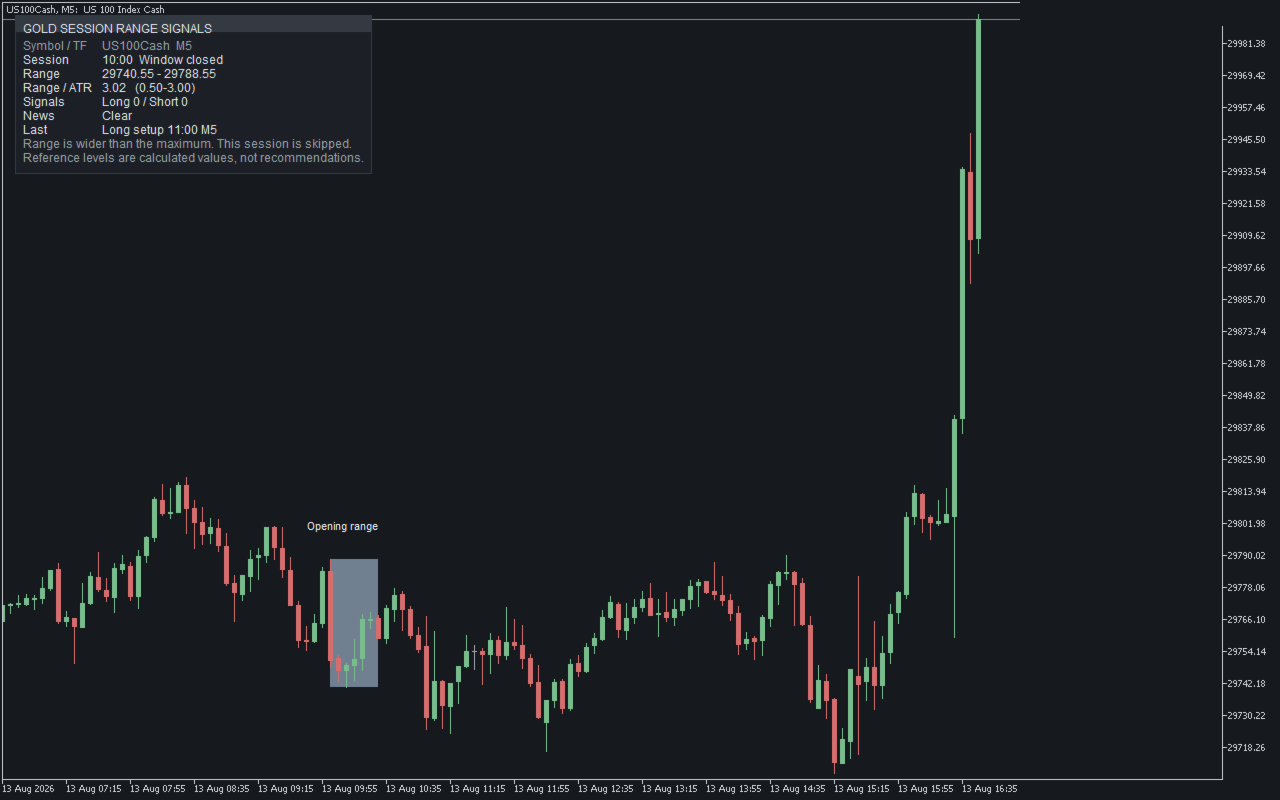
Range is wider than the maximum. This session is skipped.
Other messages cover a range too narrow, an ATR not ready, a calendar that cannot be called, and an input outside its range, which is named and returned to its default.
SERVER TIME
The start you type is your broker's terminal clock, not your own. The default suits the London open on a GMT+3 server; on a different offset, shift it by that difference.
THE INPUTS
Session / Signal / Reference levels / Economic calendar / Alerts / Display / Strategy Tester
There are 31 inputs in those groups, and only 7 move an arrow: the ones in the rule above. The calendar filter changes whether an arrow appears, not where. Alerts run on four independent switches, each naming the symbol, timeframe and condition met.
DEMO AND REQUIREMENTS
The tester cannot call the real economic calendar, so the demo reproduces one sample quiet period, labelled:
Sample suppression window (Strategy Tester only)
It sits mid-way through the stretch where signals are accepted, so it works whatever session and range length you pick: run the demo with that window off and 19 arrows appear inside it, on and none do. A MetaTrader 5 chart indicator for any symbol and timeframe, defaults for gold, screen text English. It contains no trading API calls, no DLL imports and no outbound network requests, all verified by a scan of the source.
WHAT IT DOES NOT DO
- It does not open, close or modify orders.
- It does not report results or amounts.
- It does not react to the forming bar; it waits for the close.
- It does not use the real calendar inside the tester.
- It claims nothing about instruments beyond gold.
This describes bars that have already closed, not what price will do next. Trading carries the risk of loss; try the demo first.