Risk Lock Trade Panel
- Utilities
- Version: 1.0
- Activations: 10

You place the stop; the panel works out the size. Risk Lock Trade Panel is a manual trading panel for MetaTrader 5 that sizes every order from the risk you set, sends it with the stop already attached, and manages the position from the same window. It does not open trades on its own, does not give advice, and does not send signals.
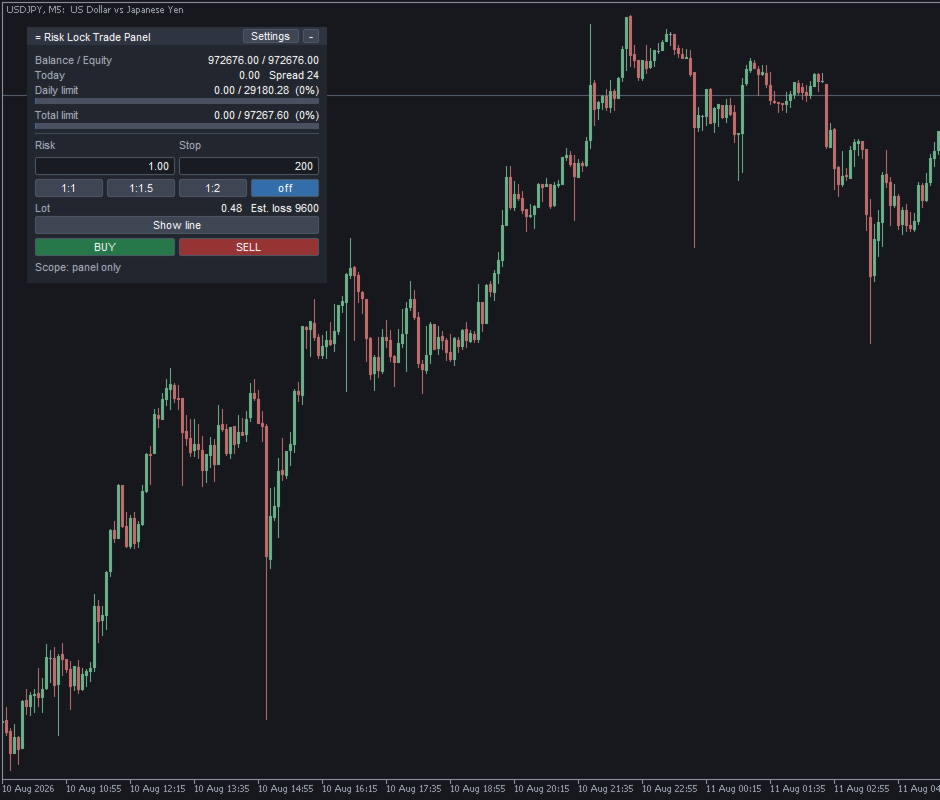
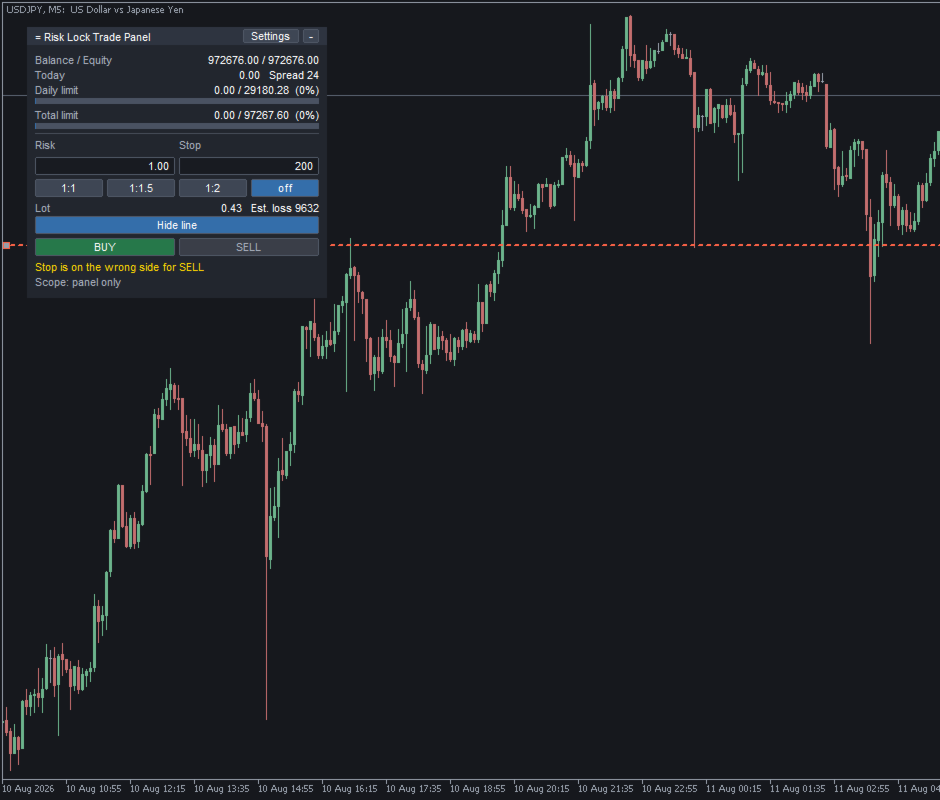
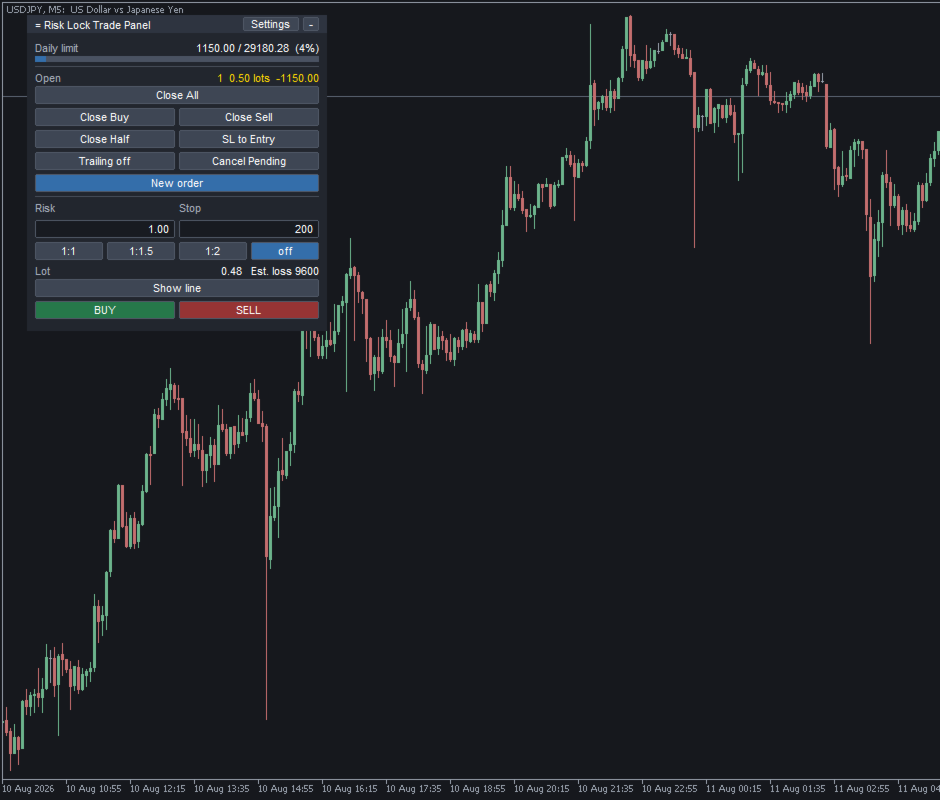
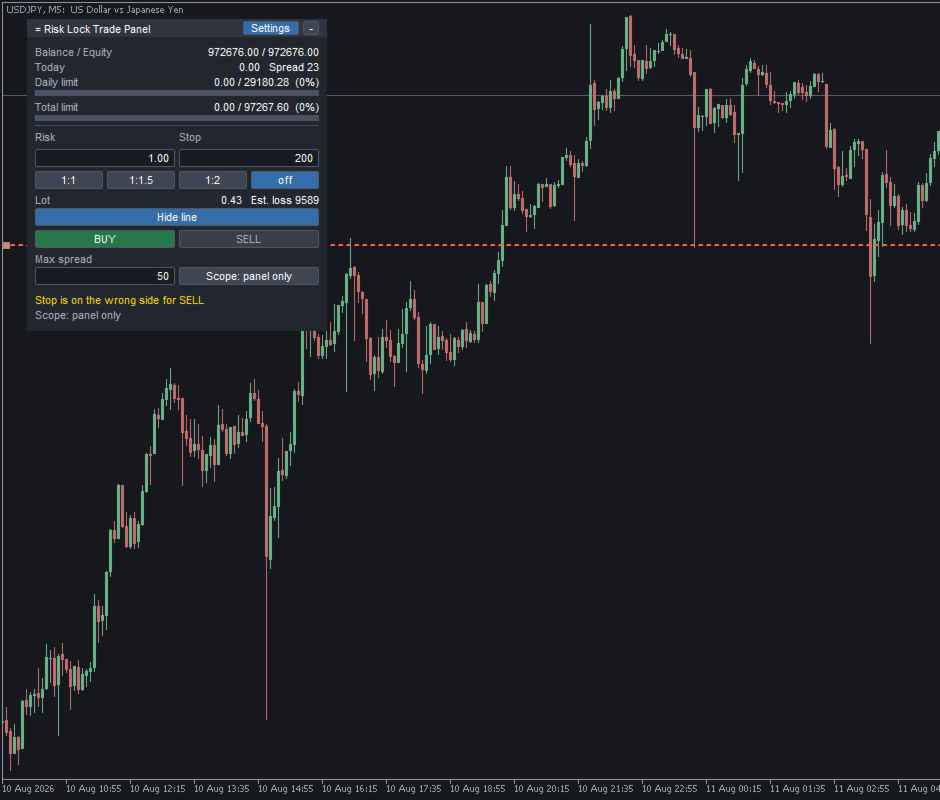
Enter your risk as a percent of balance or equity, or as a fixed amount, and set the stop distance in points - or press Show line and drag the stop line on the chart. Move the line and the distance, the lot and the money at risk are recalculated on every move: put the stop close and the lot grows, put it far and the lot shrinks, while the money at risk stays where you set it. A risk-reward preset can place the take-profit at a multiple of the stop distance (1:1, 1:1.5, 1:2, or none), attached to the order together with the stop.
The lot is normalised to the symbol - volume step, minimum and maximum are read from the broker, and the loss of one lot at your stop distance comes from MetaTrader itself, so currency pairs, gold, indices and other CFDs are all handled from the same panel. After rounding, the panel checks the result once more and steps the lot down rather than send more than the risk you asked for; if the result falls below the minimum lot, or is capped at the maximum, it says so before anything is sent.
If the stop line sits below price, only BUY is available; above price, only SELL is - the other button switches off and the panel gives the reason (Algo Trading is off, the spread is wider than your limit, the stop isn't set, there isn't enough margin, or the stop is closer than the broker allows).
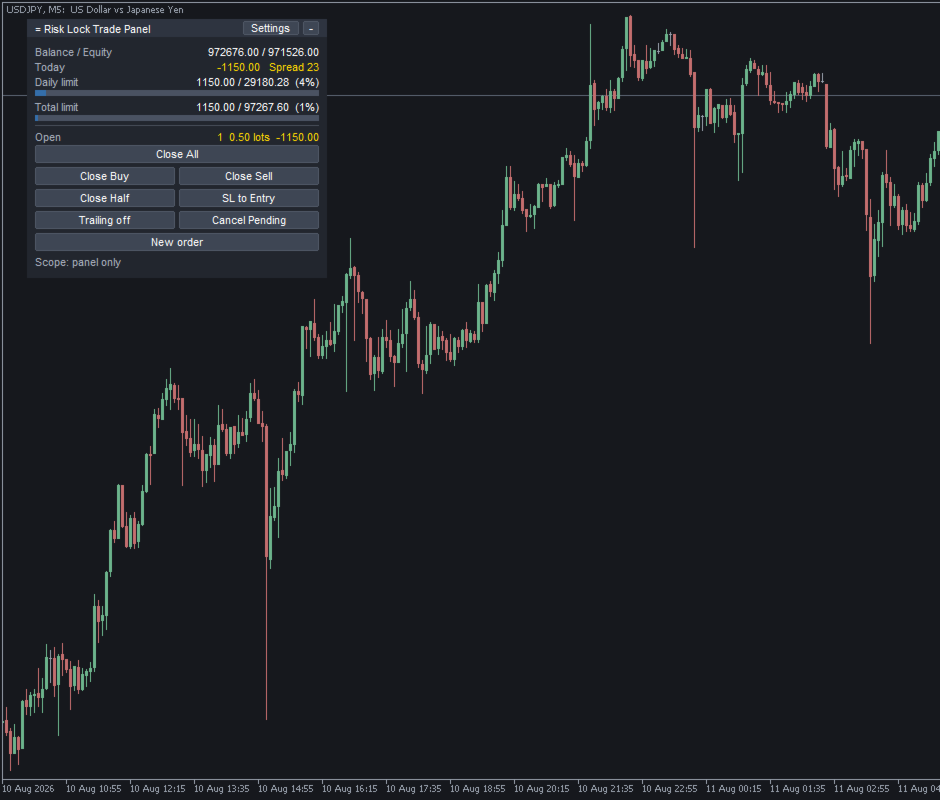
Once a position is open, the panel switches to managing it: Close All, Close Buy, Close Sell, Close Half, SL to Entry, and Trailing on or off - all from the same window, and New order lets you add to the position without leaving the panel. Close All asks for a second click within a few seconds (Confirm?), which can be turned off. By default the closing buttons act only on positions this panel opened; that scope can be widened to every position on the symbol, and the current setting stays visible on the panel.
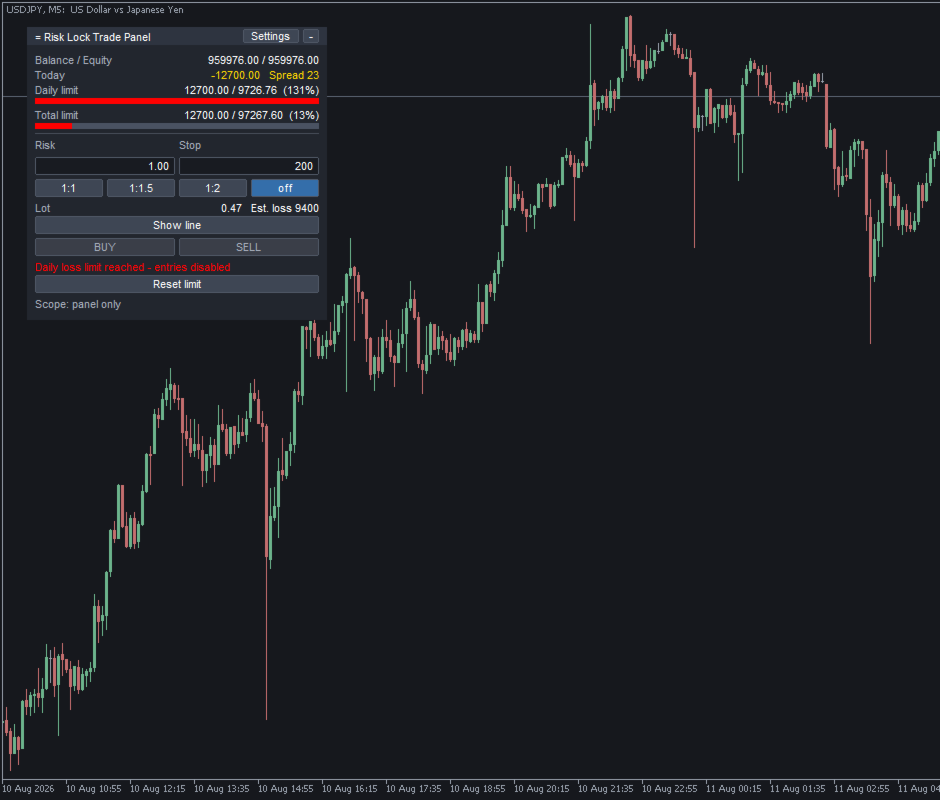
Set a daily loss limit, a total loss limit, or both, with commission and swap included and floating result counted or not, as you choose. Near the limit the panel warns; at the limit, BUY and SELL switch off and stay off until the trading day resets, or until a total limit is released by hand. Open positions are never touched by this - Close All, Close Half, SL to Entry and Trailing keep working right through it, because the limit stops new entries, it doesn't lock you out of what you already hold. A separate, off-by-default option can also close positions and keep new ones closed once a limit is crossed. The total limit can be measured from the balance at the start of the day or from the account's high watermark, and deposits or withdrawals made during the day are recognised and left out of the day's starting figure. Releasing a limit takes two clicks on Reset limit, and counting restarts from that moment so the same figure can't lock the panel again a second later; every release is written to the log.
Risk, stop distance, the risk-reward preset, stop line position, panel position, folded state, trailing, spread limit and closing scope are all saved per symbol and per account, in a file that survives a timeframe change, reopening the chart, a restart, or even an unexpected shutdown - gold and EURUSD each keep their own values. The panel is dragged by its header, folds to a single line, and stays inside the chart when it's resized or tiled.
Built for hedging accounts, and developed and tested there. It also reads the account mode at start-up and adapts to netting - there's one position per symbol, so Close Buy and Close Sell aren't shown, Close Half reduces the net position, and an order in the opposite direction is announced as a reduction before it's sent - though that adaptation hasn't yet been confirmed on a live netting account, so try the free demo there first.
What it doesn't do: it can't stop an order placed somewhere else - another Expert Advisor, the mobile app, or a second terminal are outside its reach, since the limit switches off this panel's own buttons, not the account. It can't share a chart with another Expert Advisor, since MetaTrader 5 allows one per chart. It can't trade while Algo Trading is off, though it keeps displaying and explains why the buttons are inactive. This version sends market orders only - no pending orders from the panel. Slippage, requotes and broker-side limits are outside its control, but every send result, including the error code, is shown on the panel and logged.
The free demo runs in the Strategy Tester in visual mode, where the panel is drawn on the chart so the layout, the risk and stop fields, the calculated lot and the two limit rows can all be seen before deciding anything; the loss limit there works against the tester's own virtual balance, not a real account balance. The panel was built and checked for real use on a live chart, and a demo account is the honest way to try the buttons, the stop line and the exits themselves.
All inputs already work without changing anything. Trading: magic number, order comment, slippage in points, a maximum spread in points, risk mode (percent or fixed money), risk basis (balance or equity), default risk percent, default risk money, default stop distance in points. Loss limit: use daily limit, daily limit percent, use total limit, total limit percent, limit anchor (balance at day start or high watermark), day reset hour, close on breach, include floating result. Exit and trailing: closing scope, confirm Close All, confirmation seconds, break-even offset in points, trailing distance and step in points. Risk-reward presets. Panel position, font and ten colours. Stop line colour, style and width.
No DLL, no external website or API, no third-party server - nothing leaves MetaTrader 5. Trading foreign exchange and CFDs carries a risk of loss. This panel is an execution and calculation aid: it does not provide trading advice or signals and makes no claim about results. The lot it calculates follows the figures entered - it is not a recommendation, and every trading decision and its outcome remain the trader's own.