Drawdown Limit Guard
- Utilities
- Version: 1.0
- Activations: 10

Drawdown Guard watches your account against loss limits you set, and closes what needs closing when a limit is reached - that's all it does. It doesn't decide when to buy or sell, and it doesn't give advice.
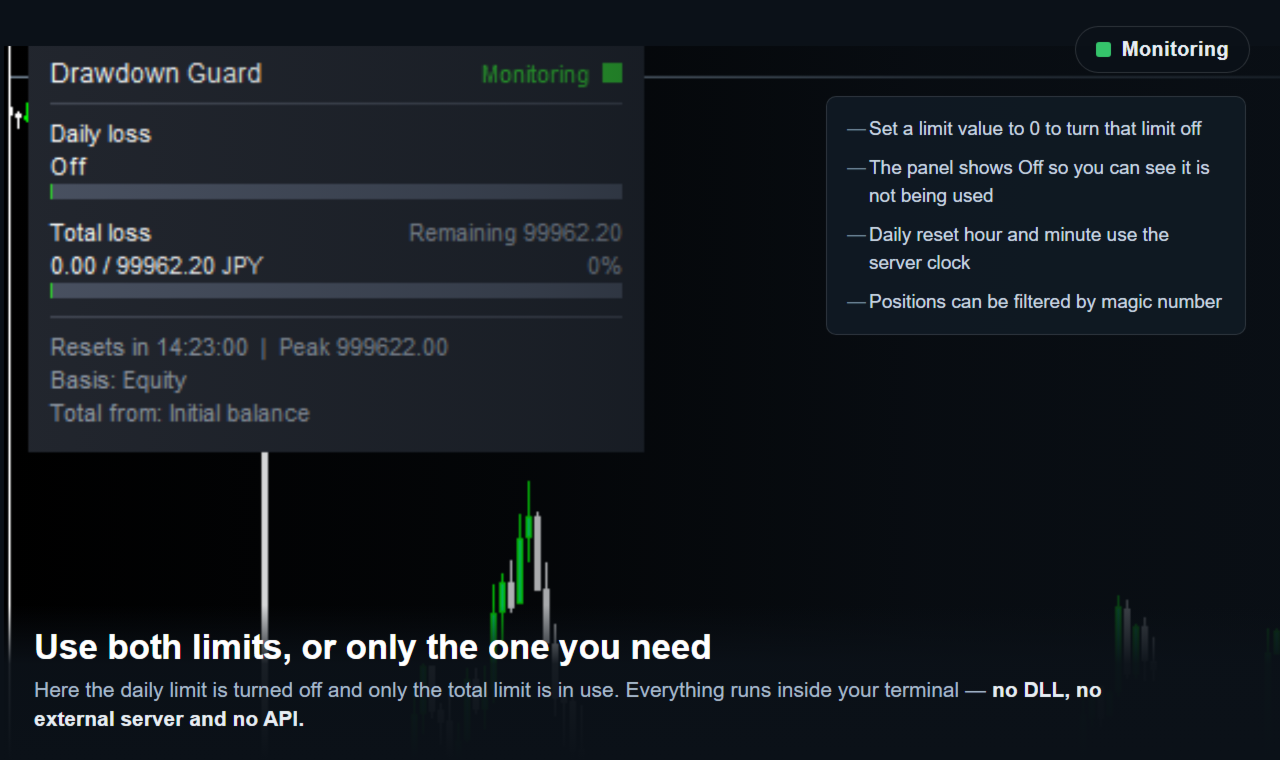
Set a daily loss limit, a total loss limit, or both. As the loss nears a limit, the tool warns you; once the limit is reached, it closes any position or pending order that opens from that point on, and - only if that option is turned on - the positions already open as well.
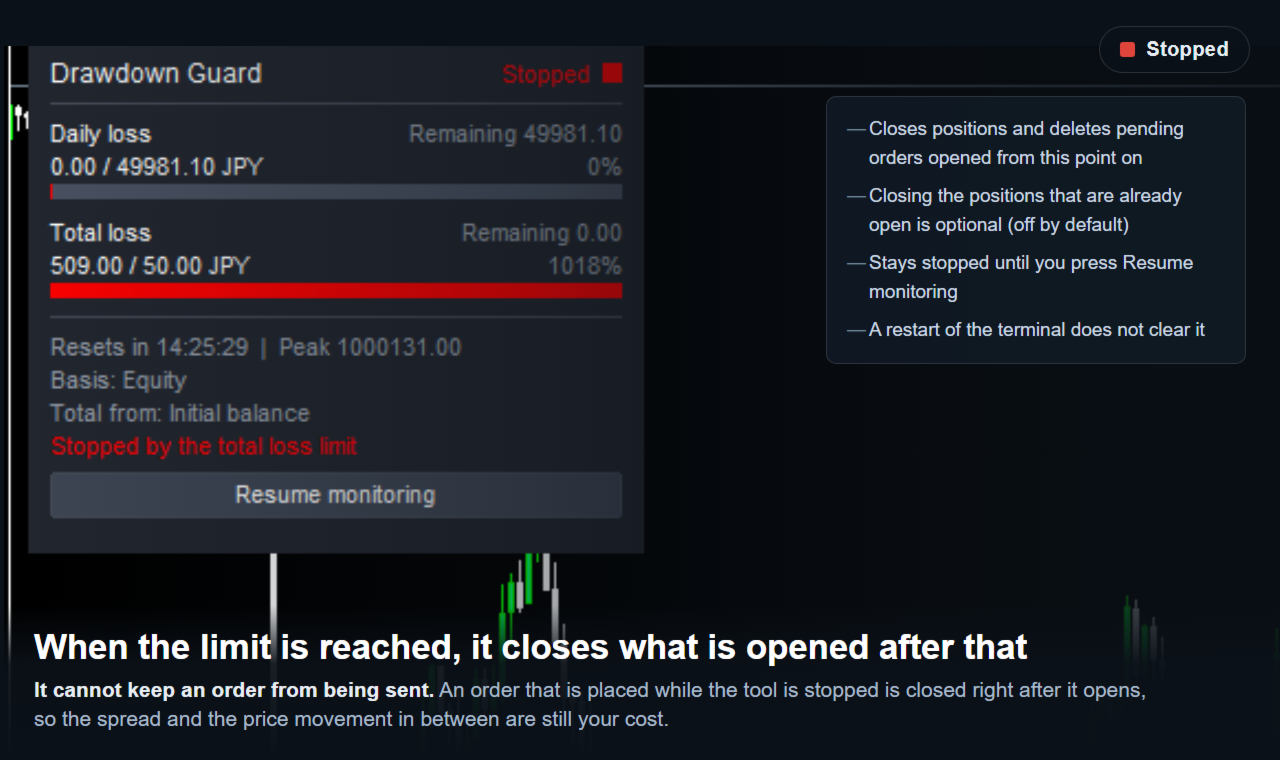
It's worth saying plainly: this tool cannot stop a new order from opening. MetaTrader 5 has no function to switch off new trading, and the Market doesn't allow DLLs, so when an order opens after the limit is reached, the tool closes it right behind - about a quarter of a second later in testing. A small loss from spread and price movement still happens on that one order.
People use it two ways: to watch a rule of their own (say, no more than a fixed percent lost in a day), or to watch the daily and total loss figures a funded-account program sets. Whether a particular rule is actually met depends on the trader's own settings, trading and broker - that's outside what any tool can control; this one reports and acts on the numbers it's given.
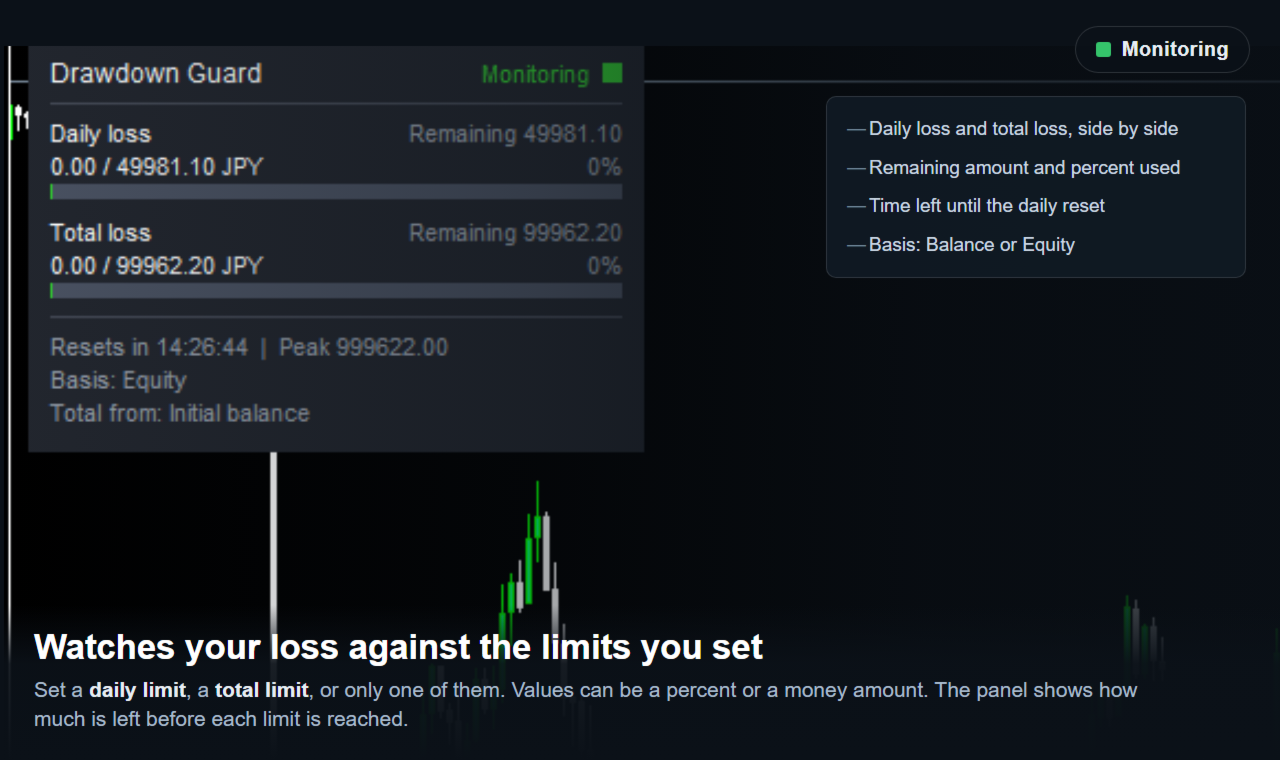
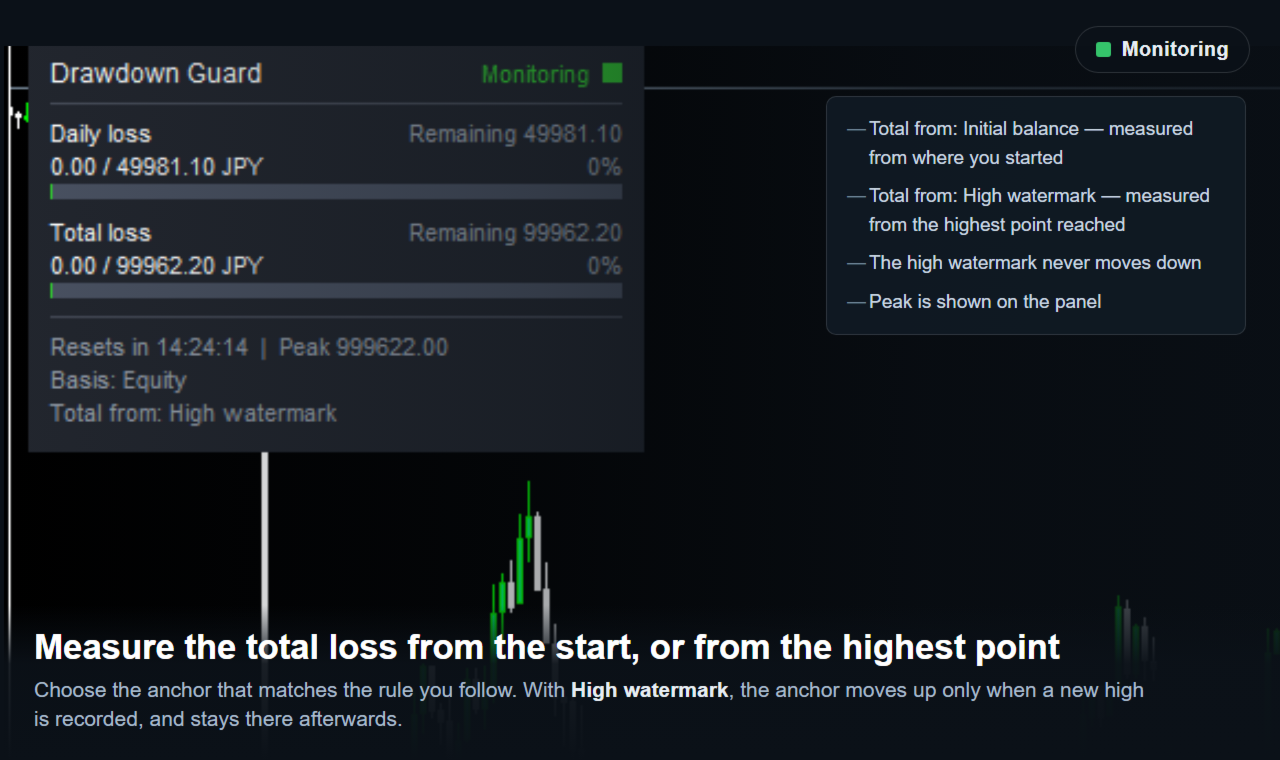
What it watches: daily loss, the drop from the balance or equity at the start of the trading day; and total loss, measured either from the initial balance or from the account's high-water mark, the peak the account has ever reached - in that mode the reference follows the peak upward, never moves back down, and stays put after monitoring resumes. Calculation basis is Balance or Equity, whichever matches the rule being followed. The daily reset happens at an hour and minute set by the trader, in server time, and follows the calendar even on days with no trading.
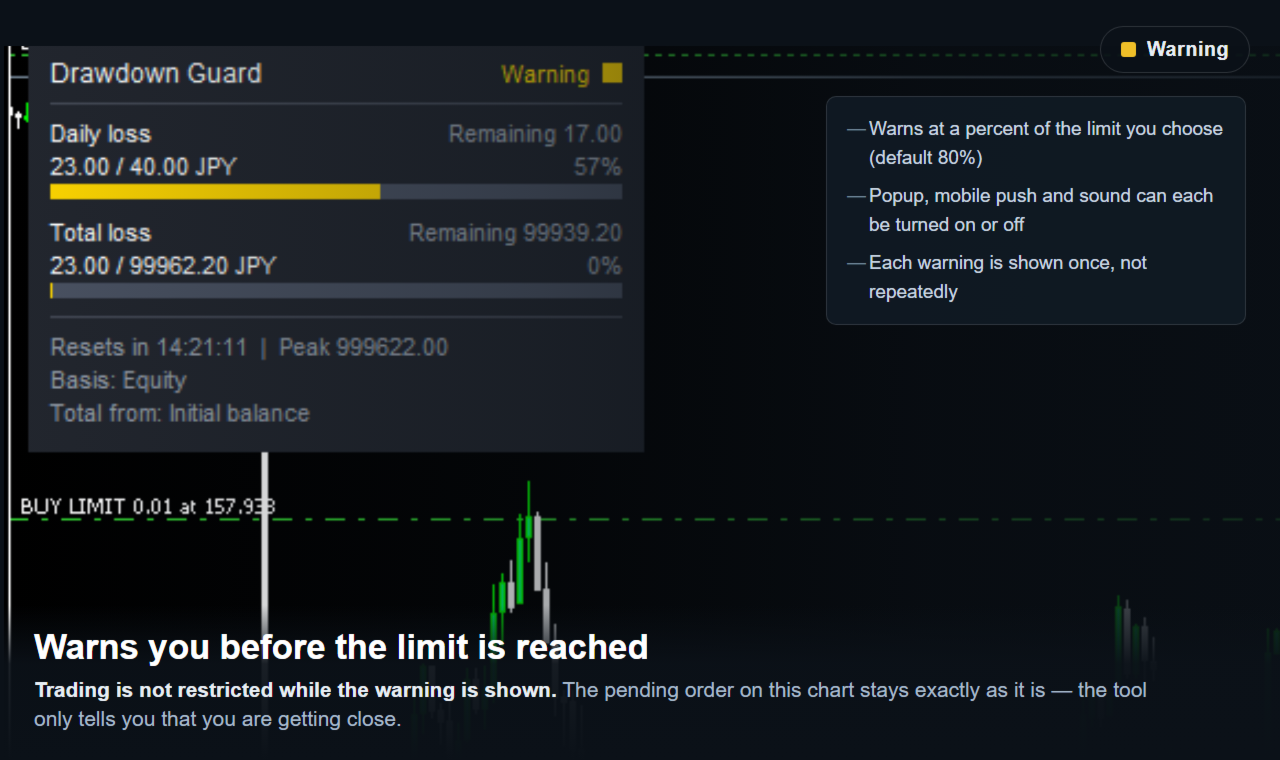
It acts in two stages. A warning at a set percent of the limit puts up an on-screen notice and an alert, without touching trading at all. At the limit itself, the panel turns to Stopped, and from there any position that opens is closed and any pending order deleted, until monitoring is resumed. Positions already open when the limit was reached are left alone unless that's turned on - off by default, so nothing already open closes unless it's chosen to. Once stopped, monitoring stays stopped until resumed by hand - and if the account is still past the limit, Resume monitoring won't hold: the very next check stops it again at once, so what's needed is a change of settings or the daily reset.
The on-chart panel shows the current daily and total loss, the amount still left to each limit and the percent of that limit already used, time to the daily reset, the peak value, and the state - Monitoring, Warning or Stopped. Alerts come by popup, sound and mobile push, each switchable on its own. A magic-number filter lets it act on one EA's positions only, or on all of them. State is written to a file and restored after a restart, so a restart doesn't reset the day's progress.
What it doesn't do: it doesn't open trades, choose entries or send signals, and it doesn't predict anything. It can't stop an order from opening - it closes the order right after, so a small spread-and-movement loss happens on that one, as already explained. It needs Algo Trading on to close a position; if it's off, nothing can be closed, and it says so. While the account is still past a limit, Resume monitoring doesn't hold - the next check locks it again immediately. Only one chart per terminal runs it; a second is refused, so nothing is closed twice. If MetaTrader 5 closes abnormally, the latest state may not have been written, since it's saved at shutdown. After a deposit or withdrawal, the initial-balance input for total loss needs updating by hand.
No DLL, no external website or API, no third-party server - everything runs inside the terminal.
The free demo runs only in the Strategy Tester. Only one EA runs there and this tool opens nothing on its own, so there's nothing of its own to close - but the loss watching, the panel and both stages all work. Set the daily limit type to a fixed amount with a small value and run a test that produces a loss to see Warning, then Stopped, and run it in visual mode to watch the panel change as the loss grows. The tester gives no way to place an order by hand, so the closing itself can't be demonstrated there; that part runs on a live or demo account.
All inputs already have working defaults. Calculation basis (Balance or Equity). Initial balance for total loss - zero uses the current balance on first start. Daily limit type (Percent or Money) and value - zero turns the daily limit off. Total limit type and value - zero turns the total limit off. Total loss measured from the initial balance or the high-water mark. Warning threshold as a percent of the limit. Daily reset hour and minute, server time. Close positions and delete pending orders opened after the limit was reached. Close positions already open when the limit is reached. Popup alert, push notification, alert sound. Panel corner. Magic-number filter - zero means all positions.
Trading foreign exchange and CFDs carries a risk of loss. This tool is an operational aid that watches loss and closes positions at the limits set. It doesn't provide trading advice or signals and makes no claim about trading results. Every trading decision and its outcome remain the trader's own.